Customer Ratings & Reviews

- Model:
- CT1000P5SSD8
- SKU:
- 6432876
Rating by feature
- Value
Rating 4.7 out of 5 stars
- Quality
Rating 4.8 out of 5 stars
- Ease of Use
Rating 4.8 out of 5 stars
Customers are saying
Customers recognize the P5 1TB Internal SSD PCIe Gen 3 x4 NVMe as a high-performance drive, particularly praising its speed, ease of installation, and ample storage capacity at a reasonable price. Many appreciate the straightforward setup and significant improvements in boot times. While some users experienced compatibility issues, the majority reported positive experiences, highlighting the excellent value and reliable performance of this SSD. A five-year warranty further enhances customer confidence.
This summary was generated by AI based on customer reviews.
- Pros mentioned:Speed

Awesome speed, terrible cloning software
|Posted .This reviewer received promo considerations or sweepstakes entry for writing a review.I'm giving the P5 NVMe SSD a 5-star rating. This SSD is blazing fast, an awesome upgrade. I had no problem installing it into my laptop. I had no problem with my laptop recognizing it. My gaming laptop (Dell 7567) came with a hybrid installed so boot time wasn't awful at 1:04 seconds before adding this SSD, but add the P5 took that time down to 37 seconds including PIN sign-in time. Everything moves along faster now, from opening programs, browser windows, game loading, everything. 1 TB size is a great addition to the 1 TB I already have installed. I doubt I'll ever come close to filling it all. The only problem I encountered was with the Acronis True Image software to clone my hybrid to the P5. It's the free software that is included with the purchase of a Crucial SSD. It would not clone. I read through all troubleshooting I could find. I made a bootable drive and then another because the "suggested" one did not work. Then the other also would not work. There was not much info in the program itself to help figure out the problem. I installed the SSD on a Friday night having just received it. Crucial support is closed over the weekend. Going to forums and Crucial's website support did not help, as none of the suggested fixes worked. After spending hours reading and trying everything, I gave up and downloaded Macrium Reflect (free version) and had my hybrid cloned over to the P5 in less than an hour (~256 GB). So I give the P5 NVMe SSD a 5, Acronis True Image 0. Don't let the software deter you from the SSD though, there are several free cloning options. The speed of this SSD is worth it. I've included a screenshot showing the benchmark of both my drives so you can the difference it makes.
I would recommend this to a friend - Pros mentioned:Speed
An amazing sevenfold increase in storage speed!
|Posted .This reviewer received promo considerations or sweepstakes entry for writing a review.This was a wonderful upgrade to my beefed up home PC workstation aka gaming machine aka recording studio aka the one machine that basically does it all for me. I've been using SSDs for several years now, but were all using the more limited SATA 6Gb specification that only allowed maximum read and write speeds of about 500-550 MB/s. That's still fast enough for most people, but the kind of work I do requires the transfer of large files and processing and calculating formulas in hundreds of thousands of lines of Excel spreadsheets. I've known about the M.2 MVNe standard for a while now, except the previous motherboard I had before didn't support those types of drives. After recently upgrading to the ASUS TUF GAMING X570 PLUS Wi-Fi motherboard and switching to AMD Ryzen, I've also wanted to upgrade the storage medium that runs my OS (Windows 10 Pro) and important apps with ease. That's where Crucial's P5 comes in. Installing this was somewhat breezy, all you get is literally the drive itself, but no screws to keep it in place on your motherboard. Good thing I've kept all the packaging for my PC build's tower which just so happened to have the right screw I needed to keep it in place. On this board, the primary M.2 slot lives right below the CPU chip but above the PCI Express slot where your graphics card goes. I thought that would be an issue with keeping it cool but it turns out the temperature of the drive stays steady around 50-55 degrees Celsius which is excellent. After installing the drive and formatting in Windows, I used a tool known as AOMEI Partition Assistant to completely merge by primary C: drive from my SSD to the M.2 and let the process run overnight. In the morning I woke up to a completely bootable M.2 drive with exactly the same files and configuration as my SSD. All I had to do was fix software licensing activation concerns on Windows and other software but I was easily able to do without issue. Now for the fun part, running CrystalDiskMark and benchmarking the speed on this drive and holy moly.... up to 3,500 MB/s read and 3,000 MB/s write consistently is incredible and is a 600-700% speed increase to my existing SSDs. I definitely feel the difference in overall everyday use and feel like my workstation has been brought to the year 2020, maybe even ahead of its time. You just can't go wrong with this drive and its ease of installation, fast speeds, and reliability you get from Corsair. If you're not using M.2 MVNe SSDs on your machine and you have available slots, make the switch and thank me later.
I would recommend this to a friend - Pros mentioned:PerformanceCons mentioned:Heat
Make sure you install "Cruicial Storage Executive"
|Posted .This reviewer received promo considerations or sweepstakes entry for writing a review.When I first installed the drive, I wasn't really impressed, then installed the Crucial Storage Executive application from Crucial's website and enabled the "Momentum Cache". WHOA ! See attachments - the one with the lower numbers are with default settings and no Storage Executive/Momentum Cache - the one with the massively higher benchmark scores is with the Momentum Cache. Quite the impressive jump! I've been using the drive all week , and I can definitely feel the difference above and beyond my old drive. A great upgrade for any computer that is compatable with an NVMe drive!2 My testing was done a full sized desktop tower, so there were no issues with heat. Be sure to add a heatsink if you're putting this in a laptop.
I would recommend this to a friend Solid performer but does the price match?
|Posted .This reviewer received promo considerations or sweepstakes entry for writing a review.The Crucial 1TB ssd is a great addition for anyone looking to fit there m.2 slots with a good solid TB that can read and write at amazing speeds. No matter what your goal is with this set up im pretty confident it will fit the bill for just about anyone out there regardless of your goals. So if your here looking at this SSD im gonna assume its safe to say you know some minor details about computer building and storage. We all know that SSD is faster than HDD and for me personally its all i prefer to run. My PC rig is built strictly for gaming and nothing else. With that being said speed is king in my book and what i typically use my SSD for is my boot files. There's nothing more irritating than having to wait a long time for my games and pc to load up. I really hate to compare companies but without having a good set up to bench test it thats basically what i did. So my bios boot files are installed on to my Samsung 970 Evo and with start times under a minute im pretty sure there's little out there that can compete. I was wrong however. I moved all my files over to the Crucial (which was a pain) in order to see if there was a noticeable difference between the two set ups, rather it be good or bad. In all honesty load times were amazingly fast. So much so that i didn't notice a difference one bit. My boot time was still under a minute. One nice thing Crucial does for those of us that are not too tech savvy is they provide free software via their Crucial Storage Executive software to help you set up your files. This software also makes partitioning the ssd a little bit easier, however i have my own software that i prefer to use in that category. Now load times with games such as FFXIV or Warcraft vs. big box companies like the EVO970 i noticed a 1 second difference. Not enough for most people to pick up on but enough for me notice. Now when it comes to transfer file speeds it does great however when it comes to big package file transfers such as 4k movies or 1 gig and up files there is a noticeable delay. I noticed almost a 600mbps difference between the crucial and my EVO. With the processing power claimed in the specs im not understanding if this is a issue on my end or if the claims are being exaggerated a bit. However it was something i noticed right away with bigger files that were over a gig. Another area i looked at especially hard was power consumption and idle temps. With the release of Nvidia's 30 series and the power hungry demand for it, power consumption is now in the back of my mind for all my hardware as i don't particularly want to upgrade my PSU unless i really have to. This by far is the worse for power consumption compared to my other SSDs. I noticed about almost 75 more wattage at peak performance than i did my other hardware and at idle my temps were hovering around 55 to 60 degrees Celsius. If my hardware temps aren't under 50 at idle (given the exception of my GPU) then for me that tends to worry me a bit. Running the Lian Li Bauer case, where there is more than ample room for heat displacement. I feel this should not be running at those temps unless the SSD is not doing its job internally or they are either using inferior parts for heat distribution. Over all this is a decent set up for those looking for a quick SSD to hang with the big boys. Is it the best out there? In my opinion no, but its far from the worst and its no where near being average what so ever. This a great addition for a new or upgrade build and while there are some minor difference such as read and write speeds and idle temp issues it still makes for a good hardware upgrade. What really stops me for giving this 5 stars is the price tag. At the price point that this unit is coming in at, it puts it right up there with some big hitters like Samsung's Evo 970 and Corsair's nvme m.2 drives. The problem with that is it gets outperformed in some key areas. Were the price to drop more then i would consider this for myself or a friend. However as good as a m.2 ssd this is, it just makes it hard for me to recommend this while you can spend a few bucks more and get a better performer. I guess at the end of the day its gonna come down to personal preference.
No, I would not recommend this to a friendOver Heated/Failed within 60 minutes of testing !
||Posted . Owned for 2 weeks when reviewed.This reviewer received promo considerations or sweepstakes entry for writing a review.Highly unsatisfied with Crucial on this one. There were so many promising reviews on this. I needed this NVME to use with an OWC External Thunderbolt 3 Enclosure. I assemble and plugged in to my Mac for a data transfer. I noticed my enclosure was hot to the touch. There is a heat sink pad that will allow the heat to disperse through the aluminum chassis but it would not cool down. After about 45 minutes my enclosure light indicator wouldn’t stop blinking and the drive was not mounted anymore inside disk utility. I went to open the drive and seen this residue over two of the main parts of this drive. I could have received a bad drive. Using the same enclosure I put my Samsung 980 and everything ran smooth with no over heating at all. Two lessons: Do not use this model with an external enclosure. If using on a PC mother board please have an adequate heat sink to cool this drive down.
No, I would not recommend this to a friend- Pros mentioned:Performance, SpeedCons mentioned:Heat
This Competes
|Posted .This reviewer received promo considerations or sweepstakes entry for writing a review.Having a reliable SSD is essential for some of the photo editing and gaming that I like to do from my PC. This product has been very useful for my needs overall. Typically, I like to test the benchmarks using a utility program and some real world scenarios to see what specs have been embellished. The sequential reads I've received have been great and pretty consistent thus far. I did observe some warm temperatures while in use, but it didn't last long. This SSD is a winner.
I would recommend this to a friend - Pros mentioned:SpeedCons mentioned:Heat
Solid Gen 3 Performance
|Posted .This reviewer received promo considerations or sweepstakes entry for writing a review.I was excited to add the P5 to my existing stable of NVME drives, that includes everything from the budget Intel 660p, a WD Black, and a gen 4 Sabrent Rocket. The Crucial P5 falls right near the top tier for pcie gen 3.0 drives (right in line with my WD black), but given the increasing prevalence of gen 4.0 drives, I wonder if the value proposition is quite as strong as it may have been even 6 months ago. For anyone interested in what types of performance I'm getting on my machine, I've attached a screenshot from CrystalDiskMark from the drive. It's a near 50% increase over the 660p, which has up to now been my primary game drive. I'll be swapping that for the Crucial. Aside from price, the other potential issue I've seen in usage with the P5 is that it tends to run hot. NVME heatsinks can be had cheaply enough, but it's something to keep in mind if you're working with a smaller micro atx build or something similar. Overall, this is a solid performer and is a very good option for anyone not needing a gen 4 drive.
I would recommend this to a friend - Pros mentioned:Speed
Speedy little drive
|Posted .This reviewer received promo considerations or sweepstakes entry for writing a review.I used the Crucial P5 to replace a slower NVME drive in my laptop. I don't think my system is allowing it to use its full bandwidth, but it's about twice as fast regardless. Installation was a bit of a bear. I have only one NVME slot in my laptop, and so I had to use an external USB enclosure to clone my data. Crucial offers a free version of Arconis TrueImage (as a download from their website) that's designed to work with their drives, but it only appears to detect drives connected directly to a computer's NVME slot, so if you're trying to transfer from an old NVME drive using an external connector, you may have to seek out a different solution. Once I got the drive cloned and installed, everything went smooth. My benchmarks don't put it quite at what the specified claims are (and I never expected they would) it's still very fast and significantly faster than the drive it replaced. Windows 10 cold-boots in about six seconds now. This comes very close to the speed of a top-end competitor, and I highly recommend it. Just be aware of potential issues when trying to clone data using an external enclosure and the provided software.
I would recommend this to a friend - Pros mentioned:Speed
Budget price Top Tier Speed
|Posted .This reviewer received promo considerations or sweepstakes entry for writing a review.Just what I needed. My dual 500Gb NVME drives were full. Between Apex Legends, COD, and Gears 5 my storage space was eaten up. Folks this drive is fast. It transferred my Apex legends file in under 90 seconds. Yes seconds not minutes! My 970 evo was the bottleneck! Pros: *SLC Cache *TLC NAND *Blazing fast speed I cannot think of any cons. Runs cooler at idle than my 970 Evo. Might be because it is not my OS drive. Had to format it through windows disk management. Does not come with a mounting screw. Prepare for that if your MB does not include one. See my pics for the speed numbers.
I would recommend this to a friend All around balanced
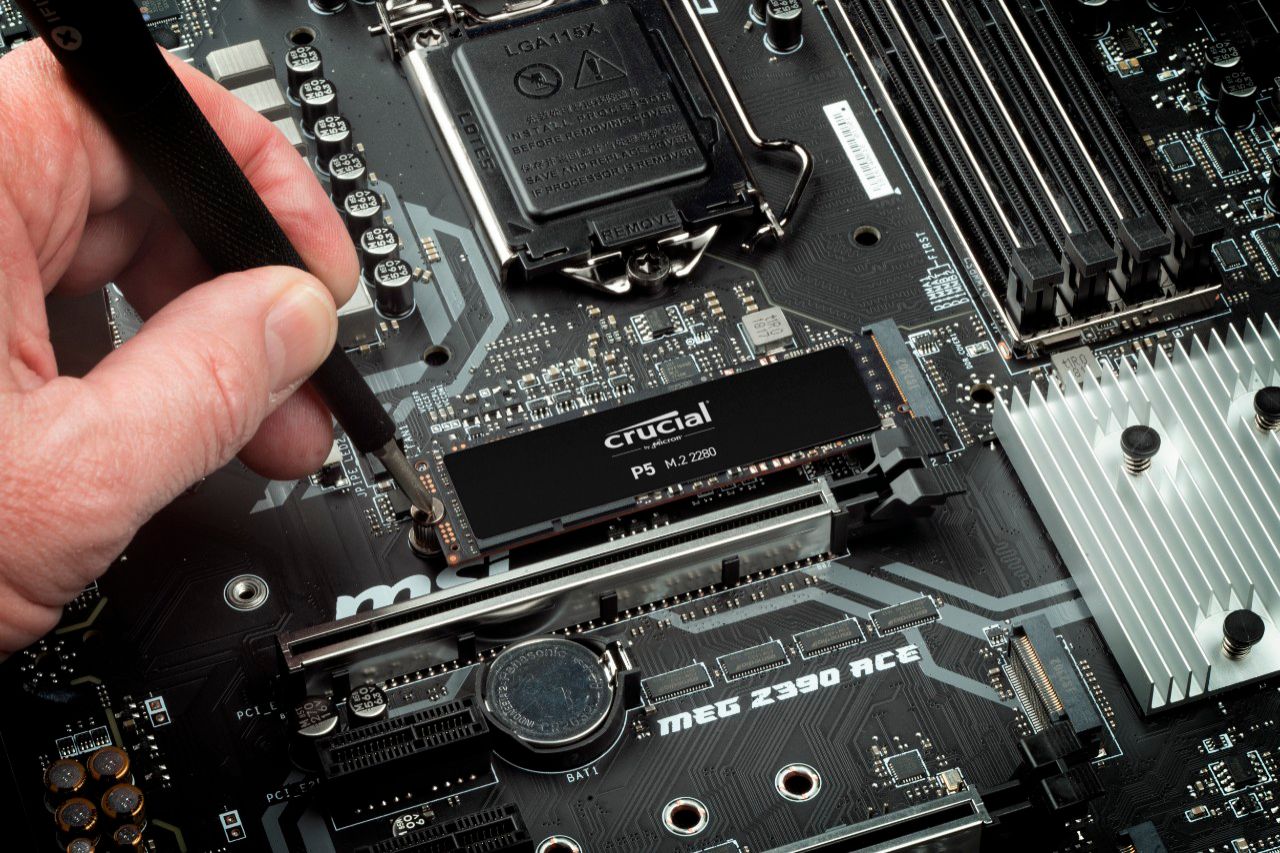
|Posted .This reviewer received promo considerations or sweepstakes entry for writing a review.If you're buying an NVMe drive, most have similar stats. This drive falls right in line with other drives at the same price point, but does better in the write category than is common, which is a nice bonus for anyone who has to write files often. The drive installation itself is straight forward. There are chips on one side of the board only, so you don't have to work about spacing on the underside. Any modern operating system will see the drive and ask to initialize and format it for your chosen OS. While the drive does not come with installation media, Crucial has partnered with Acronis, allowing you to get a copy of their drive cloning software from the Crucial website to move your files over for free.
I would recommend this to a friend- Pros mentioned:Price, Speed, Storage
Crucial
||Posted .This reviewer received promo considerations or sweepstakes entry for writing a review.Installation goes easily if you are prepared. Do your homework, look for the best videos (lots of junk out there). Recognize what even the best videos gloss over and research those vague areas. Have a safe place to put all screws, neat workspace, good lighting. Get a caddy for copying over your old drive to the new one, so when you replace the old one you can use it in the caddy as an external SSD. I love having a huge C drive, ended all my anxieties about the steady decrease in available space. Several computations now go much faster when they use the C drive for application data. Worth the investment and cheaper than buying a new laptop. (S. McQuinn: AMZN)
I would recommend this to a friend - Pros mentioned:SpeedCons mentioned:Heat
Nice BUT hot
Posted .This reviewer received promo considerations or sweepstakes entry for writing a review.Fast, affordable, easy to install. Acronis download does not work. Use another software. Runs very hot. I use to clone an external case and runs extreme hot during the process. Instaled on asus zenbook 13
I would recommend this to a friend Cadillac Performance, Cadillac Price
|Posted .This reviewer received promo considerations or sweepstakes entry for writing a review.Getting this SSD into a computer to test was a nightmare. Not because it was difficult to install or problematic by any means, but because of 2020 being 2020. First, my gaming computer found its way into an apparent demo derby during a move, and I lost everything. Then my local Best Buy has been having difficulty keeping PC parts in stock for me to build a replacement to put this SSD in. Finally I just decided to grab my old Acer Nitro 5 out of my closet as it was the only other computer that had an m.2 port. After opening up my gaming laptop that has been in hibernation for a bit, I found a m.2 port free and plugged in this Crucial SSD. After initializing and formatting the drive, I ran several bench tests to compare the Crucial SSD to the other SSD drive installed in my laptop. Guess What? Numbers don't lie! This Crucial SSD is lightning. Cadillac CTSV fast. Check out the numbers yourself. I thought the factory installed SSD was quick, and it definitely made gaming much more enjoyable. But after seeing what this Crucial SSD has to offer...I have now moved all of my games over to the new SSD and have been putting it to work. Crucial definitely knows that they have a good product and the price tag reflects that. But I am a firm believer in you get what you pay for. This SSD would be a great backbone for your computer build's storage needs. You will not be disappointed.
I would recommend this to a friendGreat hardware, disappointing software
|Posted .This reviewer received promo considerations or sweepstakes entry for writing a review.I was pleased with the performance of the NVMe SSD itself, but the process of installing my OS on it was a hassle. I used CrystalDiskMark 7.0 to benchmark the SSD (see image), and just for comparison, I also uploaded an image of my older and smaller NVMe SSD (from 2017). The results are clear, the Crucial delivers and it does it well. Only time will tell how reliable it is, but it is covered with a limited 5 year warranty against defects. The reason I am disappointed with the software is because Crucial gives you access to "Acronis True Image for Crucial" so that you can clone your disk, HOWEVER, they assume you have multiple internal disks in your computer... So what happens is Acronis does not work unless you have the Crucial SSD already installed, and you can transfer the image over to it directly. I was upgrading from a smaller NVMe to this larger Crucial one, and so I only had 1 NVMe slot, so needless to say, it was a pain to copy it (you may need an NVMe enclosure) or create an image of your OS on a USB. With all that said, I am happy with the drive after all. I am reviewing the whole experience because while I believe hardware is good, it's limited by the tools given to the user.
I would recommend this to a friend- Pros mentioned:SpeedCons mentioned:Heat
Fast and reliable
||Posted . Owned for 1 year when reviewed.This reviewer received promo considerations or sweepstakes entry for writing a review.I'm using this as a secondary drive and it's been fast/stable for about a year. It does run warmer at idle than my primary NVMe drive in the same case (about 10 C higher) - not a huge issue but might be good to know if you'll have this in a hot case.
I would recommend this to a friend Exceptional Performance
|Posted .This reviewer received promo considerations or sweepstakes entry for writing a review.Moving from a (Hard Disk Drive) HDD, having this (Solid State Drive) SSD makes processes happen much faster than before. On the HDD starting the system took 2 minutes, while the SSD takes roughly 20 seconds. The difference in performance was extremely noticeable as programs no longer become unresponsive. Also, the desktop runs cooler than before which is a plus. PROS: Installation Better Performance Speed CONS: None at this time.
I would recommend this to a friend- Pros mentioned:Price, Speed
Great nvme!!!
||Posted . Owned for more than 2 years when reviewed.This reviewer received promo considerations or sweepstakes entry for writing a review.Pros- -good speed -supports direct storage tech -great price! cons- -non so far :)
I would recommend this to a friend - Pros mentioned:SpeedCons mentioned:Heat
Works very well!
||Posted . Owned for 1 year when reviewed.This reviewer received promo considerations or sweepstakes entry for writing a review.Works great. Very fast as an external backup drive. Gets a little warm but hasn't caused an issue.
I would recommend this to a friend - Pros mentioned:Price, Speed
Good ssd
||Posted . Owned for 1 year when reviewed.This reviewer received promo considerations or sweepstakes entry for writing a review.Extremely fast ssd, great value no complaints, it fit perfeclty into my personal computer.
I would recommend this to a friend - Pros mentioned:Performance
Great budget hard drive.
||Posted . Owned for 1 year when reviewed.This reviewer received promo considerations or sweepstakes entry for writing a review.Great budget hard drive to add to my pc. Easy to install and works great.
I would recommend this to a friend