Customer Ratings & Reviews
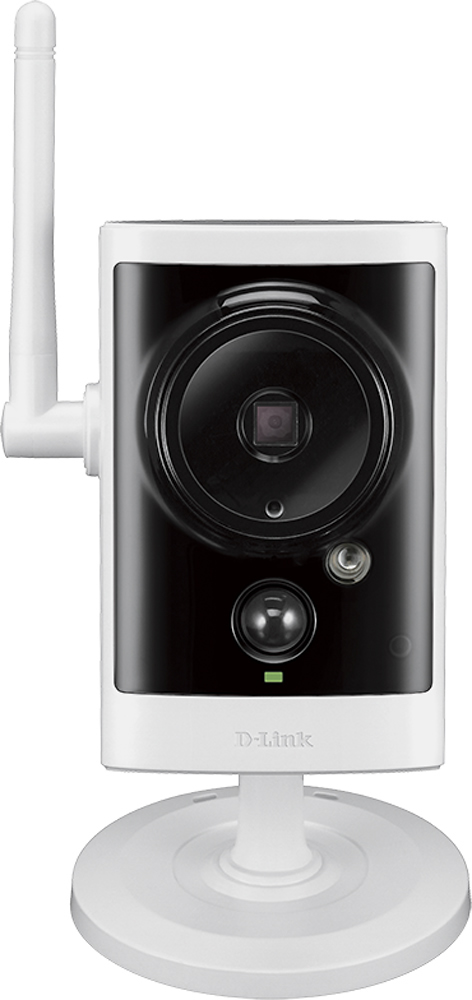
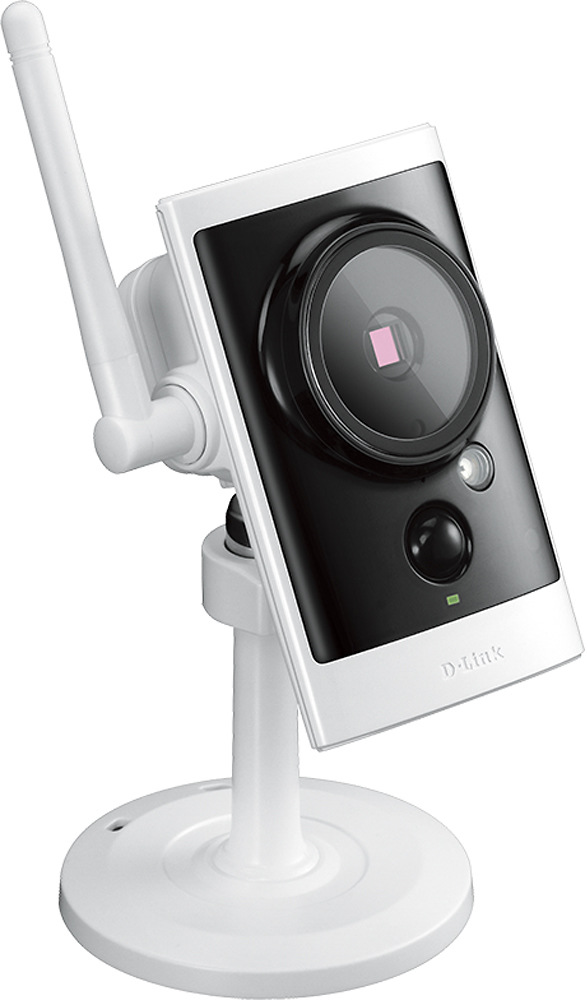
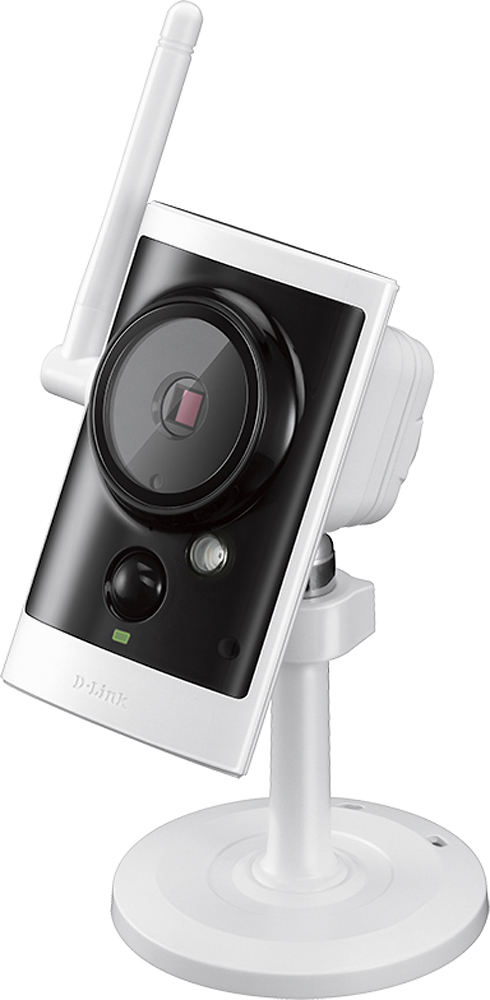
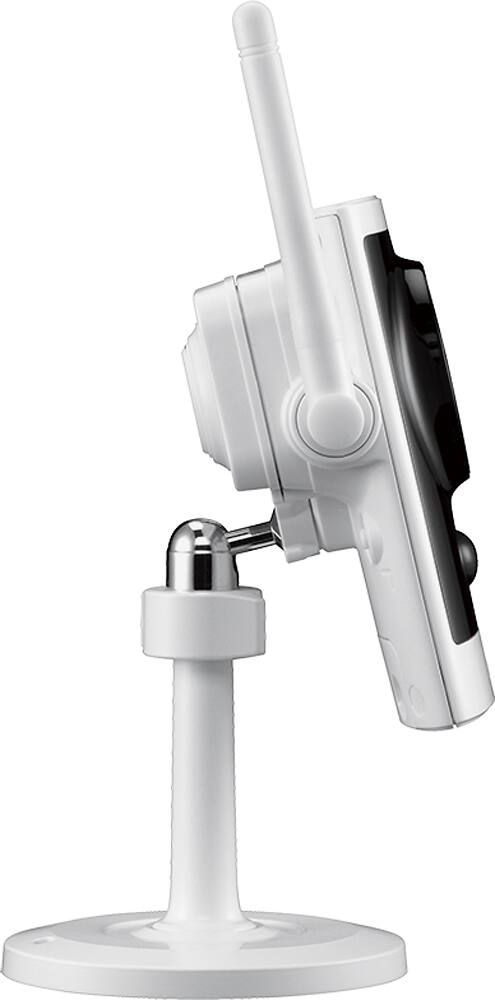
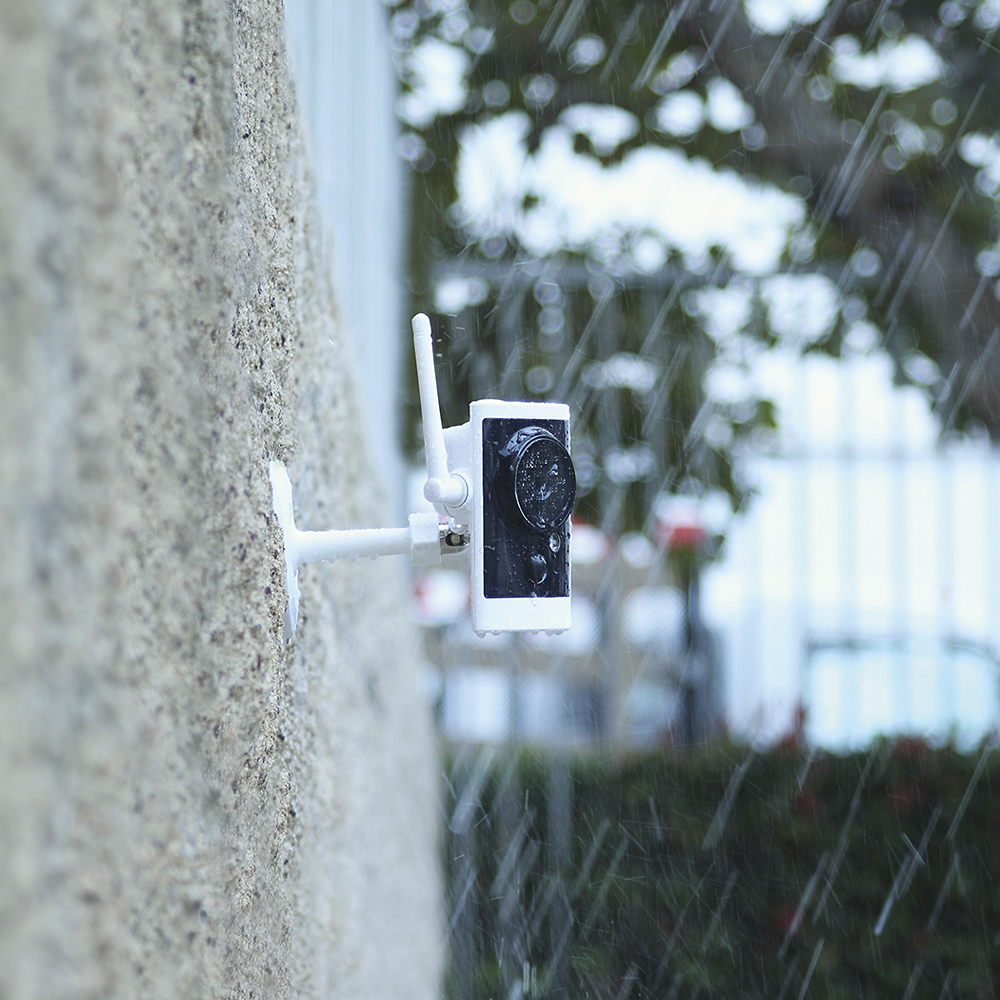
- Model:
- DCS-2330L
- SKU:
- 3284171
to a friend
Customers are saying
Customers enjoy the excellent picture quality and ease of use of this Outdoor High-Definition Wi-Fi Video Security Camera. Many also appreciate the night vision capabilities and the affordable price. However, some users experienced difficulties with the setup process, motion detection sensitivity, and software complexity.
This summary was generated by AI based on customer reviews.
Software and Setup a pain in the @zz
||Posted .This reviewer received promo considerations or sweepstakes entry for writing a review.Not well supported, online resources for the model purchases were limited and remote use via phone extremely difficult to set up...
No, I would not recommend this to a friendBrand response from D-Link Support
Posted .We thank you for your feedback as we really do appreciate the input. We are sorry to hear you experienced some difficulties in setting up the DCS-2330L. Please note that if you go to www.support.dlink.com you will be able to find sufficient information that enhance the user's experience. This includes FAQ's, video tutorials, a detailed User Manual, firmware upgrades, and quick install guides. In addition, if you ever run into any problems with our product, feel free to contact our technical support team. An agent will be glad to assist and guide you. We thank you for being a D-Link customer.

Easy to install
||Posted .This reviewer received promo considerations or sweepstakes entry for writing a review.this camera was easy to install, it was easy to assemble.
Access Denied
You don't have permission to access "http://www.bestbuy.com/%7eassets/bby/_img/int/plsvgdef-frontend/svg/Checkmark_Confirm_Line_Sm.svg" on this server.Reference #18.2a182117.1778075341.13d85650
https://errors.edgesuite.net/18.2a182117.1778075341.13d85650
I would recommend this to a friendvery hard to set up
||Posted .This reviewer received promo considerations or sweepstakes entry for writing a review.I do not recommend this for home use. Not much else to sY bout this frustrating, disappointing product.
No, I would not recommend this to a friendBrand response from D-Link Support
Posted .We appreciate the feedback as we value the review and we are sorry to hear that you encountered issues with the product. D-Link suggests that you take advantage of our support program. If you visit www.support.dlink.com you will be able to find firmware upgrades, quick install guides, and user manuals. In addition,our technical support team can always be contacted for assistance by calling 1-877-453-5465. We thank you for choosing D-Link.
This is very difficult to use
||Posted .This reviewer received promo considerations or sweepstakes entry for writing a review.I am still unable to get this to perform the way I wish. I have emailed customer support twice and gotten no response in the form of directions on how to set this up. I am disappointed with the product but it is past the time when I could have returned it.
No, I would not recommend this to a friendBrand response from D-Link Support
Posted .We want to thank you for your feedback as we welcome your comments and appreciate the time you take to give us your input. We are sorry to read that you have not received a reply back yet from D-Link support. We would like to inform you that D-Link does also provide you with the option of going to www.support.dlink.com where you may view and download the Quick Install Guide instructions for the DCS-2330L camera if you have not already attempted to setup and install the camera yourself.
Based on your comments D-Link would like to assist you further by providing you with a direct link below, which will be available to you specifically over the next 10 days, so you may click on and provide us with your necessary contact information and further details concerning the issues you are having with the DCS-2330L setup and we will have a D-Link support specialist contact you directly to further assist you in resolving all your setup and installation issues.
Here is your link: http://supportrequest.dlink.com?id=a3636a68ac894c8d873594670243fb29&token=629831e34dd844c0b161705de5e2a080
Thank you for choosing D-Link.
Not what I expected
||Posted .This reviewer received promo considerations or sweepstakes entry for writing a review.Could not access camera without using browser or cloud app
No, I would not recommend this to a friendBrand response from D-Link Support
Posted .We would like to thank you for your feedback as we do appreciate it very much. Please note that the D-ViewCam application which is available for this DCS-2330L, adds enhanced features and functionality for the Network Camera and allows administrators to configure and access the Network Camera from a remote site via Intranet or Internet. Other features include image monitoring, recording images to a hard drive, viewing up to 32 cameras on one screen, and taking snapshots. In addition if you register your DCS-2330L camera with mydlink will allow you to use mydlink Cloud Services, including free online access to the mydlink portal website. You will be able to remotely access your camera from the www.mydlink.com website. You may also login to the DCS-2330L and click on the Live Video tab at the top of the page and from there you can zoom in and out on the live video image using your mouse. Right-click to zoom out or left-click to zoom in on the image. Please refer to page 23 of the User Manual on instructions on how to access this configuration setting. You may also view and download a copy of the User Manual from support.dlink.com. Thank you for choosing D-Link.
- Cons mentioned:Software
might need a wifi extender
Posted .This reviewer received promo considerations or sweepstakes entry for writing a review.Bought this on a whim thinking that a wifi camera would work in my situation. First setup was not a simple process for a non tech person. It was more complicated than needed. The online software was too complicated for the average user...too many choices. Camera would not keep its connection. Kept dropping signal. Could be the location/distance from my router. When camera was in the house still had issues dropping signal. Probably could put a wifi extender in to correct the issue. But not worth it when the camera was $170.00
No, I would not recommend this to a friendBrand response from D-Link Support
Posted .D-Link appreciates the feedback and we are sorry to hear that it keeps dropping signal. Please make sure that you have downloaded and upgraded to the latest firmware (can be found on www.support.dlink.com). If that does not resolve your issue then we suggest you contact our technical support team for troubleshooting. They can be reached by calling 1-877-453-5465. Thank you for choosing D-Link.
- Pros mentioned:Picture qualityCons mentioned:Wireless
nice camera
Posted .This reviewer received promo considerations or sweepstakes entry for writing a review.The camera has a really good picture. It was really hard to set up on MY computer windows 8.1 ie 11. Good guys tried twice to set it up I finally went to dlink, it took Aiko (AR004201) 2 hours to finally get the system set up. She was very patient and worked with me to get the system on both wired and wireless. I was sold a linksys router to go with the system, turns out that I didn't need one, will take it back. I will admit the wireless is a little slow.
Access Denied
You don't have permission to access "http://www.bestbuy.com/%7eassets/bby/_img/int/plsvgdef-frontend/svg/Checkmark_Confirm_Line_Sm.svg" on this server.Reference #18.2a182117.1778075341.13d85650
https://errors.edgesuite.net/18.2a182117.1778075341.13d85650
I would recommend this to a friend - Cons mentioned:Setup
Great Camera/Difficult Setup
Posted .This reviewer received promo considerations or sweepstakes entry for writing a review.We have a blind spot at one end of our home (no window). Rather than install a window, my wife and I decided to go with a wireless camera. After doing the online research, we purchased a Dlink 233OL (outdoor camera) at Best Buy. I was hoping to do the setup myself. I guess because of using an older computer, this made the setup much more difficult. Before getting so discouraged and taking the camera back to the store for a refund, I used the "contact us" link on the Dlink.com web site. I was contacted almost immediately with a support number. I called the support number and talked to a very professional talking lady by the name of "Misha". When Misha prompted me through the various steps, I finally saw a video image on the computer screen. This, I must say, was a pleasant experience. She would not let me hangup until ALL of my questions and concerns were satisfied. Thanks to you Misha, we have a "virtual window" on our home to make us feel a little more secure!
Access Denied
You don't have permission to access "http://www.bestbuy.com/%7eassets/bby/_img/int/plsvgdef-frontend/svg/Checkmark_Confirm_Line_Sm.svg" on this server.Reference #18.2a182117.1778075341.13d85650
https://errors.edgesuite.net/18.2a182117.1778075341.13d85650
I would recommend this to a friend - Pros mentioned:Picture quality
DLink Camera 2330L
Posted .This reviewer received promo considerations or sweepstakes entry for writing a review.Agent # AR004246 ALDY did an excellent job with working with me on an issue with the camera. He spent an enormous amount of time explaining how to upgrade firmware and ways to access other things about the camera. The camera is also erxcellent but I was doing something wrong and Aldy taught me the correct method. The camera works well and allows me to view my pet when I am at work.
Access Denied
You don't have permission to access "http://www.bestbuy.com/%7eassets/bby/_img/int/plsvgdef-frontend/svg/Checkmark_Confirm_Line_Sm.svg" on this server.Reference #18.2a182117.1778075341.13d85650
https://errors.edgesuite.net/18.2a182117.1778075341.13d85650
I would recommend this to a friend My first camera so maybe they are all like this
Posted .This reviewer received promo considerations or sweepstakes entry for writing a review.I was looking at the security camera display in the store. I didn't want to buy 8 cameras and a server (DVR), but I wanted to record video. The salesman said this camera uploaded video to the cloud, so no DVR was needed. I thought that was a killer idea. He was wrong, but it was a killer idea. What the camera does for free is show live video on your phone or PC. Why I would stare at live video of my driveway on my phone is beyond me - except to show it to friends and say look at the dumb thing I bought. The setup to get video on the phone was quick and easy. The PC took days. I emailed tech support - but as I found cruising the Internet they never ever answer emails. Why they have a place to send tech support emails on their site is beyond me. On D-Link's website they have a manual (very useful) and in the manual there is a 1-800 number. The guys at phone tech support were super friendly, and then a next level up person called back and he was super friendly. Not the brightest bulbs in the pack, but they knew a few things and they were nice. A few days later I found out the key to making my camera work on my PC was to allow HTTPS content in an obscure menu item in the camera setup. A quick note - I saw another review where they complained that the transformer/plug was permanently attached to the camera, making install difficult. I too thought this was the case until I downloaded the manual. There are some screws on the back and when you remove them you can temporarily disconnect the power at the camera where it has a standard barrel connector at the end of the power cord. The capture and saving of video without having a DVR running 24/7 was the big attraction of this camera to me. I never got it to record to a network disk or to an ftp site. I don't think those two options work. The tech support folks said it was a relatively new camera and to watch for software updates. They said problems like this are sometimes fixed later. I purchased a micro SD card and installed it in the camera (see manual for how) and that works relatively well. The camera saves video clips that it makes when it detects motion to the micro SD card. Note a "micro" card is required, not an SD card like you use in a photo camera. The manual and web site often just say SD is required, but micro SD is needed. I now have a 64 Gig micro SD in my camera and it takes it about a month to fill up with clips from my fairly quiet suburban street (mostly every time a car drives by, or someone walks by on the sidewalk, or we come or go in our cars. It has an option to then overwrite the oldest video first and keep going. However the camera drives me crazy by unhelpfully sending my phone a message that the SD card is full every time it records a video and overwrites an old one. Why it does this when I've checked the box to overwrite must be a joke by some engineer in Taiwan. So I have to go out and erase all the clips every month or so (or go crazy with messages on my cell) - but that isn't too bad. So after buying the micro SD card (actually two because I bought a smaller one first) the camera seems usable. And I don't have to have a server running 24/7. I sure wish the salesman's story that D-Link kept the clips in the cloud was true. I asked him how they could afford to do that, and he noted the camera costs twice as much as an equivalent camera that can only feed video to a DVR. I fell for it, but I think he really thought it was true. So I'm unhappy that the ftp and network drive didn't work. (My home wifi router supports these with a flash drive connected to the router.) But the micro SD does work. If a flash drive on the router had worked, it would have been just about as good as recording to the cloud. As it is now a tech savvy perp can steal my camera and they will steal the pictures it took of them. Sigh... Then there are two major disappointments that I think just have to do with me never having tried any other product in this field. One is the night vision quality. If I ever do catch a perp at night, I probably won't be able to tell who they are. The black and white video at night is very poor. Having a street light out front of the house, and pictures with my cell phone being somewhat usable, I had hoped for better. The daytime video is awesome. The second disappointment is the field of view. Mounted on my garage, which has about two car lengths of driveway to the sidewalk, I can't quite get all of the three car widths of the driveway, and I can only get the last car length by the sidewalk, the sidewalk, and some of the street.. There is no way to refocus the camera - like a zoom of some sort. I need it to be able to back up for a more fish eye view to get what I want. I notice that in the setup menu for the product their example pics had a camera view sweeping across several loading docks from what must be an adjacent building. The way my house has the garage sticking out from the front of the house makes it impossible to mount a camera on my house and catch a good view of my front driveway and the walkway up to the front door. I'm actually tempted to buy a second camera so I can catch the other half of the driveway. But then I would need a third to get the view of the walkway to the front door. And while it is easy in the garage to run an extension cord to the vent screen, and then snake out the little cord to the camera, on the front of the house there is no convenient power source. The wifi for accessing the camera settings, and the micro SD card, and to allow the mydlink.com video feed to work is handy and works great. The menus for setting up the camera are primitive and very unclear, but ultimately usable. (Finding the https enabling setting after a week, and guessing that might make the PC viewing of live video work - is an example.) I just wish it had much better night vision and a wider angle of view. I imagine from what I've see on the Internet that I could buy a camera with a ring of infared leds (this camera has one led) and solve the night vision problem. The width of the field of view doesn't seem to be spec'ed on cameras, so it would be an expensive crapshoot to solve that problem, and I would end up with a DVR if I went to something else anyway. Bottom line maybe some perp will see the camera mounted on the garage and go bother the neighbors. We had a car prowler in the neighborhood the other night and the neighbor's car was gone through, while mine was not touched. Maybe they saw my camera, maybe it was because the neighbor left his car windows down. OK I bet it was the second reason... I looked at the camera clips for the night and saw nobody in my driveway. I did see a couple of dog walkers go by on the sidewalk, so the camera was functioning. One odditiy. Every moring the camera goes from black and white to color as the sun comes up. This change of picture triggers the motion detection software and creates a clip in the micro SD card. Not a problem, but funny.
No, I would not recommend this to a friendBrand response from D-Link Support
Posted .We would like to thank you for your in depth feedback and review as we appreciate it very much. Please note that you may also use our DViewCam application to setup full-time recording options to an FTP server or computer hard disk. Our DViewCam also allows you the ability to connect and view up to 32 cameras using this application.
The built-in infrared LEDs enables night time viewing of up to 16 feet (5 meters). You are allowed the ability to change the Exposure Modes to Indoor, Outdoor, or Night environments, or to Moving to capture moving
objects. You may also create up to three different custom exposure modes. Based on your review comments we would like to provide you with a link, good for 10 days, so you may provide D-link with your contact information so we may have a D-Link support specialist contact you directly to go over any issues and questions that you may have regarding the setup and configuration of the DCS-2330L that you questioned.
Here is your link: http://supportrequest.dlink.com?id=a8e4c4ad5ed0411d8ab3b9d2c07ce53a&token=77f893bb7ff44919b439ce68d66bd298
Thank you for being a D-Link customer.
- Pros mentioned:Ease of use
Good camera, great Tech Support
Posted .This reviewer received promo considerations or sweepstakes entry for writing a review.Case # 6733470 Rep ID AR004217 This camera was very easy to set up initially and get operating. The smartphone app to manage and view the camera work great. I contacted tech support for help with a firmware upgrade and got a very patient and proficient technician who walked me through the upgrade and resetting my camera to take advantage of more of its features.
Access Denied
You don't have permission to access "http://www.bestbuy.com/%7eassets/bby/_img/int/plsvgdef-frontend/svg/Checkmark_Confirm_Line_Sm.svg" on this server.Reference #18.2a182117.1778075341.13d85650
https://errors.edgesuite.net/18.2a182117.1778075341.13d85650
I would recommend this to a friend - Pros mentioned:Picture quality
nice cam
Posted .This reviewer received promo considerations or sweepstakes entry for writing a review.works great outdoor. picture is clear. it seems to function after rain/snow as well
Access Denied
You don't have permission to access "http://www.bestbuy.com/%7eassets/bby/_img/int/plsvgdef-frontend/svg/Checkmark_Confirm_Line_Sm.svg" on this server.Reference #18.2a182117.1778075341.13d85650
https://errors.edgesuite.net/18.2a182117.1778075341.13d85650
I would recommend this to a friend Good Camera
Posted .This reviewer received promo considerations or sweepstakes entry for writing a review.The only issue I had with this camera is the length of the power cord. I had to attach an extension cord to allow the camera to plug into the power outlet. For some reason, the SD cord will only keep the current days recordings..could be too much movement. The description says that it is PTZ, however, you have to set the ratio in order for the PTZ to work. This was not a big problem for me, as I wanted the wide view anyway.
Access Denied
You don't have permission to access "http://www.bestbuy.com/%7eassets/bby/_img/int/plsvgdef-frontend/svg/Checkmark_Confirm_Line_Sm.svg" on this server.Reference #18.2a182117.1778075341.13d85650
https://errors.edgesuite.net/18.2a182117.1778075341.13d85650
I would recommend this to a friendNot an friendly user camera
Posted .This reviewer received promo considerations or sweepstakes entry for writing a review.When I've had problems with my product I tried using the user manual which is difficult to understand. Thank goodness for wonderful agents like Misha, Agent ID# AROO428, When ever I've had problems I can't say enough wonderful things about the techs on the other end of the phone. Thank you!
Access Denied
You don't have permission to access "http://www.bestbuy.com/%7eassets/bby/_img/int/plsvgdef-frontend/svg/Checkmark_Confirm_Line_Sm.svg" on this server.Reference #18.2a182117.1778075341.13d85650
https://errors.edgesuite.net/18.2a182117.1778075341.13d85650
I would recommend this to a friendBrand response from D-Link Support
Posted .We thank you for the feedback and we are glad to hear that one of our agents was able to assist you. Have a good day and thanks again for choosing D-Link.
- Cons mentioned:Setup
Camera works great, still will not record
Posted .This reviewer received promo considerations or sweepstakes entry for writing a review.I have this camrea on a construction site and it is great for watching for people being there and deliveries. Unfortunately the camera will not read the card, I have changed it out twice and it fails to format at 61% for some reason. So I can see but not record. I sent emails to tech support that went un-answered, and sat on hold for an hour with no answer. If it doesn't work for you right off the bat don't expect any help from D-link. There are also glitches and it crashes every once in a while. The advanced setup is very glitchy.
No, I would not recommend this to a friendBrand response from D-Link Support
Posted .We want to thank you for the feedback as we truly value the input and we are sorry to hear that you are encountering issues with the product. D-Link advises that you factory reset your camera (by pressing the reset button with a paper clip for 10 seconds) download and install the latest firmware from www.support.dlink.com. If that does not resolve your problem feel free to contact our technical support team for assistance by calling 1-877-453-5465. Thank you for choosing D-Link.
- Pros mentioned:Night vision
Good camera for security and surveillance
Posted .This reviewer received promo considerations or sweepstakes entry for writing a review.I must say I was close to returning them when I ran into a few setup problems and wasn't expecting to have to buy SD cards. Climbing threw my attic was a chore but mounting them wasn't to hard, its important to have the right tools. It took me a few days, but I got both cameras setup the way I wanted and they certainly do what they are intended for. They have great resolution, motion sensing, night vision. I plan on buying more. the Mobile apps are a little glitchie but overall i am please with these cameras
Access Denied
You don't have permission to access "http://www.bestbuy.com/%7eassets/bby/_img/int/plsvgdef-frontend/svg/Checkmark_Confirm_Line_Sm.svg" on this server.Reference #18.2a182117.1778075341.13d85650
https://errors.edgesuite.net/18.2a182117.1778075341.13d85650
I would recommend this to a friend As usual, great wifi camera...works as advertized
Posted .This reviewer received promo considerations or sweepstakes entry for writing a review.Thisis my 4th Dlink camera....3 indoor and my first weatherproof outdoor model. looking forward to having it monitor my driveway at night. Dlink continues to improve their app, however i had a little trouble setting up the email notification as copying the set up of my other 3 cameras did not work. I called the help line and received fantastic personal support which resolved my issue quickly. Case #C6670730
Access Denied
You don't have permission to access "http://www.bestbuy.com/%7eassets/bby/_img/int/plsvgdef-frontend/svg/Checkmark_Confirm_Line_Sm.svg" on this server.Reference #18.2a182117.1778075341.13d85650
https://errors.edgesuite.net/18.2a182117.1778075341.13d85650
I would recommend this to a friendNot bad, but know capabilities and limitations
Posted .This reviewer received promo considerations or sweepstakes entry for writing a review.I have this unit set up in my bar and once set up, accessing the unit to see if the bar is busy or not, via iPad or mobile phone is pretty easy. Accessing past video can be a bit of a pain and configuring, even more so...
Access Denied
You don't have permission to access "http://www.bestbuy.com/%7eassets/bby/_img/int/plsvgdef-frontend/svg/Checkmark_Confirm_Line_Sm.svg" on this server.Reference #18.2a182117.1778075341.13d85650
https://errors.edgesuite.net/18.2a182117.1778075341.13d85650
I would recommend this to a friend- Pros mentioned:Picture quality
Pleasantly Surprised
Posted .This reviewer received promo considerations or sweepstakes entry for writing a review.After a lengthy stumbling effort I was able to achieve a live wireless clear video image. I was unable (to accurately) do the EVENT SET UP section do to lack of understanding. Here I needed help so I called customer service. 877 453 5465 with NO hold time! ALLEN, employee Number AR004639, PATIENTLY spent a long time with me (working around a strong accent) explaining what should be submitted in each box of ALL the setup steps. This was the total opposite of most other experiences reviewed about Dlink customer service. Allen got the Job done! Duffy2370
Access Denied
You don't have permission to access "http://www.bestbuy.com/%7eassets/bby/_img/int/plsvgdef-frontend/svg/Checkmark_Confirm_Line_Sm.svg" on this server.Reference #18.2a182117.1778075341.13d85650
https://errors.edgesuite.net/18.2a182117.1778075341.13d85650
I would recommend this to a friendBrand response from D-Link Support
Posted .We wish to thank you for your review and more importantly for being a D-Link customer.
- Pros mentioned:Picture quality
Good Camera with limitations
Posted .This reviewer received promo considerations or sweepstakes entry for writing a review.The camera has a good picture but it has limitations. The one for me was that it does not accept an SSL-TLS option for an email server as the older (5020L) do. As Verizon does not offer this service, the camera is not useful to me. Several hours with d-link and Verizon support calls finally identified this problem. Too bad, I was looking forward to adding this camera to my other 4 dlinks. (I do not like using the Dlink application but prefer a static IP address).
No, I would not recommend this to a friend