Customer Ratings & Reviews
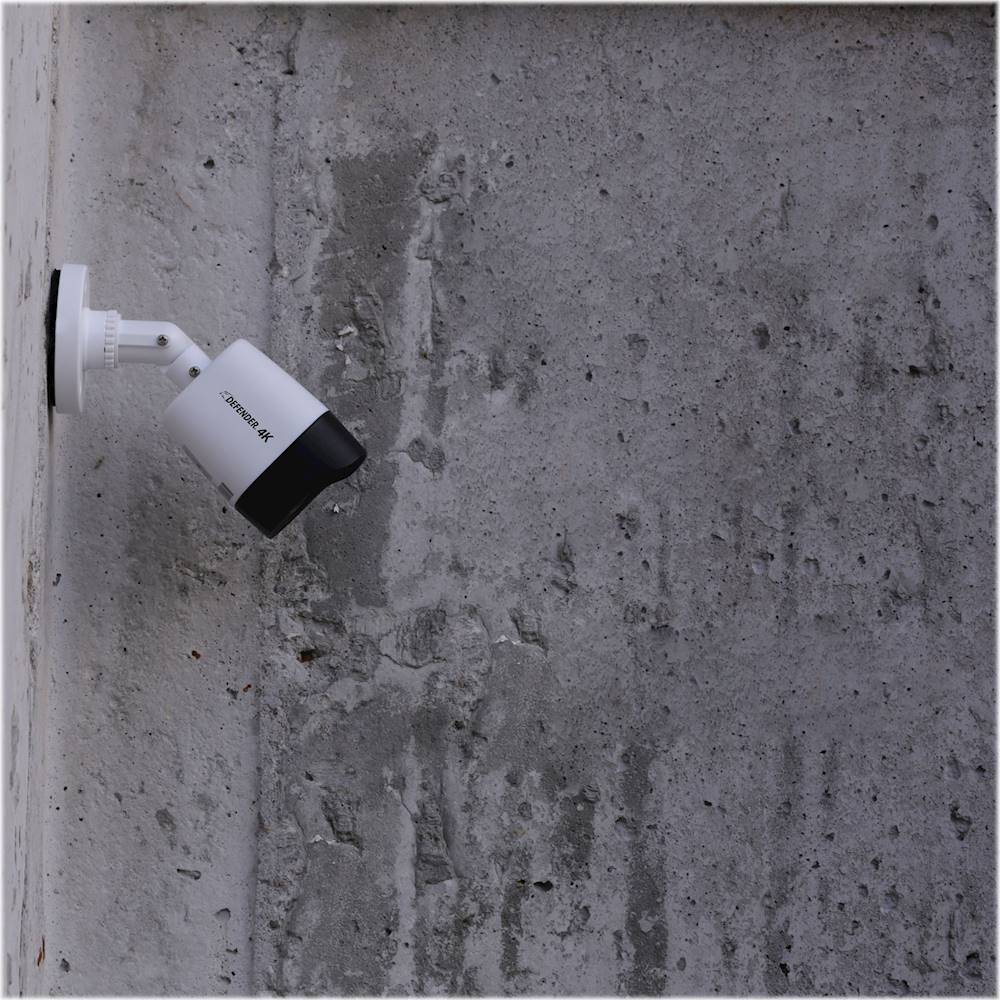
- Model:
- 4K1T4B4
- SKU:
- 6356527
Rating by feature
- Value
Rating 3.3 out of 5 stars
- Quality
Rating 3.2 out of 5 stars
- Ease of Use
Rating 3.1 out of 5 stars
Customers are saying
Customers are impressed with the 4K Security System's high-quality video, ease of setup and use, and effective night vision capabilities. Many users found the system straightforward to install and operate, praising its intuitive software. The clear picture quality, even at night, was a frequently cited positive. Overall, the system received positive feedback for its performance and user-friendliness.
This summary was generated by AI based on customer reviews.
- Pros mentioned:Setup ease, Video quality

Quality 4 Camera Surveillance System
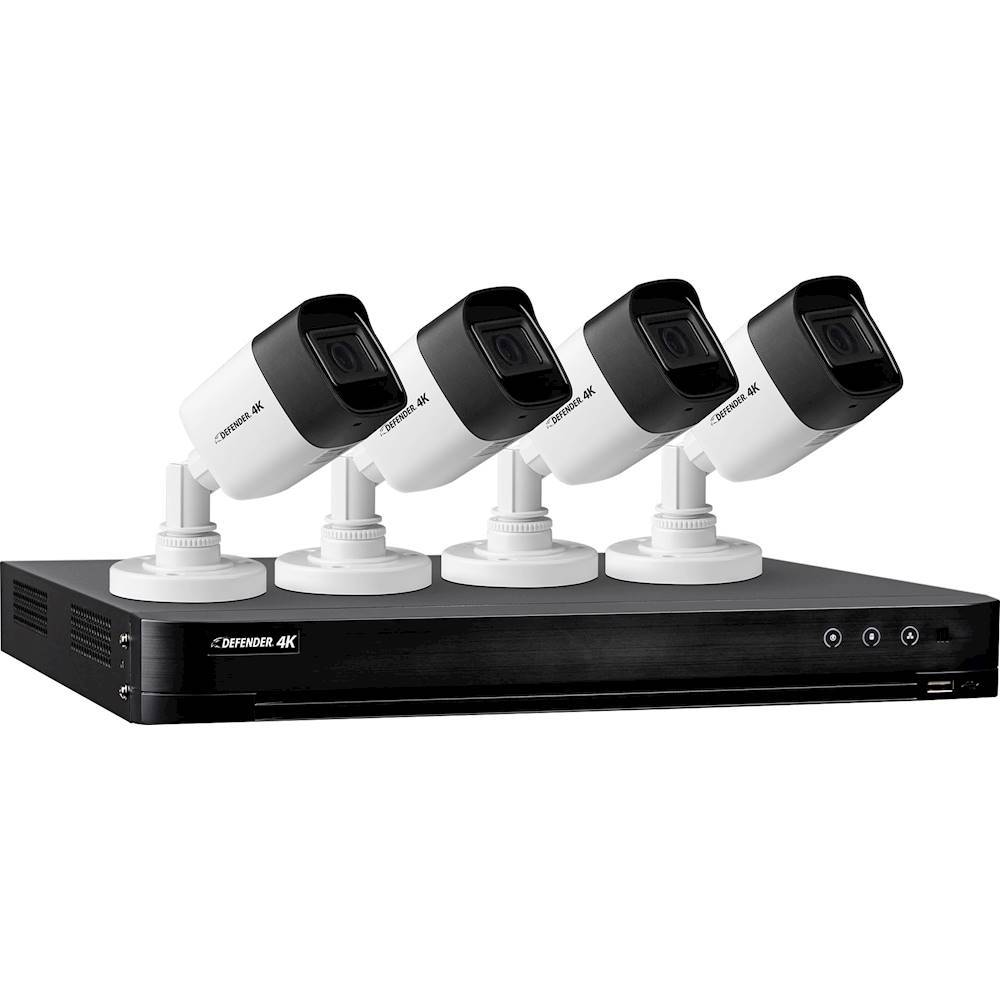
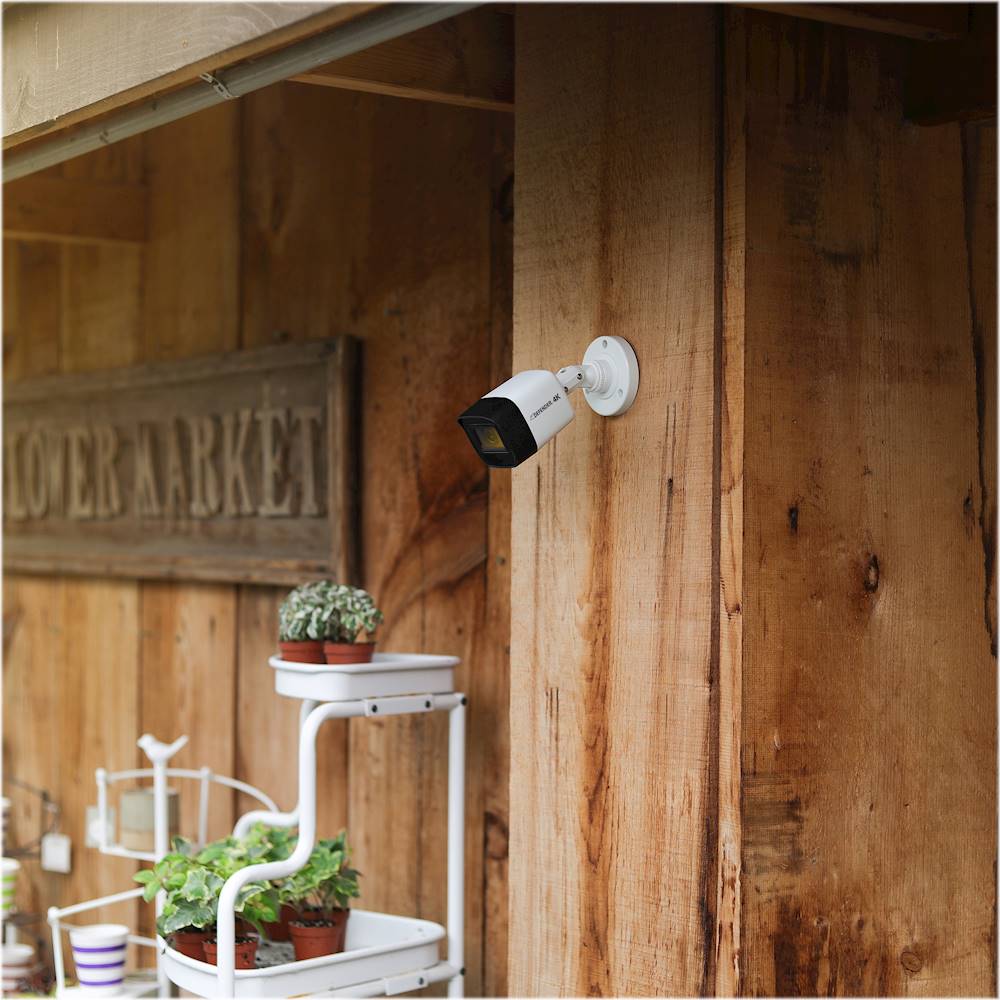
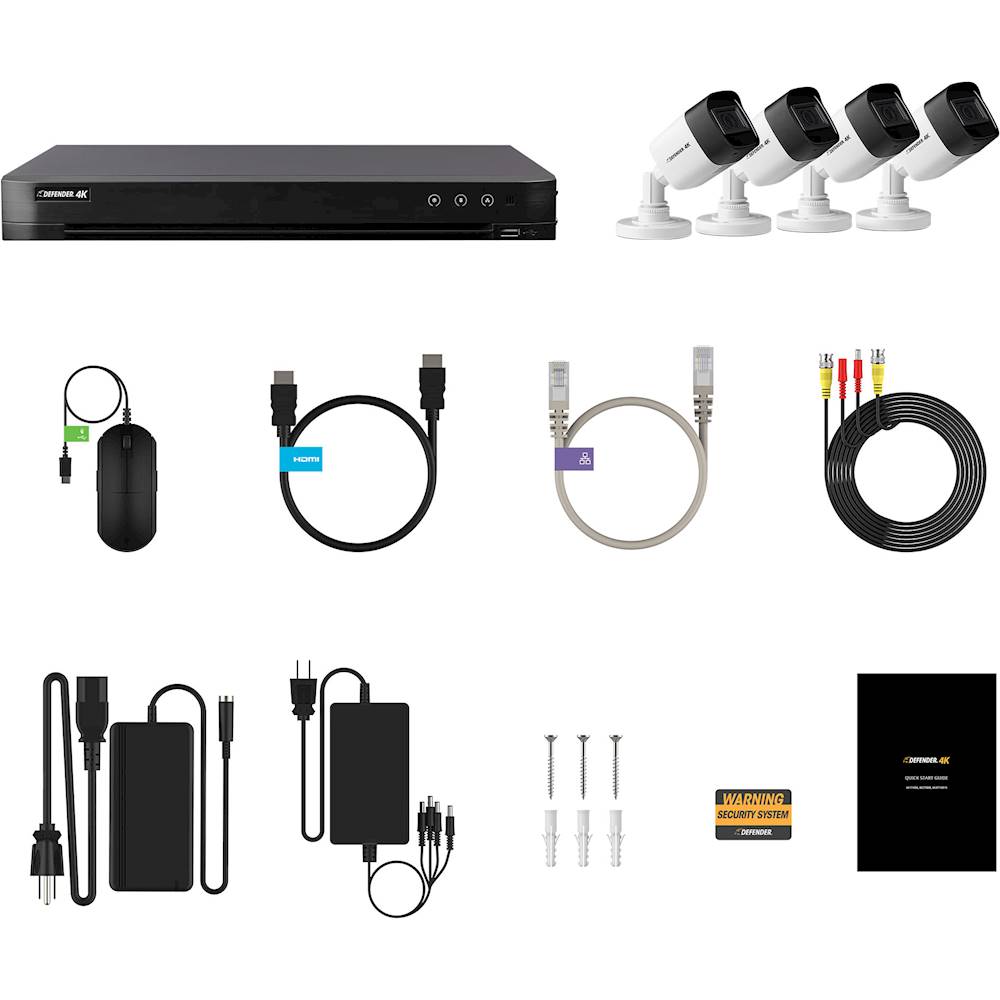
|Posted .This reviewer received promo considerations or sweepstakes entry for writing a review.This is my first time using a Defender brand product and I can say wow, I will definitely look into using more of their products. While these cameras are wired, they are super easy to setup and use with the mobile app for remote viewing of your cameras. The picture quality is great and better than others I have seen. They are 4K rated, 8MP cameras and produce a great image as expected. Since the cameras are IP67 rated, they should also be able to withstand the weather elements (time will tell though). Out of the box the cameras come with everything you need to setup (DVR with 1TB hard drive, cameras, cables for cameras) except for a VGA cable to connect the DVR to a monitor. I only wish there were longer cables for setting up the cameras as well. Extensions are available but to purchase separately. This is still better than having to replace batteries every few months as compared to battery powered cameras! Overall these cameras are great 4K rated cameras and ones you would want for clear video surveillance. The setup is also easy and I always recommend wired security cameras vs wireless. Keep in mind, this is a 4 camera surveillance system and cannot be upgraded beyond 4 cameras.
I would recommend this to a friend - Pros mentioned:Video quality
Outstanding video quality
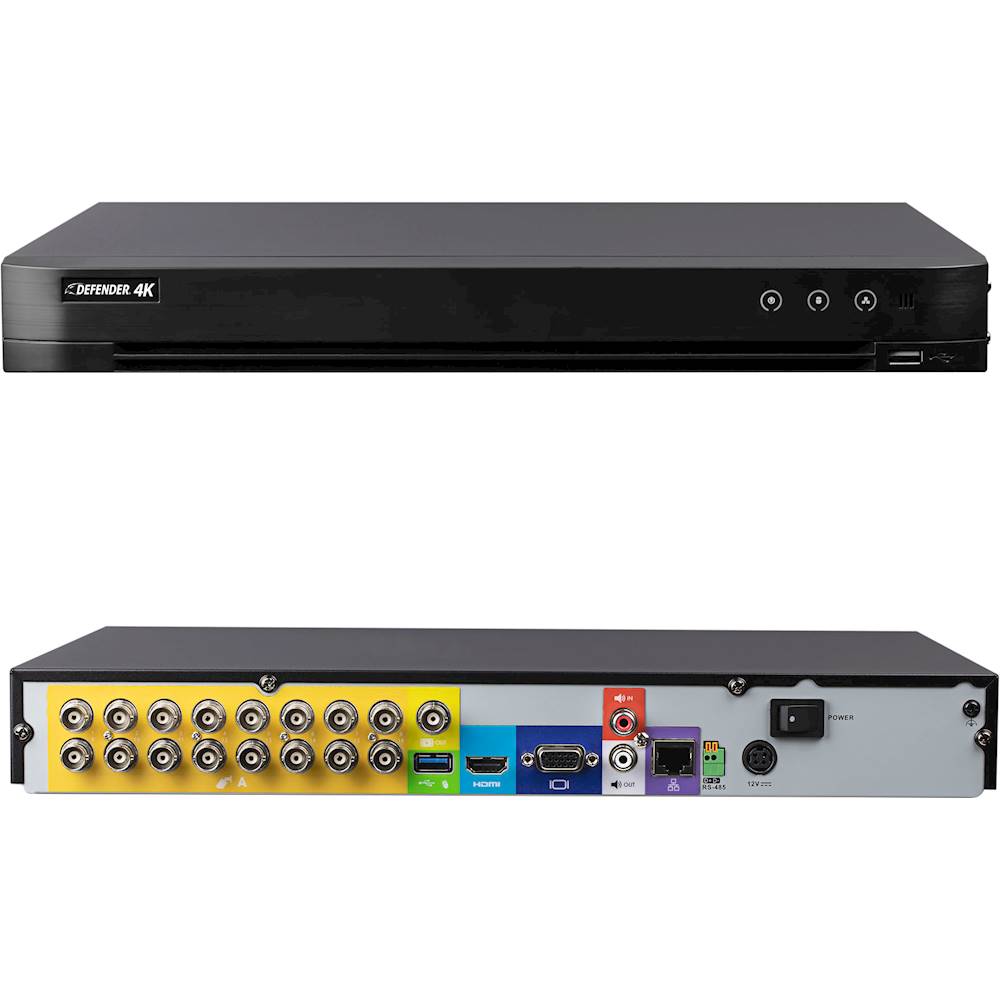
|Posted .This reviewer received promo considerations or sweepstakes entry for writing a review.I’ve been using wireless security cameras for a few years now from the original VueZone to the Arlo systems and recently Ring cameras. The limitation to this is that they don’t record all the time, only when they detect motion will they record. Saw there’s a new 4k system on the market and wanted to give the Defender 4k a try. Unboxing: The system came well packaged, everything very neat and organized. The box contains the DVR, 4 4k cameras, video cables “60’ ea”, mouse, power supplies for the DVR and the cameras, mounting screws and paperwork. Installation: First off this is a wired system so you need to do a lot of planning on where you want the cameras, and a location for the DVR unit “preferably near a monitor or TV”, I’ve set it up on a shelf above my home office computer so that I can connect it directly to my computers monitor since it has multiple source inputs. Now running the cables is probably the most time consuming and difficult part. Luckily I was having a 220v outlet installed in our garage and the electrician ran the cables for just a little more, he also helped figure out the best location for the cameras. After getting the cables run, setting up wasn’t near as bad, it’s pretty much the same as all the other wired security camera systems to set up. The yellow BNC connector plugs into the BNC jack on the DVR and one of the 4 plugs on the power adapter goes to the power jack on the other part of the cable. Plugged the included Ethernet cable into my router, and then attached the power cable. I have the power adapters for the system and cameras plugged into a UPS so they won’t abruptly loose power during an outage. Setting up: After all the hardware is mounted and everything plugged in I powered up the system. The first time set up is a little tedious and you may need some help if you aren’t computer and networking savvy. There’s a lot of set up options that aren’t easy to understand for the layman, but after setting up my admin account and activating the remote access for the app we were off and running. There are actually a lot of settings in the menus dealing with the system setup and reading through the main manual is a big help. The company also has some instructional videos on their website that are also very helpful; I would definitely watch these if you are setting this up yourself. You’ll also want to use a thumb drive to back up the systems log in information just in case you lose or forget it, it’s the only way to get into the system if you do. I really like that you can set up motion detection with custom zones so you can actually mask out high traffic areas if you set up the system to record by motion. I have one camera recording all the time, the rest are set up for motion detection, this save on drive space as the 4k video does eat up space really quickly. Video Quality: This is where the system really shines. The 4k video quality is outstanding, a lot better than I ever expected. While we were setting up the system I had temporarily mounted one camera pointing at our Hummingbird feeder, and my wife was amazed at the quality of the video, “it was like watching something on Nat Geo in 4k” she commented. Conclusion: Although the setup way more complicated “especially when you have to hard wire cameras”, compared to the Arlo and Ring systems I’ve used lately, the video quality is just outstanding. I also like that I can have the cameras record 24-7 if I wish and don’t have to worry about missing anything “happened often with the battery operated, motion detecting cameras”. I have the system set up to access from our phones remotely so we can view from anywhere. I also have motion alerts set up to email us whenever motion is detected. Opening up the DVR is easy and they are using a Toshiba 3.5” desktop hard drive, so replacing or upgrading it will be simple if it ever goes out. The only negatives I see to the system is the time it takes to set it up, and there’s a lot of settings in the software that may not be that easy to understand for the home user. Also, the 4 camera system only supports 4 cameras, you cannot add any more if you decide to expand the system. If you are looking for a security camera system with outstanding video quality with a lot of custom user configurable settings then this would be the one to get.
I would recommend this to a friend - Pros mentioned:Setup ease, Video quality
Great setup
||Posted . Owned for 1 month when reviewed.This reviewer received promo considerations or sweepstakes entry for writing a review.I really am impressed with the clarity of the video. It was so easy to install, I didn’t have any issues. The app is an amazing feature also so you can see what’s going on at your place
I would recommend this to a friend - Pros mentioned:Setup ease
Security Camera
||Posted . Owned for 8 months when reviewed.This reviewer received promo considerations or sweepstakes entry for writing a review.This was easy to use and set up was simple. I downloaded the phone app so I was able to see who is outside when the door rings. I install the app for my parents too and they will be able to see who is outside without opening the door
I would recommend this to a friend - Pros mentioned:Video quality
bettetr than expected
||Posted . Owned for 1 month when reviewed.This reviewer received promo considerations or sweepstakes entry for writing a review.Purchased based on reviews , but still was leery. Turns out the cameras have excellent pictures and the night vision is good and adjustable . Setup was pretty straight forward but there are so many options on the menus it's a learning curve , just have too play with them until you are satisfied. Setting up a schedule is necessary or the 1 terabit drive disappears quickly . to me the app was a pain but a younger person would ace it , I'm still learning lol ! Instillation was easy for me because my attic was fully accessible , but your mileage may very .
I would recommend this to a friend - Pros mentioned:Setup ease, Video quality
glen
||Posted .This reviewer received promo considerations or sweepstakes entry for writing a review.I luv my defender 4k security camera.its crystal clear compare to ordinary 1080p...easy to install
I would recommend this to a friend Great Camera System!
||Posted . Owned for 1 month when reviewed.This reviewer received promo considerations or sweepstakes entry for writing a review.It’s great camera system! It took me a while to figure out how to get email notifications. I had a camera that stopped working after a couple of days. I went to Best Buy to return it and they requested the whole camera system back. I was not going to go back up into my attic and remove the wires. It was difficult to run the wires at my house. Luckily the company (Defender) have excellent customer service and will be shipping me a new camera.
I would recommend this to a friend- Pros mentioned:Video quality
Great picture quality, easy setup
||Posted . Owned for 3 weeks when reviewed.This reviewer received promo considerations or sweepstakes entry for writing a review.I purchased the Defender - 4K Security System 16-Channel system to replace an already installed Night Owl 16-Channel system. The upgrade was fantastic, the video quality of this unit is far superior to any other system I have used in the past. Setup of the unit was just as easy as any of the the other systems. The quality of the power units for the cameras and mounting capabilities are much better than previous Night Owl units I have used.
I would recommend this to a friend - Pros mentioned:Night vision, Video quality
Good overall functionality, DIYers can set up.
|Posted .This reviewer received promo considerations or sweepstakes entry for writing a review.So I'm going to get the one thing I don't particularly like out of the way: the system uses coax and RCA cables, and are pre-made. This limits the length of cable you can run, and the wires are bulkier than cat 5 cable. That being said, I was told there are adapters that allow you to convert from the BNC/Coax to Cat5 and back, however it's a bit confusing as to whether they are compatible with 4k cameras (4k requires a lot more bandwidth). I haven't had a chance to really figure it out, so I'm reviewing while everything is connected on my test bench. Other areas you might keep in mind is that it offers a little less FOV (field of view) than other systems and will only send video at 8 FPS (frames per second). This doesn't make it a bad system, especially in its price range, but you should make sure it fits your requirements. There is only a quick setup guide included. Full documentation is available via their website. I set the system up with the Android app, and while it took me a few tries to connect, it all finally worked and has not given me issues. Something I really likes is that you can view video from the Internet without having to pay for a subscription (Internet connection required). you can receive alerts and view live or recorded footage from a phone, tablet, etc. The video clarity is very good, and the night vision is good. It's a little choppy at 8 fps, but that is to be expected. Overall a good product with everything you need to set up a security system for a smaller house - you're limited to 60 ft with the included cables. It's also slightly limited with a smaller FOV than other systems, as well as being limited to 8 FPS. There is no audio included, but it appears it allows you to add microphones. As long as you know these limitations and are okay with them, I would recommend they system.
I would recommend this to a friend - Pros mentioned:Video quality
Great picture detail. Remote pic not as great
||Posted . Owned for 5 months when reviewed.This reviewer received promo considerations or sweepstakes entry for writing a review.These cameras are great! Picture is excellent Online/mobile app is also great but as you can imagine the remote pic only seems to be about 1080p, which is still good to me. I dont care for the white cameras because my house is dark but that is only color they had at time Yes i would recommend
I would recommend this to a friend - Pros mentioned:Video quality
Best System I've Installed Yet
||Posted . Owned for 10 months when reviewed.This reviewer received promo considerations or sweepstakes entry for writing a review.I install many systems for clients and this one is the best quality video system I've installed. Many positive things: 4k video, Ethernet cables used (POE), long runs, great quality video - and I got it on sale! Highly recommended.
I would recommend this to a friend - Pros mentioned:Setup ease
Straightforward setup, typical layout
|Posted .This reviewer received promo considerations or sweepstakes entry for writing a review.This is my third camera security installation I have done, the previous two were of a different but same brand, the first was the Analog type like this Defend version and the other was a Power over Ethernet. While I prefer the PoE version as it makes for smaller holes and less wires at the base station, this installation was really no different from the rest. Quick Tip for the DIYer, unbox everything, setup on a table, and check the functionality and use of the cameras. It will also give you the perspective you need when planning the layout. Also know, there is limited documentation included, the Quick Start Guide is the only printed material, the other documentation has to be downloaded from the website. That doesn't concern me, but they do make it quite more difficult than it should be to get to the page that has all of their full product manuals. They are written from the perspective of already knowing a bit about security systems, so plan on doing a bit more research to understand some terminology. The software is the same or very similar to most other systems I have used and/or installed myself in the past, the learning curve was small for me. It did take a few extra attempts to get the Android App to sync with the system, but just continue following the steps and it will work. Haven't had any issues since then. One area of contention that I feel I need to point out, which is an industry standard, is that anything above 1080p resolution will only have a frame rate of 8fps and 15fps (at least in the price range). This system no matter the resolution set at will not go higher than 8fps. That is not a fault of the system just the required bandwidth necessary. Second item I wish to note is the camera Field of View is only 79deg. which is quite narrow. I did not check this specification first and for me it would have changed my decision to try this system. I am used to 90deg or higher and so when planning the system layout it ended up changing camera placement. If you are only needing a narrow field of view, then it works fine and/or you won't also be monitoring your neighbors unintentionally. The 79deg FoV is great for wanting to just to hit say an entryway and the camera I would guess has less than a 35mm focal point so your not getting too much "zoom" from the naked eye, which is debated at about 22mm. I can recommend this system, just know your needs first. This is definitely for a smaller property. Other systems with higher field of views could maybe be a better solution depending on your needs or get a system that has more channels (camera) capacity. I prefer the higher field of view as you tend to have more overlap and can do more more with less channels on a typical house, but if your property has a lot of angles, then having more field of view could be a waste as you will get a lot of the side of the property that may not need the coverage. The allure of the wireless camera system is it is billed as less complicated, while that is partially true, you still have to have power to the camera unless it battery pack operated (which I would only recommend in extreme scenarios of which I have not come across yet) and typically only have internet based recording which comes with a subscription fee, so your costs are lifetime. I always recommend a wired setup simply for the cost effectiveness and you get the best of both worlds as all have companion apps for mobile devices with ability to set alerts and notifications. I don't think you can go wrong with this Defender 4K series, again just know if the Field of View would be an issue for you.
I would recommend this to a friend - Pros mentioned:Night vision, Setup ease
Great picture quality, lots of features
|Posted .This reviewer received promo considerations or sweepstakes entry for writing a review.The Defender 4K Security System is an upgraded analog based security system. You get 4 cameras, DVR, cables, mouse, HDMI cable, and Defender's excellent mobile app (despite current app reviews, it's pretty awesome). What sets this camera system apart from many other's in this price range is 2 fold: wired, 4k resolution. Wired cameras have some distinct advantages. First of all they record all the time. There is no need for a passive motion activation like you'll find on Arlo cameras, and other competitors. Since each camera is always powered it can use pixel based motion sensing, IR illumination all the time, and be monitored without worrying about battery life. This is a distinct set of advantages that depending on application can be key. For me, I was replacing a cheap set of IP based wired cameras. These cameras were only 720p, and boy can you tell the difference with 4k. The Defender cameras are much more sharp, even in night vision mode, there is so much more to zoom in on. Of course one of the first challenges here is installation. While my old cameras were power over ethernet, which meant one Cat 5e cable would transmit both video and audio, these cameras are BNC analog. Luckily, if you prefer running Cat5e, these cameras will operate quite nicely over 2 sets of twisted pair using adapters you can find (just search BNC to RJ45 adapter). Using these adapters which were under $40, I was able to reuse my existing camera wiring, which was a lifesaver for installation. And here is a bit con of these cameras: Installation. If you are handy and have a conducive property, installation can be an afternoon. If you're a perfectionist, and need these to be in a specific location, and DVR in a specific location, and all your wiring up to code, I would highly recommend using network cable and aforementioned adapters as BNC cables are a pain to work with. Another concern for me is build quality. While the cameras and housing are strong plastic and the cameras feel weighty - I do feel like metal cameras are better suited for outdoor duty. The mounting mechanisms are all plastic, and plastic on metal screws for mounting seems like a recipe for failure eventually. Unfortunately this is somewhat unfounded, as only time can really tell here. Beyond installation I was quite pleased with the security. Not only do you have a password, but also a passcode as a second layer of security. The DVR itself allows you to used a pattern (kinda like android pattern unlock) to unlock it which is convenient as typing a password with a mouse really stinks. Good news here too is that the DVR supports a keyboard (my old NVR didn't, just a mouse). Setup was a breeze, and access to the cameras on the DVR is quite nice. The DVR supports 4k, and I definitely hooked up my 4k monitor. I don't like my DVR setting out, so I have it stuffed in my network closet to hide all the cabling. This means my primary use case is remote viewing, so the mobile experience is pretty important to me. Before I was using RTSP streams from each of my cameras on my local network. Good news here is that the DVR supports remote viewing though the Defender connection. You have to enable a service on the DVR, but then you can just scan a QR code and setup your device to security access your cameras anywhere in the world without poking holes in your firewall (which used to be the standard affair of public camera feeds). Conversely, if you have a tablet that you use for monitoring, you can add the DVR locally, and use it to monitor channel 0 (another setting you need to check on the DVR) to monitor all the cameras at once on your local network. This is faster and conserves bandwidth (and works offline if you are really paranoid). I use 2 of the cameras to monitor my small children (2, and 4) at night. My 4 year old has night terrors and being able to check in on him is important to me. The security of the Defenders put me at ease. I knew my previous NVR had several patches, and security holes, and while I knew how to mitigate these issues, not everyone does - the Defender DVR is secure by default and that was important to me. There is a built in webserver for those interested, which hosts a site that has an ActiveX plugin for IE (right on port 80). You can tweak some of the DVR settings/camera settings, etc. I don't know how well supported it is, but I can tweak some camera settings on my local network without having to log into the DVR. I wish this app was better, and streamed video without the plugin. Another nice technical bit is the DVR supports x265 advanced video codec. This means that even streaming a high resolution camera doesn't put much strain over the network. In fact, on the mobile app, you can select 'clear' if you are connected locally. I was able to count my 2 year old's fingers while she slept with night vision on at 10 feet from the camera. If you're remote viewing, the HD setting still works quite well. The mobile app does let you view your camera recordings remotely. You can even quickly scrub and even see multiple cameras at once which is a nice feature. You can record the footage locally on your phone, or take a screen shot. My previous NVR never had this capability from the mobile app, so this is a huge convenience. Now the biggest con for me is that this is a trickle down professional line. There are a ton of settings, options, and controls, and about half of them do nothing or are not supported. The DVR interface is a boatload better than my old unit, but it still feels clunky and hard to use. I appreciate all the detailed settings, but they are only available from the DVR, which means that if you are using it like me, in a closet, this is an inconvenience compared to something like Ring or Arlo, where everything is controlled over the mobile app. Still, there are some distinct advantages to the professional grade software, but it all is much more complicated. To make matters worse, the manuals and quickstarts attempt to ignore most of this functionality so your pretty much on your own. For instance I know there are RTSP urls, but they aren't documented, so I can't figure them out. All in all, it's really more of a letdown - as I do land in the power user camp. It tends to make the overall experience disjointed and unfocused. Even the mobile app has support for two way audio, panning/zooming, etc... all of which these cameras do not support. Overall, this is a great set of cameras, with outstanding picture quality. The question you have to ask yourself is: Can I install them and run the wires where I need them? If the answer is yes, then buy these, as they will knock almost any other camera set in its price range out of the park. If your trying to add security to your home, and want a quick fix, these aren't for you. BNC analog cables are a pain for the consumer (video and power over twisted pair is simple, cheap, and easier to run), but if you can mitigate the cabling problem, then these can be relatively easy to do yourself.
I would recommend this to a friend - Pros mentioned:Night vision, Video quality
Great Entry Level DVR Security Camera System
|Posted .This reviewer received promo considerations or sweepstakes entry for writing a review.Pros: Wired connection, nice image quality, always recording capability, IP67 weather resistance rating, 1 TB DVR storage, mobile device access, night vision. Cons: Wired connection, only channel 1 supports 4k resolution, tricky setup if not tech savvy. I’ve installed quite a few wired security systems as well as wireless and generally prefer wired connections and here’s why - wireless systems either need to be recharged, have batteries swapped, or it needs to be connected to an independent power outlet. The wireless convenience becomes not so convenient. I really like that traditional wired security cameras have power and video on the same wire which eliminates the hassle of dealing with the wireless camera issues. The other issue I don’t care for is recording is triggered by motion detection only, at least with the systems I tried. An ideal hybrid situation would be a wireless door/doorbell camera + wired everywhere else setup, which is what I plan to eventually expand to, but in the meantime, I’m sticking with a simple 4 camera wired system. Setup can be tedious and daunting especially in the networking part. Planning the wire run does take extra time, but is well worth it (see above for wireless woes). I do like the granular control when it comes to quality settings and trigger (record) parameters. I also like the ability to set cameras to be always on or to be motion activated. There is mobile access for both Android and iOS platforms which is a nice option to check the feed on the go, but prefer monitoring on a PC. You can’t go wrong with this entry level system for basic home security camera needs as long as you don’t plan on adding more cameras. Be prepared to spend more if you want something with more video channels.
I would recommend this to a friend - Pros mentioned:Video quality
good video cameras
||Posted . Owned for 1 month when reviewed.This reviewer received promo considerations or sweepstakes entry for writing a review.seem to be good video cameras for your house or small business. 100 foot cables would be better.
I would recommend this to a friend Security Camera Shipment
||Posted . Owned for 1 week when reviewed.This reviewer received promo considerations or sweepstakes entry for writing a review.I just recieved this item, so no product review at the moment. But i will acknowledge the Best Buy Staff that helped so much. Good job to the supervisor John at the Weatherford store. Exceptional Great Job to Michael Koen. Challenges came in our way with getting this purchase, but Michael Koen was the one that resolved all those challenges.
I would recommend this to a friendGood System but be aware
||Posted .This reviewer received promo considerations or sweepstakes entry for writing a review.This is a good security system, BUT you will need a flash drive to set it up! (Sold separately)
I would recommend this to a friend- Pros mentioned:Night vision, Setup ease, Video quality
Great clarity, Easy Setup and Very Reliable
|Posted .This reviewer received promo considerations or sweepstakes entry for writing a review.The initial setup of this system is pretty easy and straight forward. Wil the Manufacturer recommends a 4K Monitor or TV to install, it will work with a VGA connection as well if you don’t have a 4K monitor available to you. But to get the full effect of the clarity of this system, a 4K monitor is much better. The instructions that come with this system walk you through step by step and as I said it was all pretty easy. Where the installation becomes more challenging is when you install the cameras. Since these are wired cameras, you have to place the DVR near a router to make a connection since the DVR does not support wireless. I am lucky enough to have a mesh wifi system, so my satellite devices also have Ethernet ports. I just placed one of my satellite devices near where I wanted to put the DVR and it worked great. Placing the camera’s required me to crawl though my attic spaces to run the cables, but it wasn’t all that bad. I placed my cameras on all four sides of my house and the included cables were just long enough to reach back to the DVR. Once connected, I fired it up and was able to see all four cameras on my monitor. The video quality is excellent. I downloaded the mobile app on my android phone. From my phone I can check in on the cameras at any time, view my recorded footage and receive motion alerts. The night vision on the cameras is excellent as well. While there are many wireless camera options on the market, they can be a little finicky. Dropped video signals are common. With wired cameras you get very stable and reliable security cameras. It is definitely worth the extra effort installing these. For new construction, this is a perfect choice.
I would recommend this to a friend Great system!!!
||Posted . Owned for 3 weeks when reviewed.This reviewer received promo considerations or sweepstakes entry for writing a review.Works well. This is my first camera security system. It was a pretty straight forward install. Love the app. I’m always checking the app to view the cameras. Video play back and zoom are available with the app.
I would recommend this to a friend- Cons mentioned:Cable length
Great DVR function, some challenges in other areas
|Posted .This reviewer received promo considerations or sweepstakes entry for writing a review.I'll preface this review by mentioning that I have several surveillance systems that I use, both at work and at home. I have both wired and wireless cameras in my house and my wired system was installed when the house was built. I work for a very large organization that has wired DVR camera systems at nearly all of its satellite locations, so I have a lot of experience looking at different surveillance setups. The Defender 4K system has a fantastic DVR. The box is small, quiet, and functions without any problems. It makes the DVR I have wired into my home security system look and sound clunky (not to mention I have to have a separate hard drive for that one). The Defender 4K system also allows the user to view live and stored feeds using the mobile app on a cell, which is very cool. Setup was time-consuming, but with a wired kit that will happen. I did run into an issue during hook-up, and that is the wires that connect the cameras to the DVR were much too short for my home. I have a 3800 square foot two-story home, so around 2000 square feet upstairs where I planned on placing the cameras. I was going to place one at each corner of the house (the kit comes with 4), but when I strung out the wire in preparation for placing it under carpets or in walls, I came up well short of the needed length. The gist of it all is, if you need to place these four cameras more than 50' or so from the DVR, the cables are not long enough. Since it wouldn't work where I wanted it to, I instead placed the entire system in one of the shops I oversee. I had to buy an ethernet power plug kit to make sure that I could connect the internet to the DVR, and then set everything up. Set up was a breeze. I placed two cameras outside the building, and two inside. I used the app to connect to the DVR and left the unit in place monitoring the shop (it's about 1200 square feet). The motion detection works great. I get an alert on the phone, I open the app, and I can see what triggered the motion. The bummer is, viewing the cameras through my android phone is rather laggy. I have a T1 connection at the shop, and I am on wifi where I am at, so I don't think it is my internet speed. I don't have the same challenge with the other camera systems I can access with my phone, either. It is a struggle to watch live on the phone because the picture freezes for a moment and then comes back but skips a second or two. Another issue is that when I access the cameras using the DVR and try to zoom with them, the video just gets blurred. For 4K I thought it might have been better at zooming. Additionally, I had a motion alert and tried to see what was going on with one of the outside cameras in the late afternoon and saw someone running past the front of the building. There was no detail to them, however; they were just a blur. I could see someone, but would never have been able to identify them. My workgroup and I did quite a few different tests using the zoom function and we were rather disappointed that other systems we have are much more detailed, while only being 1080p. A couple of other things: As I've mentioned before, I've got a lot of cameras that I access. Most of these cameras are not affected by rain because they have covers and protrusions that keep rain from getting on the lenses. The Defender 4K set up does not have the extended lips and covers around the cameras to keep them from getting dirty in a rainstorm. I had to clean the lenses twice already. It gets windy in Vegas, dust blows, it rains, the Defender cameras get dirty, and when the sun hits them in the afternoon I can't see anything. I have had to clean the two outdoor ones twice in the last week. Pros: Fantastic DVR Relatively easy setup Smartphone access Cons: Cabling too short Zoom feature is too blurry Fast movement has no detail Get dirty easily (if mounted outdoors) In conclusion: Please don't think that I don't like the Defender system. That's not the case at all! I think it definitely has its place for the right consumer. I would recommend this system to someone who needs to cover a small(ish) area. The DVR is the best part of this kit, compared to other units I've had an used. For me, its a 3-star rating in total. Poor zoom detail, poor fast movement detail, laggy video while using the mobile app and a propensity for the outdoor cameras to get dirty lenses knocks a couple of stars off.
I would recommend this to a friend