Customer Ratings & Reviews
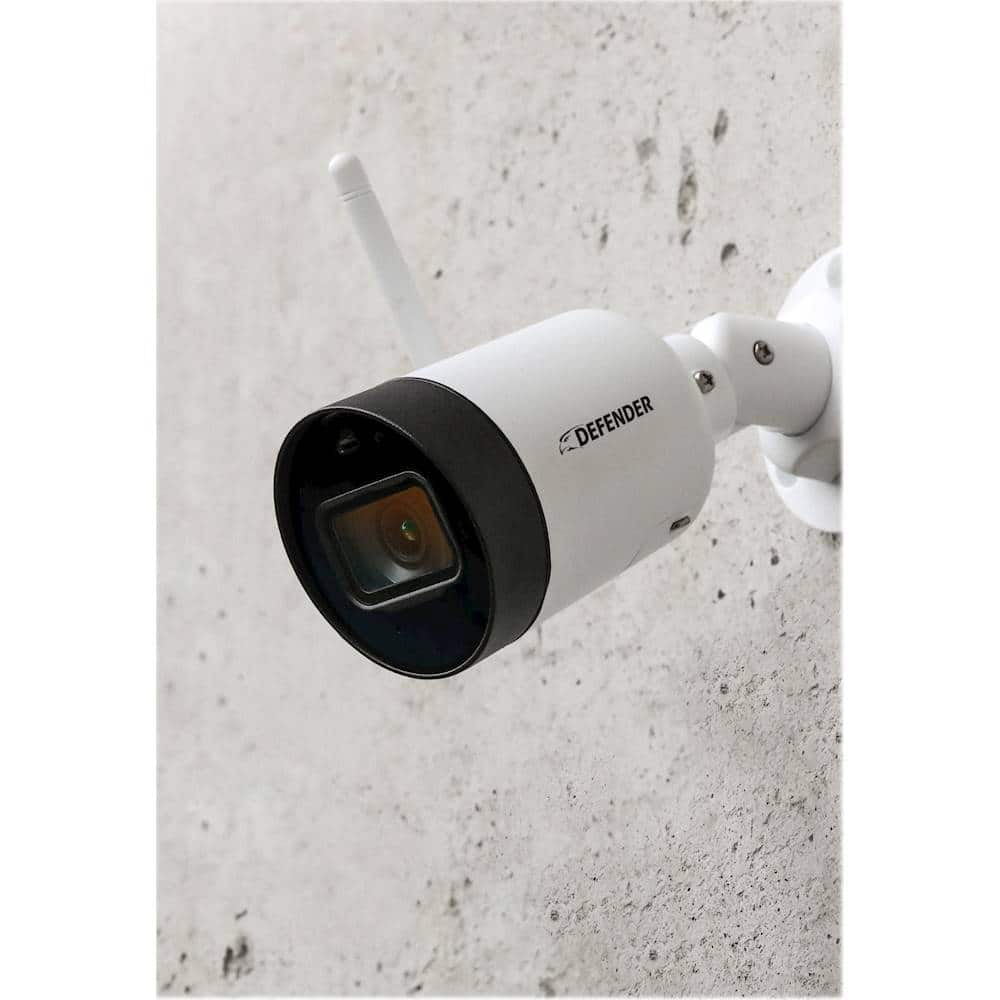

- Model:
- IP4MCB1
- SKU:
- 6378609
Rating by feature
- Value
Rating 4.5 out of 5 stars
- Quality
Rating 4.5 out of 5 stars
- Ease of Use
Rating 4.4 out of 5 stars
Customers are saying
Customers admire the Guard Indoor/Outdoor 1440p Wi-Fi Wireless Network Surveillance Camera's excellent video quality, ease of use, and effective night vision. Many found setup to be straightforward and appreciate the included SD card for storage. However, some users experienced challenges with the app's reliability and the wired power supply requirement. The camera's Wi-Fi performance also received mixed feedback.
This summary was generated by AI based on customer reviews.
- Pros mentioned:Setup
Works great, picks up motion almost to sensitive.
||Posted . Owned for 3 weeks when reviewed.This reviewer received promo considerations or sweepstakes entry for writing a review.Works good, but very sensitive to motion. Was easy to install.
I would recommend this to a friend - Pros mentioned:Ease of use
Awesome camera
||Posted . Owned for 3 weeks when reviewed.This reviewer received promo considerations or sweepstakes entry for writing a review.This users friendly best feature and easy to install
I would recommend this to a friend - Pros mentioned:Ease of use
Good Cameras
||Posted . Owned for less than 1 week when reviewed.This reviewer received promo considerations or sweepstakes entry for writing a review.I love these Cameras. they are easy to set up and access.
I would recommend this to a friend - Pros mentioned:Ease of use
Awesome
||Posted . Owned for 1 month when reviewed.This reviewer received promo considerations or sweepstakes entry for writing a review.It's great and easy to use, I bought for my mom house .
I would recommend this to a friend - Pros mentioned:Ease of use, Motion detection, Video quality

Great Value Easy Setup
|Posted .This reviewer received promo considerations or sweepstakes entry for writing a review.I really like that you can easily set this up as a wired unit. Typically everything is "better" when it is wireless. I have other cams that are battery operated and wireless - they are great but have limitations. Here I dont need to worry about a battery running out etc.. Set up was easy and I ran both Ethernet and power to the device. It comes with plenty of power cable but if you want to run Ethernet that needs to be purchased separately. Doing this, I am completely able to run the system using my UPS if the power goes out. I also love that it has onboard storage. No subscriptions so the price you pay is it nothing extra to purchase. Setup was super easy. Just follow the prompts. Image quality is great too. I really like how you can select certain areas that are sensitive to motion so you only get notifications when something is moving where you are concerned about monitoring. It is easy to snap a pic or take a video manually with your phone too. This is a full featured device at a great price. I will definitely get another for another location at my home.
I would recommend this to a friend Excellent camera
||Posted . Owned for 1 month when reviewed.This reviewer received promo considerations or sweepstakes entry for writing a review.This is a very good camera shows wide view customer service isn't the best but maybe contacting them through email seems to be better also the camera needs a swivel instead of just up and down but excellent sound and viewing night mode is excellent also would highly recommend it for security
I would recommend this to a friendAmazing surveillance cameras
||Posted . Owned for 1 month when reviewed.This reviewer received promo considerations or sweepstakes entry for writing a review.These cameras are great and easy to use! I love the app and the installation was amazing as well. I just wish we could erase some footage and not everything when it comes to making space on your SD card. I would say that is the only down side but other than that I would totally recommend.
I would recommend this to a friend- Pros mentioned:Ease of use, Motion detection, Video quality
Quality HD in light, dim light or total darkness
|Posted .This reviewer received promo considerations or sweepstakes entry for writing a review.The Defender - Guard Indoor/Outdoor 1440p Wi-Fi Wireless Network Surveillance Camera - White is a quality HD camera that gives a clear and recognizable snapshot or video of any area requiring surveillance. It comes preinstalled with a 16GB SD Card that can record from motion sensor detection or from continuous video recording. Old video is overwritten in continuous video recording as the SD card becomes full. Without recording, I can view a live stream of any area. Viewing snapshots and recorded video is simple as going to my local files. Installing the Defender Guard app is required to setup and maintain continued control of the Defender - Guard Indoor/Outdoor 1440p Wi-Fi Wireless Network Surveillance Camera - White. I followed the steps to create an account and got up and running quickly. I set up my camera using Wi-Fi, but there is a diagram for a wired connection as well. The Defender - Guard Indoor/Outdoor 1440p Wi-Fi Wireless Network Surveillance Camera - White will give perfect video and snapshots of any area under its angle of view.
I would recommend this to a friend Good clear UP camera
||Posted . Owned for 3 weeks when reviewed.This reviewer received promo considerations or sweepstakes entry for writing a review.We had a few problems setting the camera up. Works good but very sensitive even on the lowest motion detection. No she required which is nice. Alerts you to your phone. If you are looking one that you can talk directory someone, this camera will not do that. Great entry camera.
I would recommend this to a friendDefender - Guard Indoor/Outdoor 1440p
||Posted . Owned for 8 months when reviewed.This reviewer received promo considerations or sweepstakes entry for writing a review.Defender security camera has good perfect viewing for my area during night and day. Motion sensors messages to my phone is good, rarely loose video signal, but easily reset back to viewing. Its a perfect free option camera with no monthly charges.
I would recommend this to a friend- Pros mentioned:Ease of use, Motion detection, Video quality
Security or Evidence? The Defender Provides It.
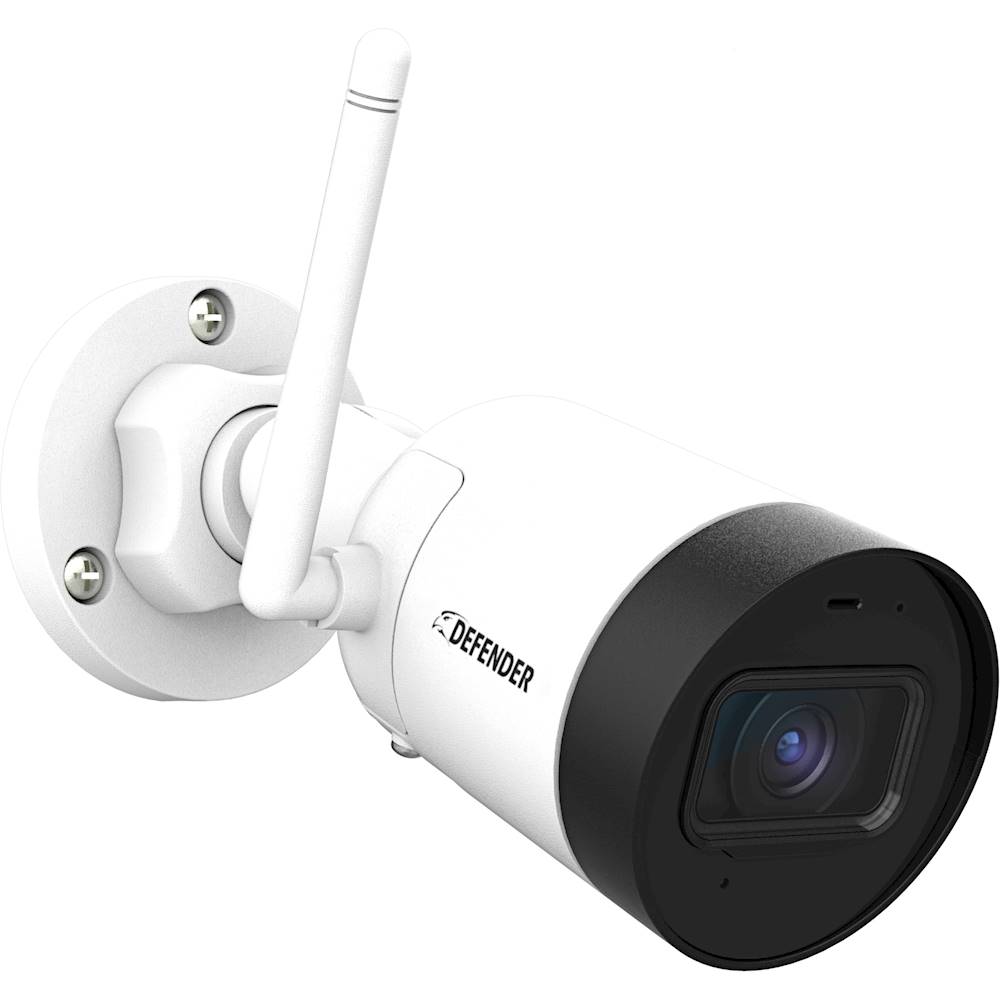
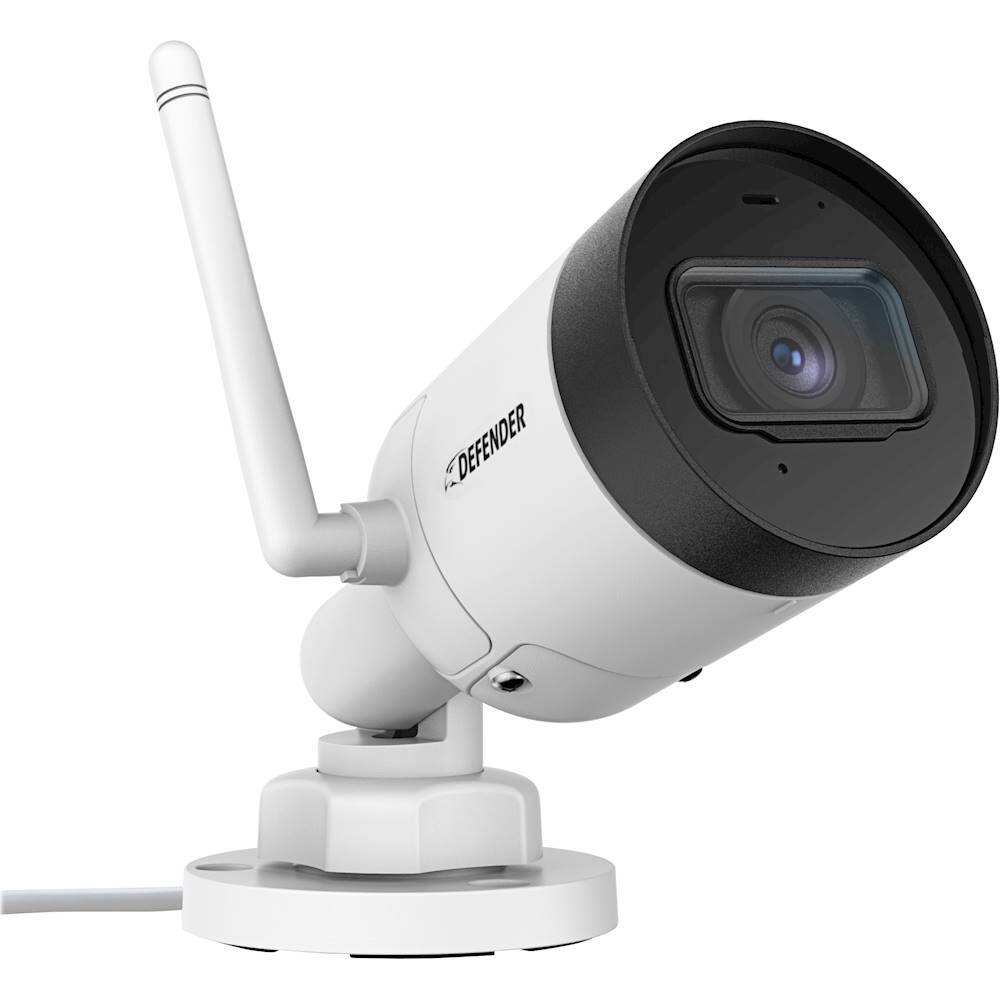
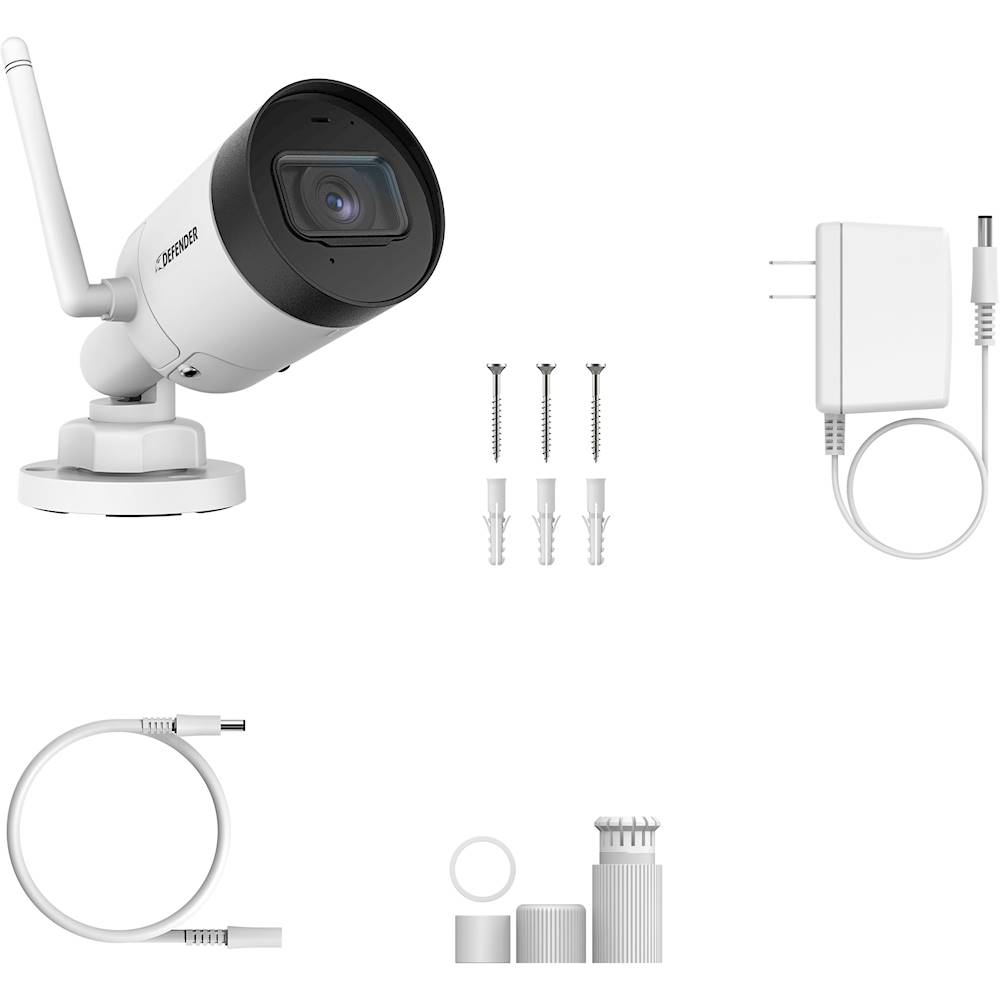
|Posted .This reviewer received promo considerations or sweepstakes entry for writing a review.Defender Guard Indoor/Outdoor 1440p Wi-Fi Wireless Network Surveillance Camera.- Crisp, highly detailed images from an affordable security camera. The Defender is a perfect combination of features and performance for the typical DIY home owner or small business owner. It’s easy and flexible to mount. power, and connect to a wireless network. It even connects directly via ethernet if that’s useful. And, most importantly for me, it required no subscription but allowed for on-camera recordings continuously or events triggered by motion. Sensitivity is fully adjustable and so is the detection mapping. In the box: The Defender “bullet” camera comes packaged with a flexible mount, screws and guide. The camera is reasonably weatherproof and has an enclosed 16Gb MicroSd card. Although it’s not obvious, there is an infrared light that makes its presence known in reasonably lit night images. There is also a microphone, also obvious in the playback of video if it’s enabled. The defender includes a combination power and wired ethernet cable. You may never use the ethernet segment, BUT it’s there. The low voltage power cable provided is a generous 10ft and terminates at a small power supply brick . Defender also adds an additional power extension cable of another 25ft, so getting to a nearby outlet should be manageable for most people. Install and Setup: Everything is accomplished using your phone. My iPhone XR was fully compatible. Please follow the guidance that Defender provides regarding testing your location before permanently installing your camera. I was initially surprised and encouraged by how far away my camera could successfully connect to my wireless network. A few hours later reality intruded. The camera went off line and I could now test how easily the Defender’s wireless connection could be re-established. But, I’m ahead of myself. Initial setup is very well done, uncomplicated and it proved successful. First, I set up a new account (passwords required for the account and a different one for the camera) and then I proceeded to plugging in the camera, registering its serial number (scan the code using my phone camera or manual entry), and finally logging onto my wireless network. The process is quick and leaves little opportunity for getting off track. But, then I felt abandoned. There aren’t instructions for the numerous settings, although many are pretty obvious. That said, wouldn’t it be great if all that extra space on each menu page had instructions or guidance or something useful? (As long as I’m asking for stuff, how about a computer-based camera viewer?) So, for example, the “Current WiFi Network” page might indicate that this page will change to a set of instructions on how to correct a LOST WIRELESS SIGNAL The process is nicely done, but finding it was a surprise because I’d been on this page during setup and now it was all different because I'd now disconnected. The App is the place to look for help. I concluded I would need to Select Wi-Fi in the setting menu and the Defender App directed me to follow a trail that uses the onboard device indicator light. (Hope you can see it once the camera is mounted!): You’re directed to see if a Red FLASHING, or Red ON, or Green FLASHING or Green ON is on the face of the camera. Selecting the Red On condition (In my Off Line event, both a Steady Red and Steady Green were both on. Argh. I assumed it was the red which mattered.) The next instructions plus me moving the camera a dozen feet closer got me back online. Reminder: Don’t permanently mount that camera until you’ve has a lengthy test of your wireless reliability at the desired distance. The picture I included is my test location, close to where I eventually mounted the camera. SUMMARY: This is an easy security camera to like. The hardware is rugged and fully featured. The setup and App control of a single or multi camera configuration makes perfect sense (even if I’m petitioning for more guidance). The App allows full control over all those features and puts me in control of how responsive and reactive the camera and its notifications are for my uses. I like the sensible access and management of the recordings which are very detailed. When an intrusion into a protected area triggers a notification, a snapshot of the intruder (vehicle, person, wildlife) is sent to your phone. If you have an Apple watch, you’ll see that image flash onto that screen, too. It’s all recorded. If I need security or evidence after an event, the Defender looks like it will reliably serve my purpose.
I would recommend this to a friend - Pros mentioned:Setup, Video qualityCons mentioned:Wifi
Nice Budget Camera
|Posted .This reviewer received promo considerations or sweepstakes entry for writing a review.Right off the bat, I was very impressed with the video quality on this camera. The 2k resolution rivals cameras twice as expensive. Govern quality is the most important aspect of a security camera, I think this alone warrants a look at this camera. It has great quality both night and day. I have mine above my garage and it captures all the way across the driveway and to the street, the wide angle lenses really does shine in scenarios like this. The setup was fairly easy, though quirky. It involves scanning a QR code and listening to a bird sound to connect. The app is fairly easy to use and add full featured as you’d want for a camera. It has options to record only when motion is detected. You can set a time frame for when you want to be notified, e.g. you only want notifications if motion is detected at night. You can also set the camera to record continuously which is nice. It will wore to the pre installed 16gb so card, which you can expand. It will automatically overwrite once it fills up. The only disadvantage I see here over cloud based cameras is that if some one takes the camera itself, you are out of luck because, all the video is stored on the camera. One of the only problems I had was with WiFi. Forest, this camera doesn’t support 5ghz, which is a real bummer, especially trying to stream HD video. Also the range isn’t super great either. I had full signal on my phone where I wanted to mount the camera but, faces serious buffering issues with the camera. The camera does have an Ethernet option but, have fun running a 100ft Ethernet cable. Other than that setup was easy, three screws and an extremely long power cable made setup a breeze. The camera also lacked any smart home compatibility. As far as I can tell it doesn’t support Alexa, Google Home, SmartThings, or HomeKit which is a real bummer. Overall, for the money you can’t beat it but, it does have a few short comings. Pros - cheap - great video - easy setup Cons - poor WiFi signal - no smart home compatibility - sticks out like a soar thumb
I would recommend this to a friend Great clarity
||Posted . Owned for 1 year when reviewed.This reviewer received promo considerations or sweepstakes entry for writing a review.We’ve got these all around our house. Great quality and great image clarity. The only problem was the wiring for the power but with strategic placement we’ve hidden the wires. Great for the price.
I would recommend this to a friend- Pros mentioned:Night visionCons mentioned:App
Good price and great features!
|Posted .This reviewer received promo considerations or sweepstakes entry for writing a review.THE BREAKDOWN: Let me start by saying that overall I felt as if this camera really delivered and met my expectations. The packaging wasn’t super fancy in any way but it got the job done. Everything inside was packaged very nice. It had everything you needed besides the Phillips head screwdriver to get you and running. One really nice surprise is that it came with a 25ft extension cable for the power supply. The instructions for setup were very clear. It just required a Phillips screw driver, drill and drill bit set, and iOS or Android device and high speed internet (which can only be 2.4Ghz range). Some of the great features of this camera is that it includes a 16Gb SD card to record activities so there are no monthly payment plans that you have to consider. It has Infrared LED Night Vision that gives good detail up to 100ft away in the day or night. The resolution is 4MP (2K) and I feel that it really delivered on that. Doesn’t give that super crisp 4K UHD but then again it doesn’t say that it does. It claims to be IP67 weather resistant which is good since I placed this camera outside to watch my pool. The app actually doesn’t work that bad. The picture isn’t bad and I found that the setup was super easy. The mounting, in which I mounted it outside took around 15 minutes. Downloading the app and connecting the camera to the app took another 10-15 minutes. Just remember that the camera will not connect to a homes network that is 5GHz it must be 2.4GHz. The app really did work pretty well. I only had one instance where the app wouldn’t connect to the camera while I was away from the house. The app let you set the sensitivity of the camera, select part of the picture to exclude in alerts(called Guards advanced Activity Regions), take pictures and video. It really does offer just about everything you need to get the job done. PRO’s: -Great app -Infrared Cut Filter -Advanced activity regions -Included 16GB SD card -123degree field of view. -128-bit encryption -IP67 weather resistant CON’s: -Couldn’t connect a few times while away from the house -Takes A little planning and knowledge to install SUMMARY: Overall, I feel that this product worked very well and I would definitely recommend this to a friend if they are in the market for a great security camera at a great price.
I would recommend this to a friend Very nice
||Posted . Owned for 1 month when reviewed.This reviewer received promo considerations or sweepstakes entry for writing a review.I have no other cameras to compare this one to, but it was a breeze to install and has great clarity. Time will tell how good they really are but they are off to a good start.
I would recommend this to a friend- Pros mentioned:Night vision, Video quality
Budget Friendly Surveillance
|Posted .This reviewer received promo considerations or sweepstakes entry for writing a review.The Defender - Guard Indoor/Outdoor 1440p Wi-Fi Wireless Network Surveillance Camera - captures video and images in a clear view. SETUP: In order to use the camera the Defender Guard app must be added to your device. In this case, I chose to download the app on my cellphone. In the first try, I found it challenging to connect the cellphone to wifi without using an ethernet cable. Instead, decided to connect an ethernet cable to the camera so I could test indoor first. INDOOR TESTING: Once the app is downloaded, the app walks you through a series of steps. Once the ethernet cable is connected to the camera, the app walks you through several steps in order to sync both devices. After setup, the camera was able to capture images and record clearly. When doors were opened throughout the house, the camera would send a notification to the app and notify me on the phone with the settings I selected. The camera has the ability to pick up sounds that are not located in the room. For example, when a family member came home, the camera sent a signal to the phone. The ability to detect when people were entering or exiting the home was a plus. I decided to contact my internet provider to have them help assist with the setup of the camera, without having to use an ethernet cable. I ended up learning that because our house uses a lot of devices, the camera and cell phone were not able to sync properly. We are really into technology! It was recommended to power down all devices in the house to help the server & router recognize the surveillance camera. When all devices were powered down, the sync was complete. I highly recommend doing this. Once the server recognizes your device, then you are able to repower all devices back on. OUTDOOR TESTING: With daytime and nighttime viewing, the camera is able to pick up sounds, cars, and people walking in the neighborhood very well. At night the camera can still pick up images, but not as clear as daytime. I was still impressed though that it could still take images in the dark. When retrieving videos stored, sometimes they can load slowly for viewing. However, I found that live viewing streamed pretty well. Due to the lack of rain in our area, I am unable to confirm if the camera can hold up in the rain or snow. It snows in California, but not in the area I reside in. But so far, it has stood up to the slight Santa Ana Winds we have been experiencing. PROS: 1) Connects by ethernet cable 2) Connects by Wifi 3) Notifies when sound is heard. Ex: a car approaching, a person walking or approaching the area. 4) Can pick up the sound of doors opening in other rooms. 5) It can take snapshots, view live, or past videos. 6) Has an SD card to store data. 7) No fee for using the app. Thank you! CONS: 1) Setup Instructions. 2) Must power down all devices in order to connect the device. (lol) Overall my family likes the camera and we are thinking about purchasing more to go around our house. Yes, I would recommend this product.
I would recommend this to a friend - Pros mentioned:Video quality
Solid Camera with Good Video/Image Quality
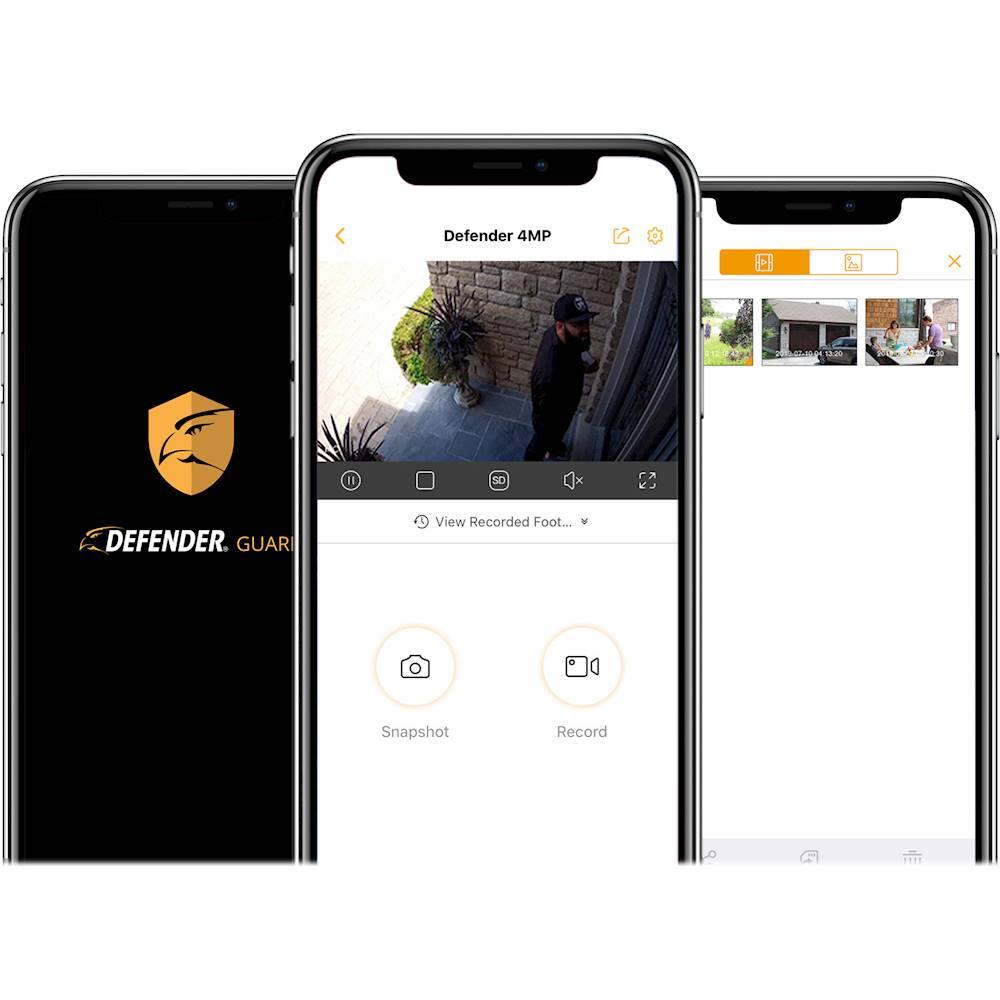
|Posted .This reviewer received promo considerations or sweepstakes entry for writing a review.PROS: * While advertised as wireless, also supports an ethernet connection * App is easy to use * Power cable extension included * Ethernet cable shield included * IP67 rating * 16GB SD card included CONS: * No 5GHz network support * No power cable shield == SETUP == Setting up the Defender Guard is very easy. You first need to download the Defender app, login or create a Defender account, have your phone connected to the wireless network (must be a 2.4GHz network, no 5GHz support), and then scan the QR code on the camera. At the end of the pairing process your phone will start emitting some odd clicks and beeps (the app asks you to point your phone speakers at the camera during this process), which will finalize the pairing process to get your new camera onto your network. == INSTALLATION == Ideally the Defender Guard is replacing an older camera, otherwise you will need to have a hole drilled into the location you want to place the camera (if going with an outdoor setup). You'll want a hole in the exterior wall to pass the cables through for security, otherwise someone can just pull/cut the power to the camera. Speaking of cables, I really wish that Defender included a power cable shield to ensure that the power cable doesn't disconnect so easily. Thankfully this can be resolved if you just knot the power cables before connecting (similar to when connecting two extension cables). Defender includes screws and expansion anchors, plus a handy sticker to use for marking the position of the camera base. With a good internet connection, you can stream from the camera to the app on your phone so you can adjust the camera as needed to find the optimum recording angle. == VIDEO QUALITY == The image quality is quite good. Details are pretty good, but the overall quality will depend on the camera angle and height (and of course lighting). The night mode is very decent, but I can't comment too much on it, since I have my Defender Guard not too far from our motion-sensor lights. The days of potato-quality cameras are long-gone! == USING THE APP == The app is very clean and easy to use. From here you can go through previous footage, ensure that your camera(s) are on the latest firmware, make changes to the Wi-Fi network connection, and even disable notifications if needed. If you're using the latest iPhones, you'll need to go into the account security settings of the app to turn on Face-ID. == STORAGE == The Defender Guard uses micro SD cards for storage. To access the memory card, you'll need to remove two Phillips screws on the underside of the camera. The included card is only 16GB, so if you plan on keeping footage over longer periods of time, I would recommend buying a bigger card. == OVERALL == It's a sturdy little camera will decent video/image quality and easy to setup+install. Defender's website has it listed to withstand temperatures between -30 to 50 degrees Celsius, so hopefully it holds up through the upcoming Minnesota winter!
I would recommend this to a friend Defender So So
||Posted . Owned for 1.5 years when reviewed.This reviewer received promo considerations or sweepstakes entry for writing a review.Defender has good quality but some issues. Video quality is so so. Hopefully they'll come out with a better product soon.
I would recommend this to a friendWorks good for an outside camera.
||Posted . Owned for 3 weeks when reviewed.This reviewer received promo considerations or sweepstakes entry for writing a review.This Camera is great for an outdoor camera. What I really need though, is a camera that is lower, and at door level. I will probable get a doorbell camera instead.
I would recommend this to a friend- Pros mentioned:Ease of use, Night vision, Video quality
Good Security Camera!
|Posted .This reviewer received promo considerations or sweepstakes entry for writing a review.The Defender Guard indoor/outdoor security camera is a great deal for the money especially if you catch it on sale at Best Buy!! I have another lower-cost camera as well but it is only 1080p. The 1440p resolution is great to have especially if you want to zoom in on a subject. The generous 123-degree viewing angle is much appreciated and is actually the same as my Galaxy S10+ wide-angle camera. The Defender Guard works well in the daylight with very good resolution and a clear image. I also found that the night vision works well. While the app is lacking a little in features compared to my other camera I appreciate that you do not have to buy a hub to operate this camera. All you need is the app for your Android or Apple phone or tablet. A helpful tip to those that have a WIFI mesh network that does not allow you to isolate the 2.4ghz frequency. If you have and Android with Android 7 or higher and can not go to advanced WIFI settings to choose 2.4ghz only to connect to your camera. You can download WIFI analyzer by Farproc then download the additional WIFI connector library and it will will let you connect to the 2.4ghz channel by either clicking on the eye at the top and picking AP list or by swiping right or left until you get to the AP list. Then pick your 2.4 ghz network and sign in to connect. This camera's hardware seems very robust and seems like it will last a long time even if you have it outside. I found the set up to be simple and straight forward and had minimal issues. One thing I really appreciated was the 10ft power cord. Furthermore, while I don't need the ethernet cable plug with my Gigabit internet and fast WIFI set up that has 3 sattlelights I appreciate that the option is there. Another plus is that a 16g Micro sd card is included. This is great to get you going in case you did not have one on hand. However, I quickly put a spare 64gig card in mine. A couple of things I would like to see added would be cloud support so that you could use One Drive, Google Drive or Dropbox for backup storage in case of micro sd card failure and to send your older recordings to instead of it deleting old ones when the card gets full. It would also be nice to see a webpage added so I could check things out on my big Desktop screen in the future with multiple camera views at the same time. One other thing that would be great to see is smart home support. However, I understand that these things take money and as it stands now this camera is a great value just due to the build quality and good images produced. It gets the job done with remote viewing support, audio recording, live view and event playback for now and not only would I recommend it I will be looking into getting 1 or two more when I catch them on sale!
I would recommend this to a friend