Save up to 50% on 3-Day Sale deals.Ends 12/14.Shop now

Skip to content
Gift Ideas
Main Content

Customer Ratings & Reviews
Your price for this item is $999.99

Customer reviews

Rating 4.6 out of 5 stars with 160 reviews

Rating Filter

Rating by feature

  • Battery Life

    Rating 4.7 out of 5 stars

  • Speed

    Rating 4.6 out of 5 stars

  • Display

    Rating 4.7 out of 5 stars

Pros mentioned filter

Cons mentioned filter

93%would recommend to a friend

Customers are saying

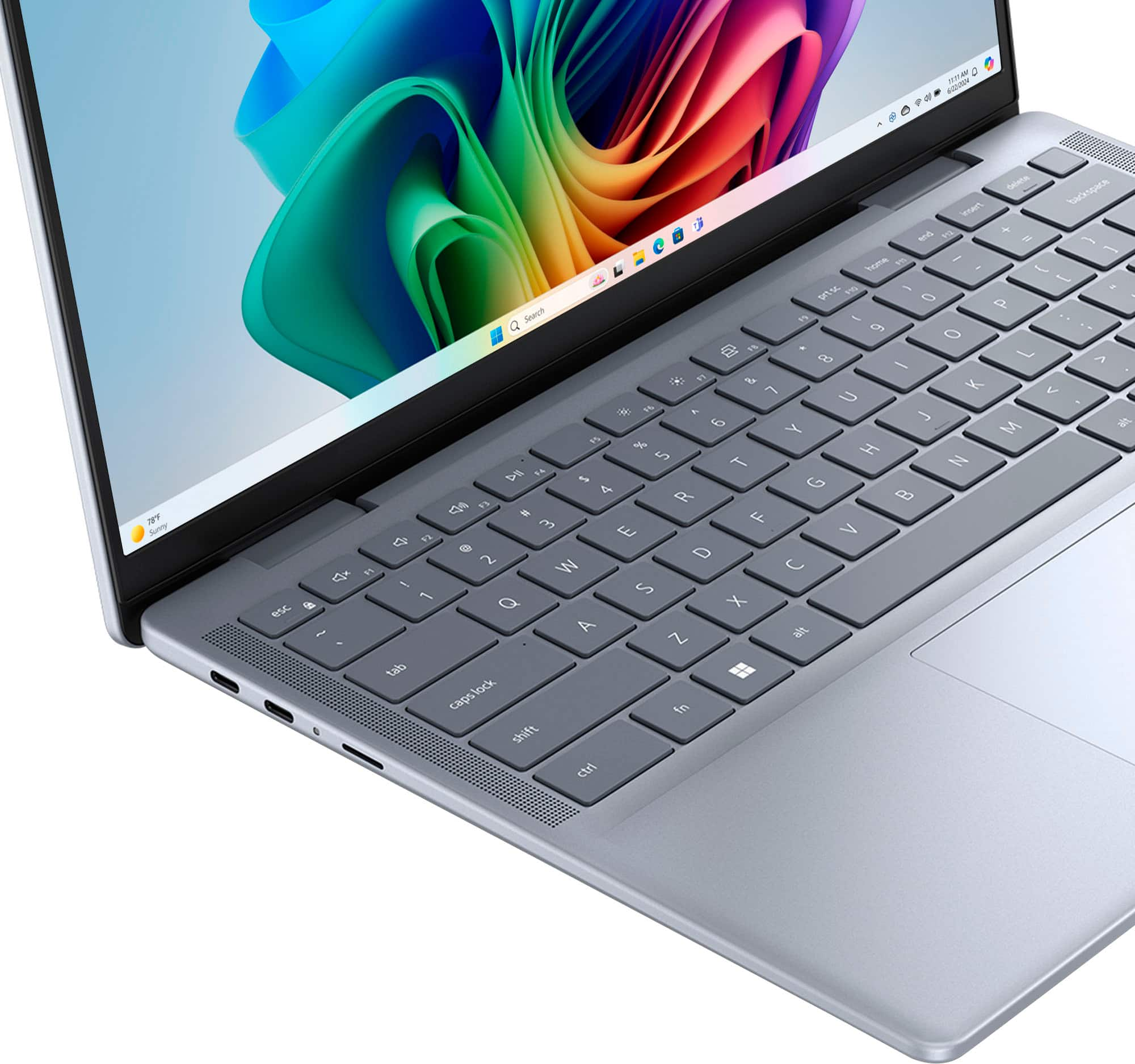
Customers appreciate the Inspiron 14 Plus Copilot+ PC for its bright, vibrant screen and overall performance. The processor speed and battery life are also highly praised. The main drawback mentioned is the limited number of USB-C ports.

This summary was generated by AI based on customer reviews.

The vast majority of our reviews come from verified purchases. Reviews from customers may include My Best Buy members, employees, and Tech Insider Network members (as tagged). Select reviewers may receive discounted products, promotional considerations or entries into drawings for honest, helpful reviews.
Page 8 Showing 141-160 of 160 reviews
  • Pros mentioned:
    Battery life, Screen quality
    Tech Insider Network Member

    Rated 4 out of 5 stars

    Impressive System with Local AI processing

    |
    Tech Insider Network Member
    Posted .
    This reviewer received promo considerations or sweepstakes entry for writing a review.

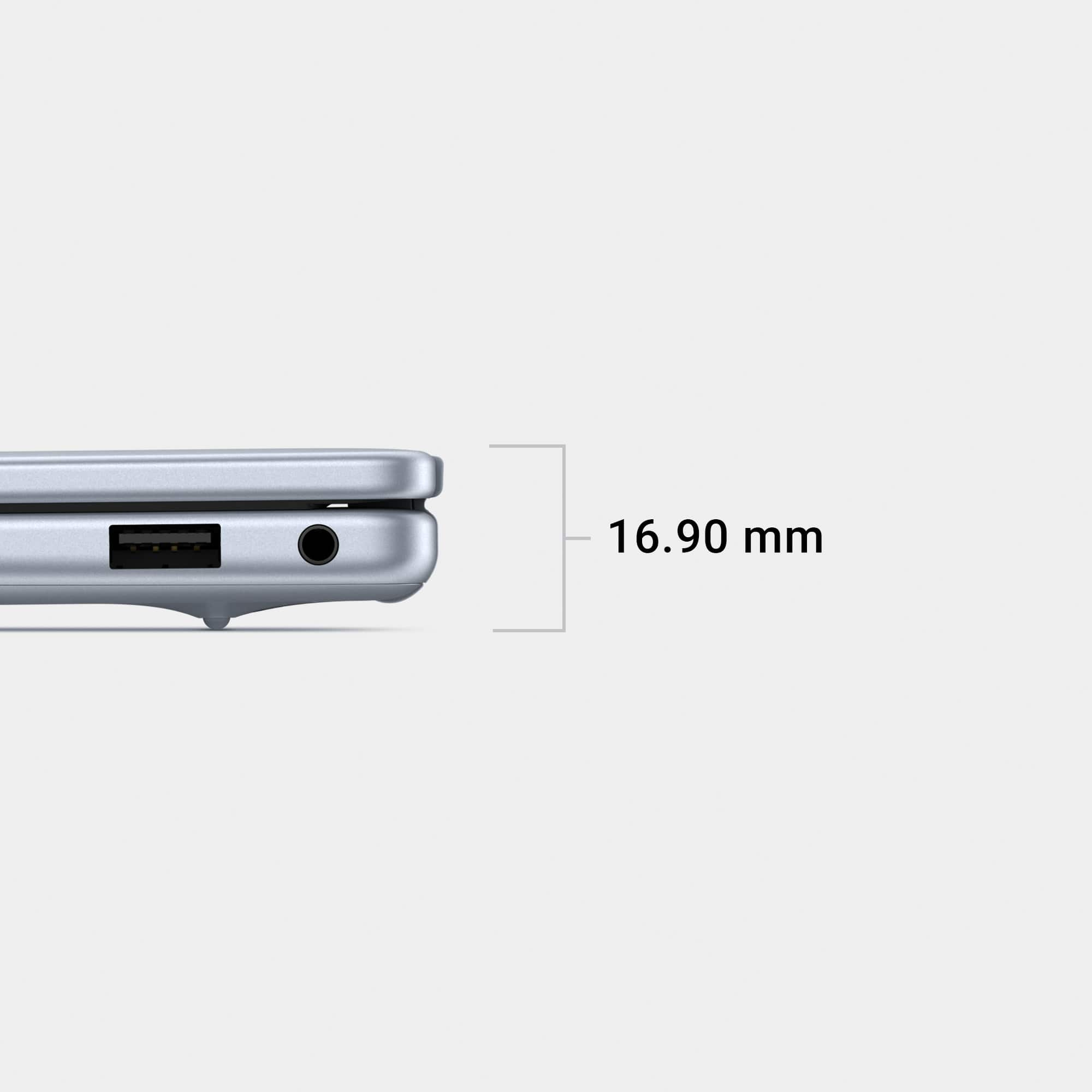
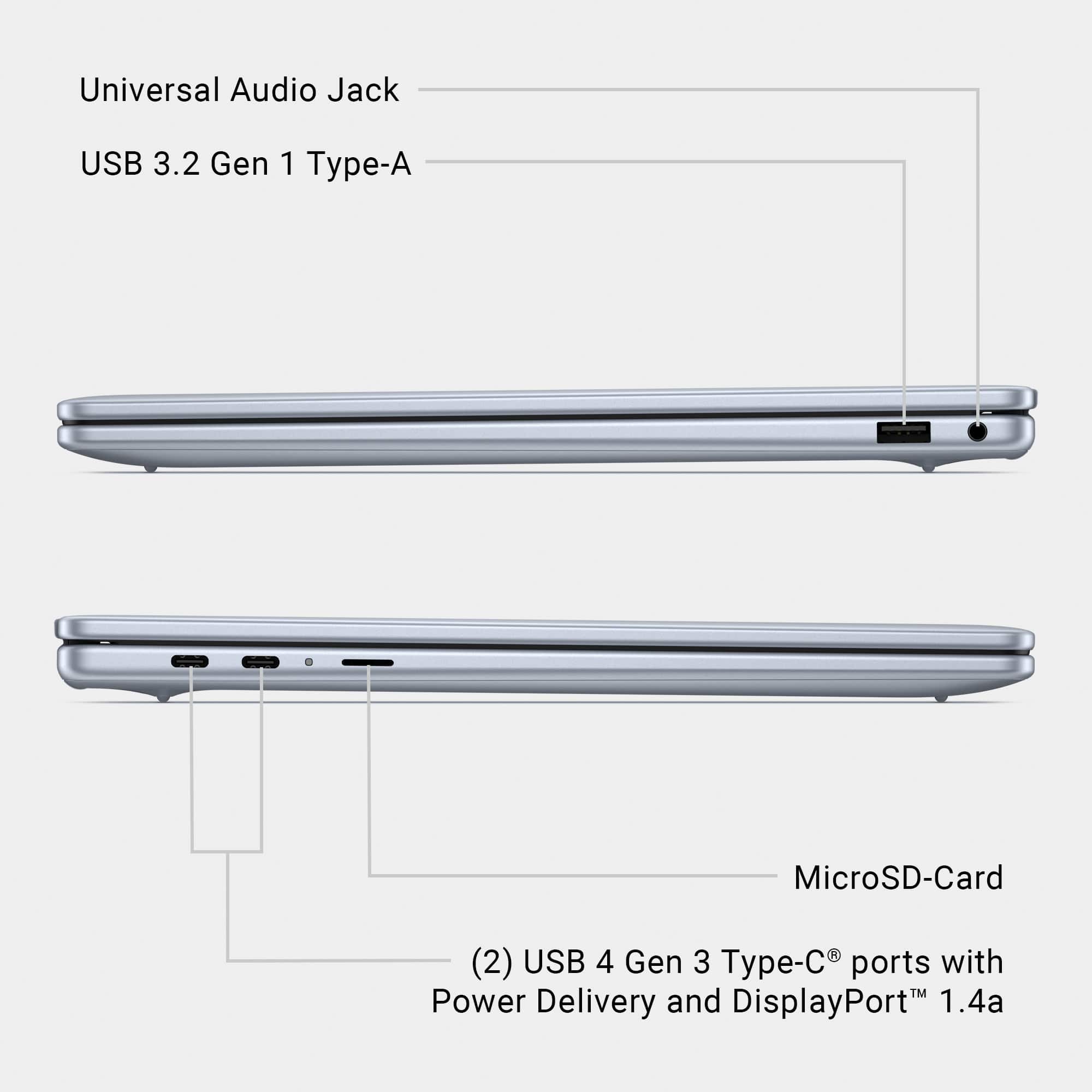
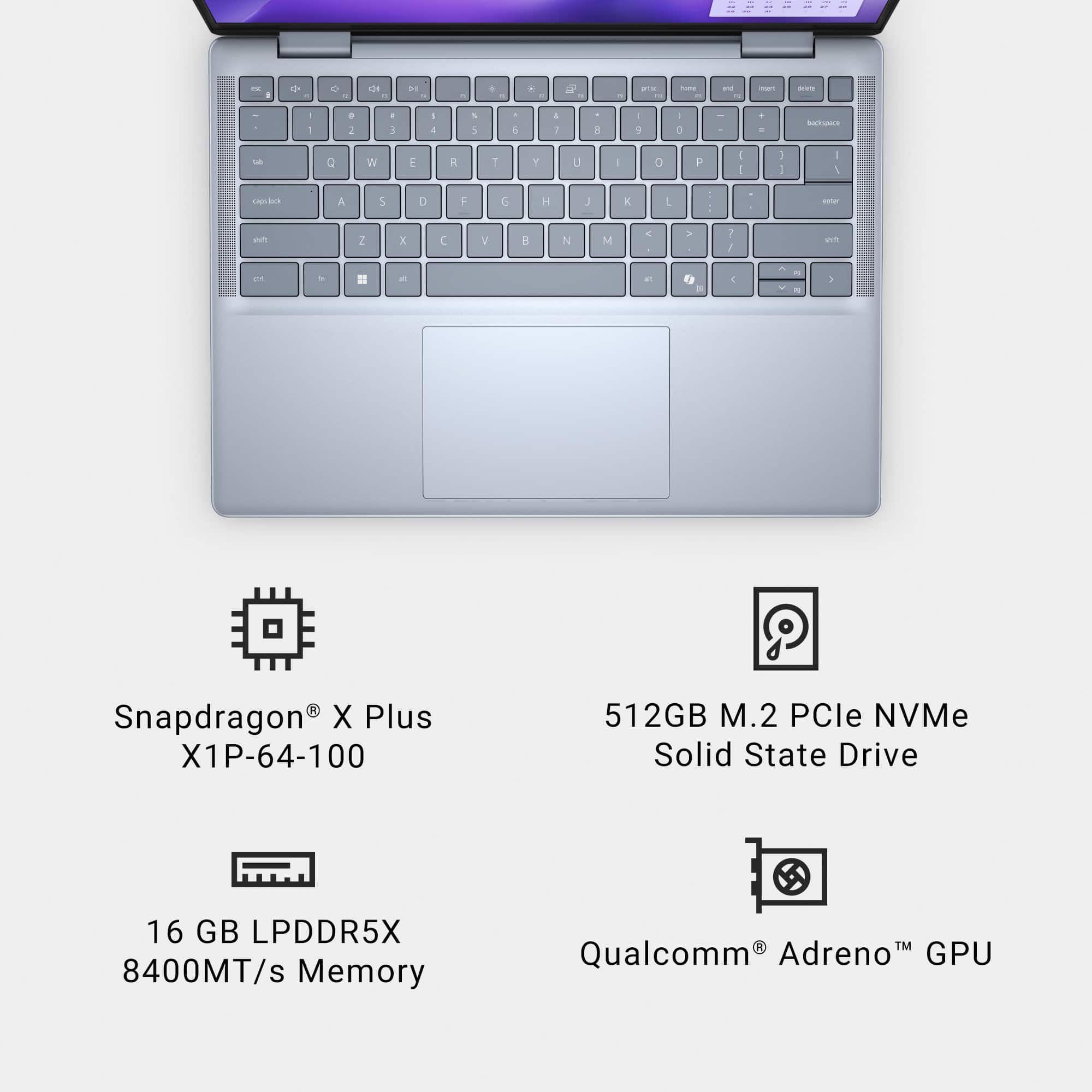
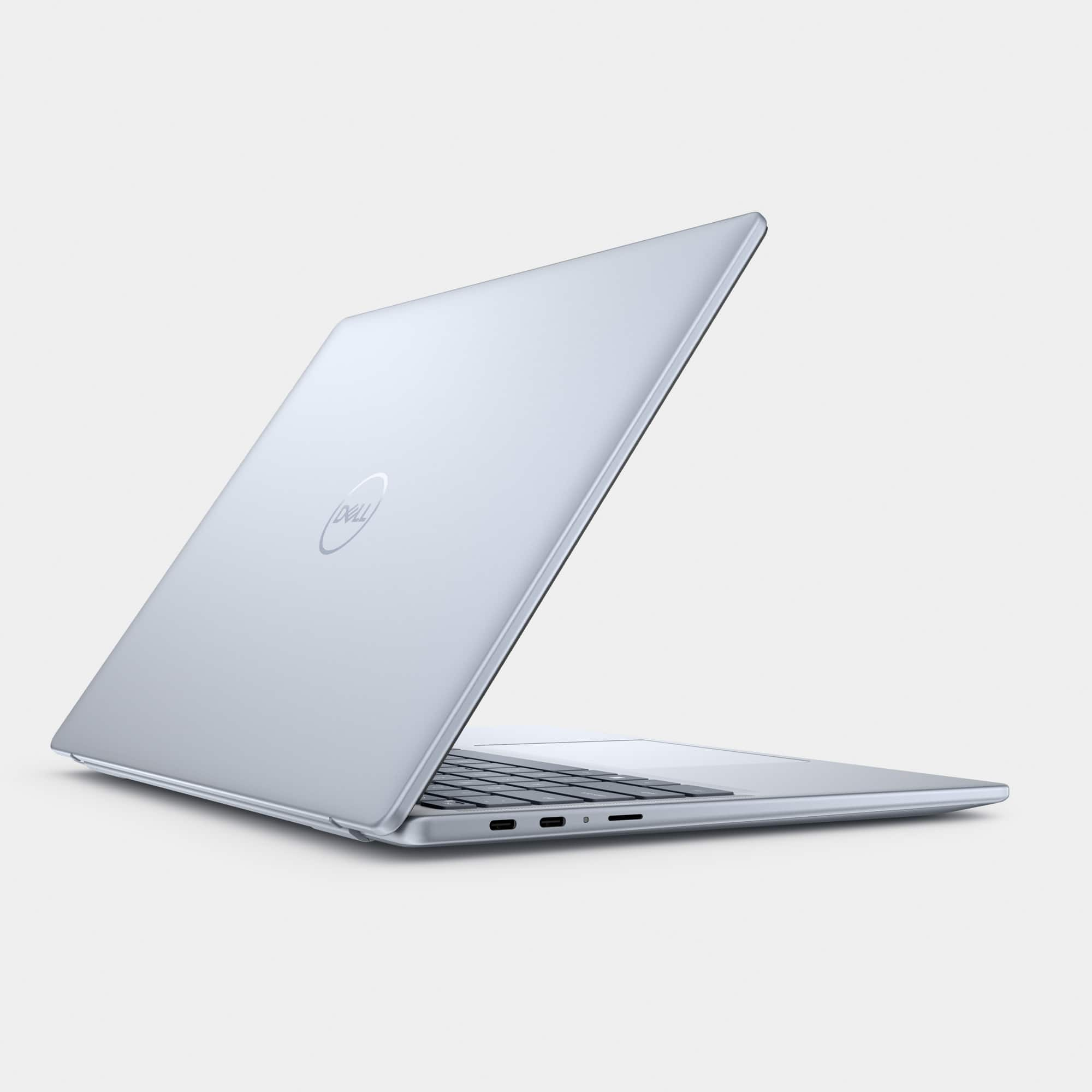
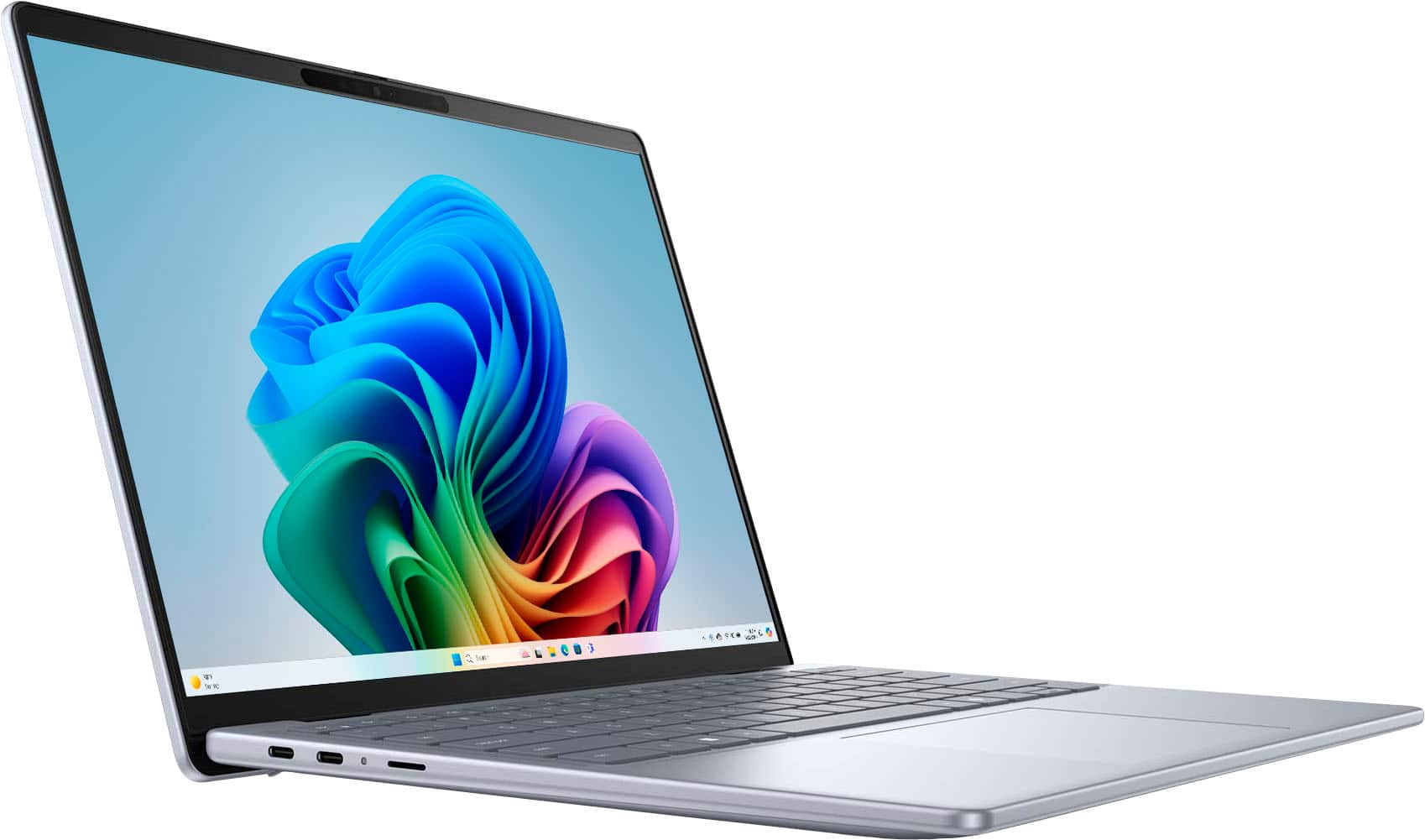
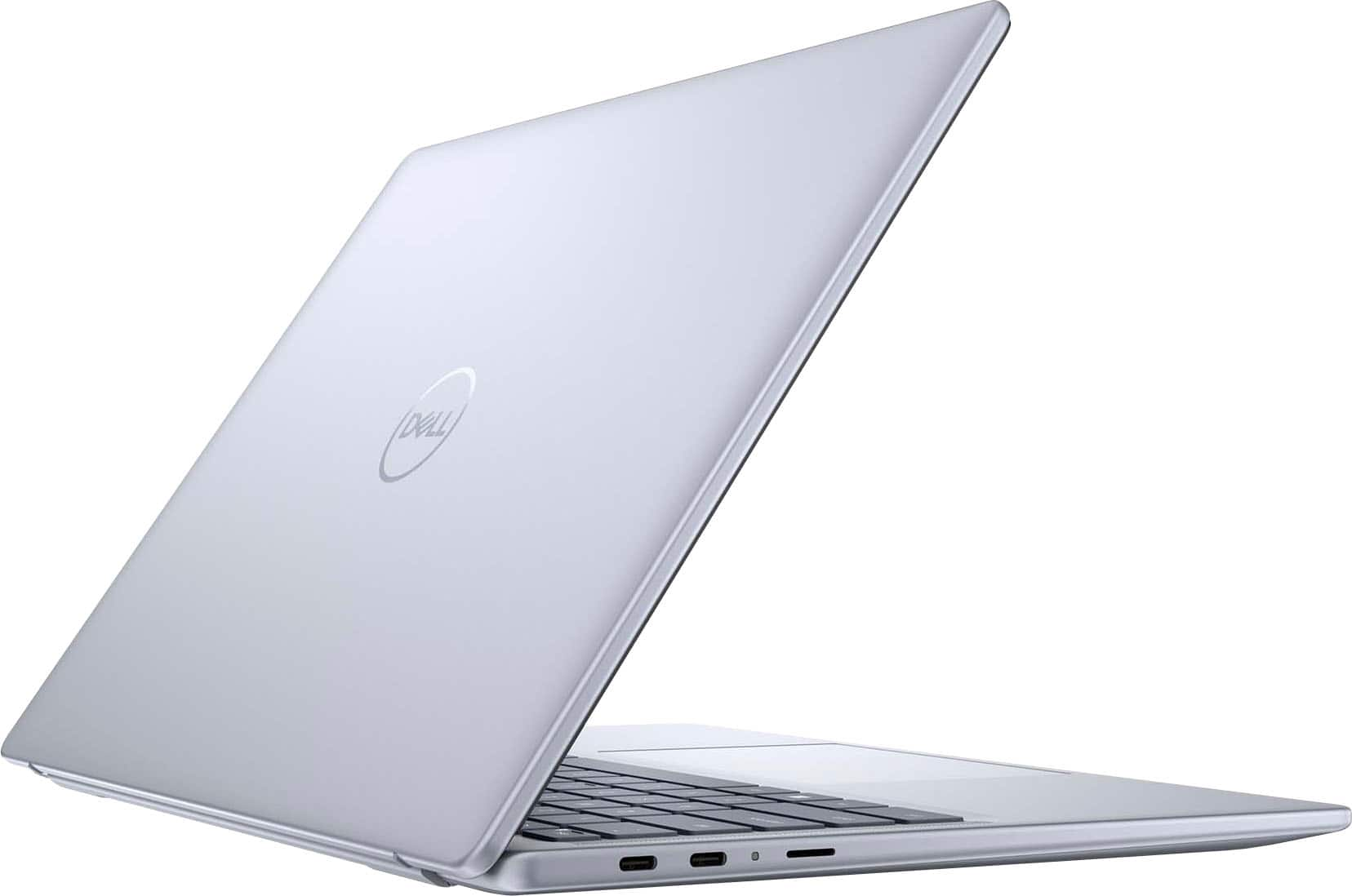
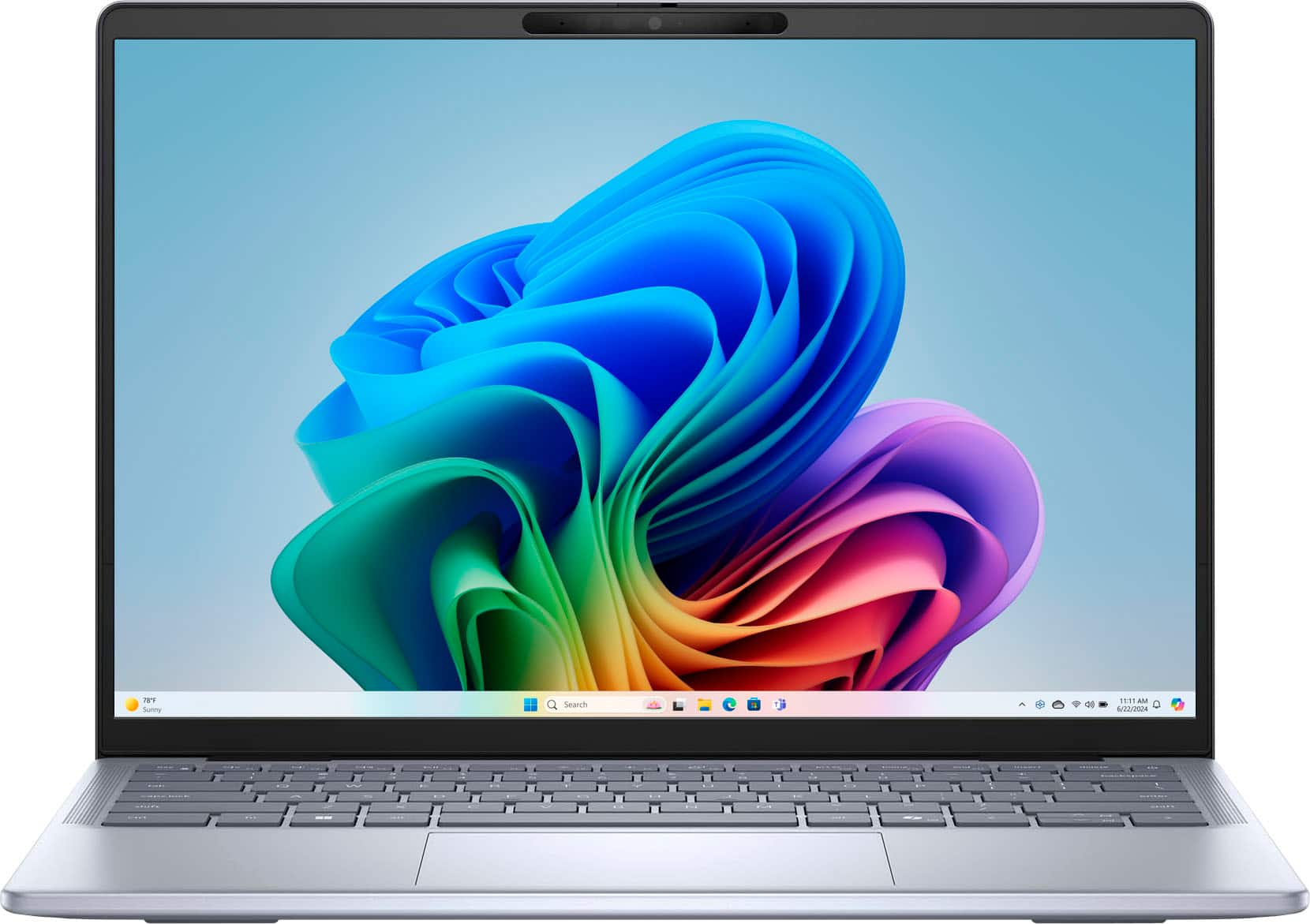
    I've been waiting to get my hands on this Inspiron 14 Plus laptop. It features the Snapdragon X Plus X1P-64100, an ARM based processor. Before we get into that, let's talk about the other specs. The laptop itself is pretty thin at about 17 millimeters without the rubber feet. With the rubber feet it's closer to 20 millimeters. On the left side are two USB-C ports and a microSD card slot. On the right side is a single USB-A port and an audio jack. So physical connectivity is a little light. The included charger is a 65 Watt USB-C charger and thus takes up one of the USB-C ports while charging. Flipping open the laptop, the laptop comes to life automatically (hinge switch). The monitor opens to about 130 degrees (estimated). I was quite pleased to see a fingerprint scanner integrated into the Power Button and that the camera is Windows Hello compatible. Since I've seen it with the laptops at work, I should mention that there is a shutter cover on the camera. A lot of people miss it. The camera lens is pretty much centered in the top bezel of the monitor. If you look close and see white diagonal lines across the camera lens, then the shutter is closed. Run your thumbnail just above the camera from right to left and that will open the shutter. Setup was pretty straightforward. It included a firmware update, so make sure to plug in just to avoid any issues. The screen is 14 inches and has a resolution of 2560 x 1600. I like that it's got a matte finish to it so it cuts down on glare and is touch enabled. Colors a vivid and bright. The keyboard is comfortable to type on Under the hood, you get 16 GB of LPDDR5X RAM that is running at 8848 mhz. 512 GB of storage on a Western Digital SN740 NVMe SSD. Battery life is very good. I was able to get 10-12 hours without any effort. Back to the processor. It's a Snapdragon X Plus ARM based processor with 10 cores. It delivers 3.8 TFLOPS courtesy of the Qualcomm Adreno GPU and it offers 45 TOPS courtesy of the Qualcomm Hexagon NPU (Neural Processing Unit). This latest foray into Windows on ARM seems to have had the correct moons align for a much better experience. Microsoft tried to support ARM processors in the past and it didn't turn out very well. The experience back then left much to be desired. This time around, they created an x86 emulation layer (Prism) that can be utilized to bring most applications onto the ARM processor. Microsoft also worked with several partners to make sure their applications would install natively on the ARM processor (without Prism) so it can take advantage of power and resource efficiency. This isn't applicable to all applications yet, but some software can even perform faster. Application compatibility will take some homework. I utilize an install script to get most of the applications that I like to run. It had a problem installing Chrome browser because the installation script was just pulling down the generic Windows installation. This was quickly resolved when I went to the main Chrome webpage and it defaulted to the ARM installation. Once that was installed, it worked as expected. The NPU is one of the main selling points going hand-in-hand with Microsoft CoPilot. On the keyboard is a dedicated key for opening up the Microsoft Copilot interface as well as a shortcut on the taskbar. The NPU is an AI enabler for local processing instead of sending requests for processing in the cloud. You still need be connected to the internet to use Copilot, but it local processing offers slightly more security than sending your prompts to and receiving results from the cloud. It was fun to try Cocreator in Microsoft Paint. I started with a prompt like "photorealistic dog on couch". Within two quick pencil strokes Cocreator had a dog available for me to click on and it pulled it onto the canvas. I also tried Live Caption. I could tell it to use the microphone and it captured my voice with some decent accuracy. But I also had a .wav file to test with and it performed a bit worse on that. You'll definitely need someone to supervise the captioning process. But still, I expect that will only improve over time. So what kind of situations is this laptop for? If you're using this for productivity (Office type applications), web browsing, and watching videos, this laptop is great. Even creatives using Adobe applications will be impressed. But because of the ARM processor, you're going to need to make sure your commonly used applications are compatible before jumping into the ARM based hardware ecosystem. This won't be a permanent problem, but it will take time. Overall, I'm impressed with the laptop. I'm impressed with the application compatibility. I'm also impressed with the AI functions. Would I give it to my non-tech savvy parents? Not without extensive testing of their applications. So for them, I would probably ask them to wait 6 months before jumping onto a Snapdragon processor. But for a tech savvy person, I'd recommend it.

    I would recommend this to a friend
  • Pros mentioned:
    Battery life, Overall performance
    Tech Insider Network Member

    Rated 5 out of 5 stars

    Changed My Mind on Using Windows with Snapdragon

    |
    Tech Insider Network Member
    Posted .
    This reviewer received promo considerations or sweepstakes entry for writing a review.

    After so many bad experiences with Windows running on Snapdragon CPUs, I had promised myself that I would never own another one again. So many constraints made me wonder why anybody would even consider one. Fortunately, I had an opportunity to try this Dell 14 Copilot+ PC and I'm glad I did. It has changed my mind towards Windows running on Snapdragon. Not only have I not run into any issues, but it has made my experience fun and exciting at the same time. And I'm not talking about entertainment. I am talking about productivity. I have been using AI, especially Copilot for a few months now along with Office 365 and it helps me with Excel and Word a lot as it can help me create documents and spreadsheets when I have only a basic idea of what I need and make them very professional. However, one issue I've encountered many times is that if you don't have internet available, you're stuck. Not with this Laptop. It can run Copilot offline. That's huge and I found out while traveling - I'm 4000 away from home as I write this - that it easily makes up for slow internet, and if none is available, it still can do a lot without it. Exceptional battery life is one the most beloved features for me in this laptop. After 4 hours of work, it still shows 72% and 14 hours and 21 minutes remaining. I can't believe it, really! The keyboard is comfortable to use although I don't like where the power button is located, too close to the delete button which I've hit many times by mistake. Fortunately, it comes right back up when you press on it again without losing anything you were doing, but it is still an annoyance. Overall performance is very good even for light video editing which was something that it suddenly offered to do for me using Microsoft Clipchamp which I had never used before and found it incredibly easy, especially for those without experience in editing video. Of course, not everything is perfect and my biggest complaint is the camera. At 1080p, you don't get a perfect image of yourself when using Teams for instance and keeps you from using some features successfully. Fortunately, it is good enough to support Windows Hello Face which has become my preferred method to log in, even more than the fingerprint option built into the power button as that one fails too often on every computer I have tried. Below is a summary of pros and cons in my opinion. Pros - Light for the size - Metal case - Mostly attractive design - Performs much better than any Snapdragon laptops of the past - AI offers features I've learned to rely on and it works offline too (greatest pro) - Good battery life - Comfortable keyboard Cons - 1080p camera - Occasional throttling. - Not designed for gaming. In summary, if you’re in the market for a well-rounded laptop, the Dell Inspiron 14 Plus Copilot+ PC is definitely worth considering, especially because of the AI, battery life and better performance than similar models in the past!

    I would recommend this to a friend
  • Pros mentioned:
    Battery life, Screen quality
    Tech Insider Network Member

    Rated 5 out of 5 stars

    Big Thing In Small Package

    |
    Tech Insider Network Member
    Posted .
    This reviewer received promo considerations or sweepstakes entry for writing a review.

    I am a fan of Dell computers, currently have (wide screen AIO) and previously (laptops), because they are quality built for quality performance. This Inspiron 14 continues to prove to me my high opinion regarding Dell products. With its 14” screen and overall compact body, the 7441 is sort of a hefty tablet with a keyboard. In no way is that said to denigrate, rather it is meant to note that it is easily portable and easy to pack for travel. When it’s opened, lots of computing power is ready and waiting. Some of the key processing features of the 7441 are: *The OS is the latest version of Windows 11 Home. *Copilot+ brings on-device AI to the Windows environment. Combined with the Snapdragon X Plus (10 Core 3.4 GHz) Processor, the 45 trillion per second of NPU (Neural Processing Unit, works like the human brain) of productivity. I was recently introduced to AI via an OS update on my Android phone, and there is still a lot to learn. *Memory is plentiful with 16Gb RAM and 512Gb total capacity. *Battery power is plentiful for hours of operation. I have used it over the past few days; and, like the famous rabbit, it’s still going. *The 14” QHD Touch Screen’s resolution is 2560 x 1600, it is designed comfortable viewing. Dell ComfortView Plus minimizes blue light issues. *Excellent audio is provided by quad speakers producing a crisp, clean, and clear sound. Trying various music genres and performers, there was no disappointment. It is so good that this easily portable laptop can do double duty if you are out and about. In one, you can do computer stuff as well as enjoy the sound of your favorite tunes. *Video chats are enhanced by MS Studio Effect software the utilizes AI to minimize background noise, adjust lighting, and reduce blurs. The 7441 is proof that “big things” can come in small packages. Accustomed to expecting quality from Dell, I tried to find something not to like about the 7441. However, the more I searched for something not to like, the more I found to like. Hard core gamers might not love the graphics, but as a non-gamer, no worries for me. Not being a techie per se, learning how to properly utilize AI is going to be a task that I look forward to. If you need or are just considering a new laptop, I highly recommend the Dell Inspiron 14 Plus Model 7441. It won’t be long before schools and universities will be starting new terms, and the 7441 could be a very useful tool for an ambitious student.

    I would recommend this to a friend
  • Rated 2 out of 5 stars

    inspirion 14 plus

    |
    |
    Posted . Owned for 1 month when reviewed.
    This reviewer received promo considerations or sweepstakes entry for writing a review.

    too much flex on keyboard not as responsive as advertised touchscreen not great

    No, I would not recommend this to a friend
  • Rated 1 out of 5 stars

    Dell Inspiron

    |
    |
    Posted . Owned for 1 month when reviewed.
    This reviewer received promo considerations or sweepstakes entry for writing a review.

    Within a week the laptop scree went out. On a positive note Best Buy returned the computer with no issues , get the total membership it protects you .

    No, I would not recommend this to a friend
  • Pros mentioned:
    Battery life, Screen quality
    Tech Insider Network Member

    Rated 4 out of 5 stars

    Certain minimals for maximum effect

    |
    Tech Insider Network Member
    Posted .
    This reviewer received promo considerations or sweepstakes entry for writing a review.

    Packaging = very green. Minimal, all recyclable. Setup was pretty quick, not a lot of Windows updates which was a nice change (this usually ends up being multiple hours of effort). McAfee will get removed as soon as possible (not a fan, not this is a completely personal take based on using it years ago). Already getting Dell and McAfee pop-ups within a few days of use - I definitely prefer a minimal install instead of that baggage. Windows 11 (non-x86 install) laptop with a Co-pilot button. Right now Co-Pilot is just a glorified internet search tool and not much more (verfiied with some searching online...). Could not use it to open Applications. Paint Co-Creator generates nightmares and nothing more. Paint Image Creator - Create button never became available for me. Laptop is VERY lightweight. No heat generated, especially while on my lap. Battery charged quickly, and looks like it will last quite awhile during normal use (browser use basically). Charging cable doesn't have a bulky brick on it, and about a 6' cable. Keyboard is just the right amount of tactile feel to it, as well as the click of the keys. Touchpad is pretty expansive, and works as you would expect. There isn't much in the way of ports but there at least one USB for a mouse (unless you go Bluetooth). Laptop isn't powerful enough for gaming (and there are possible compatibility issues), but general internet browser and other business type apps are fine. Touchscreen is bright and clear. Snapdragon processor may cause some issues compatibility-wise in the future (the Microsoft Surface also uses an ARM-based processor and we did run into a compatibility issue once for an online test), but I did not run into them. Articles online suggest issues with VPNs and gaming. 500GB HDD space should be enough for non-gaming purposes.

    I would recommend this to a friend
  • Rated 1 out of 5 stars

    2 months old, will not boot, software errors

    |
    |
    Posted . Owned for 2 months when reviewed.
    This reviewer received promo considerations or sweepstakes entry for writing a review.

    It worked great for 2 months until one day it wouldn’t boot up. It required a system reset at a service center an hour away. I wish I had stayed with Apple products.

    No, I would not recommend this to a friend
  • Rated 1 out of 5 stars

    Do not buy

    |
    |
    Posted . Owned for 1 week when reviewed.
    This reviewer received promo considerations or sweepstakes entry for writing a review.

    Don't buy this computer. You can't get drivers for the ARM processors therefore can't connect up a printer to this laptop. compatible hardware is few and far between

    No, I would not recommend this to a friend
    • Brand response from Snapdragon team
      Posted .

      We appreciate you bringing this to our attention. Every day, more applications are becoming supported, either natively or through emulation. For the latest list of popular supported apps, please check https://www.qualcomm.com/products/features/windowsapps. snapdragon

  • Pros mentioned:
    Battery life, Processor speed
    Tech Insider Network Member

    Rated 4 out of 5 stars

    Step in the right direction

    |
    Tech Insider Network Member
    Posted .
    This reviewer received promo considerations or sweepstakes entry for writing a review.

    The Dell Inspiron 14 with Co-Pilot and the Snapdragon Elite X processor is a pretty cool blend of innovation and performance, setting a new standard for productivity-focused laptops. This model is particularly notable for its integration of the new Co-Pilot feature, which is a AI-driven and designed to enhance user efficiency and streamline tasks. With Co-Pilot (when used as intended and expected) you can get a decent boost in productivity, as it assists with a wide range of activities, from drafting emails and documents to managing schedules and tasks. It is also supposed to adapt to your behavior to give personalized suggestions and automate repetitive tasks. What you do have to keep in mind is this is still very new technology, and there are always going to be kinks to work out. Especially since a lot of this new technology may not be compatible with existing apps and software. That’s actually the main reason for my four star review because there are some things that don’t work quite like you want. Hopefully future updates will improve this. The Snapdragon Elite X processor is another new feature and it’s known for its high performance and energy efficiency. It should be the perfect partner for running co-pilot, and for the most part, it is. It provides a fairness seamless experience The Snapdragon Elite X excels in providing a seamless experience for browsing, streaming, or running multiple applications simultaneously. I don’t think the Dell Inspirons are by any means the flashiest of computers, but they’re usually pretty solid and reliable. Snapdragon is definitely another step forward in performance capabilities of lightweight laptops, which’s gives some balance between power and battery life. However, the Inspiron 14 does have a few drawbacks (as mentioned above). One of the main issues is the lack of software compatibility (particularly when trying to use co-pilot), which can be a significant hindrance depending on your needs. Some applications, particularly those designed for x86 architecture, may not run smoothly or at all on the Snapdragon platform. With that in mind, if you need specific software for work/school/etc. make sure it will work on the Inspiron. I would still consider the Inspiron 14 a solid choice. It’s a step in the right direction with its AI capabilities and strong processor to back it. While the software compatibility issues are a drawback, the overall performance, design, and innovative features make it a worthwhile investment. Plus software compatibility shouldn’t be a deal breaker because future updates will hopefully help resolve this.

    I would recommend this to a friend
  • Pros mentioned:
    Battery life, Processor speed
    Tech Insider Network Member

    Rated 5 out of 5 stars

    Great Performance and amazing battery

    |
    Tech Insider Network Member
    Posted .
    This reviewer received promo considerations or sweepstakes entry for writing a review.

    For a Windows PC running something that isn't x86 CPU this is a solid bit of hardware and works well as a PC. This is running an ARM CPU, which is different from the other Windows CPU's, but for all that it works, and while having applications that were written for ARM CPU run faster, I've still been able to run a large number of my x86 Applications without issue, so Microsoft did well in the emulation layer. It isn't perfect as some apps, especially applications needing or assuming low level Hardware Access will not, but everything else is fine. So out of the gate that was a win that performance wise it works. Dell did a good job with the hardware as well, a large usable touchscreen, a webcam better then most laptops (though that is more because these CPU's are the same in your cell phone and they have hardware for cameras native) it still looks great. For a thinner Laptop, the two USB4 ports, USB3, SD-micro card and audio jack is more varied then a number of devices these days so that was welcome. Mouse is a bit too sensitive, but I think I can tune that The real standout is the battery life on this device, this is truly an all-day computer, and one of the first laptops I've had where I don't worry about having a charger with me. It's nice to just carry the laptop and be able to work and play without needing a charger of any kind off a full charge. Both Dell and Microsoft seem to have done well in tuning the laptop for battery life without giving up performance, and that is the next thing to discuss the performance of this laptop is on par with my Dell XPS with the newer Intel chip with an NPU as well. So, I don't feel like I'm giving up anything to use it. Honestly if you want a laptop with a battery that can go all day I think these new ARM chips might have something, and with excellent performance for a laptop for business, light play I am very happy and would recommend this to anyone needing a laptop. The AI features just don't seem to be fully baked, the Co-pilot App, instead of a call out is clunky to use, the auto translation on the fly works, but will need to be improved to be a really good replacement for not knowing a language. The camera AI Features for web calls good, but it's not something new, and programs have done a lot of that over time. I really feel like the AI push from Microsoft was more to keep the stockholders happy than having any real innovation at this time. However, don't let that keep from getting this laptop as the battery life and useability as a laptop is amazing and I'm thrilled to be using it. Over time Microsoft might improve the AI/Copilot stuff and make it useful beyond the gimmicks it does now, but that is a future state and if your buying this laptop for AI, wait a bit for world to change from the AI Stock hype train to something useful, but if you need a laptop for college or work that has great battery life and performance then I think you found yours.

    I would recommend this to a friend
  • Pros mentioned:
    Battery life, Screen quality
    Tech Insider Network Member

    Rated 4 out of 5 stars

    A good little productivity machine

    |
    Tech Insider Network Member
    Posted .
    This reviewer received promo considerations or sweepstakes entry for writing a review.

    It is crazy that we have come to the point where machines that cost ~1000+ are considered "mid-range," but Dell's Inspiron line traditionally targets those looking for mid-range productivity devices. I would argue that the market for mid-range is very competitive these days. The Dell Inspiron 14 Plus is a good option for those looking for an everyday driver. Right out of the box, the Dell Inspiron 14 Plus has a familiar design language. I have had countless Inspiron devices over the years and this one keeps with the trend with a sleek and quiet design. It won't win any design awards but definitely not an eyesore. The build quality is decent and should be able to handle your standard wear-and-tear abuse. The keyboard felt decent to me. I appreciated the design and layout of the keys. It wasn't too mushy. I didn't have any complaints about the touchpad. While it does not have the "premium" feel when clicking down, it was fine. In terms of ports, I really hate the trend that a certain tech fruit company started of making the least amount of ports possible. This has two USB-C and a USB-A port as well as a rare headphone jack. Unfortunately, we still live in a world where not everything has migrated to the all-in-one USB-C so dongles/adapters are necessary. Now to performance. Of note, this is an ARM processor. It does not use the common Intel or AMD processors. It is using a Snapdragon X Plus processor. Snapdragon may sound familiar because it is typically used in mobile devices such as phones/tablets. This does not necessarily mean that these laptops will perform poorly as Mac products also run on ARM. They allow for efficient machines. Unfortunately, there will be some cases where some software is not optimized to run on these machines. This will most definitely change over time. In real-world use such as streaming/browsing/writing documents, it was seamless. I had no complaints about it from that perspective. One thing that ARM processors are supposed to do very well is battery life. I was getting ~12 hours (probably a little less) with regular use. This was definitely good but not record-setting. Also, the Dell Inspiron 14 Plus is trying to emphasize the Copilot which is another AI assistant program. There is a dedicated button that you can press. You can ask it questions and it will answer. Notably with AI, sometimes it will fudge some answers so be careful if you are using it to help with academic work. It can also summarize bodies of text. In my testing, it was actually decent although I would never actually trust it by itself. At this stage, it still feels like more of a gimmick but we will see. All in all, a decent laptop. It doesn't really stand out from the pack but neither is it a bad choice.

    I would recommend this to a friend
  • Pros mentioned:
    Processor speed, Screen quality
    Tech Insider Network Member

    Rated 5 out of 5 stars

    Dell laptop with Copilot +

    |
    Tech Insider Network Member
    Posted .
    This reviewer received promo considerations or sweepstakes entry for writing a review.

    The Dell Inspiron 14 plus is pretty much the same size that they have been using for years. The edges are a bit more square and a little thicker than some of their slimmer models. It isn’t bulky, just slightly thicker. The hinges seem keep the screen at whatever angle works best for you. I don’t tend to use the touchscreen much, but the touchscreen is very responsive when I did use it. Every now and then it is just quicker to touch something on the screen vs using the mousepad. The mousepad works very well and is a nice size. I normally use a wireless mouse, but was able to get by pretty well without it using this mousepad. The keyboard has nice action, it doesn’t make any noise when using it. The keyboard is illuminated and turns on when you press the keys. It does turn off after a little while if you stop typing to conserve battery. The processor speed really isn’t that noticeable unless you are doing very power hungry programs. For everything that I used this laptop for it was pretty fast. I am starting to really get used to just signing into Microsoft 365 and Google and pretty much having access to most of what I use my computer for. This was pretty fast for me to get up and running signing into those two programs/browsers. The Copilot + works very well and pretty fast. I remember back when we first started using search engines. The search engines were the best thing since sliced bread. Now with Copilot + it is like the next generation of search engines. The output from Copilot + compiles information in a very easy to use/extremely helpful format. I can see myself using this a lot in the future. All in all I am very pleased with this Dell laptop and would highly recommend it.

    I would recommend this to a friend
  • Pros mentioned:
    Battery life, Processor speed
    Tech Insider Network Member

    Rated 5 out of 5 stars

    A great 14" touchscreen laptop

    |
    Tech Insider Network Member
    Posted .
    This reviewer received promo considerations or sweepstakes entry for writing a review.

    I was looking for a smaller laptop to take with me on the road when travelling as the 17" laptop that I currently have is a little big to be carrying around. This Dell 14" laptop is perfect, it's lightweight, fast, and the touchscreen makes it easy to use. The out of box experience was simple, plug it in, power it on, log into your Microsoft account, let the updates apply to Windows 11, and you're enjoying your new laptop. The laptop loads quickly from the time the power button is pushed, the touchscreen is very responsive and doesn't leave fingerprints like some other touchscreens that I've seen before. I use this laptop for general web browsing and running some applications, not gaming, but the online games that I did try ran with no issues. The battery life was really good and lasted all day in my initial tests. The now standard USB C power connector makes it easy to find a charger if you forget yours. The speakers are amazing for a small laptop, they are located on each side of the keyboard and sound great. There is only one USB A connector, and one extra USB C connector. The lighted keyboard is really nice. So, overall, this is a great small laptop that meets all of my needs.

    I would recommend this to a friend
  • Pros mentioned:
    Processor speed
    Tech Insider Network Member

    Rated 5 out of 5 stars

    Great laptop for work or school

    |
    Tech Insider Network Member
    Posted .
    This reviewer received promo considerations or sweepstakes entry for writing a review.

    This laptop is super convenient and perfect for work and school. I like the fact that it’s touchscreen because it eliminates having to use the mousepad for everything which on traditional laptops can get annoying sometimes. It is super lightweight and the colorway is very chic and sleek. It’s the perfect size and weight for traveling or for taking it with you to work and school, which is ideal for me as someone who works from home. It runs very fast and setup was a breeze. I like the fact that it has a fingerprint reader as well for added security when you log in to the computer or need to access passwords and would prefer to keep that information as secure as possible. It has nifty safety features to help safeguard your login information and keep the data on your laptop private and secure. The camera is great and the sound and mic quality are adequate for work meetings and attending classes online if you do so. Overall, I’d say this is the perfect laptop for a college student or someone who works remotely.

    I would recommend this to a friend
  • Pros mentioned:
    Processor speed
    Tech Insider Network Member

    Rated 4 out of 5 stars

    Great ARM laptop, AI whether you want it or not!

    |
    Tech Insider Network Member
    Posted .
    This reviewer received promo considerations or sweepstakes entry for writing a review.

    The Dell - Inspiron 14 Plus with the new Snapdragon X Plus chip is a good start for Windows on ARM processors. When compared to the recent Mac computers featuring their "M" series processors it falls short it most areas, but if you compare this processor to Intel processors it blows them out the water in most areas. These are incredibly powerful and efficient processors and are a huge leap forward for processors. The only problem with ARM processors is software compatibility still needs to catch up to these new processors and although Windows on ARM features software that will make most programs run on ARM, not all software will work without issues. One area where this is apparent is with games, while some games will work with little to no issues on this laptop, most games will have some performance issues or will just not work at all. This is definitely something that will get better with time, and as more computers begin to use ARM processors there is more incentive to make these games work on these processors. The Copilot AI features on this computer are sometimes useful, but for me at least, are mostly unneeded. They are gimmicky features that you will play around with once and will probably never touch again, the only exception would be the dedicated Copilot key that allows you to ask questions and get answers. This can be useful for anyone going to school that is looking for help with their work, or for anyone who needs answers to their everyday questions. I would be careful with the answers given as most LLM AI has shown that it doesn't necessarily care about giving a correct answer and it will sometimes give off-the-wall or dangerous answers to your questions. So like most information you find on the web, you probably shouldn't take it as fact without researching multiple legitimate resources. While there are some issues with compatibility and while I don't think that AI in its current iteration is very useful, and the fact that every company in the world feels the need to slap "AI" on everything as part of its marketing is extremely annoying, I would still recommend this laptop to anyone who is looking for a very powerful and efficient Windows laptop.

    I would recommend this to a friend
  • Tech Insider Network Member

    Rated 4 out of 5 stars

    Dell does it again! This thing JAMS!

    |
    Tech Insider Network Member
    Posted .
    This reviewer received promo considerations or sweepstakes entry for writing a review.

    This new Dell - Inspiron 14 Plus - Copilot+ PC - 14" QHD Touch Laptop will be my 4th Dell laptop to date. My first Dell was an XPS and that thing was bulletproof and literally lasted 20 years, absolutely loved it but it was so outdated that Windows XP the operating system wouldn’t be getting anymore updates haha. The 2nd Dell XPS, its predecessor, I wanted to throw out the window almost from day one haha So moving on to this one now with new and exciting features like fingerprint recognition, touch screen capabilities, and the use of AI was very appealing to me! To start this review, I’m not some tech expert that’s going to tell you each and every number and internal specification on this laptop. There are others who have written a novel on all of that info. I’m going to review this as I would tell a friend if they were in the midst of looking for a computer. First thing I noticed were the 3 USB ports for peripherals. Unlike my last Dell laptop which had all USB - Type A ports, this one has 2 USB type C ports and one USB type A port. Unfortunately, a few things I wanted to transfer over to the new laptop won’t work because they are all USB type A plugs such as my RGB gaming mouse, RGB keyboard, and RGB mousepad. What you can do and what I did to add more to my last laptop is get a multiport that splits the signal and allows you to plug more in than your laptop allows. The next thing that stood out were the speakers and sound coming from this laptop. I listen to music constantly whether in the house or in the car or out and about. I love a high-quality sound system and these speakers and setup are excellent. Even with the variety of music, some with heavy bass, some with more instrumentals, whatever the case this sounds great. Its has the creature comfort features for work and office, or at home keeping up with family and friends like front facing camera and internal mic. It has a backlit keyboard in case you want to work in the dark and is Energy Star certified which is always a plus. It comes with 16 Gigabytes of RAM which is a noticeable difference coming from my last laptop which only had 8 Gigabytes. I tend to keep a lot of pages open in my browser at once and it really taxes the system with the last laptop but not a problem with this one whatsoever! It’s running Windows 11. It also has Copilot+ PCs. This new generation and AI are mind-blowing what all it can do and ways it can benefit you. It’s kind of scary especially after watching all of the Terminator movies haha. Overall I really like this laptop and would recommend it to others

    I would recommend this to a friend
  • Pros mentioned:
    Screen quality
    Tech Insider Network Member

    Rated 3 out of 5 stars

    Nice features but has issues.

    |
    Tech Insider Network Member
    Posted .
    This reviewer received promo considerations or sweepstakes entry for writing a review.

    The Dell Inspiron 14 Plus is a nice laptop with some outstanding features, but the AI comes with some major issues. The Laptop: As far as the laptop itself goes, it does have a premium look and feel to it. The keyboard is extremely comfortable to type on and the keys are backlit. There is also a fingerprint reader that works flawlessly on the first try every time. There is a large multi-touch trackpad that can be finicky at times, but it gets the job done. The 14” QHD touchscreen looks beautiful, it’s filled with vibrant colors and gets incredibly bright. But what really impressed me the most are the speakers; these have to be some of the best sounding speakers I’ve ever heard in a laptop. They offer both incredible highs and mids, as well as deep bass that makes watching movies or listening to music a blast. Performance: The laptop has the new Snapdragon X Plus, this 10-core chip is what gives this laptop the power to run most of the new AI Copilot+ features. The computer runs fairly smooth for everyday tasks such as: browsing the web, watching videos, or typing documents… Although I had a few instances of the laptop stuttering really bad, or even freezing up completely requiring a hard reboot. Once I was able to restart the computer, it seemed to run fine. For the main part, its capable of running most tasks that are moderate to intense - fairly smooth. AI: The main star of this laptop is the new AI capabilities and the new AI companion named Copilot. Copilot doesn’t reinvent the wheel, but rather adds to an already existing idea and makes it do more. For example, you can type a question such as “what are the specs of the Dell Inspiron 14 Plus?” After getting the answer, you can keep the conversation going without having to ask it again, such as “what colors does it come in?” and its able to retain all the information previously talked about. I was very impressed with the ability to keep up a constant dialog with Copilot. Unfortunately, almost everything I asked it, it gave me a completely wrong answer. This poses a huge threat, especially if people, or even programs start to rely on Copilot for correct information. Another AI feature is the ability to Cocreate with windows paint. With this turned on, you can type out what you want to draw, and as you draw and add strokes Cocreate will help you draw it out. Basically, it partially auto generates an image of what you described, as you try to draw it. The results are both interesting and frustrating. Final Impressions: When it comes to the laptop it has some really nice features, such as the keyboard, the beautiful QHD touchscreen, and some amazing sounding speakers. That’s not to say it doesn’t come with issues, like the random stuttering and even freezing up completely. As far as the AI features are concerned, the new generation of AI computers are intriguing, namely Copilot with the ability to carry on dialog. The issue is that most of the information it gave me was completely wrong as it just gathers random articles from the web and not from credible sources. Unfortunately, there are still way too many issues that need to be worked out before this is ready to hit mainstream and become the standard.

    No, I would not recommend this to a friend
    • Brand response from YourDellTeam
      Posted .

      Hello Ace254687,

      We would like to thank you for taking the time to leave us your review. We regret to hear that you are not satisfied with your Dell Inspiron 14 Plus Copilot+ PC QHD Touch Laptop. This is certainly not the experience we like to hear from our valued customers.
      Furthermore, we always strive to get better, and reviews like yours help us develop products our customers love. Your feedback will be shared with our quality team for consideration in future enhancements in products.

      If you are experiencing any issues or have any other concerns or questions, please do not hesitate to get in touch with Dell using the information provided below so that we can help you resolve the issue to your satisfaction.
      Chat or call: https://bit.ly/DellSupportTeam
      Phone number to Dell: 1-800-624-9896

      Best,
      Minhaj@Dell Dell

  • Pros mentioned:
    Processor speed
    Tech Insider Network Member

    Rated 4 out of 5 stars

    Good laptop with speedy Snadragon processor

    |
    Tech Insider Network Member
    Posted .
    This reviewer received promo considerations or sweepstakes entry for writing a review.

    The Dell Inspiron 14 Plus is a good laptop with some nice features. It has Copilot+ PC, a 14" QHD Touch-Screen, Snapdragon X Plus with 16GB or RAM. The laptop comes in a gray finish that does well of not showing fingerprints. I’ve owned laptops that show tons of fingerprints which makes the device looks dirty. The finish on this one does a good job of making the laptop look fairly clean. The Snapdragon X Plus provides a speedy experience when opening apps and doing most tasks. However, I did notice that the bottom of the laptop would get hot at times when there’s a demand on the laptop and the fans would kick on as well. I was hoping it would run a bit cooler for those tasks. The QHD screen is pretty good. It won’t blow you way, but it does the job. The screen is also touch screen, which is an added plus. The laptop provides multiple ways of logging in. You can use the fingerprint key on the keyboard, PIN, Password, or Windows Hello face recognition. The keys on the keyboard feel good while typing. They provide good key travel with backlighting. The bottom of the screen has small rubber feet at the bottom. When opening the screen all the way, the bottom of the screen rest on the table while lifting the keyboard slightly. This creates an angle that can be good for typing. The keyboard also provides a Copilot + shortcut key. Copilot + works OK, but it appears to be not as fast with responses. If I use the mic and ask Copilot a question, it would take about 5 seconds or so for it to reply back. This is much slower than other AI apps I’ve used. The laptop has external speaker grills on each side of the keyboard. The speakers provide good bass, but the overall sound is kind of muddy. It needs to have a bit more highs and mids. The trackpad works well while in use. My only gripe with the trackpad is the hollow sound when I tap it to make selections. The hollow sound makes it feel very cheap to me. Overall, this is a good laptop with mid tier specs. The Snapdragon processor is speedy and works well, but I wish it would run much cooler for demanding tasks.

    I would recommend this to a friend
  • Pros mentioned:
    Processor speed
    Tech Insider Network Member

    Rated 5 out of 5 stars

    Desktop power in a compact laptop design!

    |
    Tech Insider Network Member
    Posted .
    This reviewer received promo considerations or sweepstakes entry for writing a review.

    The Dell - Inspiron 14 Plus - Copilot+ PC - 14" QHD Touch Laptop provides all the modern power conveniences of a desktop, but expertly placed inside this thin laptop. Dell offers excellent specs in this Inspiron model to allow for all your computing needs without the need for a bulky desktop tower set up. The sleek lines and thin design rivals the Apple Macbook, but will all the conveniences of the PC environment. Copilot+ is the new AI offering on the Microsoft platform to help simplify your day to day computing needs and making for a new way to experience your laptop. Fast, efficient, and accurate, CoPilot+ brings AI to the real world. I found this to be a great business or on the go laptop. If offered plenty of power and features, while ensuring a compact design and light-weight for all-day use and carry. I am still learning to use and rely on CoPilot, but as I use it more, the more I discover the benefits available to the modern user. Great keyboard feel and functionality. Fast computing and processing! PROS - Dell quality and innovation - Slim/Thin design with a perfect blend of power and design - Feature-rich computing - CoPilot+ installed and ready - Win11 installed CONS - None at this time.

    I would recommend this to a friend
  • Pros mentioned:
    Ease of use

    Rated 5 out of 5 stars

    Excellent value

    Posted .
    This reviewer received promo considerations or sweepstakes entry for writing a review.

    Fast, easy to use, comfortable on hands and fingers

    I would recommend this to a friend