Customer Ratings & Reviews


- Model:
- i3520-7896BLK-PUS
- SKU:
- 12179016
Rating by feature
- Battery Life
Rating 4.5 out of 5 stars
- Speed
Rating 4.7 out of 5 stars
- Display
Rating 4.7 out of 5 stars
Computers
||Posted . Owned for 1 month when reviewed.This reviewer received promo considerations or sweepstakes entry for writing a review.All happy with computers! All were gifts and love use!
I would recommend this to a friendComputer
||Posted . Owned for 3 months when reviewed.This reviewer received promo considerations or sweepstakes entry for writing a review.Very good Computer. Has all I need and plenty of hard drive.
I would recommend this to a friendScrolling Difficulties
||Posted . Owned for 3 weeks when reviewed.This reviewer received promo considerations or sweepstakes entry for writing a review.The touchpad does not allow for easy scrolling, with full knowledge of how to use a touchpad.
I would recommend this to a friendLaptop
||Posted . Owned for 2 months when reviewed.This reviewer received promo considerations or sweepstakes entry for writing a review.Delivered on time. Liked the speed. Battery like is ok
I would recommend this to a friendYou get what you pay for
||Posted . Owned for 1 month when reviewed.This reviewer received promo considerations or sweepstakes entry for writing a review.i purchased it and couldn't wait for the initial set up because i had a deadline to meet for a job I was working on. The turn around time for the GEEK squad to get me up and running was 3 days. I thought I could do it myself to save time and get my project rolling. But it was a mess right out of the box!! So I took it in to get the squad to work it out. Took 2 days anyway! It didn't perform as I expected. First time owning a DELL. It wouldn't work with more than 3 windows open at a time. It became slow and just froze.
No, I would not recommend this to a friendGood laptop at an incredible price
||Posted .This reviewer received promo considerations or sweepstakes entry for writing a review.Incedible buy for the money and great service from very reliable company
I would recommend this to a friendI love it
||Posted . Owned for 1 month when reviewed.This reviewer received promo considerations or sweepstakes entry for writing a review.I love it, I just returned to school and this was the perfect gift
I would recommend this to a friendGreat
||Posted . Owned for 1 month when reviewed.This reviewer received promo considerations or sweepstakes entry for writing a review.Excellent product and service. The staff is kind amd helpful.
I would recommend this to a friendDell I-7
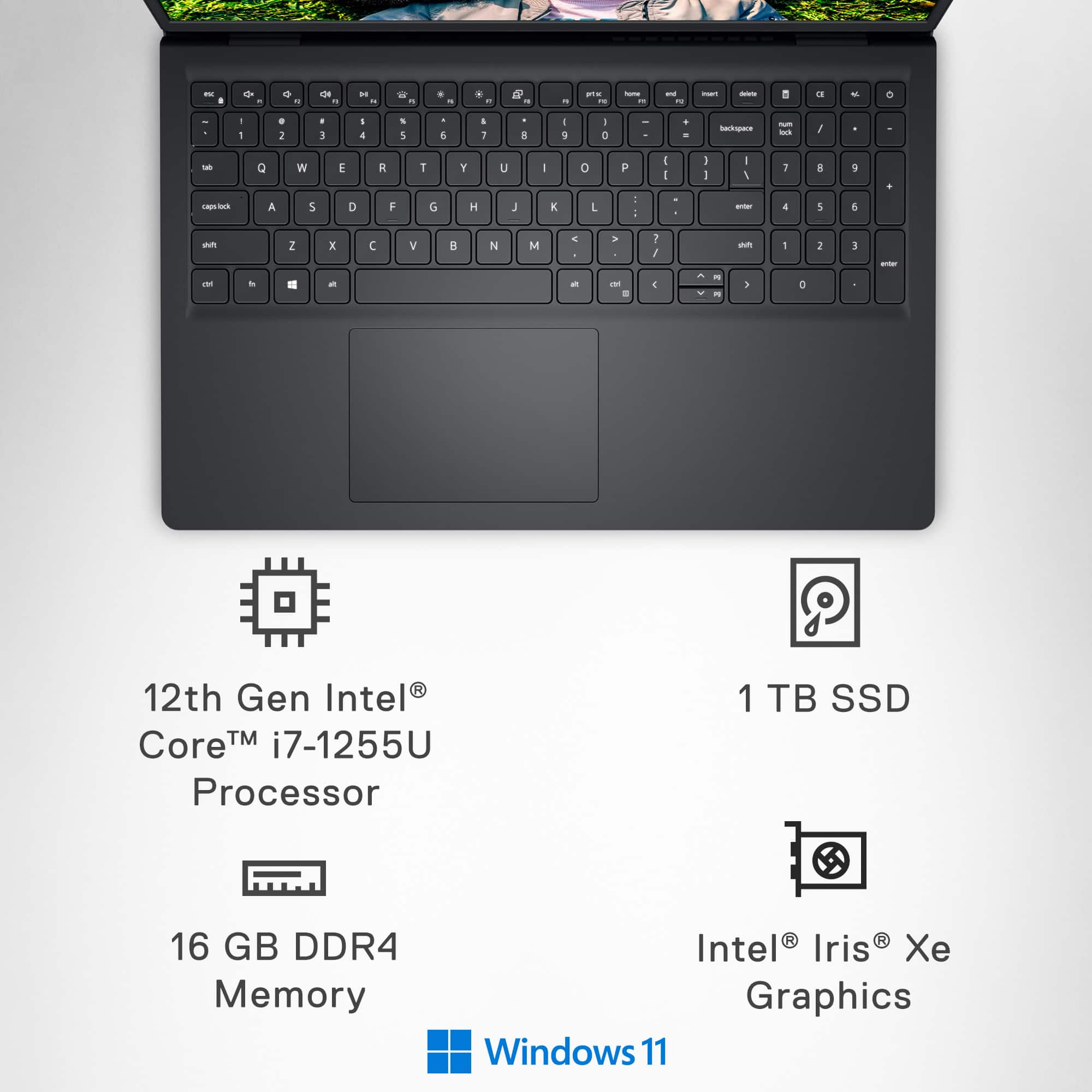
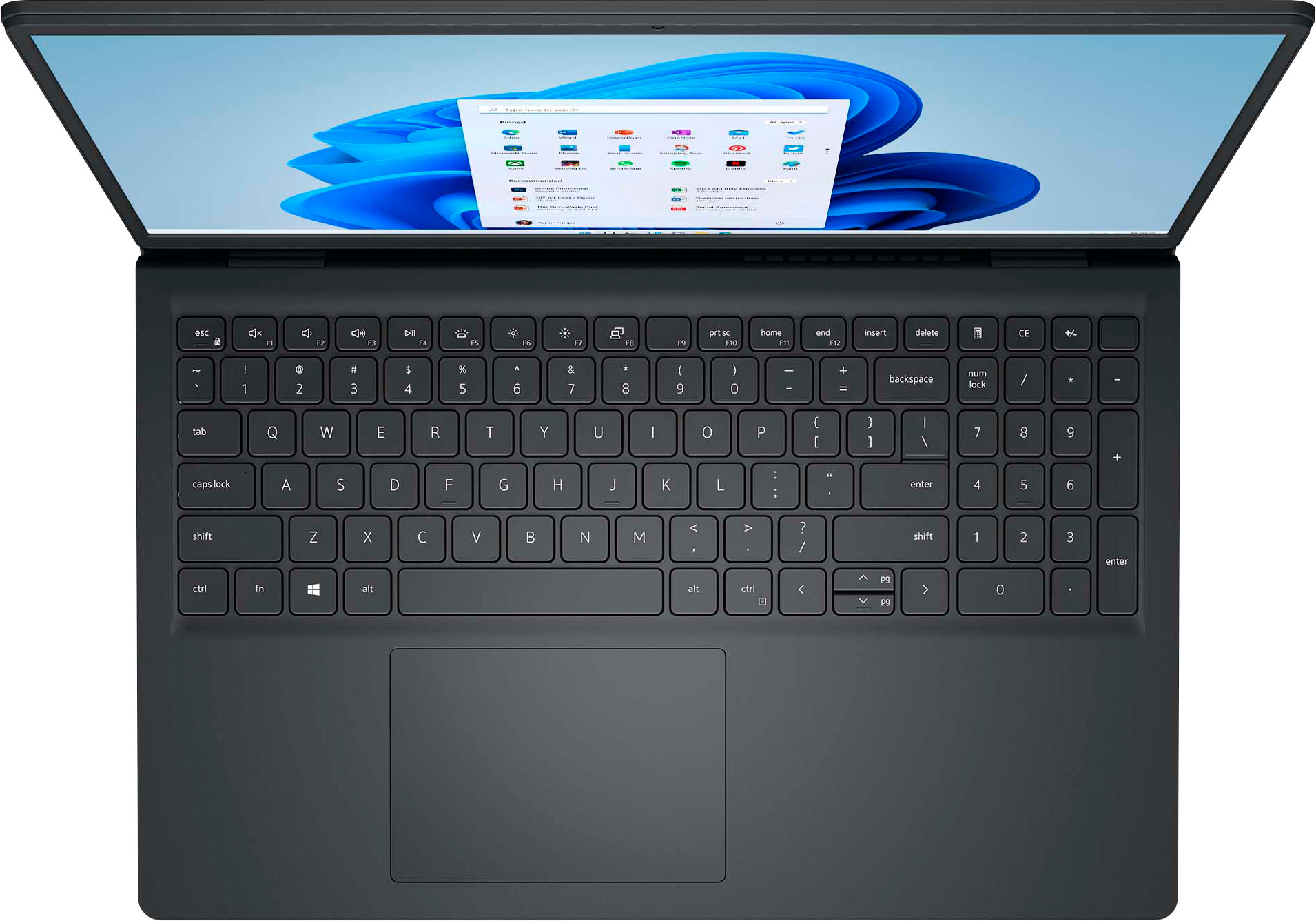
||Posted . Owned for 3 weeks when reviewed.This reviewer received promo considerations or sweepstakes entry for writing a review.I miss backlot keyboard and pg up and pg down buttons. All else great!
I would recommend this to a friendGood laptop
||Posted . Owned for 3 weeks when reviewed.This reviewer received promo considerations or sweepstakes entry for writing a review.Good Laptop. Not impressed with the battery life. Overall good.
I would recommend this to a friendGot what I expected
||Posted . Owned for 1 week when reviewed.This reviewer received promo considerations or sweepstakes entry for writing a review.Delivery was a couple days late. But overall it was fine.
I would recommend this to a friendlove it
||Posted . Owned for 1 month when reviewed.This reviewer received promo considerations or sweepstakes entry for writing a review.very user friendly only think disapointing is keyboard has no backlight
I would recommend this to a friendGreat value for money
||Posted . Owned for 2 months when reviewed.This reviewer received promo considerations or sweepstakes entry for writing a review.Great laptop only drawback is plastic used for laptop is fragile
I would recommend this to a friendGreat value in this laptop!
||Posted . Owned for 2 months when reviewed.This reviewer received promo considerations or sweepstakes entry for writing a review.This laptop is a compact champion and a great value!
I would recommend this to a friendDaily use and study
||Posted . Owned for 1 month when reviewed.This reviewer received promo considerations or sweepstakes entry for writing a review.The laptop itself is good and meets my needs. But the battery didn't seem to last long, especially when using youtube.
I would recommend this to a friendBrand response from YourDellTeam
Posted .Dear CarolineS,
We would like to thank you for taking the time to leave us your review. We are sorry you are having issues with the battery performance of your Dell Inspiron 15 (3520) Touch Laptop. This is not the type of feedback we like to hear from our customers, or the type of product Dell intends to deliver.
We always strive to get better, and reviews like yours are helping develop products our customers love. We have noted the details of your statement, and your feedback will be shared with our quality team for consideration in future improvements.
Battery operating time varies depending on operating conditions and can significantly reduce under certain power-intensive conditions. Below, I have provided steps with the full article that can help you improve the battery performance of your laptop.
1. On the notification area of the taskbar, right-click the Battery icon.
2. On the options list, click Power Options.
3. Select a power plan on the battery meter, such as Power Saver or Balanced. Windows 11 has a built-in 'Battery Saver' mode that can be activated to extend your system's battery life. The Battery Saver mode will monitor and limit background activity and other features such as push notifications. You do have the option to enable or disable this mode within settings or within advanced Battery Saver settings, you can customize the mode to best suit your needs.
a) Click on the Action Center icon in the taskbar and select the tile for Battery Saver.
b) If running Cortana, then type Battery Saver into the search box and select from the results.
Within the Battery Saver settings page, you will be able to turn on and off the feature and customize the feature to best meet your needs.
c) Turn Battery Saver On or Off.
d) Additional settings available via the Battery use and Battery saver settings links.
e) Battery use shows further info on apps and their power usage.
f) Battery Saver Settings screen allows you to customize further Battery Saver feature.
How to Improve the Performance of a Dell Laptop Battery: http://dell.to/2vfXWf4
If you continue to experience any issues or require further assistance, please take a moment to call or chat to speak with a Dell representative at your earliest convenience using the information provided below so that we can help you to your satisfaction.
Chat or call: https://bit.ly/DellSupportTeam
Phone number to Dell: 1-800-624-9896
Best,
Minhaj@Dell
Review
||Posted . Owned for 2 weeks when reviewed.This reviewer received promo considerations or sweepstakes entry for writing a review.The product is good but it doesn’t have the backlight that’s the only drawback
I would recommend this to a friendHelpful staff
||Posted . Owned for 1 month when reviewed.This reviewer received promo considerations or sweepstakes entry for writing a review.Great help from the Geek squad to set up. Online staff very helpful as well
I would recommend this to a friendGood laptop
||Posted . Owned for 1 month when reviewed.This reviewer received promo considerations or sweepstakes entry for writing a review.The laptop has been good so far. The kids like it.
I would recommend this to a friendBattery is inferior.
||Posted . Owned for 1 year when reviewed.This reviewer received promo considerations or sweepstakes entry for writing a review.The battery stopped holding a charge not even a year after the computer was purchased.
No, I would not recommend this to a friendMisleading Listing – Not in "Good" Condition
||Posted .This reviewer received promo considerations or sweepstakes entry for writing a review.bought this computer listed as "Open Box - Good Condition," but what I received was far from that. The device arrived scratched, clearly showing signs of wear, and missing the charger, which was not disclosed in the description. This is more like "Fair" or even "Poor" condition
No, I would not recommend this to a friend