Customer Ratings & Reviews


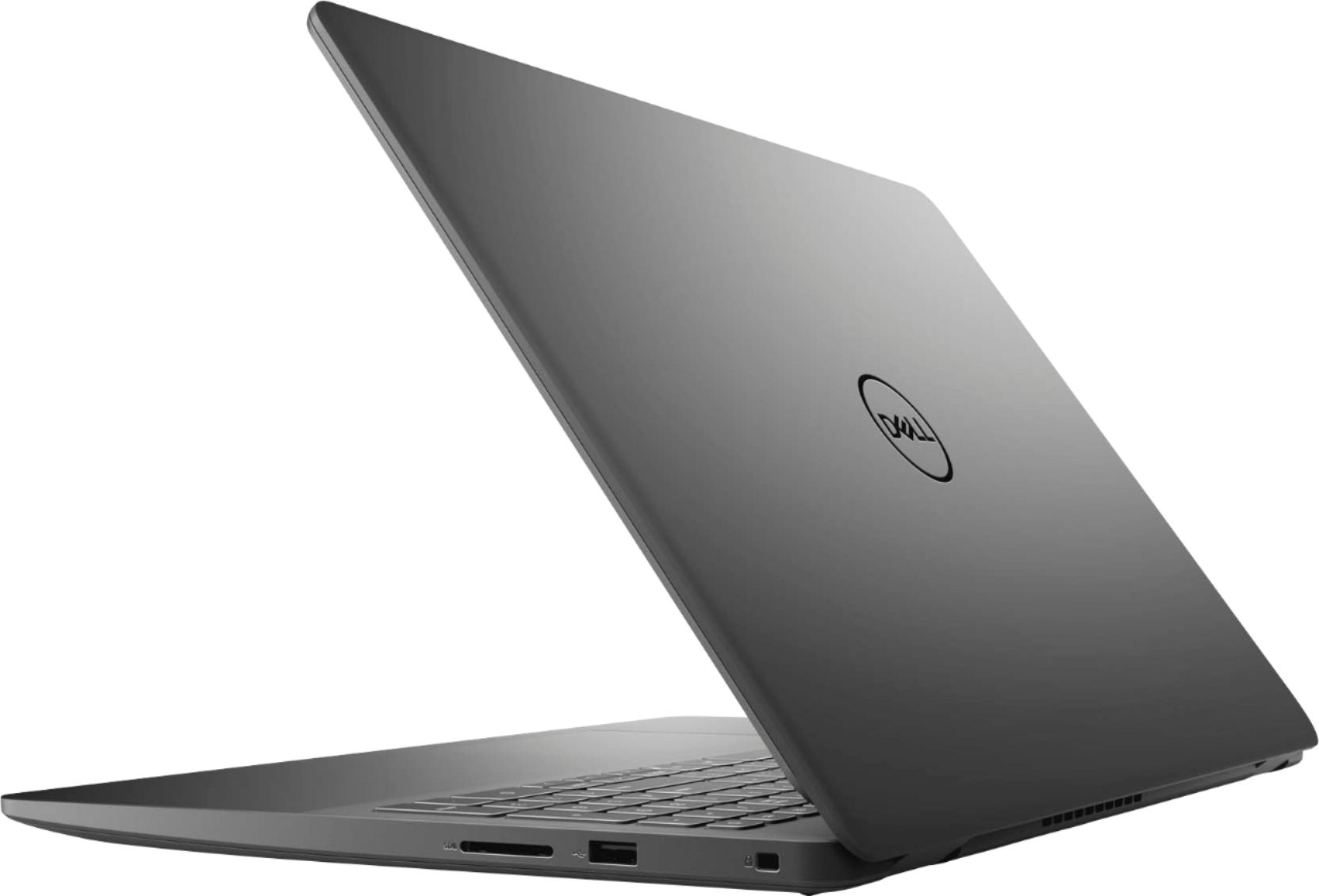
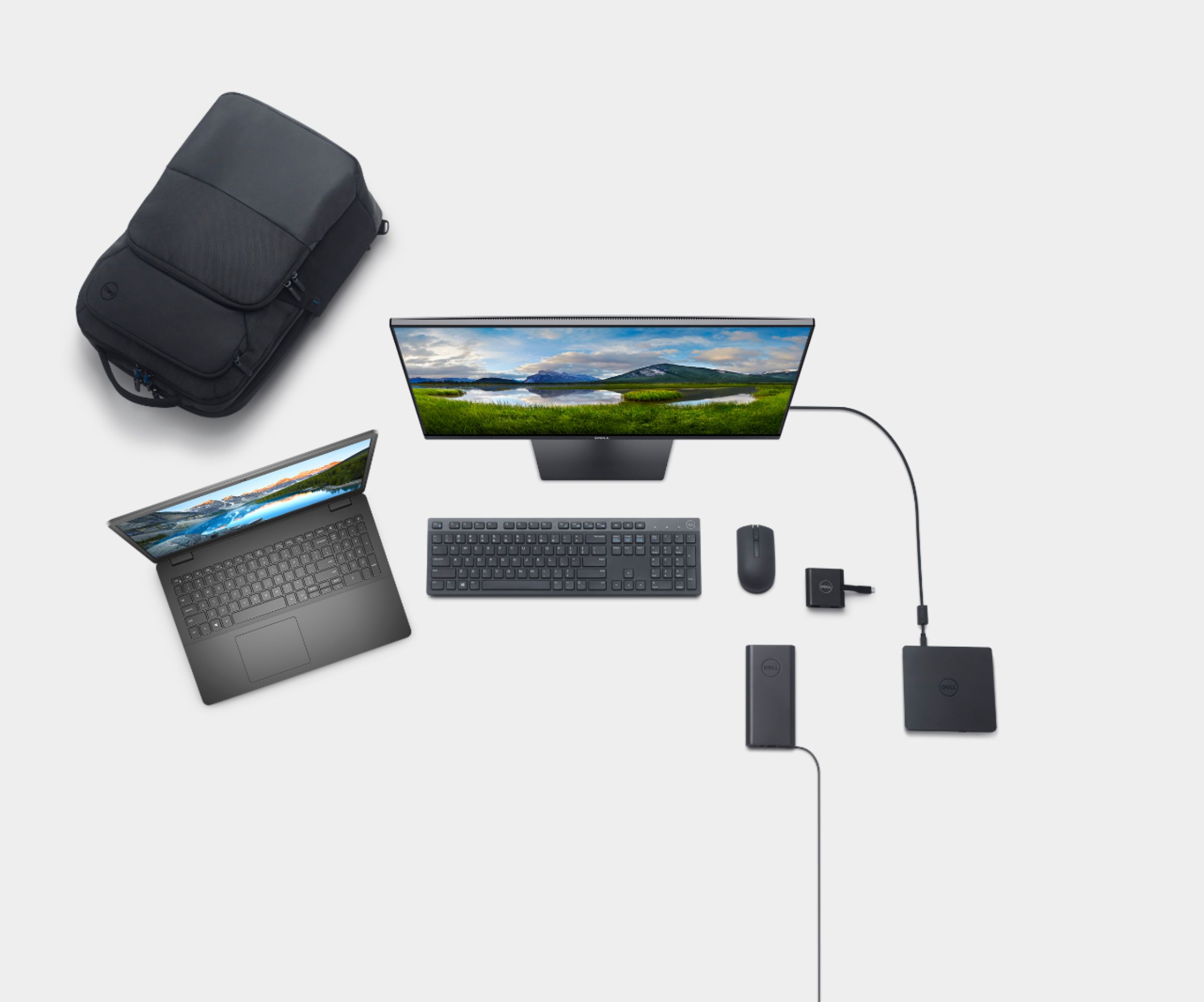



- Model:
- i3501-5573BLK-PUS
- SKU:
- 6447114
Rating by feature
- Battery Life
Rating 4.4 out of 5 stars
- Speed
Rating 4.5 out of 5 stars
- Display
Rating 4.6 out of 5 stars
Customers are saying
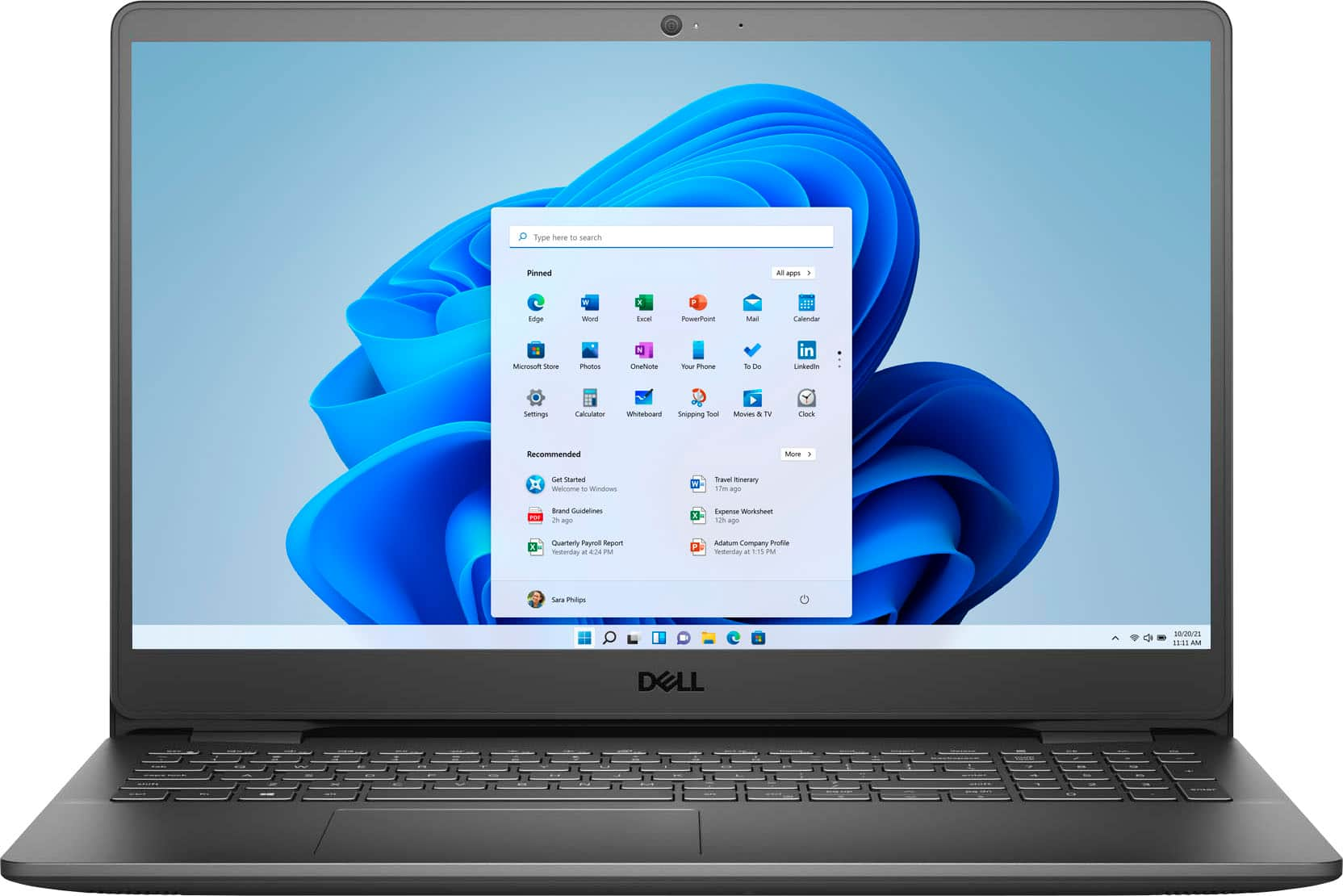
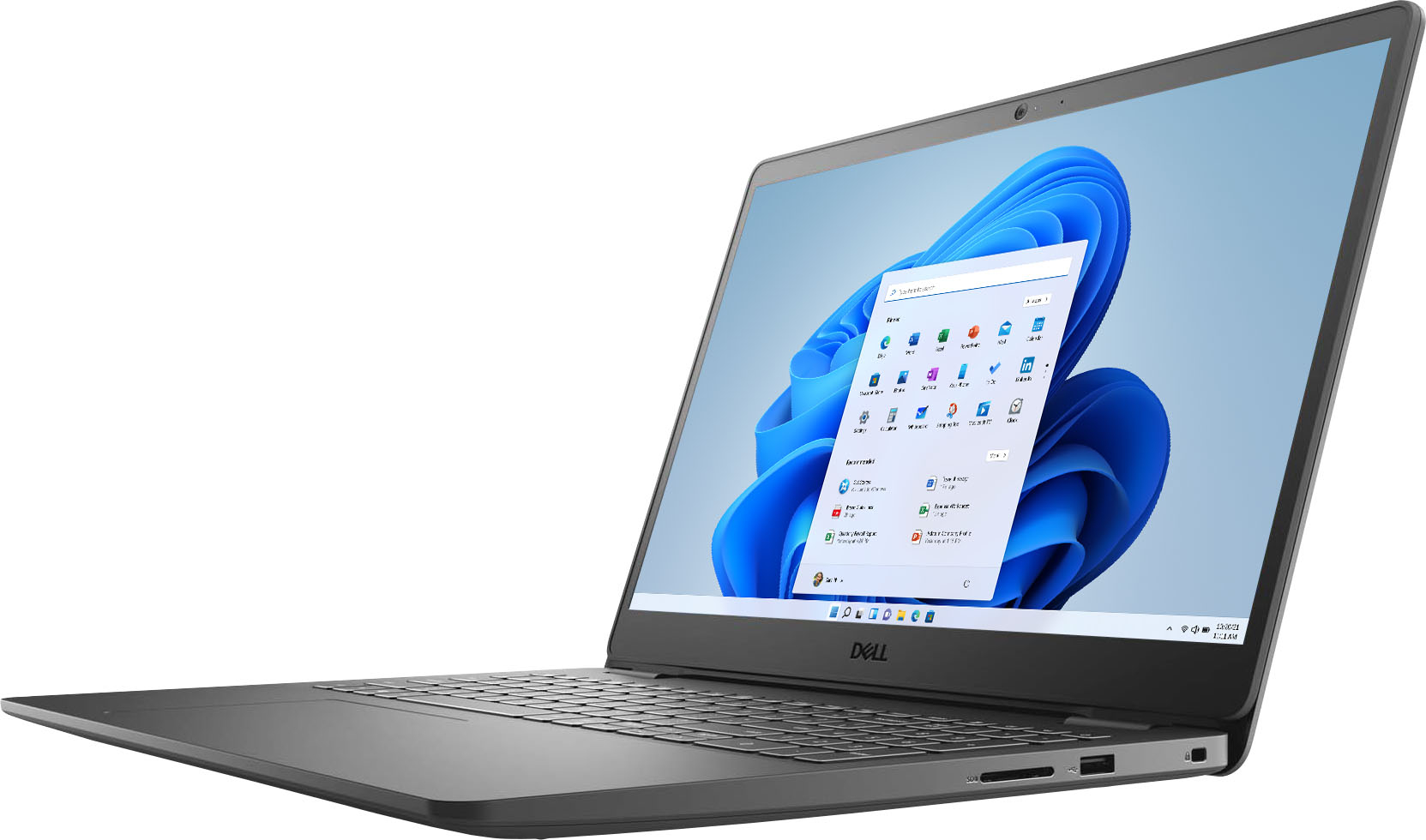
Customers consistently note the Inspiron 15.6" laptop's touch screen, affordable price, user-friendly interface, and lightweight design. Many users appreciate its reliable performance for everyday tasks and light productivity. However, some users have concerns about its battery life and limited storage capacity.
This summary was generated by AI based on customer reviews.
It's OK
||Posted .This reviewer received promo considerations or sweepstakes entry for writing a review.It's OK but have had better computers. Sometimes I have to key my password a couple of times because some of the characters are sort of "flat" as to they don't key very well and I have to key them two or three times.
No, I would not recommend this to a friendBrand response from YourDellTeam
Posted .Hello,
Thank you for your feedback and review. We apologize for the intermittent performance you have with your keyboard. Your feedback is incredibly valuable as we build current and future products. Below are steps that can be used to diagnose the direct issue with your keystroke input.
1. Run diagnostics on your keyboard, and you have the option to run online or built-in diagnostics (you will need a known good keyboard that is attached to start the diagnostics).
-Online diagnostics.
2. Browse to the Online Keyboard Diagnostics page.
-The test will start automatically.
3. You may be prompted to install or update the SupportAssist program, if so, follow the prompts.
4. The keyboard test is an interactive test, and you must press every key to test your keyboard thoroughly.
5. Make sure to perform the test on the keyboard that is having the issue.
6. We'd also suggest checking to make sure that your software and drivers are up to date on Dell's Product Page. There was a BIOS released last week for this series, and you may download it here - https://dell.to/2SwE2tJ.
This link can be used to begin the diagnostic test: http://dell.to/3faPBha.
Best,
Wendy C.
https://bit.ly/DellSupportTeam.
Phone number to Dell: 1-800-264-9896.
For the price it is ok
||Posted . Owned for 1 month when reviewed.This reviewer received promo considerations or sweepstakes entry for writing a review.The computer works great for basic student work. For the price it is not bad. However the touchscreen seems cheep and low quality. The plastic body also feels cheep. Besides that it works fine
No, I would not recommend this to a friendBrand response from YourDellTeam
Posted .Hello Jojo,
Thank you for taking the time to share your input and review. We are glad to hear that your laptop is working fine, but we are sorry that the build quality of this unit has not met all your expectations. The contents of your review will be used to help improve now and future Dell products. If you come across any questions, issues, or concerns, please visit the Support Page of your Inspiron - https://dell.to/3gY8rKL.
Best,
Wendy C.
https://bit.ly/DellSupportTeam.
Phone number to Dell: 1-800-264-9896.
Locked out of anything but Microsoft apps
||Posted . Owned for 2 weeks when reviewed.This reviewer received promo considerations or sweepstakes entry for writing a review.Did not like being locked out of anything but microsoft apps. Had to call Dell in India to get this feature unlocked. It’s a bait and switch marketing gimmick which I think is unethical.
No, I would not recommend this to a friendBrand response from YourDellTeam
Posted .Hello,
Thanks for sharing your review. We apologize for the trouble you have come across with your laptop when it comes to access. We're glad to learn that you contacted Dell Support and you were taken care of. If you come across any further questions, issues or concerns, please visit the Support Page of your product.
Best regards,
Wendy C.
https://bit.ly/DellSupportTeam.
Phone number to Dell: 1-800-264-9896.
Mom's laptop
||Posted . Owned for 1 month when reviewed.This reviewer received promo considerations or sweepstakes entry for writing a review.This was just what i was looking for just not happy it came in s mode and i had to figure out how to remove it from s mode
I would recommend this to a friendBrand response from YourDellTeam
Posted .Hello Moms,
Thank you for your review. We are glad to hear you are pleased with your Inspiron. We understand that the S Mode has not met expectations. We have provided steps below that can help with turning it off.
1. On the notification area of the taskbar, right-click the Battery icon.
2. On the options list, click Power Options.
3. Select a power plan on the battery meter, such as Power Saver or Balanced. Windows 10 has a built in 'Battery Saver' mode that can be activated to extend your system's battery life. The Battery Saver mode will monitor and limit background activity and other features such as push notifications. You do have the option to enable or disable this mode within settings or within advanced Battery Saver settings, you can customize the mode to best suit your needs.
a) Click on the Action Center icon in the taskbar and select the tile for Battery Saver.
b) If running Cortana then type Battery Saver into the search box and select from the results.
Within the Battery Saver settings page, you will be able to turn on and off the feature and customize the feature to best meet your needs.
c) Turn Battery Saver On or Off.
d) Additional settings available via the Battery use and Battery saver settings links.
e) Battery use shows further info on apps and their power usage.
f) Battery Saver Settings screen allows you to customize further Battery Saver feature.
You can read the full article here - http://dell.to/2vfXWf4.
Best regards,
Wendy C.
For further assistance, you can contact Dell directly with the information below Chat or Call:
https://bit.ly/DellSupportTeam.
Phone number to Dell: 1-800-264-9896.
n/a
||Posted .This reviewer received promo considerations or sweepstakes entry for writing a review.This laptop is a little different from my last so I am trying to get used to it. Overall at this point I am rating it average (3) because I am still learning.
No, I would not recommend this to a friendBrand response from YourDellTeam
Posted .Hello Nanone,
Thank you for your feedback. We understand that it is early to request a review and would love your input when you feel it is best. If you come across any further questions, issues, or concerns, please visit the support page of your product https://dell.to/3xD1XHA.
Best regards,
Wendy C.
For further assistance, you can contact Dell directly with the information below Chat or Call:
https://bit.ly/DellSupportTeam.
Phone number to Dell: 1-800-264-9896.
Priced right…but may not serve your needs.
||Posted .This reviewer received promo considerations or sweepstakes entry for writing a review.This was a low cost laptop, which we loved, however, we seemed to encounter a few unexpected issues shortly after purchasing.
I would recommend this to a friendCould be better
||Posted . Owned for 9 months when reviewed.This reviewer received promo considerations or sweepstakes entry for writing a review.Not the best for the price. Multiple keyboard and mouse issues. When it runs smooth it’s great. Would not recommend for heavy use.
No, I would not recommend this to a friendBrand response from YourDellTeam
Posted .Hi Thephotosojourner,
Thank you very much for your feedback. We are sorry to hear that you have experienced some issues with your Inspiron 3501.
To help resolve we recommend making sure all drivers for your Inspiron are updated. I have provided a link to the drivers and downloads page where you can check for any applicable updates. From your review, I’m not quite sure what keyboard issues you are having, but I have also included one troubleshooting article for your keyboard in case you’d still need it.
Drivers and Downloads Page: https://dell.to/3semNMY
Wrong Character Displayed Using Integrated Keyboard on a Dell Notebook: https://dell.to/3pbyfqw
Some Notebooks and Tablets with Keyboards have added gesture features to the touchpad hardware and drivers. A few of these features are two or three finger scrolling, pinch zoom, circle zoom, rotate, and swiping. These new features may be the reason for the erratic cursor movement since most are turned on by default. You can disable or modify the way the features work in the touchpad driver properties. Here are some tips to modify these settings:
1. In the Search box, type main.cpl.
2. Touch or click main.cpl in the list of programs.
3. Touch or click the Dell Touchpad tab.
4. Touch or click on the picture of the touchpad.
5. Touch or click Gestures (depending on your computer there may not be a Gestures option).
6. Change the options as preferred.
7. Touch or click Save.
8. Touch or click the X in the upper-right corner to close the Dell Touchpad Utility.
9. Touch or click OK on the Mouse Properties window.
10. If the touchpad still does not work after following the preceding steps, refer to the Dell Knowledge Base article - http://dell.to/2iaiujA.
You can read the full article here - http://dell.to/2tqmS02.
If the issues with your Inspiron are still not resolved after utilizing the troubleshooting options above, please contact the Dell Support Team at 1-800-624-9896 for further guidance.
Best,
Katarina@Dell
Should you need further assistance, you can contact Dell directly with the information below.
Chat or call: https://bit.ly/DellSupportTeam
Phone number to Dell 1-800-624-9896
Just looking at it makes me angry
||Posted . Owned for 4 months when reviewed.This reviewer received promo considerations or sweepstakes entry for writing a review.This is the 2nd Dell we have had, and the power port is garbage. Getting the laptop to charger requires balancing the charger at just the right angle in the port. Any jostling at all, and it stops charger. It's incredibly annoying and makes the laptop borderline useless. It is baffling to me that with all the hardware the computers have, I have had so many fail because of the power port.
No, I would not recommend this to a friendpoor
||Posted . Owned for 3 weeks when reviewed.This reviewer received promo considerations or sweepstakes entry for writing a review.Boutht for 3weeks, the laptop totally down. The screen flickers and cannot be used. Bring to bestbuy they told already passed 14 days, we need to contact with Dell directly. Poor laotop and poor services.
No, I would not recommend this to a friendBrand response from YourDellTeam
Posted .Hello Michelle,
Thank you for your feedback and review. We apologize for the issues you have come across with your screen. We have provided steps that can be used to run a Self-Test on the screen to help diagnose the issue.
1. Power off the Dell laptop.
2. Disconnect any external devices that are connected to the computer.
3. Connect the AC adapter (charger) to the computer.
4. Make sure that the LCD (screen) is clean (no dust particles on the surface of the screen).
5. Press and hold the D key and power on the computer to enter LCD built-in self-test (BIST) mode.
6. Continue to hold the D key, until you see color bars on the LCD (screen).
-The screen displays multiple color bars and change colors to black, white, red, green, and blue.
-Carefully inspect the screen for abnormalities.
If your monitor still remains black, this link can be used to help run further steps and provide more in-depth information: http://dell.to/2XeDTdr.
Best regards,
Wendy C.
For further assistance, you can contact Dell directly with the information below Chat or Call:
https://bit.ly/DellSupportTeam.
Phone number to Dell: 1-800-264-9896.
Had to make a switch...
||Posted . Owned for 3 weeks when reviewed.This reviewer received promo considerations or sweepstakes entry for writing a review.I have since actually returned this dell model, as I was not pleased with the flimsy casing of this computer but also the keyboard was compressed to fit numerical type pad which I found difficult. This model is also not backlit another of my preferences. All around, while I love Dell, this model-no. Upgraded to a more expensive but sturdier Dell Computer and I am quite happy to have made the switch!
No, I would not recommend this to a friendBrand response from YourDellTeam
Posted .Hello Jcinapex,
We want to thank you for your valued feedback. We sincerely apologize for the issues you came across with your Inspiron 3501 and ultimately decided to return it. We will share your comments with our quality so improvements can be made now and in the future.
If you require further assistance, you can contact Dell directly with the information below.
Chat or call: https://bit.ly/DellSupportTeam
Phone number to Dell 1-800-624-9896
Best,
Ashley@Dell
No response
||Posted . Owned for 1 month when reviewed.This reviewer received promo considerations or sweepstakes entry for writing a review.Cant set this up and no one reply to my vslued comments. I sent a revirw on anothet product and no response yet either
No, I would not recommend this to a friendBrand response from YourDellTeam
Posted .Hello ,
Thank you for your review. We are sorry to hear that you had a hard time setting up your laptop. We can understand the frustration and would like to help right away. Please feel free to visit the Dell Support page - https://dell.to/3h1yK2K. This article will be able to provide you more information on setting up this unit.
If you require further assistance with setting up your laptop, please also feel free to reach out to Dell Support directly using the information below via Chat or Call.
Best,
Wendy C.
https://bit.ly/DellSupportTeam.
Phone number to Dell: 1-800-264-9896.
Laptop
||Posted . Owned for 2 weeks when reviewed.This reviewer received promo considerations or sweepstakes entry for writing a review.Returned. Bought an open box and I could tell immediately it wasn’t in the best shape. Won’t buy open box again.
I would recommend this to a friendChange
||Posted . Owned for 1 month when reviewed.This reviewer received promo considerations or sweepstakes entry for writing a review.I’m older, not like change much. But, I will get use to my new computer, with time. Lol. It is a good computer.
No, I would not recommend this to a friendBrand response from YourDellTeam
Posted .Hello,
Thank you for taking a the time to share your review. We are happy to know that you're enjoying your Inspiron and greatly appreciate your feedback. If you come across any questions, issues, or concerns, here is a link to the Setup and Specs that will provide more in-depth information about your laptop: and features: https://dell.to/39jgUUB.
If you come across any questions, issues, or concerns, please contact our support team here: https://bit.ly/DellSupportTeam.
Best regards,
Wendy C.
https://bit.ly/DellSupportTeam.
Phone number to Dell: 1-800-264-9896.
No lights
||Posted . Owned for 1 month when reviewed.This reviewer received promo considerations or sweepstakes entry for writing a review.Love the laptop but can’t seem to get backlight on the keyboard- very unhappy about that.
No, I would not recommend this to a friendBrand response from YourDellTeam
Posted .Dear Dark,
We want to thank you for taking the time to leave us your valued feedback. We apologize for the difficulties you have had getting the backlit keyboard to turn. Unfortunately, this Inspiron 3501 model does not feature a backlit keyboard.
If you require further assistance, you can contact Dell directly with the information below.
Chat or call: https://bit.ly/DellSupportTeam
Phone number to Dell 1-800-624-9896
Best,
Ashley@Dell
Not good appearance
||Posted . Owned for less than 1 week when reviewed.This reviewer received promo considerations or sweepstakes entry for writing a review.I changed the laptop three times because it did not close perfectly, And the problem still as is but better than the other laptops. Also the salesman who did the replacement at the third time confirmed that it will not close perfectly because of the quality of material it made from. As for the performance so far it meet my needs.
No, I would not recommend this to a friendBrand response from YourDellTeam
Posted .Hello Hanz,
We want to thank you for your valued feedback. We apologize for the problems you have had with your Inspiron 3501. This is certainly not what we like to hear from our loyal customers. We will share your comments with our quality team so improvements can be made to current and future products.
If you require further assistance, you can contact Dell directly with the information below.
Chat or call: https://bit.ly/DellSupportTeam
Phone number to Dell 1-800-624-9896
Best,
Ashley@Dell
electronic
||Posted .This reviewer received promo considerations or sweepstakes entry for writing a review.it was a great purchase. I was satisfied with the purchase
I would recommend this to a friendBrand response from YourDellTeam
Posted .Hello Godisgreatandable,
Thank you for your review. We appreciate your kind words and are happy to know you're enjoying your Inspiron. The contents of your review will be used to help improve now and future Dell products. If you come across any questions, issues, or concerns, please visit the Support Page of your product.
Best regards,
Wendy C.
For further assistance, you can contact Dell directly with the information below Chat or Call:
https://bit.ly/DellSupportTeam.
Phone number to Dell: 1-800-264-9896.
The right size
||Posted . Owned for 3 months when reviewed.This reviewer received promo considerations or sweepstakes entry for writing a review.The screen was bigger than I expected. Perfect for what we needed it for.
I would recommend this to a friendLaptop
||Posted .This reviewer received promo considerations or sweepstakes entry for writing a review.So far not bad need more gigs,....................
I would recommend this to a friendBrand response from YourDellTeam
Posted .Hello Yhum,
Thank you for your review. We're glad to learn that you're enjoying your Inspiron. We really value your feedback. If you come across any questions, issues, or concerns, please visit the Support Page of your product.
Best regards,
Wendy C.
https://bit.ly/DellSupportTeam.
Phone number to Dell: 1-800-264-9896.
No bells, no whistles
||Posted .This reviewer received promo considerations or sweepstakes entry for writing a review.meets the bare minimum of what I need and that's about it. screen is not very bright.
No, I would not recommend this to a friendBrand response from YourDellTeam
Posted .Hello,
Thank you for your review. We are sorry to hear about the screen not being too bright for you, and your Inspiron not meeting all your expectations. We would love to help right away. Windows can adjust the brightness of the display based on how much light is reaching the system's ambient light sensor. This feature is referred to as 'adaptive brightness' and it can be disabled in Windows. Here are some steps to adjust this feature:
1. In the Search box, type Settings.
2. Touch or click Settings (Modern application).
3. Touch or click System.
4. On the Display screen find the Adjust my screen brightness automatically option.
5. Touch or click the slider to toggle the option on or off.
6. Touch or click Apply.
7. Close the System window.
You can read the full article here: http://dell.to/2vjtPzg. We invite you to review the product Support Page if any other questions or concerns arise.
Best regards,
Wendy C.
https://bit.ly/DellSupportTeam.
Phone number to Dell: 1-800-264-9896.
Best for college students
||Posted . Owned for 5 months when reviewed.This reviewer received promo considerations or sweepstakes entry for writing a review.Overall great processor. College students can’t get better than this one!
I would recommend this to a friendBrand response from YourDellTeam
Posted .Hi Bobby,
Thank you for your valued feedback. We are happy to hear you are satisfied with your Inspiron 3501. This is what we like to hear from our loyal customers. The contents of your review will be used to help improve now and future Dell products. If you come across any questions, issues, or concerns, please use the information below to contact Dell at your earliest convenience.
If you require further assistance, you can contact Dell directly with the information below.
Chat or call: https://bit.ly/DellSupportTeam
Phone number to Dell 1-800-624-9896
Best,
Ashley@Dell