Customer Ratings & Reviews


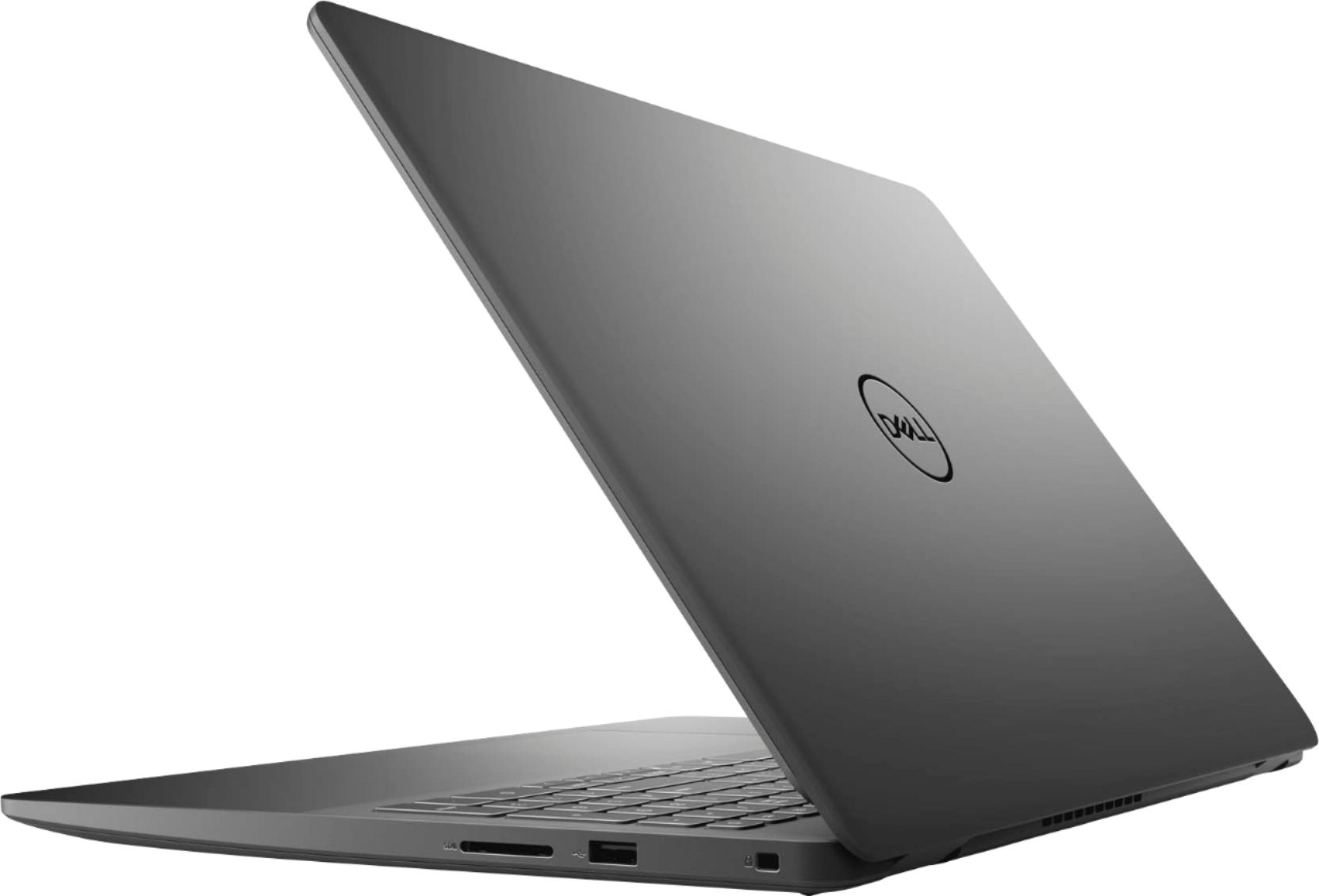



- Model:
- i3501-5573BLK-PUS
- SKU:
- 6447114
Rating by feature
- Battery Life
Rating 4.4 out of 5 stars
- Speed
Rating 4.5 out of 5 stars
- Display
Rating 4.6 out of 5 stars
Customers are saying
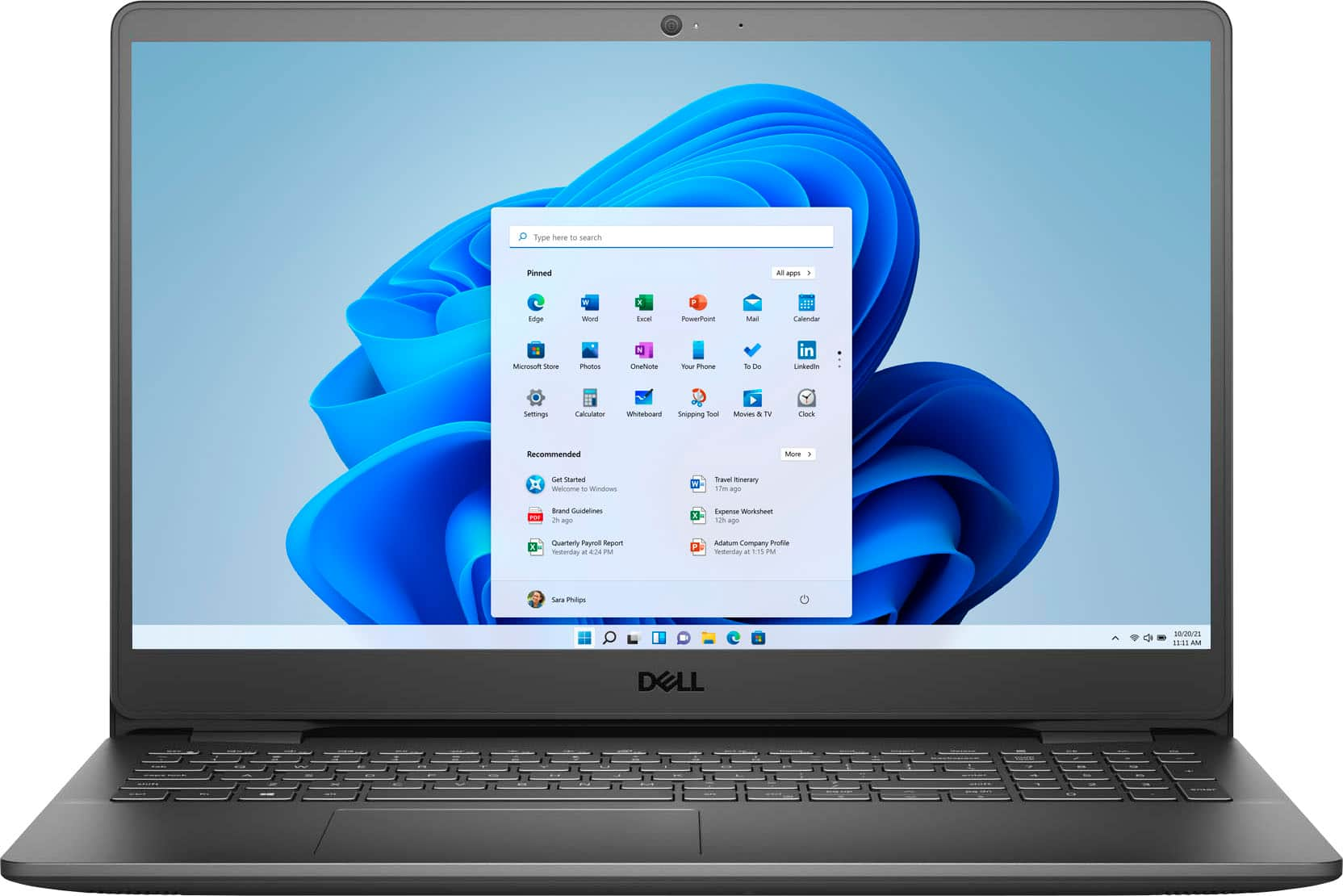
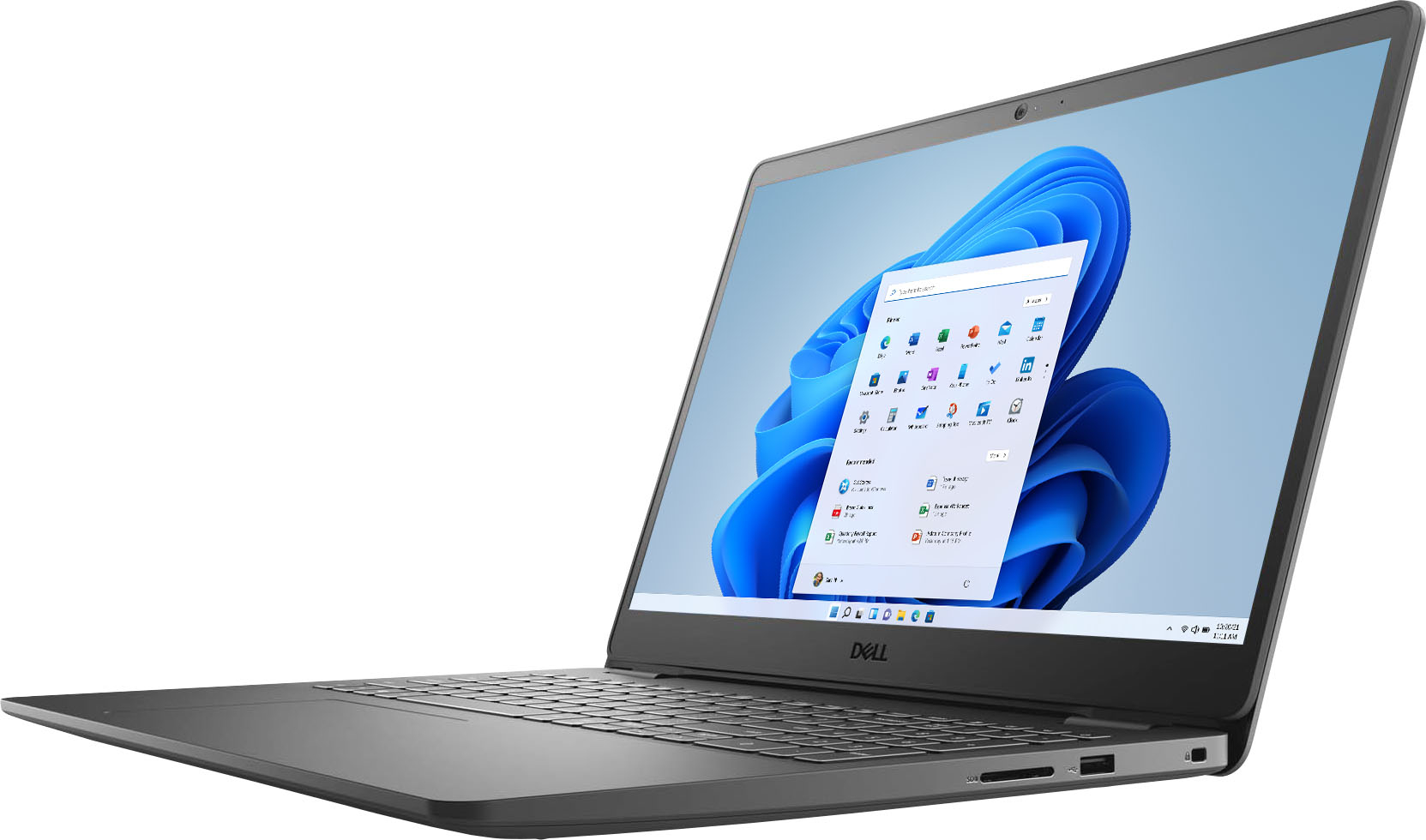
Customers consistently note the Inspiron 15.6" laptop's touch screen, affordable price, user-friendly interface, and lightweight design. Many users appreciate its reliable performance for everyday tasks and light productivity. However, some users have concerns about its battery life and limited storage capacity.
This summary was generated by AI based on customer reviews.
Dissappointed
||Posted . Owned for 1 month when reviewed.This reviewer received promo considerations or sweepstakes entry for writing a review.So dissappointed...it was an Open Box sale,but didn’t expect the touch screen to quit responding or touch pad to be challenging...I’ve had other Dell laptops and loved them
No, I would not recommend this to a friendDon't waste your money
||Posted . Owned for 5 months when reviewed.This reviewer received promo considerations or sweepstakes entry for writing a review.I have had nothing but trouble with this laptop. Key board doesn't work most of the time. Waste of my money. Will never buy a Dell again
No, I would not recommend this to a friendBrand response from YourDellTeam
Posted .Hello Huffy,
We want to thank you for taking the time to leave us your review. We are sorry to hear you are having problems with the keyboard of your Inspiron 3501. Below I have provided a link to an article to help troubleshoot and resolve the keyboard issue. On this page, you will find a video to help run a diagnostic test on your keyboard.
Keyboard Usage and Troubleshooting: https://dell.to/3ssnMJN
If you still experience this issue after you have finished troubleshooting your system, please feel free to reach out to our support team here: 1-800-624-9896.
If you require further assistance, you can contact Dell directly with the information below.
Chat or call: https://bit.ly/DellSupportTeam
Phone number to Dell 1-800-624-9896
Best,
Ashley@Dell
Would not recommend
||Posted . Owned for 1 month when reviewed.This reviewer received promo considerations or sweepstakes entry for writing a review.Charger port malfunctioned the first night we got it, wouldn’t even turn on after the first charge died, we had to trade it in for a different one.
No, I would not recommend this to a friendBrand response from YourDellTeam
Posted .Hello Colin,
Thanks for taking the time to share your review. We are extremely sorry to hear that your charger port was not functioning properly. We would like to apologize for any inconvenience. Provided the issue is hardware-related, it may be repaired/replaced if covered under its limited warranty. If needed in the future, we recommend contacting Dell Support for further assistance in this case. They are available via chat and over the phone for your convenience.
Best,
Wendy C.
https://bit.ly/DellSupportTeam.
Phone number to Dell: 1-800-264-9896.
Not for musicians
||Posted . Owned for 1 month when reviewed.This reviewer received promo considerations or sweepstakes entry for writing a review.It does not work with Protools. I purchased this because it was suppose to be compatible with pro tools recording software but it is not!
No, I would not recommend this to a friendBrand response from YourDellTeam
Posted .Hello,
Thank you for your feedback and review. We apologize for the trouble you have come across with the compatibility of your music software with your Inspiron. Your feedback is incredibly valuable as we build current and future products. This link can provide more in-depth information about your laptop and its software compatibilities - https://dell.to/3svALZi. If you come across any questions, issues, or concerns, please visit the Support Page of your Inspiron.
Best,
Wendy C.
https://bit.ly/DellSupportTeam.
Phone number to Dell: 1-800-264-9896.
DELL IS GARBAGE!!!
||Posted . Owned for 1 month when reviewed.This reviewer received promo considerations or sweepstakes entry for writing a review.I had it JUST PAST the return expiration and it began acting up!! It already has to go out to Kentucky because it won't power on!!!
No, I would not recommend this to a friendBrand response from YourDellTeam
Posted .Dear KGetz,
Thank you for your valued feedback. We are sorry to hear you are having trouble with your Inspiron 3501 not starting up. Below I have provided a link to help resolve this issue. On that page, you can choose between, no power, no post, no boot, or no video. Once you choose you can find the options to help troubleshoot and resolve that issue.
Resolve boot up issues: https://dell.to/3sdfce6
After utilizing the troubleshooting options provided, if the problem persists, please reach out to our support team here: 1-800-624-9896.
If you require further assistance, you can contact Dell directly with the information below.
Chat or call: https://bit.ly/DellSupportTeam
Phone number to Dell 1-800-624-9896
Best,
Ashley@Dell
$600 Rip Off
||Posted . Owned for 3 months when reviewed.This reviewer received promo considerations or sweepstakes entry for writing a review.Worked great until today. Now it will not turn on. Will make me think think twice about buying from Best Buy again.
No, I would not recommend this to a friendBrand response from YourDellTeam
Posted .Hi JustMe,
We appreciate you taking the time to leave us your review. We apologize for the trouble you are having with your Inspiron 3501 not booting up. This is certainly not what we like to hear from our valued customers. Below I have provided a link to help resolve this issue. On that page, you can choose between, no power, no post, no boot, or no video. Once you choose which issue you are having you can find the options to help troubleshoot and resolve that problem. We would also suggest making sure all your drivers and downloads are up to date on your PC. I have also given you a link below to the Drivers and Downloads page for your computer.
Resolve boot up issues: https://dell.to/3sdfce6
Drivers and Downloads page: https://dell.to/33aHZG9
After utilizing the troubleshooting options provided, if the problem is not resolved, please reach out to our support team here at your earliest convenience: 1-800-624-9896.
Best Regards,
Ashley@Dell
Should you need further assistance, you can contact Dell directly with the information below.
Chat or call: https://bit.ly/DellSupportTeam
Phone number to Dell 1-800-624-9896
Not worth if
||Posted . Owned for 1 year when reviewed.This reviewer received promo considerations or sweepstakes entry for writing a review.After having this laptop for a year, it’s not wanting to charge and having so many issues
No, I would not recommend this to a friendBe careful of this laptop
||Posted . Owned for 2 weeks when reviewed.This reviewer received promo considerations or sweepstakes entry for writing a review.Laptop shut off right after we received it and could not get it to turn back on. Returned it and received a refund
No, I would not recommend this to a friendBrand response from YourDellTeam
Posted .Dear Greg,
Thank you for your valued feedback. We are sorry to hear you had trouble with your Inspiron 3501 not booting up and ultimately decided to return the system. For future reference, I have provided a link to help resolve this issue. On that page, you can choose between, no power, no post not boot, or no video. Once you choose you can find the options to help troubleshoot and resolve that issue.
Resolve boot up issues: https://dell.to/3sdfce6
If you require further assistance, you can contact Dell directly with the information below.
Chat or call: https://bit.ly/DellSupportTeam
Phone number to Dell 1-800-624-9896
Best,
Ashley@Dell
Don’t buy it
||Posted . Owned for 4 months when reviewed.This reviewer received promo considerations or sweepstakes entry for writing a review.Terrible computer. Planned to use for business backup. Too bad we didn’t return right away
No, I would not recommend this to a friendSetting up new laptop
||Posted . Owned for 1 month when reviewed.This reviewer received promo considerations or sweepstakes entry for writing a review.Trying to set it up was not as easy as promised. Very frustrating!
No, I would not recommend this to a friendBrand response from YourDellTeam
Posted .Hello,
Thank you for your review. We are sorry to hear that you had a hard time setting up your laptop. We can understand the frustration. Please feel free to visit the Dell Support page of your Inspiron - https://dell.to/3iwmnwt. This page will be able to provide you more information on setting up this unit. If you would like any assistance, please also feel free to reach out to Dell Support directly at 1-800-264-9896.
Sincerely,
Wendy C.
https://bit.ly/DellSupportTeam.
Phone number to Dell: 1-800-264-9896.
Do buy
||Posted .This reviewer received promo considerations or sweepstakes entry for writing a review.I returned it the next day I couldn’t get it out of safe mode I talked to 3 different Dell tech and no help
No, I would not recommend this to a friendBrand response from YourDellTeam
Posted .Hello Ctfers,
Thank you for your review. We apologize for the issues you have come across with your product. We really do appreciate your feedback. If you come across any further questions, issues or concerns, please use the information below to contact Dell Support at your earliest convenience.
Best regards,
Wendy C.
For further assistance, you can contact Dell directly with the information below Chat or Call:
https://bit.ly/DellSupportTeam.
Phone number to Dell: 1-800-264-9896.
Worst Dell I’ve ever purchased
||Posted . Owned for 3 weeks when reviewed.This reviewer received promo considerations or sweepstakes entry for writing a review.Opened the Dell and had nothing but issues. Turned out the motherboard was defective.
No, I would not recommend this to a friendBrand response from YourDellTeam
Posted .Hi Momof2,
We appreciate you taking the time to leave us your review. We sincerely apologize for the trouble you have had with your Inspiron 3501. This is certainly not what we like to hear from our valued customers. We would recommend contacting our support team at your earliest convenience if you haven't already.
You can contact Dell directly with the information below.
Chat or call: https://bit.ly/DellSupportTeam
Phone number to Dell 1-800-624-9896
Best,
Ashley@Dell
No good
||Posted . Owned for less than 1 week when reviewed.This reviewer received promo considerations or sweepstakes entry for writing a review.Froze a minimum of 4 x per hr. Do not recommend. Super slow laggy wifi connection as well.
No, I would not recommend this to a friendBrand response from YourDellTeam
Posted .Hello,
Thank you for your review. We're sorry about the trouble you have encountered with the performance of your laptop. To make sure we can help, there are steps below that can be used to improve performance overall.
1. Run a Computer Diagnostic. To determine if your computer is experiencing a hardware problem, run the Dell Preboot System Assessment (PSA) Diagnostics. For information on how to run Diagnostics, and to determine the issue, refer to Dell Knowledge Base Article: http://dell.to/2iaiujA.
2. Check Safe Mode for Symptoms. To boot into safe mode, please follow the instructions below:
a) Start the computer.
b) Tap 'F8' on the keyboard immediately and every one second until the Dell logo screen disappears. From there you will see the Windows Advanced Options Menu on the screen. (If the Windows Advanced Options Menu does not appear, restart the system and try again.)
c) Select Safe mode with Networking and press Enter.
d) Log on as the administrator or as a user with administrative access.
e) Open applications and test the computer in safe mode. If the symptoms exist in safe mode, please continue the troubleshooting steps in this article. If the symptoms do not exist in safe mode, the issue is likely related to a driver or software and you may wish to complete step 3 to see if you are able to resolve the lockups or freezing.
3. Check for Malware. Malware (Virus, Spyware, etc.) can definitely cause a Windows system to lock up or appear to hang. To check for malware on your system and to ensure that your computer is up to date on security software, visit Dell Knowledge Base Article: http://dell.to/2wWP1zI.
You can read the full article here - http://dell.to/2tW5m33. If the issue persists after the recommended steps above, please contact Dell Support at your earliest convenience at 1-800-264-9896.
Best,
Wendy C.
https://bit.ly/DellSupportTeam.
Phone number to Dell: 1-800-264-9896.
Very disappointed, the name Dell used to mean some
||Posted . Owned for 1 year when reviewed.This reviewer received promo considerations or sweepstakes entry for writing a review.Thie was a total waste of money, barely lasted a year.
No, I would not recommend this to a friendAvoid
||Posted . Owned for 4 months when reviewed.This reviewer received promo considerations or sweepstakes entry for writing a review.Piece of junk, lasted a couple of months and the wi fi card failed.
No, I would not recommend this to a friendBrand response from YourDellTeam
Posted .Dear Valued Customer,
Thank you very much for your valued feedback. We apologize for the issues you have come across with your Inspiron 3501 laptop because of its WIFI card.
Below I have provided some resolutions to this issue. I have also provided the full article link, which has more options if they are needed. I have also included a link to the Drivers and Downloads page for your PC so you can check for applicable updates to the WIFI drivers.
1. Download and install the latest Wireless Card driver. (https://dell.to/2th3Tpe) After updating the driver, re-establish the connection with the Wireless Access Point and check the wireless performance.
2. If the issue persists, proceed to step 3.
3. Power-cycle the local network. Shut down the Dell system, the Wireless Access Point/Router, and the Modem. Wait a minimum of 60 seconds before powering up the components in the following order:
4. Power ON the Modem and wait for it to boot fully.
5. Power ON the Wireless Access Point/Router and wait for it to boot fully.
6. Power ON the Dell system.
7. Open Network and Sharing Center
8. In the left-side navigation pane, click on Change Adapter Settings
9. Right-click on the wireless connection icon and select Properties followed by the Configure button
10. Under Wireless Options, select the Wireless N mode
11. For Windows 8 or later systems click the Advanced tab and look for 802.11n Mode on the right you will be given the option to Enable or Disable. If the mode is not visible you may need to update your drivers and firmware.
12. From the drop-down menu, choose Disable followed by Ok
13. This should restore the wireless download and upload speed. Internet speed can be tested at http://speedtest.net
Full article link: https://dell.to/2RefLVN
Drivers and Downloads Page: https://dell.to/3semNMY
After utilizing the troubleshooting options provided, if the problem persists, please reach out to our support team for further guidance here: 1-800-624-9896.
Best,
Katarina@Dell
Should you need further assistance, you can contact Dell directly with the information below.
Chat or call: https://bit.ly/DellSupportTeam
Phone number to Dell 1-800-624-9896
AVOID
||Posted . Owned for 2 months when reviewed.This reviewer received promo considerations or sweepstakes entry for writing a review.Broke within 2 months of purchase, definitely would avoid
No, I would not recommend this to a friendDell22
||Posted . Owned for 3 weeks when reviewed.This reviewer received promo considerations or sweepstakes entry for writing a review.Excellent product, top of line laptop. Awesome display...
I would recommend this to a friendBrand response from YourDellTeam
Posted .Hello Joebed,
Thank you for taking the time to leave us your review. We appreciate your kind words and are happy to know you're enjoying your Inspiron 3501. The contents of your review will be used to help improve now and future Dell products. If you come across any questions, issues, or concerns, please use the information below to contact Dell at your earliest convenience.
If you require further assistance, you can contact Dell directly with the information below.
Chat or call: https://bit.ly/DellSupportTeam
Phone number to Dell 1-800-624-9896
Best,
Ashley@Dell
dell laptop
||Posted . Owned for 6 months when reviewed.This reviewer received promo considerations or sweepstakes entry for writing a review.didnt last 6 months charging corp kept falling out
No, I would not recommend this to a friendBad
||Posted . Owned for 1 month when reviewed.This reviewer received promo considerations or sweepstakes entry for writing a review.Not recommended Bad experience with this laptop….
No, I would not recommend this to a friendBrand response from YourDellTeam
Posted .Hello Acmen,
Thank you for your valued feedback. We are sorry to hear you are not completely satisfied with your Inspiron 3501. This is certainly not what we like to hear from our loyal customers. We would love the chance to help resolve any issues you may be experiencing with your system. The best way for us to help would be to reach out to our support team at your earliest convenience.
You can contact Dell directly with the information below.
Chat or call: https://bit.ly/DellSupportTeam
Phone number to Dell 1-800-624-9896
Best,
Ashley@Dell
Don’t get for the sims game play
||Posted . Owned for 3 weeks when reviewed.This reviewer received promo considerations or sweepstakes entry for writing a review.Gaming experience sucks. Going to trade this one in
No, I would not recommend this to a friendBrand response from YourDellTeam
Posted .Hello,
Thank you for your input and review. We apologize for the issues you have encountered with your gaming performance. To make sure we can help in the future there are steps below that can be used to improve performance overall.
1. Restart your computer regularly
2. Run the automated tools provided in the SupportAssist tool
3. Run a complete hardware diagnostic test
4. Scan your computer for malware
5. Restore your Dell computer using Windows System Restore
6. Reinstall Microsoft Windows
7. We'd also suggest checking to make sure that your software and drivers are up to date on Dell's Product Page - http://dell.to/3hmUpRy.
Here is the link to the full article to assist with your performance issue: https://dell.to/32wo0Ss. We invite you to review the product Support Page if any other concerns arise.
Best,
Wendy C.
https://bit.ly/DellSupportTeam.
Phone number to Dell: 1-800-264-9896.