Customer Ratings & Reviews





- Model:
- i3501-5573BLK-PUS
- SKU:
- 6447114
Rating by feature
- Battery Life
Rating 4.4 out of 5 stars
- Speed
Rating 4.5 out of 5 stars
- Display
Rating 4.6 out of 5 stars
Customers are saying
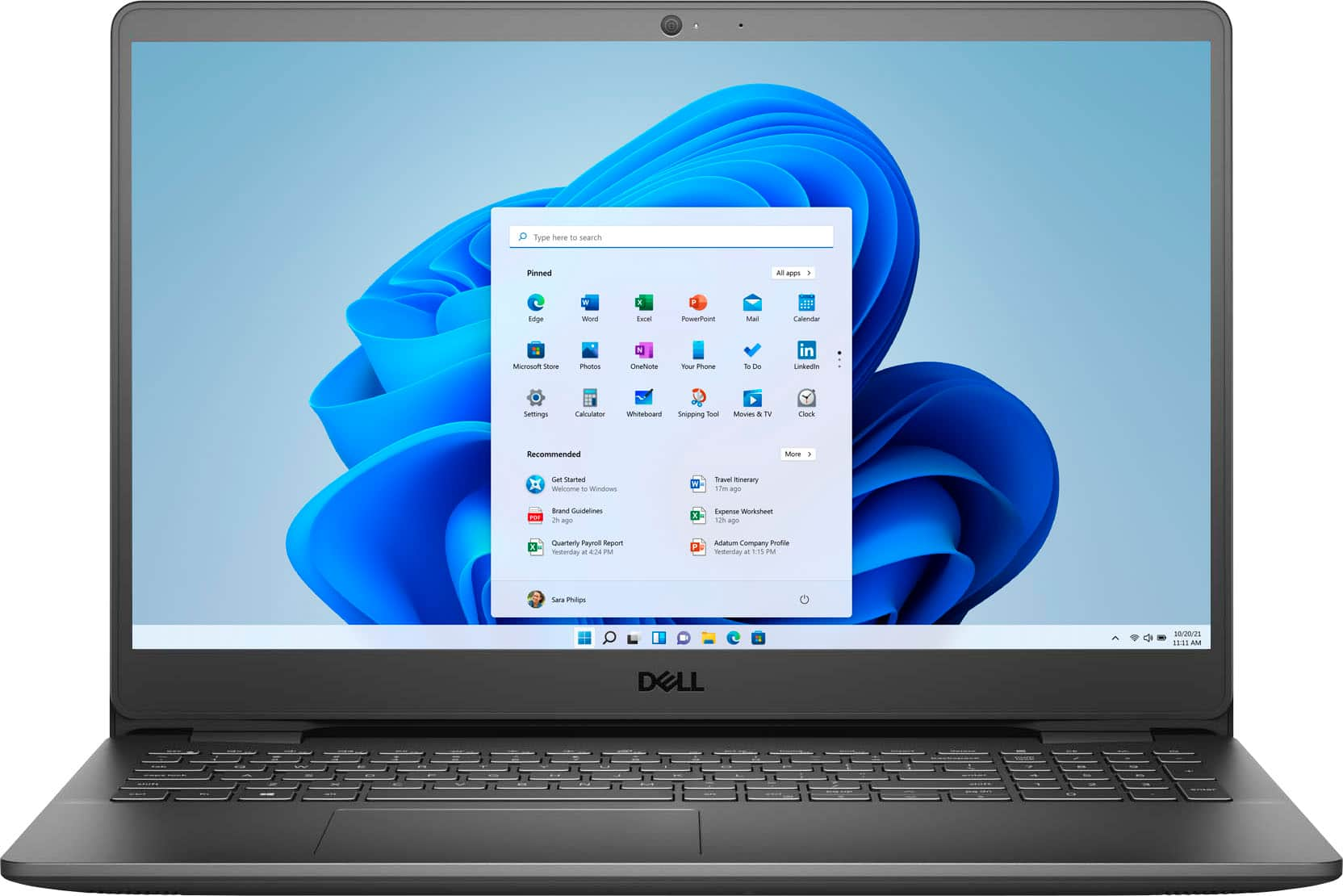
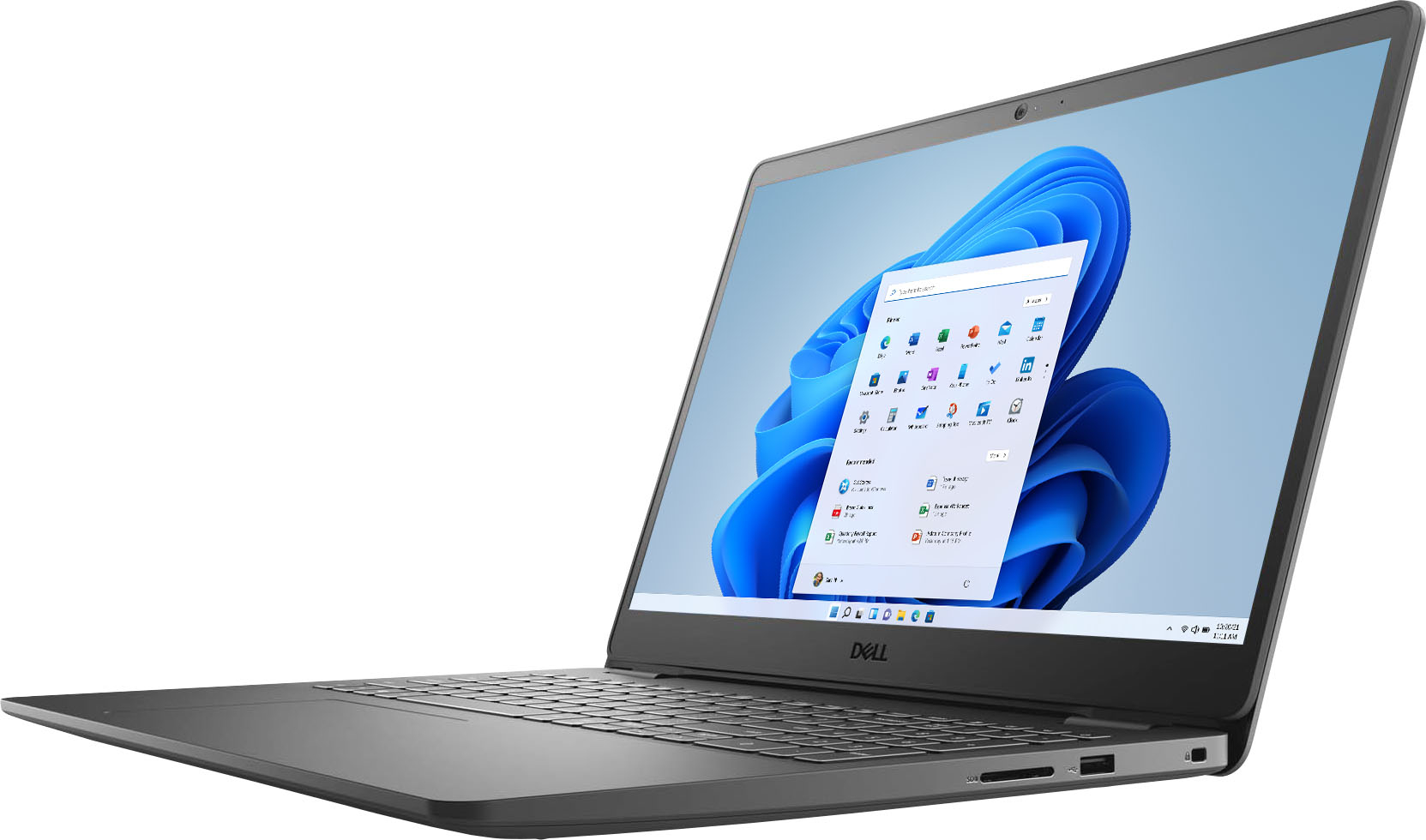
Customers consistently note the Inspiron 15.6" laptop's touch screen, affordable price, user-friendly interface, and lightweight design. Many users appreciate its reliable performance for everyday tasks and light productivity. However, some users have concerns about its battery life and limited storage capacity.
This summary was generated by AI based on customer reviews.
Review on 2024
Posted .This reviewer received promo considerations or sweepstakes entry for writing a review.It's user friendly and does the job well. I've had it for a few years and still works great with no issues. Great purchase! Only thing I struggle with is that the keyboard doesn't light up.
I would recommend this to a friend- Pros mentioned:Speed
Dell
Posted .This reviewer received promo considerations or sweepstakes entry for writing a review.One of the best laptops purchased. I like the color, speed, and touchscreen feature.
I would recommend this to a friend - Pros mentioned:Touch screen
Dell is the best
Posted .This reviewer received promo considerations or sweepstakes entry for writing a review.Good laptop. Been with it for 3 years. The screen touch feature is nice too.
I would recommend this to a friend - Pros mentioned:Touch screen
Very user friendly
Posted .This reviewer received promo considerations or sweepstakes entry for writing a review.Love the touch screen feature on this laptop. It is very user friendly.
I would recommend this to a friend Satisfied
Posted .This reviewer received promo considerations or sweepstakes entry for writing a review.I bought this laptop 5 years ago, and I am here because it's time to get a new one. I can't complain about anything, it's still doing what I need it to do, but I think it's really time for a new one.
I would recommend this to a friend- Pros mentioned:Price, Touch screen
Dell Inspiron
Posted .This reviewer received promo considerations or sweepstakes entry for writing a review.I really like this laptop with the size of the screen and it being a touch screen. The price was under $600 and for what I use it for this is a perfect laptop. It also pretty quick with the intel core i5, Not a lot of memory, but for my needs it will be fine.
I would recommend this to a friend Super worth it!
Posted .This reviewer received promo considerations or sweepstakes entry for writing a review.Super good quality laptop. Very easy to use and super good battery life!!
I would recommend this to a friend- Pros mentioned:Speed
Basic user gives basic review
Posted .This reviewer received promo considerations or sweepstakes entry for writing a review.I am a very basic user, who needed to upgrade an 11 year old Windows Me laptop to keep up with the paperwork at my work. So far, this laptop has everything I need, works quickly and efficiently, and the battery life is satisfactory when in power-saving mode. I do 10 hours or so of paperwork every week and I have had no problems in these first two months.
I would recommend this to a friend - Pros mentioned:Touch screen
BEST LAPTOP FOR MY BUSINESS
Posted .This reviewer received promo considerations or sweepstakes entry for writing a review.I love this laptop! It's everything that I need for my small business and has plenty of room to add on when needed. The touch screen is so convenient. The keys are nice & quiet, smooth to the touch. I use numbers a lot so having the right hand number pad is bonus!
I would recommend this to a friend - Pros mentioned:SpeedCons mentioned:Battery life
DELL COMPUTER BATTERY VERY POOR
Posted .This reviewer received promo considerations or sweepstakes entry for writing a review.Great computer. Beautiful screen color and fast. BATTERY LENGTH OF USE STINKS! Very short battery life. Needs to be plugged in most of the time. Be ware!
No, I would not recommend this to a friendBrand response from YourDellTeam
Posted .Hi SadSam,
We want to thank you for taking the time to leave us your review. We sincerely apologize for the trouble you are having with the battery life of your Inspiron 3501. To help with the battery performance, I have provided the steps to change the Power Plan on your system.
Change the Power Plan:
1. On the notification area of the taskbar, right-click the Battery icon.
2. On the options list, click Power Options.
3. Select a power plan on the battery meter, such as Power Saver or Balanced. Windows 10 has a built in 'Battery Saver' mode that can be activated to extend your system's battery life. The Battery Saver mode will monitor and limit background activity and other features such as push notifications. You do have the option to enable or disable this mode within settings or within advanced Battery Saver settings, you can customize the mode to best suit your needs.
a) Click on the Action Center icon in the taskbar and select the tile for Battery Saver.
b) If running Cortana then type Battery Saver into the search box and select from the results.
Within the Battery Saver settings page, you will be able to turn on and off the feature and customize the feature to best meet your needs.
c) Turn Battery Saver On or Off.
d) Additional settings available via the Battery use and Battery saver settings links.
e) Battery use shows further info on apps and their power usage.
f) Battery Saver Settings screen allows you to customize further Battery Saver feature.
You can read the full article here - http://dell.to/2vfXWf4.
After utilizing the troubleshooting options provided, if this problem is not resolved, please reach out to our support team here: https://bit.ly/DellSupportTeam.
If you require further assistance, you can contact Dell directly with the information below.
Chat or call: https://bit.ly/DellSupportTeam
Phone number to Dell 1-800-624-9896
Best,
Ashley@Dell
- Pros mentioned:Speed
Perfect!!!
Posted .This reviewer received promo considerations or sweepstakes entry for writing a review.Excellent laptop good memory and is really fast I purchased it for my dj system and it works good
I would recommend this to a friend Dell laptop
Posted .This reviewer received promo considerations or sweepstakes entry for writing a review.My best purchase for laptop ! Great value and performance! Love it !
I would recommend this to a friendGood but a few things to improve
Posted .This reviewer received promo considerations or sweepstakes entry for writing a review.This is a great computer but I've been having trouble with the battery life, for example I fully charge it and then turn it off and the next day when I turn it on it's not 100% charged. It was 50% so I don't really understand why does it gets uncharged when it's turned off.
I would recommend this to a friendWorks well
Posted .This reviewer received promo considerations or sweepstakes entry for writing a review.I bought it for the church youth program. They love it. Works great. They use it several times a week and so far very reliable and no issues. Can't speak to battery life. It is always plugged in.
I would recommend this to a friendgood 4 schooling
Posted .This reviewer received promo considerations or sweepstakes entry for writing a review.Is a realy good laptop for college students like me or for school, y'all know that the kids needs computers for online school or for outgoing now so we will need good machines
I would recommend this to a friendGood monitor color
Posted .This reviewer received promo considerations or sweepstakes entry for writing a review.Works quickly and easily. Received a free upgrade to Windows 11 as well. Monitor color is consistent in all light. Plus it has an ethernet port that I wanted.
I would recommend this to a friendDon't buy
Posted .This reviewer received promo considerations or sweepstakes entry for writing a review.Terrible. The fingerprint ID feature only works for a certain number of attempts. Unfortunately, my finger was wet after showering. After repeated failed attempts, it required me to use my pin to sign in. This lead to me being locked out, as I had not used the device in 9 months and forgot the pin and password. Why put such a terrible feature on a laptop?
No, I would not recommend this to a friendReturning this laptop to the store ASAP!
Posted .This reviewer received promo considerations or sweepstakes entry for writing a review.Just purchased a new Inspiron 3501 and I am ready to return it. I haven't gotten to use all of the features but I did want to test out some as I am getting used to Windows vs. Apple since it's been a long time for me. One of the first things I did was to play a video to see the quality of the playback and hear the sound. That was an immediate disappointment. My cell phone has much better sound quality. The speaker for the 3501 is underneath and even on full blast, it is muffled and not clear. It is lacking severely in quality and forget crispness or a decent volume level (even after checking the master level in settings). Although disappointed, I thought I would pair my wireless ear buds to the laptop to see if that was better. I was able to get a little more volume from them but then the audio and video weren't synced up. Instead the audio lagged behind the video. So I disconnected the ear buds and tried the speaker again, but as I had assumed, it was still very poor quality. So I will be packing this laptop back up after having had it for a total of 5 hours and returning it. Would only recommend this product if you have super sonic hearing or don't plan to watch any videos or listen to music on it.
No, I would not recommend this to a friendBrand response from YourDellTeam
Posted .Hello Callie,
We appreciate your valued feedback. We are sorry to hear you are having audio issues with your Inspiron 3501. Below I have provided the steps to running the Microsoft Sound Troubleshooter on your PC. I have also provided the full article link that has more helpful options if they are needed.
How to run Windows Troubleshooter in Microsoft Windows 10
1. Click Start, then select Settings (gear icon).
2. Click Update & Security and select Troubleshoot.
3. Click Playing Audio and then click Run the troubleshooter.
4. Follow the on-screen instructions to complete the troubleshooting process.
Troubleshoot audio or sound playback issues: https://dell.to/3u4pzmX
After utilizing the troubleshooting steps provided above, if the problem persists, please contact our support team here: 1-800-624-9896.
If you require further assistance, you can contact Dell directly with the information below.
Chat or call: https://bit.ly/DellSupportTeam
Phone number to Dell 1-800-624-9897
Best,
Ashley@Dell
Really?
Posted .This reviewer received promo considerations or sweepstakes entry for writing a review.Associate was able to help me select a purchase that seemed to make sense to me with my very limited knowledge.
I would recommend this to a friendExcellent
Posted .This reviewer received promo considerations or sweepstakes entry for writing a review.I’m in love with this laptop! So many features it’s amazing I made a great decision.
I would recommend this to a friend