Customer Ratings & Reviews


- Model:
- I5575-A214SLV-PUS
- SKU:
- 6239201
Rating by feature
- Value
Rating 4.1 out of 5 stars
- Quality
Rating 4.0 out of 5 stars
- Ease of Use
Rating 4.3 out of 5 stars
Customers are saying
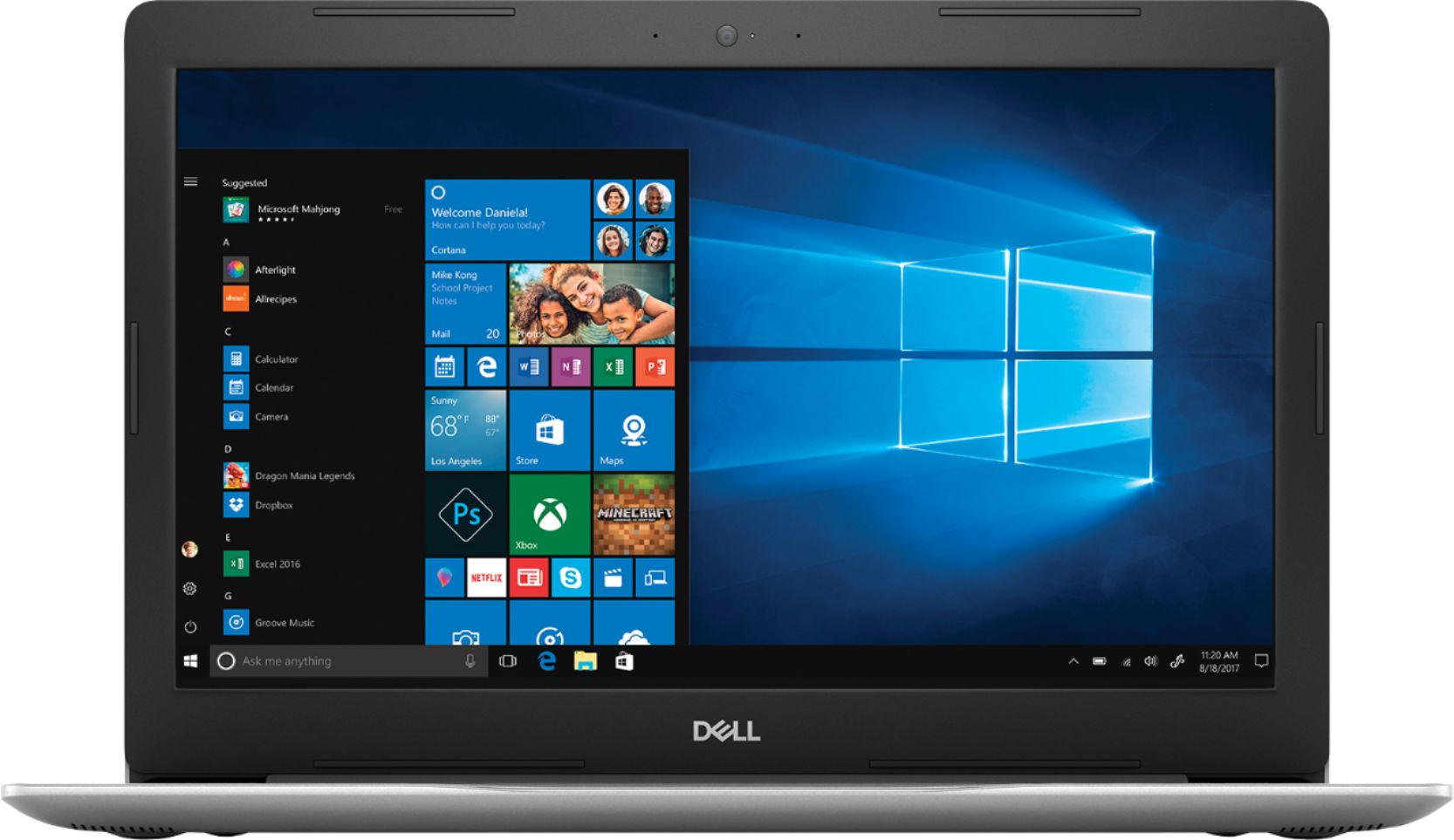
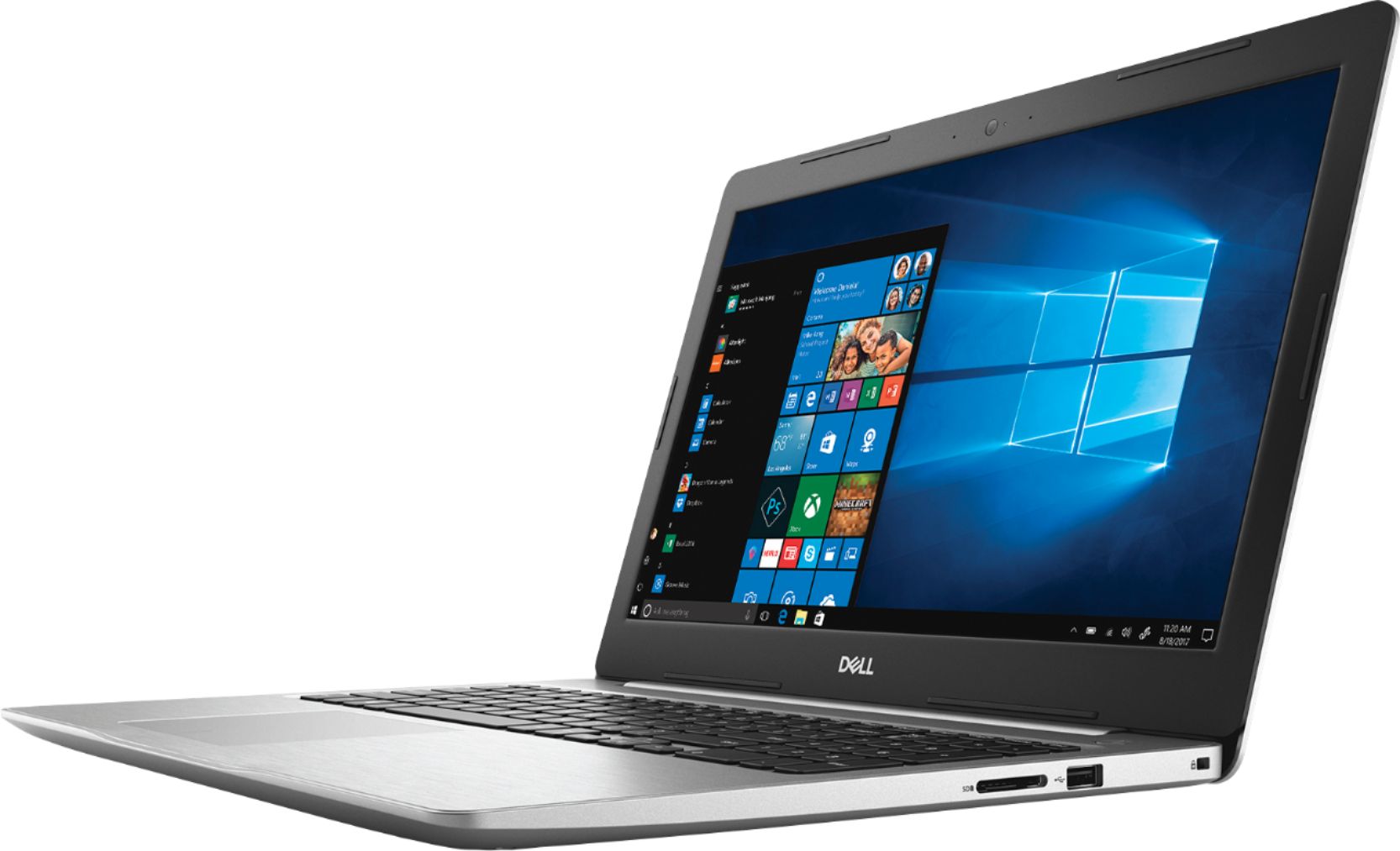
Customers often highlight the Inspiron 15.6" Touch-Screen Laptop's touch screen as a convenient feature. Many also appreciate its budget-friendly price point and solid performance. However, some users have concerns about its battery life and slow hard drive speed.
This summary was generated by AI based on customer reviews.
Horrible laptop
||Posted .This reviewer received promo considerations or sweepstakes entry for writing a review.I trusted Dell for years, but this laptop brought me nightmare! No problem to set up administrator account, but after I add a second user, screen will frozen in blank when I try to log in the second user account! It’s so weird! Tried many times, removed and added second user, same problem! It ended up I have to return this laptop!
No, I would not recommend this to a friendBrand response from YourDellTeam
Posted .dayuku,
We're very sorry to hear about the troubles that you had with your Dell computer. It sounds like a situation that Dell's Technical Support Team definitely could have helped you with. You can always reach out to Dell here in the future: http://dell.to/2sH7Qlm.
Best,
Bryan
1-800-624-9896
Had to return the Dell.
||Posted .This reviewer received promo considerations or sweepstakes entry for writing a review.Bought a Dell as I had one in the past that was great. I returned this recent Dell purchase because it kept freezing. One of the Geeks took a look at it and made it okay. I took it home again and again it froze. Returned it and chose an HP. So far so good.
No, I would not recommend this to a friendBrand response from YourDellTeam
Posted .LinSim,
We're sorry to hear about the issues that you faced with your computer freezing. We'd recommend the following steps to address this issue in the future:
1. Run a Computer Diagnostic. To determine if your computer is experiencing a hardware problem, run the Dell Preboot System Assessment (PSA) Diagnostics. For information on how to run Diagnostics, and to determine the issue, refer to Dell Knowledge Base Article: http://dell.to/2iaiujA.
2. Check Safe Mode for Symptoms. To boot into safe mode, please follow the instructions below:
a) Start the computer.
b) Tap 'F8' on the keyboard immediately and every one second until the Dell logo screen disappears. From there you will see the Windows Advanced Options Menu on the screen. (If the Windows Advanced Options Menu does not appear, restart the system and try again.)
c) Select Safe mode with Networking and press Enter.
d) Log on as the administrator or as a user with administrative access.
e) Open applications and test the computer in safe mode. If the symptoms exist in safe mode, please continue the troubleshooting steps in this article. If the symptoms do not exist in safe mode, the issue is likely related to a driver or software and you may wish to complete step 3 to see if you are able to resolve the lockups or freezing.
3. Check for Malware. Malware (Virus, Spyware, etc.) can definitely cause a Windows system to lock up or appear to hang. To check for malware on your system and to ensure that your computer is up to date on security software, visit Dell Knowledge Base Article: http://dell.to/2wWP1zI.
You can read the full article here - http://dell.to/2tW5m33.
We're sorry to see that you decided to return your Dell computer but we hope that you will consider Dell again in the future.
Best,
Bryan
1-800-624-9896
Quit working and was told out of warranty
||Posted . Owned for 10 months when reviewed.This reviewer received promo considerations or sweepstakes entry for writing a review.Computer was good for its purpose until it died and would not power on.
No, I would not recommend this to a friendLots of problems
||Posted .This reviewer received promo considerations or sweepstakes entry for writing a review.Bought this for my sixteen year old. He had a lot of problems with videos locking up. Colors being inverted during full screen, and computer going to blue screen requiring a reboot. Finally returned it.
No, I would not recommend this to a friendBrand response from YourDellTeam
Posted .Hi Hcso71,
We're sorry to hear about the issues that you've had with this computer. If you experience these issues with another computer in the future you can always run the following diagnosis to see what's causing the Blue Screen Errors:
1. At the desktop, click the Search the web and Windows box and type "problem reports".
2. Select View all problem reports to view a list of errors that have occurred on your computer and possible solutions for them, such as updating drivers, flashing your system BIOS, or checking for updates to the software.
3. Under the Source column, look for Windows and under Summary, look for Shut down unexpectedly.
4. Right-click the line item and select Check for a solution.
We'd also suggest checking to make sure that your software and drivers are up to date on Dell's Product Page - https://dell.to/2P2lKts.
You can read the full article here - http://dell.to/2u98Cct.
Best,
Bryan
1-800-624-9896
Not so great
||Posted .This reviewer received promo considerations or sweepstakes entry for writing a review.Runs slow. Have to restart frequently. Would not recommend.
No, I would not recommend this to a friendBrand response from YourDellTeam
Posted .Kaitlyn,
Thanks for your review. We're sorry that your computer is running slower than you hoped it would. We'd recommend running the Windows Performance Troubleshooter to see if it will help your computer run faster for you:
1. Close all open windows.
2. Press the Windows logo key + X key on the keyboard.
3. Click Control Panel.
4. Click System and Security.
5. Under Security and Maintenance, select Troubleshoot common problems.
6. Under System and Security, click Run maintenance tasks.
7. Follow the on-screen instructions and prompts to complete the process.
8. Restart the PC.
You can read the full article here - http://dell.to/2tSulGV.
Best,
Bryan
1-800-624-9896
Great computer! But windows 10 sucks
||Posted . Owned for 9 months when reviewed.This reviewer received promo considerations or sweepstakes entry for writing a review.Windows 10 has a constant full disk issue super slow
No, I would not recommend this to a friendNot a good one
||Posted .This reviewer received promo considerations or sweepstakes entry for writing a review.I thought it lacked a great deal of standard features
No, I would not recommend this to a friendWorst computer ever
||Posted .This reviewer received promo considerations or sweepstakes entry for writing a review.I bought this laptop thinking it was a solid laptop. I was wrong hard drive space was great but after laptop set up the fan kicked for 45 minutes I shut the laptop down put it in the box returned it for a HP
No, I would not recommend this to a friendBrand response from YourDellTeam
Posted .Jersey,
Thanks for your feedback. We're sorry to see that you ended up returning your computer because of the fan noise that you were experiencing. In the future we'd recommend updating the BIOS on your computer to see if this will help minimize the fan noise:
An out-of-date BIOS can cause loud fan noises by having an outdated temperature table for the system. Refer to update BIOS and follow the instructions to update the BIOS on your computer. You can also follow up with our Technical Support Team here - 1-800-624-9896.
You can read the full article here - http://dell.to/2ENlXfz.
Best,
Bryan
1-800-624-9896
Poor excuse
||Posted . Owned for 1.5 years when reviewed.This reviewer received promo considerations or sweepstakes entry for writing a review.Had problems with this computer from the start. Just when the warranty of one year ran out hard drive crashed.
No, I would not recommend this to a friendPoor craftsmanship
||Posted .This reviewer received promo considerations or sweepstakes entry for writing a review.It hasn’t worked properly since I got it. It’s doing something they call ghost screening, not happy with my choice at all.
No, I would not recommend this to a friendBrand response from YourDellTeam
Posted .Hello Valued Customer,
Thanks for your review. We're sorry that your computer has been giving you issues so far. If you'd like technical assistance with your new laptop you can always reach out to our Dell Support Team here: http://dell.to/2sH7Qlm.
Best,
Bryan
1-800-624-9896
Junk
||Posted . Owned for 10 months when reviewed.This reviewer received promo considerations or sweepstakes entry for writing a review.So disappointed. The touchscreen didn’t work. I couldn’t return it. I have to send it in to Dell for repairs.
No, I would not recommend this to a friendAWFUL!
||Posted .This reviewer received promo considerations or sweepstakes entry for writing a review.Please read all the one star reviews. They say exactly what my experience was. Very frustrating to say the least. Returned it today and bought a Lenovo.
No, I would not recommend this to a friendBrand response from YourDellTeam
Posted .DFRS,
Thanks for your review and we're sorry to hear about your experience. We'd recommend checking out our Product Support Page in the future if you have troubleshooting questions about your system.
Best,
Bryan
1-800-624-9896
- Pros mentioned:Touch screen
Perfect pick for back to school
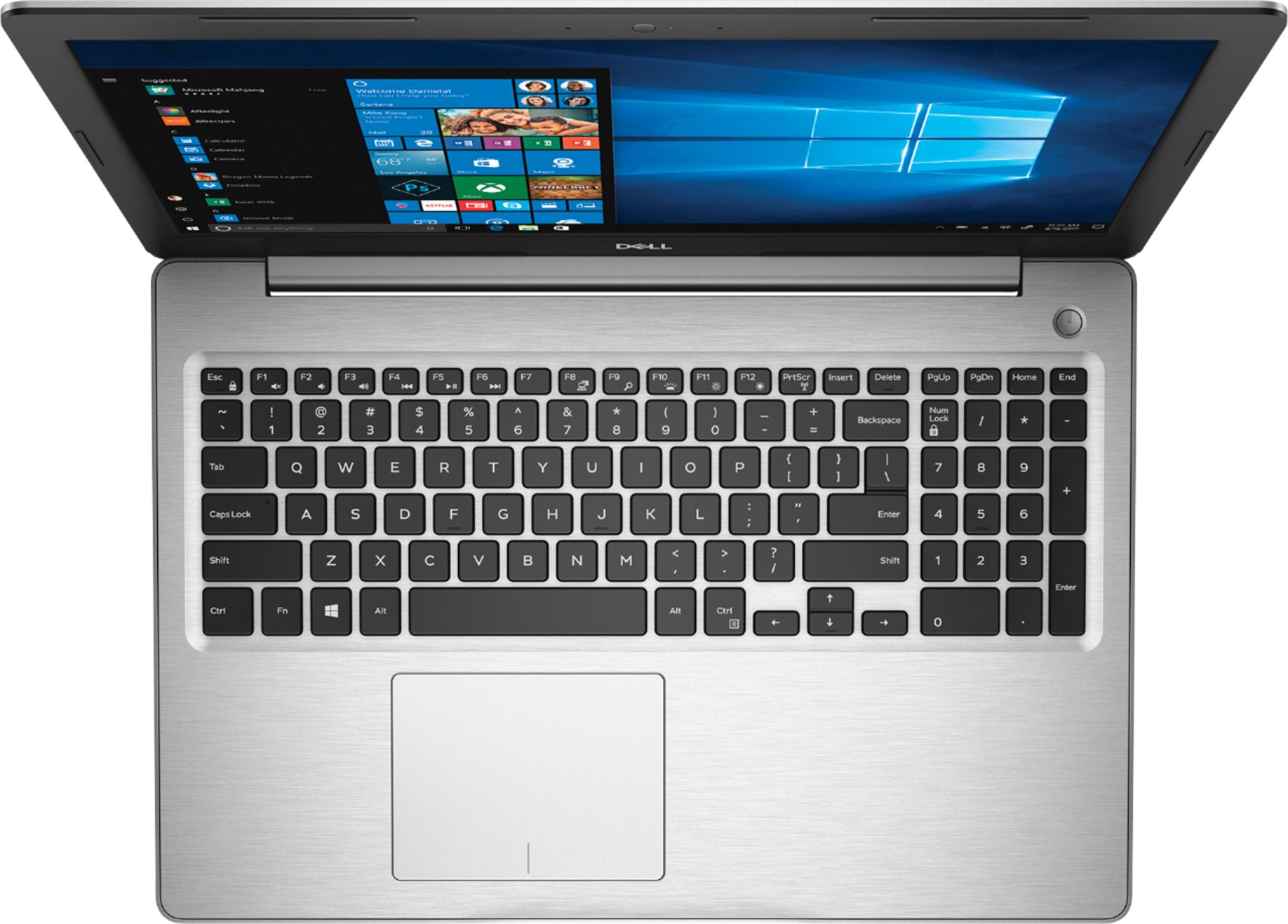
Posted .This reviewer received promo considerations or sweepstakes entry for writing a review.I’m a Red Team Reviewer, however, my views and anything I post here is completely my own, here are my thoughts on the system. First impressions, this is the go-to laptop for back to school. Taking notes, doing homework, binge-watching Netflix in the dorm, all on a budget? Then this is your laptop. Hardware The Ryzen 5 2500U APU is the little engine that could. It falters however with two minor shortcomings. APU’s share their video memory from the system memory, so only having 8GB of DDR4 2400MHz isn’t doing this any justice. In an ideal world 16GB of 3000MHz (or faster) would really unlock the potential of the 2500U. The second shortcoming and maybe its biggest shortcoming is that lack of fast storage. While this laptop does have 1TB of storage, great for cat pictures… or homework. The hard drive is only 5400RPM. What that means, is when doing intensive tasks, the system will often have to wait for the storage to catch up. The screen on this is gorgeous full 1080p, the Vega8 graphics paired with this display is a nice touch. The picture is clear, the details sharp, colors are great. A nice touch is that this screen it a touchscreen. It doesn’t sound like that big of a feature but being able to just reach up and flick to scroll on a webpage is pretty handy. The battery lasts quite a long time. I managed to use the laptop regularly for 2 days before needing to charge. You should be able to binge watch 5 hours worth of content before needing to charge. The chassis is sleek, very Macbook like, however, the brushed aluminum is a bit of a magnet for fingerprints, much like stainless steel appliances. That aside it's a nice thin laptop with aluminum housing. Software I’m a long time Dell user, and I am impressed this laptop has minimal bloatware. The only things I found on here was McAffee and Dell’s support application. McAffee I don’t use, and the support app is nice, keeping your drivers up to date at the push of a button without needing to hunt down individual drivers. Final thoughts If you are a student, or running a business and need a laptop on a budget this is hands down a great product. If you are wanting to have a heavy gaming session then you may want to spend a few bucks more to pick up a small M.2 SSD or a little more ram. Upgrading this laptop is super easy, 9 screws to remove the bottom of the laptop and a simple click either the ram or SSD into place.
I would recommend this to a friend this trash
||Posted .This reviewer received promo considerations or sweepstakes entry for writing a review.nah this trash some trash garbage,, got me all the way messed up up,,trash stopped working couple months in with it trash skunt
No, I would not recommend this to a friendBrand response from YourDellTeam
Posted .Keem.
Thanks for your feedback on your new Dell laptop. We're sorry it's not working the way you hoped it would. We'd recommend running the Windows Performance Troubleshooter to see if it will help your computer perform better for you:
1. Close all open windows.
2. Press the Windows logo key + X key on the keyboard.
3. Click Control Panel.
4. Click System and Security.
5. Under Security and Maintenance, select Troubleshoot common problems.
6. Under System and Security, click Run maintenance tasks.
7. Follow the on-screen instructions and prompts to complete the process.
8. Restart the PC.
You can read the full article here - http://dell.to/2tSulGV.
Best,
Bryan
1-800-624-9896
Too hot!
||Posted .This reviewer received promo considerations or sweepstakes entry for writing a review.Machine got way too hot while running under none strenuous loads. CPU would throttle causing degradation in performance.
No, I would not recommend this to a friendBrand response from YourDellTeam
Posted .Bcarkeek,
We're sorry to hear that your computer is heating up while you're using it. Here are a few tips to keep your computer operating at a cooler temperature:
Tips for Proper Usage:
1. Dell does not recommend placing portable systems directly on your lap. Due to reductions in the thickness of modern portable systems, heat transfer can be an issue.
2. Using a portable system (Laptop) on a hard, flat, non-cloth surface will increase airflow and reduce heat from underneath and inside the system.
Using the portable system on a blanket, pillow, or other types of cloth will cover up the fan cause the computer to overheat and can cause permanent damage.
3. It is recommended to use the portable system in a Room temperature of 0°C to 35°C (32°F to 95°F) with a Humidity level no greater than 90%.
4. Use compressed air to clean the vents on a regular basis.
5. Using a cooling pad can decrease heat and increase performance.
6. If you want to know the temperature limitations for your system, go to the Dell Support Website, look up your system model then open the user guide under the manuals link.
You can read the full article here - http://dell.to/2uJ8AdG.
Best,
Bryan
1-800-624-9896
Disappointed
||Posted .This reviewer received promo considerations or sweepstakes entry for writing a review.Terrible picture/hard to see/No need for numerical key board/Makes computer too big/Unhappy!!
No, I would not recommend this to a friendBrand response from YourDellTeam
Posted .Jeanne,
We're sorry that you're having trouble seeing on your new laptop. If you have technical questions about your laptop you can always check our Product Support Page here: https://dell.to/2nI2iGf.
Best,
Bryan
1-800-624-9896
Junk
||Posted .This reviewer received promo considerations or sweepstakes entry for writing a review.Brand new out of the box. The laptop turns on and off by itself. Might be a faulty processor
No, I would not recommend this to a friendBrand response from YourDellTeam
Posted .Will,
We're sorry to hear that your laptop is not performing the way that it should. We'd recommend that you reach out to Dell's Technical Support Team for help with this issue: http://dell.to/2sH7Qlm. I
f you have additional questions about your computer you can check our Product Support Page here: https://dell.to/2nI2iGf.
Best,
Bryan
1-800-624-9896
Regret purchase
||Posted .This reviewer received promo considerations or sweepstakes entry for writing a review.This is the slowest laptop I have ever used. Supposedly brand new. Extremely disappointed.
No, I would not recommend this to a friendBrand response from YourDellTeam
Posted .Ktorresi42,
Thanks for your review. We're sorry to hear that your computer is performing slower than you hoped it would. We'd recommend running the Windows Performance Troubleshooter to see if there are ways to speed up your computer:
1. Close all open windows.
2. Press the Windows logo key + X key on the keyboard.
3. Click Control Panel.
4. Click System and Security.
5. Under Security and Maintenance, select Troubleshoot common problems.
6. Under System and Security, click Run maintenance tasks.
7. Follow the on-screen instructions and prompts to complete the process.
8. Restart the PC.
You can read the full article here - http://dell.to/2tSulGV.
Best,
Bryan
1-800-624-9896
slow,slow,slow; best buy something else.
||Posted .This reviewer received promo considerations or sweepstakes entry for writing a review.Slower than molasses running uphill in January. Slower than my old 32 bit Dell.
No, I would not recommend this to a friendSTAY AWAY
||Posted .This reviewer received promo considerations or sweepstakes entry for writing a review.IT has all the specs of a mid range computer but crashes every other day.
No, I would not recommend this to a friendBrand response from YourDellTeam
Posted .JOHN,
Thanks for your review and we're sorry to hear that you're having problems with your computer crashing. We'd recommend running the following diagnostic test if you get Blue Screen Errors:
1. At the desktop, click the Search the web and Windows box and type "problem reports".
2. Select View all problem reports to view a list of errors that have occurred on your computer and possible solutions for them, such as updating drivers, flashing your system BIOS, or checking for updates to the software.
3. Under the Source column, look for Windows and under Summary, look for Shut down unexpectedly.
4. Right-click the line item and select Check for a solution.
We'd also suggest checking to make sure that your software and drivers are up to date on Dell's Product Page - https://dell.to/2P2lKts.
You can read the full article here - http://dell.to/2u98Cct.
Best,
Bryan
1-800-624-9896