Customer Ratings & Reviews


- Model:
- I5575-A214SLV-PUS
- SKU:
- 6239201
Rating by feature
- Value
Rating 4.1 out of 5 stars
- Quality
Rating 4.0 out of 5 stars
- Ease of Use
Rating 4.3 out of 5 stars
Customers are saying
Customers often highlight the Inspiron 15.6" Touch-Screen Laptop's touch screen as a convenient feature. Many also appreciate its budget-friendly price point and solid performance. However, some users have concerns about its battery life and slow hard drive speed.
This summary was generated by AI based on customer reviews.
- Cons mentioned:Hard drive
AMD Red Team Review
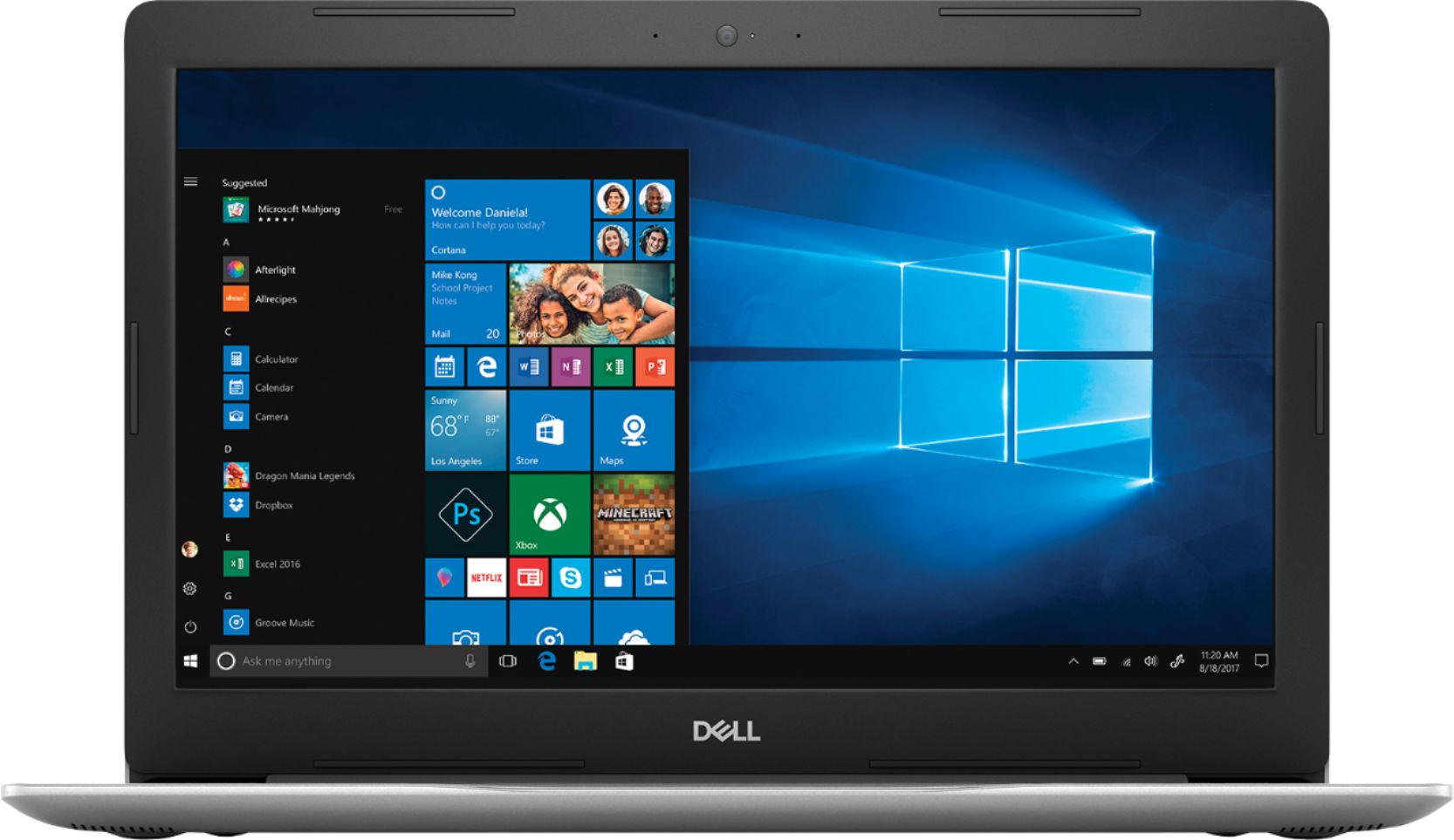
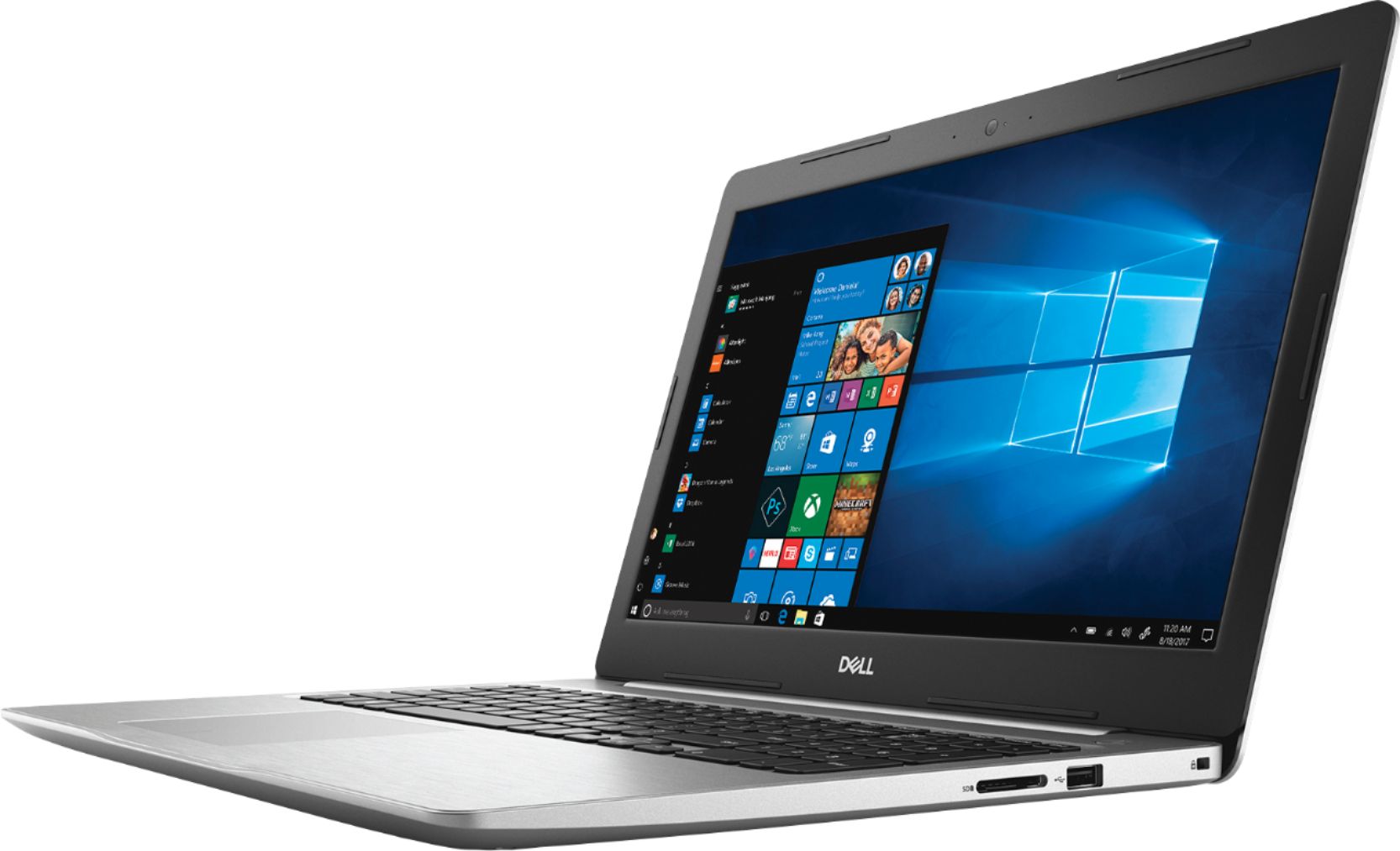
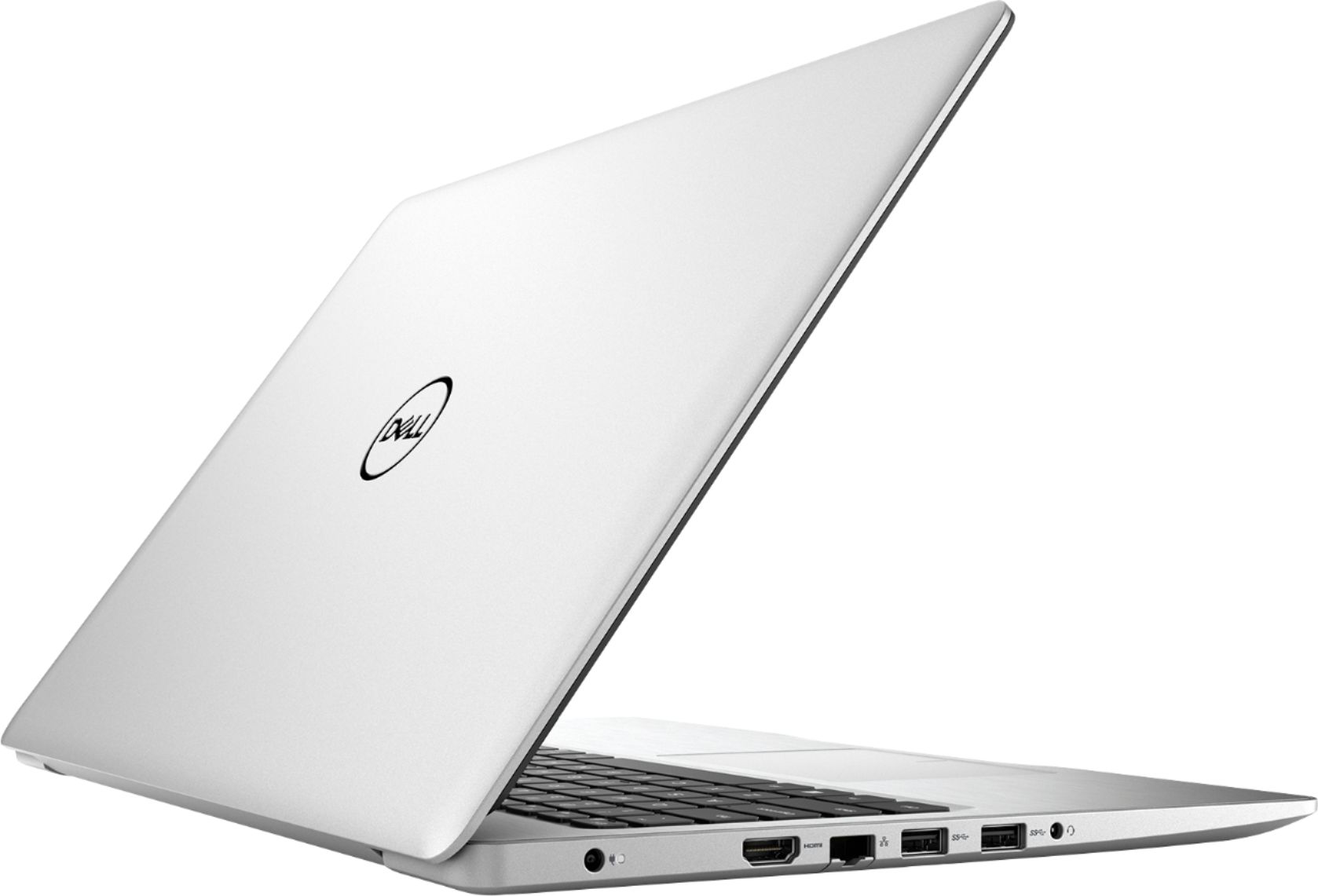
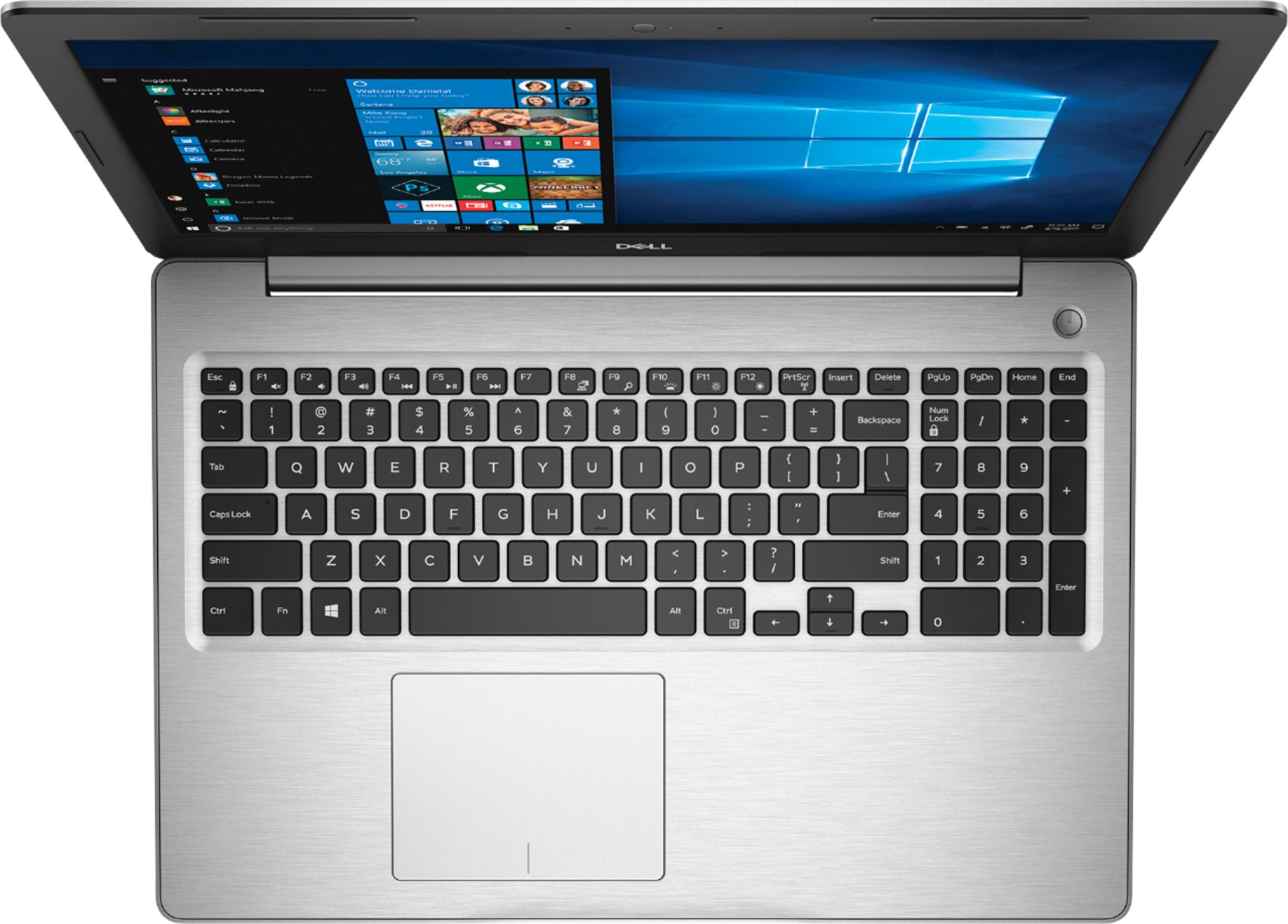
Posted .This reviewer received promo considerations or sweepstakes entry for writing a review.I’m an Red Team Reviewer and here are my thoughts on the system, please note that these opinions are my own. The best way to sum up this laptop is "What you see is what you get." When you buy a budget laptop expect budget performance. (minus the finger print scanner that doesn't exist.) Hardware, Body/Case: Beautiful Silver and black design sturdy and well built. Monitor: 1080p crisp clean display that does wonders when binge watching Netflix, Twitch, Crunchyroll, etc. I've never used touch screen on a laptop before but found it to be quite convient during the every day use. Battery: One of the best batteries I've seen in a long time on a laptop. 5-6 hours worth of binge watching Crunchyroll before needing to plug in. Audio: Nothing to write home about here, it was clean and clear as far as sound goes. Coming from someone who always wear headsets it was a refreshing change. Ram: This rig is running 2 4gb 2400mhz ram and does really well for basic tasks. APU: Ryzen 5 2500U is a power house CPU and GPU combo that both pull on the system's ram for almost every task. The APU has a 2ghz base clock speed that boosts up to 3.6ghz. Webcam: Clear picture. Mic: It will pick up the audio from speakers if you don't have a headset on. Weight: Light enough to throw in your backpack and go without feeling weighed down, but heavy enough that you're not gonna sneeze and drop it off your lap. HHD: This is the part that cripples the computer but is also an easy fix later on. Upgrading from a 5400rpm to a 7200, Hybird HD or even a M.2 would drastically improve the quality of this laptop. The read and write speed will be the biggest reason you will notice slow load time or lack of performace. Software, Windows 10: An OS that has gotten better as time as gone on can't complain. Bloatware: Besides the typical preloaded Win10 app games and McAfee I was very happy to see there wasn't a lot preinstalled to bog the system down. Dell: Comes with simplistic apps for keeping your laptop up todate. Overall, The biggest set backs on this computer would have to be the Hard drive and the Ram which are both easily upgradable at a later date, if you choose to do so. This computer is for your everyday life and great for the run of the mill college student. I used this laptop for Twitter, Instagram, Reddit, Twitch, Spreadsheets, and Word, however I would not suggest this laptop if your goal is more towards gaming. LOOKING AT YOU MR I WANT TO BE A STREAMER IN THE CORNER!
I would recommend this to a friend Slow
||Posted .This reviewer received promo considerations or sweepstakes entry for writing a review.We only use this for making vinyl and is very slow
No, I would not recommend this to a friendBrand response from YourDellTeam
Posted .Tadby,
Thanks for your review. We're sorry to hear that your computer is performing slower than you hoped it would. We'd recommend running the Windows Performance Troubleshooter to see if it will help your computer run faster:
1. Close all open windows.
2. Press the Windows logo key + X key on the keyboard.
3. Click Control Panel.
4. Click System and Security.
5. Under Security and Maintenance, select Troubleshoot common problems.
6. Under System and Security, click Run maintenance tasks.
7. Follow the on-screen instructions and prompts to complete the process.
8. Restart the PC.
You can read the full article here - http://dell.to/2tSulGV.
Best,
Bryan
1-800-624-9896
- Cons mentioned:Runs hot
Laptop with nice surprises
Posted .This reviewer received promo considerations or sweepstakes entry for writing a review.I went in to purchase this laptop rather skeptical as the reviews here on it at the time were mixed at best, but the specs to price ratio on this were hard to ignore so I debated whether to buy it or not for a few days before deciding to go ahead and give it a chance and so far I am glad I did. Let's start with what's not great about this laptop. Cons: Screen: It has a 1080P HD display that as others have mentioned is admittedly not great. It's quirky to put it nicely as in it takes a lot of adjustments in the graphics options to get it looking OK and then it requires tilting the screen at just the right angle and you get a decent image. Nothing to write home about and it won't blow your socks off but with some fiddling my "picky" self was satisfied. Heat: This thing runs hot. I installed a CPU temp app on it and I am seeing it hit 80C+ frequently which in my experience doesn't bode well for a devices longevity, however I've had this for about 3 months and so far the high temps don't seem to be causing any issues. I guess time will tell if the continues to hold true. OS Install by Dell: It's been awhile since I bought the laptop but I do seem to remember having some issues with the laptop when I first bought it so I just reinstalled Windows 10. I actually reinstalled a couple of times not realizing that Dell has its own version that you can put on a USB that includes a lot of the drivers and other software you have to reinstall if using the version direct from Microsoft. Doing this one step, which I tend to do on any new PC I purchase probably saved me from a lot of the headaches some of the other reviewers here have had. Slow Hard Drive: The included hard drive is slow, its a basic 1TB hard drive that you see in most sub $500 laptops and it makes this laptop slow when it doesn't have to be a slow laptop, more on that later. Now on to the highlights or "nice surprises" that I found in this sub $500 laptop that I haven't found together in this configuration anywhere else and is what makes this laptop in my opinion an excellent buy. Radeon Vega 8: While it may not compare to a discrete desktop graphics card, for a laptop it will run some games. Again this laptop runs hot so I wouldn't recommend running without the fan set to active in your power profiles, but I was quite impressed with some the the settings I was able to use in games like Team Fortress, Cities Skylines and Minecraft. It even ran the 2016 version of Doom decently. PCIe NVMe: I know those letters can be confusing but this feature is one that makes this laptop such a great find. This is a slot that lets you install an SSD that is faster than regular 2.5 inch SSDs, which I did and wow what a difference. That one upgrade makes this laptop a beast and having this feature as an option in a sub $500 laptop is almost unheard of. I honestly won't recommend buying this laptop unless you plan on adding a PCIe NVMe SSD to it and is also one of the main reasons I wanted a clean install of Windows 10 on it. 8GBs of RAM: Having 8GBs of memory in a sub $500 laptop is also hard to find but this one has it and makes it so you don't have to worry about running out of memory as much as you would with a 4GB laptop which is generally the norm in this price range. Full HD Display: Now I know I listed the display as a con above, but as I also mentioned above if you adjust it correctly and view it at the right angle, the display is fine and its is Full HD. Finding a Full HD display in this price range is extremely difficult so while this one is quirky I'd take it over a 720P display any day. So those are my thoughts on this odd but nicely featured sub $500 laptop. Hope it helps anyone that might be looking.
I would recommend this to a friend Good value but needs faster drive
Posted .This reviewer received promo considerations or sweepstakes entry for writing a review.I've had this laptop for about 1 week now. I've replaced the slow 1 TB mechanical HDD with a much faster 256 GB M.2 SSD and have a few points about my experience that will help make this laptop a great buy. 1) The M.2 connector takes only a PCIe capable SSD, and not a M.2 using the SATA bus...in other words, you want a M.2 size 2280 but with 1 notch on the pin side, not the two notched pins. Remove most of the screws (2 didn't come out all the way just loosen) and I opened the bottom panel by first prying it from the hinged side. 2) In order for the UEFI/BIOS to recognize the new drive, remove the SATA connected disk first until after the M.2 drive is installed. 3) The Dell or AMD sourced Radeon display drivers will crash older versions of Windows 10 prior to version 1803. Use the default Microsoft generic drivers until your version of Windows 10 is 1803. Then install the Dell or AMD Radeon display drivers. After the new drive is installed, this laptop is blazing fast for surfing web, email and word processing...school and office work type tasks. The screen is 1080p but the display screen isn't the most vibrant. I feel it is usable and I have it connected to a much nicer Dell external monitor most of the time. See in store before buying to see if it matters for you.
I would recommend this to a friend- Pros mentioned:Performance
Price fits the performance
Posted .This reviewer received promo considerations or sweepstakes entry for writing a review.This laptop is great for everything. Whether it be: gaming, editing, casual web browsing, and etc. The battery does great even when using full processing power when gaming. The most I've gotten out of the battery was 6-7 hours which is great. When using full power, I got 2 hours, which is also not bad. Dell's power options give you full control of your battery which I love. When I'm doing something that doesn't require a lot of power I lower the battery mode to the lowest and activate battery saver and it still stays smooth and fast. Overall, this is definitely worth the money for a great laptop experience.
I would recommend this to a friend - Pros mentioned:Touch screen
Great system for college freshman
Posted .This reviewer received promo considerations or sweepstakes entry for writing a review.Bought this for my son and happy with the selection thus far. Once software and drivers updated after opening, it performed very well and I went ahead and upgraded memory to 32gb after getting everything configured. Screen size and picture quality is outstanding and battery life is solid. Price/value/performance definitely a benefit.
I would recommend this to a friend - Pros mentioned:Speed, Touch screen
Does The Job
Posted .This reviewer received promo considerations or sweepstakes entry for writing a review.Mostly used for basic tasks, speed and graphic are good. Sometimes will restart unexpectedly, but may have to adjust update times. For an under $500 computer just what I need - the backlit keyboard is a bonus.
I would recommend this to a friend Great Loptop
Posted .This reviewer received promo considerations or sweepstakes entry for writing a review.Nice loptop I've ever had until now im still using this one good for gaming and everything smooth and easy to use.
I would recommend this to a friend- Cons mentioned:Battery life
Battery Life is Horrendous
Posted .This reviewer received promo considerations or sweepstakes entry for writing a review.I bought this laptop for school hoping it would be a solid piece of machinery. So far, every thing on the laptop is working fine except for a few key issues. The laptop itself gets incredibly warm after minimal use (less than 20 minutes) and in the same time frame, the battery drops significantly. As I am typing this, the laptop has been on the aforementioned 20 minutes and my battery has already dropped to 83% and says there is just over an hour remaining. This is WITH BATTERY SAVER mode on as well. Not sure what is going on, but it's already starting to be a pain.
No, I would not recommend this to a friendBrand response from YourDellTeam
Posted .David,
If you'd like tips on how to keep your computer cooler you can follow these steps:
Tips for Proper Usage:
1. Dell does not recommend placing portable systems directly on your lap. Due to reductions in the thickness of modern portable systems, heat transfer can be an issue.
2. Using a portable system (Laptop) on a hard, flat, non-cloth surface will increase airflow and reduce heat from underneath and inside the system.
Using the portable system on a blanket, pillow, or other types of cloth will cover up the fan cause the computer to overheat and can cause permanent damage.
3. It is recommended to use the portable system in a Room temperature of 0°C to 35°C (32°F to 95°F) with a Humidity level no greater than 90%.
4. Use compressed air to clean the vents on a regular basis.
5. Using a cooling pad can decrease heat and increase performance.
6. If you want to know the temperature limitations for your system, go to the Dell Support Website, look up your system model then open the user guide under the manuals link.
You can read the full article here - http://dell.to/2uJ8AdG.
If you'd like to help increase the battery life of your computer you can try these tips:
Change the Power Plan:
1. On the notification area of the taskbar, right-click the Battery icon.
2. On the options list, click Power Options.
3. Select a power plan on the battery meter, such as Power Saver or Balanced. Windows 10 has a built in 'Battery Saver' mode that can be activated to extend your system's battery life. The Battery Saver mode will monitor and limit background activity and other features such as push notifications. You do have the option to enable or disable this mode within settings or within advanced Battery Saver settings, you can customize the mode to best suit your needs.
a) Click on the Action Center icon in the taskbar and select the tile for Battery Saver.
b) If running Cortana then type Battery Saver into the search box and select from the results.
Within the Battery Saver settings page, you will be able to turn on and off the feature and customize the feature to best meet your needs.
c) Turn Battery Saver On or Off.
d) Additional settings available via the Battery use and Battery saver settings links.
e) Battery use shows further info on apps and their power usage.
f) Battery Saver Settings screen allows you to customize further Battery Saver feature.
You can read the full article here - http://dell.to/2vfXWf4.
Best,
Bryan
1-800-624-9896
Pretty good but hindered by a slow hard drive
Posted .This reviewer received promo considerations or sweepstakes entry for writing a review.Laptop has all the characteristics to be fast from 4 cores and 8 threads to 8GB of memory. The included 1TB hard drive was maxed at 100% use for the whole first day I brought it home. That was due to so many updates needing done. After that, things were still pretty slow overall due to that hard drive. I swapped it out for a cloned 1TB SSD and it was a 99% better laptop!
I would recommend this to a friend- Cons mentioned:Hard drive
Bad experience out of the box!!!
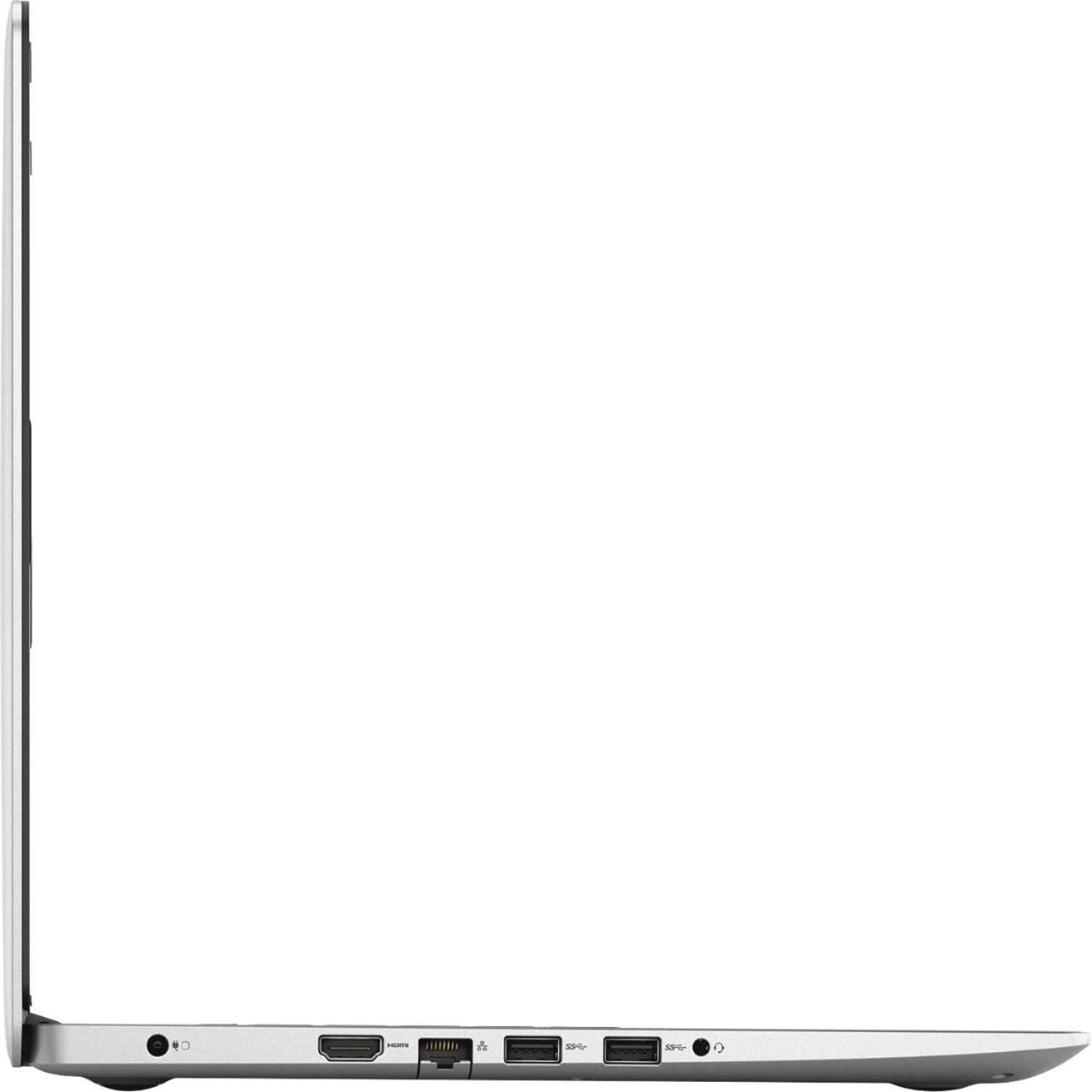
Posted .This reviewer received promo considerations or sweepstakes entry for writing a review.My experience in purchasing the Inspiron 15 5575 AMD Ryzen 5 laptop is that of purchasing a low end laptop. By purchasing a mid-level laptop, I was not expecting this experience! The laptop blue-screened twice on the first day and totally crashed on the second day. I have had to run the restore a total of twice in one week. I have run into so many issues related to build specs, bad hardware, software updates, broken restore process: - The hard drive is too slow for a mid-level laptop. Laptop is constantly bottle-necked at this sub-par part used in the build. - The touch-pad reads left clicks too often when right-clicking. This occurs even after multiple crashes/restores. - Most of the Dell software installed from factory is severely out of date and requires multiple updates to Dell Update and Support Assistant applications. After a restore, this becomes a challenge to understand and find that you have to install the "current" Support Assistant application from Windows Store - only after clicking the correct link on Dell's support page to prompt you that the installed Support Assistant is out of date and needs to be updated. - Dell update kept indicating a BIOS update available and kept attempting to install v 1.6 of the BIOS only to indicate a failure after the first run/install of the update. The bios did update the first time and is showing to be v 1.6 -- so it seems to be confused??? - Dell update, Windows Store updates and Windows 10 updates are all trying to run at the same time. Out of the box or after a restore. Causes too many slowdowns, freezes, crashes while laptop attempts to install drivers, program and Windows feature updates. - Display is not plain/clear to be full HD specs. Very dim, blurry, everything has to be scaled up to see -- defeating the purpose of 1920x1080 resolution. - Display driver has issues with itself or Windows 10 -- it is randomly blanking the screen or showing all gray/white -- requiring a reboot to fix. - On-board sound driver out of the box uses WAVES MaxxAudioPro to juice up the sound. When laptop crashed and had to be restored - sound drivers would not re-install to factory spec without major intervention. There appears to be known issues with the drivers and Windows 10. The Realtek drivers offered on Dell's support site for this laptop's specific Service Tag# are incorrect and do not re-install WAVES MaxxAudioPro. I spent two days researching this "very old" issue trying to understand why I purchased a new laptop with outdated software/hardware combinations. I finally clicked through MaxxAudio's website back to a support document on Dell's website that does not list this laptop -- but it was the exact driver needed to restore WAVES MaxxAudioPro. Unfortunately this was still not a simple install. Both the original supplied driver from Dell and the secondary driver from Dell has to to be manually installed. The laptop appears to be automatically installing the AMD HDMI sound drivers in place of the on-board Realtek HD Audio driver. Manually installing and selecting the Realtek HD Audio driver overriding Windows 10's selection is required to get the on-board sound to work again after a restore. - Dell System restore does not restore this laptop to factory out of the box state. Read the previous mention problem of updates and driver installations all trying to run at the same time. Laptop becomes confused and starts locking-up/freezing, blanking out, blue screening. If your are not a computer technician -- this will require a knowledgeable technician to resolve -- if they can even figure out all of these hoops to jump through to halfway restore to out of the box condition. I have had the laptop running 2-3 days since the second/last restore. Once all drivers and updates are installed and that process is caught up, the laptop is only a little more responsive. The 5400 rpm hard drive severely limits any potential this processor has to offer. Once you have more than a few applications running the laptop becomes erratic. The processor fan speeds up and slows down for no reason. When I look into this behavior in task manager -- all I can see is that random cores on the processor seem to be pegging/stuck at 100% -- but nothing is being done with the laptop that would require 100% of any core. Seems to be a problem with the version of Windows 10 and processor stepping -- OR - just a bad CPU all together??? The laptop is super warm when idling and just scary hot when the fan is revved up. Not good and I really don't care at this point if it is bad CPU or bad Windows 10 implementation. It's getting packaged up and taken back under the store return period -- thankfully!!! If/when other people run into the issues described it will more than likely be too late for a return/refund. My other dislikes: No optical drive for the price. I have read many reviews where this makes the laptop "lighter"?!?!? Nonsense! My low-end 15.6" HP Touchscreen Pentium from last year -- is just as big of a laptop, has an optical drive -- and weights less than this laptop. The HP even appears to be slimmer over-all. No on-board 10/100/1000 NIC - it's only a 10/100 NIC. The wireless AC has the potential to run faster on a properly configured 5-gigahertz network, but it's wireless -- so not as reliable as wired Ethernet! The provided Smart-Byte software is also a joke! It is out of date out of the box requiring an update -- and in my opinion -- a total waste of resources. Like many people -- I run a proper network -- all of these are functions of the network! The idea here that you can control this laptop's data on a properly setup network are defeated by the network -- as the data will usually be re-prioritize once it hits the network. Manufacturers refusing to update their hardware and software properly for Windows 10 -- instead, pushing out patches and fixes that may or may not work correctly as Windows 10 continues to evolve and receive continued updates. It all looks nice on the outside - but a total waste of time, energy and running to/from the store to purchase -- and one week later -- to have to return. If I wanted this experience I would have purchased a low-end $250 laptop instead of mid-level $500+ laptop. At least I know those are prior years and bargain bin parts all slapped together -- and what to expect. I would not recommend this laptop to my worst enemy! Not sure how this made it to retail. Also not sure how it retails for the amount it claims to retail for. Dell cut too many corners here pairing 2018 technology with prior years parts and technologies to obtain sub-par performance -- all to have someone to pay a 2018 price for. Not sure what Dell was trying to achieve here at all.
No, I would not recommend this to a friend - Pros mentioned:Touch screen
Great
Posted .This reviewer received promo considerations or sweepstakes entry for writing a review.Touchscreen. Good size. Not that fast... but really reliable.
I would recommend this to a friend Good but there are some key details missing
Posted .This reviewer received promo considerations or sweepstakes entry for writing a review.I purchased this laptop as a work/mild gaming machine. Pro's: Processor is good, 1 TB Spinning disk is what you'd expect a bit slow but stable. Con's: The shell is difficult to open and requires much more work than an up-gradable laptop should in this day and age. (Meaning pain to added additional Memory or an M2 SSD). (Honestly this should be right in the Specs tab) While were on the subject of SSD's this is what they aren't telling you up front. If you want to use an M2 SSD Dell doesn't support anything bigger than a 256 Gig M2 SSD on this motherboard. If you use a NVMe SSD drive you can get up to 512 Gigs. (I ran into this bit of info after I got a 500 Gig M2 SSD Crucial stated was compatible turns out no it's not according to Dell in their manual)... Larger M2 SSD's computer won't even see it trust me I tried with two separate M2 drives (The Crucial and an older Samsung that I had). However once I threw in a WD NVMe drive it saw that just fine. This brings us to the BIOS. In this day and age most BIOS's are UEFI. Not this machine it has a fairly poorly designed non-UEFI BIOS (Meaning no Mouse control and a lot of missing settings) Missing settings: I say missing settings because the processor that is used is the 2500U Ryzen chip which should be good for mild gaming. However because Dell went cheap on the BIOS. There are no settings to adjust how much of the ram/on board memory that the Processor can use for graphics. Which basically gimps it for gaming as your stuck at 256 Meg. Again because of poor/lazy/cheap design by Dell. The processor itself can handle a great deal more. Honestly had a known all of this before purchasing I would have avoided this product. The only reason it gets 2 stars is that it works. Otherwise this would be a one star item. Spend a little more buy a Samsung or a Lenovo that actually have a decent BIOS that you can tweak settings in and are easier to open up and add things too. However I would like to state I don't blame Best Buy for any of this. I strictly blame Dell for poor/cheap/lazy/poorly thought out designs and implementation.
No, I would not recommend this to a friendBrand response from YourDellTeam
Posted .MrCthulhu,
Thank you for your detailed review of your new Dell computer. We're sorry that it is not performing as well as you hoped it would. Have you tried updating the BIOS on your computer? You can check for any updates for your computer on our product page here: https://dell.to/2P2lKts.
Best,
Bryan
1-800-624-9896
- Pros mentioned:Speed
Great computer for my son
Posted .This reviewer received promo considerations or sweepstakes entry for writing a review.I can't believe how fast it is for the price. Looking forward to use it.
I would recommend this to a friend - Cons mentioned:Overheating
All-right computer
Posted .This reviewer received promo considerations or sweepstakes entry for writing a review.This is a good basic computer. Loses two stars because it gets way to hot to the touch. It does not happen all the time, but way too often.
No, I would not recommend this to a friendBrand response from YourDellTeam
Posted .RiC48,
Thanks for your review. We're sorry to hear that your computer has been overheating. Here are some tips to help keep your computer operating cooler:
Tips for Proper Usage:
1. Dell does not recommend placing portable systems directly on your lap. Due to reductions in the thickness of modern portable systems, heat transfer can be an issue.
2. Using a portable system (Laptop) on a hard, flat, non-cloth surface will increase airflow and reduce heat from underneath and inside the system.
Using the portable system on a blanket, pillow, or other types of cloth will cover up the fan cause the computer to overheat and can cause permanent damage.
3. It is recommended to use the portable system in a Room temperature of 0°C to 35°C (32°F to 95°F) with a Humidity level no greater than 90%.
4. Use compressed air to clean the vents on a regular basis.
5. Using a cooling pad can decrease heat and increase performance.
6. If you want to know the temperature limitations for your system, go to the Dell Support Website, look up your system model then open the user guide under the manuals link.
You can read the full article here - http://dell.to/2uJ8AdG.
Best,
Bryan
1-800-624-9896
Absolutely the worst computer I've ever owned
Posted .This reviewer received promo considerations or sweepstakes entry for writing a review.I got this computer a few weeks ago and absolutely loved the design and how sturdy it felt. I was looking for a midrange computer to mostly do my writing in Microsoft word and the specs of this laptop seemed more than sufficient to get that job done. However I was very wrong. Starting out of the box I booted it up and immediately received an error message telling me that Windows wasn't installed. I should've known then that this was going to be a huge problem, but I kept going. It gave me the option to reset to factory settings so I did that. After 3 hours of waiting it finally booted windows up and I was able to sign into my account and finish the set up process. After playing with it a bit I noticed that it was incredibly slow when attempting to start any program. I have a laptop from 6 years ago with only 2 gbs of ram that runs faster than this thing. I moved on to attempting to install Microsoft Word and halfway through installation the computer screen started flashing on and off. I waited it out and it finally finished installing. Upon opening a new word document the computer started giving me device ejection notifications and my wifi connection shut off completely as if it had ejected the network card. Then it told me that a Bluetooth device had been ejected despite not having set up any Bluetooth devices yet. The entire computer shut down at this point and restarted. When it came back on the Microsoft Word installation bar was back and would not close. At this point I just gave up and took it back to the store to pick a different computer. I decided to go with a Lenovo laptop that was about a hundred dollars cheaper and it has been absolutely flawless. The Lenovo isn't as nice looking as this one, but it works a thousand times better than this piece of junk. This is definitely the worst experience I've ever had with a computer and that's saying a lot with how many PCs I've owned in my life. Do not buy this thing.
No, I would not recommend this to a friend- Cons mentioned:Runs hot
Runs hot
Posted .This reviewer received promo considerations or sweepstakes entry for writing a review.This computer runs hot, even for a laptop. Burns legs.
No, I would not recommend this to a friend Turned off after setup; has yet to turn back on.
Posted .This reviewer received promo considerations or sweepstakes entry for writing a review.Needed a computer and this Dell fit all of my criteria. Drove an hour to the nearest Best Buy, brought it back, and excitedly set it up. All went well until it automatically turned off. We're talking maybe 15 minutes of use. Yes, I checked the power cord. I took a big breath, waited a few minutes and tried to start it up again. Nothing. Called Dell Support, who after having me press buttons and remove and replace the power cord then wanted me to send it off to Texas for repair. Um, no. Best Buy has a 15 day return policy that I am clearly within. So, tomorrow another 2 hour round trip to take it back to Best Buy. Way to go Dell :-(
No, I would not recommend this to a friendBrand response from YourDellTeam
Posted .Awolf,
We're sorry that your computer is having trouble turning back on. Here are some steps that we'd suggest you try:
1. If the computer is displaying the Dell logo and does not move past that point, it has probably failed POST.
2. If the power indicator lights up and it is amber or orange, this is usually an indicator that it has failed POST.
3. If you see text on a black screen, the computer is currently performing the POST. If the computer stays in that condition and does not move past it, it has probably failed POST.
4. If the video screen displayed anything at all during the startup process but is now black, this probably indicates that the computer failed POST.
5. If the computer is beeping or if Caps/Num/Scroll Locks are flashing, note if there is a particular pattern in which it beeps or flashes.
6. If the computer is not beeping and caps/num/scroll locks are not flashing, unplug all connections and remove all media communication devices (e.g. external monitors); reconnect one at a time and check if the computer functions.
7. For a notebook, press and hold the Fn key and then press the power button. This starts the pre-boot testing and will launch ePSA. In case you have a Desktop at the Dell logo screen tap the F12 key to enter One Time Boot Menu and use the arrow keys to highlight Diagnostics and press enter.
You can read the full article here - http://dell.to/2uj1Sby.
We hope this helps your computer turn back on for you.
Best,
Bryan
1-800-624-9896
There is a mistake in this spec
Posted .This reviewer received promo considerations or sweepstakes entry for writing a review.Awful behavior of this seller. The specs say there is a fingerprint reader in this laptop. Bought the laptop, had a flight abroad and when I opened it I discovered that THERE IS NO FINGERPRINT READER!! Talked to geek squad and they told me its a mistake(!) and to send the laptop from abroad (200$!!) and this is the only way they can give me my money. I bought the machine only for this fingerprint reader and now I', stuck with a useless device with no money!!
No, I would not recommend this to a friendBrand response from YourDellTeam
Posted .Ranny,
Thanks for your review. We are sorry that the product description for this product is incorrect for a specification that you were hoping to have. We will have our product team look into making the appropriate changes to this product description. We hope that you are able to have this situation resolved soon.
Best,
Bryan
1-800-624-9896
Windows Hello
Posted .This reviewer received promo considerations or sweepstakes entry for writing a review.Windows Hello does not work and there is no IR Camera in this laptop.
No, I would not recommend this to a friend