Customer Ratings & Reviews
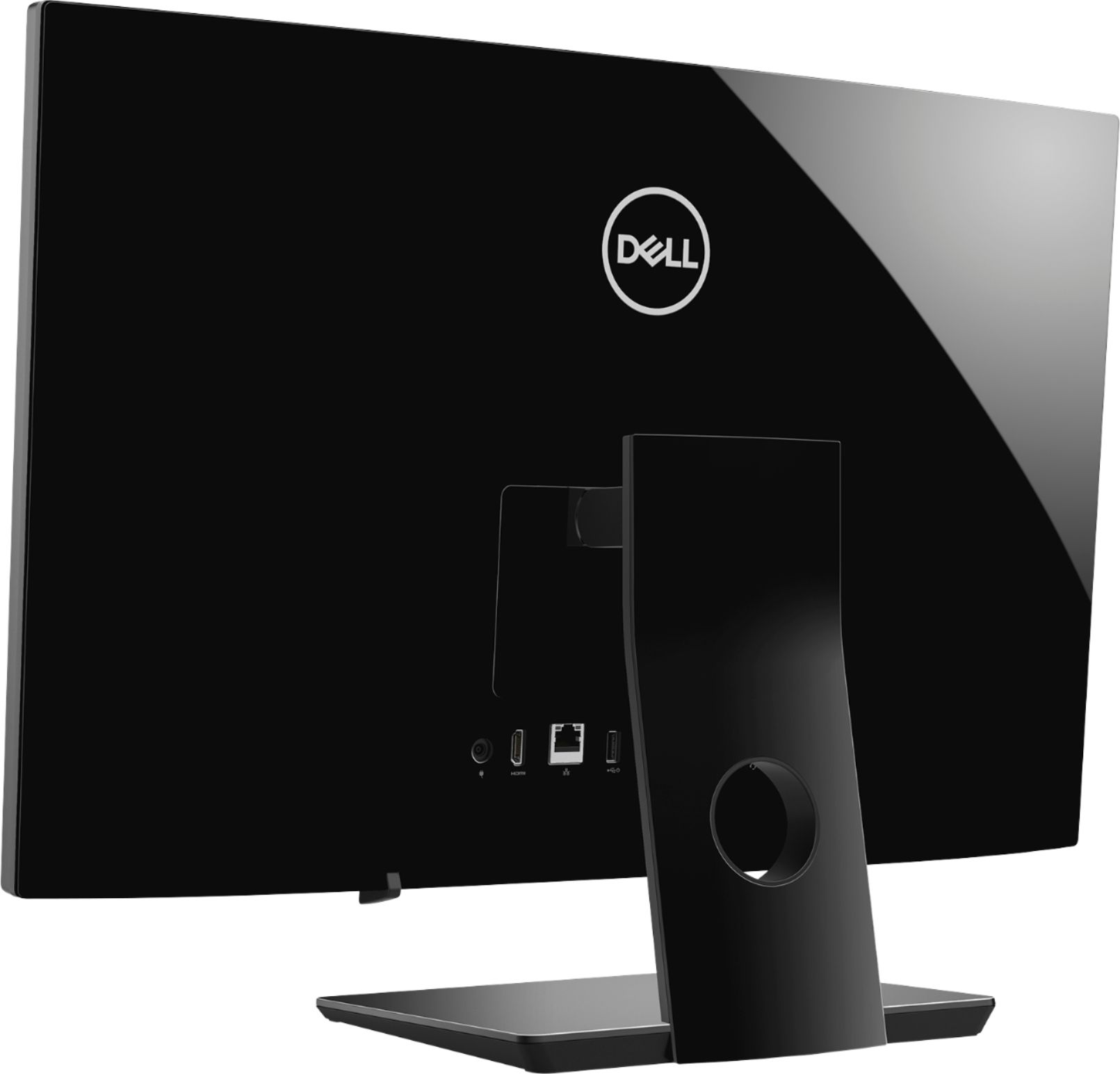

- Model:
- I3475-A509BLK-PUS
- SKU:
- 6334300
Rating by feature
- Value
Rating 4.3 out of 5 stars
- Quality
Rating 4.3 out of 5 stars
- Ease of Use
Rating 4.4 out of 5 stars
Customers are saying
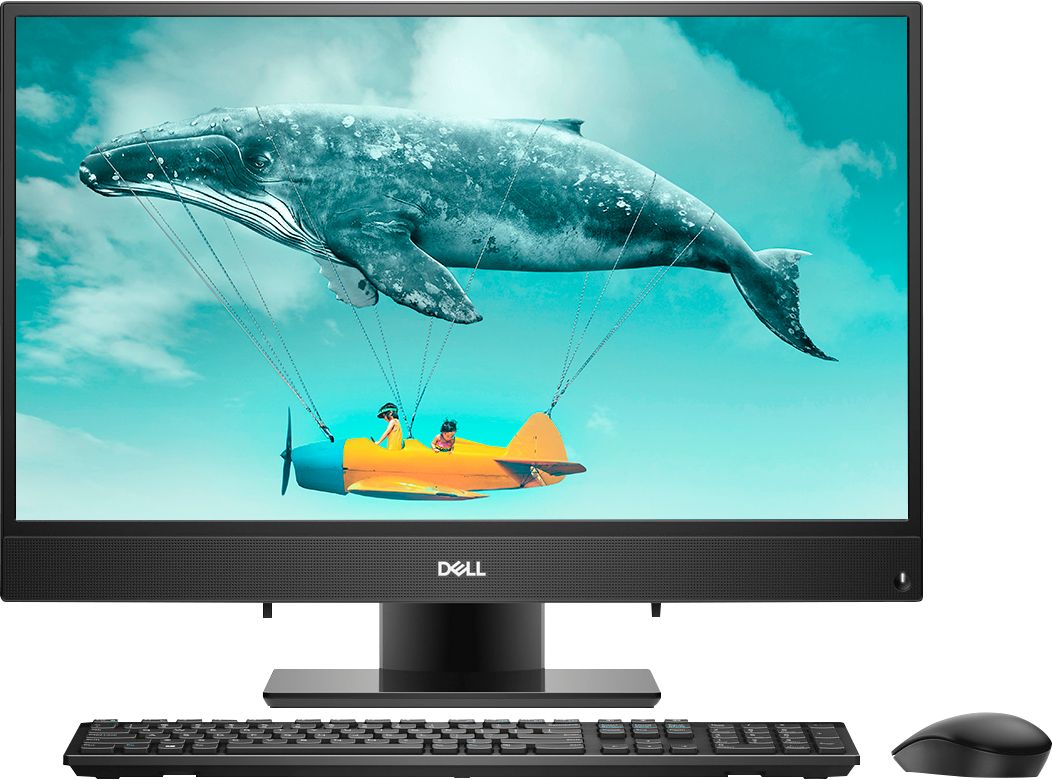
Customers are positive about the Inspiron 24" All-in-One's large screen size, ease of use, and performance. Many appreciate its affordability and the convenience of the touchscreen and built-in camera. However, some customers expressed dissatisfaction with the limited number of USB ports and occasional issues with the included mouse. The lack of a CD drive was also noted as a drawback by a few users.
This summary was generated by AI based on customer reviews.
Birthday Gift
||Posted . Owned for 1 month when reviewed.This reviewer received promo considerations or sweepstakes entry for writing a review.Was good. However he wanted gaming computer instead.
I would recommend this to a friendNice
||Posted . Owned for 3 weeks when reviewed.This reviewer received promo considerations or sweepstakes entry for writing a review.Seems to work well. Once you have used it awhile
I would recommend this to a friendDell Desktop
||Posted . Owned for 1 month when reviewed.This reviewer received promo considerations or sweepstakes entry for writing a review.Great desktop for my daughter who’s in high school
I would recommend this to a friendGood all in one
||Posted . Owned for 1 month when reviewed.This reviewer received promo considerations or sweepstakes entry for writing a review.Works great so far.. good all in one for the price.
I would recommend this to a friend- Cons mentioned:Speed
So slow - do not buy this computer
||Posted . Owned for 3 months when reviewed.This reviewer received promo considerations or sweepstakes entry for writing a review.This computer is slower than our 10 year old desktop that runs photoshop. We’ve exhausted all troubleshooting options and received no help from Dell - who claims it’s not under warranty when we’ve only had the computer for less than 4 months. Now we are stuck with this awful computer that we can’t use.
No, I would not recommend this to a friendBrand response from YourDellTeam
Posted .Mari,
Thanks for reaching out to Dell Support to try to speed up your computer. If you haven't tried to run the Windows Performance Troubleshooter we'd recommend following these steps to see if it helps your computer run any faster:
1. Close all open windows.
2. Press the Windows logo key + X key on the keyboard.
3. Click Control Panel.
4. Click System and Security.
5. Under Security and Maintenance, select Troubleshoot common problems.
6. Under System and Security, click Run maintenance tasks.
7. Follow the on-screen instructions and prompts to complete the process.
8. Restart the PC.
You can read the full article here - http://dell.to/2tSulGV.
Best,
Bryan
1-800-624-9896
- Cons mentioned:Speed
Dell AIO
||Posted . Owned for 1 week when reviewed.This reviewer received promo considerations or sweepstakes entry for writing a review.Returned it today. Seemed like a nice PC but it was slow to load web pages and could not stream anything. I have 200 mbps internet and my 6 year old HP with a Core i3 does just fine. This thing wasn't even close to streaming PS Vue. If it wasn't buffering, it was blurry and impossible to see. Has to be the AMD processor.
No, I would not recommend this to a friend Not real happy
||Posted . Owned for 1 year when reviewed.This reviewer received promo considerations or sweepstakes entry for writing a review.This computer quit working at 8 months. Dell is suppose to be the best !
No, I would not recommend this to a friendBrand response from YourDellTeam
Posted .Hello Sweetladywv,
We want to thank you for your valued feedback. We sincerely apologize for your experience. This is certainly not what we like to hear from our loyal customers. Below I have provided a link to help resolve the boot up issue. On that page, you can choose between, no power, no post not boot, or no video. Once you choose you can find the options to help troubleshoot and resolve that issue.
Resolve boot up issues: https://dell.to/3sdfce6
If you still experience this issue after you have finished troubleshooting your system, please feel free to contact our support team here: 1-800-624-9896.
If you require further assistance, you can contact Dell directly with the information below.
Chat or call: https://bit.ly/DellSupportTeam
Phone number to Dell 1-800-624-9896
Best,
Ashley@Dell
Not the best
||Posted . Owned for 1 year when reviewed.This reviewer received promo considerations or sweepstakes entry for writing a review.It was kinda an impulsive purchase. I would have skipped it otherwise.
No, I would not recommend this to a friendBrand response from YourDellTeam
Posted .Hello Sasha,
Thank you for your review. We really do appreciate it. If you come across any further questions, issues or concerns, please use the information below to contact Dell Support at your earliest convenience.
Best regards,
Wendy C.
For further assistance, you can contact Dell directly with the information below Chat or Call:
https://bit.ly/DellSupportTeam.
Phone number to Dell: 1-800-264-9896.
Computer does not have disk trsy
||Posted . Owned for 1 month when reviewed.This reviewer received promo considerations or sweepstakes entry for writing a review.Dissatisfied computer does not have disk tray. Not compatible for what my wife's needs
No, I would not recommend this to a friendBrand response from YourDellTeam
Posted .Juice,
We appreciate your feedback. While this All In One may not have a disk drive you can purchase an external disk drive from Best Buy here: http://bit.ly/2N8c7bq.
Best,
Bryan
1-800-624-9896
Ok computer
||Posted . Owned for 1 month when reviewed.This reviewer received promo considerations or sweepstakes entry for writing a review.It's cool. Just use it for personal reason. Play games.
I would recommend this to a friendBrand response from YourDellTeam
Posted .Hello Tees,
Thanks for your review. We're happy to hear that your computer is working the way that you intended it to. We'd recommend checking out our Product Support Page if you have additional questions: https://dell.to/2u5AS0I.
Best,
Bryan
1-800-624-9896
- Cons mentioned:Speed
Beware. Very Slow!!
||Posted . Owned for 8 months when reviewed.This reviewer received promo considerations or sweepstakes entry for writing a review.Bought these to use for my small business. Was not much of a fan. I will admit that I am not good at knowing my processes and stats, but this machine was horrible for speed. I feel like I bout a 5 year old machine for as slow as they operated.
No, I would not recommend this to a friendBrand response from YourDellTeam
Posted .tsakal84,
Thanks for your review and we're sorry that your computer is not operating as fast as you'd like it to. We'd recommend running the Windows Performance Troubleshooter to see if there are ways to speed up your computer:
1. Close all open windows.
2. Press the Windows logo key + X key on the keyboard.
3. Click Control Panel.
4. Click System and Security.
5. Under Security and Maintenance, select Troubleshoot common problems.
6. Under System and Security, click Run maintenance tasks.
7. Follow the on-screen instructions and prompts to complete the process.
8. Restart the PC.
You can read the full article here - http://dell.to/2tSulGV.
Best,
Bryan
1-800-624-9896
Great if you don't want it to take up space
||Posted . Owned for 1 month when reviewed.This reviewer received promo considerations or sweepstakes entry for writing a review.Sometimes it takes a long time to upload which can be frustrating.
No, I would not recommend this to a friendBrand response from YourDellTeam
Posted .Olive,
Thanks for your review and we're sorry that your computer loads a little slower than you'd like it to. You can consider limiting the number of programs that launch at startup if you'd like it to go faster:
1. Close all open windows.
2. Press CTRL + Shift + ESC key together on the keyboard.
3. In the Task Manager window, click Startup tab.
4. Select the program or application that you want to disable from loading during startup.
5. Right-click and select Disable.
6. Repeat Step 4 & 5 for all the programs or applications that you want to disable from loading during startup.
7. Restart your PC.
You can read the full article here - http://dell.to/2tSulGV.
We'd also recommend running the Windows Performance Troubleshooter if you'd like to see if your computer can perform better:
1. Close all open windows.
2. Press the Windows logo key + X key on the keyboard.
3. Click Control Panel.
4. Click System and Security.
5. Under Security and Maintenance, select Troubleshoot common problems.
6. Under System and Security, click Run maintenance tasks.
7. Follow the on-screen instructions and prompts to complete the process.
8. Restart the PC.
You can read the full article here - http://dell.to/2tSulGV.
Best,
Bryan
1-800-624-9896
Not impressed with its performance
||Posted . Owned for 3 weeks when reviewed.This reviewer received promo considerations or sweepstakes entry for writing a review.It does not run fast as its spec looks. Its wifi adapter runs very slow. It can reach 35 mbs wifi speed where the wifi router is running at 300 mbs. Another problem is that computer does not shutdown completely. I am very disappointed with this computer. I would not recommend this computer
No, I would not recommend this to a friendBrand response from YourDellTeam
Posted .James,
We're sorry that your computer is not running as fast as you'd like it to. We'd recommend running the Windows Performance Troubleshooter to see if there are ways for your computer to run faster:
1. Close all open windows.
2. Press the Windows logo key + X key on the keyboard.
3. Click Control Panel.
4. Click System and Security.
5. Under Security and Maintenance, select Troubleshoot common problems.
6. Under System and Security, click Run maintenance tasks.
7. Follow the on-screen instructions and prompts to complete the process.
8. Restart the PC.
You can read the full article here - http://dell.to/2tSulGV.
Best,
Bryan
1-800-624-9896
Monitor is nice. Wireless keyboard as well.
||Posted . Owned for 1 month when reviewed.This reviewer received promo considerations or sweepstakes entry for writing a review.But sound is not good. Muffled sounds even at low volume.
No, I would not recommend this to a friendBrand response from YourDellTeam
Posted .Dear Valued Customer,
We're sorry that you're unhappy with the sound quality on your new All-In-One. You can check to see if there are any updates to your computer's audio driver here: https://dell.to/2L2lF6Z.
Best,
Bryan
1-800-624-9896
Average computer
||Posted .This reviewer received promo considerations or sweepstakes entry for writing a review.Price is average for the product . I would not buy again
No, I would not recommend this to a friendBrand response from YourDellTeam
Posted .Izzy,
Thanks for your review. We're sorry that your computer is not meeting all of your needs. If you have any technical questions about your computer you can check our Product Support Page here: https://dell.to/2u5AS0I.
Best,
Bryan
1-800-624-9896
- Cons mentioned:Speed
Slow pc
||Posted . Owned for less than 1 week when reviewed.This reviewer received promo considerations or sweepstakes entry for writing a review.Just dont. Not worth buying it. Returned mine immediately. I wished I read the review first before buying it. Main issue here is that althought this pc has good specs, it's slower than any other PCs that I've ever had.
No, I would not recommend this to a friend Not happy
||Posted . Owned for 9 months when reviewed.This reviewer received promo considerations or sweepstakes entry for writing a review.I am not happy with this product .it getting freez
No, I would not recommend this to a friendBrand response from YourDellTeam
Posted .Pary,
Thanks for your feedback. We're sorry to hear that your computer keeps freezing on you. We'd recommend the following steps to help troubleshoot the freezes that you're experiencing:
1. Run a Computer Diagnostic. To determine if your computer is experiencing a hardware problem, run the Dell Preboot System Assessment (PSA) Diagnostics. For information on how to run Diagnostics, and to determine the issue, refer to Dell Knowledge Base Article: http://dell.to/2iaiujA.
2. Check Safe Mode for Symptoms. To boot into safe mode, please follow the instructions below:
a) Start the computer.
b) Tap 'F8' on the keyboard immediately and every one second until the Dell logo screen disappears. From there you will see the Windows Advanced Options Menu on the screen. (If the Windows Advanced Options Menu does not appear, restart the system and try again.)
c) Select Safe mode with Networking and press Enter.
d) Log on as the administrator or as a user with administrative access.
e) Open applications and test the computer in safe mode. If the symptoms exist in safe mode, please continue the troubleshooting steps in this article. If the symptoms do not exist in safe mode, the issue is likely related to a driver or software and you may wish to complete step 3 to see if you are able to resolve the lockups or freezing.
3. Check for Malware. Malware (Virus, Spyware, etc.) can definitely cause a Windows system to lock up or appear to hang. To check for malware on your system and to ensure that your computer is up to date on security software, visit Dell Knowledge Base Article: http://dell.to/2wWP1zI.
You can read the full article here - http://dell.to/2tW5m33.
Best,
Bryan
1-800-624-9896
Average
||Posted . Owned for 3 weeks when reviewed.This reviewer received promo considerations or sweepstakes entry for writing a review.It’s easy to use but I’m not happy with how slow it is.
I would recommend this to a friendBrand response from YourDellTeam
Posted .Our team never enjoys learning about customers' dealing with slow speeds. We'd like to offer you assistance to increase speeds.
Please download the BIOS update:
1. Restart the system and press F12 when the Dell Splash logo appears to display the One Time Boot Menu.
2. Using arrow keys, select USB Storage Device and press Return
3. The system will boot to a Diag C:\> prompt
4. Run the file by typing the full filename e.g. O9010A12.exe and hit Return
5. The BIOS Update Utility will load, follow the instructions on the screen.
We encourage you - at your convenience - to call our tech support at 1 (800) 999-3355 and thank you for the review .- Chris
- Cons mentioned:Speed
Would not even buy for the average computer use.
||Posted . Owned for 3 weeks when reviewed.This reviewer received promo considerations or sweepstakes entry for writing a review.The AMD processor is a joke. The computer can barely handle running one application at a time. I would never buy this again or suggest to a friend.
No, I would not recommend this to a friendBrand response from YourDellTeam
Posted .NoOOO,
We appreciate your feedback. We're sorry that your computer is not running as quickly as you hoped it would. We'd recommend running the Windows Performance Troubleshooter to see if it helps with the speed of your computer:
1. Close all open windows.
2. Press the Windows logo key + X key on the keyboard.
3. Click Control Panel.
4. Click System and Security.
5. Under Security and Maintenance, select Troubleshoot common problems.
6. Under System and Security, click Run maintenance tasks.
7. Follow the on-screen instructions and prompts to complete the process.
8. Restart the PC.
You can read the full article here - http://dell.to/2tSulGV.
Best,
Bryan
1-800-624-9896
Horrible experience dont buy in open box !!
||Posted .This reviewer received promo considerations or sweepstakes entry for writing a review.I bought an open box in satisfactory condition but it didnt have an power cable with it. Which i didnt mind because its open box satisfactory condition I understand. Then they gave me an different company mouse well ok. Still not bad then the wireless keyboard that came with it didnt have the usb thing to make the connection with the pc. So had to buy an new keyboard and a power cable. Which basicaly ended up costing me enough that i would have been better buying an brand new one. I mean a working keyboard is essential ? Or even a power cable thats cause 60 buck ? So what's the saving ? I didn’t expect this from beat buy bieng this petty ?
No, I would not recommend this to a friend