Customer Ratings & Reviews




- Model:
- XPS9365-7926BLK-PUS
- SKU:
- 5901846
to a friend
Customers are saying
Customers are impressed with the XPS 13's fast performance, gorgeous Infinity Edge display, and lightweight design. They appreciate the long battery life, comfortable keyboard, and responsive fingerprint scanner. Some users have mentioned that the laptop can overheat, but overall, customers are very happy with this product.
This summary was generated by AI based on customer reviews.
Needs more ports
||Posted .This reviewer received promo considerations or sweepstakes entry for writing a review.I think this computer is great but needs more ports only has two and they are the newer USB verious. If you have no problem with that then buy.
I would recommend this to a friendBrand response from YourDellTeam
Posted .Hello Geek,
Thanks for your review and we're glad to hear that for the most part, your computer is meeting your needs. If you do have questions about your computer you can check our Product Support Page here - http://dell.to/2hQTJWb.
Best,
Bryan
1-800-624-9896
- Pros mentioned:Fast

Amazing Multi-tasker 2 in 1
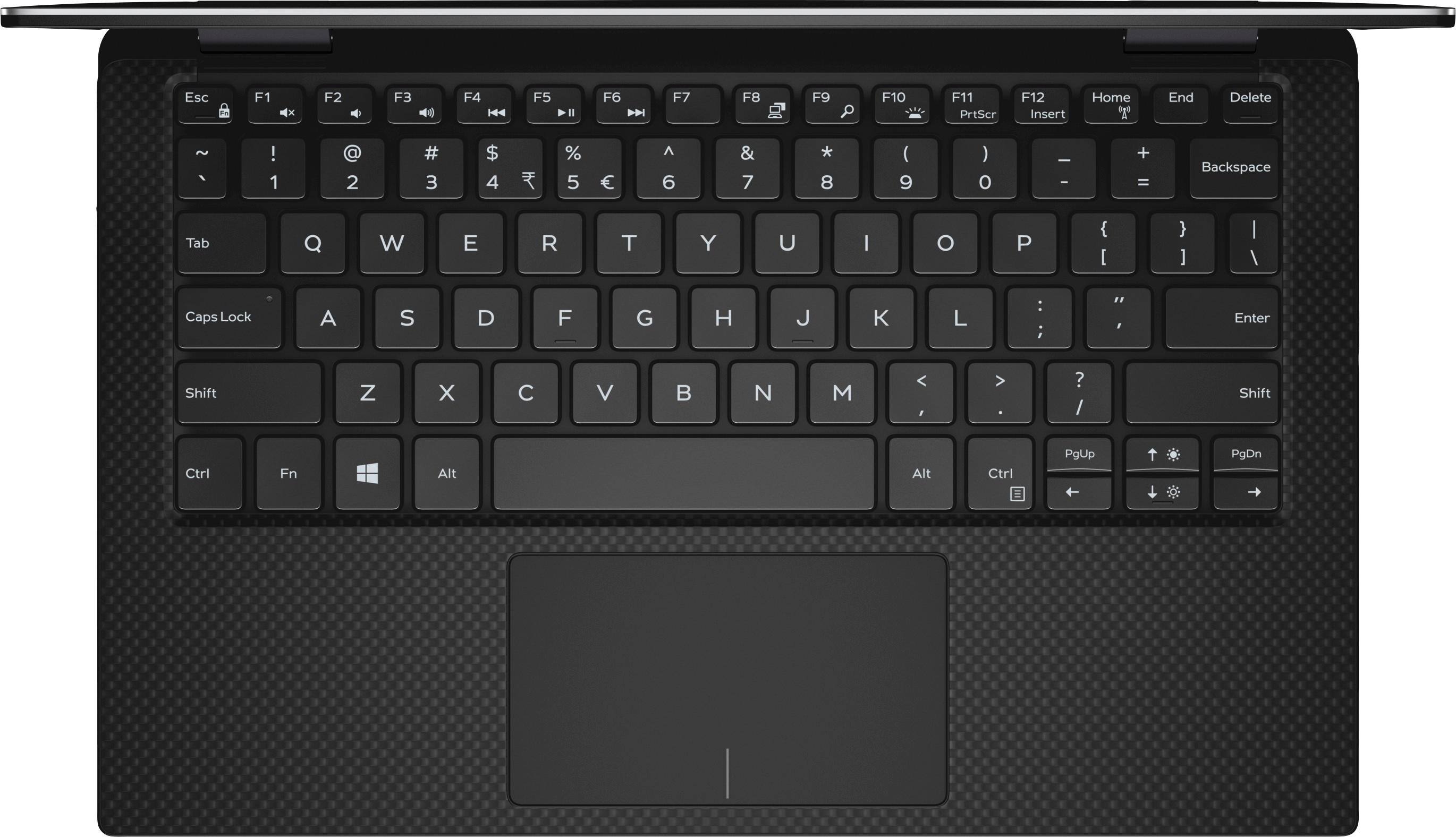
|Posted .This reviewer received promo considerations or sweepstakes entry for writing a review.Before getting this laptop, I was using an old laptop what had a regular 256 GB HD and 2 GB of RAM. So you can only imagine my excitement when I got this thing in my hands and started seeing the difference! First off, the screen resolution is amazing. Whatever you use this computer for, be it photography or watching videos, it has amazing detail. Near perfect resolution, and comparable to any high end computer on the market. Personally, I use it for a little bit of everything, to include work related presentations and drafting paperwork in Word. Plus, the screen is a touch screen, which still blows my mind. You never know how much you will use a touch screen until you have one. It give the computer a bit of a tablet feel to it, and I really love the idea of being able to touch the screen to pause a movie or search for a song to play. That is a very cool feature. The picture also goes right to the edges of the screen, so there is no wasted space. Great use of space for sure. Although I have not tried it yet, I am sure it will work with a stylus. So with the SSD, and increased RAM , this thing moves a lot faster than my old computer. Plus, if you are like me you enjoy doing more than one thing at a time on the computer. So, with the dual core processor it really allows you to multi task without sacrificing performance. It is super fast and says fast for all you fellow multi taskers. Another cool feature is the fact that you can fold the keyboard onto the back of the monitor part and create a sort of tablet. Since it is so light and thin that it really has the feel of a tablet, and it functions well as a tablet since it works on the same Windows 10 platform some tablets use these days. The speakers on the computer are pretty decent, and the sound can be pretty loud with little if any distortion. There is not a lot room for speakers in this thing, so the sound is just that much more impressive. At first thought, I was thinking I would have issues with it because it doesn't have a DVD/CD drive in it. It is set up for USB-C and Thunderbolt connections with is really the way of the future. I do have a lot of things on CDs or DVDs like family pictures, so I would have liked to have that feature. It just means that I will have to get those pictures uploaded to the cloud somewhere since DVD players in the computer are a way of the past. After looking at all the other computers at Best Buy, none of them have DVD drives either, so I guess that is the way things go now. I will likely look for a external device to play the DVDs and see about getting them into the cloud. I am a fan of biometric security, so when I saw the fingerprint scanner I thought that was a cool feature as well. It is a great substitute for typing your password all the time. Of course the screen lights up and you can adjust that to meet your needs. But know that the keyboard also has light coming through it which is really cool. It allow you to work in the dark or in areas without much light. Something unexpected, but something I now really like. Lastly, it has a really decent forward facing camera. It works well for Facetime or Skype, and depending on your connection speed its awesome. All in all, this is a great computer that is a strong work horse for someone that needs a computer to perform a variety of tasks. I highly recommend it to anyone.
I would recommend this to a friend - Cons mentioned:Overheating
Check Internet and YouTube issues.
||Posted . Owned for 1 year when reviewed.This reviewer received promo considerations or sweepstakes entry for writing a review.Lemon. Had too many problems too list. Battery gets extremely hot and laptop does not have a fan. Dell supposedly replaced motherboard in Jan. 2019. Warranty expired 2 months later. As of June 2019 Laptop does not work. I’ve been told it probably needs again another motherboard.
No, I would not recommend this to a friend - Pros mentioned:Fast, Lightweight
Fast, light & stunning!
|Posted .This reviewer received promo considerations or sweepstakes entry for writing a review.The Dell Xps 13.3" 2 in 1 is an amazing little laptop/tablet. It is a gorgeous laptop. (Strangely, I find it very difficult to open the lid without using my fingernail!). It was simple to set up - just go step by step. The updates took some time and a few restarts, but then I saw that beautiful super clear screen! Amazing clarity for the lower end model. It is blazing fast. The internet setup and connection was great. Very fast. I love the track-pad - it is so responsive and just glides. I'm not that fond of the keyboard. I'm used to a full size keyboard with numeric keypad, so it will take some adjusting to get used to the small keyboard. The keys seem like the rows are too close together so typing is difficult for me. There is plenty of room at the bottom so it seems they could have moved the keys down and allowed more space between key rows. As others have said, there are 2 USB C ports. I had never seen this before so thank goodness for the included dongle! It's fun, it's fast, and it's beautiful. As an extra laptop, it works for me, but I wouldn't be able to use it for my main one. However, if you're in the market for a lightweight, portable, super fast laptop, check it out!
I would recommend this to a friend - Cons mentioned:No cd/dvd drive
Powerful, Versatile, Sleek 2-in-1
|Posted .This reviewer received promo considerations or sweepstakes entry for writing a review.Targeted for those who need a powerful laptop with the portability of a tablet. Ideal for those who need a business laptop/tablet and travel or are on the go a lot for work. If you need a basic laptop for a child or for surfing the internet and typing documents, I would look for other products. Pros: -Sleek, thin profile allows for mobility and portability (great build quality) -Edge to Edge (nearly borderless) touch screen -Powerful i7 Intel processor -16 GB of LPDDR3 RAM (plenty of memory for multitasking and graphics-heavy programs) and 512 GB of SSD (plenty of space for files) -Backlit keyboard for typing in dark rooms -Fingerprint reader for added layer of security -microSD port, Thunderbolt port, and USB Type C connector port (futureproof's this product for years to come) -Charging from either side via the USB Type C connector. Cons: -No built in CD/DVD/Blu-ray drive -Since the 2-in-1 is 13 in. there is no room for a full numerical keypad on the keyboard, just the row of numbers across the top. -Webcam is positioned at bottom of screen when in laptop mode -No NFC capabilities -No HDMI port Notes: -Loaded with Windows 10 -Includes basic software package (trial of Microsoft Office) - limited bloatware
I would recommend this to a friend - Pros mentioned:Battery life
Excellent convertible notebook with a great screen
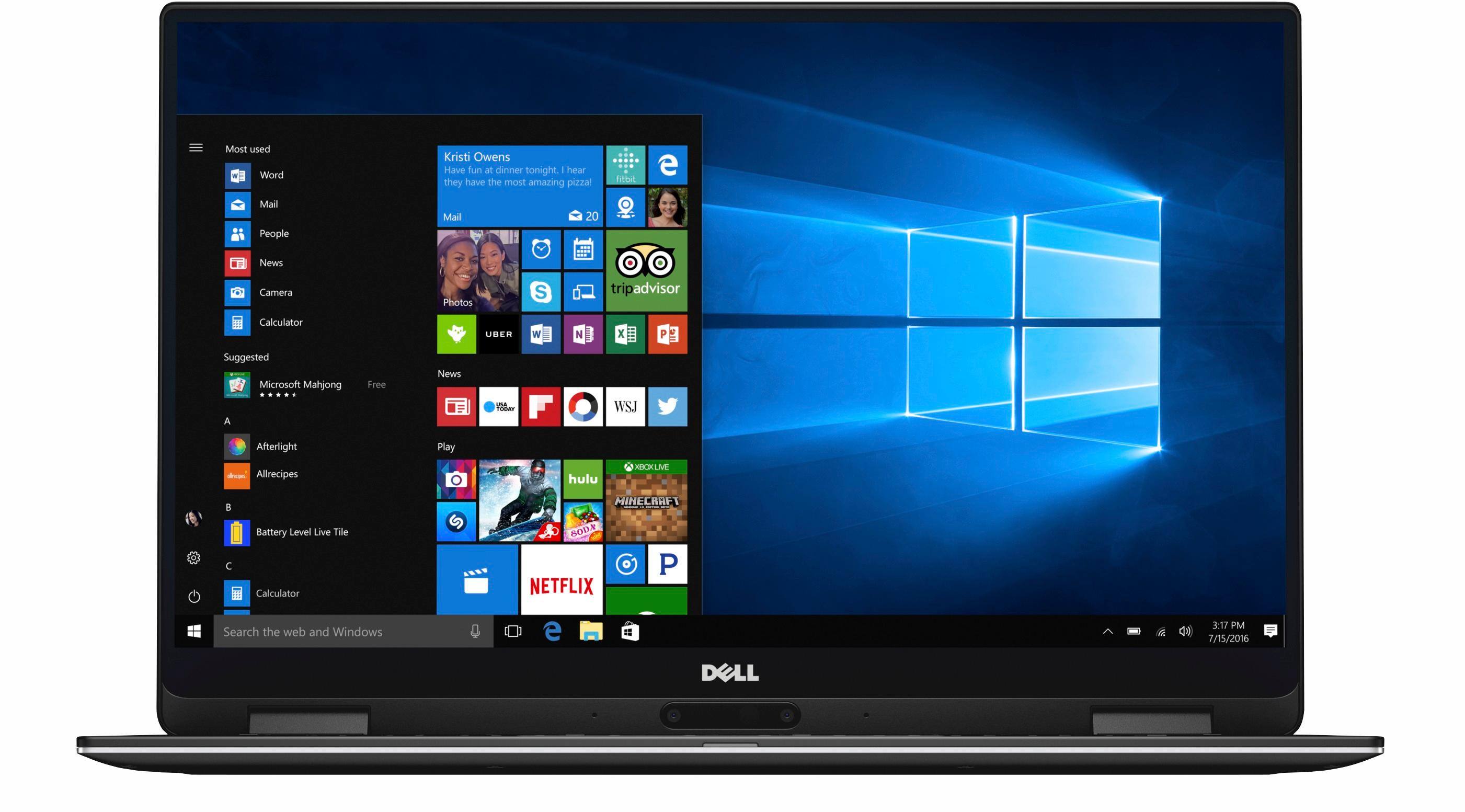
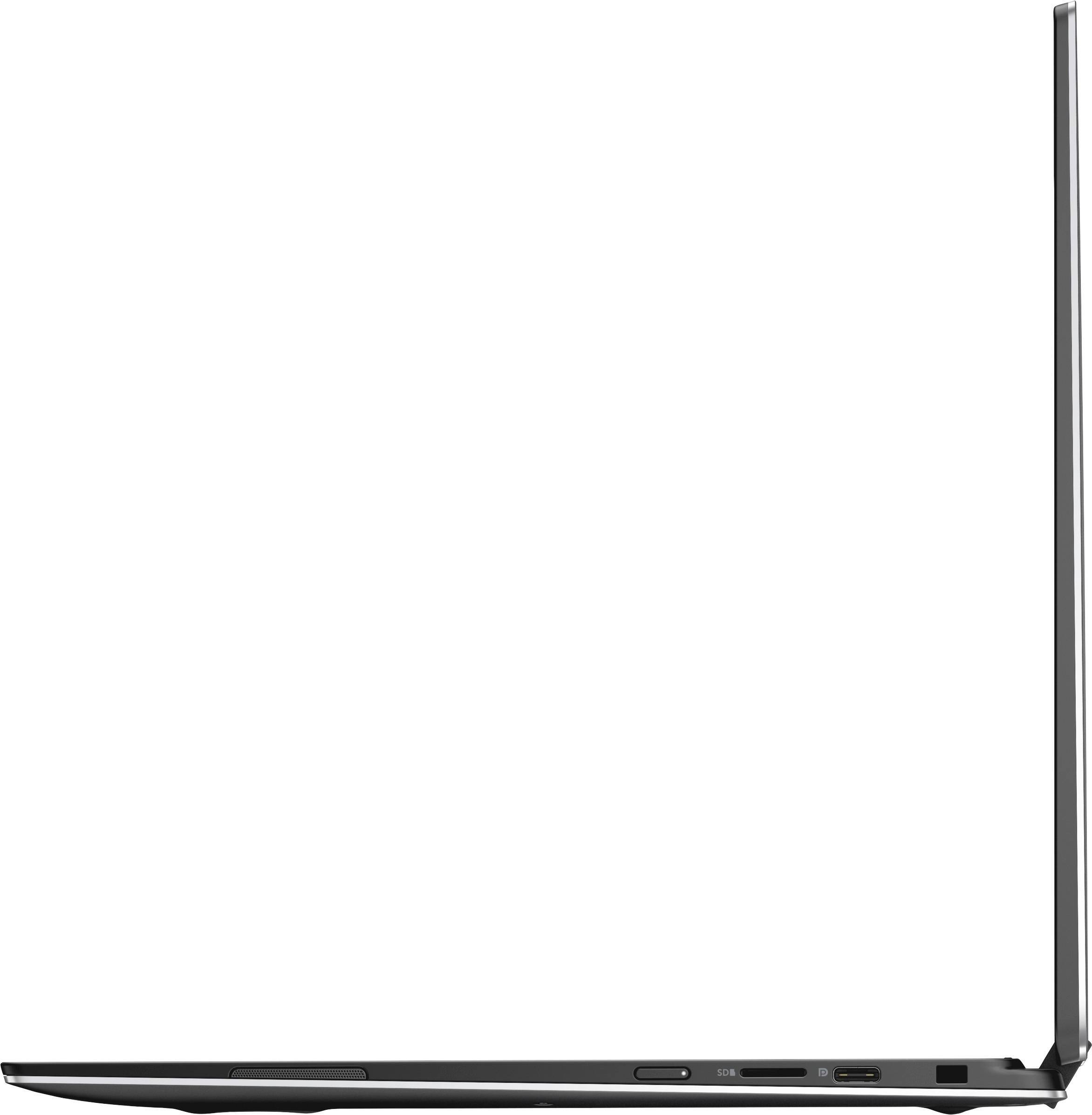
|Posted .This reviewer received promo considerations or sweepstakes entry for writing a review.The Dell XPS 13 2-in-1 (9365) is a 13" convertible laptop with Dell's InfinityEdge display. Dell says it is virtually borderless; when it first debuted on the market that might have been true, but as we've seen on smartphones there are devices out there with little to no border/bezel now. Still, a border/bezel of about 5mm is nothing to scoff at, and does result in an overall smaller footprint. This particular model is outfitted with 16GB RAM, a 512GB SK hynix SSD, and the aforementioned 13.3" InfinityEdge touch display with a resolution of 1920x1080. (There is a model available with a Quad HD+ 3200x1800 resolution.) Even though the Full HD resolution doesn't quite match Apple's Retina resolution on the 13.3" MacBook Pro, I still find things sharp enough. One of the first things you notice after using the display for awhile is it's awkward adjustments to brightness levels. According to Dell, this is by design as part of the Dynamic Brightness Control (DBC), to aid with battery life. They have provided a utility that can be downloaded to disable/enable DBC. While it is a little annoying, I have left DBC enabled because I really enjoy the battery life. Speaking of battery life, it is refreshing to be able to use the XPS fairly regularly for three days on a charge. This is light use along the lines of browsing the web and using most of the default power settings which aggressively hibernates the notebook after idle. It is aggressive enough that most of the time after opening the notebook, you have to press the power button to wake it from hibernation. A fingerprint reader is located on the right side and makes it very easy to login to Windows 10, due to the Windows Hello feature. Speaking of Windows 10, it ships with Windows 10 Home, not Professional. The touch display also supports an active stylus. I didn't purchase the Dell stylus but instead used it with the Wacom Bamboo Ink Smart Stylus, which apparently supports both the Wacom Active Electrostatic (AES) protocol as well as Microsoft Pen Protocol (MPP). It seems like only AES works with the Dell. In practice, it works pretty well; maybe even better than the stylus on the original Microsoft Surface Pro. It does feel a little awkward holding it in the tablet mode, but at least the keyboard keys are disabled automatically. Although only one of the two USB C ports is labeled as a Thunderbolt 3 port, I was able to get video output out of either port, using a third-party passive adapter. A few little annoyances include difficulty opening the notebook, the fact that it only ships with Windows 10 Home (it really should ship with Professional), the webcam location at the bottom of the screen, and how long it takes to come out of hibernation (approximately 40 seconds). Still, I really like the display, the fingerprint reader for easy login, the active stylus support, the soft touch carbon fiber palm rest, and the overall battery life.
I would recommend this to a friend Excellent Laptop with Great Speed, Ease of Use
|Posted .This reviewer received promo considerations or sweepstakes entry for writing a review.Dell has secretly become my go to brand of computers. This Laptop is no different and exceeds all my expectations. It is super fast. The 16 GB of internal RAM makes startup, shutdown, and use of the laptop a breeze. It also has a 256 GB solid state drive, which may not be large enough for some people, but serves my needs well. This laptop is super light and thin, which is awesome. Makes storage and carrying it around a breeze. Touchscreen on this is really great as well. The screen does smudge really easily, so im not sure how much i will use the touchscreen feature in the future, but it seems very precise and would be good for someone using this for graphic design. I am disappointed in the lack of a physical USB port, or USB 3.0, but it does come with an adapter. It also did initially need a pretty large update fresh out of the box, which took a while, but went smoothly. I would recommend this laptop to anyone.
I would recommend this to a friend- Pros mentioned:Battery life
amazing little laptop
|Posted .This reviewer received promo considerations or sweepstakes entry for writing a review.This review is for the Intel Core i7 - 16GB Memory - 512GB Solid State Drive I travel a lot and this will be a great laptop. good batter, and a great picture. Super light weight Boots up very fast, I liked the minimal bloatware to have to remove. You for sure want to buy a protective sleeve for it. I love the backlit keyboard. I played online videos (above HD quality) for several hours and the battery was still over half full. Only cons no HDMI, USB-C to HDMI is not cheap yet. This does get very warm on the bottom after a few hours, so watch out what you put it on. As with all things, ALWAYS do updates over a few days to make sure you are fully up to date.
I would recommend this to a friend - Pros mentioned:Display
A truly impressive Dell machine
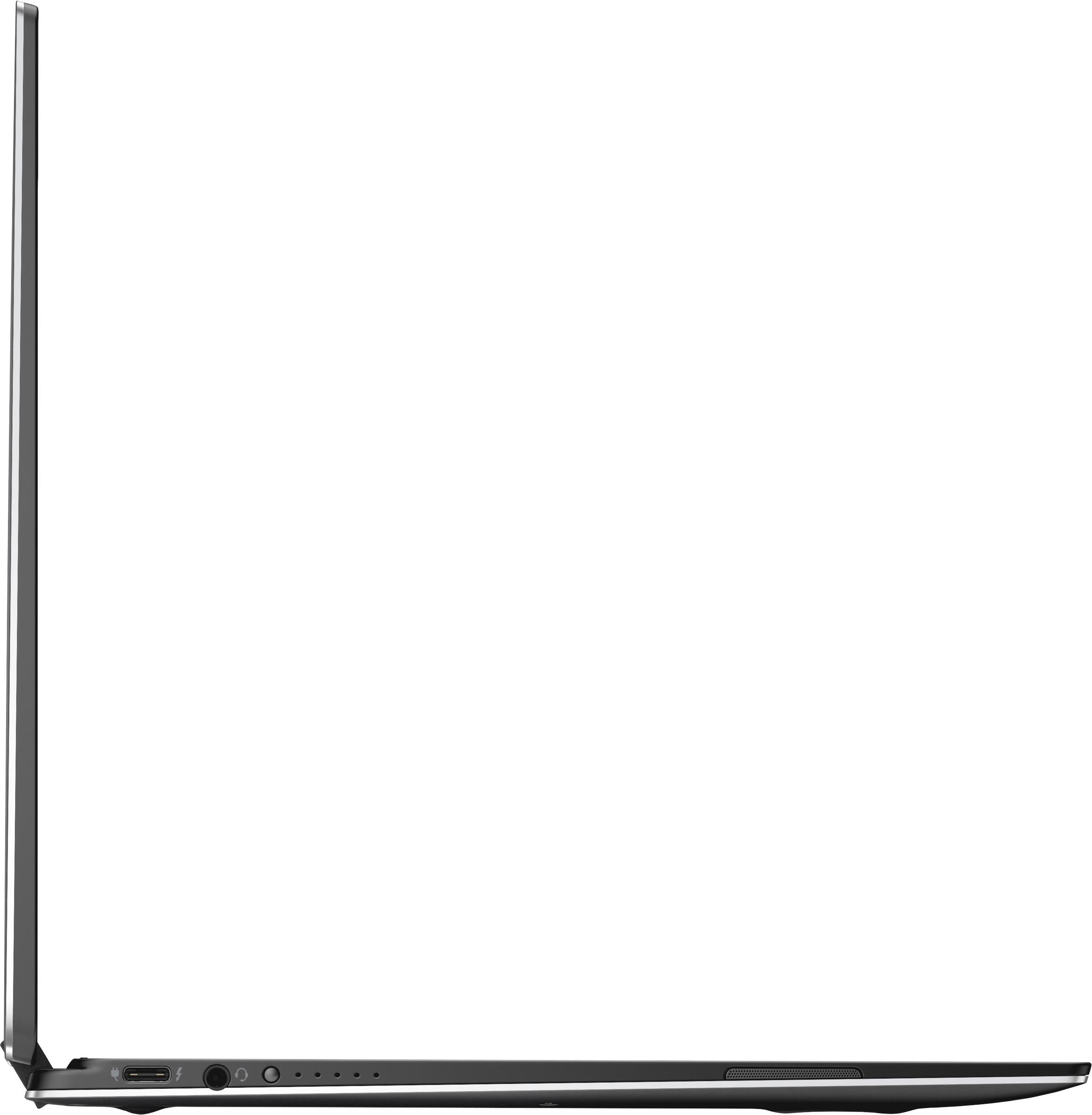
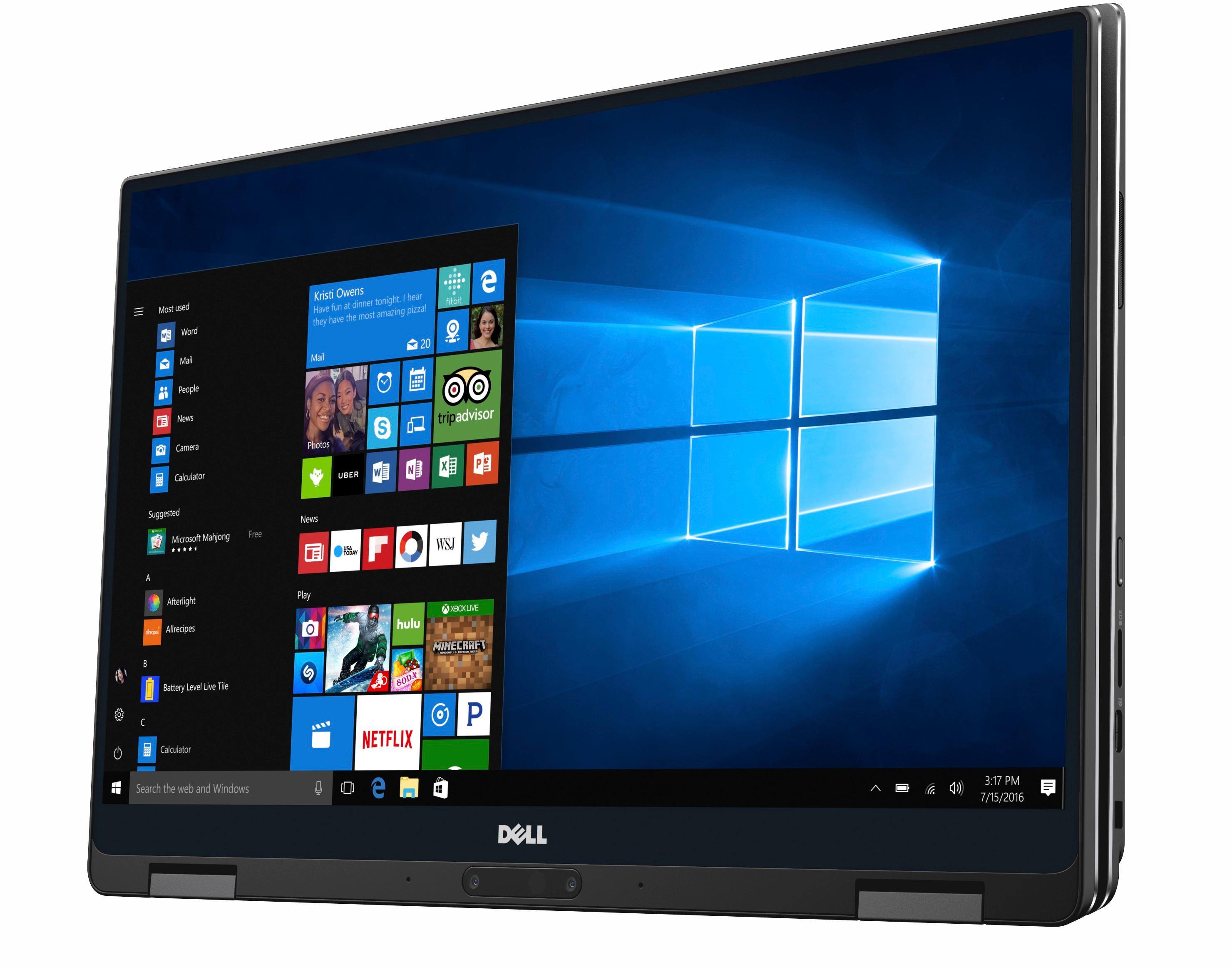
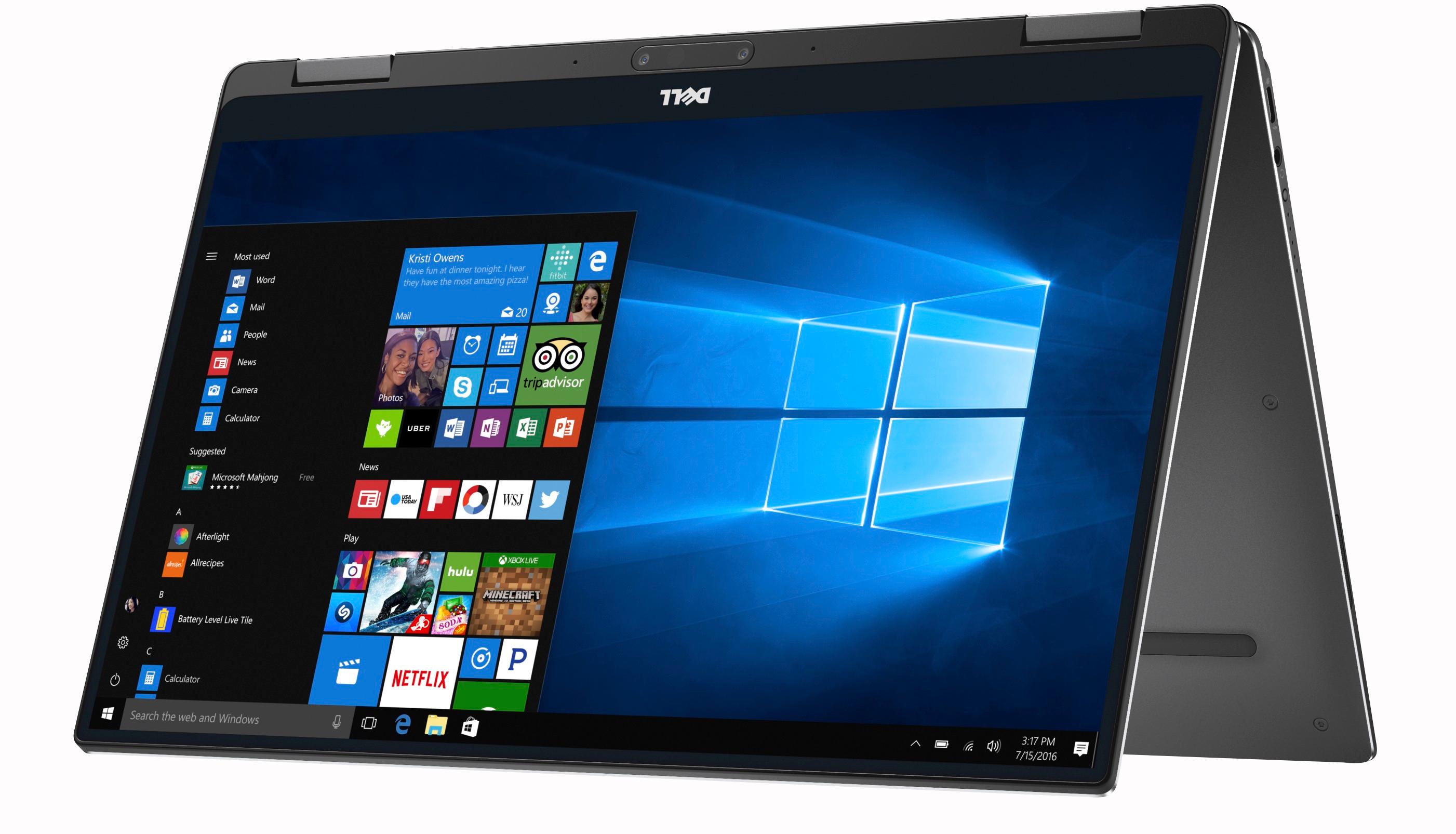
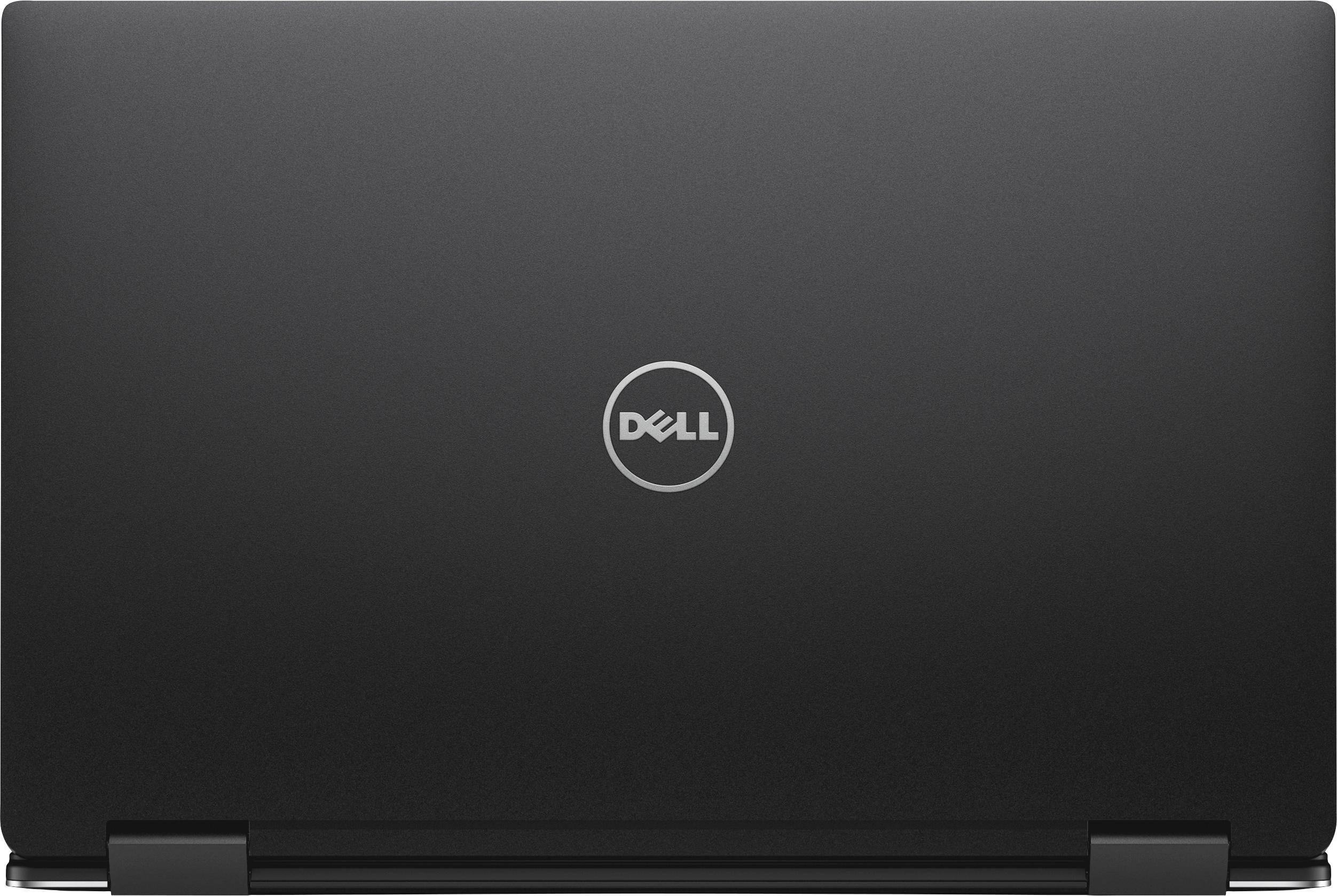
|Posted .This reviewer received promo considerations or sweepstakes entry for writing a review.First off - this is a beautiful laptop. Sleek, modern, stylish in design ... the Dell XPS 9365 13" 2-in-1 touchscreen convertible laptop, is quite simply gorgeous to look at. This particular configuration is one of Best Buy's Blue Label line, which I'm a fan of. So, I'm just going to go through the features which impressed me most, as well as, mentioning the basics of this well-put-together machine. As mentioned, the matte finish, faux-textured interior chassis which houses the keyboard and trackpad, is truly lovely. I'm not seeing any noticeable residual fingerprints after touching the surface. The exterior casing is smooth brushed aluminum, giving this laptop a streamlined yet classy look. On the underside of the laptop there are two rubberized strips which not only provides your laptop with a more secure grip on any surface while in notebook mode, but also creates a necessary cushion between the lid and bottom while in tablet mode. Overall, the slimness of this laptop in no way seems flimsy or cheap, quite the contrary. The 512 gb solid state drive is sweet! And that 16 gb of memory... really sweet! I've yet to have a system with a SSD, but I've heard good things about them, so am looking forward to comparing the difference in longevity and performance against what I've experienced with a traditional hard-drive. This Dell laptop has only two usb, type C, connector ports - one, a Thunderbolt 3 power adapter port; and one other, to be used with the included adapter dongle which has a usb 3 connection on the end. This could well be an issue for many, as it has been somewhat for me. But I'm resigned to needing to purchase an additional adapter with more usb ports for my peripherals. The battery charge status lights seem redundant and unnecessary to me. I'd rather just have another available usb port instead. On the right hand side of the laptop there is a microSD card slot. I agree with some other reviewers, in that a regular sized SD card slot would seem to have been a more useful choice, especially since a microSD card can fit into that sized adapter. There is a traditional headset port located on the left near to the power supply plug-in. The placement of this is not entirely ideal, but it is what it is. However, there's the option to go bluetooth with your headphones instead of going the wired route. The backlit keyboard is nice, and the keys themselves well-spaced, unlike other laptops I've owned (whose keyboards I've not bothered to make use of, preferring to instead, use one of my own choosing). The keyboard is intuitively responsive to the touch, no matter your typing style. Of particular note is the bright, crisp, clear, InfinityEdge display. Even though the screen is only 13", in no way does this feel lacking. You just have to see it to appreciate it. This laptop's speakers are located on the left and right sides of chassis, and do about a good a job as any sound-wise. But, again, there's always the option to pair a bluetooth speaker for increased audio. The fingerprint reader is awesome! Love it so much! I know it's kinda corny and goofy, mostly a 'nerd' thing, but having my computer greet me with a cheery "Hello" just puts a smile on my face every time. Unlike other reviewers, the placement of the camera at the bottom portion of the display, is not an issue for me. In fact, I rather prefer it being there instead of at the top of the screen. Often, during video chat there is a need to look down and type on the keyboard, so that lower position works out better. Otherwise, you can simply switch modes so the camera is more where you'd prefer it to be. Done! As with any laptop I've had, the touchpad is still difficult for me to use, which is why I don't, and prefer to attach a mouse for easier mobility. The laptop converts to four useful positions, or Modes: notebook, tablet, stand, tent. Another nice thing about this little beauty, is the small power supply cube, which is easier to carry around in a laptop sleeve, purse or backpack. There is no CD/DVD drive on this model laptop, so bear that in mind, as this is the way of the future, and making use of any required additional peripherals is easy enough with appropriate adapters. Setting up Windows on this Dell machine seemed to take hardly any time at all, compared to my previous (not very old) laptop. Just give yourself a few minutes and let it do its thing, simply follow the friendly directions which pop up on the screen. Once that's all done, it's mostly the updates which will take longer - something I'd encourage everyone to do right away. Always good to make sure all that's up-to-date, especially fresh out of the box. Merely turning on and starting up this laptop seems super fast - bam, you're there! And this Intel Core i7 processor can handle multitasking with ease - web surfing is a breeze. A fun, and cool, piece of software is the integrated Windows Ink. Another app pre-installed in the startup menu is Bamboo Paper. Both of these are awesome and worth investing in a stylus to make the most use of. I purchased a Wacom Bamboo Ink Smart Stylus after extensive research, but there are other less expensive options out there. *Be VERY mindful when purchasing a stylus to use with this particular model laptop - make sure to check for compatibility as that will definitely matter to functionality, and the last thing you're gonna want to do is inadvertently damage this beautiful display using an incompatible device!* I'd never used a stylus such as this with any previous device, so am still getting a feel for it, taking my time learning the do's and don'ts, but having a blast!
I would recommend this to a friend Why can't PC laptop makers get trackpads right?
|Posted .This reviewer received promo considerations or sweepstakes entry for writing a review.Right away, I'll start by saying I haven't used a Windows laptop in quite some time. I've been using MacBook Pro's almost exclusively for any actual work for over a decade. This laptop doesn't convince me to change that and it's almost exclusively based on the quality of the trackpad. MacBook trackpads have always been leaps and bounds above any PC competition but I figured with the amount of time that has passed, maybe they did some catchup. Not so much. I've tweaked most of the trackpad settings to make it somewhat functional, but haven't been able to get anything that I really enjoy using. If you use the full "click", you'll almost always move the mouse before activating the very rigid click. Using the tap to click is better but still a pretty "meh" user experience. Right clicking happens a lot by accident with certain settings. All of that said, I don't have other PC laptops to compare this to. Maybe this trackpad is amazing compared to other PC laptops. My guess is it's probably pretty comparable though. If you haven't noticed, I don't like this trackpad. Since the trackpad is one of the MAIN ways you interact with the computer (hence why I find it very important to work properly) the saving grace for this computer is that it's touchscreen. A lot of the issues you experience with the trackpad can be alleviated by just touching the screen instead. This isn't intuitive because I don't think about touching my laptop screen at all (I actually actively avoid it), but once you start to remember that this is a touchscreen, it starts to feel a little better to use. The processor is a pretty low end i7 but it's an i7 which makes it pretty beefy for a laptop. Plenty of ram and a decent amount of storage space. The specs on this computer are pretty nice and I'm looking forward to pushing it to see what it can do. It's got a fingerprint reader for unlocking. The package is small but not too small. The keyboard feels nice. The unit I received had a dead pixel on the screen but Dell is sending me another unit so I don't see it as an issue. I haven't tried to play any games on the system but it doesn't have a a dedicated graphics unit so I can't image being able to run many super intense games on it. Other than that, the internals of this computer are pretty nice. So, bottom line, this computer gets a lot of things right but the one thing it doesn't get right is, by my own opinion, one of the most important things in a laptop as it's one of your main interaction points. If trackpads are not important to you in any way, and/or you are intent on using the touchscreen for most of your mouse interaction, you'll probably be OK with this computer. If you come from using MacBooks almost exclusively, you'll immediately be turned off by this system based on the trackpad alone.
No, I would not recommend this to a friend- Pros mentioned:Battery life
Lightweight powerhouse
Posted .This reviewer received promo considerations or sweepstakes entry for writing a review.Been using the XPS 13 for a week now as a replacement for a similarly equipped Yoga 900S. Mostly for business use -- MS Office and Google Business Apps. Some heavy Excel sheets and advanced PowerPoint but no video editing or gaming. Travel a lot for work so small and reliable count. Laptop is solid build - nothing flimsy about it. Screen hinges are durable and have no extra play. Screen uses maximum real estate so other than smudges when you open it, you get more screen size than competitors with a smaller overall footprint. Resolution is excellent and the 8th gen i7 chip and 16 GB RAM are plenty for all my tasks. MicroSD slot was a nice add -- threw another 256GB on this to top off the 512 GB drive. Speakers give good sound. Keyboard takes getting used to but so do all new ones. It is plenty big and easy to type on. Touchpad is responsive and smooth. Wifi range is excellent. Love the USB-C charging on either side's USB-C port. Battery life has been excellent. Made it all day yesterday for work without charging -- closing lid for short periods when not using. Recommend you get a DA200 attachment which plugs into USB-C and has USB A, VGA, HDMI, and ethernet. Also, get a Longwell adapter which replaces the short wall plug with one that fits into the adapter. Overall, this is a killer machine at a pretty decent price point. No hesitation recommending this to anyone for business use.
I would recommend this to a friend not a fan!
||Posted .This reviewer received promo considerations or sweepstakes entry for writing a review.This Dell was for home use and was returned due to poor performance, heat issues and very noise. We returned it by the last day allowed and never regretted it.
No, I would not recommend this to a friend- Pros mentioned:Battery life
Nice quality laptop
|Posted .This reviewer received promo considerations or sweepstakes entry for writing a review.I have been using a Surface Pro 3 for the last three years. While that was a fantastic unit, the hard-drive was reaching capacity and at times the battery will not last as long as it used to. The battery life on this Dell has been fantastic thus far, but time will tell how well the battery holds up. The screen is slightly larger than my SP3 was, but the resolution is lower. Not really an issue for me, as I prefer a 1080 resolution on smaller screens, otherwise I have to boost the font size. I like that Dell includes a USB-C to USB 3 (type A) adapter with this unit, as the only available ports are USB-C (Thunderbolt 3). I am considering purchasing either the Dell dock or waiting for Plugable to release their dock later this summer that will power/charge, and handle multiple monitors (I run two Dell 24" Ultrasharps), mouse, keyboard, gigabit ethernet, and more all through the one port on the computer. I was a little disappointed that I had to purchase the pen separately, and have had issues getting the top button on the pen to function at all, but I haven't really dealt with it much. So far, this laptop has handled everything I have thrown at it.
I would recommend this to a friend One critical flaw
|Posted .This reviewer received promo considerations or sweepstakes entry for writing a review.Disclaimer: I received this item for free in exchange for my honest review of the product. Pros: Fast, fingerprint scanner, excellent battery life (even when playing video games and running several battery-hogging *ahem, iTunes* programs), touch screen, backlit keyboard, and Win10 (and this is coming from a die-hard Win7 user who refused to upgrade to Win10 when it came out after my experience with Win8) Cons: NO BUILT-IN USB DRIVE! That for me was enough to knock off a star. I can deal with the no optical (DVD/CD) drive, but no built-in USB drive is a killer. I can't charge my phone, hook my printer up, use my wireless mouse, and many other things without keeping track of and carrying around the dongle that they provide to adapt a USB item to the plug they have in the computer (that also doubles as a port for the AC charger). Overall, if you can live without a built-in USB drive, or are better at keeping track of the dongle than I inevitably would be, this is an excellent computer!
I would recommend this to a friend- Pros mentioned:Lightweight
Perfect Little Laptop
|Posted .This reviewer received promo considerations or sweepstakes entry for writing a review.This Dell XPS 2-in-1 13.3" laptop is the perfect little laptop. It was super easy to setup, even though it took a while for all of the updates to install. Once it was up and running it was apparent how fast and seamless all actions with this laptop is. There's no long wait for it to boot up from turn on and programs load lightening fast. Surfing the internet is a breeze and that maybe due to my internet speed. The display screen on this thing is phenomenal, its vivid, bright, and colors a extremely vibrant. This laptop is a treat in every aspect. I also enjoy having the option to use this as a tablet by simply folding the keyboard back. It's light weight, small and packs tons of power within. My SP-3 is no match to this little jewel. I would definitely recommend this Dell to anyone looking to upgrade.
I would recommend this to a friend - Pros mentioned:Display
It's a 3-in-one ! (laptop, tablet and oven!!)
Posted .This reviewer received promo considerations or sweepstakes entry for writing a review.Dell, has done an incredible job with the display and the rest features are very well developed. However, you can literally fry some eggs on the back of the laptop. It gets toooo much hot by just opening the browser. If it happens that you have a natural cooling system already added in your lap this is the perfect computer for you! Otherwise, don't even think about it. I hope Dell can improve this "hot beauty" for the next model, because is fast, is portable, and looks nice/durable. In the meantime, I will have to buy the "fruit" because it meets the same features w/o burning my lap.
No, I would not recommend this to a friend Superior Laptop/Tablet
|Posted .This reviewer received promo considerations or sweepstakes entry for writing a review.The Dell - XPS 2-in-1 13.3" Touch-Screen Laptop is simply an amazing laptop. It's thin, light and sleek form factor looks great, feels very mobile and yet absolutely solid. The infinity screen is wonderful and contributes to the unit's small size. I enjoy it's backlit keys and responsive keyboard. This unit from Best Buy is, I believe, the 'best buy' in that you can get more ram and storage for less than elsewhere. The fingerprint sensor is nice, though it usually takes me 2-3 tries before recognition. I've just started using the face recognition feature and it seems to work about the same as the fingerprint sensor. I have the standard 1080 res screen which is adequate, but the higher resolution would be worth considering if this is to be your main computer. The trackpad tends to be a bit sticky - especially when in the Edge browser. However, because I'm new to Windows 10, I don't know if that's a hardware or software issue. I am finding that there are subtleties to how I use it that seem to improve with experience. Tablet mode is very comfortable and I'm looking forward to trying out the stylus. It's unfortunate that the unit does not come with a stylus, so I have to wait for the one I, subsequently ordered, to arrive. As others have mentioned, the lower cameras give a natural horror-film perspective. It's easily remedied by a slight change in angle and would only be a serious issue for those who use their cameras often. All-in-all, this is a superior laptop with a premium feel, a great form-factor, and top-of-the-line power and specs.
I would recommend this to a friendExcellent laptop with two minor flaws
|Posted .This reviewer received promo considerations or sweepstakes entry for writing a review.I've used this for the past week or so. Coming from a Mac, I can say I was pleasantly surprised by Windows 10. In terms of the hardware, everything pretty much exudes high quality/first class workmanship. I won't get into the nitty gritty details of all the specs and how well things work - you can easily look that stuff up. But, I did want to mention two minor flaws that are, by no means, dealbreakers but are things you should be aware of. First, the laptop is pretty hard to open up. I believe this was a design flaw in that there is no notch or lip to grab onto to open the laptop. You pretty much have to have a slightly long fingernail to be able to pry it open. Second, the camera is poorly placed at the bottom of the screen. Why Dell? Why? Nobody want to look up my nose when we're video chatting. Anyway, these things are so minor that I wouldn't want them to take away from the overall great job Dell did with this laptop.
I would recommend this to a friendTouchpad Problems
Posted .This reviewer received promo considerations or sweepstakes entry for writing a review.I loved everything about, for about the first 2 minutes. Then the pointer began jumping all over the screen, or sometimes froze completely. I made sure the touchpad was clean, and it was not an open box product that may have received unknown damage while on the floor. Rebooting several times, and adjusting mouse settings in the control panel did not help. A quick review of online forums revealed that it is a common issue for users. Some had success installing various different drivers, but that should not be necessary on a brand new product. I was disappointed, and returned it within a few hours.
No, I would not recommend this to a friendVery Poor Quality
Posted .This reviewer received promo considerations or sweepstakes entry for writing a review.Motherboard had to be replaced - Biometrics failed. This is not a plug and play purchase - be prepared to suffer through a myriad of manufacturing issues. The Dell Customer Support Team are great but I have now owned the computer for 3 weeks and have not been able to use it. If operating system is not an issue buy an Apple - build quality is better as is the system performance. I am frustrated with Dell and now regret the purchase. Buyer beware!
I would recommend this to a friendBrand response from YourDellTeam
Posted .Dear Steve400 - Thanks for your Dell computer purchase. We're sorry to hear that you've been having difficulties since starting to use the computer. We're glad to hear that the Dell Technical Support team has been helpful to you. If there are additional issues that you need to troubleshoot you can always view the Product Support Page here - http://dell.to/2hQTJWb. - Bryan