Customer Ratings & Reviews
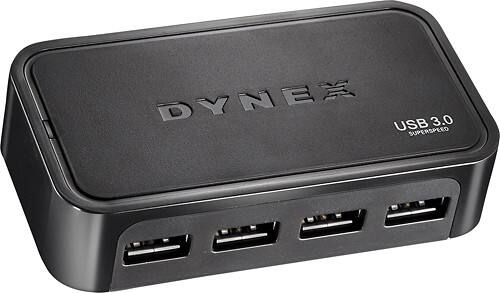
- Model:
- DX-U34H41
- |
- SKU:
- 1653603
Customer reviews
Rating 4.4 out of 5 stars with 88 reviews
(88 customer reviews)to a friend
Customers are saying
Customers are positive about the 4-Port USB 3.0 Hub, frequently praising its extra USB ports and speedy connections. The ease of use, including plug-and-play functionality, is another highly appreciated feature. Many users highlight the benefit of the external power supply, enabling the hub to support multiple power-hungry devices. There are no negative customer comments reported.
This summary was generated by AI based on customer reviews.
Rated 3 out of 5 stars
It seemed very large.
||Posted .This reviewer received promo considerations or sweepstakes entry for writing a review.The install went was easy, but my USB 2.0 did not easily install the hardware .
I would recommend this to a friendRated 1 out of 5 stars
Product did not work
||Posted .This reviewer received promo considerations or sweepstakes entry for writing a review.Was ordered thru sales rep at the store. Product does not work as told it would.
No, I would not recommend this to a friendRated 3 out of 5 stars
Not bad
||Posted .This reviewer received promo considerations or sweepstakes entry for writing a review.Some ports don't work as well as other ports. Still trying to figure pout why.
No, I would not recommend this to a friendRated 2 out of 5 stars
Just ok
||Posted .This reviewer received promo considerations or sweepstakes entry for writing a review.Not to my expectation. Too pricey. Need too many connection.
No, I would not recommend this to a friendRated 1 out of 5 stars
Not so good
||Posted .This reviewer received promo considerations or sweepstakes entry for writing a review.I can only connect 1 or 2 devices to this instead of 4. It will not power any more devices (iphone, external hd, etc)
No, I would not recommend this to a friendRated 1 out of 5 stars
Does Not Work With Some External Drives
Posted .This reviewer received promo considerations or sweepstakes entry for writing a review.I bought two of these to use on two different computers with two new 2TB WD Ultra Passport external drives I also bought. When I plug the external drives into the Dynex hubs that are plugged into the USB 3 ports on my computers and then try to transfer files to my the WD drives transfer is incredibly slow. Transfer rate is only 1-2 Mbit/s! However if I plug the WD drives directly into the USB3 ports on my computers then transfer is very fast (60-100 Mbit/s) . When I took the hubs back to Best Buy in Topeka, KS their solution was "Don't plug your external drives into the Dynex hubs. Only use the hubs for things like a mouse!". Duh! These are powered hubs and should work with external 3.0 drives. Don't sell me a product then tell me not to use it.
No, I would not recommend this to a friendRated 1 out of 5 stars
Not for Mac's
Posted .This reviewer received promo considerations or sweepstakes entry for writing a review.As a telecommunication technician, I work with systems that have speeds up to 100gb bandwidth every day, so I know my way around computers. I bought this USB 3.0 hub to extend the capacity of my new mini-mac which already came with four USB 3.0 ports. I was sadly disappointed after hooking this device up. Only USB 2.0 devices were able to communicate with my mini mac via this hub. I hooked up all four USB 3.0 devices I had to this hub and none of them worked. If you have a Mac running OS X 10.7, save yourself some money and frustration and don't buy this hub. Note: the packaging does not state it works with either PC or MAC, but just that it is a USB 3.0 hub.
No, I would not recommend this to a friendRated 1 out of 5 stars
Did not work - poor support
Posted .This reviewer received promo considerations or sweepstakes entry for writing a review.I connected this hub to a 3 month old 13-inch MacBook Pro with Retina display running OS X. Whenever I connect the hub it causes the MacBook to lose its wireless connection, even when nothing is connected to the hub. I contacted Dynex support and their response was that it was obviously not their problem. Their lack of concern or effort to help me resolve the issue was very disappointing. So I have a completely useless device sitting on the shelf.
No, I would not recommend this to a friend