Customer Ratings & Reviews


Customer reviews
Rating 4.8 out of 5 stars with 375 reviews
(375 customer reviews)Rating by feature
- Value4.6
Rating 4.6 out of 5 stars
- Quality4.8
Rating 4.8 out of 5 stars
- Ease of Use4.6
Rating 4.6 out of 5 stars
Rated 4 out of 5 stars
Nice addition to the PC
||Posted . Owned for 2 weeks when reviewed.This reviewer received promo considerations or sweepstakes entry for writing a review.Not too bad of a gadget. Makes everything quicker and easier. You just have to figure it out. But personally i do think the plus is the best one to get with no regrets. Sometimes WaveLink didnt cooperate but just redownload it and should fix the bugs!
This review is from Elgato - Stream Deck + Studio Controller with customizable touch strip and dials - Black
I would recommend this to a friendRated 5 out of 5 stars
Great Purchase
||Posted . Owned for 3 weeks when reviewed.This reviewer received promo considerations or sweepstakes entry for writing a review.Setting this up has been a breeze! Was notnintending on getting this version and so getting used to the knobs has been awesome for turning the volume up and down. Working to integrate with Twitch to change scenes but currently using for Spotify while working on projects!
This review is from Elgato - Stream Deck + Studio Controller with customizable touch strip and dials - Black
I would recommend this to a friendRated 5 out of 5 stars
Champagne Switch Board Tasteful
||Posted . Owned for 1 month when reviewed.This reviewer received promo considerations or sweepstakes entry for writing a review.This was a great buy. Its literally a switch board but can be used for many other things on your PC. Really has made my life some what easier. Honestly its not needed with hot keys on OBS but makes you feel like drinking champagne on the top of the empire state building looking down on the peasants type of vibe. But this is a great product if you want to bring everything into one eco system.
This review is from Elgato - Stream Deck + Studio Controller with customizable touch strip and dials - Black
I would recommend this to a friendRated 5 out of 5 stars
Great option
||Posted .This reviewer received promo considerations or sweepstakes entry for writing a review.This really helped my streams get a lot easier to manage but the utility goes far beyond streaming.
This review is from Elgato - Stream Deck + Studio Controller with customizable touch strip and dials - Black
I would recommend this to a friendRated 5 out of 5 stars
Elgato stream deck plus
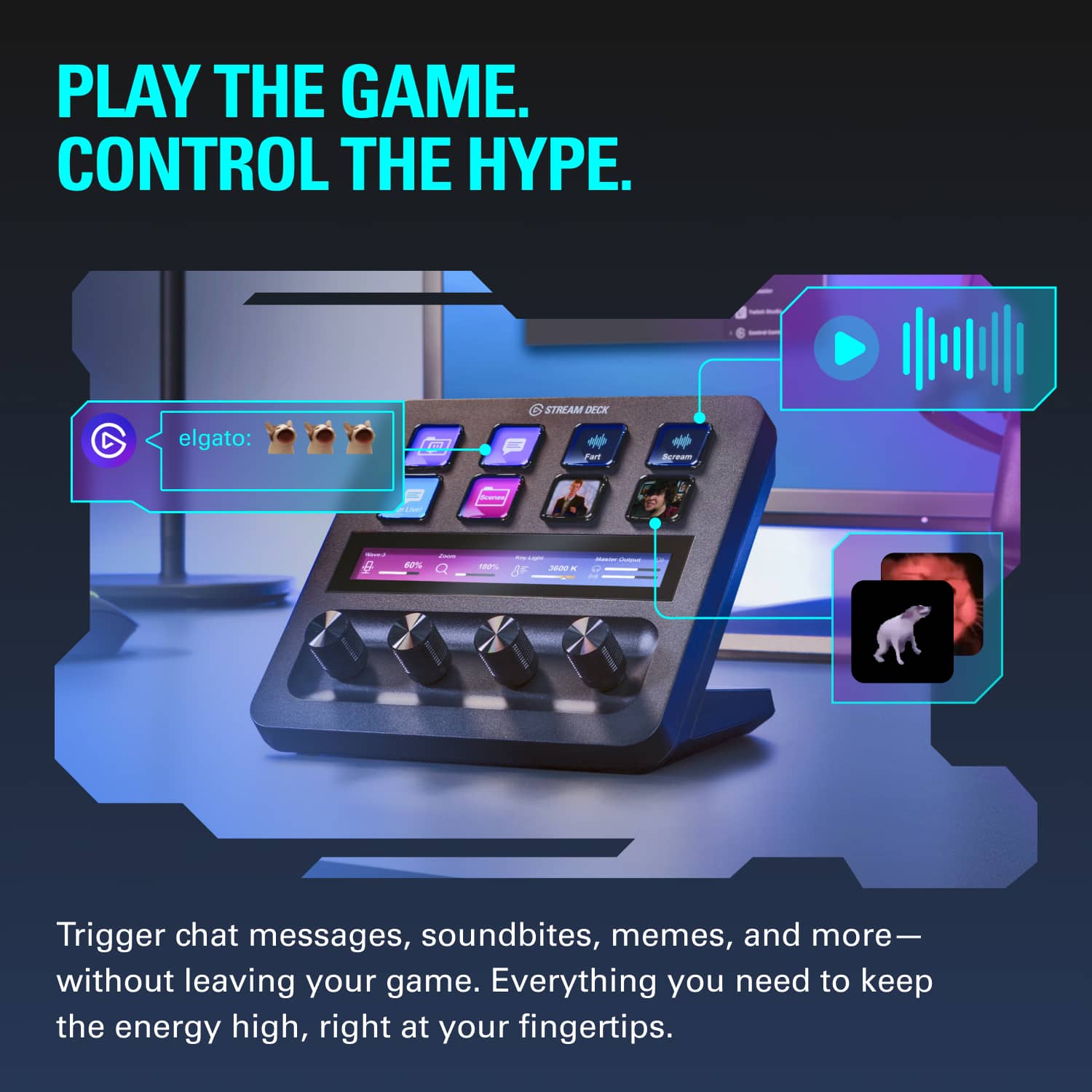
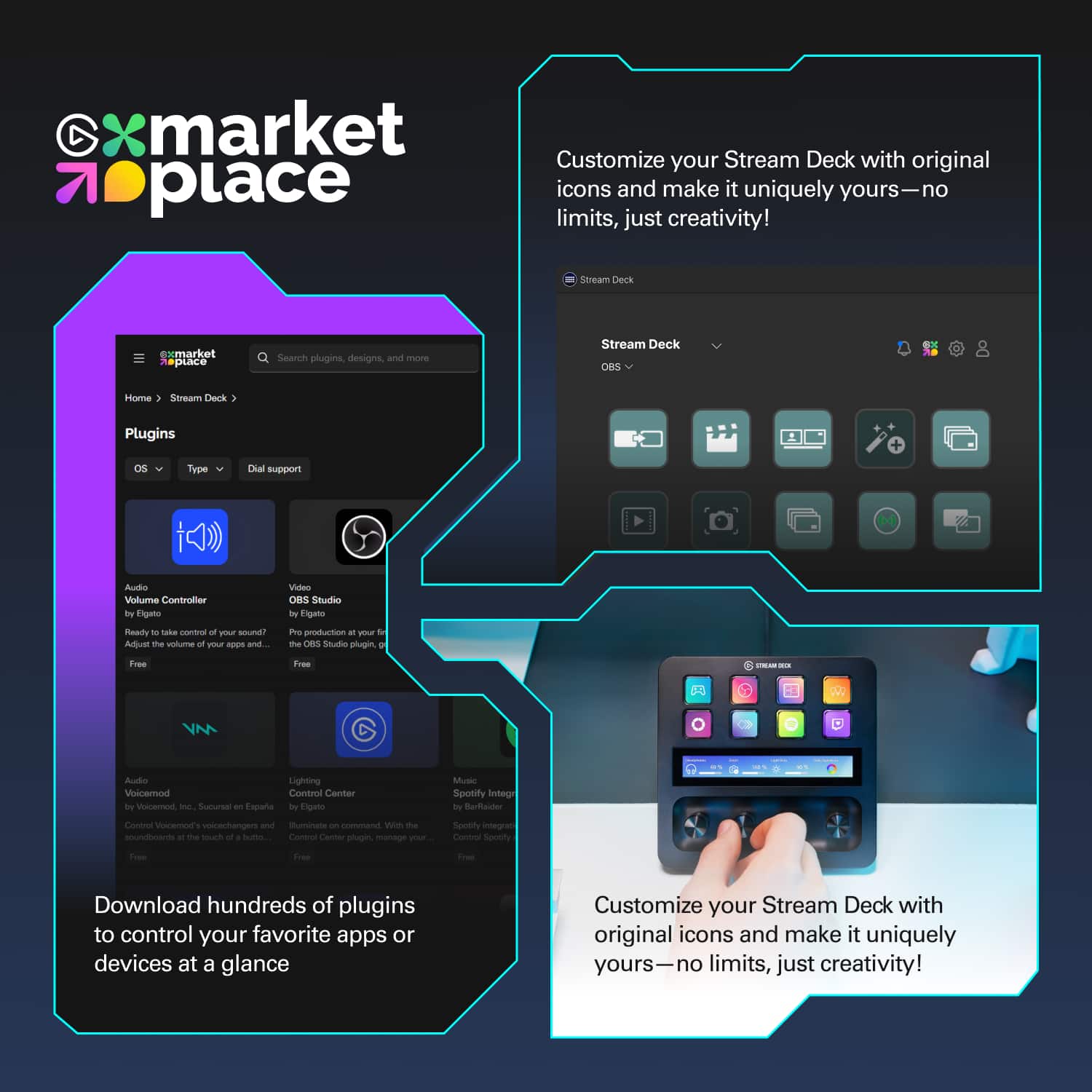
||Posted . Owned for 1 week when reviewed.This reviewer received promo considerations or sweepstakes entry for writing a review.15 macro keys per page, 10 pages, highly customiza I am not a streamer. Heck, I don't even game much anymore. But I had to give up my gaming keyboard and return to using an ergonomic keyboard to avoid repetitive stress injury. While I admit that I miss the frivolous flashing light show, what I really miss was the macro keys, which I used for trivial things like special characters. Now I have rapid access to frequently-used special characters, media controls, single-button access to my NAS, router, etc. The keys have little screens on them. The automatic images are generally descriptive enough and highly customizable, and you can also create 72 pixel squared custom images for individual keys for further customization. The only minor complaint that I have is that if you want to open an app, you have to have a path. Apps installed from the Microsoft store and certain utilities built into Windows may not have a path that the user can easily get to. Thus, for Notepad and MS Paint, I had to create a batch file and and create a custom image of a screenshot of the start menu to have an icon.
This review is from Elgato - Stream Deck + Studio Controller with customizable touch strip and dials - Black
I would recommend this to a friendRated 5 out of 5 stars
Best Product of its kind
||Posted . Owned for 1 month when reviewed.This reviewer received promo considerations or sweepstakes entry for writing a review.Ive had the original stream deck, the Razer Stream controller, and this Stream Deck +. The Razer Stream Controller has significantly worse software than this, and the dials are a great feature, and better implemented on the Stream Deck. For anyone looking to get a product of this kind, id recommend getting this and maybe even another normal Stream deck for extra buttons.
This review is from Elgato - Stream Deck + Studio Controller with customizable touch strip and dials - Black
I would recommend this to a friendRated 5 out of 5 stars
Simple and Easy
||Posted . Owned for 8 months when reviewed.This reviewer received promo considerations or sweepstakes entry for writing a review.Got this to play with for my normal work flow. Links apps easily with buttons, and control volume with the dials. Even set it up to use the dials for video editing (frame forward/backward) and easily swapping audio input/output.
This review is from Elgato - Stream Deck + Studio Controller with customizable touch strip and dials - Black
I would recommend this to a friendRated 5 out of 5 stars
Probably the Best of the Streamdecks
||Posted . Owned for 1 week when reviewed.This reviewer received promo considerations or sweepstakes entry for writing a review.I've had a couple of Stream Decks but this one is probably the most useful one because of the knobs. The ability to control multiple audio outputs is extremely useful, not to mention that you can map it to other commands for useful things like timeline trimming in video editing apps.
This review is from Elgato - Stream Deck + Studio Controller with customizable touch strip and dials - Black
I would recommend this to a friendRated 5 out of 5 stars
Great for Streamers and Non-Streamers
||Posted . Owned for 1 week when reviewed.This reviewer received promo considerations or sweepstakes entry for writing a review.This has been a great additional to my other El Gato products as well as a controller of my Govee Lights both during and outside of my stream. The knobs make adjustments feel smooth when adjust volumes, light strength, or just building out macros to play through. Condensed form factor makes it easy to put on the desk anywhere and it's simply plug and play.
This review is from Elgato - Stream Deck + Studio Controller with customizable touch strip and dials - Black
I would recommend this to a friendRated 5 out of 5 stars
The best for streamers
||Posted . Owned for 1 month when reviewed.This reviewer received promo considerations or sweepstakes entry for writing a review.This device is very easy to customize, it helps a lot when you are streaming, to control the sounds, the best
This review is from Elgato - Stream Deck + Studio Controller with customizable touch strip and dials - Black
I would recommend this to a friendRated 5 out of 5 stars
More than just streaming!
||Posted . Owned for 1 week when reviewed.This reviewer received promo considerations or sweepstakes entry for writing a review.Fantastic quality, and really useful functionality to control our smarth house items as well as streaming uses. I love being able to control our lights and even the volume of our TV using this interface as well
This review is from Elgato - Stream Deck + Studio Controller with customizable touch strip and dials - Black
I would recommend this to a friendRated 5 out of 5 stars
Goodbiy
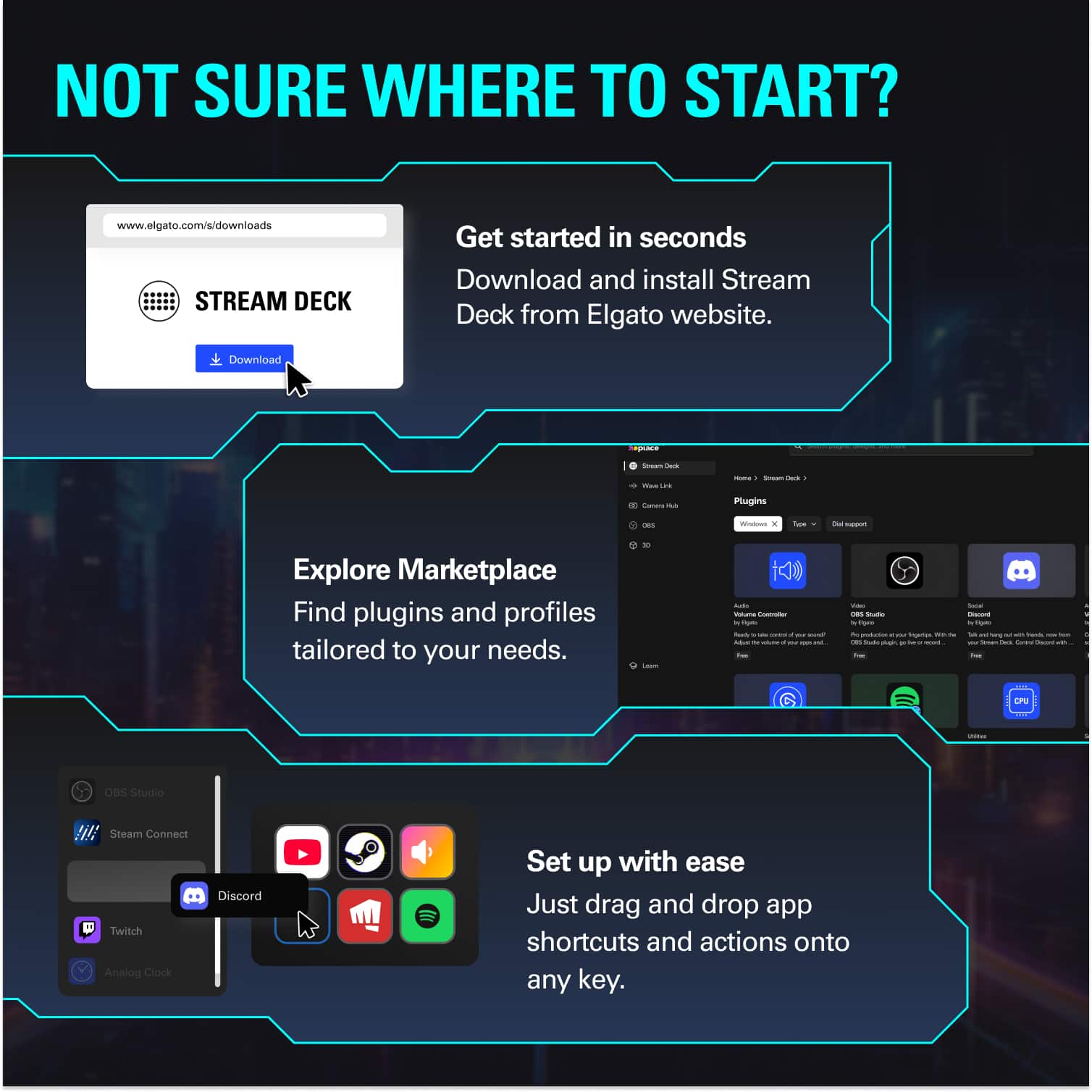
||Posted .This reviewer received promo considerations or sweepstakes entry for writing a review.Very easy to use not have much of a set up time just plug and start getting set up
This review is from Elgato - Stream Deck + Studio Controller with customizable touch strip and dials - Black
I would recommend this to a friendRated 5 out of 5 stars
Tons of untapped potential.
||Posted . Owned for 1 month when reviewed.This reviewer received promo considerations or sweepstakes entry for writing a review.I need to preface this and explain I do not use this for streaming. However, I needed a customizable keyboard that goes beyond your usual macros. This is fantastic. I use it with a couple of add-ons to make it work within MSFS 2020. I really like how each profile can be expanded with multiple "pages". Either assign a button as a "home page" or assign a swipe action on the Stream Deck's screen to go through the pages. The hardware seems decent enough, the knobs feel almost dampened and not cheap, the buttons have a solid click. I hope this last me years of use, there is not indication from the build quality it would not.
This review is from Elgato - Stream Deck + Studio Controller with customizable touch strip and dials - Black
I would recommend this to a friendRated 5 out of 5 stars
Pre-production pro
||Posted . Owned for 1 month when reviewed.This reviewer received promo considerations or sweepstakes entry for writing a review.We've been using this for audio production and helping with song writing. It's made the process so much easier with shortcuts and customization options.
This review is from Elgato - Stream Deck + Studio Controller with customizable touch strip and dials - Black
I would recommend this to a friendRated 5 out of 5 stars
Exactly the solution I needed
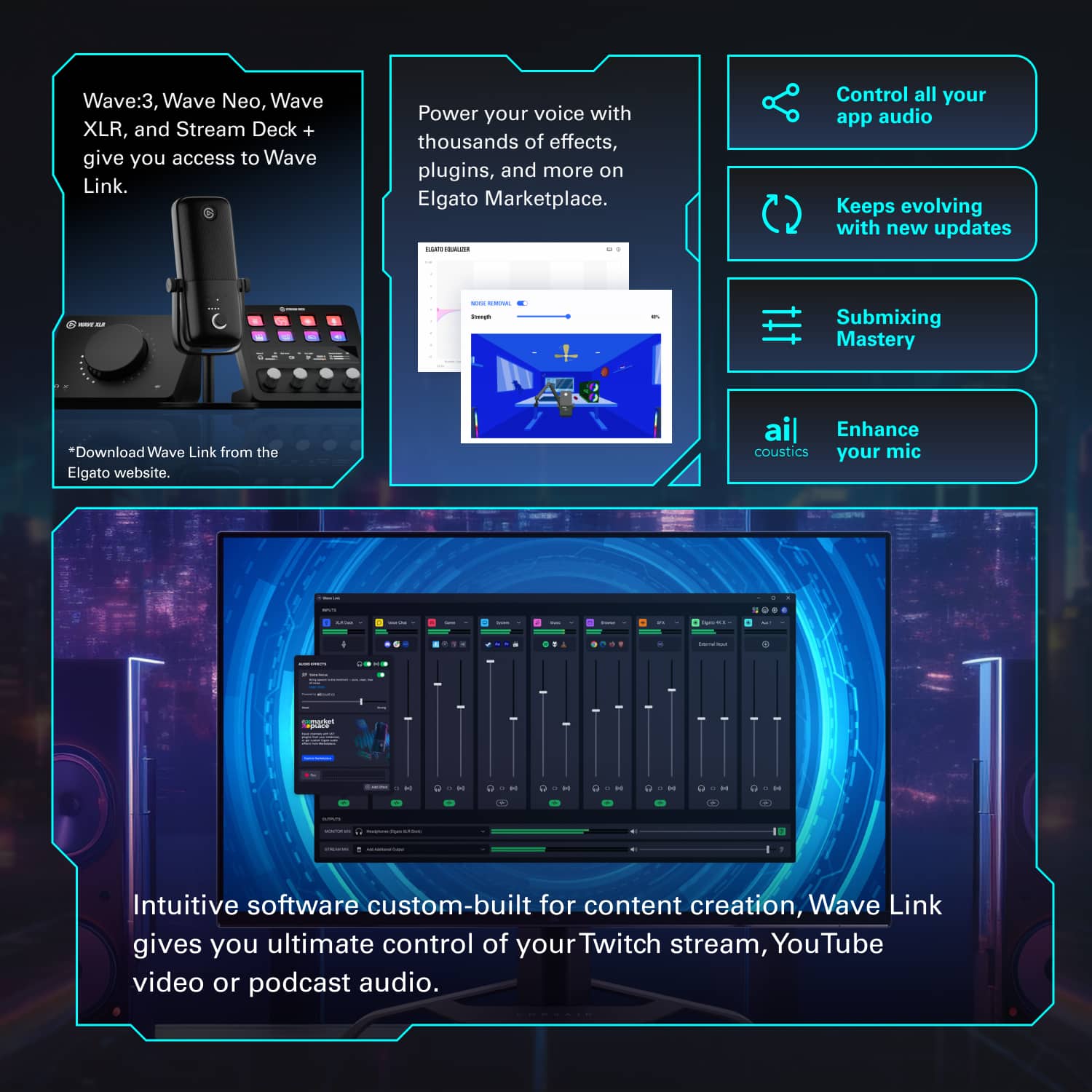
||Posted . Owned for 1 week when reviewed.This reviewer received promo considerations or sweepstakes entry for writing a review.Elgato’s ecosystem of streaming accessories is fantastic. The Wave Link software is so useful, and the Stream Deck + is perfect for controlling the software with its combination of dials and buttons.
This review is from Elgato - Stream Deck + Studio Controller with customizable touch strip and dials - Black
I would recommend this to a friendRated 5 out of 5 stars
Up’s the game
||Posted . Owned for 1 week when reviewed.This reviewer received promo considerations or sweepstakes entry for writing a review.Very useful for breaking out individual tasks if you are running another stream deck model, and the dials are fantastic in thier base use function with even more functionality to be explored if you want to do a deep dive to set this thing up!
This review is from Elgato - Stream Deck + Studio Controller with customizable touch strip and dials - Black
I would recommend this to a friendRated 5 out of 5 stars
Helpful Tool
||Posted . Owned for 1 month when reviewed.This reviewer received promo considerations or sweepstakes entry for writing a review.Super helpful for streaming. It's so nice not to have to alt-tab constantly. The set up was really easy as well.
This review is from Elgato - Stream Deck + Studio Controller with customizable touch strip and dials - Black
I would recommend this to a friendRated 5 out of 5 stars
Awesome software.
||Posted . Owned for 1 week when reviewed.This reviewer received promo considerations or sweepstakes entry for writing a review.The stream decks of any size are a must have for almost any streamer. The software is great and works with so many other apps and services. The addition of the 4 knobs is great for volume control.
This review is from Elgato - Stream Deck + Studio Controller with customizable touch strip and dials - Black
I would recommend this to a friendRated 5 out of 5 stars
Great streaming tool
||Posted . Owned for 1 week when reviewed.This reviewer received promo considerations or sweepstakes entry for writing a review.This is very simple to setup. Best feature for me is adjusting audio without using a mouse and keyboard
This review is from Elgato - Stream Deck + Studio Controller with customizable touch strip and dials - Black
I would recommend this to a friendRated 5 out of 5 stars
Great for streaming
||Posted . Owned for 11 months when reviewed.This reviewer received promo considerations or sweepstakes entry for writing a review.This makes it easy to switch task while streaming and love the knobs
This review is from Elgato - Stream Deck + Studio Controller with customizable touch strip and dials - Black
I would recommend this to a friend