Customer Ratings & Reviews
- Model:
- C11CF77201
- |
- SKU:
- 5117300
Customer reviews
Rating 4.4 out of 5 stars with 1759 reviews
(1,759 customer reviews)Rating by feature
- Value4.0
Rating 4.0 out of 5 stars
- Quality3.9
Rating 3.9 out of 5 stars
- Ease of Use4.0
Rating 4.0 out of 5 stars
Customers are saying
Customers often highlight the WorkForce WF-2760's excellent print quality and ease of use, along with its convenient wireless functionality and reasonable price. Positive feedback also mentions the printer's compact size and straightforward setup process. However, some users note that the printer can be noisy and that the paper tray could be more robust.
This summary was generated by AI based on customer reviews.
Rated 1 out of 5 stars
Too hard to activate
||Posted .This reviewer received promo considerations or sweepstakes entry for writing a review.Found out that activation with wi-fi means special on phone help. Comes with CD. Who has a player any more. Who has time to go through phone rigmarole. Plus who wants to go buy a CD player. It just sits there as missed the deadline to return it. Would read product reviews. If use wi-fi, prepare for phone help.
No, I would not recommend this to a friendRated 2 out of 5 stars
Not good for beginner
||Posted .This reviewer received promo considerations or sweepstakes entry for writing a review.Still can't install and activate scanner and customer service , Epson, No help
No, I would not recommend this to a friend- Pros mentioned:Price, Print quality
Rated 5 out of 5 stars
6 Years Later, Good As New
Posted .This reviewer received promo considerations or sweepstakes entry for writing a review.I purchased this all-in-one printer for home use back in 2017. It's still working without any degradation now in mid-2023. I buy the multi-pack of ink cartridges for about $55 (contains magenta, yellow, cyan, and a XL black), which lasts me between 2-4 months on average. I'm so pleased with how well this product has served me all these years, especially considering how inexpensive it is.
I would recommend this to a friend Rated 1 out of 5 stars
stopped working 6 months in
||Posted .This reviewer received promo considerations or sweepstakes entry for writing a review.6 months in, stopped working. When you cut it on, it grinds for 3 seconds and shuts itself off. No paper jams nor any evidence thereof. I think the elaborate cogs to feed paper from the bottom instead of the top was a big mistake. Too many significant moving parts made of plastic.
No, I would not recommend this to a friendRated 1 out of 5 stars
Unless used every day, don't buy
||Posted .This reviewer received promo considerations or sweepstakes entry for writing a review.Utter piece of junk. Reminds me of the dot matrix printers from the 1970s. I use this only on the weekend, and need to clean the print heads 3 times before the ink will print a legible page. Ink lasts for only a few pages.
No, I would not recommend this to a friendRated 1 out of 5 stars
Get the Workforce WF-3620 instead.
||Posted .This reviewer received promo considerations or sweepstakes entry for writing a review.Within two months of purchasing, the ink was skipping. I tried using a brand new cartridge but that did not work. I ran the ink maintenance feature numerous times on both cartridges but that did not resolve the issue. I didn't get the service warranty so couldn't exchange it.
No, I would not recommend this to a friendRated 1 out of 5 stars
Failure
||Posted .This reviewer received promo considerations or sweepstakes entry for writing a review.Really bad, all around...purchased November 2017 and inoperable January 2018. Would not accept return as defected production. I’m shocked, Edson was a leading US product but now it’s garbage. I will not buy another Epson product PERIOD!!!
No, I would not recommend this to a friendRated 1 out of 5 stars
Very Unfriendly to use All in One
||Posted .This reviewer received promo considerations or sweepstakes entry for writing a review.I hate this Epson WF-3760 and would not recommend to anyone. Not user friendly. I never should of listened to the sales girl and I should have stuck with HP or Canon which I know are easy and user friendly. I wouldn't recommend this to an enemy!
No, I would not recommend this to a friendRated 1 out of 5 stars
Problems with ink replacement
||Posted .This reviewer received promo considerations or sweepstakes entry for writing a review.This printer was returned to the store after tryinh to get it to work. It wasted a lot of ink trying to get it to print them the cartridges ran out and it would not except the new ones.
No, I would not recommend this to a friendRated 1 out of 5 stars
Not recommended
||Posted .This reviewer received promo considerations or sweepstakes entry for writing a review.Not recommended for people who live in warm climates. Cartridges dry up and need to be replaced frequently. Printer heads also dry up. We replaced this printer with a Brother that uses a toner cartridge. Much better.
No, I would not recommend this to a friendRated 1 out of 5 stars
Uses ink too fast
||Posted .This reviewer received promo considerations or sweepstakes entry for writing a review.The printer is very slow to respond and uses ink way too fast!! Economy setting makes the print too light. The document feeder tray causes paper jams more often than not. Will not buy this brand again.
No, I would not recommend this to a friend- Pros mentioned:Print quality, SizeCons mentioned:Noise level
Rated 5 out of 5 stars
Great printer! Very noisy
Posted .This reviewer received promo considerations or sweepstakes entry for writing a review.This is a review for the Epson WorkForce WF-2760 that I received free of charge to do a beta test and review. Let’s start from the beginning. The installation process for this printer was incredibly easy. The step by step instructions were simple to follow and showed exactly what needed to be done. I have this printer configured to print via Wi-Fi; which means the only cable I needed was the power cable and I didn’t have to purchase additional cables to attach to my PC. Setup for this was simple as well via the touch screen display. Prior to this printer I owned the WF-2450, and the WF-2760 is a vast improvement. It prints much faster than its predecessor and takes up less space; especially considering the paper is loaded into a paper tray that slides in underneath the printer, instead of have paper hang out of the top back section of the printer. One negative I found while using this printer compared to its earlier versions, is this one is significantly louder. So as long as you aren’t printing next to a sleeping baby, you shouldn’t have any issues. One HUGE advantage this printer has; and I would buy this printer just for this, is the scan feature works so much better than the WF-2450. Not only does the scan actually work, but it will also allow scanning from the ADF (automatic document feeder) located on the top of the printer.
I would recommend this to a friend Rated 1 out of 5 stars
Worst Printer DONT Buy
||Posted .This reviewer received promo considerations or sweepstakes entry for writing a review.I bought this printer to process my Wedding Invites as well as addressing envelopes, Found out it will only take 5 at a time, since I would always get an error message, it has taken me three days for 80 VERY POOR Printer
No, I would not recommend this to a friendRated 1 out of 5 stars
Horrible
||Posted .This reviewer received promo considerations or sweepstakes entry for writing a review.This printer has a mind of its own. Super complicated to use, print quality is poor, constantly getting jammed, and the ink does not last nearly as long as other similar printers. So disappointed in this purchase.
No, I would not recommend this to a friendRated 1 out of 5 stars
Epson WF-2760
||Posted .This reviewer received promo considerations or sweepstakes entry for writing a review.Within a month, the copier will not copy with just the printer. I have to scan and do all sorts of monkey business with my computer to get my work done. This means another trip to Best Buy to get this corrected.
No, I would not recommend this to a friendRated 1 out of 5 stars
very poor printing quality
||Posted .This reviewer received promo considerations or sweepstakes entry for writing a review.I have been using this device for 2-3 months, I am very unhappy with print, particularly color print quality. Scan function also sucks. I do not recommend this product, I wish I could return this product.
No, I would not recommend this to a friendRated 1 out of 5 stars
Not worth it
||Posted . Owned for 1.5 years when reviewed.This reviewer received promo considerations or sweepstakes entry for writing a review.Not worth the money, would not connect to the WiFi no matter what we tried and I work with hardware all day. Very cheap make but you get what you paid for. I won’t recommend.
No, I would not recommend this to a friend- Pros mentioned:Print qualityCons mentioned:Noise level
Rated 4 out of 5 stars
Great All Around Printer
Posted .This reviewer received promo considerations or sweepstakes entry for writing a review.This is a review for the Epson WorkForce WF-2760 that I received free of charge to do a beta test and review. From the time I opened this printer to the time I was printing from my Iphone was less then 10 minutes. The setup process was very intuitive and the touch screen made things a breeze to navigate. I am most impressed with all that it is able to do for the size that it comes in. It gives you all of the features of a office work center in the form factor of a home printer. One thing that I was very surprised by was the fact that it printed on both sides of the paper. This is a feature that I have never personally had in a personal printer. I also really like that it has an enclosed paper try so no more shuffling around the paper trying to make sure it is sitting just right in order to print. There are a couple of cons that I will give it which keeps me from giving it 5 stars. The printer is extremely clunky and loud. This is by far the loudest printer that I have ever personally owned. It is not a deal breaker as this is a great overall printer. But if you have a house with small children I would not recommend printing during nap time. The next con is the scanner software. I originally set up the printer only with airprint as I am a Mac user. I wanted to scan a document to my computer so I pressed the scan button. My computer showed up as an option so I selected it. After about a minute I received a communication failed message with no indication as to what I should do to fix it. So the next thing I tried was to go to Epson's website and install the printer software package. I went through the setup and tried again only to have the same message. So back to Epson's site I went. Further down on the page I found that there was a separate scanner driver also. So I installed that. Same failure. Finally I found that there was even another scanner program. After installing that the scanner will still not scan images to the computer from the display on the printer. It fails every time. I am able to initiate a scan from the computer program though. It seems to me that a lot more time could be spent streamlining the driver and software to give full access to all of the printers functions. And possibly some troubleshooting on the printer itself to guide you though the process better. Despite the minor negatives I still highly recommend this printer.
I would recommend this to a friend - Pros mentioned:Ease of use, Print quality, Wireless
Rated 5 out of 5 stars
Wireless All-in-One Printer
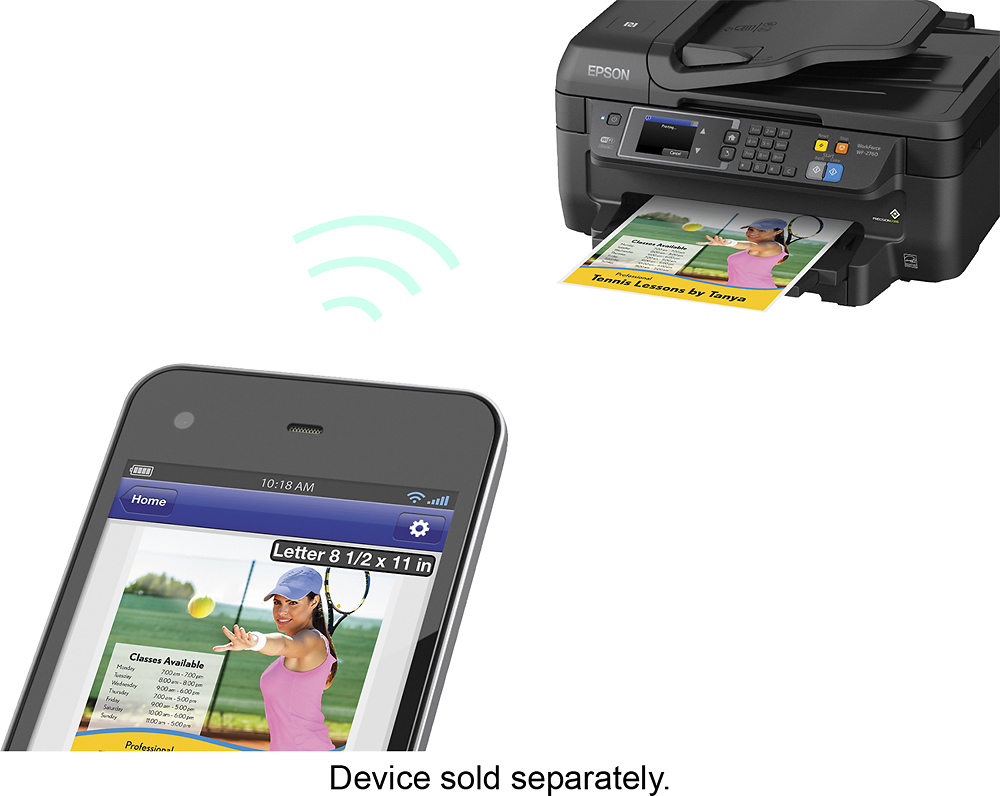
Posted .This reviewer received promo considerations or sweepstakes entry for writing a review.This is a review for the Epson WorkForce WF-2760 that I received free of charge to do a beta test and review. The printer was very easy to setup with its easy to follow instructions. It took about 5 minutes for the driver to install on my laptop and connect with the printer. I've been able to install it on other computers with ease as well. The wireless connectivity of the printer allows me to print from anywhere in the house unlike my previous printer where I'd have to connect it to my laptop with a wire each time. Not having to manually scan each page of the document makes it very convenient. I can just load the whole document and let the printer do its magic. It also prints double sided for you whereas before I'd have to manually do it. Printing notes for my classes has become much easier. Being able to print from my phone is also an added bonus. I'm able to print notes, documents, and pictures directly from my phone and the quality of the prints is excellent. Our old printer has been replaced by this one due to its efficiency and convenience. Overall, I'm very much satisfied with this product.
I would recommend this to a friend Rated 1 out of 5 stars
This printer sucks
||Posted .This reviewer received promo considerations or sweepstakes entry for writing a review.This printer goes offline and takes forever to get it back online. Now it prints blank documents but copies just fine. I was stupid and let the sales people talk me into this printer.
No, I would not recommend this to a friend