Customer Ratings & Reviews



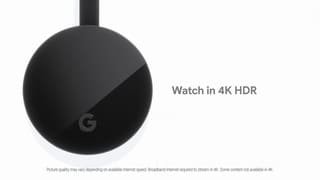

- Model:
- GA00439-US
- SKU:
- 6288362
Rating by feature
- Value
Rating 4.6 out of 5 stars
- Quality
Rating 4.7 out of 5 stars
- Ease of Use
Rating 4.6 out of 5 stars
Customers are saying
Customers are impressed with the Chromecast's ease of use, streaming capabilities, and picture quality. Many appreciate its affordability and the ability to transform a standard TV into a smart TV. However, some users experienced connectivity issues, and the lack of a physical remote control was a common point of feedback. The small size and generally positive performance were also frequently noted.
This summary was generated by AI based on customer reviews.
- Pros mentioned:Streaming
2nd purchase
||Posted . Owned for 1 month when reviewed.This reviewer received promo considerations or sweepstakes entry for writing a review.I have had one on the tv in my bedroom for years and recently we canceled our dish service so we bought one for our living room and its way better than having dish and such since our tv is about 7 years old we cant put apps on it so the chromecast is amazing for netflix and hulu and youtube!
I would recommend this to a friend - Pros mentioned:Ease of useCons mentioned:Connectivity
great to convert a tv to smart
||Posted .This reviewer received promo considerations or sweepstakes entry for writing a review.easy way to make a tv smart. Has some opportunities with connection afer powering off
I would recommend this to a friend - Pros mentioned:Streaming
Great addition to my Samsung QLED
||Posted . Owned for 7 months when reviewed.This reviewer received promo considerations or sweepstakes entry for writing a review.If you prefer Chromecast over your AirPlay this little Gem gives you the answer. The QLED delivers with AirPlay but when streaming from my iPhone surprisingly I get better results with the Chromecast media player. Plus works great with my Samsung Galaxy Tablet...
I would recommend this to a friend - Pros mentioned:Ease of use
Another great Cast device
||Posted .This reviewer received promo considerations or sweepstakes entry for writing a review.I have now owned a 1st, 2nd, and 3rd generation of the Chromecast devices and I have been pleased with all of them. Over 90% of our TV watching is done with a Cast being sent to our TV and I love the simplicity of controlling it all from my phone and not ever having to worry about finding a remote.
I would recommend this to a friend Finally gets Chromecast totally right
||Posted .This reviewer received promo considerations or sweepstakes entry for writing a review.This is my third Chromecast. Now that it has 1080p60 support, all the judder problems from the previous versions seem to be gone. Those were always a blemish on an otherwise great device. This newest version is clearly better than previous devices, so if you liked those, you will love this one.
I would recommend this to a friendGreat for Chromecast onto Gigant TV
||Posted . Owned for 3 weeks when reviewed.This reviewer received promo considerations or sweepstakes entry for writing a review.A great tool for broadcasting video from phones and computers. A pleasing surprise is that it can cast not only what is on a Chrome browser but also a file and a selected desktop. It works well this way as an extra screen. Great value especially when it was on Black Friday sale.
I would recommend this to a friendNice Product
||Posted .This reviewer received promo considerations or sweepstakes entry for writing a review.Google Chromecast works as expected. Setup was quick and easy and casting was easy.
No, I would not recommend this to a friend- Pros mentioned:Compatibility, Streaming
Google is awesome
||Posted .This reviewer received promo considerations or sweepstakes entry for writing a review.This is really working well with my Samsung LED TV. Can stream anything from browser.
I would recommend this to a friend - Cons mentioned:Connectivity
Neat
||Posted . Owned for 3 months when reviewed.This reviewer received promo considerations or sweepstakes entry for writing a review.This is neat, and I thought it would be really great to use in public/shared spaces with my phone. The Chromecast and the streaming device (e.g., phone) both need to be on the same WiFi network. Unfortunately that is not always possible, but this still is handy.
I would recommend this to a friend Not to bad
||Posted . Owned for 1 month when reviewed.This reviewer received promo considerations or sweepstakes entry for writing a review.It has its issues, particularly with Netflix and YouTube. When I'm casting a show/video and simply want to pause it or go back, the picture quality is good. It is important to note that during the initial setup the device did perform automatic update. Chromecast and it works. Takes a while to get use to it. after awhile it seems to work better..?
I would recommend this to a friendGreat steaming device across platforms
||Posted .This reviewer received promo considerations or sweepstakes entry for writing a review.This is a great multi-platform streaming device. I have used this for a few years but had to give one to my mom so got a new one. This is great for casting anything off your phone or your laptop. It can be used with google home mini to play something on your tv or your monitor.
I would recommend this to a friend- Pros mentioned:Compatibility
Easy Setup
||Posted .This reviewer received promo considerations or sweepstakes entry for writing a review.The Chromecast works great with my Android phone and I like to watch movies from Netflix. I looked at other solutions. This worked great with my existing Samsung HDTV and my remote control. No extra equipment needed or other useless features I don't need just to watch YouTube or Netflix movies.
I would recommend this to a friend - Pros mentioned:Ease of use
Don't leave home without it.
||Posted . Owned for 9 months when reviewed.This reviewer received promo considerations or sweepstakes entry for writing a review.The Chromecast is awesome! I took it to Florida during my winter escape, staying at 4 different cities. The Chromecast allowed me to broadcast shows from Charter Communications (Spectrum App) thru my mobile phone. Never missed an episode.
I would recommend this to a friend Works great
||Posted . Owned for 1 month when reviewed.This reviewer received promo considerations or sweepstakes entry for writing a review.This being replaced by the new Chromecast with Remote is still a good deal. If you find that using your phone or tablet works save the bucks and buy this one for a lower cost. Love the pictures from google make my tv the worlds biggest picture frame also.
I would recommend this to a friend- Pros mentioned:Streaming
Google chromecast
||Posted .This reviewer received promo considerations or sweepstakes entry for writing a review.Love the fact that you can stream directly from your phone. Being able to access all your home cameras and view them directly at your TV is the best. Having the ability to utilize all your other Google devices and synchronizing them is a huge plus.
I would recommend this to a friend - Pros mentioned:Ease of use
Great!
||Posted . Owned for 7 months when reviewed.This reviewer received promo considerations or sweepstakes entry for writing a review.I use these on all of my televisions in my house. Great way to keep everything linked up and ready to cast to grin your phone. Also works to display smart cameras feeds to the big screen. Haven't had any issues with any cringes divides I've purchased.
I would recommend this to a friend - Pros mentioned:Ease of use
Best thingy
||Posted . Owned for less than 1 week when reviewed.This reviewer received promo considerations or sweepstakes entry for writing a review.One of my favorite electronic products since its release. I have purchased about 3 of these guys because of how simple they are to use. Always great older non smart flats screens laying around the house or for travel.
I would recommend this to a friend Good
||Posted . Owned for more than 2 years when reviewed.This reviewer received promo considerations or sweepstakes entry for writing a review.Good stuff, very useful if your tv doesn’t have some features!
I would recommend this to a friend- Pros mentioned:Ease of use
Super easy to use
||Posted . Owned for 3 weeks when reviewed.This reviewer received promo considerations or sweepstakes entry for writing a review.This is convenient and super easy to use when streaming any apps from your phone to your tv. I’d recommend it over Apple TV, Riki or Amazon Fire Stick. I’ve owned all of the above and now own google chrome for each of my TVs. It’s a good product at a good price and is easy to use.
I would recommend this to a friend - Cons mentioned:Connectivity
Woks with Oculus Quest 2
||Posted . Owned for 2 weeks when reviewed.This reviewer received promo considerations or sweepstakes entry for writing a review.I bought this so I can mirror my Oculus Quest 2. The picture quality is good. Sound quality can get a little choppy at times and usually drops connection at least once when I use it. But for now, it will do. I also like the option of mirroring my phone on the big screen as well.
I would recommend this to a friendBrand response from Google Team
Posted .Hi Angie,
Thanks for letting us know of your experience with Chromecast. We’re glad that the mirroring feature works well for you.
We know how annoying it can be when you experience connection issues while streaming from your favorite apps to your Chromecast. Here are some factors that may affect its performance during casting. You can try these troubleshooting steps:
- Toggle Wi-Fi off/on your phone.
- Exit any battery-draining applications that are running on the background.
- Turn off power saving mode on your device.
- Decrease the distance between the TV, casting device (phone/tablet/computer), and Wi-Fi router. The distance should be less than 15-20 feet (5-6 meters) apart, ideally within the same room.
- Keep your phone’s operating system up to date.
- Unplug both the Chromecast and the router from the power outlet and leave it for at least 2 minutes. After 2 minutes, plug it back in, and wait for it to completely reboot.
- Lastly, you can perform a factory reset: https://support.google.com/chromecast/answer/6254654
In case you need further assistance, please feel free to contact us here: https://support.google.com/chromecast/contactflow