Customer Ratings & Reviews


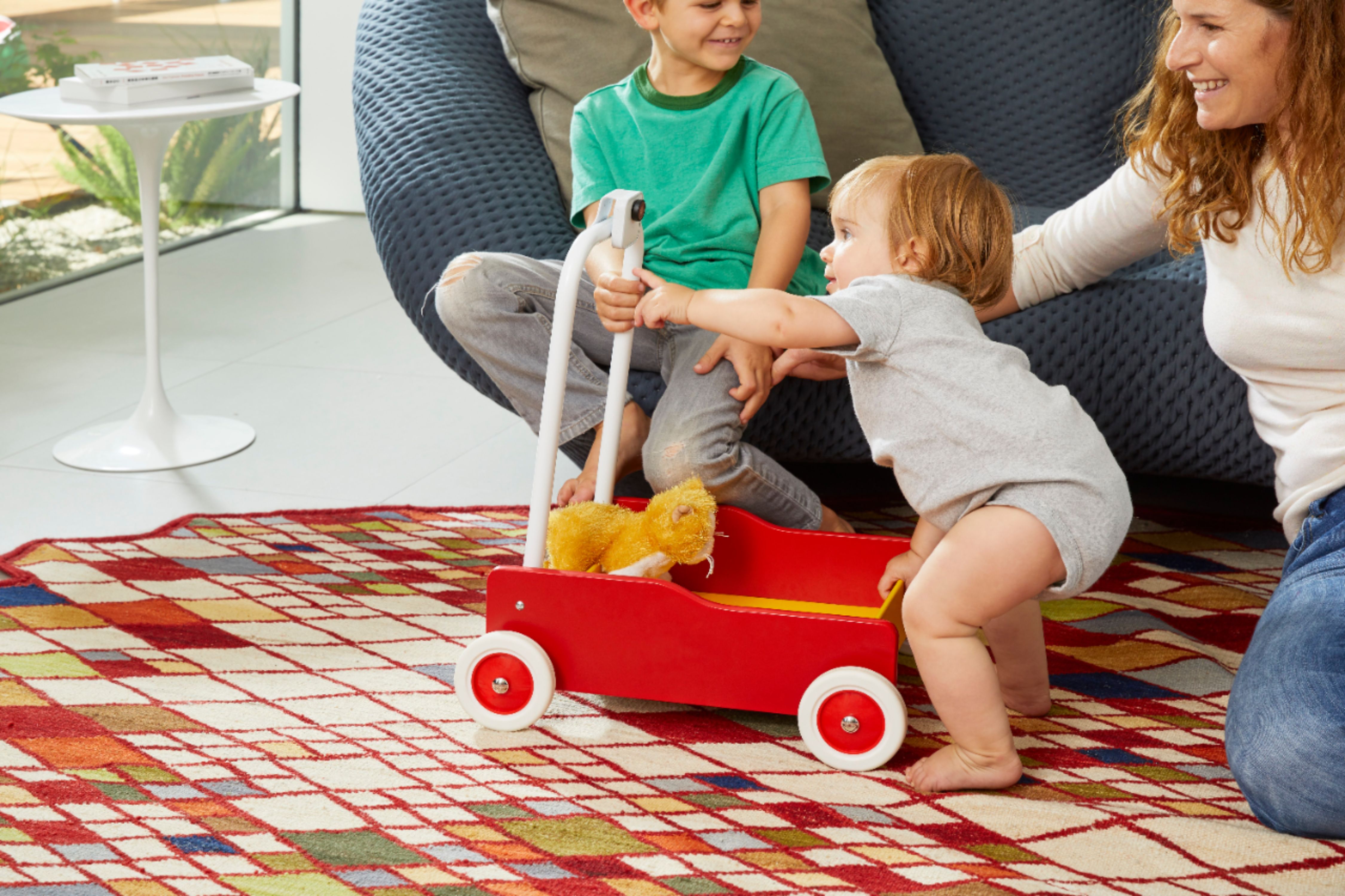

- Model:
- GA00191-US
- SKU:
- 6133307
to a friend
Customers are saying
Customers enjoy the Clips' excellent video quality and ease of use, finding it simple to set up and operate. However, some users express concerns regarding the battery life and limited compatibility with certain devices. The small size and wide-angle lens are also frequently praised.
This summary was generated by AI based on customer reviews.

Meant for fun and/or innovation
|Posted .This reviewer received promo considerations or sweepstakes entry for writing a review.I didn’t know what to expect with my Google Clip (Clips?) and in some ways, I still don’t. Like most Google products, it’s attractive and attractively packaged with simple instructions to get you started...and then you’re on your own. I was up and running in no time, but I didn’t know what do with the product. Could I use it as a security cam in my office? Kinda. Was it more like an inexpensive body cam for my personal security? Could be, though a little too obvious. Something for taking quick video and snapshots (ahhh “Clips”!) for Instagram and Snapchat. Certainly. Attractive, portable headshot device for IDs ? Sure. How did I like using it? I go to construction jobsites in some sketchy areas. So with it clipped on my shirt or bag, I could snap pics or clips of conditions that would have be inadvisable with my cell phone or a conventional camera. I could also see innovative uses such as: Using this for childrens’ safety (when within reach of your WiFi cell). Looking into tough to reach places (did I drop that under the couch? What’s over the fence? Fun projects like little robot attachments, or on the dog.... Google Clips has lots of potential...so give it to your kids and let them enlighten you!
I would recommend this to a friendHands free camera that needs work
|Posted .This reviewer received promo considerations or sweepstakes entry for writing a review.The google clips camera is a neat idea, but it doesn't seem to work all that well. I have been struggling with it to find a real use and for me, I just can't find one. Sure it sounds good, a camera that will take candid photos, motion video (photos stitched together to appear as a video) and video of everyone and all you have to do is just set it somewhere (pointing at the action) twist the lens and let it do it's thing. Maybe after time it will recognize what it should capture instead of just everything it seems. It does get smarter if you link it to your google photos and tag people so it can recognize them. Battery life seems mediocre at best, but I am sure the fact that it seems to capture just about any movement has a major effect on it. Perhaps once it gets "smarter" it will last longer. Using the clips app to edit and save photos is easy and fun to use though. There are some additional options to set for the camera as capture rate (how often it shoots), quality (video , motion photo, animated gif) , Share Camera (useful for allowing others to have access to the camera), and a few others. Overall, it's an expensive camera that has a bit of a learning curve to fully utilize it.
No, I would not recommend this to a friendAlmost 5 stars.
|Posted .This reviewer received promo considerations or sweepstakes entry for writing a review.I was going to give it 5 stars but I will brief my review. First of all, this tiny camera has AI technology that let Google camera does the recording job by deciding the right moments. Sinple setup and has edit feature on each clip that allows you to save or delete. The shutter button below the lens is awesome, but the only drawback of this camera is the voice!!. Your recordings are voiceless.
I would recommend this to a friendClip + Go!
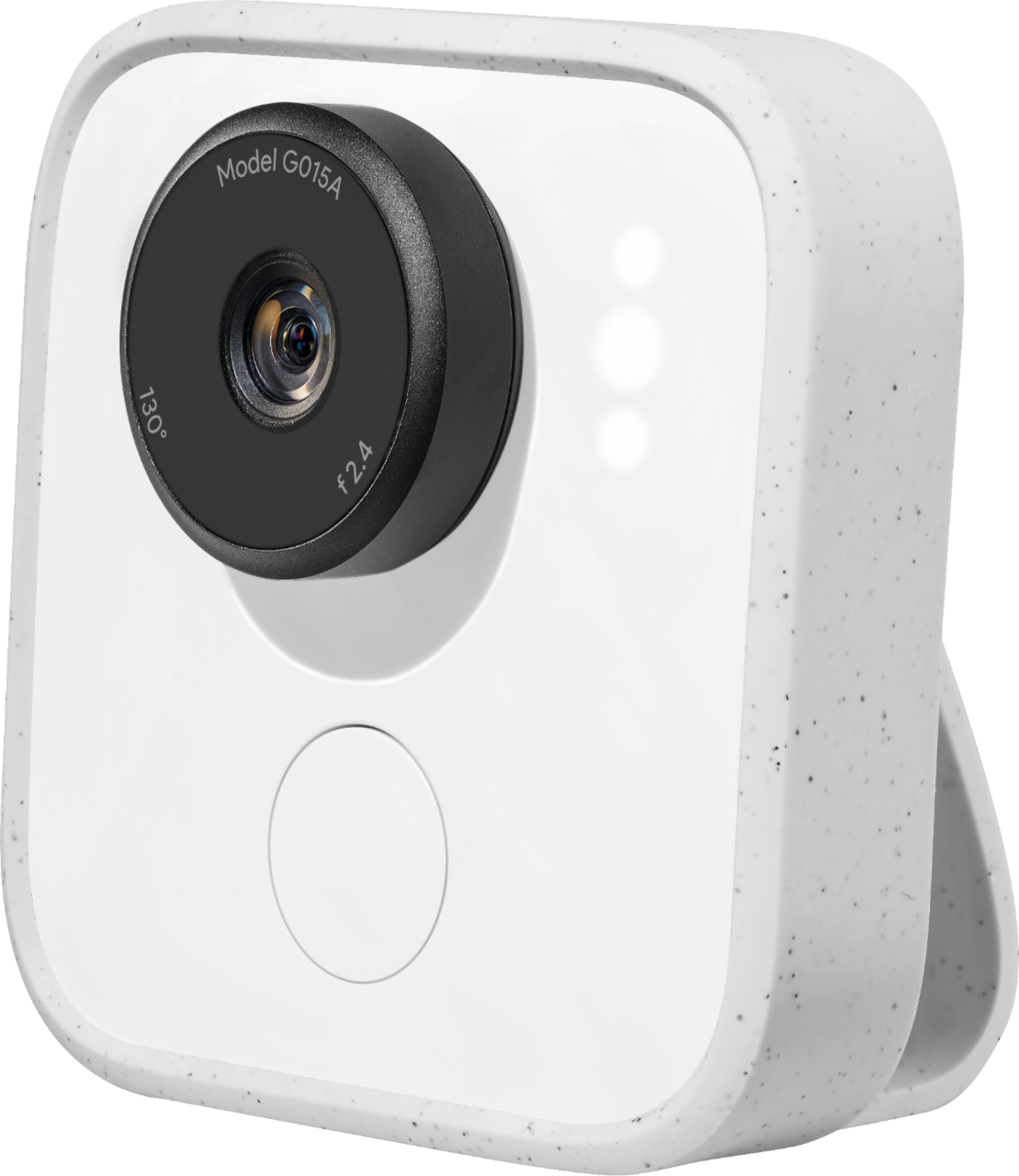
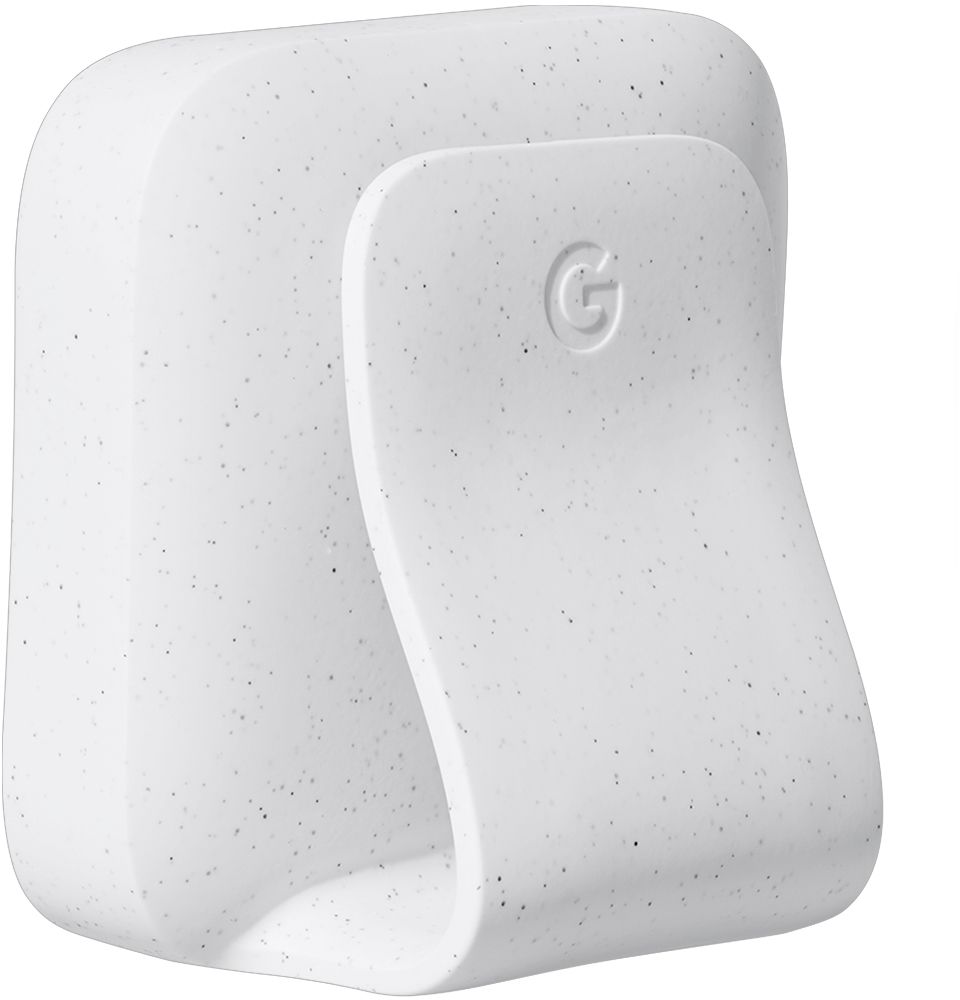
|Posted .This reviewer received promo considerations or sweepstakes entry for writing a review.Unboxed my Google Clop, charged it up and hit the ground capturing little moments. Instinctively I clipped it to my backpack I carry around work around town. It didn’t slip or feel like it would fall off. The small box has the camera, a silicone sleeve and charging wire. At first the large lense was intimidating but it actually fits the body really well. Im glad it’s the size of a button because at least people will know I have a camera. The Google Clips app you download is seamless and not over worked. It’s straight forward: the camera begins to capture life’s moments, you review them, swipe left to get rid of the ones you don’t like and can edit the ones you do! I live in a town with lots of music so I can’t wait to catch all of my friends at festivals and shows with the Google clip! I do wish there were filters built into the app but otherwise this is going to be a fun toy to carry around this summer’s adventures from hikes to graduations!
I would recommend this to a friendGreat for short clips
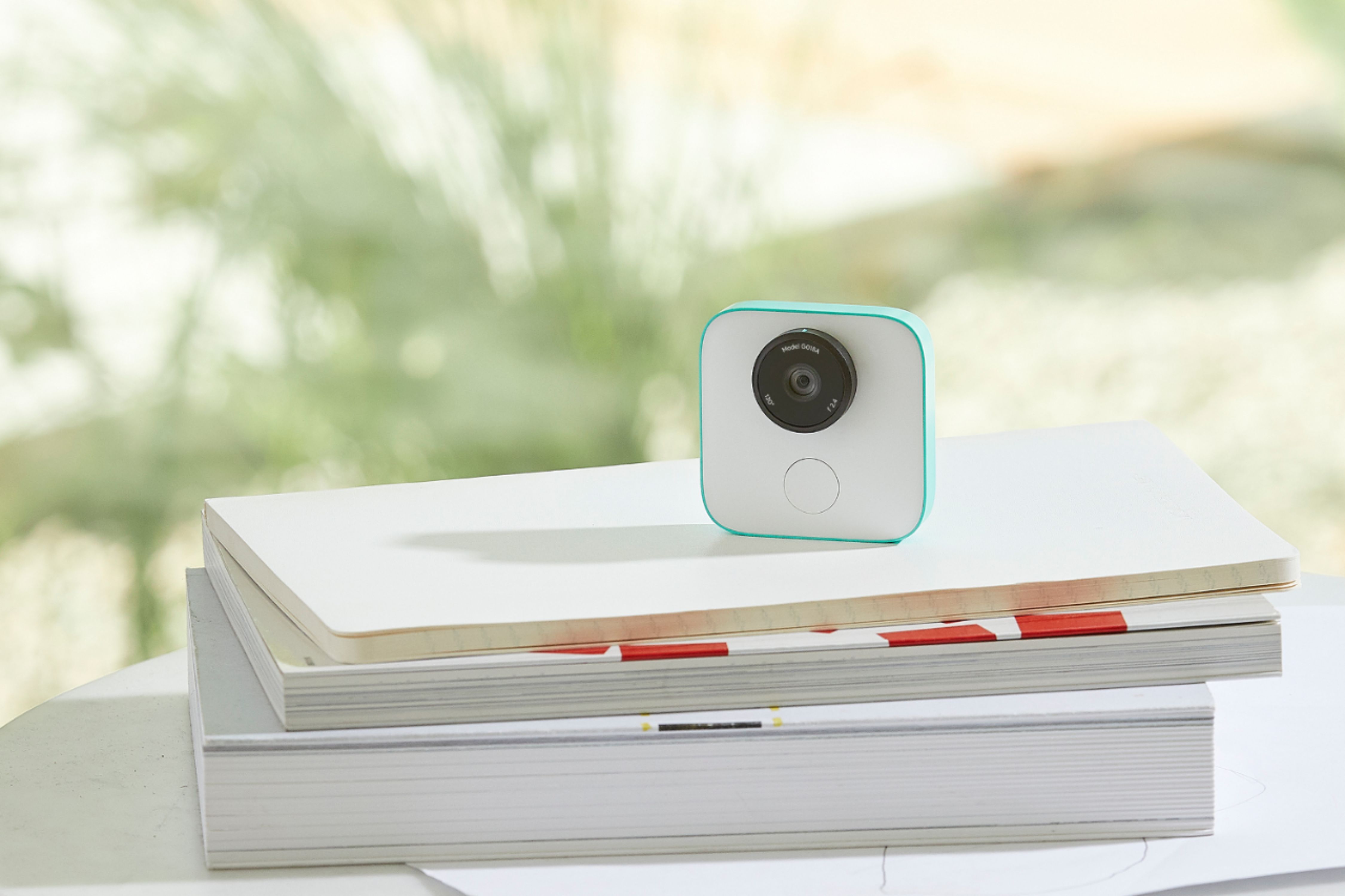
|Posted .This reviewer received promo considerations or sweepstakes entry for writing a review.Very small camera, I have a picture with a quarter for comparison. This camera is just for a specific usage: So you don't miss those memorable moments from your family and pets. Simple. It was made so when your kids or pets do something funny or memorable, you don't have to pull up your phone camera (which sometimes, the moment passes and you didn't take a pic of it). So this camera will automatically take pics or videos (which are more like animated gifs, due them being max 15 fps). Setup was easy, and you don't need wifi to use it at all (if someone is concerned about privacy), it can work offline. Supposedly the more is in contact with people in your household, the more it will learn their faces and patterns and take pics or videos itself, I have not had the cam for long so I can't attest to that, but hopefully it will. In all, I highly recommend it if you have kids and/or pets at home, when you're having parties etc.
I would recommend this to a friend- Pros mentioned:Video qualityCons mentioned:Battery life
Great in theory and practice, but req's planning
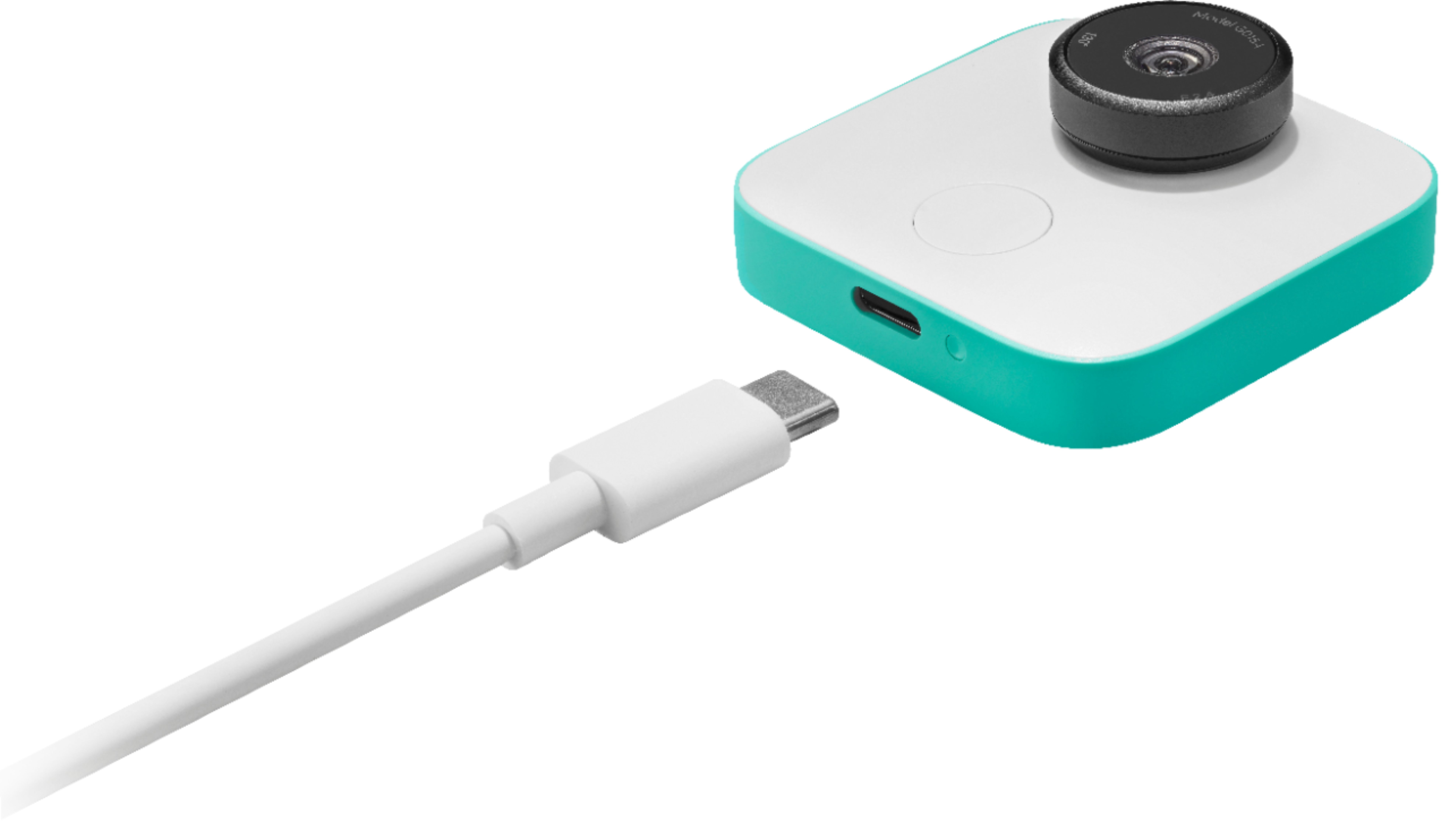
|Posted .This reviewer received promo considerations or sweepstakes entry for writing a review.First off, I'm a Google product homer, I admit it. I was super stoked with the announcement of the Clips. I thought it would be a great idea to have a camera that could take spontaneous pictures that you could actually be in (rather than being the person taking the photos). All in all, I say Google achieved their stated purpose, but it's not without limitations. The idea is simple, place the Clips somewhere in a room (or clip it to your clothing) go about your business and it will automatically snap great photos of your family smiling and laughing. But in reality, it still requires a little planning. The Clips is supposed to be 3-8 feet from its subject, which is pretty darn close. I find myself needing to move the camera in front of my kids (and then moving it again) in order to achieve the best picture. I've gotten some great photos, but it's not quite the "set it and forget it" camera it purports to be. Don't get me wrong, it's great, it's still convenient, and it's probably the best solution to the problem of not being in the pictures you take, but I still found myself looking at the camera (rather than forgetting it's there) to see if it's in the best placement. As far as hardware/software goes, the camera itself is compact and durable. The setup is simple, although you are required to download another app. This is a negative in my opinion. We're a dozen or so years after the intiation of the app craze, and there are literally apps for everything. In a time where I try to limit the apps on my phones to ones I actually use, I was bummed to see I needed another. Luckily, however, the Clips app isn't too invasive and it's so minimalist, it takes zero thought to learn how to navigate it. It's primary purpose is to view the photos taken by the Clips so you can save the ones you want to your phone (which is then automatically synced to the best app ever Google Photos). So it ends up being an extra step, in a perfect world, the Clips just saves the pictures you like without an additional app, but that does feel like you're getting into mind reading territory. Anyways, back to the hardware. It's simple to use, it has a USB-C charging port and one shutter button. To turn on you simply turn the lens a quarter turn. That simple. Setting up on your phone was a breeze. Charge it, turn the lens so that the camera is on, and your phone should find it in seconds. As far as photo quality, I thought it was pretty good. It's not going to blow you away, especially in low light, but if used with adequate lighting you'll be more than satisfied. Plus, these are supposed to be spontaneous photos, not necessarily nature landscape photos that will turn into computer desktop backgrounds. Also re photos, it creates what are essentially GIFs. There's no sound, but it does record about 10 seconds of "footage," which I assume is so that it captures the best part of the image. Problem is, I have only figured out to capture the initial image. So if you turn "motion off" in google Photos when looking at a Clips photo/motion photo, you can only use the first frame as a photo. Maybe there's a way to capture a different frame in that 10 second window, but I haven't figured out how. Which then limits your ability to print the photo. You are then essentially stuck with essentially handing your phone (or sharing digitally) to someone to look at the great photo. Battery life isn't bad, but isn't good. I haven't ran into any issues because I haven't been stuck without battery life when I needed to use it. But if you were to travel with it, I would keep an eye on the battery level. The only way to check battery life are the three LEDs on the front of the camera, or opening up the app to double-check. I simply drop it on the charger from time to time to keep it ready for when I need it. All in all, this is a great, fun little device that is tailored for kids/pets/families. It's great to have around and makes for great photos when you least suspect it (it is great to go back through the app and see that it took a great photo you didn't think about taking). But it still requires some planning and staging, just less so than a typical camera. For those in the Google Ecosystem, I highly recommend it (I just can't speak for Apple users).
I would recommend this to a friend - Pros mentioned:Ease of use, Storage, Video quality
Simple setup and fast export, a little quirky
|Posted .This reviewer received promo considerations or sweepstakes entry for writing a review.This Google Clips camera feels like a fun little project/toy. Everything it does well keeps the fun going - it's easy to start-up, set up, and start using. It's design is small, portable, and easy to set-and-forget since it does pretty much everything on its own. It transfers nice video clips super fast into your bluetooth-connected device. And it stores a lot of media in small enough data files on the camera and allows you to save or delete those files from and on your mobile device. Despite these positives, it's hard to understand what the device feels is appropriate to record. I do find myself spending a lot of time deleting more than saving, so maybe at the onset, the camera is catching everything it can? I don't know. The videos themselves are all very clear, but I'm still trying to understand what makes for a capture-worthy moment. And it looks like that isn't the point of this device: it really is meant to be left alone and returned to when you want to catch up on something you think it may have caught. That sentence alone is a little bit of a turnoff. Google has me somewhat torn on this little device: while I see its potential benefits, it really is just the first of what's to come in smart camera technology. And like most new things, it feels a few years away from fulfilling that potential. Luckily, everything else it does, it does well. Full disclosure, I was given this product for my honest, unbiased review.
I would recommend this to a friend - Pros mentioned:Ease of use, Size, Video quality
Priceless
|Posted .This reviewer received promo considerations or sweepstakes entry for writing a review.Ok I've have some time now to play around with the new google clips camera with AI facial recognition. And it has a learning curve. For best results just read and follow the instructions. Opening the box you will find the camera it self is very small about 2 inches squared, It also comes with a silicone case with clip and a USB-C cable for charging. And a users manual. The camera is very simple. Turn the lens to power on and off. After that you will only find a button to take photos manually. You must download an app to use it. I used it on both a Google Pixel XL and a Iphone plus. After getting the app it will walk you through the setup. Using clips is almost like clip it and for get it. First you want to start by taking a close up portrait of everyone in your family.(or just the ones you want photos of) then find a good spot to clip or set it so it has a good view of your activity. I found that moving it around for different angles and views works best. You don't want 100 photos of the same background. The first few days I wasn't to impressed. I felt like it was missing a lot of good photos. So taking far less then it should have I feel. But after the leaning curve for both me and clips it's doing much better now. This will not replace my camera phone or my canon mark II. But it is a nice addition to my arsenal of photo taking equipment.
I would recommend this to a friend - Pros mentioned:Ease of use, Lens, Video qualityCons mentioned:Battery life
Nice Idea, but Limited Need
|Posted .This reviewer received promo considerations or sweepstakes entry for writing a review.It’s a unique idea, but still needs some work. I tried using it as a supplemental camera for my phone. The picture quality is decent, but there is no sound for videos. The clips last just a few seconds, so if the activity or the cute dog trick lasts too long, it won’t capture the entire moment. It would be most useful for a special occasion when there’s lots of action that you don’t want to miss (birthdays, holiday get-togethers, etc.). Otherwise, my smartphone will get the job done without the added gadget. PROS: - Very compact & light - Easy to place anywhere - Hands-free, automatic captures - Wide 130 degree lens CONS: - App works on very limited operating systems at this time - Image quality average - No microphone - Short battery life - Not true video (15 FPS)
No, I would not recommend this to a friend - Pros mentioned:Video quality
Excellent!
||Posted .This reviewer received promo considerations or sweepstakes entry for writing a review.This camera far exceeded our expectations. Great at grabbing random moments that we would normally miss.
I would recommend this to a friend Good option for taking kids motion picture
||Posted .This reviewer received promo considerations or sweepstakes entry for writing a review.I have used this for capturing some pretty nice candid shots of my 6 months old infant and 2.5 year old toddler. There are some moments where they would do things and I'm just not ready with my smartphone. However, the image quality is not as good as I would like, and it doesn't capture sounds.
I would recommend this to a friend- Pros mentioned:LensCons mentioned:Focus, Resolution
Googles "always there" camera is a unique use case
|Posted .This reviewer received promo considerations or sweepstakes entry for writing a review.The clip needs an introduction so you can understand just how and why you'd want to use it. Shaped like the camera icon on your phone, but not accommodating any real hefty camera hardware, the clip probably could have been any shape they wanted, but to keep the focus on what it does, they stuck with a camera format. The clip is a wide angle (think go pro) lens camera that is designed to get candids of you and your family/pets with you in them. Good idea right? Put down your phone and get in there! Well, the device still leaves some areas to be desired. First things first, this camera captures hi-res animated gifs you can pull stills from. The button on the front lets you manually capture OR take pics of people you want it to prioritize. Here's where big brother goog comes in - you can connect it to your google photos account to add faces from photos you've taken to know whom to prioritize when capturing candids. This is what AI is all about people! Unfortunately, the camera hardware cripples the end result. You have to be within 10 feet of the lens to have your photo taken with any decent resolution/clarity/focus. If you're off on the edges of its wide-angle view or farther than 10 feet, it's unlikely you'll like the photos it gets of you. If you've got a camera in your phone you already have a better lens/capture system than the Clip. I also thought it would be best in my testing to leave the camera in the same spot... and then I got a number of similar or repeated photos of our dinner table, so in reality, it needs to be moved around. It doesn't appear to be made for body wearing, but it does come with an actual "clip" to attach it to things or stand it up. Overall I love the idea. I don't have many pictures of my kids with me in them because I'm always taking them. This is likely the first in a range/run of cameras like this, and once everyone gets comfortable we'll all have one... just hope that takes a little better photos than this.
No, I would not recommend this to a friend Good idea but poor execution
||Posted .This reviewer received promo considerations or sweepstakes entry for writing a review.All the pictures taken are at an odd angle. Captured a few good picture though
No, I would not recommend this to a friend- Pros mentioned:Ease of use, Video qualityCons mentioned:Battery life
Great Idea
|Posted .This reviewer received promo considerations or sweepstakes entry for writing a review.I was excited to get this due to the fact that I love candid shots of friends and family better than almost any other. The setup was a little difficult for me, but that was primarily my fault because I didn't charge the camera before trying to sync it with my phone. Once it was charged, setup was a breeze. The camera does a fantastic job taking clips, and more importantly, only when something interesting is happening. I set it up in front of my 6-year-old daughter while she was watching a movie. I didn't get a bunch of clips of her just staring at the screen. I did get several of her laughing or reacting to it. Really cool. The battery life is the most disappointing part... I was expecting a shorter battery life, but with battery life getting longer on all of the devices on the market, it was dead after only 2 to 2.5 hours. This is whether it takes 10 clips or 50 in the same timeframe. We're planning to have family over for Christmas, and that will last anywhere from 6 to 10 hours, so unless I can come up with some kind of charging mount, this will not be able to do the job I'd hoped it would. For a game night or a dinner party, Google Clips is the perfect way to capture the fun as long as you move the camera around every 10 to 15 minutes to get different shots.
I would recommend this to a friend - Pros mentioned:Lens, Video qualityCons mentioned:Resolution
Fascinating Concept Not Ready for Prime Time
|Posted .This reviewer received promo considerations or sweepstakes entry for writing a review.The Google Clips camera is a fascinating concept. Just turn it on, point it in the right direction and let it take candid photos. It is easy to set up and use and the camera takes good-quality wide-angle pictures. But, after the novelty wears off, it's a very limited-use gadget. I just can't justify it at its current price-point. It has some AI features that will make it's choices improve over time, but the wide angle lens requires strategic positioning that's hard to implement - and - keep it inconspicuous. According to the marketing, it works well on the floor for dogs and small children. I'm still going to try a few more applications of the camera to see if I can find something compelling. So far, it's fascinating, cute, well-designed and easy to use, but not something I'm likely to use often. If it had the resolution and capacity to have the AI zoom into interesting actions and faces, it would be living up to its promise. Even so, it is clearly not in the impulse-buying price-range. Though well built and designed, I can't recommend it unless you have a compelling use-scenario for it. I like the concept and, if they stay at it, Google could have something amazing. I mean, who wouldn't want their own, dedicated photographer?
No, I would not recommend this to a friend - Pros mentioned:Lens, Storage
Fun Idea
|Posted .This reviewer received promo considerations or sweepstakes entry for writing a review.The Google Clips is an interesting – and cute – little device. It is an AI-driven camera that decides on its own when to capture short video clips. You interact with via an app on your phone, which allows you to decide which cilps to save and whether to edit a clip down to a photo. You can then save the photo or short clip to your phone or Google Photos. The clips can also be saved as GIF or live action photo. Setup was quick and easy. Download the app, it finds the camera automatically. You can change camera settings via the app. Use is just as easy. Turn the lens clockwise, and it’s on. Turn it counter-clockwise, and it’s off. You can click the button to take a clip, but mostly, you just leave it sitting somewhere (probably using the included clip/stand) and the camera decides when to take a video clip. There is no viewfinder, but you can enable live view on your phone to monitor the action. One other thing the camera can do is examine your saved images on Google Photos to determine familiar faces. You can also take clips of a few folks for it become familiar with certain faces. The camera is more likely to take a clip if it sees a familiar face. You can also easily edit the clips within the app. I can’t speak to long-term use, but the little thing seems sturdy and well made. It has Gorilla Glass 3 covering the lens. The body is solid. It includes a case that doubles as a stand. Of course, the case has a clip. What the Clips does not do is capture sound. It’s video and images only. There is no mic. This helps reduce file size. The Clips has 16GB of onboard storage. Video is recorded at 1080p and the camera captures images with a 12MP lens. It charges pretty quickly via a USB-C port, and a full charge buys you 3+ hours of clip recording. Overall, Google Clips is worth playing around with for a bit. It's an interesting little device that could get even better through machine learning as time progresses.
I would recommend this to a friend - Pros mentioned:Ease of use, SizeCons mentioned:Battery life
Great Tool to Capture Good Photos
|Posted .This reviewer received promo considerations or sweepstakes entry for writing a review.I like Google Clips because it allows you to capture pictures without having to use your phone or carry around your camera. The device is tiny and can easily be setup near wherever the action is to provide unique perspectives for you to record and view. And because it's automated you don't have to worry about taking the pictures yourself. Instead, you can just enjoy being there. Here are the things I liked about the camera: First, the size is great. It is very small and with the clip can be setup in a lot of places without a big distraction. Second, it is very easy to use. It's as easy as plugging it in and downloading an app. The app is easy to understand and use. It is really nice that the pictures can be automatically saved to your iPhone directly from the app. Most cameras need to be downloaded to a PC. Another great function is the ability to view the live stream from the app. You can use this to make sure the camera is setup in the right spot. You can also hit the button on the app to take photos from the camera. This is nice because it doesn't always take pictures when you want, and this allows you to capture moments you want. The only two things that I wasn't impressed with was the battery life and the occasional overheating. Battery life is said to be up to 4 hours but I found that mine used about a percent a minute, so at a much faster rate. I'm guessing that some of the reason it drained faster was because I was constantly connecting to the camera, which I assume takes more battery power to transmit. Also, when connecting for more than a few minutes the camera would shut down and tell me that the camera was too hot to continue. Again, this might have been because I was doing the live preview and using the battery faster than if the camera was just left alone. Overall, this is a very fun camera that is great for getting good quality photos with a unique perspective, while letting you enjoy not having to take the pictures yourself.
I would recommend this to a friend - Pros mentioned:Storage, Video quality
A good start...
|Posted .This reviewer received promo considerations or sweepstakes entry for writing a review.The Google Clips camera is a great concept that with firmware updates could be really good, and with hardware updates be really great. The camera itself is very portable, will fit almost anywhere, and feels very solid. The camera will blend in where ever you put it, so no worries if you want to catch those candid moments, and when you drop it or knock it over, it will be just fine. Also setup is incredibly easy, as is use. I have found myself using this camera to catch my toddler in her daily activities and general clips of family and friend gatherings. First thing I noticed was that although the case and clip doubles as a stand, this camera needs more mounting options, a la GoPro. Although this camera fits everywhere, at times I have found it difficult to pick out a good spot to set up the camera near the action without physically holding it. A semi rigid arm connected to a tension clip would work wonders. Maybe there will be an aftermarket for it. Once you find a place to put the camera, set it and forget it...kinda. The camera takes great pictures in good conditions (daylight only... forget even trying at night). It detects motion, and at time recognizes faces. But even when trying to help the camera and direct any action or moments you want to capture towards the camera, it almost always seems to miss it. Either the 7 second limit causes the miss or it just doesn't record. But when it does, it takes great pictures, with plenty of storage, good battery life, and super easy file transfers. Ultimately, I think with some research and firmware updates Google will have this thing running on all cylinders and capturing life as we want to remember it. Maybe throw a flash, auto zoom and focus into the next generation, and create magic. Until then, this camera is nifty, but will still give you a lot of shots to sort through to find those keepers.
I would recommend this to a friend - Pros mentioned:Video quality
Cool idea needs better software
|Posted .This reviewer received promo considerations or sweepstakes entry for writing a review.The Google Clips Camera looks cute. It’s white with a mint green backing and is a bit smaller than a post it note. It comes with a case that has a clip. In the box also comes a USB C cable also some pamphlets. First I downloaded the app then I tried connecting the camera to it, it wouldn’t connect the first couple of times so I just let it charge for about 30 minutes and it connected on my next attempt. The image is clear and it has a view of 130 degrees. After setting it up I tried leaving it in different areas around the house it did take random pics. But within the first 30 minutes of testing it, it gave me a warning that the camera was too hot and asked that I shut it down and try agin in a few minutes. I did have the included case on during when I got the warning mind you this is in an air conditioned home. I turned it off and continued testing it without the case an it seem to be fine. It did take random pics of my son and wife but nothing that was amazing, just random. Now you can set it to save as live pics, mp4 movie clip or GIFs. I like the idea of it but you may have to sift through tons of pic to choose the ones you like. Now my only major complaint is with the app. I am using the IOS version and it does not seem that intuitive at all. You can see the live feed and the pics on the screen which is cool but the layout is confusing. Also each time I close out the app then open it back up to see what I’ve captured it asks me to join the clips WiFi signal each time, a little annoying. Like I said the I like the idea but maybe fix the apps layout and make it more user friendly.
No, I would not recommend this to a friend - Pros mentioned:Ease of useCons mentioned:Compatibility
Neat Gadget
|Posted .This reviewer received promo considerations or sweepstakes entry for writing a review.This is a really neat gadget but won't replace a standard camera. Pros: Easy to setup and use Great at capturing 'moments' instead of just still images Decent battery Nice compact design Cons: Limited uses Won't fully replace a traditional camera Makes a lot of clips so space fills up fast The clip that comes with it leaves much to be desired. Over all, I really like the Google Clips. I have a 9 month old and it's great for capturing all the little things they do.
I would recommend this to a friend