Customer Ratings & Reviews




- Model:
- GA00191-US
- SKU:
- 6133307
to a friend
Customers are saying
Customers enjoy the Clips' excellent video quality and ease of use, finding it simple to set up and operate. However, some users express concerns regarding the battery life and limited compatibility with certain devices. The small size and wide-angle lens are also frequently praised.
This summary was generated by AI based on customer reviews.
- Pros mentioned:Storage

Not a product I think I will use from google.
|Posted .This reviewer received promo considerations or sweepstakes entry for writing a review.I'm just going to give it to you as straight as I can be with this one. Google Clips is a nice device that has its uses but would you really use them? I found using this clips was not a great alternative to well any other camera I had especially just using my cell phone camera. it was not only a hassle to use but I just leave it at home. This is crazy to me because I normally like Google attempts at electronics and trying new things but this is something I fell like they should keep. First some of the good things such as a durable design and its rugged enough to make it through some drops. setup was flawless with the phone that could use the clips, it was easy to do and the app is very nicely designed with a layout that's easy to use. GIFs, Boomerang, MP4, and Live photos are all here. The biggest problem here is that the Google Clips aren't compatible with almost every android phone that's not a flagship. As great as it knows faces with learning the people around you they clearly should have built this with more AI in mind. Its suppose to be a setup and forget camera which you leave in your house but it fails on that because it should have auto pan or zoom for those times you want to use it as such. I know it never needs a network to capture so that's nice. 16 GB is more than enough for clips to handle since the clips don't have sound. To me, this is just a good complimentary camera but I know I won't be using it. Google didn't hit it out the park with this one because using your cell phone camera with an app to just create these things is just much more convenient.
No, I would not recommend this to a friend - Pros mentioned:Size, Video quality
A body camera, for the rest of us
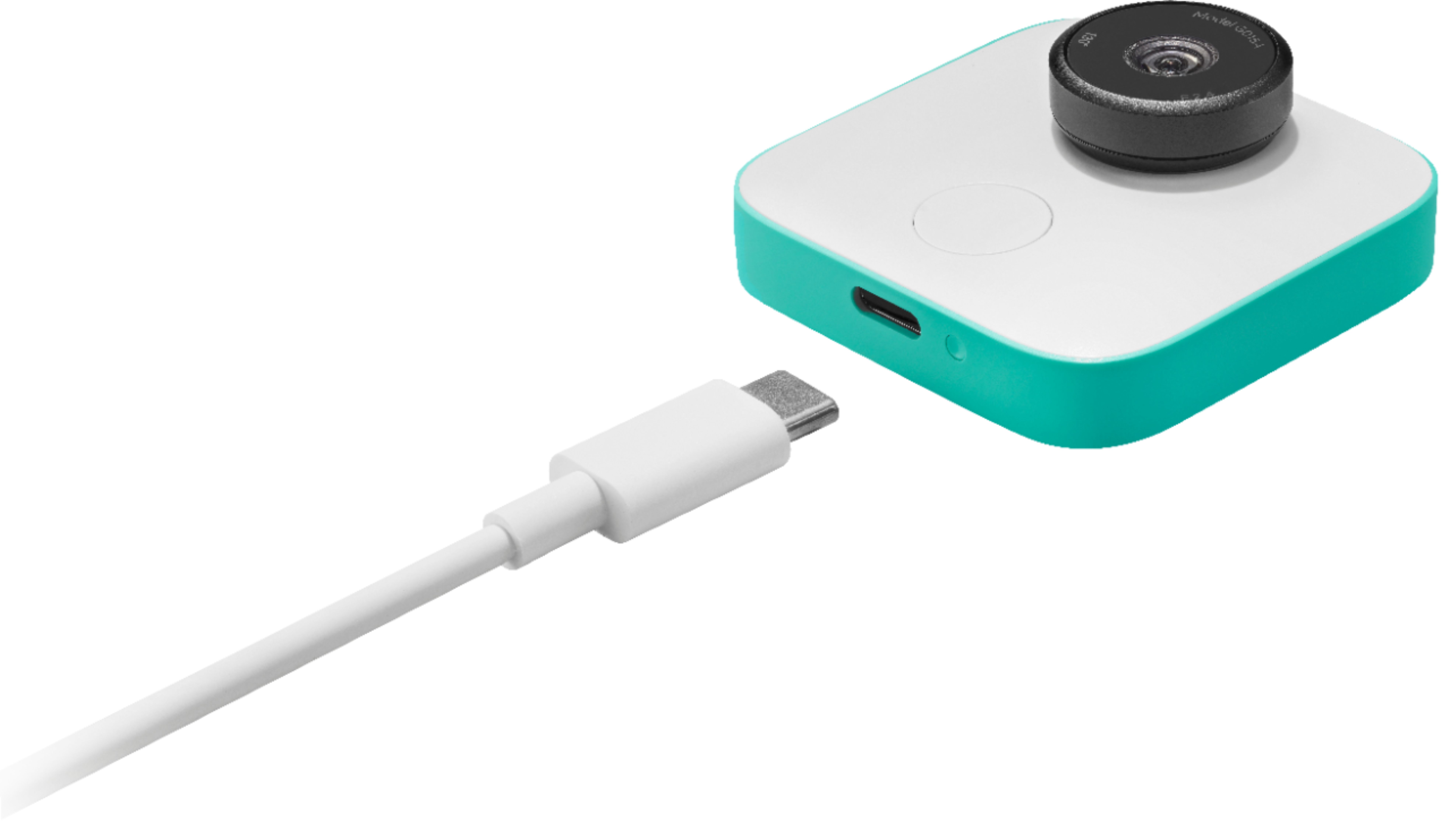
|Posted .This reviewer received promo considerations or sweepstakes entry for writing a review.Very simple, this clip on camera will take snap shot (and some video, without audio)…. and store it, and then transfer it to a connected mobile device when in range. The picture quality is pretty high for a camera of this size. It takes 3 different levels of Clips/pictures, and at various time intervals. You are not going to "pose" often for this camera, this is going to be a wear as you go, and see what it captures type of camera. 1/4th of the size of the popular sports camera, and about 1/10th of the price. so this is something that you can wear while active and doing things, and kinda hope you capture images that are what you want. As third party vendors make different holders for it, it will solve some of the problems I have with it: Very easy for the pictures to be tilted, and not level. (even though there is a level indicator in the app). but out of the box, the included clip holder works pretty well. Another minor downside, and I know it is the next generation... is that this devices uses the newer USB-C connector. Not an end of the world, but not using the USB-Micro connector... you will need to make sure you keep track of the included charging cable, or start to stock up on some extra USB-C cables.
I would recommend this to a friend - Pros mentioned:Video quality
Awesome Concept!
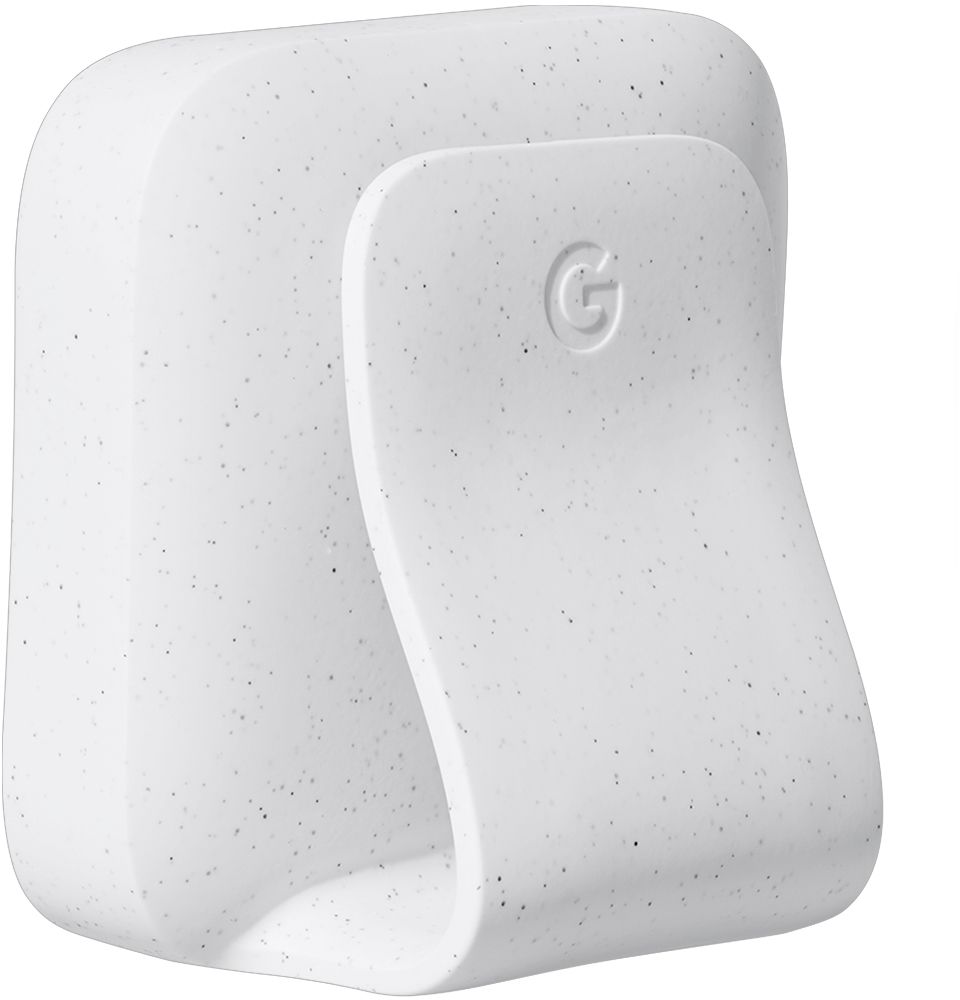
|Posted .This reviewer received promo considerations or sweepstakes entry for writing a review.Google clips is an awesome concept and with some minor improvements it will be great some days. Out of the box clips feels very premium. It comes with a case that acts as a clip or stand for the camera. The only downfall is that it does not hold the camera in very well. It will be fine if the camera is still but I would not recommend doing anything extreme while the camera is clips onto your body. I do like that it uses usb-c to charge as this is becoming the new standard. The video quality is decent but it is not on par with other small cameras. The big feature of this camera is that it takes videos without you having to control it. It tries to determine when you would want a video to be captured without having to even touch the camera. On another note this only works some of the time. When you are taking a video of something you want to make sure you capture certain moments. Unfortunately the current software does and alright job but not good enough to use it all the time and trust that it will get the "shot." Overall it is a great piece of hardware to have around.
I would recommend this to a friend - Pros mentioned:Video qualityCons mentioned:Battery life
Something Different but not quite there yet
|Posted .This reviewer received promo considerations or sweepstakes entry for writing a review.Google Clips, just set it up and let it do work. I have been using the Clips for 2 weeks solid to see the learning pattern. It has done very well compared to the first few days which was kinda a waste. Now that it is learning my kids faces, I am getting great candid shots. I also took the Clips to an ATV race and clipped it on my shirt and walked around the pits. All I can say is wow, it grabbed a lot of meat pictures of racers smiling and working away showing them in action. I was able to make gifs and little stories for the racers Social Media pages. Now, the software is easy, setup is a breeze, just download the app and set it up. Picture quality is decent inside but outside, it is where it shines! I see it worth the money if you just want to go somewhere and enjoy the day and let Clips rip. I find it fun to go back and see what it catches. The only reason for 4 stars is the battery life is not long enough and storage space is minimal.
I would recommend this to a friend - Pros mentioned:Storage, Video quality
Great Idea! Tech is not quit there yet
|Posted .This reviewer received promo considerations or sweepstakes entry for writing a review.The setup was fast and easy. The camera comes with it's own app that makes it easy to pair with a phone. It also charged in about a hour and a half. It can work without a internet connection and connect to bluetooth. The camera is motion based and you basically put it somewhere during an event and it auto captures photos for you. The battery will last about 3-4 hours and it has 16 GB of storage. The pictures have really good quality when there is adequate lighting. It is horrible in low light conditions. If the camera is synced to your phone it will stream a image to your phone where you can take manual pictures. The auto pictures it takes are hit or miss. Sometimes it will capture a good smiling face, other times the back of someones head. I say in a couple of years the tech for the auto detection will be a lot better but for now it leaves a lot to be desired.
No, I would not recommend this to a friend - Pros mentioned:Storage, Video quality
This is unlike anything I've seen or tried before
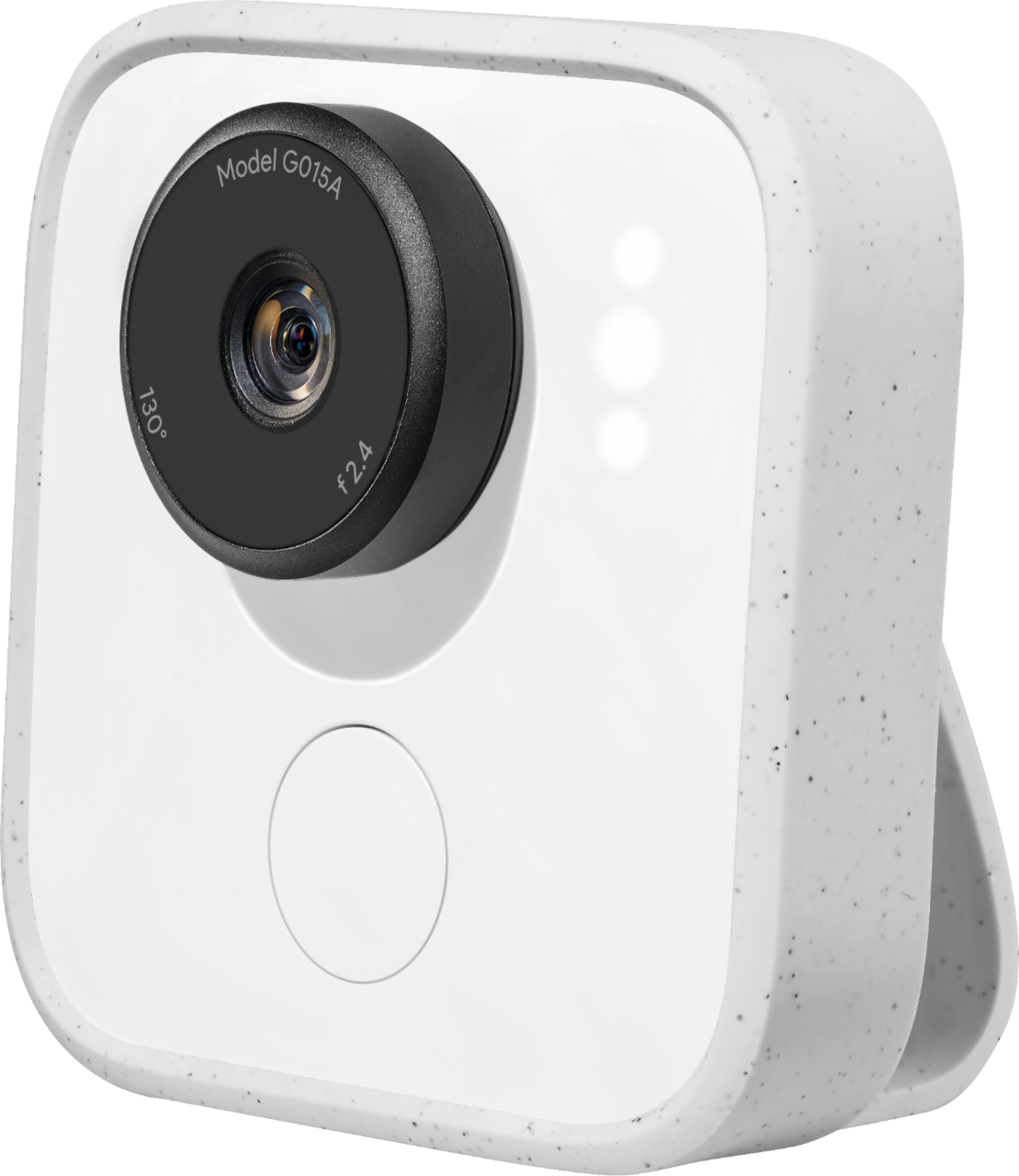
|Posted .This reviewer received promo considerations or sweepstakes entry for writing a review.At first I was a bit hesitant that this was something that I could really use, but quickly found myself realizing what a truly different and revolutionary product this is. Don't believe the requirements printed on the box; there is an IOS app and was how I played with this camera. So you charge this up. Download the app. Connect via bluetooth, and you'll be viewing and recording clips in no time at all. The app walks you through the pairing process; this was extremely easy. I was capturing clips in no time at all. The beauty of this camera is the fact that the camera realizes what you might want to see and records the clip automatically. You simply turn it on by turning the camera lens (acts as a on/off switch). The feedback is a light will come on that shows you the system is on, then the light goes off but the camera remains on. They say it gets 3 hours of battery life if left on, I found this to be about right depending upon how much activity there is an how many clips it records. The system keeps the clips in a queue until you review and decide to download or delete each clip. The camera will place a star next to what it thinks you may want to view/keep. The point of this camera is that you turn it on when you are going to sit down to play with your kids/dogs/etc. It will capture those times that might be missed by the time you got your camera and recorded it - plus you know that we get the camera often times after the special times/events have already passed once. I've clipped this on my shirt an played with the dogs at the park - very fun to watch back on these clips. I've also left it in the kitchen, and it recorded the family coming and going from this area. The quality of these clips is superb. Amazing. Excellent. Awesome. The clips can be saved as Live Photos, MP4 movies, or even GIF's. So there are plenty of formats to be compatible with how you may wish to view these once you decide which ones you want to save. Plus you can save clips to the camera, there is 16GB of storage. I didn't do this as much as I did simply downloading the clips to my phone using Apple's Live Photo format. The camera includes a camera charging cable (no usb charger, just cable is included), a case with a clip to protect the camera while allowing your to clip it onto your shirt/whatever. Oh, almost forgot, there is a white button that you can press to start the recording process should you find a moment you want to ensure it recorded. Give it a try - new idea, I have never seen anything like this before. The smart technology within is very cool, and I would not be surprised if this is the new way we start to take video clips of those special moments, they will be caught candidly and sometimes those are the best!
I would recommend this to a friend - Pros mentioned:Ease of use, Video quality
Neat concept!
|Posted .This reviewer received promo considerations or sweepstakes entry for writing a review.The device is pretty easy to setup, and it’s a neat concept. This is great for those wanting to have a hands free capture of memories. You can have it on and watch as the app displays short clips of events. Everything from the mundane things, like having lunch, or the more exciting moments with family. I also liked having the ability to start a clip with the push of a button. The clips are easy to save and share, plus the clip allows you to wear it on the go. This is great for families that like to capture the smaller moments in life, without remembering to hit a shutter or the record button. My only wish, is if this would simply upload to the cloud without the need for an app, but it does the job easily either way.
I would recommend this to a friend - Cons mentioned:Battery life
Very Cool Life Cam, Wish More Wearable
|Posted .This reviewer received promo considerations or sweepstakes entry for writing a review.So, Google Clips is a camera that is constantly taking photos with several cool catches: 1. It actually takes snapshots of several seconds of audioless video. 2. It has smarts to recognize faces and expressions, so tries to take "clips" of interesting events. 3. It's not reliant on a data connection, just need wifi to connect to the camera, browse and download clips. All of this makes for an interesting camera. Google clips certainly executes well on this take on a lifecam, but falls short in a few areas. Google Clips is a camera in a relatively small package. The design and size is reminiscent of some life cams from a few years ago. It has a button on it's face that's used for waking up the camera to pair over wifi or manually taking your own clips with unobtrusive LEDs that give you status, charging, pairing, and whether the camera is actively taking clips. There is a pinhole button next to the charging (USB C) port for factory data reset and turning on and off the auto clip taking is handled by twisting the lens. Setup was pretty simple. After opening the box, I connected a charging cable and downloaded the Google Clips app. Once charged, I pressed the button and went through the pretty basic setup of just pairing the camera to my phone. You have the option of training it on existing photos so that I can recognize people but I decided to skip that and move directly to clipping. There's no viewfinder or anything though when connected to the phone, you can use the phone as a viewfinder in it's "live mode". I took a few manual shots to get an idea of the framing and picture quality (ok, nothing to write home about) and twisted the lens to put it in automatic mode. Using the appropriate housing, you can attach google clips to your clothes, belt, or anything else about belt-width. I've called it a life cam, but it's really meant to stay in a stationary location and do it's thing - this is one area where I think it could use some improvement. Battery life is a few hours. That's good for a short party or playtime with kids, but definitely not an all-day camera. At least, not without being tethered to a power source (ding number two). The AI selected clips are hit or miss. After my first session playing with my son and moving the Google Clips camera around from time to time to different places or holding it in my hand, I definitely got some interesting shots. I also got a lot of mundane clips that were immediately deleted. There were some actions I wanted to get which clips failed to capture. I even tried staging them a few times to no avail. I think this will be most people's pain point with the camera. Yes, it will manage to capture some interesting shots, but it's pretty iffy at catching the kind of spontaneous actions and interactions that make you want to try and grab your phone but you don't because you know the moment will be gone by the time you do so. It's this issue, which some might argue - well, it's not technically a life cam, that I think needs to be addressed. One approach could be to turn it into more like a dashcam, constantly recording and overwriting memory and when you tap the button, it saves the last 30 seconds captured to a special area as an event. I think the major issue with this approach is battery life. I'm not sure how much battery the AI scanning for faces takes up versus constantly recording, but I can understand this being an issue. I really wavered between 3 and 4 stars on this review. It's a solid 3 stars based on what Google Clips does and there's a reach for 4 stars for the ease of use, AI based clip selection, and recording beyond still photos. The battery life and frustration that's still present with getting those spontaneous moments makes it hard to hold onto that fourth star.
I would recommend this to a friend - Pros mentioned:Storage, Video quality
This is a good complimentary shooter.
|Posted .This reviewer received promo considerations or sweepstakes entry for writing a review.Image quality is surprisingly good. With the Clips taken, you are almost guaranteed to find one moment that makes a great picture. The app is really well done. You can create a gif, short movie (no sound), motion video or just select a frame for a normal still picture. The motion video works best for sharing in Google Photos. There is a button on the front to force a capture. Otherwise you rotate the knob around the lens to turn on the capturing. A flashing white light supposedly lets you know it is capturing. The camera is designed to take shots that you would not normally take. It is suppose to have smarts built in, and it does an OK job at being smart. I would definitely recommend setting the capture rate to High to remove the guess work and give better odds at getting "that" scene. This camera is best suited for clipping to something to take pictures when you normally would not or could not. I used it today to take random shots at my sons award ceremony at school. I turned the knob and set it down on a shelf to have a different perspective from where I was sitting. I got a few pretty good shots from it. I can see using this at a birthday party, a picnic or somewhere with a lot of opportunities for catching moments. In the app there is a preview of what the camera can see. You can press the button remotely if in Bluetooth range. There is 16 GB of storage that it can fill and give you a chance to set it and get it later. Don't forget where you put it. Clipping it to a belt or pants pocket will give you a new perspective on your shots. Clipping it to a shirt pocket might catch the stuff you are looking at. As long as you don't look at this as a primary camera but a secondary unmanned shooter. You will be happy with this camera. If you are looking for a primary camera to rival an action camera, this is not the camera for you. Bottom line, this is a great complimentary shooter. Don't rely on it being the primary camera. It can be good to get a shot of a group of children giving you a chance at that one brief moment they are all doing what you want them to do. :D Recommended, but don't rely on it as a primary..
I would recommend this to a friend - Pros mentioned:Video qualityCons mentioned:Battery life
Does what it is intended to do EXCELLENTLY
|Posted .This reviewer received promo considerations or sweepstakes entry for writing a review.THE SINGLE MOST IMPORTANT THING I CAN SAY ABOUT THIS CAMERA: Read what it is intended to do. This camera is intended to be set in place (or held) and capture moments that you may not otherwise capture on your own. - If you want a camera that you are going to use to capture every moment on your command - this isn't your camera. - If you want a camera that captures true video (not stitched pictures) with audio - this isn't your camera. - If you want a camera that doesn't require you to have a specific phone in order to view/ download your videos - this isn't your camera. What you will get in this camera however: - Effort free setup with a great app - A chance to capture fun/ unique moments that might otherwise slip by. - An awesome way to experience some impressive AI in a consumer product without the requirement of giving everything to Google. Having the camera store all information locally and only accessible via download to a connected phone is excellent. However, if you are OK with the linking to Google, the AI really comes to life when connected to Google Photos. Again, this is all personal preference, but I personally love the way it integrates. - Surprisingly good video quality from what is technically stitched pictures. The only negative things I have to say: - I was slightly disapointed by the battery life. Although I never ran in to an instance where the camera died on me and I REALLY missed it (read: not meant to be relied on as a primary source of capture) I still wish it would survive a bit longer. - Price: I understand that there is a lot of tech that goes into this little camera (especially considering all of the AI is self-contained and doesn't rely on - nor have the ability to - connect to the internet on it's own) but I personally feel that the current price point ($250 USD at time of review) is just a bit too high for it's intended use case. However, if you are willing to pay that much for a camera that does EXACTLY what it advertises, then you will NOT be dissapointed.
I would recommend this to a friend - Cons mentioned:Battery life
Interesting idea, but poor execution
|Posted .This reviewer received promo considerations or sweepstakes entry for writing a review.As someone with a dog who routinely does meme-worthy things and a nephew who you need to take at least 50 pictures of to get one where he's smiling, I REALLY wanted this camera to live up to the promise of a device capable of finding that perfect moment to hit the shutter so that you don't have to. But, after spending a week trying to train this thing up on what I'm interested in taking pictures of, I'm forced to conclude that Google's engineers have some work to do or that my own photos are so bad that it's learned the wrong thing. It does do some things very well. The app and pairing experience are both pretty good, the hardware is a lot better than I was expecting in a unit this size, and the facial recognition system does seem to work. What I can't find is any indication that it's actually looking for optimal lighting, framing, or any of the other things it's supposedly considering when deciding when to take a snapshot. Rather it seems like it'll start snapping photos whenever it spots something it recognizes, producing a rather extensive slideshow of blurry photographs and animations of the back of my own head or the top two inches of my dog's scalp. Maybe one in every twenty shots is of something you'd actually want, and of those most aren't particularly good photos. That said, I'm giving it three stars because I do think there's still room for it to get better. As I mentioned earlier, the hardware is quite decent. All the shortcomings of the device really have to do with software - and software can be updated. Given some more time for Google's dev team to refine it (or perhaps just more time for it to learn from my photos) the Clips might yet be able to live up to the lofty goal the marketing team has set for it. And, in its current form, there are still some use cases where it's nice to have. I was pretty pleased with the results when I clipped it onto my pack and took it on a hike, for instance (though I'd definitely recommend a battery bank for any prolonged outdoor use) and it did produce some pretty good photos of my nephew that probably wouldn't have been possible with my phone. I'm just not quite sold on the idea that the Clips as it currently stands is the smart camera for the masses the marketing materials make it out to be.
No, I would not recommend this to a friend - Pros mentioned:Video quality
A camera for people with family
|Posted .This reviewer received promo considerations or sweepstakes entry for writing a review.The GoogleClips camera is made for people with kids, family, friends, all of which I don't have. I have plenty of video cameras, iPhone, iPad, etc. If I want to shoot a video, I like to have complete control of what I am shooting. This camera is for people who don't want to think about what they are shooting but just want a keepsake of the event. Since I work in a school, I wouldn't dare shoot videos of the kids so I had to wait until I went to a trade show the other day. I attached the camera to my t-shirt, turned it on and walked around the show. I had no idea what it was capturing the entire time. People I stopped to talk to were nowhere to be found on the video but other people I never paid attention to were. I sat through a lecture and forgot to shut the camera off and filled up almost the entire memory with the guest speaker walking back and forth. Since the camera doesn't capture audio, I deleted almost all of the clips of him. I wound up with some usable footage, some I had to edit out since it captured my hands in front of the camera at times and other clips were unusable due to me walking and the camera shaking side to side. I was able to transfer the clips to my iPhone and then transfer the clips to my Macintosh. I edited the 7 second clips into one video, cut out the unusable footage, added music and titles and created a short but decent video. The quality of the video is excellent at 1080p and the lens is very sharp. To transfer the video to the iPhone, I only had to run the app and agree to connect to the camera and all the clips imported with no other help from me. It's not a hidden camera since there are flashing LED lights on the front so anyone can see it's doing something but considering I was at a photo expo, nobody even asked me what the little white box with the blinking lights was. If you have a family and have parties often, it could be a lot of fun. I suppose it could come in handy if I go to a party but otherwise it will probably be sitting on my shelf more than I will be using it. I would post the video here but since it was shot at another business, it wouldn't be right to advertise the other store on Best Buy's site.
I would recommend this to a friend - Pros mentioned:Ease of useCons mentioned:Battery life
Somewhat disappointing
|Posted .This reviewer received promo considerations or sweepstakes entry for writing a review.I've been playing with this camera for a week now and I'm still a little puzzled about how to make the best use of it. It's also been hard to describe to my friends that have asked about it, what it is and why they might want to buy it. It's a tiny, battery-powered camera that "intelligently" takes short video clips of what it sees. The difficult part is seeing how that's particularly useful and worth the price. It definitely is easy to setup and use. After charging, you just give the lens a twist to turn it on. You can also press the button to take a photo, but there's no view finder so you sort of have to guess or use the app on your phone. Once it has captured some clips you can review them in the phone app and save or discard them. The battery only lasts a few hours so it's not a camera you'd set out somewhere all day. I put in near our pet door and captured some clips of my cats coming and going. It did seem to "recognize" cat faces by marking those clips with stars. However, it did still take quite a few clips of the rear end of cats going the other direction--presumably based just on motion. Although I like checking out the latest gadgets and usually give them the benefit of doubt, I can't say that I'm too impressed with the Clips. Maybe at some point they'll update the software and add more features, but right now it's a solid "meh."
No, I would not recommend this to a friend - Pros mentioned:Storage
Wait for Version 2
|Posted .This reviewer received promo considerations or sweepstakes entry for writing a review.This is an interesting idea. A camera that will take pictures for you and allow you to focus on what is going on and not behind the lens, but it just doesn't seem there. I know some of it will come as they improve the software/firmware (hopefully) and it does have a button on the front to tell it take a picture now, but without a screen you have no idea. Also some people are going to freak out because its a camera watching, so make sure your friends and family are cool with random pictures. The camera does have a bright LED on the front to let everyone know when it's on, just not when it is taking pictures. Also be sure to read what phones the Google Clip APP works with. It doesn't work with all phones and without the App you really can't do anything with the camera. Assuming you have everything its easy to use, and I'm sure over time it might take better pictures as it learns you and what it is focusing on, but so far it is fairly hit and miss. It is fun to just clip on my shirt pocket and walk around to see what it gets. The App has some editing to extract a picture or the motion (without sound) to your phone. Honestly it would be nice if I could just dump the raw contents directly from the device. You can't expand the storage but its 3 hour battery life I doubt you'd fill it. Most likely run out of charge first so that isn't an issue. I think it is an interesting idea, but I think some improvements to the App/form factor and the idea are needed. The App/Idea can be software modded so if your interested, wait a bit and see what Google does with it. Maybe once more people use it and Google gets whatever data they collect they can push a software update or something so you can help train the device to take pictures that you want, not what it thinks you want.
No, I would not recommend this to a friend - Pros mentioned:Video quality
Never Been a Camera Like This
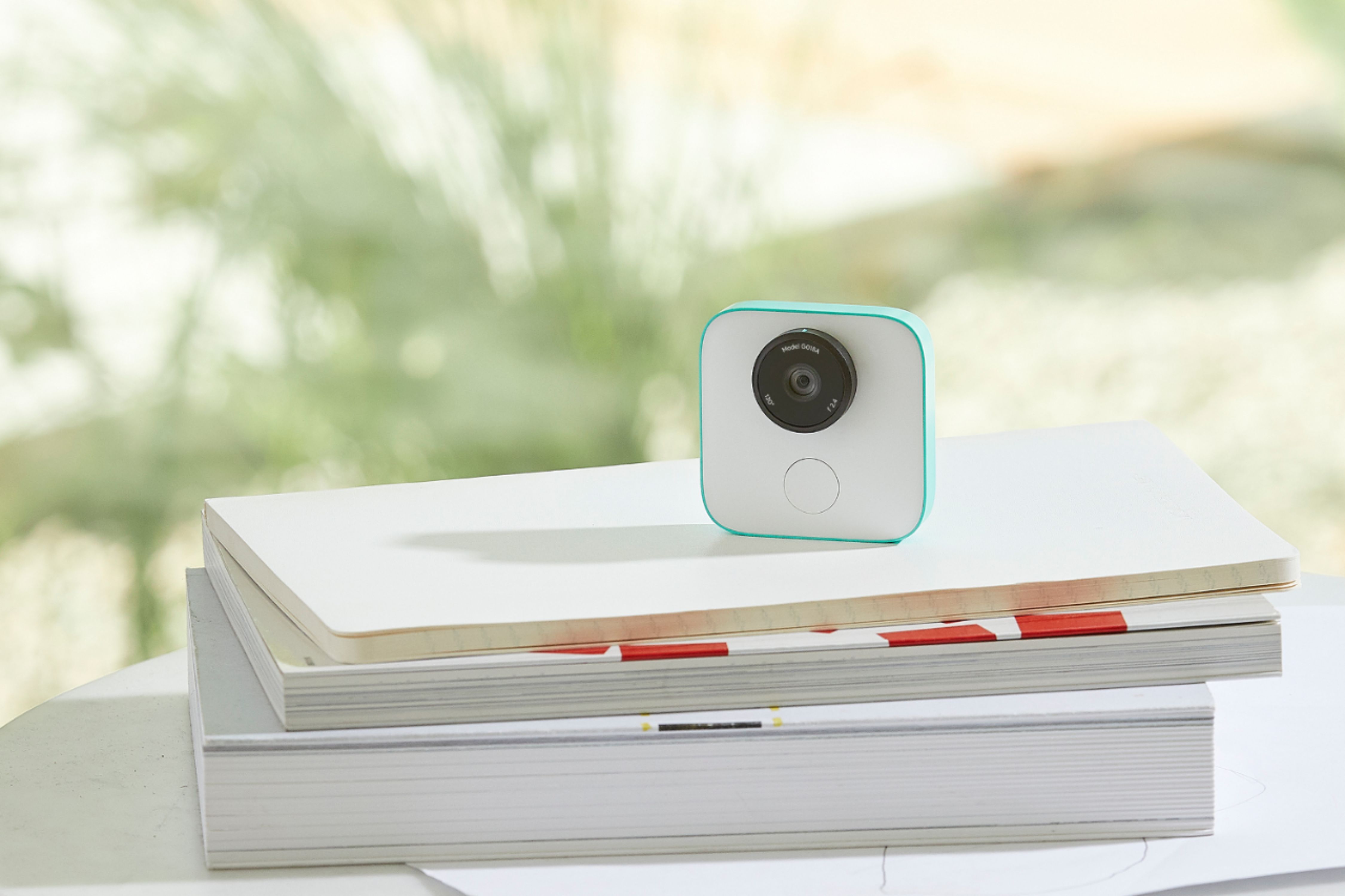
|Posted .This reviewer received promo considerations or sweepstakes entry for writing a review.It's so hard to describe this little camera. Google calls it a 'smart camera' and I guess it is. It 'learns' about your family, friends and pets using its artificial intelligence. After a while it recognizes them and automatically turns on and takes a little seven second video when it sees some action it thinks you might like. You can override its thinking by pressing the shutter button below the lens to force the video.. It's about the size of a silver dollar, about as light as one too, and you clip it on something in your room, or maybe a bag if you're outside, you aim it at the action and let it alone. . I downloaded its app on my smartphone (You WILL need to charge your new camera before the app will 'find' it.) . You use the app to see what the camera is seeing as you clip it on something. Later you use the app to find out what clips the camera took and you can easily save or discard them from the app. There's no other way to take the little videos off the camera. Oh, also, very important, the camera does NOT have any audio capabilities at all. It can't hear you or your conversations like Alexa or Google Home can do. So the nice thing about the camera is when you want to photograph your family and pets, you don't need to stand there holding a camera or phone waiting something to happen and then take it. The camera will do that for you, and of course you can also be in the picture without trying to take a selfie with everyone around you. The camera worked pretty well in the short time I had it. The only warning I would offer is the camera is so small and light it would be really easy to lose it. The clip works really well but if you're outside among other people you might want to keep an eye on it.
I would recommend this to a friend - Cons mentioned:Battery life
Unique Concept, Not Practical
|Posted .This reviewer received promo considerations or sweepstakes entry for writing a review.The Google - Clips - White is a unique concept that has more potential than the current edition allows. It currently offers the ability to place the Clips in a location where you wish it to take candid pictures of faces, family, and friends in any situation, without the use of hands-on with your phone or a camera. The benefit here is that you can just enjoy yourself without having to worry about who is taking the pictures for the memories. Sadly, this camera is more of a concept than it is practical. The pictures it takes are less than desirable in many cases, misses many great moments as it is only a still shot camera, and you have no idea what pictures are being captured until after the "event" or moments are over and you download them to your phone or computer for review. It would just be easier to use your smartphone and get the shots you actually want than to hope this Clips gets the shot! PROS Hands-free picture taking Place it anywhere Captures pictures so you can enjoy the fun Easy upload to your phone or computer Hold a battery charge so it doesn't have to be plugged into work CONS More of a concept than practical use Pictures are unknown until after the event is over Could easily be used for unsavory purposes such as spying on people without any way to protect privacy Battery requires recharging regularly to remain useful Final thought... Google has the start of a good idea here with the Clips, but it has a lot of fine-tuning and refining that is needed for it to be relevant or really useful.
No, I would not recommend this to a friend - Pros mentioned:Video quality
Pretty cool, does what it says
|Posted .This reviewer received promo considerations or sweepstakes entry for writing a review.So, the first thing I need to say is that this camera does exactly what it says it does. It records short video clips with no audio. The rest is up to you. You decide when to turn it on and when you want it to begin it's recording process. And by you decide, I mean it decides. You turn it on and leave it somewhere and it decides when to record clips. It records short clips of your life (when turned on) which you can save or delete. The first thing I did was turn it on and point it at my dog room. We just got a new dog and she loves to play with our other dog. It recorded some pretty good clips of them playing tug of war. This is exactly what this device was intended for. It captured moments without me having to sit and record. The resolution of the clips are good, nothing too crisp indoors but enough to get the moment. When I was outside I had it record my daughter and her friends playing in the backyard. Those clips came out much brighter and nicer. Then you open the app where you see all of the clips the device recorded. You can swipe left to delete the unwanted clips or swipe right and save the clips to the device for the ones you want to keep. The app was pretty nice, but was not perfect. There was a bit of a delay, it just didn't seem super smooth. Overall I think this camera has a lot of potential, you just have to remember to bring it and turn it on. You will be sure to capture some very good clips worth keeping.
I would recommend this to a friend - Pros mentioned:Ease of use
It works but what to use it for?
|Posted .This reviewer received promo considerations or sweepstakes entry for writing a review.The item is easy to use is the best thing I can say about this gadget but the pictures/clip can be jittery or not very focused which kind of makes it not useful. If the camera is stationary as well as the subject matter then great stuff but that does defeat the spontaneity of the product. It is small, light weight and easy to use but finding purpose for it is another problem
No, I would not recommend this to a friend - Pros mentioned:Video quality
Cool Gadget with Limited Features
|Posted .This reviewer received promo considerations or sweepstakes entry for writing a review.Setup of the Google Clips is quick and easy. It is required to download an app "Google Clips" to setup this device. After following instructions, google clips connected successfully with the phone. Please make sure to charge before using it. It will take atleast 2 hours for full charge. Google clips automatically detects family and pets to take motion picutures. The battery will last close to 3 hours for continuous use. It has 16 Gb of internal memory and you can easily transfer the images from clips to phone. Also, it will allow you to delete images with single swipe. It comes with a clip to place it tables. Also, it came with protective case. The camera will auto correct itself if it placed upside down. The photos are very clear in bright areas. However, it is not performing well with low light conditions. It auto detects family members and capture the pictures while smiling, celebrating or moving. Google clips is a good start. However, it should have more features. Now a days everyone using phones to take pictures and latest phones are coming with dual cameras, 4K videos etc and many other features like DSLR cameras. For the price, google clips has limited features. I don't see any value to use this device when i have super power iPhone in my hand. It is not going to satisfy all user needs.
No, I would not recommend this to a friend - Cons mentioned:Battery life
Average product
|Posted .This reviewer received promo considerations or sweepstakes entry for writing a review.I was very excited about getting a machine learning based camera that would auto-capture moments by learning our faces and activities over time. Appearance: the camera is super cute, easily holdable within the palm. It comes with a cover - which is really good. The cover holds the camera upright to take pictures. Captures: I wasn’t very impressed with the way the camera took pictures. It captured even my walks, whenever I get up from my chair or when I come and sit on the chair. I have used it for a week now, so I am not commenting on the face recognition part as I understand the camera needs more time to learn and get trained. I have a dog and I used the camera to learn my dog’s face. It did capture only my dog’s activities when I took the camera to a dog park. Battery - battery life is very poor. On continuous usage, the charge lasted for an hour and a half. Downloading pictures from the camera was quite easy from the mobile app. One good thing is google gives me a recommendation of the best shots captured by the camera. Overall, not very impressed with the product. But it is definitely a good start to the world of AI in cameras. Hats off to google for giving this try.
I would recommend this to a friend