Customer Ratings & Reviews




- Model:
- GA00191-US
- SKU:
- 6133307
to a friend
Customers are saying
Customers enjoy the Clips' excellent video quality and ease of use, finding it simple to set up and operate. However, some users express concerns regarding the battery life and limited compatibility with certain devices. The small size and wide-angle lens are also frequently praised.
This summary was generated by AI based on customer reviews.
- Pros mentioned:Video quality

Super Fun!
|Posted .This reviewer received promo considerations or sweepstakes entry for writing a review.This is definitely a fun little device, small enough to have on you all day, without you even realizing it is there! I would keep in mind before purchasing that this is not a personal camera or phone camera and with time, this will be a great device for someone that is outdoor or tech savvy person that wants to capture photo/video without having to hold a camera! There is an app to download and I think that it pretty good. It builds a gallery of photos/videos and learns from it like your own personal photographer. It attempts to remember faces and previews are available on your smart device and are easily saved with a swipe to the left or right to delete. Also keep in mind that it works based on motion as well. The images to me are clear and vivid when there is lots of good lighting but there is a night option as well! I really feel that this will be a great addition to family gatherings and outings because I am not the type of person that wants to constantly breakout a camera every time I want to capture a moment! I instantly think of a weddings and parties and having everyone wear this product to capture all moments! With time and adaption to the app, I would definitely buy again!
I would recommend this to a friend - Cons mentioned:Focus
Just not quite ready for prime time
|Posted .This reviewer received promo considerations or sweepstakes entry for writing a review.I’ve been using Google Clips for several days now, my impression of this device is, I’m not impressed. The clips it gives me to choose are either out of focus, or a shot that looks like it was just missed. Out of all the clips I’ve seen to choose from, I’ve just deleted them all. The device is easy enough to set up, get the app sign in and you are ready to go. It also comes with a very nice rubber case with a clip to clip to some part of your clothing and forget about it. The camera itself seems nicely designed and looks good. It appears to be able to withstand the rigors of daily use. I’ll continue to try to use the camera in different environments and if anything changes regarding how well it performs, I will update this review accordingly. For now, I just cant recommend the Google Clips camera.
No, I would not recommend this to a friend - Pros mentioned:Ease of use
Very clever
|Posted .This reviewer received promo considerations or sweepstakes entry for writing a review.Was skeptical at first but this is pretty cool. Plop it down. Let it take pictures. It's really that easy. Pro - fun and easy Con - a little confusing to set up. The app interface could be more intuitive. Looking forward to having it on at the next family event.
I would recommend this to a friend - Pros mentioned:Ease of use, Video quality
Perfect for capturing wonderful moments in life.
|Posted .This reviewer received promo considerations or sweepstakes entry for writing a review.The Google Clips is amazing! We went on a family trip to the San Francisco aquarium this past weekend and clipped the Clip to my son's sweater. I was amazed at the wonderful pictures that were taken by this device. The images are nice and clear. My son flipped through the many pictures and was really happy about them. Battery life is really good for such a small device. We were in the aquarium for about two hours and the Google clip still had a bit left afterwards. It is really easy to set it up. You download the app, follow a few simple instructions, and you are on your way to capturing such beautiful pictures. The Google Clips is great! I would highly recommend this to anyone.
I would recommend this to a friend - Pros mentioned:Video quality
Leading Edge for Consumer AI Camera
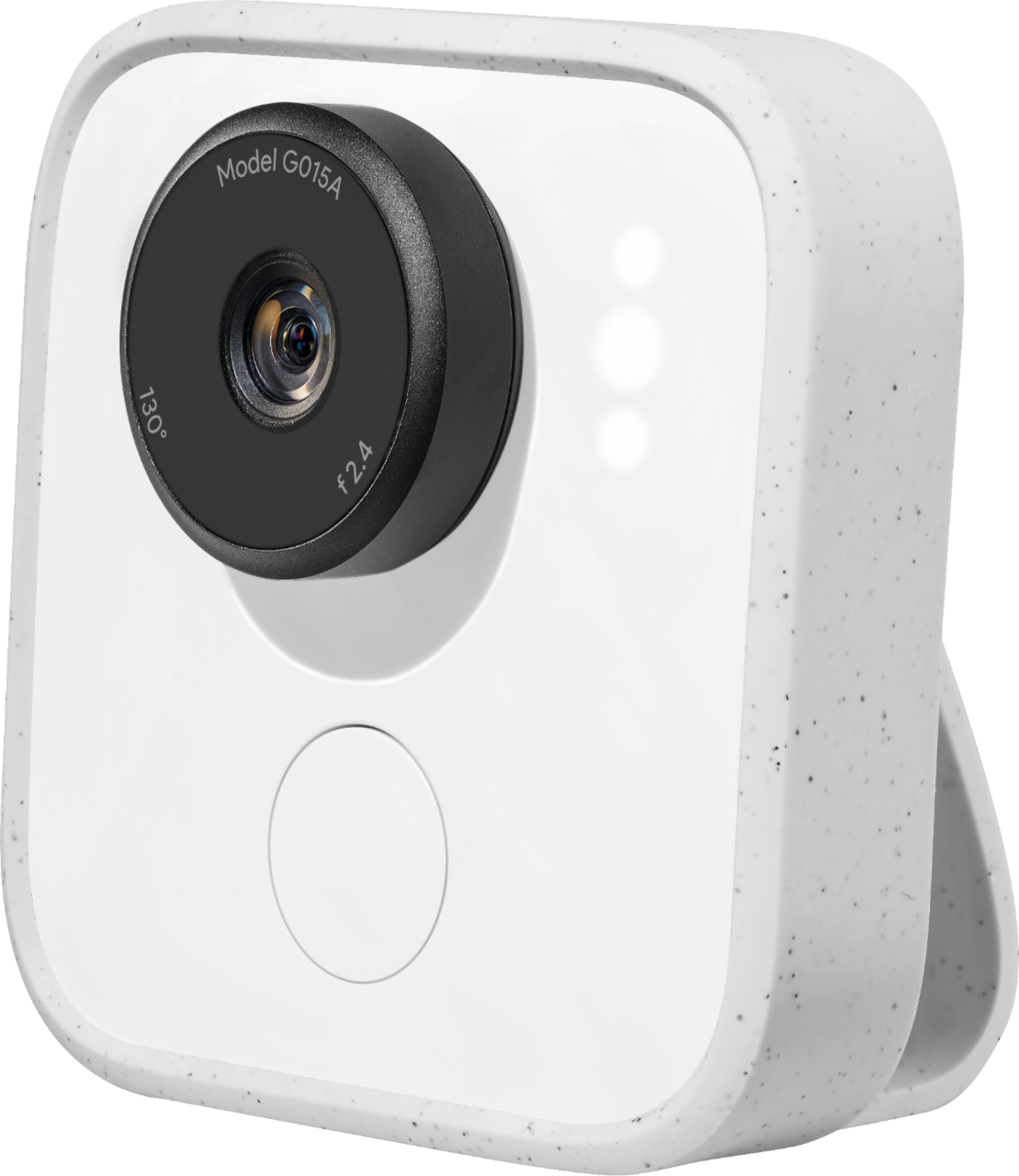
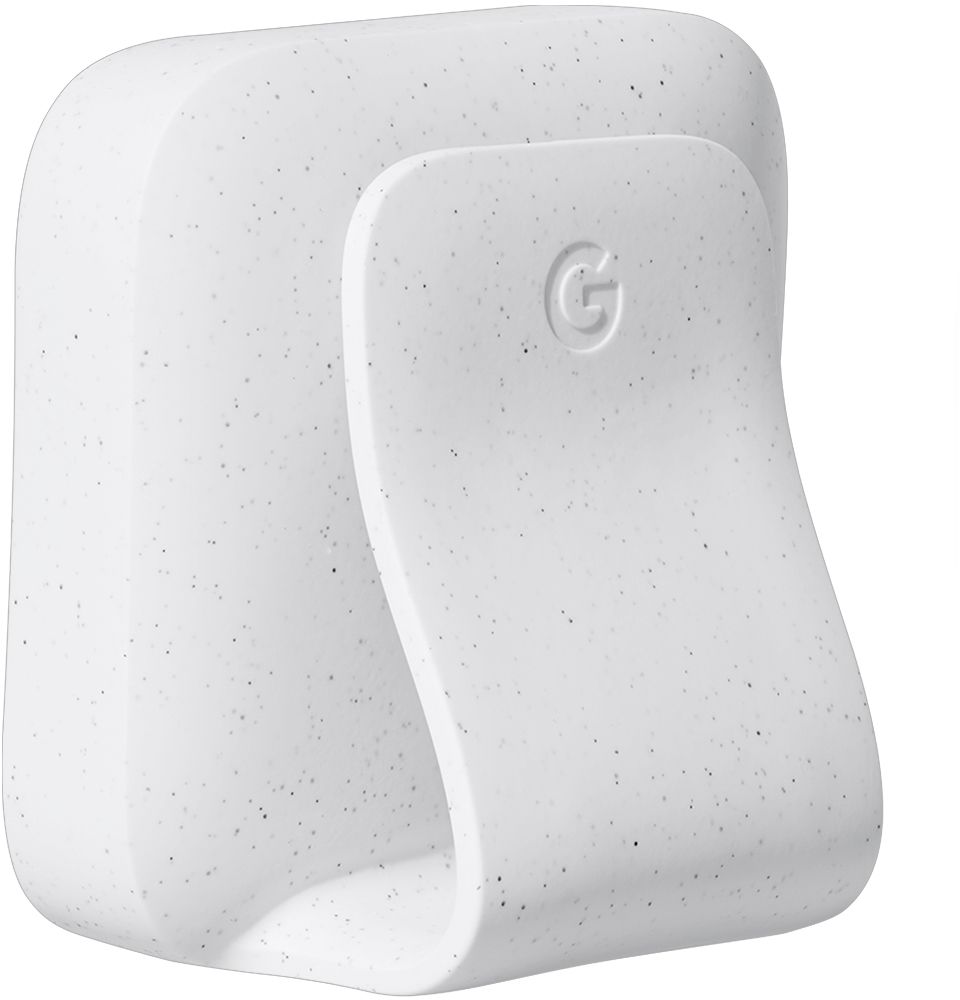
|Posted .This reviewer received promo considerations or sweepstakes entry for writing a review.The Google Clip is fun although you do need to spend about a week or two playing with it to understand how to best utilize its artificial intelligence. There are ways to expedite its learning which I’ll mention later. The camera is designed to be set on a table or shelf and through its little electronic brain it will be triggered to take photos. Sometimes it is triggered by movement and it also does begin to recognize people so that it knows they are triggers very quickly. In case you didn’t pick up on it from the advertisements, this will only work with Google Pixel, iPhones and a couple Samsung high level phones. Rather than list them here as they might change, you should look up if your phone is covered, else you can’t even load the app and use this little marvel. It does come with a very useful little silicon holder that can be used to hold the camera in a couple positions or even clip to something. You can get an accessory little tripod if needed. Try not to put it in one spot, move it around a bit so you get a variety of shots and you get to know it as it gets to know your family. You will need to install the Google Clip app. The app is very well designed to enhance your use of the Google Clip. The app has a smooth interface to view recordings, edit and even see what the camera is seeing live. I really liked the app. One important design point is that it will take candid photos that you would otherwise miss in trying to catch something with a cell phone that you really don’t know is going to happen. An example might be cute antics that a baby might do when you aren’t even in the room. Another design point is that with a cell phone you will probably be behind the camera and thus not in the shot, but with the Google Clip you may well be in the shot. It purposely has a wide-angle view and fixed focus so that once you set it on a table for example it will have a good chance of ‘seeing’ something which will cause it to record. The photos and movies were very sharply focused. It is relatively expensive but it is built very well and has advanced features such as the artificial intelligence built in, so the price is fair. It will also run people detection software of Google. It does not take movies but rather stitches frames together to create a video – this is probably one reason it does not record audio. This actually has an advantage as you can use the app on your phone to pick out a single photo that you might want to extract. Using your cell-phone you can see what the Google Clip is recording if you like as the camera itself has no display. It does have a shutter button so you can take a photo, but usually you’ll most likely use it to automagically take candid shots. You can use Google Photos to train it to recognize people you want it to know. Also you can adjust the frequency of captures. It is a rather advanced and technically edgy piece of electronics – nice. Using it inside worked great, and outside it was able to get good shots. I need to learn some more about the camera as I use it, but out of the box it works great. I expect there will be added features as this type of technology is refined. I do think this is worth the price. Don’t think of it as a security camera or baby monitor, there are better options for those purposes; and it won’t replace a Go Pro type of camera – they have different purposes.. However, those who want to catch some additional memories of how life is going on in their family will find it a lot of fun and very enjoyable.
I would recommend this to a friend Nice idea w/ potential. See compatible devices 1st
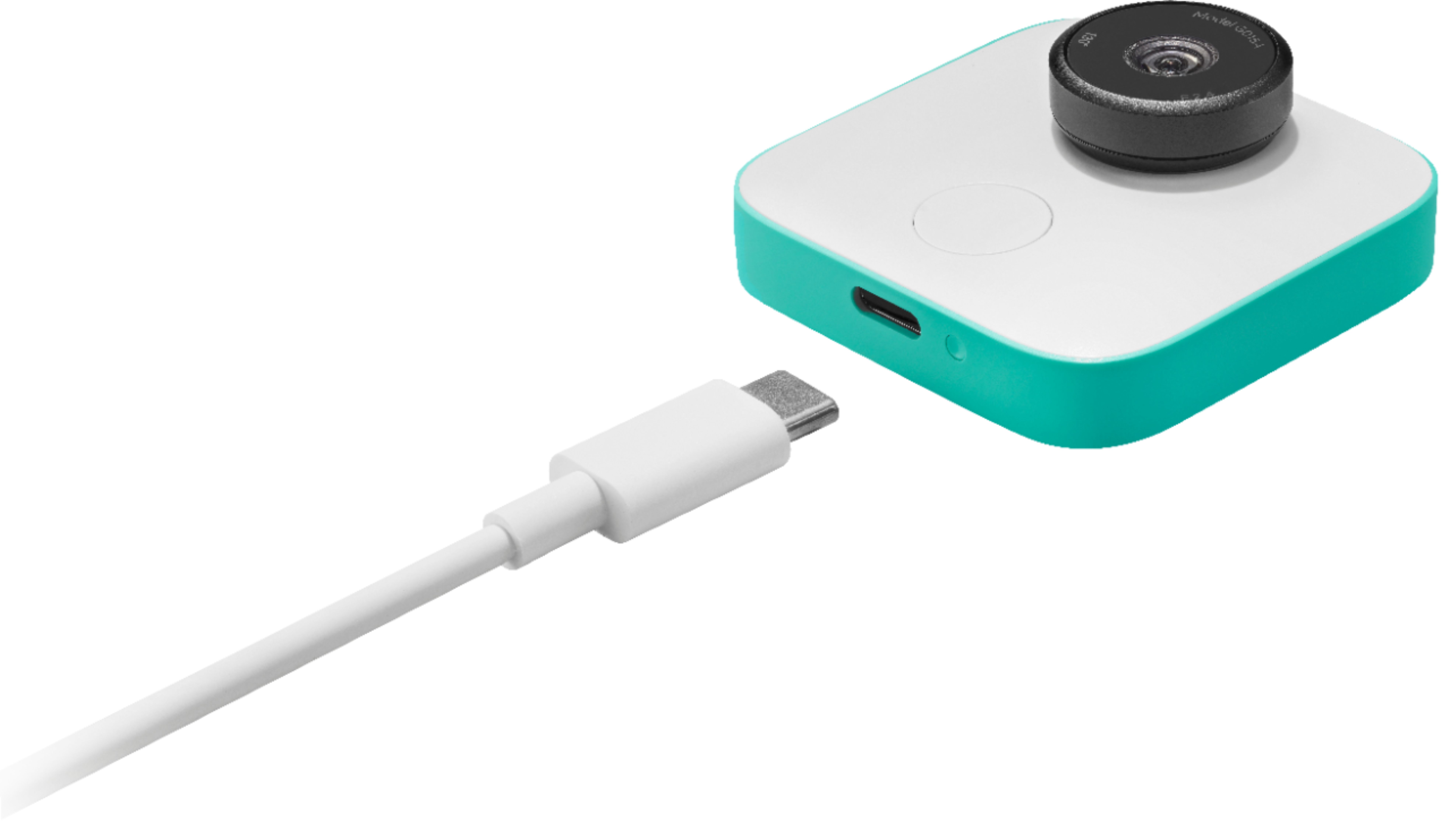
|Posted .This reviewer received promo considerations or sweepstakes entry for writing a review.In the box you get the camera of course, a USB cable, a stand, and the user and quick start guides. The set up fairly simple. Install the app, then follow the instructions, connect to the camera, and update. Just as an FYI it requires Android 7.0 Nougat or higher, and iOS 11 or higher. And it cannot be set up with a PC. It also says it will only work on Pixels, Galaxy S7 or 8, and iPhone 6 and up. I have an S9 with Android 8. So Im not sure what (if any) other devices it will work on. Not sure if an update would change the compatible devices, so keep this in mind. The camera itself is very small, thin, and light, yet sturdy. It has a nice white finish, and the stand clips (pun intended) on easily so it will be steady. It has 16gb of internal memory and if you have a Pixel phone you can use its unlimited storage. The battery lasts about 3 hours. And it has a USB C port. The new Google clips is a nice little camera with a lot of potential. Its designed to automatically capture moments that you might have missed while looking for your phone or camera. Kids, pets, parties, etc. Its a nice concept if it worked all the time. It doesnt always capture what you might have wanted it to. And the angle isnt always right, and should have been a wider angle in my opinion. So you need to move it around which kind of defeats the purpose. Although automatic its also very easy to manually get clips as well. You then use your phone and the app to choose what clips to keep or delete. And if there is a clip where you see something that would be a nice picture you can save that frame as a picture. It has 16gb of internal memory and if you have a Pixel phone you can use its unlimited storage. The battery lasts about 3 hours. Other than the angle issue a lot of the issues can be corrected via updates. Overall I like the idea, and its nice to see new concepts. I think with some updates it would be a little more reliable. But its hit and miss at the moment. A wider angle would have been nicer as well. Kudos to Google for trying something new. Its how technology moves forward.
No, I would not recommend this to a friend- Pros mentioned:Video quality
Nice little camera
|Posted .This reviewer received promo considerations or sweepstakes entry for writing a review.The setup process for the Google Clips camera was easy using the app. The camera only supports a limited number of phones based on information from their website. It supports the Pixel, and the Samsung S7 & S8. I'm able to use it with my Samsung Note 8 with no issues. The photo and video quality is pretty good. The app allows you to manually capture an image. It takes about 5 seconds to process before you can take another photo. I wish it was a little faster, allowing you to capture as many photos as possible quickly. It did a good job automatically taking a photo of me when I walked by and looked at the camera. It's a good concept, but I'm not sure how often I would use it in comparison to just using my cell phone's camera to quickly take photos and videos.
I would recommend this to a friend - Cons mentioned:Battery life
Wait for 2.0
|Posted .This reviewer received promo considerations or sweepstakes entry for writing a review.Setup is easy and done through the app. I was wondering what it would be like since there's no sound. It's FUN! to be able to record clips of short videos or pics and then choose to keep them or trash them. It's a super fun little camera that you can take with you, set up and let it run! $199 though? No way! That price is way too high for what you get. Sure it's "set it and forget it" but there's so few options or capabilities for that price. The other problem for that price is battery life. It takes an hour to charge and lasts about 3. I know that it's because of the small size that it has such small battery but for that price that I would expect more. I think they will improve the next go around. I would wait for 2.0
No, I would not recommend this to a friend - Pros mentioned:Size
Decent idea, but fails in execution
|Posted .This reviewer received promo considerations or sweepstakes entry for writing a review.I wanted to love this product. It sounds amazing in theory--a tiny camera that you can sit down anywhere and trust to take great pictures of great moments because it can "learn" what's important to you. Basically a hands-free camera so you're not constantly fumbling for your phone or a bigger camera (like I always am) so you don't miss those amazing photograph moments (like I often do). The device itself is pretty small, though surprisingly heavy--it can be clipped to clothing, but it's really not designed for that. Instead Google's idea is that you set it up with the tiny prop on the back of the camera, set it down where it can capture a room or setting, and let it do it's thing. It will detect motion, people, etc, and (supposedly) learns who's important to you when you link it to your google account. It's only compatible with certain phones ( a wide range from what I can tell--I have a Galaxy S9 and it works well with that) and you must download an app in order to use it and capture any of the clips it records. There is no way to hook it directly to a computer to download. The "clips" themselves are very short clips of still images strung together into little seven second clips. You can view them almost instantly through the app on your phone, and choose to save or delete them. The biggest issue I've run into is that the clips just aren't that good. The camera is designed to be unobtrusive--which is great--but because of that it's designed to capture wide angles. Half the time the footage I got was either my kids looking directly into the camera to see what it was and making funny faces (and up close the lens tends to distort faces a bit due to the wide angle), or I got footage that looked like security camera footage--meaning nothing too interesting was happening. The worst thing about it is the camera just isn't that great a camera, which makes it all seem pointless--particularly when I'm looking at the clips on my phone and I know my phone would have taken better quality (and more interesting) pictures. It's not a terrible idea, particularly since it's designed to give us time to set down our phones and pay attention to our lives while it does all the work. Until the 'smart' technology can truly recognize what's interesting (and figure out how to zoom in on it) AND take better quality pictures the Google clip is--unfortunately--kind of pointless. It's a first generation of a new idea, and there is vast room for improvement, so I do have hopes that future generations of this camera will improve on all of the drawbacks of this device. As it is now I can't recommend it.
No, I would not recommend this to a friend Great Potential But Not Quite There
|Posted .This reviewer received promo considerations or sweepstakes entry for writing a review.I was very excited to try the Google Clips. I must say, I didn't quite understand the concept of a camera that would automatically take candid photos since it sounded more like a security camera to me. If anything, I thought it would be interesting to see some fun pictures of my cat during the day but also might work for a party/gathering of friends. Out of the box, the camera is small (about 2x2x2") so it's easy to place pretty much anywhere. The camera comes with a case that doubles as a stand/clip. It also includes a USB-C charging cable that when fully charged will get you approximately 3 hours of use. Setup is very easy and intuitive as with most Google products. It does require downloading the Clips app, but it's actually nice to see a well functioning app. This isn't the case with many new products these days. The Clips app allows you to review, edit, and delete pictures via Bluetooth. As I mentioned, the app provides a lot of functionality, but it only allows access to one person at a time. The main purpose of the Google Clips is to provide candidate photos of life's moments. The built in AI is supposed to recognize family, friends, and pets but I wasn't able to verify this. It seemed like it pretty much took a picture of anything that moved. Sometimes when I tried to pose for a picture, it wouldn't take it. You can manually take a picture from the camera itself but that kind of defeats the purpose. I think one of the major challenges to the Clip is camera placement. With proper placement, you can get some neat pictures of gatherings and pets. However, throwing it on a counter or side table will get you garbage. The pictures quality is quite nice. It's equal to that of what you get on a nice cell phone these days. The Clips comes with 16GB onboard memory that isn't expandable. This should be sufficient--especially considering the battery life is only approximately 3 hours. That battery life is a huge disappointment and major limitation in my opinion. As I mentioned earlier, placement is key and the AI isn't so intelligent so it takes a picture of most anything that moves. Because of this, the 3 hour battery life might not last throughout your event. Thankfully, the device continues to function and take pictures even if plugged in and charging. However, that does limit your placement options so a larger battery that could last 5+ hours would've made it a lot more useful. Also, there's no way to tell if the Clips is taking a picture. While it's supposed to be candid, some discreet indicator would've been nice. In conclusion, the Google Clips is a nice toy to have and you can get some good shots. To get those shots, you'll likely have to filter through a lot of garbage. The limited battery life and high price are sticking points for me. If you want to drop the dough on something to surprise friends and family with that candid shot they didn't know you took, then you won't be disappointed. Just be aware it takes some effort. Pros: *Great candid pictures *Size *App functionality Cons: *Price *Battery life *Lack of picture indicator
I would recommend this to a friend- Pros mentioned:Video quality
Cool candid shots if you can locate it well
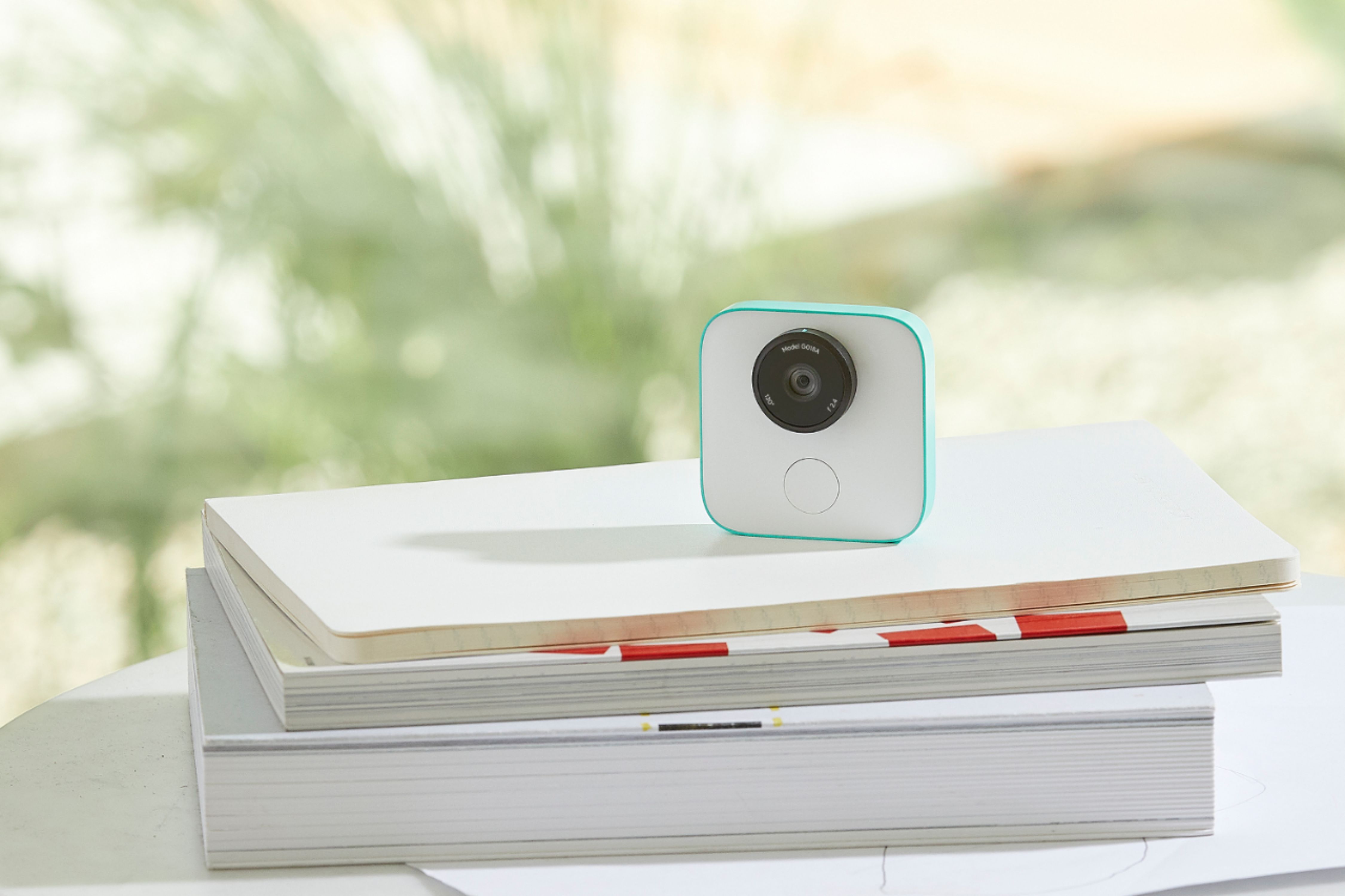
|Posted .This reviewer received promo considerations or sweepstakes entry for writing a review.The setup and instructions were easy and both the photo quality and the battery life are nice as well. The only issue I've had is when we try to use it to capture images of our pet, I've had to set up a makeshift stand on a shelf to get the camera lined up and out of reach of the critter. There are some after market stands and tripods available, but for the cost of the camera, it is a shame that something didn't come right along with it which gave you a few inches of travel (and allowed for a bit of an angle adjustment) so you didn't have to resort to stacks of books on a random spot. Otherwise, awesome.
I would recommend this to a friend Cool Idea, Poor Execution
|Posted .This reviewer received promo considerations or sweepstakes entry for writing a review.The idea behind clips is to have a smart camera you leave around that take pictures of the people you care about so you don't have to hold a camera and miss out on spending time with those people. It will take pictures whenever it seems a person and at the end of the day you'll have all the pictures of what happened, along with a short gif type image of the day. The idea here is really cool but, clips misses the mark on a lot of things. First is the quality of the pictures. For a device that's sole purpose is to take photos, it should have an outstanding camera. Clips does not. My wife compared the quality to our security cameras, which is not great. Second is the angle the photos are taken. I really could never find a place where I sat Clips that turned out with appealing pictures, it just isn't possible with the shape of the stand that comes with the device. Setup of the device was surprisingly very ungoogle. It wasn't easy. I had to reset the device several times before vmy phone would even register the camera. Then once it finally did, I was met with a message saying I needed to charge the camera before setup. After charging, I finally made it through a clunky setup. It was not seem less to say the least. Overall l, I'm not sure this product is good for anyone, the pictures aren't great and it's almost impossible to find a place to put the camera where you would get good photos even if it took clear pictures.
No, I would not recommend this to a friend- Pros mentioned:Size
Interesting play toy
|Posted .This reviewer received promo considerations or sweepstakes entry for writing a review.This is a very novel concept – let an AI agent seize the moment. It sounds great and may work out that way with extended use. Unfortunately, I found the images to be captured mostly just based on motion. The image quality is not as high as I would have expected from Google for the price. It is unobtrusive, small, lightweight and easy to set up. It seems to be durable. Video but no audio – why? This may be the future when it has matured and is capable of greater things.
No, I would not recommend this to a friend - Pros mentioned:Video quality
Very cool idea, and well executed too!
|Posted .This reviewer received promo considerations or sweepstakes entry for writing a review.This thing is revolutionary. I'm always "that guy" at family functions and events... Snapping photos away at the kids (and the older folks) trying to capture every moment. This Clips camera changes all of that. While this is no way replaces the "staged" group photo or the quick video of a happening, Clips lets me focus on being present while the camera does an AMAZING job of detecting memory activity and capturing it as a short "clip" - You can then take images from it as well! The real "wow" factor comes in the fact that this little device has excellent battery life, and can operate during an entire event for a few hours, and capture everything it detects as intentional, be it smiles or eye contact. The resultant clips of video or photos are clear and high quality- Seemingly as good as what I can get from my Google Pixel 2 XL camera... And I don't have to be present to capture it. At my last family gathering, it became a "photo booth" of sorts, then the kids decided to steal it and go make their own videos, which we proceeded to monitor via Chromecast from my connected phone. It was hilarious and fun. When a device can ADD to a gathering and make it more fun, users win. This is a user-first device, not only solving a problem, but creating fun. I fully expect the competition to start coming out with these soon.
I would recommend this to a friend - Pros mentioned:Video quality
Google AI in a tiny package...maybe too early...
|Posted .This reviewer received promo considerations or sweepstakes entry for writing a review.Facial recognition and automatic clip making of whatever it is you are doing, a pretty cool idea. Setup is pretty straight forward with the Clips App and you get all you need in the box, charges in a few hours which is to be expected for any rechargeable electronic device. The app is where you will view, edit and store your Clips creations. This is designed to just set down somewhere in your vicinity and let the AI do all the work, deciding when, what and who to capture. Special attention is supposed to be given to children and animals from the AI. I found it helpful to use a mini tripod to place the Clip in different positions. The quality of the pics and clips is decent and some of the output is useful although I don’t know how much AI is really being used. Seems to just randomly start operating or just operates whenever there is movement which is kinda like any other motion detecting camera. I will say I haven’t made up my mind fully on if this is useful or just a gadget that maybe was too early to release. Perhaps with time the AI will be improved in subsequent updates...that’s if google doesn’t just drop support for this and move on to something else. Certainly a bleeding edge product that is fun to play with but real world, everyday use not so convinced.
I would recommend this to a friend So far...not impressed
|Posted .This reviewer received promo considerations or sweepstakes entry for writing a review.I thought this would be a nifty camera but I haven't had much success with it yet. I think what I thought it was and what it's meant to do are two different animals. From what I've read, it's supposed to recognize faces familiar to you and start taking snapshots of them. It then stitches the shots together to form a video. I thought it just recorded video when you turned it on. I tried it on a roadtrip to Vegas and the video was okay, but it wasn't as good as my dashcam and even though it has a high resolution, it just a cheapie and cost about 1/4 of the Clip. I don't want to sound negative about the Clip because once I try to use it for it's supposed intended use, I may find it works really well. That said, the posts I've seen don't make that sound like it will happen. The Clip only has a few settings. There's the on/off with the turn of the lens...make sure your fingers and hand aren't in front of the lens and a shutter button. You can clip it to something stationary or flip the cover over and it will sit on a level surface. It doesn't work at all clipping it to your shirt, I tried. I thought it would be great to clip it to my shirt and walk the Vegas Strip. Nope, video turned out awful. From what I've figured out, you set it in a room and hope peoples faces pop up in front of the lens. Not sure how you are supposed to get that to happen and for how long. Again, I just haven't figured out the best use for the camera and what I've tried has failed miserably. I wouldn't recommend this to a friend..or enemy unless they already know how they intend to use the product and if they do they should really show me.
No, I would not recommend this to a friend- Cons mentioned:Battery life
It's fun and entertaining
|Posted .This reviewer received promo considerations or sweepstakes entry for writing a review.First of all, to manage your expectations on this product, don't think of this device as a way to document what you really need--- it is a fun product. It simply captures clips of what the device "thinks" is record-worthy and it takes them. I placed it everywhere-- on top of the table, I clip it on my car sunvisor, I clip it to my blazer, I snap it to my child's collar, I clip it on a bag strap--- I get different results of course. The image stabilization is pretty good, it does not stress me when I look at the photos, even if it was clips from when my 5 year old was holding it. Going through the photos is a little tough because I only got 2 useful clips every 20-- and that's me forcing to like those videos. It's a little voyeur-ish, if you ask me. The various clips are very entertaining and there's some surprise videos you would want to keep. It's like a more compact handycam with ready to share videos, except that, again, you don't know what you're really getting. Again, it's just more fun so don't expect to document important things when you really need them. Battery life is a little tough-- will not last a day turned on and charging takes a long time-- I just leave it plugged in overnight.
I would recommend this to a friend Is It a Toy?
|Posted .This reviewer received promo considerations or sweepstakes entry for writing a review.If you are a parent and regret every time your little one does something funny or just plainly memorable and by then it is too late to get your phone or camera, you will want this Google Clips. Its AI – Artificial Intelligence – will kick in and record that moment without any intervention. It knows you and your kids as well as your pets, and it knows when and what to do. Well, kind of. Set up is very easy. The idea is good but it really feels like a proof of concept right now. Its built-in AI learns as you select the clips or photos to keep or delete, and by your identifying the faces while using the app and Google photos. That way, it will eventually recognize its targets. However, it is not a mature product. It is unpredictable, missing video clips you would want and recording moments you really wanted to delete from your life, let alone from the camera. The video quality is just ok at just 15 fps but what is unacceptable is that it doesn’t record audio. In my experience, that was what turned me off completely. The other issue is that although it comes with a clip, you can’t wear it like you would with GoPro unless you want to be really frustrated. Since it feels a little like a Go Pro, it should have been designed to wear. Knowing Google, I believe their AI in this camera will become better overtime but since it has no microphone, it will still be more like a toy than a practical device. Good proof of concept, Google. It is somewhat fun but I can’t recommend it. Looking forward to Clips 2.
No, I would not recommend this to a friend- Pros mentioned:Video quality
Fun to use and amazing to get those candid, non
|Posted .This reviewer received promo considerations or sweepstakes entry for writing a review.Fun to use and amazing to get those candid, non posed shots. If you have young children, this really will help save special moments while you enjoy being in the moment and not behind the lens. Novel way to capture candid action of people & pets. Barely three inches square, the 'clips' captures action video of people (family) and pets. The AI learns and finds those you really want in your photos and memories. Once charged and synced to my Pixel XL (android) phone I was able to take a few still shots to help it learn who I wanted to photograph or video. There is a small button on the front below the lense. To set it into action, just turn the lens ring and the white LED lets you know its recording. I ran the app and was able to download the images I wanted to keep and delete those I didn't. Great wide angle lens. Pictures were clear all over. Video wa sharp and jitter free. Now I can set it on the counter or table, use the included clip on stand case or place it anywhere the action is, and get into the scene. ( Not always be the only one not in the picture while am filming.)
I would recommend this to a friend Great concept, good execution for the few..
|Posted .This reviewer received promo considerations or sweepstakes entry for writing a review.And for the right situation. I don't see myself wearing this everywhere all the time. One more thing to charge, carry etc.. when my phone does most of what this does. It however does have its place for get togethers, parties and when you want to capture that moment. Out of the box set up is easy with the Clips app. The product is easy to understand and operate. The app gives you control over many aspects, image quality, image type to save and most importantly familiar faces. Familiar faces will help the AI part of clips work better to find and capture the moments with the people you want. I'm still not convinced this is solely motion triggered but I will say the more I use it the more it is capturing who and what I want. Pros: - Image quality - Ease of use, set it down or wear it and it works. - Build quality - App control for images - On board storage and cloud storage. Cons: - Battery life @ 3-4 hours limits use. - Camera lens is not a wide angle - Hard to tell when it is capturing unless you are looking at the app. - Pricey For the right person and situation this is a pretty great idea. I'm finding it very useful to capture people in my life to preserve it for the future with very little effort. I"m sure I'll be very happy I did. And for that reason I would recommend this.
I would recommend this to a friend