Customer Ratings & Reviews

- Model:
- GA05551-US
- SKU:
- 12219911
Rating by feature
- Value
Rating 4.4 out of 5 stars
- Quality
Rating 4.7 out of 5 stars
- Ease of Use
Rating 4.7 out of 5 stars

Google Delivers Another Tremendous Thermostat
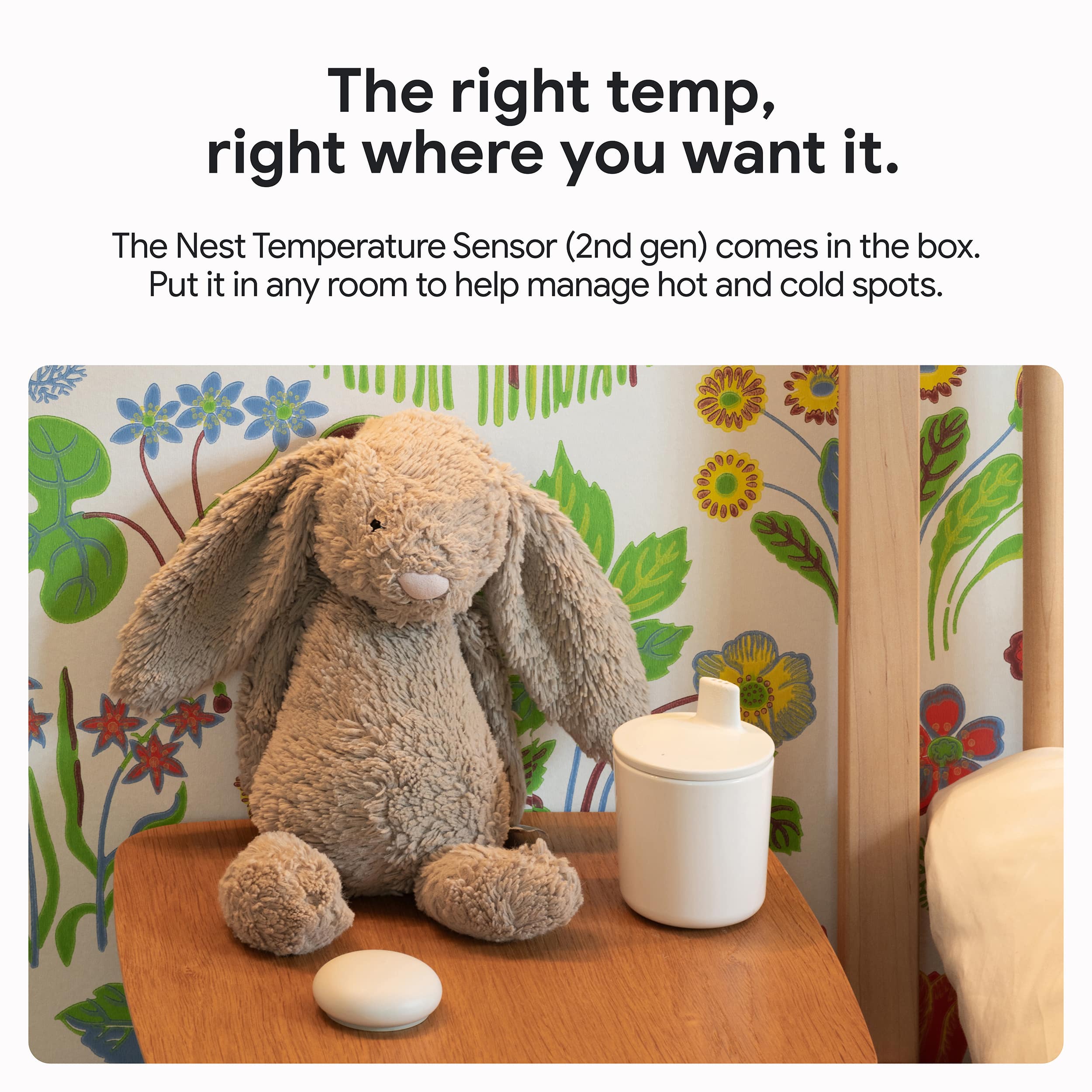
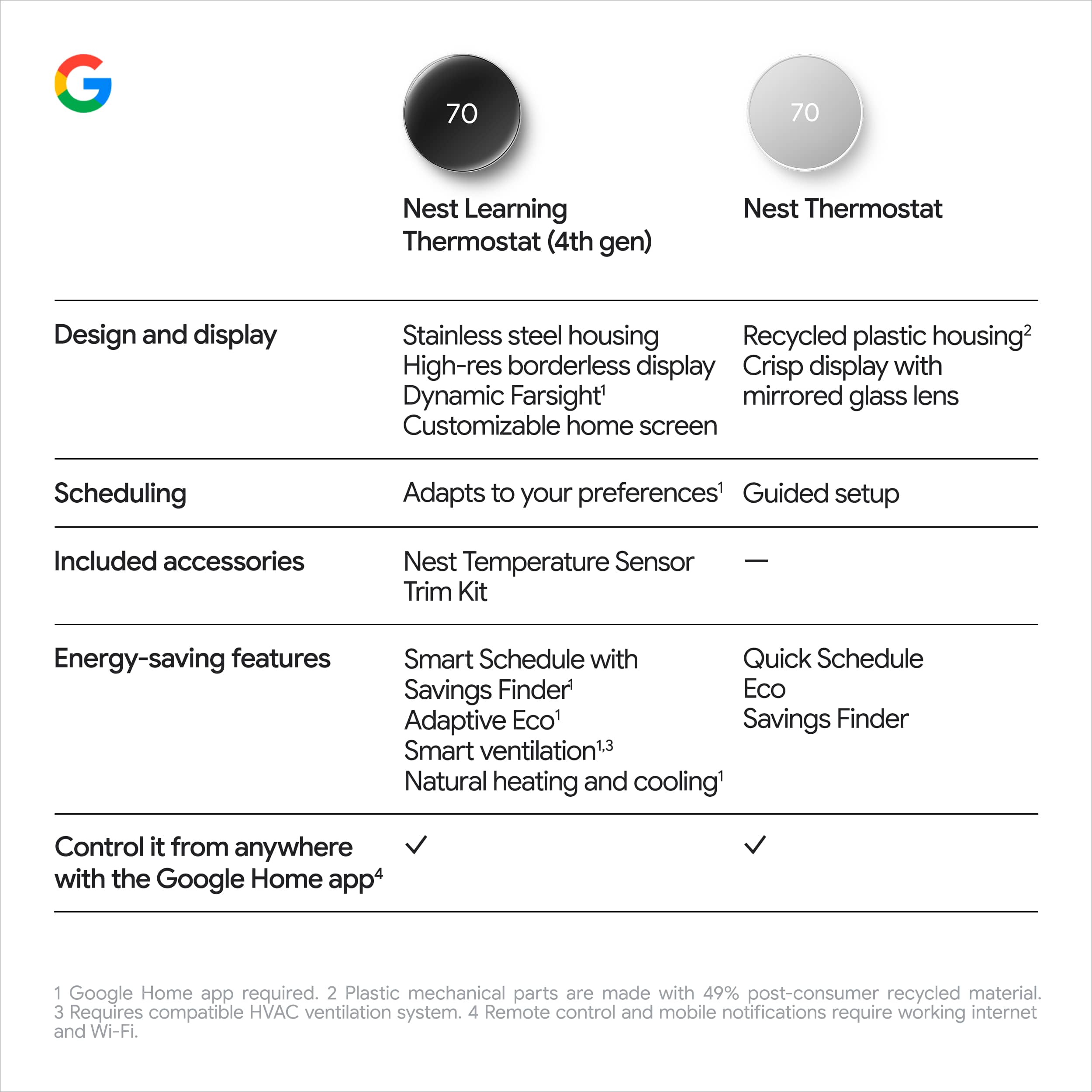
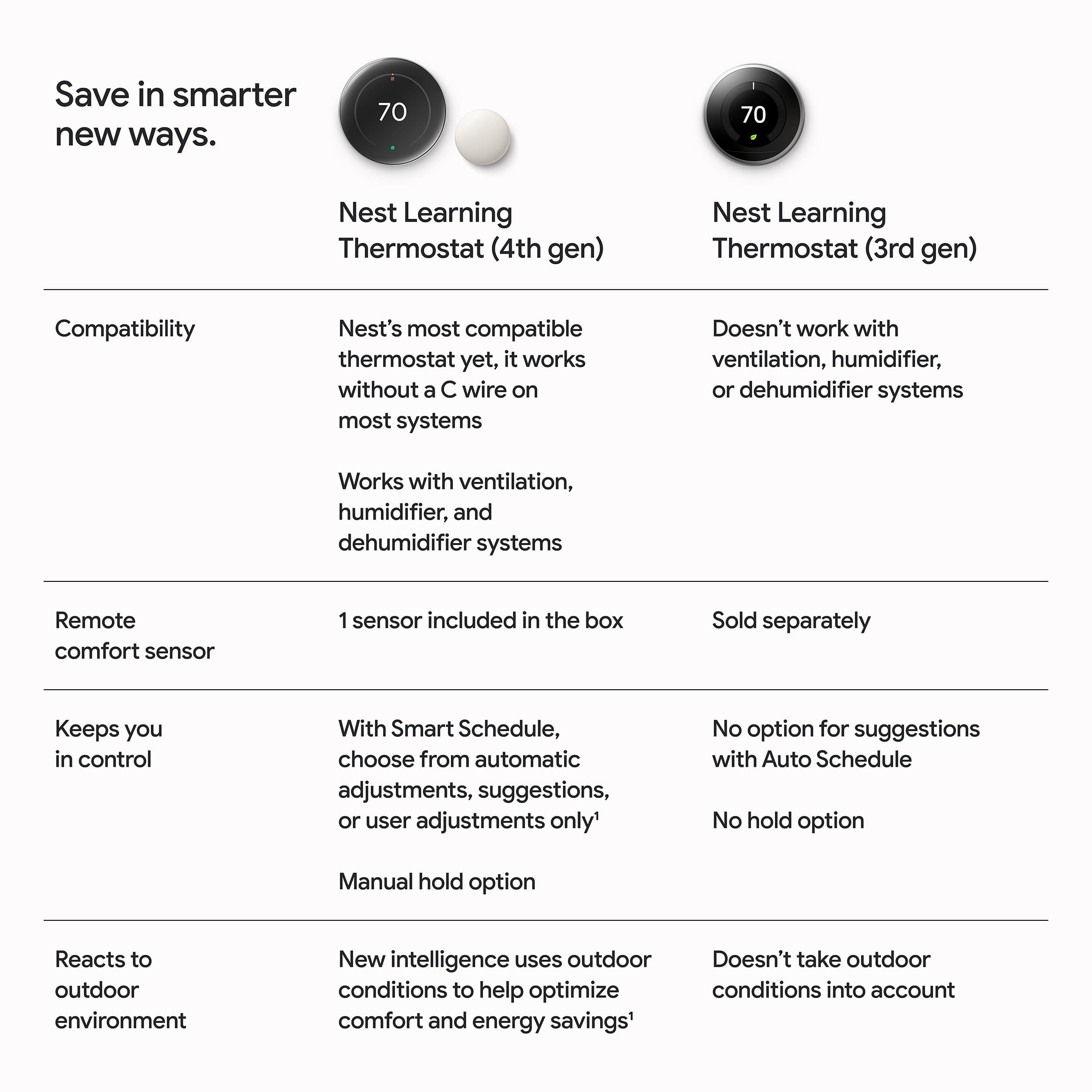
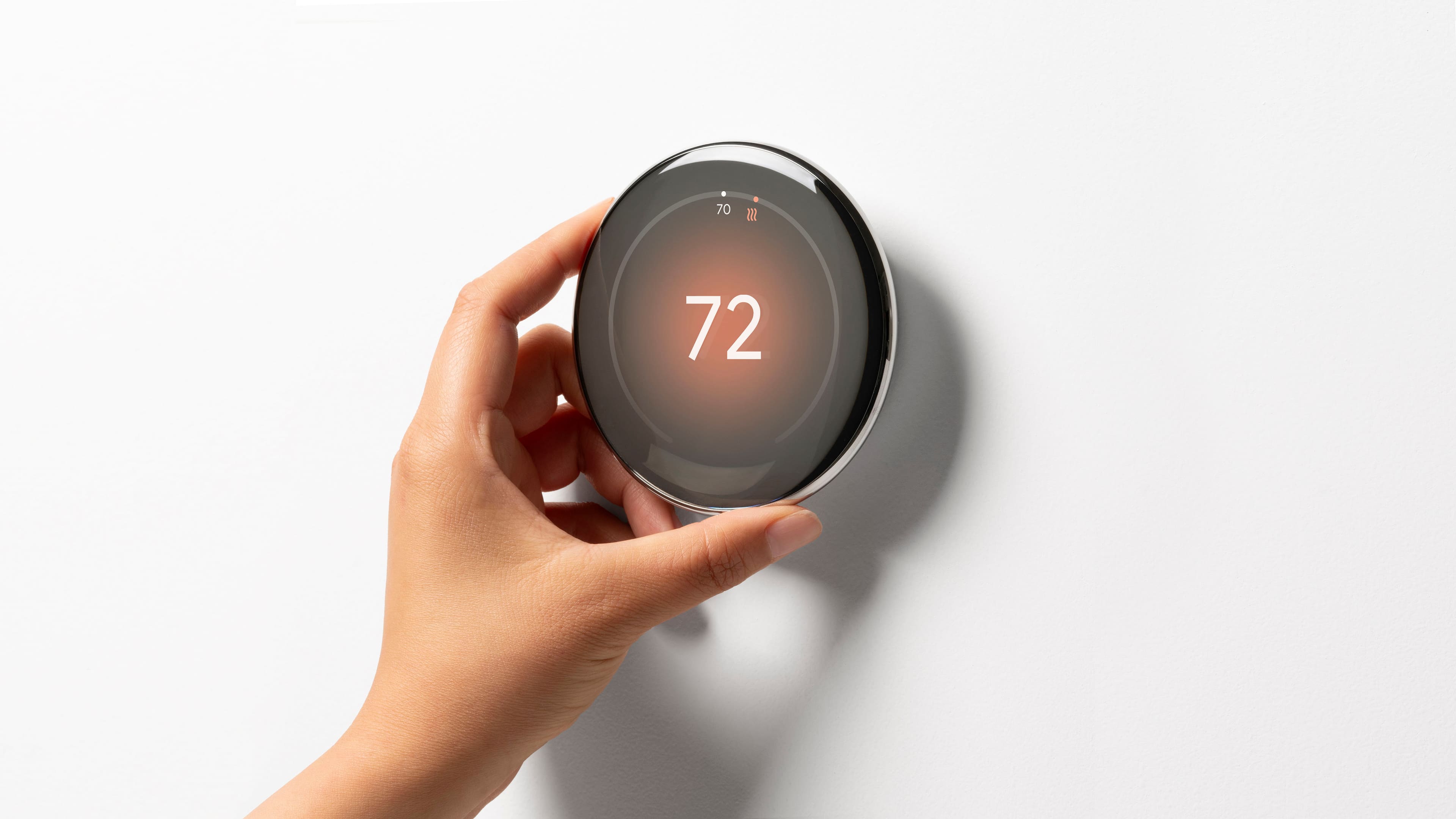
|Posted .This reviewer received promo considerations or sweepstakes entry for writing a review.I would make the argument that Google’s Nest Thermostat really kicked off this new era of “smart thermostats” - yes they had been around, but Google’s original nest thermostat really went mainstream and pushed other companies to compete in this space. Well now in 2024, Google has came out with an official “upgrade” to that original Nest Thermostat in their new 4th Gen learning thermostat, and it’s a home run. PROS: - Installation of a smart thermostat is always something that requires a bit of know how, but I think Google does a pretty good job explaining exactly what to do and how to set it all up. I had a pretty easy time during installation and found it all very smooth. - Once connected and installed, it’s clear that this thing is gorgeous. It’s so elegant in its design and just makes your living space look so sleek and modern. The screen is also really nice too and adds a nice pop any time it comes on. - That being said, the screen keeps is really great rotating bezel like design to easily change the temperature or navigate through options. Something that really adds to the overall appeal! - The Nest Thermostat comes loaded with features you know like adapting to your preferred temperatures based on the time of day and creating a smart schedule of temps to save you money. But one of my favorite new features is the thermostat knowing what the temperature is outside and changing your thermostat because of it which can help save you money or make sure your living space is comfortable in case of any weird temperature swings. - Another nice addition is the Temperature sensor. This allows you to take in account different rooms or floors that run different temperatures than where your thermostat is. For us this is really a game changing feature as our temperature can vary in different places so it’s nice that this can help adapt to make sure you are not over using or under using your controls. - Of course the Google App is what brings this all together by being able to make the changes and edits you need on the app when you are not home to control and keep an eye on things! - Lastly this Thermostat comes with “matter” which is a new smart home standard that allows smart home devices to work with one another even if they are not all on the same platform aka Google vs Apple vs Amazon vs Samsung etc. It’s a nice way to let all your devices work well together! CONS: - The only thing I do not like is that the thermostat sensor does not detect for motion. The main thermostat will change its temperatures to more of a eco-friendly numbers when it does not see any motion, but this does not account for someone who may be in a room with a sensor. BOTTOM LINE: - Google continues to showcase why they are at the top of the game in making smart thermostats. It has a fantastic build quality that showcases its unique build as well as a beautiful screen. Along with that, it is packed with smart features that will help you save money as well as remain comfortable given any changes inside or outside. The Nest Thermostat 4th Gen is a great buy for those looking to make the move to a smart home thermostat or for those looking to upgrade what they have now!
I would recommend this to a friendNest Learning Thermostat 4th Generation
||Posted . Owned for 2 weeks when reviewed.This reviewer received promo considerations or sweepstakes entry for writing a review.I’ve been using the Nest 4th Generation Thermostat for a while now, and overall it’s a solid upgrade. The design is sleek and modern, and the display looks great on the wall. Setup was fairly easy, and once it starts learning your schedule, it does a good job of adjusting temperatures automatically and helping save energy. I really like the Google Home integration and the included temperature sensor, which helps balance comfort across rooms. That said, the price is on the higher side, and the switch to the Google Home app can feel less intuitive than the old Nest app. Overall, it’s a great smart thermostat if you’re already in the Google ecosystem and want a stylish, hands-off way to manage your home’s temperature.
I would recommend this to a friendBrand response from Google Team
Posted .We appreciate all your insights, AshkanJ. Thanks for being part of the Nest family!

Excellent Choice
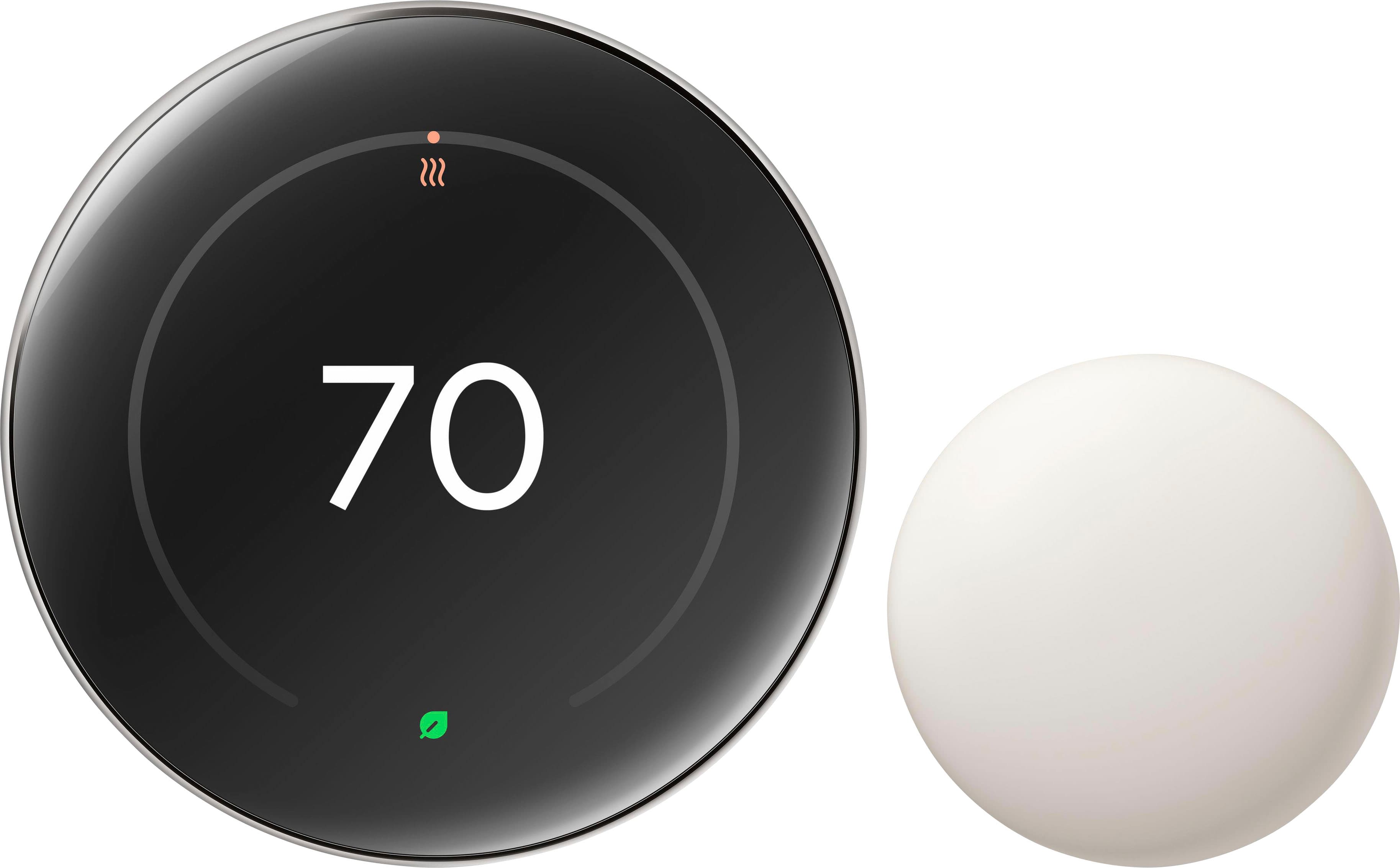
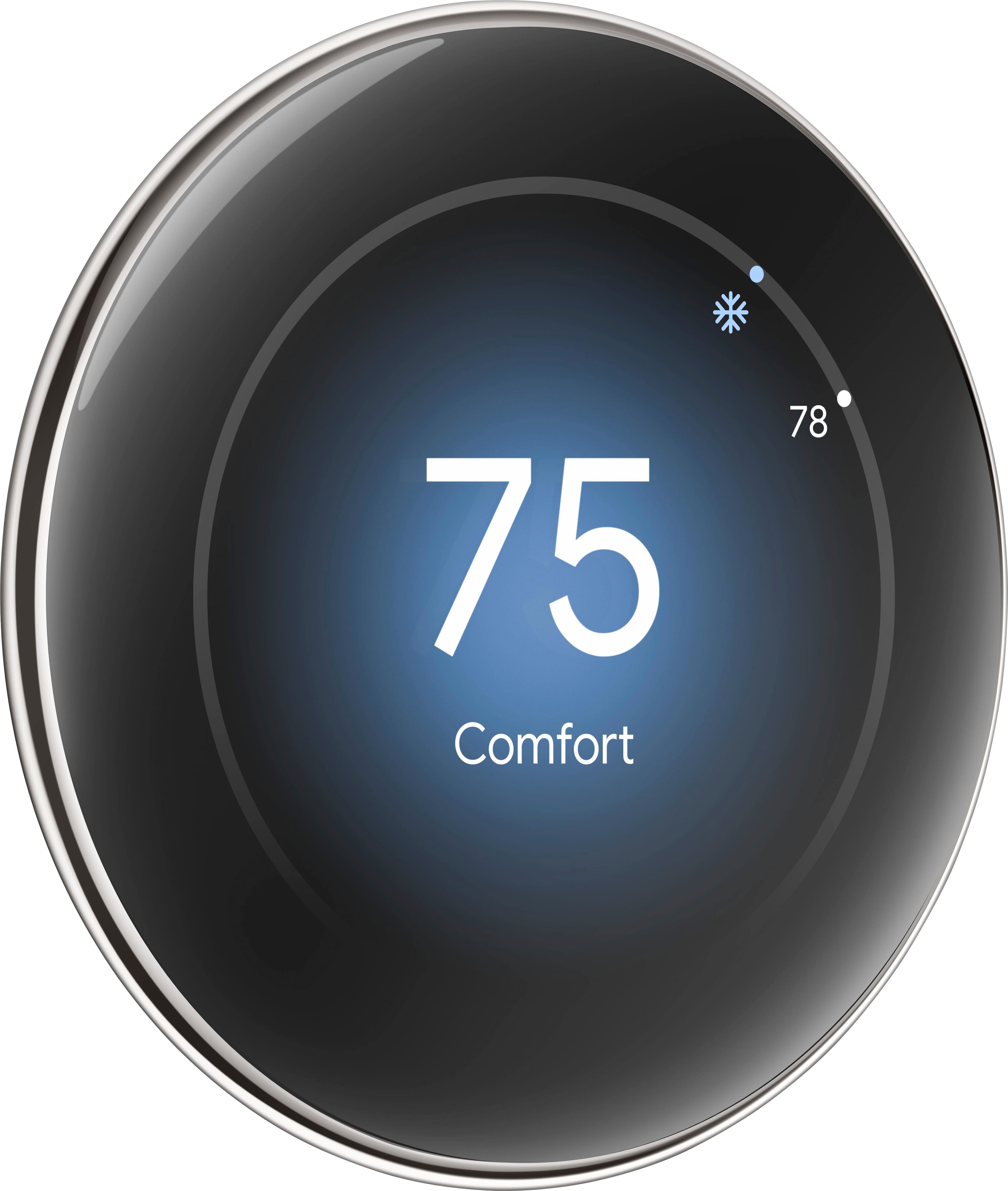
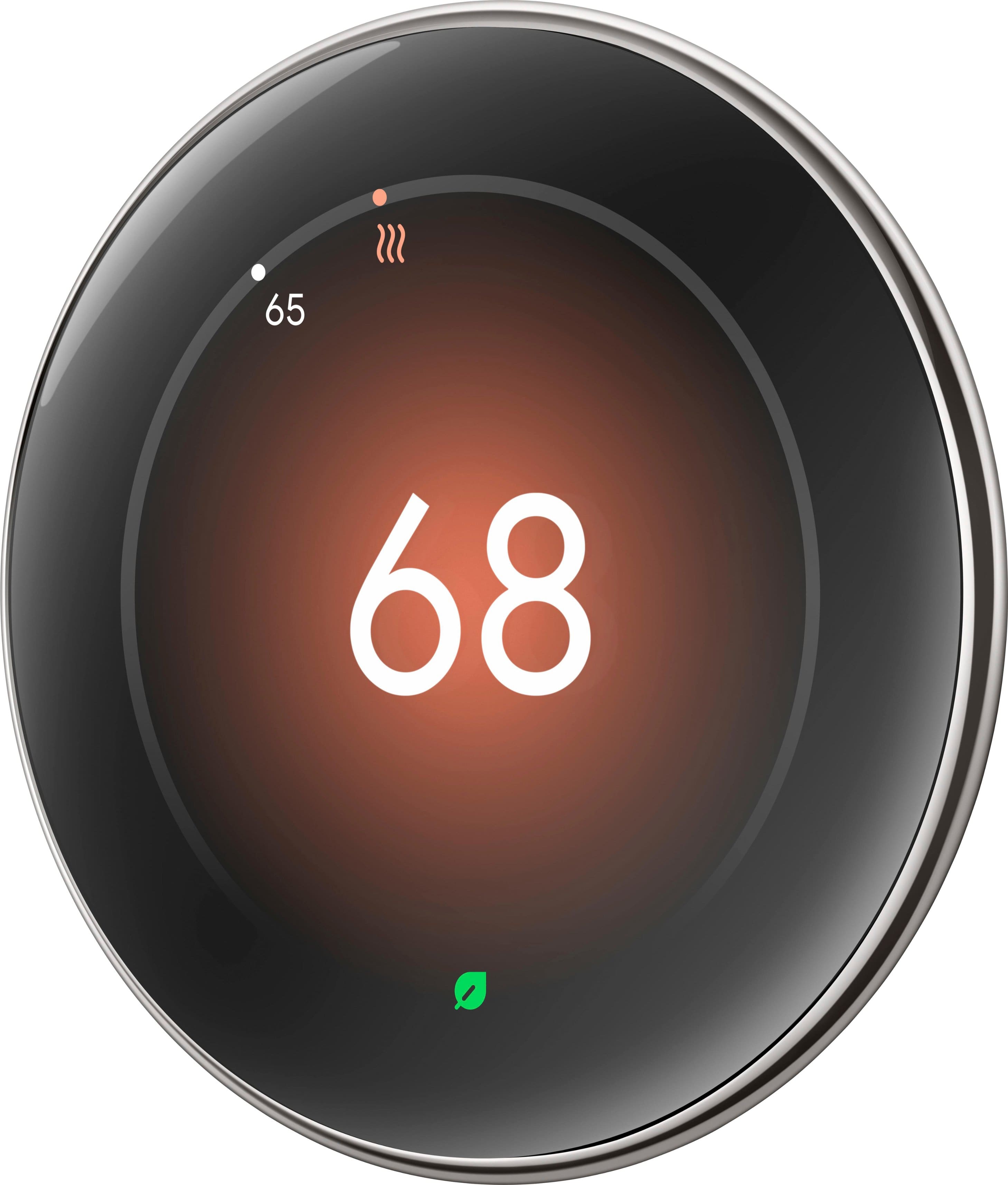
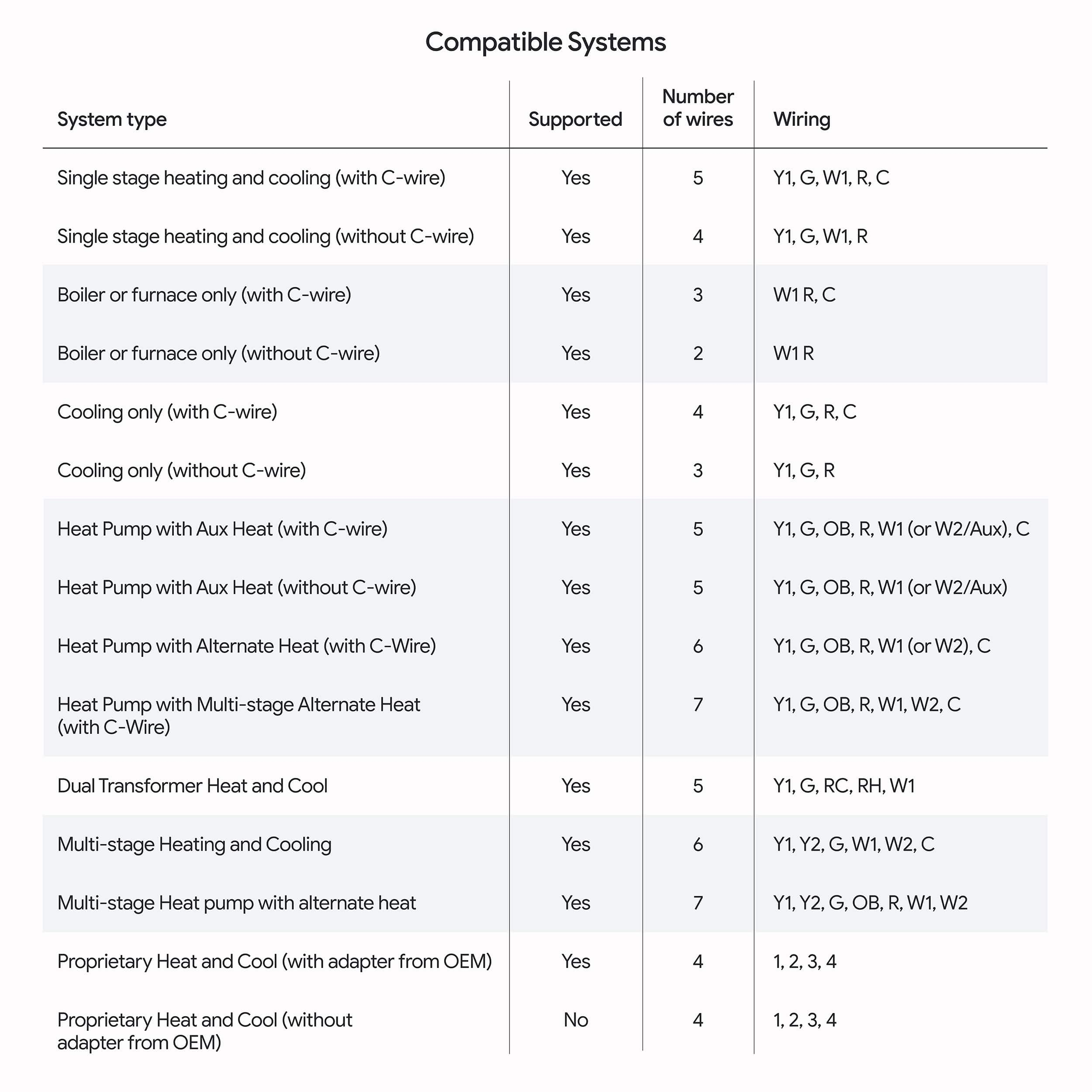
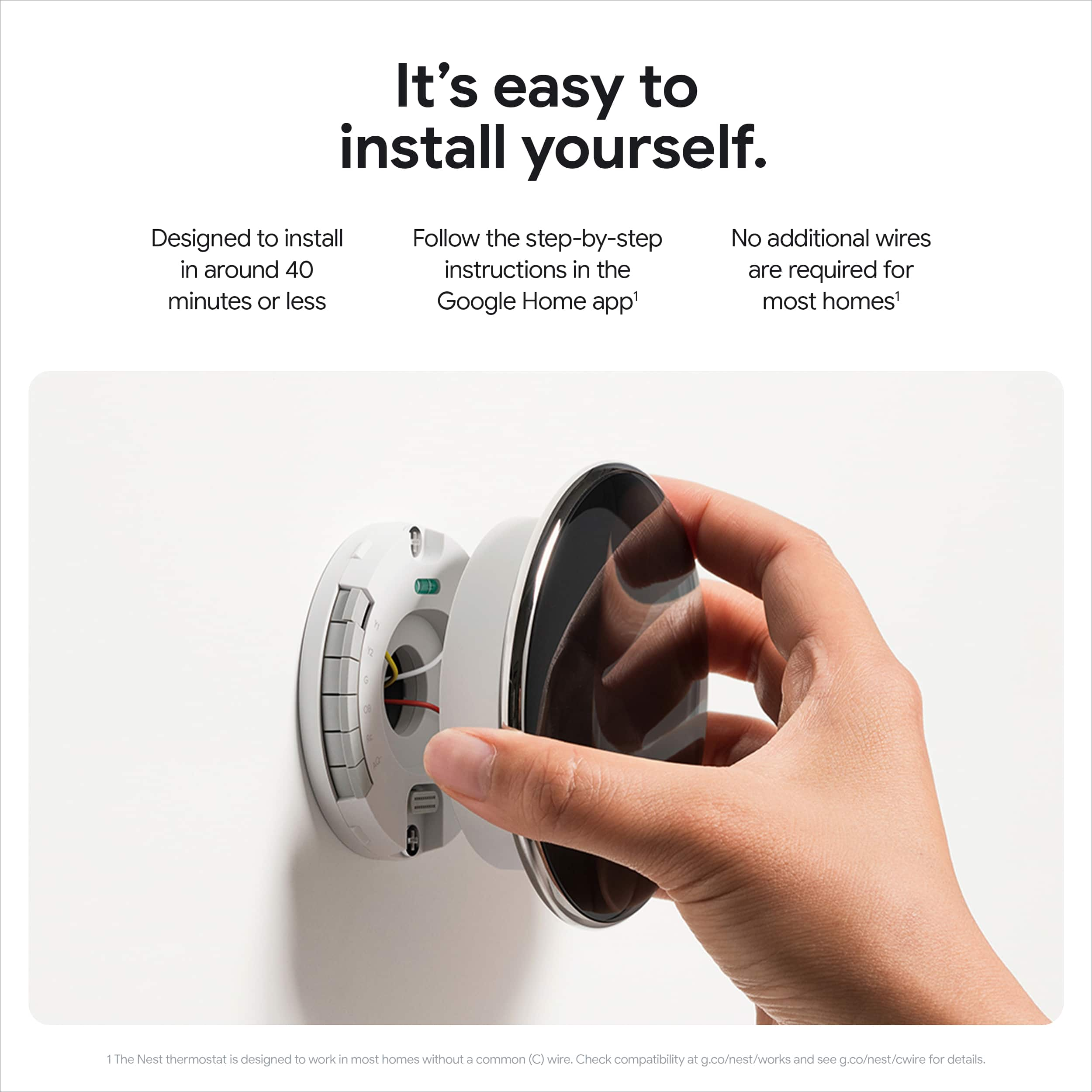
|Posted .This reviewer received promo considerations or sweepstakes entry for writing a review.Before Nest became Google Nest, I was a happy Nest Learning Thermostat user, upstairs and downstairs. When Google Nest released its 4th Generation (4th Gen) learning thermostat, I was highly interested in seeing what it could do as compared to the prior Nest learning thermostat which set a high bar. The new 4th Gen sets an even higher one. Installation is quick and easy, especially if you already have a Nest already installed. The wiring set up is the same as the prior generation. Unfortunately, the wiring connector mount is a tiny bit smaller so you cannot skip the wiring setup. Be sure to turn off the power before working with the electrical wiring. Once you have the wiring setup, you are ready to install the 4th Gen unit. Plug it into the wired base, and setup of the device itself is next. The Google Home app, if you don’t already have it, needs to be installed. When done, the app will lead you through the device setup. If you carefully follow the app’s instructions, setup should go smoothly. By this point, you will have connected the 4th Gen to your wi-fi and be ready for the 4th Gen experience. Compared to its predecessor, the 4th Gen screen is easier to read. This is immensely helpful as there is a lot of useful information displayed. The “home” screen shows cooling or heating mode, indoor temperature, set temperature, humidity, outdoor temperature with icon for sunny/cloudy/rainy/etc, and time of day. To change your temperature or other settings, turn the device left or right to find what you need. Do this a few times, and you will learn how to manually operate the 4th Gen, as well as what it can automatically do for you. The photos below show two examples of what information can be available at any time. When you walk away, the screen will “turn off” as part of its energy savings process. Additionally, the package includes a remote sensor that easily pairs with the thermostat itself. The sensor communicates what is happening temperature-wise in its zone, thus providing valuable information to the base so adjustments, if needed, can be made to maintain proper settings overall. The Google Nest Learning Thermostat 4th Generation is an excellent product, and it looks good on the wall. Easy to install, easy to set up, easy to work with, and impressive performance, what more could you want in a thermostat?
I would recommend this to a friendIncremental, But Good
|Posted .This reviewer received promo considerations or sweepstakes entry for writing a review.💪 BUILD: The 4th generation Nest Learning Thermostat has a larger 2.7” 600x600 borderless LCD compared to the previous generation with a 2.08” 480x480 LCD with thick bezels. The display is sufficiently bright when it needs to combat direct sunlight, but also gets much dimmer so that you’re not blinded when it’s night time. It connects to the base with a connector where it will receive power through your home’s wiring, but can also be charged via USB-C for rare circumstances. ⚙️ CONTROLS: Controlling the thermostat is intuitive—you can rotate the outer diameter of the thermostat to serve as a dial or knob for the UI, and you can press on any edge of the display to confirm an action. 🪛 SETUP: The Google Home smartphone app provides a full guided tutorial to make setup easy for novices, and faster for experienced folks. Personally, I was upgrading from a 2nd gen Nest thermostat, so it was a fairly easy process since I had previously labeled the wires when I first set it up 4 years ago. One thing I didn’t like is that the older 2nd gen mounting base was incompatible with the 4th gen. I was hoping I could simply pop the 2nd gen thermostat off and simply replace it with the 4th gen model, but that simply wasn’t the case. Even so, it only took a few minutes to set up for me since my wires were labeled. For those who are new to the Nest thermostat, there are included stickers so you can label your wires, making future upgrades much simpler. Unfortunately, you won’t be able to use the Nest app like previous models of the Nest thermostat, so you’ll be required to use a Google account with the Google Home app. One thing that you should do immediately after setup is go to the software version on the thermostat and make sure it is up-to-date. I spent way too long trying to integrate the Nest Thermostat with my Apple Home, and it failed until I performed the software update. I’m surprised that the Nest Thermostat didn’t check for software updates immediately after connecting to Wi-Fi, so that’s definitely an area where Google could improve the user experience. It also includes an additional 2nd generation temperature sensor that you can place in your home so you can control the thermostat based on the temperature in another room. Getting this added was a breeze, and it’s completely wireless using only a CR2 Lithium battery for the sensor. 📱 GOOGLE HOME APP If you’re already in the Google smart home ecosystem, then you probably have used the Google Home app before, but if you liked having an app that focuses on your thermostat controls, you might be a bit displeased. However, I did finally set up my “favorites” since there were plenty of Home devices that I didn’t need quick access to. This allowed me to put my thermostat front and center in the Google Home app so I could quickly set up schedules, make adjustments, and see my energy dashboard. 🍎 HOMEKIT / MATTER SUPPORT Once I performed the software update on the Nest Thermostat, I was able to integrate the thermostat with Apple HomeKit since it supports Matter-enabled devices. Unfortunately, setting schedules for my thermostat through HomeKit isn’t quite as obvious and straight-forward since it has to be done through Automations, and doing this might conflict with the “learning” nature of the thermostat, so I might not recommend using HomeKit to create schedules for the Nest. But, creating a schedule through the Google Home app is easy, and if you need to make temporary adjustments, HomeKit makes it easy for Apple users to use the Home app or Siri to make those adjustments. 🌡️ ENERGY SAVING The Nest Learning thermostat optimizes your home’s temperature by using information from local weather data, temperature sensors, and detects when you’re away. In the Google Home app, you can configure the thermostat to automatically apply its changes or send suggestions through push notifications if you prefer to be in control. This is especially useful since it doesn’t make sense to be wasting a ton of energy cooling your home if you’re going to be away—especially for long periods of time. It also ensures that your home is a safe temperature when you’re away, so if you live in a frigid climate, it’ll help ensure your pipes don’t burst. And since you can control the thermostat remotely, it can also give you peace of mind if you have pets at home that you want to keep comfortable. For additional energy savings, you can opt into automatic schedule changes to use cleaner energy or cheaper energy through the Renew Home program. 🧐 CONCLUSION Compared to previous generations of Nest’s Learning Thermostats, it’s hard to say whether this 4th generation model brings significant enough upgrades to warrant a purchase for existing owners. And for many folks, the real value will be in the cost savings, comfort of your home, and ability to easily set schedules through the app. I love that there’s Matter support so I can use it with HomeKit, the bigger display, and the newer temperature sensors. And even at a distance, Nest’s farsight mode will give you quick information about the current weather conditions and your current home temperature settings. Overall, it’s pricey, but it’s a good product that doesn’t try to do more than what people expect it to. So for me, that’s why I’ve owned Nest thermostats for nearly a decade.
I would recommend this to a friendNew Design Hit and a Miss
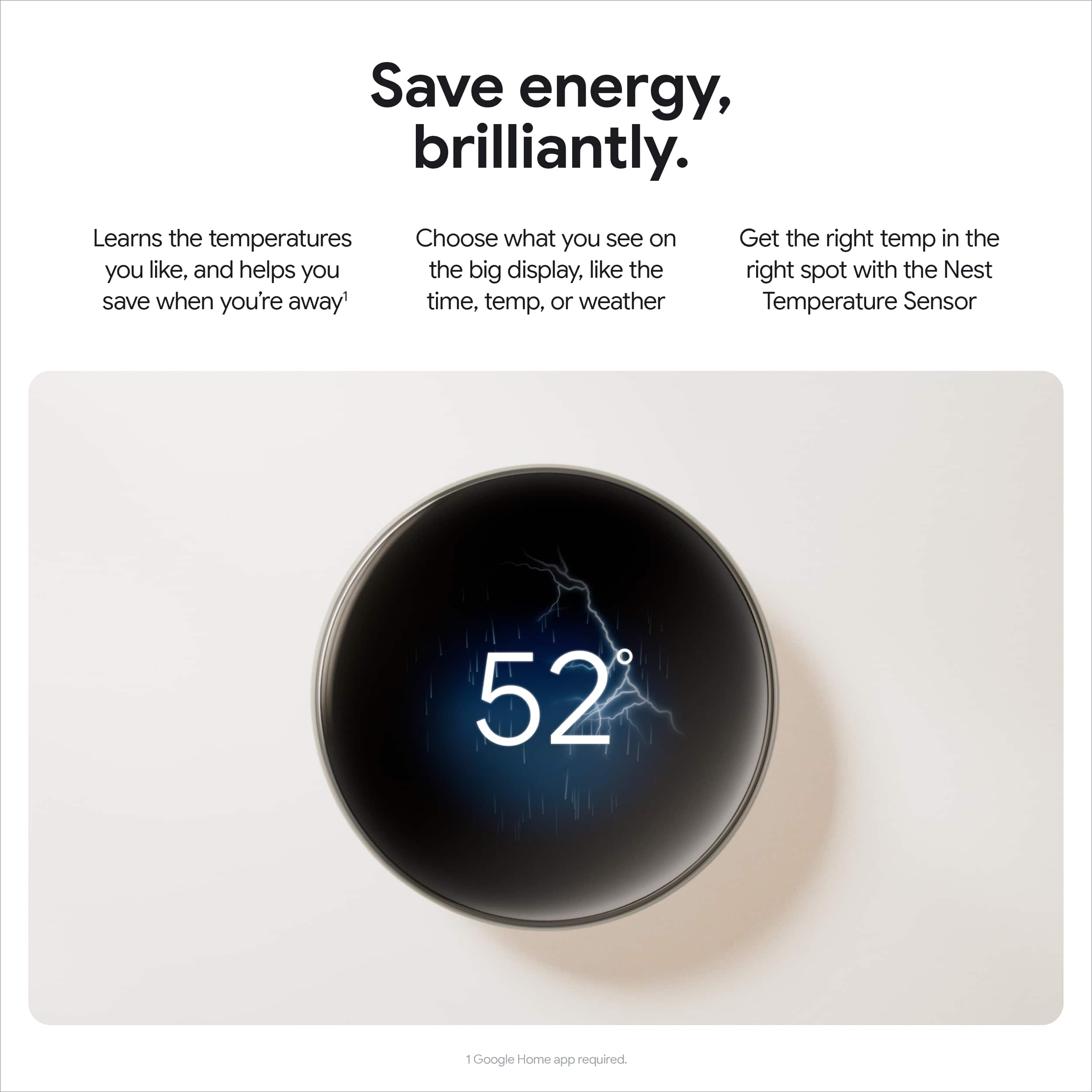
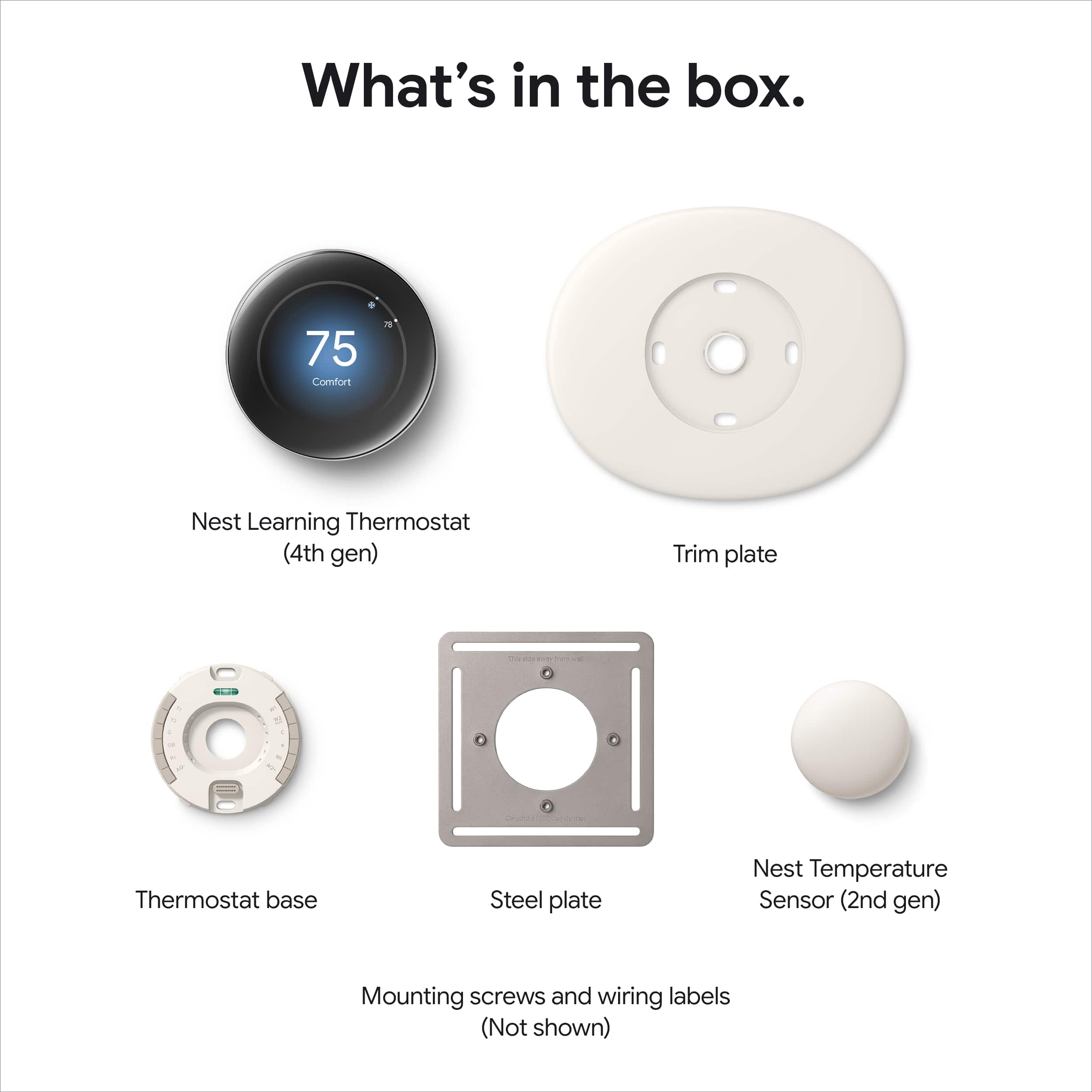
|Posted .This reviewer received promo considerations or sweepstakes entry for writing a review.The new Google Nest Learning Thermostat is a much needed upgrade to the most popular smart thermostat available. Now in its fourth generation, Google has updated the tried and true design with slim bezels and a polished, color matched display available in three tones of gold, silver or obsidian. I opted for gold, as it looked good from the marketing photos and would match well with a variety of finishes in our home. In the box Google provides all necessary mounting hardware, a 2nd Generation Temperature Sensor, optional cover plate, and the Nest Learning Thermostat. After unboxing, I immediately noticed how reflective the face of the thermostat was. Though the brilliant gold finish looked striking, I was curious if this affected visibility of the display. Replacing my old Nest thermostat was a breeze, but even so Google has helpful installation animations to assist you. I recommend you take a photo of your thermostat wiring before you disconnect your old one just in case you mis label a wire. In my case I did not have a common wire to provide power, but fortunately it is not required for the 4th Generation Nest Learning Thermostat. After connecting it to WiFi and a brief update, the thermostat was ready to use. As suspected, the highly reflective face made the display difficult to read under certain lighting and axis. It would have been great if they applied some sort of anti-reflective coating or offered a matte finish instead of the mirror finished display. After a few days I got accustom to it, but the thermostat is a great example of form over function. Though the face is considerably larger than the old Nest, the display does not actually go edge to edge and is only marginally larger. The new Farsight has more customization, allowing four different face options including animated weather conditions. Though I did find it cool that it can provide information beyond just the current and set temperature, I usually need to know the current or set temperature when approaching a thermostat. I have owned a few Nest thermostats over the years, and I have always appreciated their design, simplicity, and functionality. After Google acquired Nest, Nest products have not maintained their strong support of the Apple ecosystem and unfortunately I have started to avoid Google products as a result. With the latest iteration, Google has added Matter support enabling cross platform integration and finally for Apple users this brings with it HomeKit. Though limited to adjusted basic HVAC modes and setting temperature, it is generally all that is needed and is a welcome addition to HomeKit. Of course this is a learning thermostat, so naturally it learned our habits and set its own schedule after a few days. Just as previous versions, the thermostat can even use multiple temperature sensors placed throughout your home and Google even includes one now. The Google Nest Learning Thermostat is a good iteration to the original smart thermostat, providing a refreshed design and finally better integration making it easy to recommend over the previous generation. If you don’t currently have a smart thermostat and you like the striking design, the Nest Learning Thermostat is a great choice.
I would recommend this to a friendGorgeous. Feature-full. Smart. Must Have!
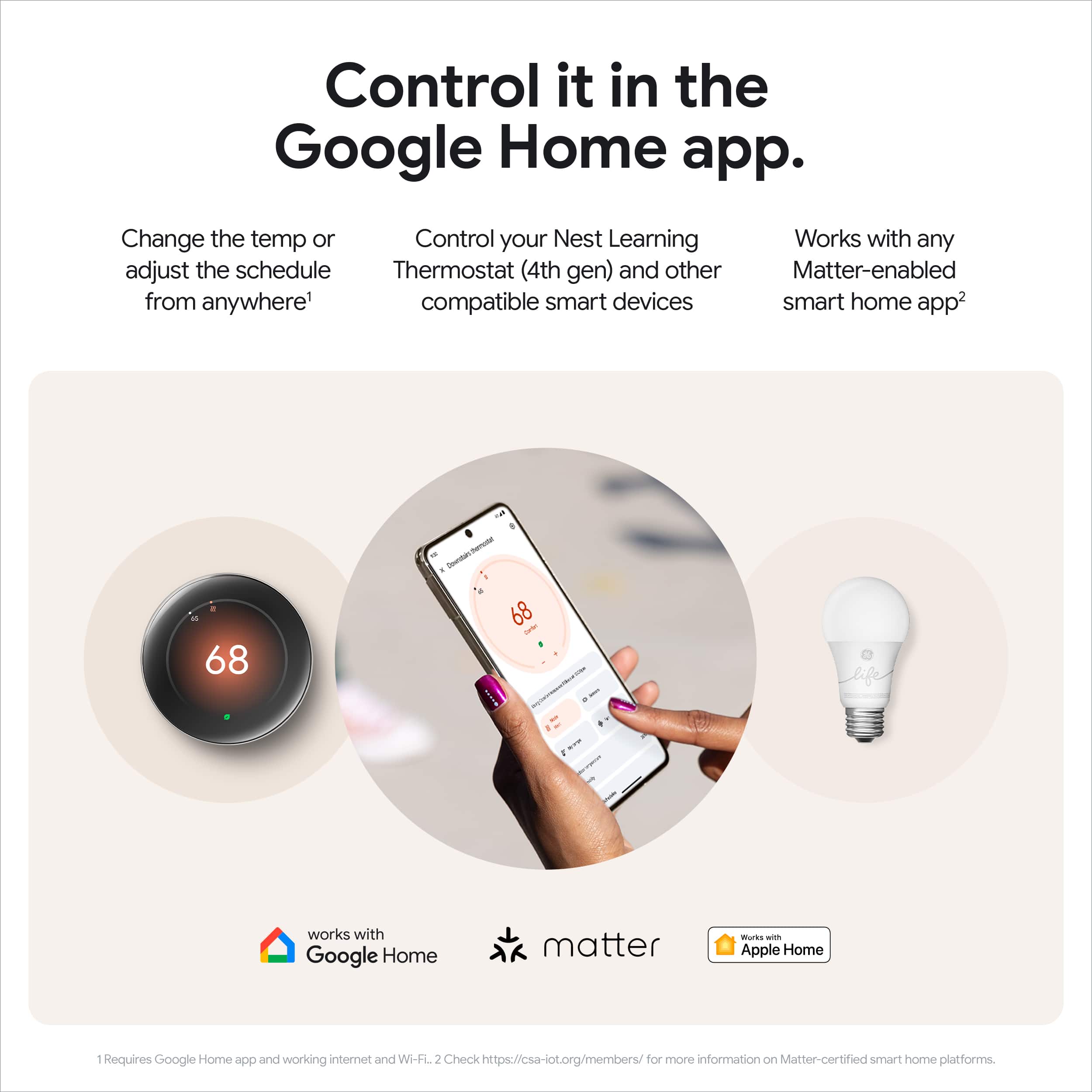
|Posted .This reviewer received promo considerations or sweepstakes entry for writing a review.—------- Summary —----------- You cannot go wrong with this gorgeous and super smart thermostat! If you can afford it, get it! Easy guided setup and installation. Set and forget - All the smart features will take over from there, including safety features that will protect your AC. You can monitor and control it remotely. It learns your schedule and temperature preferences, adjusting them to keep you comfortable while saving energy and money. Its new redesigned screen is just gorgeous, like a piece of jewelry for your home, and it is more intuitive than previous generations and than its competitors. And while all previous generations of the Nest Thermostats could only be controlled from the Google Home app (or the older Nest app), this 4th gen can now also be controlled from Apple’s Home app! This is a winner! —------- Details —-------- I used to have a Nest 2nd generation and was overall happy with it. But the main thing it lacked from my point of view was the ability to connect other temperature sensors. Without them, the only temperature the thermostat accurately read was where the thermostat was located. That meant that our other rooms did not quite reach the desired temperatures. Or one room ended up a lot hotter or colder than a different room. I believe the 3rd gen of the Nest thermostat added the ability to connect to temperature sensors. And now this 4th gen comes with one temperature sensor included and it’s fully redesigned, making it a no brainer to buy! — The Good stuff — Appearance - You can’t get any other thermostat that looks this amazing. Period. Intuitiveness - Given the display is bigger than before, it can now display more information. There are currently 4 faces you can choose from (what they are calling “Farsight”). For example, you can choose to display a digital or analog clock, or the outside temperature. But my personal favorite is the default one where it displays two big numbers: the top one being the current indoor temperature, and the lower one show the temperature you the thermostat is set to reach. In previous generations, you only saw one number and it was Not intuitive to know whether that was the current temperature (it wasn’t!), or the temperature you want to reach. Now it’s very obvious. It also includes the smaller word “Indoor” followed by the indoor temperature in big numbers, and then either the words “Cool set to” or “Cooling to” followed by the desired temperature the thermostat is set to reach. No more guesswork! Easy setup - Adding it to the Google Home app was surprisingly easy. I was not a fan of the Google Home app interface. I was still using the older Nest app which I found super intuitive. But this new 4th gen no longer works in the old Nest app, so I was a bit worried it would be hard to setup. Fortunately, I had the pleasant surprise that once I clicked on “Add Device” and scanned the Nest Thermostat barcode, the instructions were very easy to follow and once I finished setting it up, the thermostat started working without any issue! Easy installation - As part of the setup, it tells you exactly how to install it. While it’s easy to know what to do thanks to the guided setup and the overall design of the thermostat, the difficult part can be the cables that come out of the wall that are meant to be plugged into the thermostat. They are just very stiff so they can be difficult to bend and insert into the thermostat. Anyone handy can easily do it. Someone that isn’t handy can still do it but make sure to have one of those long nose pliers so you can more easily bend and insert those cables into the thermostat. For those upgrading from a previous generation of the Nest thermostat, I’m happy to report that I was able to reuse the wall holes that held my Nest Thermostat 2nd gen! Ability to watch the usage history including the current day, possibly in real time! While I was able to see the usage history (when the AC was on) in my older 2nd gen Nest Thermostat, it was delayed by a day. And I could only see the history of the past 10 days. Surprisingly, the few times I wanted to see the usage history, I wished I could see what happened the day of. Now I am able to do this! And you can see the history of up to the last 30 days! Ability to connect to Apple’s Home app through “Matter” - This is only important, very important for some, for those that are fully integrated into the Apple’s Home ecosystem. Something to know is that, as of today, you still need to do the initial setup through the Google Home app. But once completed, you can either use the Google Home app or use the Nest Thermostat to get a “Scan Code” (Settings -> Matter -> Link another app -> Scan Code) which you can then scan through your Apple’s Home app and… Voila, you’ll be able to control your awesome Nest Thermostat 4th gen form there and forget about Google Home (if that’s what you prefer) Ability to “Hold” the temperature - I don’t know if this is new in the 4th generation or if it already existed on the 3rd gen, but it did Not exist in the 2nd gen. This feature allows you to hold the current temperature for a specific amount of time (say 2 hours). This can be very handy if you are at home for a random reason or working, and you want to make sure that the current schedule doesn’t change the temperature automatically. Well lit screen that can be seen from far away - There are some reviewers reporting their Nest Thermostat’s screen is very dim. I didn’t find it that way at all. I can certainly say it is very reflective. I had a hard time taking pictures without my hands or my face being reflected on them! So, maybe if your thermostat is placed with direct sunlight you might have an issue seeing what’s on the screen. In my case, the thermostats are not placed near the sunlight. I am able to see the indoor and currently set temperature from afar. — Things to improve — Setup: It did Not import anything from the older Nest Thermostat I was replacing. I would have expected for the settings to get imported, such as the Eco Temperatures, and the current schedule. It doesn’t change color to bright blue when cooling or bright red when heating. I was so used to those huge visual queues letting me know the AC was on. Now, the hint is more subtle both in the thermostat display and in the Google Home app. But the huge temperature letters telling me the current temp and the set temp make up for it
I would recommend this to a friendBrand response from Google Team
Posted .Hi Cleon! Thank you so much for sharing your experience with us. We take our customers' feedback seriously and appreciate your ideas. Please share your comments with our team using this feedback form: https://google.qualtrics.com/jfe/form/SV_2aStd8wsbcLGvwG
Excellent features and large display
||Posted .This reviewer received promo considerations or sweepstakes entry for writing a review.Easy to install and get going. Display is large and very elegant. Weather intelligence feature is great for having a comfortable temperature in the home. The new capability of this 4th gen thermostat of enabling us to select the average of several temperature sensor readings is useful for balancing the temperature in different rooms.
I would recommend this to a friendBrand response from Google Team
Posted .The upgrade your home deserves, BBreviewer. Thanks for the five stars!
Googles latest Nest does a great job utilizing FAN
||Posted . Owned for 2 months when reviewed.This reviewer received promo considerations or sweepstakes entry for writing a review.The 4th-generation Google Nest Learning Thermostat paired with the 2nd-generation Nest Temperature Sensor delivers a refined and intelligent climate control experience. With a sleek polished silver finish and enhanced learning capabilities, this smart thermostat stands out for both its design and performance. Performance and Efficiency This device has demonstrated exceptional performance in real-world use, particularly in managing fan functions. Its ability to intelligently circulate air based on learned patterns and sensor feedback has resulted in noticeably improved comfort and airflow. Users have reported significant energy savings, with some seeing their HVAC costs cut in half compared to previous thermostat models. The thermostat's adaptive scheduling and Eco mode optimize heating and cooling based on occupancy and outdoor conditions. It learns user preferences over time, adjusting automatically to maintain ideal temperatures while minimizing energy consumption. Design and Integration The polished silver finish and mirrored glass display offer a modern aesthetic that complements a wide range of interiors. The rotating stainless steel ring provides tactile control, while the high-resolution display offers clear visibility from across the room. Installation is straightforward, even without a C-wire, and the device supports multi-stage HVAC systems. It integrates seamlessly with Google Home, Amazon Alexa, Apple HomeKit, and other Matter-compatible platforms, making it a versatile choice for smart home environments. Temperature Sensor Functionality The included Nest Temperature Sensor (2nd Gen) enhances room-by-room climate control. It allows users to prioritize specific rooms for heating or cooling, helping to eliminate hot or cold spots throughout the home. This feature is especially valuable in multi-room setups or homes with varying sun exposure. Summary The Google Nest Learning Thermostat (4th Gen) with Nest Temperature Sensor (2nd Gen) is a premium smart thermostat that combines intelligent automation, elegant design, and meaningful energy savings. Its standout fan control and cost-cutting performance make it a compelling upgrade for homeowners seeking both comfort and efficiency. Would you like a version formatted for mobile display or a comparison chart with other smart thermostats?
I would recommend this to a friendBrand response from Google Team
Posted .We appreciate you sharing all your thoughts, JamesA!
Intelligent thermostat that saves money
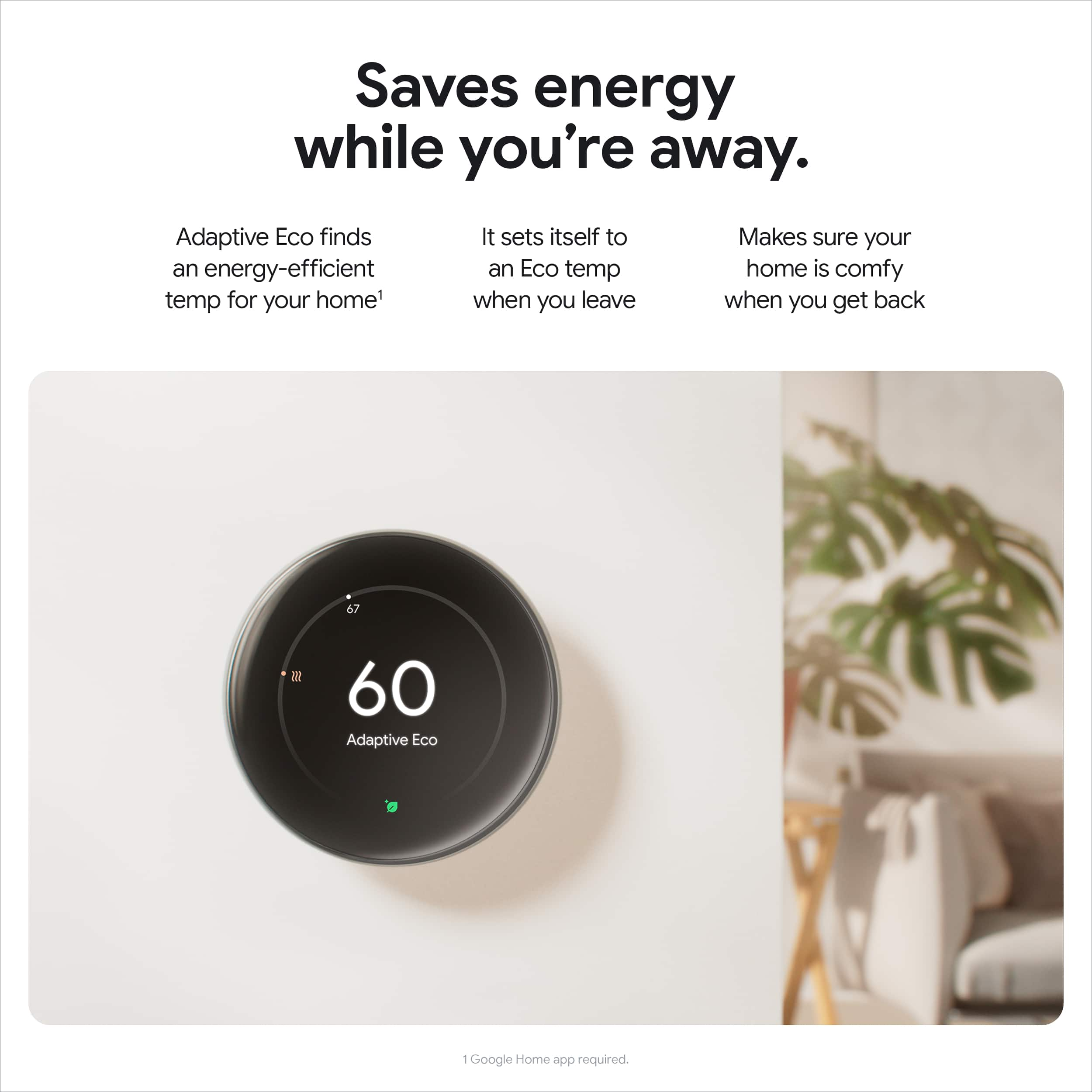
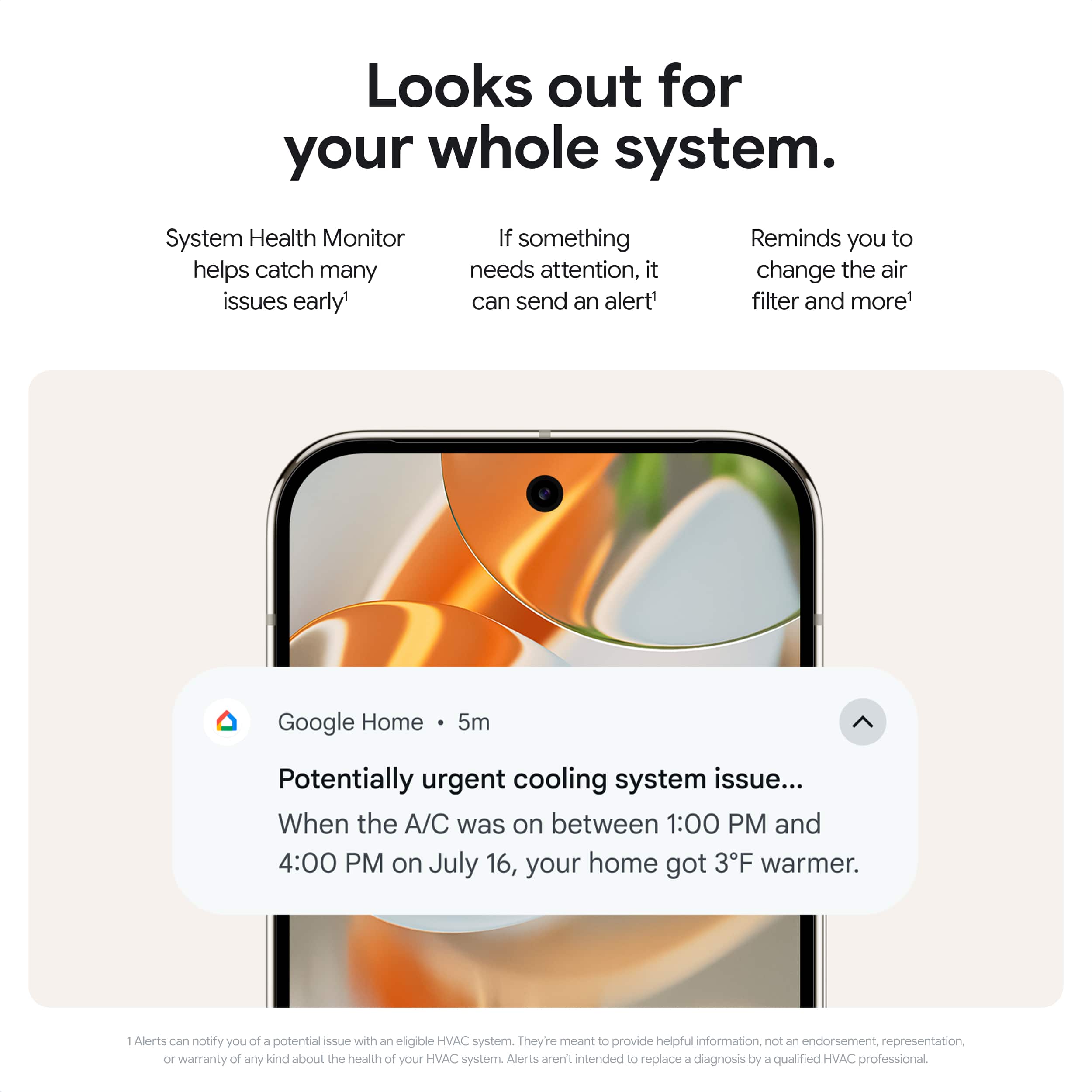
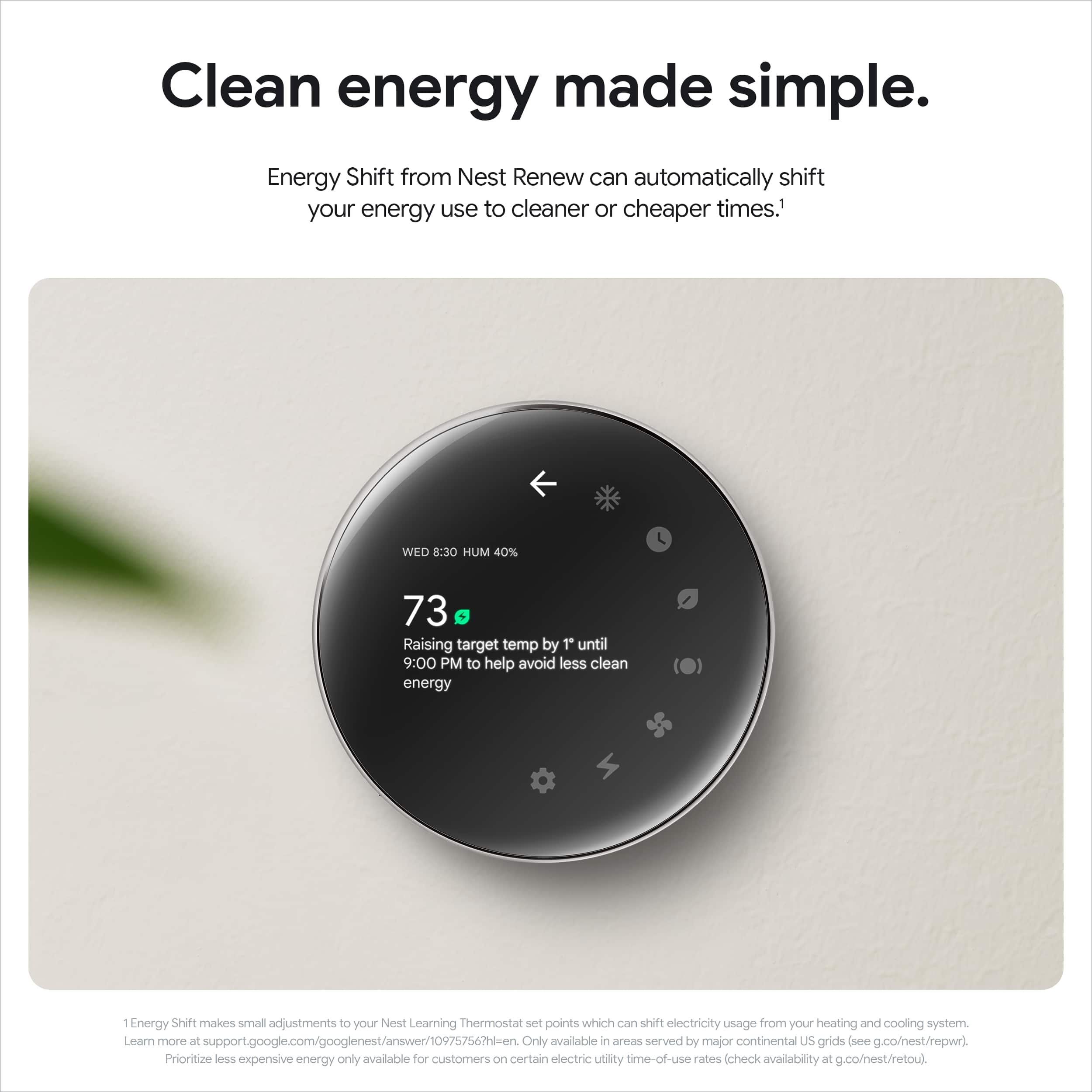
|Posted .This reviewer received promo considerations or sweepstakes entry for writing a review.As we all know in this day and age of out-of-control inflation, high gas and grocery prices amongst most other things, stuff isn’t cheap; especially not energy costs. In my opinion, investing in things that have been proven to cut costs and stop bleeding money out every orifice is a no-brainer. Energy is unequivocally one of those necessary things in today’s technology laden world. That’s why, in our 4k square foot, two story house with an ADU and three thermostats, having smart thermostats you can adjust and monitor remotely while encompassing local weather conditions, occupancy, etc. has always been a priority upgrade since we bought our house about a year ago. We already had Google Nest thermostats on two of our three existing thermostats and were in the market for the last one when the latest 4th generation one was recently released. One of the things that caught my attention with the new model was that it comes with a separate temperature sensor to monitor a separate area within the same heating/cooling zone. We always had one area that was a different temperature because the thermostat is located in our master bedroom therefore the thermostat had no idea the other area was approximately 2-3 hotter or cooler compared to what the reading was. Having the additional and separate temperature sensor allows the Nest to adjust the temperature accordingly to ensure all areas in that zone are covered and not just the area the thermostat is installed. Regarding the installation, it was fairly simple since we do own a newer home however the new Google Nest tried to cover all options with this model’s wiring schematics and will easily walk you through the installation process through the Google Home application on your smart device. Specifically, mine only needed four wires to connect and I was up and running after one software update and quickly syncing the new thermostat to my account. I selected the room where the thermostat would be installed as well as the room where the separate temperature sensor was being placed. One thing I had to get used to was the screen itself which is aesthetically futuristic looking however is very glossy and concave which is very reflective of light and can be hard to see at times when windows and lights are in the room. Other than that, the large, borderless screen is very responsive and provides most, if not all, features and adjustments directly on the screen versus having to pull your phone out. I also like being able to rotate the dial to adjust the temperature versus a side touch panel, like on their other models, which has its own learning curve. After installation, the Google Home app walked me through money saving suggestions and tips including learning my routines and syncing my other Google devices to the account so, using my location and phone, it knew when I was home or away. Some other useful features are the System Health Monitor that can sense and alert you of many issues before they become bigger problem, Energy Shift from Nest Renew which can automatically shift energy use to cheaper times and ensuring your system isn’t running while outside temperatures are better that what you have thermostat set to all of which will save you money. One feature I’m surprised wasn’t included on the Nest Thermostat was a built-in microphone for voice controls which I thought would be convenient if I wanted to adjust the temperature while lying in bed without having to get my phone out. However, you can still use other voice-controlled devices, such as speakers and phones, to access the Google Assistant and make those adjustments. There is much more technology built in to the latest 4th generation Nest learning thermostat compared to its predecessor and other less-costly models however, after using it for several days, I would suggest at least having one of the learning thermostats in your home or office just to take advantage of what the software can do. Ultimately, all of these features have been proven to save you money, paying for itself in a relatively short amount of time, and would definitely recommend it in today’s economic downturn and whatever happens in the future.
I would recommend this to a friendExceeds my expectations!
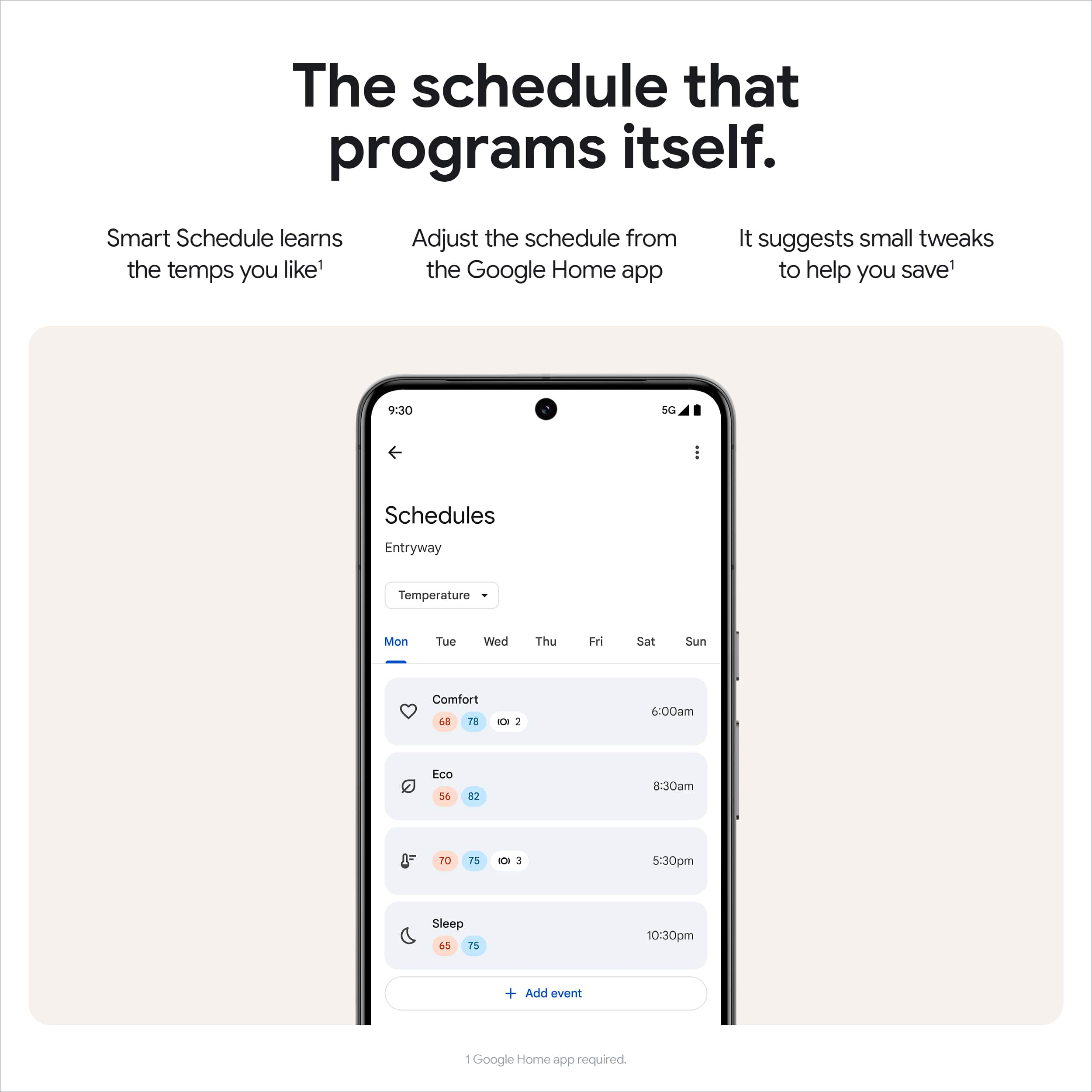
|Posted .This reviewer received promo considerations or sweepstakes entry for writing a review.The thermostat we have been using was provided with the new furnace we had installed many years ago. The screen was miniscule and poorly lit making it so difficult to read or set a schedule. It offered few options and was very outdated. I finally decided to get a thermostat that utilizes the latest in smart home technology while maximizing energy savings across the four seasons of weather we get in the northeast. The Google Nest Learning Thermostat (4th gen) with Nest Temperature Sensor (2nd gen) is an outstanding choice as it blends style, functionality, and efficiency into one sleek package. This newer generation boasts a larger, easier-to-read LCD screen. The display lights up when I walk nearby, and the clear display is visible even when I am not wearing my glasses. Installation was surprisingly user-friendly, requiring little to no HVAC experience. The Google Home app provided step-by-step instructions, making the setup process seamless even for beginners like me. Once installed, I created a personalized schedule for each individual day. I set a schedule to reflect the time I am at work (Eco), the time I return home (Comfort), and the time I go to bed (Sleep). And if I don’t like it, I can easily change it in the Google Home app, no matter where I am. My husband likes the house to be cooler in the summer and will turn the AC higher. When he isn’t looking, I take out my phone and make it a few degrees warmer. Included with the thermostat is the Nest Temperature Sensor (2nd gen), a fantastic addition that allows me to maintain the ideal climate in another room. I put the sensor in the master bedroom and adjusted the temperature of the house to reflect the temperature of that room rather than the main thermostat. This is particularly useful as the room is on the 2nd floor and tends to be hotter than the first floor of the house. If multiple sensors are chosen, the thermostat heats/cools based on the average indoor temp from both sensors. In the app, you can see the current temperature where there is a device and the humidity. You can select these modes: heat, cool, both, or off. You can choose to hold a temperature and run the fan manually by setting a timer. Another impressive feature is the ability to see how long it will take to cool down/heat up your house to a desired temperature. There is an Energy Dashboard and the option to schedule additional events during the day. You can set routines for voice commands or presence sensing that change the temperature when you come home, when everyone is away. It’s like having an intuitive assistant that ensures my home is always at the perfect temperature. The AI function takes the intelligence of this device to another level by analyzing the influence of outdoor temperature on the indoor climate. This means the thermostat doesn’t just react to the current temperature but anticipates changes based on weather conditions, optimizing your energy usage. Speaking of energy efficiency, the Nest Learning Thermostat helps you save money by suggesting energy-saving settings. And if you ever want to prioritize comfort over savings, you can easily override these suggestions with the Google Home app. Presto change-o! While I have only had the Google Nest Learning Thermostat (4th gen) with Nest Temperature Sensor (2nd gen) for less than a week, I know that it is a smart investment that combines cutting-edge technology with ease of use, helping you create a more comfortable, energy-efficient home while adding a touch of modern elegance to your living space.
I would recommend this to a friendSmart, Efficient, & User-Friendly Thermostat
Posted .This reviewer received promo considerations or sweepstakes entry for writing a review.I recently upgraded to the Google Nest Learning Thermostat (4th Gen) along with the Nest Temperature Sensor, and it has been a game-changer for my home’s comfort and energy efficiency. **Design and Installation:** The sleek, modern design fits seamlessly into my home’s decor, and the installation was straightforward, even for someone like me who’s not particularly handy. The setup process was well-guided through the app, making it easy to connect and configure. **Learning Capabilities:** What sets this thermostat apart is its ability to learn your schedule and preferences over time. After just a week of use, it began to automatically adjust the temperature to my liking throughout the day, without me having to manually change settings. The learning algorithm is impressive, and the more you use it, the smarter it gets. **Nest Temperature Sensor:** I added the maximum of six sensors throughout my home, and it has made a noticeable difference in overall comfort. The thermostat can now use the average temperature from all the sensors to ensure it hits the target temperature more accurately. This feature is especially helpful in maintaining consistent comfort across different rooms, regardless of where the thermostat is located. **Energy Savings:** I’ve noticed a significant reduction in my energy usage since switching to the Nest Thermostat. The Eco mode is particularly useful when I’m away, as it automatically adjusts to save energy without compromising comfort. The monthly energy reports are a nice touch, showing exactly how much energy I’m saving. **Smart Home Integration:** The integration with Google Home is seamless. I can control the thermostat with voice commands, which is incredibly convenient. It also works well with other smart home devices, creating a cohesive ecosystem. **Conclusion:** Overall, the Google Nest Learning Thermostat (4th Gen) with the Nest Temperature Sensor is an outstanding investment. It’s smart, user-friendly, and truly makes a difference in both comfort and energy efficiency. I highly recommend it to anyone looking to upgrade their home’s heating and cooling system.
I would recommend this to a friendEasy install, great benefits
||Posted . Owned for 1 month when reviewed.This reviewer received promo considerations or sweepstakes entry for writing a review.The Nest Learning Thermostat (4th gen) with the Nest Temperature Sensor (2nd gen) in Polished Obsidian is both sleek and practical. Installation was simple — just take a quick picture of your old wiring before removing it, and the app walks you through everything step by step. The added sensor makes the whole house more comfortable. Very easy to use, and I can absolutely recommend it!
I would recommend this to a friendBrand response from Google Team
Posted .We appreciate all your kind words, Airborne!
Enhance Your Home Comfort
||Posted .This reviewer received promo considerations or sweepstakes entry for writing a review.The Google Nest Learning Thermostat (4th gen) with the Nest Temperature Sensor (2nd gen) in Polished Obsidian is an impressive addition to any smart home setup. Here are a few points based on user experiences: Design and Aesthetics: The Polished Obsidian finish gives it a sleek, modern look that fits seamlessly with contemporary decor. The thermostat’s high-resolution display is not only functional but also adds a touch of elegance. Learning Capabilities: True to its reputation, the Nest Learning Thermostat adapts to your schedule, learning your preferred temperatures and automatically creating a personalized schedule. Over time, it optimizes for efficiency, which could lead to noticeable energy savings. Integration with Temperature Sensor: The included Nest Temperature Sensor enhances the thermostat’s ability to manage the climate in your home. By placing it in a different room, the thermostat can maintain a consistent temperature throughout your home, addressing common hotspots or cold areas. Smart Home Integration: Compatible with various smart home systems, it offers voice control through Google Assistant and other smart home hubs. This feature allows for seamless integration and easy control within your existing smart home ecosystem. User-Friendly Interface: The setup is generally straightforward, with intuitive controls and an easy-to-navigate app. The app provides insights, reports on energy savings, and allows for remote control of your home’s climate. Price and Value: While it might be priced higher than some competitors, the energy savings and added comfort from personalized scheduling could justify the investment over time. Overall, the Nest Learning Thermostat (4th gen) paired with the Temperature Sensor continues to lead the market with its innovative features, design, and user-friendly experience, making it a worthy consideration for anyone looking to enhance their home’s climate control.
I would recommend this to a friendBrand response from Google Team
Posted .Thanks for the 5 star review, Chinni. Happy you’re part of the Nest family!
Sleek and feature-rich smart thermostat!
|Posted .This reviewer received promo considerations or sweepstakes entry for writing a review.The Nest Learning Thermostat 4th generation is a great smart thermostat that is packed with energy saving features! This is my first Nest thermostat as I heavily use the Apple Home app, and the previous Nest Learning Thermostat did not support integration with Apple Home. Thanks to Matter, this thermostat now natively works in the Apple Home app. While this thermostat does support the Apple Home app via Matter, there is one caveat to be aware of. My previous thermostat that had native Apple HomeKit support had the ability to set comfort settings through automations in the Apple Home app (Home, Away, Sleep, etc). Nest does not appear to support setting temperature presets/comfort settings through the Matter integration. So, while I can set an automation in Apple Home to adjust the Nest to a specific heating or cooling temperature (or auto heat/cool mode with a temperature range), there is not an option via Matter to set the thermostat to Eco mode or other temperature presets. It is disappointing that temperature presets cannot be set via Matter. With that capability, the thermostat would automatically be set at the right heating or cooling temperature based on whether the thermostat is set to heating or cooling mode. I do not want to use my thermostat in auto heat/cool mode and prefer to set the mode manually depending on the time of year. While the Matter integration does not support setting temperature presets like Eco mode, you can set up auto home and away in the Google Home app. This can put the thermostat in Eco mode when all household members have left, and it can take the thermostat out of Eco mode when the first person returns home. While I would like to be able to do this in the Apple Home app, it has worked well so far through the Google Home app. As far as looks go, this thermostat has a very sleek design which looks premium and modern. It is really nice that the thermostat turns like a dial to adjust the temperature up and down. This is very convenient. My previous thermostat had a touch screen which required multiple taps to adjust the temperature. Being able to adjust with the dial is faster and more convenient. This thermostat is very responsive when making temperature changes, which is great. It also has a lot of features and intelligence when it comes to saving as much energy as possible while still keeping you comfortable. It monitors outdoor temperatures and can make adjustments to cooling and heating to avoid wasting energy and help you save money. When you set a certain temperature, the Google Home app will also tell you how long it thinks it will take to reach the desired temperature. There is also an Activity tab in the Google Home app which is very helpful and shows you the history of temperature changes on the thermostat. Overall, this is a great smart thermostat with a wide range of features and a great design! And, I am hoping that over time, Google will add more capabilities to the Matter integration to allow for more customization outside of the Google Home app.
I would recommend this to a friendStill best smart thermostat
|Posted .This reviewer received promo considerations or sweepstakes entry for writing a review.I've been using previous generation Nest thermostats for over 5 years and love the control and data that I get about my home heating and cooling. I was excited to compare the latest generation to the Nest Learning Thermostat. There are a lot of great new features and iterations that make this the best smart thermostat that you can buy. Nest made the biggest change every to their now iconic design, mounting a frisbee on pedestal: I don't love the new look but I do like the large screen and minimal bezel. There is a host of new "farsight" options so you can customize the details you see at a glance as you walk. I do wish it allowed for a little more customization, but picking one of four faces in really nice. I also like that it comes out of the box with a temperature sensor. The gen 2 temperature sensor seems pretty similar in functionality (I couldn't find any difference) to the original, but in a more rounded and overall aesthetically pleasing shape. The update I really like is that I can set the thermostat to regulate temperature based on an average of my sensors and the temp at the thermostat (in any configuration of multiple sensors including or excluding the sensor). One week of use is not nearly enough to really gauge just how much "smarter" it is, especially when it was nice enough to be off all but one day of that week. My initial tour is that there are a lot of great features and functionality: I wish that they had stuck to a more conventional Nest Thermostat look instead of the big departure, but its worth the trade off.
I would recommend this to a friendA Smart Home Essential
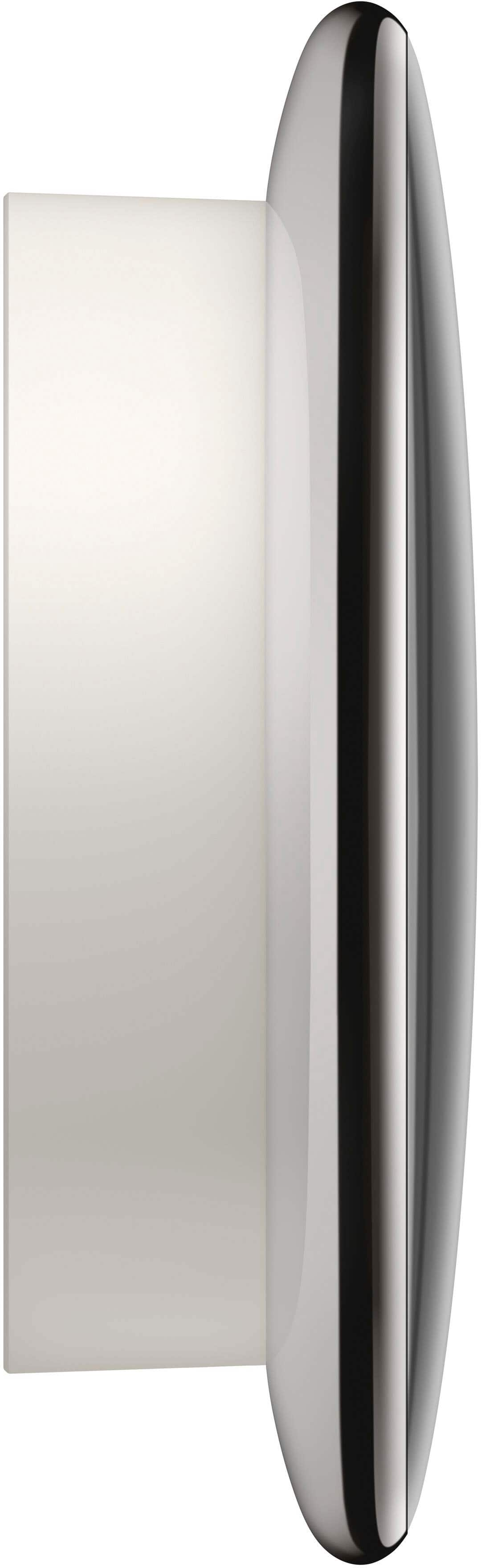
|Posted .This reviewer received promo considerations or sweepstakes entry for writing a review.I recently upgraded to the 4th Generation Google Nest Learning Thermostat. Coming from the earlier generation learning thermostat, I was pleasantly surprised with the new look. The installation was straightforward, just like previous generations. The package includes everything you need, including a remote temperature sensor, and the Nest app walks you through the entire process. I’m no HVAC wizard, but I had it up and running in about 20 minutes. Switching the wires over was a breeze. You won’t be able to use a previous generation base, so plan on removing everything down to the wires. Wires and holes lined up and compatibility wasn’t an issue. The app even checks your system compatibility before you start, which is a nice touch. The build quality of the new Nest thermostat is unsurprisingly top-notch. It feels solid and premium, with a beautiful glass display that’s both modern and durable. The display is larger than previous generations, but it’s still compact and looks amazing. The materials used are high-quality, and it feels built to last. Overall, the 4th Generation Google Nest Learning Thermostat is a fantastic upgrade. For me, it’s worth the price, especially considering the advanced features, premium build quality, and sleek design. If you’re looking to make your home smarter and potentially more energy-efficient, this thermostat is a must-have.
I would recommend this to a friendNice thermostat with lots of functions
|Posted .This reviewer received promo considerations or sweepstakes entry for writing a review.With the busy lives that we lead it's nice to have a smart thermostat that can adjust to your schedule. This one not only looks cool but so far seems to function well. If you're an Android user this will integrate well into your Google home ecosystem. One thing about it is that you can control everything from your phone from schedules to geofence so that it cools your house when you want it to or when it senses you are close. With a geofence enabled it's nice from a cost savings perspective if you're going to be away from home it will adjust the settings to raise the temperature so you're not cooling the home while you are not in it. It also has a motion sensor so it notices when you walk by or when you make adjustments it learns your patterns. Total time for installation and configuration was probably for me about 30 minutes. Having said that the installation was not as simple or as easy as I anticipated. Out of the box the instructions were very vague and I wish it had come with a bit more information in the quick setup manual. Knowing what I know now I would have done the following instead of the way I did set it up. - Plug in the thermostat via USB-C to power it on - Open Google home to begin the setup process by adding the device - Scan the QR code on the back of the device to enable it and then walk through the configuration via the Google home app - Then mount it to the wall I made the mistake of actually installing it and attaching it to the wall before I had written down the six-digit code on the back or taking a picture of the QR code. If you do that first then you can plug it in to power it on and complete the configuration. After a week's worth of use I do like the aesthetics of the thermostat as well as the ability to make any adjustments via the Google home app. The cost savings aren't know just yet but I know that there are various eco modes that will reduce usage to save money and it will provide feedback via the app. I also like that it does come with the additional sensor which I have placed in one of the rooms in my home that tends to get the warmest so that it will regulate temperatures based off of the additional sensor.
I would recommend this to a friendBeautiful display, Simple install
||Posted .This reviewer received promo considerations or sweepstakes entry for writing a review.This is the sleekest looking nest yet. Super easy to install and set up (especially if replacing a previous generation Nest thermostat). The onscreen display and customizable options are both, gorgeous and informative. Highly recommend the upgrade to this model.
I would recommend this to a friendBrand response from Google Team
Posted .Smart and good looks are a winning combo! Thanks for the five stars, RyanH.
Google Nest 4th Gen
||Posted .This reviewer received promo considerations or sweepstakes entry for writing a review.Very easy to install! Works very well and a lot better than the previous thermostat I had! Highly Recommend!
I would recommend this to a friendBrand response from Google Team
Posted .Thanks for sharing with us, NOLATRAD!
Nest thermostat
||Posted .This reviewer received promo considerations or sweepstakes entry for writing a review.Works greats. Easy to control from home or the phone. 2 stage heating works just need to mess with setting. Easy installing
I would recommend this to a friendBrand response from Google Team
Posted .Thanks for the five stars, AdamF!