Customer Ratings & Reviews

- Model:
- GA01918-US
- SKU:
- 6411691
Rating by feature
- Sound Quality
Rating 4.1 out of 5 stars
- Battery Life
Rating 3.7 out of 5 stars
- Connectivity
Rating 3.5 out of 5 stars
Customers are saying
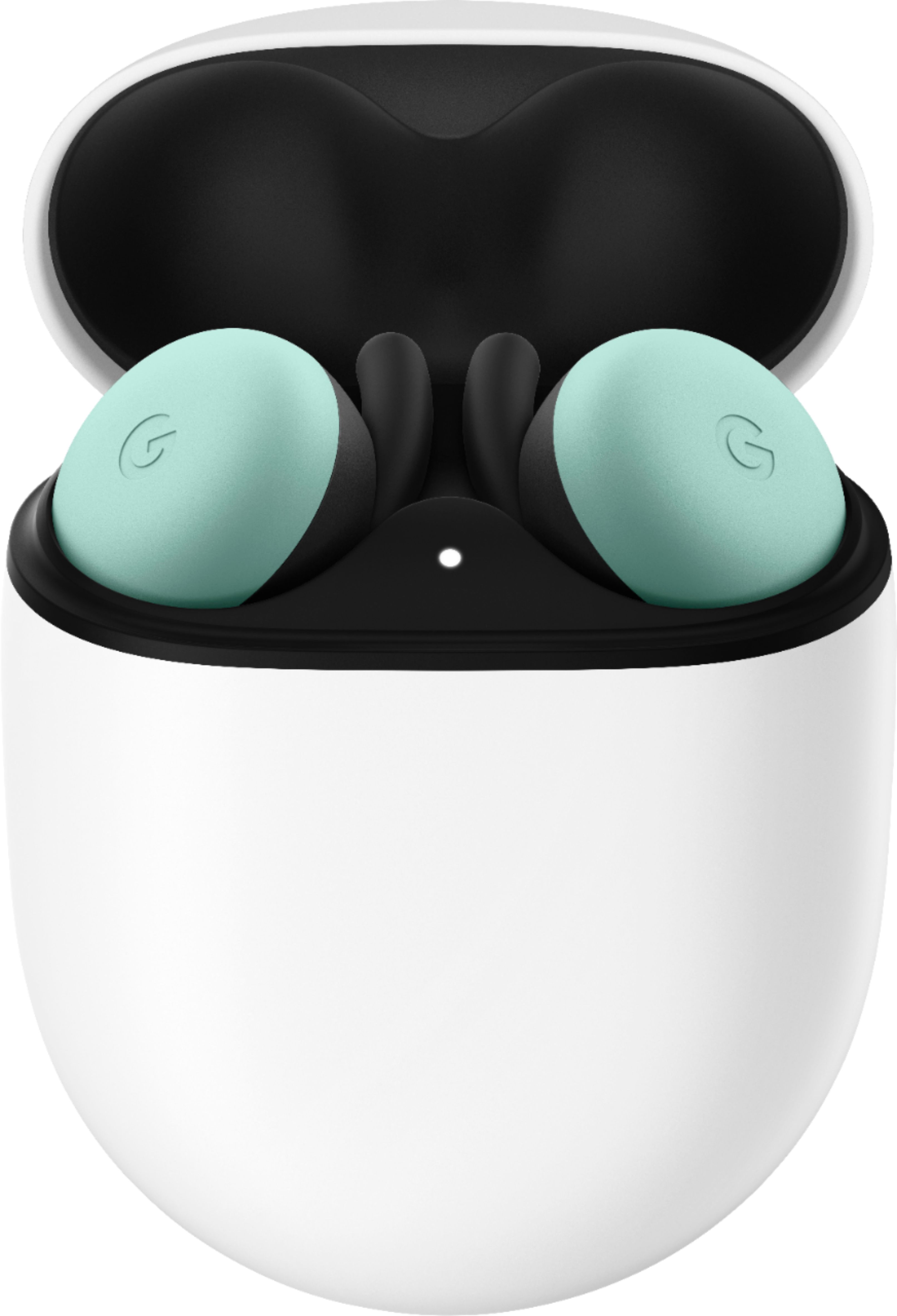
Customers enjoy the Pixel Buds True Wireless In-Ear Headphones for their exceptional sound quality, comfort, and secure fit. They appreciate the long battery life and the convenience of the Google Assistant. However, some users have experienced connectivity issues and find the price to be high.
This summary was generated by AI based on customer reviews.
- Pros mentioned:Battery life, Sound quality
Awesome Design & Great Quality!!
||Posted . Owned for 1 month when reviewed.This reviewer received promo considerations or sweepstakes entry for writing a review.I've been patiently waiting for the release of the Pixel Buds and Google did not disappoint! These things are great, everything from design, build quality and functionality! And with access to the Google Assistant, I can control my whole home! I've not ran in to any issues so far, one thing mentioned in reviews all over the web was battery life. The fact that you can pop one/two of the buds in the case and in 10 minutes have an extra 2 hours of battery life suits me perfect, I don't wear them consistently for 8 hours a day. There's so much more I could say but just know that these are definitely worth your money (Google Assistant access by itself is what makes it worth it to me) and you'll love them!
I would recommend this to a friend - Pros mentioned:Comfort, Sound quality
Very good earbuds
||Posted .This reviewer received promo considerations or sweepstakes entry for writing a review.I'm using a Pixel 4 XL so results may vary if you're using a non-pixel phone. Kinda like how a pair of apple air pods would work with my phone but not as well and with fewer features.... After the last update, bass boost really improved the sound profile to my liking. Since I have a pixel phone these paired instantly the first time I opened case and setup only took a few seconds. They're easy to use, extremely comfortable and stable in the ear, and Google Assistant integration is awesome. Only complaint I have is that you can't choose which Google account these are tied to. So if you have multiple accounts, like corporate and personal, it's whatever the primary account is in your phone. Hopefully that's addressed in a future update. I would definitely recommend these to anyone using an Android phone, especially a Pixel.
I would recommend this to a friend - Pros mentioned:Battery life, Comfort, Fit
Best earbuds for Android users.
||Posted . Owned for 1 month when reviewed.This reviewer received promo considerations or sweepstakes entry for writing a review.Love these earbuds. I work from home and spend 8-12 hours a day on the phone. I use one earbud at a time and switch to other ear when the charge gets low. The case provides plenty of power to keep my going all day long. Google Assistant and Audio controls that work are just icing on the cake. They are comfortable and never even think about falling out. The rubber tips are very secure. This is very important. If you've never had one of those rubber bits fall off in your ear, consider yourself lucky. After having that happen to me and having someone remove it with needle nose pliers, I've developed a fear of those rubber tips.
I would recommend this to a friend - Pros mentioned:Fit, Sound quality
Love these bad boys
||Posted .This reviewer received promo considerations or sweepstakes entry for writing a review.I used to own the Bose Soundsport Pro...until I left them on the plane. They were good buds, but the Pixel Buds far outshine the Bose. First of all the case: Bose had a little bit bigger case, a very strange cylinder shape that does not look good in your pocket... The Pixel Buds case has a much slimmer profile and is much more comfortable to carry in your pocket. It's also easier to open with the magnetic lid vs the button on Bose. Charging is also much easier with wireless charging or the option for USB-C. Bose only had the old micro-USB charging port, which means if you have a newer phone, you need to carry 2 charging cords. Moving inside the case: There's a single battery indicator light that changes color as it decreases in charge. Personally I preferred Bose's battery indicator. It had 5 lights that would go out one by one as battery decreased. It was a little easier to tell exactly how much battery you had left. However the Pixel buds still come out ahead with their battery level window on the phone itself. The Pixel Buds themselves: They are very light and have a snug fit. You can barely even feel them in your ear. My Bose were much bigger and heavier, not to mention they looked like Shrek ears. The Pixel Buds have a much slimmer profile to where you can barely see them in your ears. They have great sound and block out outside noise better than Bose. They also have a feature that increases or decreases volume depending on your surrounding noise, which is really convenient. Gesture control: This has to be my favorite part of the Pixel Buds. You can easily pause, play, skip, go back, change the volume, listen to notifications, or access Google Assistant just by touching the buds. I love being able to do this without having to take my phone out of my pocket. On my Bose I had to push these really tiny buttons to do any of these features. And as small as those buttons were, it was really easy to hit the wrong button. I've seen a lot of other people were not a fan of the touch control because every time they adjust the buds it triggers Google assistant. I have not had any issues with this as of yet. Just adjust them by gripping the edges instead of directly touching them and moving them. The Pixel Buds App: I love that the app makes it easy to pair the buds and displays the battery levels in the phone's drop down notification display. It also makes it easy to find your buds if you lose them by showing their last known location on a map and beeping so you can pinpoint the exact location. The only thing I wish the app had is a sound equalizer to customize the experience a little more. I think this could be a feature Google adds in the near future. Overall these buds have exceeded my expectations and have become my new favorite little toy. Definitely recommend
I would recommend this to a friend - Pros mentioned:Fit, Sound quality
Great set of earbuds!
||Posted . Owned for 1 month when reviewed.This reviewer received promo considerations or sweepstakes entry for writing a review.I love the design and fit of these earbuds. Very minimal and lightweight. Sound its good. Features are good especially if used with a Pixel device. Only negative in my opinion is no noise cancelling feature.
I would recommend this to a friend - Pros mentioned:Sound quality, Touch controls
Great sound quality with a learning curve
||Posted . Owned for 2 months when reviewed.This reviewer received promo considerations or sweepstakes entry for writing a review.I purchased these headphones because I needed to upgrade my work from home headset, but didn't want to buy a very bulky pair of headphones. These offer great sound quality and are so convenient. They take a little getting used to, I kept feeling like they were falling out the first few days of use, but there are 3 sizes of earpieces that can be swapped in/out. I've found that once I insert the headphone if i twist it back and forth (without pressing in on my ear) it'll find a place to settle in comfortably. The touch controls are very convenient as well, though I've found that I'll sometimes accidentally open a music app on my mac. All around great buy, there's just a bit of a learning curve!
I would recommend this to a friend - Pros mentioned:Fit, Sound qualityCons mentioned:Connection
Great for a 1st Gen product
||Posted . Owned for 5 months when reviewed.This reviewer received promo considerations or sweepstakes entry for writing a review.I love the fit of these earbuds. Balanced sound. I like that it will inform you and read out the notifications that come in. Only issue I had was the occasional dropout on the connection.
I would recommend this to a friend - Pros mentioned:Sound quality
Needs to translate speech output into English
||Posted . Owned for 5 months when reviewed.This reviewer received promo considerations or sweepstakes entry for writing a review.The thing that made me most excited about getting these Pixel Buds is the live translation mode when paired with a pixel phone. I like to travel and I am often around non english speaking people socially and for lectures so this was something that I jumped on. A person can talk and the earbuds will translate to you in real time... Well... Then disappointment... I got them and found out that they will translate from English to Spanish but not from Spanish to English.... No idea why. You can use the phone to translate back and forth but the earbud translate feature will only work one way... So that was seriously disappointing. That easily takes stars off for me. I know they could provide it but don't for some reason. The phone can translate spoken Spanish into English text. The phone can read English text. But they won't output the translated text into English speech for the earbuds. But the earbuds will go the other way around and translate spoken english into spanish and output the translated speech into the earbuds. If you speak a language other than English, that feature may be great for you. For English speakers, your out of luck for no good reason. I have a pixel phone and pairing is easy and the sound is good. Calls are clear and my voice sounds well enough to others. The google assistant works well with my google nest setup. Calling my home lights on and off without having to say "ok google" is nice. Just press the earbud and give a command works very quickly.
No, I would not recommend this to a friendBrand response from Google Team
Posted .Hi SandboxSnickers,
Thanks for sharing your feedback. We´re sorry to hear of your translation issue with your Google Pixel Buds.
We recommend performing the following steps to enter the conversation mode with your Google Pixel Buds:
Step 1: Select language
- While you are wearing Google Pixel Buds, touch and hold either earbud or say, “Hey Google” to invoke your Google Assistant.
- Tell the Google Assistant to help you interpret a language. For example, say "Help me speak Spanish."
- This launches Google Translate in conversation mode with your default language and the language that you request.
Step 2: Begin your conversation
- Touch and hold either earbud.
- Start speaking in the language listed under the headset icon.
- Release your finger from the earbud when finished.
- Your phone then translates and reads out loud what you said into your selected language.
Step 3: Receive a response
- In Google Translate, tap the right microphone Voice.
- Have the other person begin speaking. You may need to hold out your phone near the person you´re having a conversation.
- When the second person is done speaking, their response will be translated into your language and played back to you in your ears via your Google Pixel Buds.
Should you still face some issue with the translation for your Pixel Buds, then our support specialists would love to take a deeper look into it to improve your experience. Please feel free to contact our support team here: https://support.google.com/googlepixelbuds/gethelp
- Pros mentioned:Sound qualityCons mentioned:Connection
I think they are okey....
||Posted . Owned for 1 month when reviewed.This reviewer received promo considerations or sweepstakes entry for writing a review.These earbuds are great... Except they re really bad with connectivity. Put on both earpods and try to move left or right ... You ll feel immediate disconnection for a sec there... Same thing happens when you run or go for walk... Or watching tv with blutooth compatibility.. these headphones are great with sound but really poor connectivity. They need to fix this...and just for the reference... They fit perfectly in my ear so its nt about fitting problem.. just connection is not upto expectations. Also sometimes they give you mild pain in ears ... Even though if they fit perfect. Overall its nt bad its good just nt great ...
No, I would not recommend this to a friendBrand response from Google Team
Posted .Hey there, thanks for sharing your review with us. We're sorry to hear that your experience with the Pixel Buds' connectivity has been less than ideal. We recommend that you check the connection between your Pixel Buds and your host device, and update your firmware. Here are some steps to guide you:
1. Confirm that your Pixel Buds and charging case are charged.
2. Confirm that your source device’s (phone/laptop/tablet) Bluetooth® is on, and that your Pixel Buds are close by and paired with your device.
3. On your source device (may be your phone or laptop), turn Bluetooth off, then turn it back on.
4. Wait for the Pixel Buds to automatically reconnect with your previously connected source device. This can take several seconds. If necessary, please make sure your source device is connected by selecting "Pixel Buds" from the source device's Bluetooth menu.
5. Make sure you have the newest firmware.
For more information on checking the newest firmware you can visit this link: https://support.google.com/googlepixelbuds/answer/9642078
If you have additional questions, or if you need us to guide you with the troubleshooting you can contact us on our Google Help page here: https://support.google.com/googlepixelbuds/gethelp
- Pros mentioned:Fit, Sound quality
Great earbuds, with some small issues
||Posted . Owned for 1 week when reviewed.This reviewer received promo considerations or sweepstakes entry for writing a review.I was really excited to get these earbuds with the purchase of my new pixel phone. I love the form factor of the case, and the fit very comfortably in my ear without a lot of wiggling. Sound quality is also fairly good, especially considering the small size. The only thing keeping these from being a five-star is the fact that I'm still having some weird synchronization issues. I haven't exactly figured out what is causing the issue, but every once in a while the earbuds do get out of sync with one another or produce choppy audio. The issue is infrequent enough that can look past it, but if it is a pet peeve of yours, be wary.
I would recommend this to a friend - Pros mentioned:Comfort, Sound qualityCons mentioned:Connection
Missed opportunity
||Posted . Owned for 3 weeks when reviewed.This reviewer received promo considerations or sweepstakes entry for writing a review.I really wanted these to be my true wireless earbuds. I really did. It just couldn't work. Comfort: These are extremely comfortable. They stay in my ear with no fuss, and you can ever forget they're there. Sound: the sound is pretty good. I usually use headphones for audiobooks (great for that) podcasts (so great) and orchestral soundtracks (OK), rock (OK), and other stuff (OK). Features: the gestures are incredibly intuitive and you don't accidentally pause or replay music easily. Really excellent. Pairing: Extremely easy. I have a pixel 3, and it was a piece of cake, as expected with a native Android phone. Connection: This is where these headphones fall apart. Inside, at my desk, I have no issues. However, when I took my dog for a walk, every few seconds the connection would get very spotty. The sounds would cut out of one ear, then the other, then both, all in a span of about 1-2 seconds, over and over again. It was jarring. I tried it on 5 or 6 walks and just couldnt take it. I ended up having to return them.
No, I would not recommend this to a friendBrand response from Google Team
Posted .Hi Ferris23, thanks for sharing your detailed review on your Pixel Buds. We're sorry to hear you're experiencing connection issues. Please feel free to reach out to our support team for further assistance by visiting: https://support.google.com/googlepixelbuds/gethelp
- Pros mentioned:Fit, Sound quality, Touch controls
Fantastic sound and comfort
||Posted .This reviewer received promo considerations or sweepstakes entry for writing a review.Sound is very rich and they fit in my ears very nicely. It feels like they aren't even there sometimes. It also has a lot of useful touch controls and has Google Assistant built in. Battery isn't as long as I'd like, coming in at 4-5 hours, but it's still long enough, especially since the earbuds charge so fast in the case (20 minutes for a near full charge) Only issue is a slight buzz during quiet parts of songs or videos.
I would recommend this to a friend - Pros mentioned:Sound quality, Touch controlsCons mentioned:Connection
Wanted to keep them...
||Posted .This reviewer received promo considerations or sweepstakes entry for writing a review.I really wanted to keep these headphones. I had them for two months. The sound quality was great, the touch controls worked perfectly, I even liked the charging case they came in, but man those connection issues are real. I would try to use them going for walks/jogs outside but the random disconnects and interference just made them unusable. Using them inside doing workouts was fine, the connection was interrupted maybe twice over the two months. I did all the troubleshooting I could find: the software update, deleting all my other bluetooth devices and pairing them first before adding my other devices back, resets, pulling out the right earphone first and wearing my phone on my right side and vice versa. I tried it all but the connection issues never went away. They're worth a try. You may not have those connection issues, some people haven't. If I didn't these would get 5 stars hands down and be the best true wireless headphones I've used. Unfortunately for me I did have those issues and my experience was just incredibly frustrating and disappointing.
No, I would not recommend this to a friendBrand response from Google Team
Posted .Hi SJordanJ,
Thanks for sharing your feedback. We’re sorry to hear of the negative experience you've had with your Google Pixel Buds. We appreciate that you’ve tried to perform all the troubleshooting steps you could find which were very helpful. We'd like to learn more about the issue you are facing so we can do our best to improve your experience if you can reach out to us here: https://support.google.com/googlepixelbuds/gethelp
They CONSTANTLY CUT!!!
Posted .This reviewer received promo considerations or sweepstakes entry for writing a review.Hi, Earlier today after much anticipation and hard work I managed to purchase my pair of Pixel Buds. Unboxing and product quality and feel are better than I expected. Performance wise? They CONSTANTLY sort of stutter or cut, while listening to music or watching a video, audio sort of pauses and keeps playing as if its a CD skipping, and it happens numerous times just listening to a single song. I gotta say I am Extremely disappointed. I will be returning this pair tomorrow and getting a different one with hopes that they do work properly. Hard to believe that a google product straight out of box is performance lacking. 2 out 5 Stars just because case, pairing and product feel and finish is above my expectations.
No, I would not recommend this to a friendBrand response from Google Team
Posted .Hi Gonza,
Thanks for sharing your feedback and bringing this to our attention. We understand it can be disappointing when something is not working right.
We’re aware of an audio cutout issue, and we’ve recently released a firmware update to improve the experience. To make sure you’re receiving the updates, you can take a look at our help article here: https://support.google.com/googlepixelbuds/answer/9642078
We’re always here to help. Please feel free to reach out to share more on what’s going on so we can help you further. You can get in touch with us here: https://support.google.com/googlepixelbuds/gethelp
- Pros mentioned:Comfort, Touch controlsCons mentioned:Connection
Very good, but a critical flaw
||Posted . Owned for 1 week when reviewed.This reviewer received promo considerations or sweepstakes entry for writing a review.Mine came with an unwanted hissing in one of the earbuds. I couldn't go more than a few minutes without one of them disconnecting or going out of sync. I'll be returning mine. The good part is that they're SUPER comfortable. The touch controls are perfect and they work great with Google Assistant. The app is more useful than most of the competitors.
No, I would not recommend this to a friendBrand response from Google Team
Posted .Hi Bree,
We appreciate your review. We’re sorry to hear about the issue with your Google Pixel Buds.
If you have any concerns or questions, we'd love to help you. You can reach out to us here: https://support.google.com/googlepixelbuds/gethelp
- Pros mentioned:Battery life, Fit
Good not great
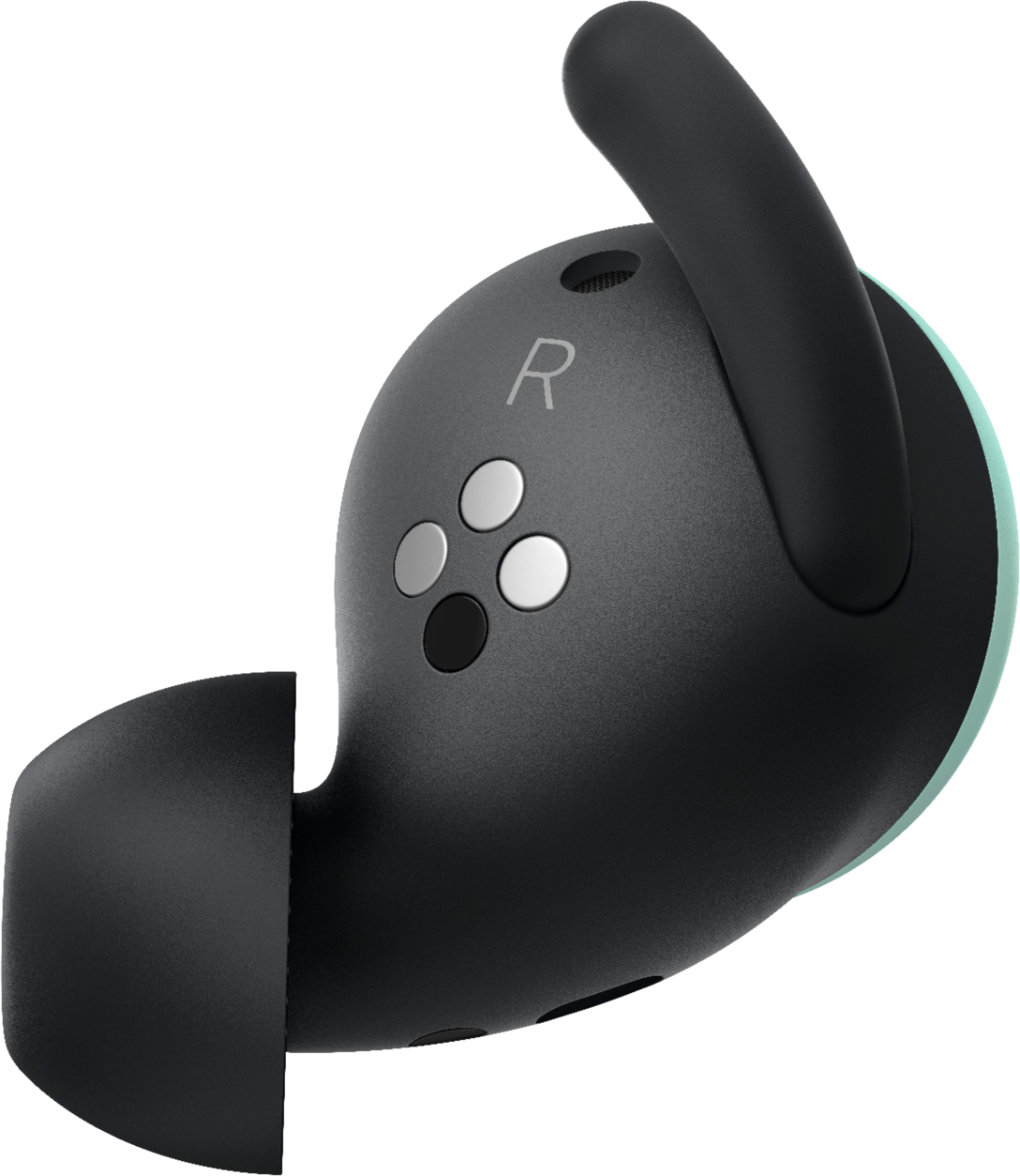
||Posted . Owned for less than 1 week when reviewed.This reviewer received promo considerations or sweepstakes entry for writing a review.I have only owned these a few days, so I cannot comment on the durability. The first impression is that these are possibly the best earbuds I've ever owned. The only thing that is missing is that they don't have the audio quality of the Bose sport earbuds they are replacing. HOWEVER, these buds are designed so that you can still hear the outside world a tiny bit. They have a vent cut in them that allows outside sound. Handy if you run or bike outside. Battery life is amazing with the case, fit is great, quality seems quite good. Google assistant integration is very nice.
I would recommend this to a friendBrand response from Google Team
Posted .Hi Jonton1997,
We are happy to hear you’re enjoying your Google Pixel Buds. We’re always working to improve your experience with our products and services. Recently, we’ve made improvements on the audio, and added a bass boost feature for an enhanced experience. You can learn more about bass boost and how to turn it on here: https://support.google.com/googlepixelbuds/answer/10028011
We hope you keep enjoying Pixel Buds and if you run into any issue with them, please feel free to reach out to us here: https://support.google.com/googlepixelbuds/gethelp
- Pros mentioned:Touch controlsCons mentioned:Connection
Great features.But...
||Posted . Owned for 1 week when reviewed.This reviewer received promo considerations or sweepstakes entry for writing a review.I was so happy with this purchase, i bougth it in my birthday!. I had to wait for 2 weeks to get it because they were really new, i used it for a couple days, the features are amazing! google assistant in my ears, the sound it's good enought for me, good performance, the bluetooth connection was very stable, touch controls respond very good until... i believe in my 4th day of use when i started my day i put it on my ears i notice they did not get connected automatically with my S10e wich i thought was wierd...after several intents to pair my buds with my phone (reset, phone restart amount others) i could'n get the pair!. Later when i go back home i spoke with google support to check if there's something else i could do, but the guy told me there's no more to do and recomend me return it. I'm really disappointed. But don't give me wrong. I'll try this ones later when the black color version becomes available and when y heard the have been fixed this issues.
I would recommend this to a friendBrand response from Google Team
Posted .Hi oliverato20,
Thank you for sharing your experience with us; we can imagine how frustrating that must have been. We appreciate you being open to giving Pixel Buds another chance in the future, and thank you for taking the time to leave this review. Your support motivates our team to work even harder to improve the product experience.
- Pros mentioned:Comfort, Sound qualityCons mentioned:Connection
Some good and some bad
||Posted . Owned for 1 month when reviewed.This reviewer received promo considerations or sweepstakes entry for writing a review.I've had these about a month. For the most part I like them. They are comfortable, have good sound and stay put when I use them for running. I can't recommend them at this point due to connection issues. There are periodic short losses where what I'm listening to skips and a couple of times they completely disconnected from my phone. Once I was able to reconnect from my phone's bluetooth menu but once I couldn't reconnect until I put them back in the charging case (which I don't carry with me when I run). Rumor is that Google is working on a firmware fix but I'd hold off on buying until it happens and is proven to work.
No, I would not recommend this to a friend - Pros mentioned:Fit, Sound quality
Good buy if in sale
||Posted . Owned for 1 month when reviewed.This reviewer received promo considerations or sweepstakes entry for writing a review.They pixel buds are a comfortable fit. I read reviews that the little stay in place knubs are painful after long use. I don't even notice them. They don't even touch any part of my ear. Maybe my ear is different. They do stay in, they slipped off once while on the treadmill, but I run and sweat a lot and it's only happened once. I don't think I'd spend $180 for them, I got them on sale for $129. Great buy for that price. The buds look clean and don't protrude out of your ear like my old bose.
I would recommend this to a friend - Pros mentioned:Sound qualityCons mentioned:Price
Good sound
||Posted . Owned for 1 month when reviewed.This reviewer received promo considerations or sweepstakes entry for writing a review.I love how the buds look and feel. I will say its good sound (not noise cancelling), you just have to make sure to put correct size in your ear, as our ears are not both perfectly symmetrical! Also, you have to adjust them so you get best sound. Make sure you charge them before you use them. Sometimes they cut in and out but its not enough for me to give a bad review. I would say they are a bit pricey. I think they should be at $140-160 price range. Anyways, do your research before you buy. I give it 4/5 stars! hope this helps.
I would recommend this to a friend