Customer Ratings & Reviews



- Model:
- GA00347-US
- SKU:
- 6306462
Rating by feature
- Value
Rating 3.2 out of 5 stars
- Quality
Rating 4.2 out of 5 stars
- Ease of Use
Rating 3.9 out of 5 stars
Customers are saying
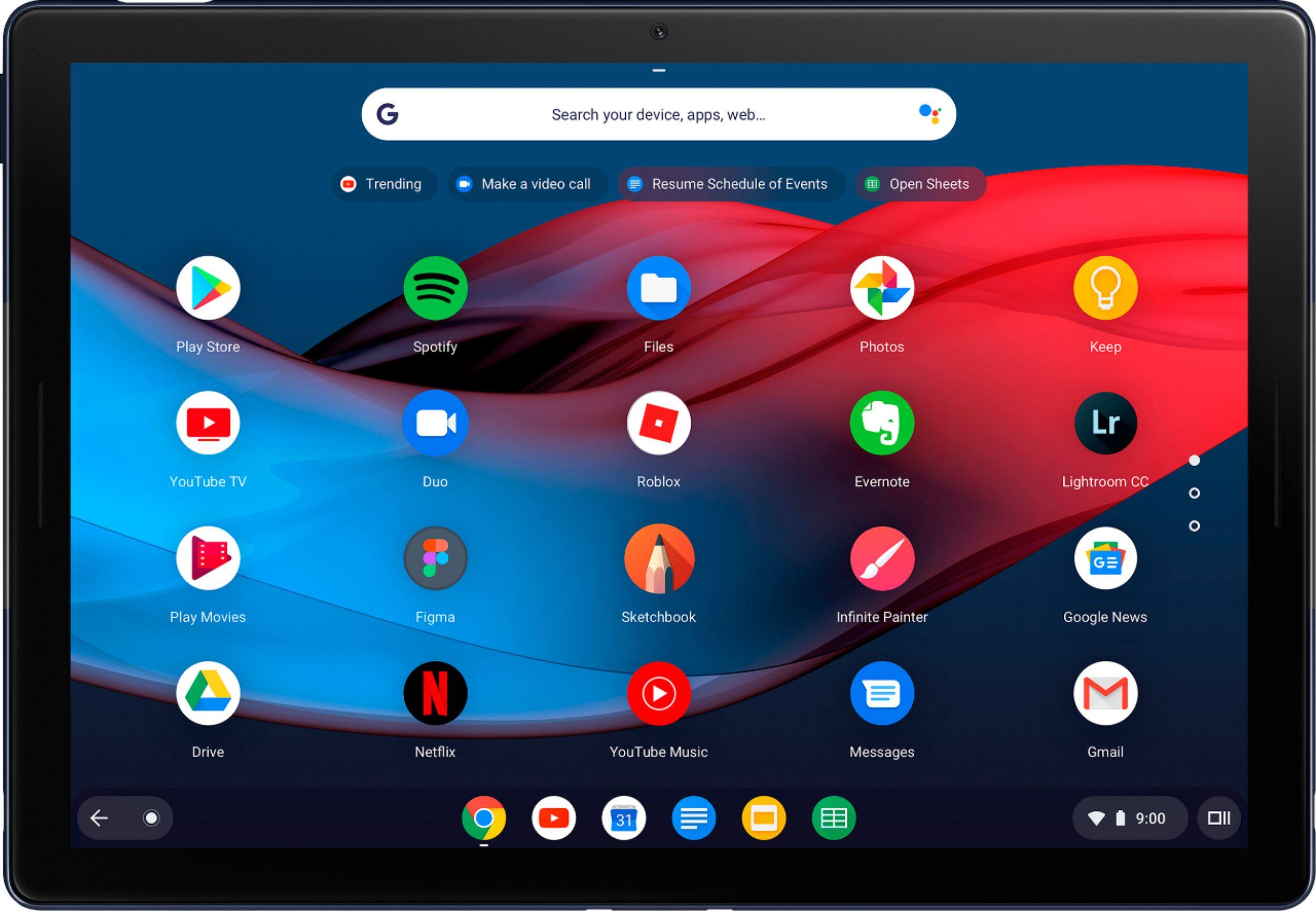
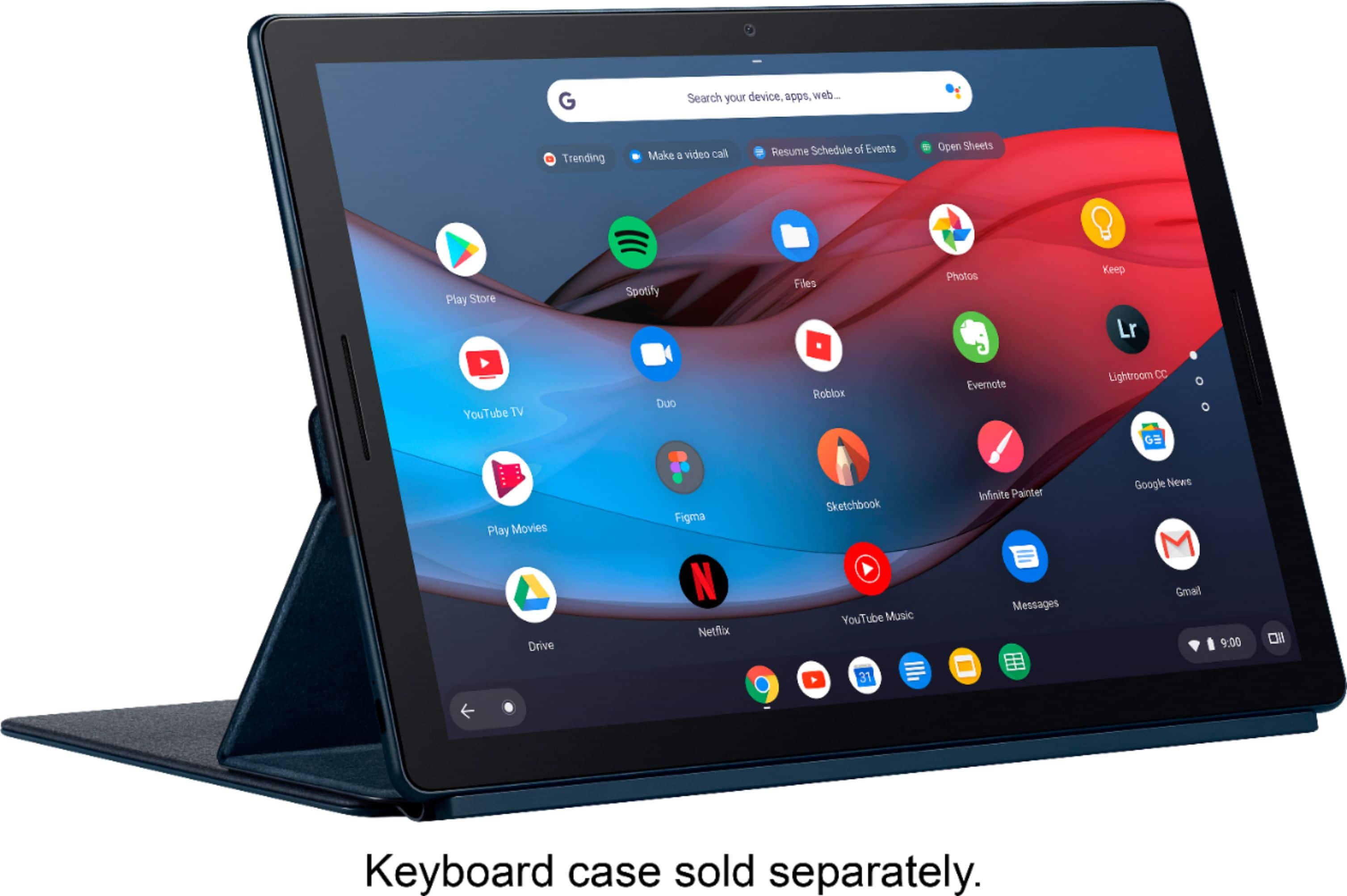
Customers are delighted by the Pixel Slate's large, high-quality screen, long battery life, and impressive sound quality from its loud and crisp speakers. Many appreciate the ample storage and RAM, finding the device powerful and versatile. However, some customers find the device heavy and expensive. The USB-C ports are a frequently praised feature.
This summary was generated by AI based on customer reviews.
- Pros mentioned:Screen size, Sound quality
First ChromeOS Device
||Posted .This reviewer received promo considerations or sweepstakes entry for writing a review.I had been wanting this for a while, so when it went on sale, I finally went ahead and ordered it. At first, I was pleasantly surprised at how well it was working. I didn't seem to have any of the issues that other reviewers were having with theirs. There was a dent in one of the speaker grills which didn't seem to effect any functionality, but I was disappointed to see it. The sound quality was still pretty amazing! The I realized that you cannot install 3rd party android apps without enabling developer mode in Chrome OS which voids the warranty. This was a deal breaker for me as I had apps that I purchased on the amazon app store that I wanted on this device, but chrome OS wouldn't let me install them. It also left me wondering if I would be able to debug my android apps natively on this tablet (another reason I got this) which is another thing I was really looking forward to doing, but I never got around to trying it due to the other issues I started having with it. The tablet got quite warm while playing android apps, even ones that should not have been cpu intensive (like Words with Friends for example) and I'm guessing this is because android apps are generally not designed to work with an x86 architecture, so there was probably some ARM simulation going on in the background. After trying the tablet in "Night Light" mode which turns on a blue light filter so that the display is not as hard on your eyes, I started noticing that the screen was not nearly as responsive to touch input as it should be. It was nearly to the point that the tablet was unusable. This problem when away when I turned Night Light mode off. I have no idea why this would be, but it was really frustrating because I like having the blue light filter on. I thought maybe these issues might be ironed out with future updates, but then I found out that Google has an End of Life policy in place for all chromebooks. It's called their auto update policy which can be found here https://support.google.com/chrome/a/answer/6220366?hl=en along with a list of all chromebooks and their end of life date. Being that I have a couple of computers that are 7-8 years old and are still running great and getting updates, I can't imagine having a computer that is obsolete after just 5 years, especially when all the bugs have not even been dealt with yet. That being said, I am probably never going to get a chromebook again, not because I don't thing the hardware is good and I like the simplicity to the OS, but I need something that is going to keep getting updates as long as it is working. I am really happy with the support I got from Best Buy on these issues. I ultimately ended up returning the tablet, and there were literally no questions asked. Excellent customer service!
No, I would not recommend this to a friend - Pros mentioned:Battery life, Sound quality
Great Tablet, just what I was waiting for.
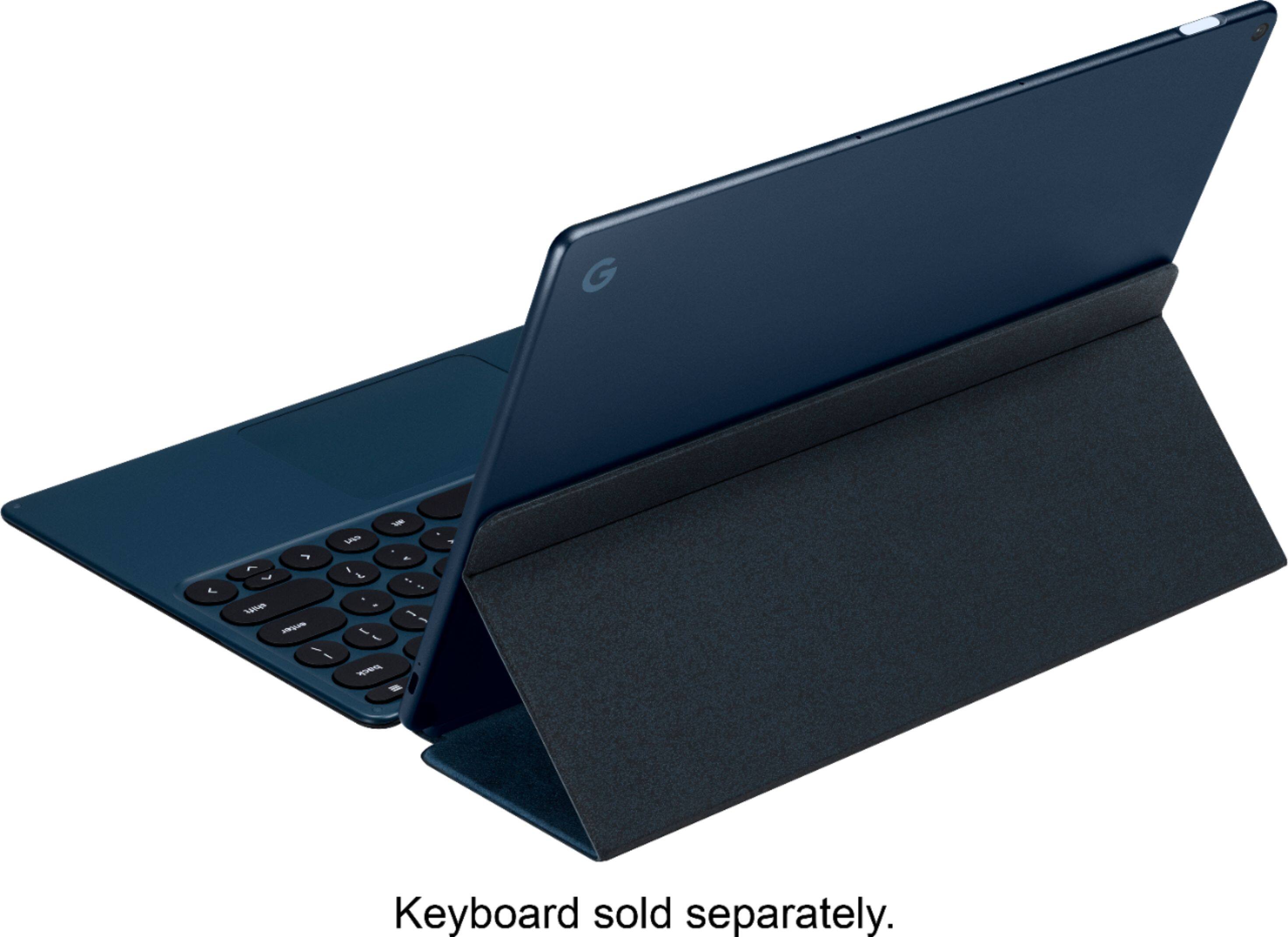
||Posted .This reviewer received promo considerations or sweepstakes entry for writing a review.This is a really nice piece of hardware. It feels good in the hands and doesn't weigh to much. The battery seems to last pretty long, but i haven't actually tested how long. The thing i think that makes it better than the Surface pro is the standby. I left it for almost a week when I went on vacation. When I came home it was still at 80% . I don't use it for much, but it has handled everything I've needed it to do. The Google made keyboard works great also. It is a little floppy to use as a cover when carrying it, but otherwise it works really well.
I would recommend this to a friend - Pros mentioned:Battery life, Screen size, Sound quality

A solid tablet to consider
|Posted .This reviewer received promo considerations or sweepstakes entry for writing a review.There’s a lot I like about the Pixel Slate. The display, for one, is exceptional. System performance is better than average, and battery life thus far has been outstanding. After listening to music and YouTube videos, as well as Netflix and Sling TV, for me the speakers are quite good, too. Setting up the Slate to a full running status took about 15 minutes. As soon as I connected power to the unit – initially to ensure a full charge – it automatically walked me through the setup process. I’ve been a Google user for years, so all I had to do was authenticate who I was using my Google credentials, and everything was smooth and painless after that. The setup process included adding my fingerprints using the Slate’s fingerprint sensor (the sensor is the Slate’s power button), a step that took only a couple of minutes. After adding two fingerprints to the system, the setup process was nearly complete. While the Slate is typically sold without a keyboard or pen, I have both accessories. Once the keyboard was connected to the Slate (the keyboard comes with powerful magnets that connect to the underside of the tablet), the Slate immediately initiated a software update for the keyboard. Not too long after, the update was done. The Slate comes with 8gb of ram and 128gb of storage, two USB-type C ports, and has a 12.3” display. It also has rear- and forward-facing cameras. Since the unit doesn’t have a port for wired headphones, the Slate comes with a USB type-C adapter for wired headphones. The Slate supports Bluetooth and Wi-Fi, thus letting you connect your devices (like headphones) to it wirelessly. As a long-time user of Google products, I’m very comfortable with the Slate’s working environment. While 128gb of storage isn’t a lot based on today’s standards, it works fine for me. That’s because I use local storage only as temporary storage. All documents I keep for long-term storage are copied to my Google Cloud Drive. Photos are, in turn, saved to the Google Photos Cloud service. If you manage your documents well, 128gb will last you a long time. The Slate, with or without keyboard, feels nice and solid in my hands. The materials used on the outside of the Slate don’t have that slippery “I’m-going-to-drop-the-unit” feel that I’ve encountered before. I use Google Assistant for everything in my daily life and the Slate has it built in as a core feature. I use the Assistant for many functions, including sending texts, making phone calls, turning on/off lights, unlocking doors, and much more. I tested out a good number of Google apps on the Slate, including GMail, Messages, Messages for Web, Duo, Photos, Drive, Docs, Sheets, Chrome, and more. I even cast a YouTube video to my TV. All worked exceptionally well. I also used the Slate to stream Sling TV and Netflix. No problems there either. I have my two printers at home that are registered with Google Cloud Print, so printing was effortless. Authenticating my Google credentials on the Slate was adequate to make both printers known and available. I have over 30 Android apps installed on the Slate and tried running most of them. Unfortunately, some of them - including Facebook, Instagram, and Audible – failed to run. This wasn’t a crisis for me because I have shortcut links to the browser versions of these programs where they ran just fine. All in all, I like the Pixel Slate. It’s portable, feels solid, and it does everything I need it to do. Both the keyboard and pen feel good in my hands, and even the bouncy feel when it’s sitting on my lap isn’t a showstopper. The touch screen was perfect, whether using it in conjunction with the keyboard or as a standalone tablet. The Slate is not a Windows system, so it’s not going to run every app you might run on your Windows desktop or laptop. For me, however, it does a quality job of running the apps I need it to run.
I would recommend this to a friend - Pros mentioned:Battery life, Speakers
Zippy with tiny learning curve
||Posted . Owned for 1 month when reviewed.This reviewer received promo considerations or sweepstakes entry for writing a review.I had my reservations at first but later learn to love the Pixel Slate after days of usage. Battery life is spectacular! Speakers are loud and crisp. I'll admit, tablet mode is not the greatest experience. It works good, just not well. I haven't experienced any over heating only a few hiccups with the notifications. With every Chrome OS update the device feels polished and refine. Android apps are not really that good. Chrome web apps look nice and clean and are a HUGE part of the OS experience.
I would recommend this to a friend - Pros mentioned:Battery life, Screen size, Sound quality
Excellent laptop Alternative
|Posted .This reviewer received promo considerations or sweepstakes entry for writing a review.This is my first chrome OS device but I am not new to the Google echo system. This Slate is an impressive tablet it is light, thin, fells sturdy and very well made. Setting this baby up is simple sign in with your Gmail and follow the few other steps. The power button is an actual fingerprint reader which is pretty cool and works very well. This Slate comes with the Intel i5 processor, 8 GB of ram and 128 GB of storage, which is not something you will find in a regular tablet, this specs looks closer to the laptop realm. There is a USBC connector on each side of the table in which can be used for charging and the other you can connect the included headphone jack adapter. My impression with the Chrome OS felt very familiar from Android OS, it was easy to use no rocket since needed. Apps ran exceptionally well with no crashes to report. Most of the daily google apps that I currently use “Gmail, Calendar, Chrome, Docs” were on point. Now I used this device to play one of my favorite games on a larger screen, it makes a big difference. The display is very bright and clear, the colors were vivid and it was very responsive to the touch. Watching videos on it was very pleasing. With a great display you also get front firing speakers which sound exceptionally well. Finally, a tablet with sound that comes from the front and not the side. You are not only limited to watch your favorited videos on the device but you can also cast them to either GoogleTV, or Chromcast that are connected on the same network. There are two 8mp cameras one on the front the other one in the back, I don’t see myself taking lots of picture with it as the device is too big for that in my opinion but, the quality of the picture is pretty good. The front facing camera is perfect for video calling, if you use Google Duo you will see yourself using it a lot on this device as you get quality video, and clear sound due to those front firing speakers. What makes this tablet shine is when you attached the not included Google keyboard ($199) the tablet transforms into a laptop like device. The keyboard with rounded keys feels great to type and it can be lit in the dark, and it also has a mouse pad. The keyboard not only protect your device but you can actually sit it on your lap and use it like a laptop, not the best position to use it but it can be done. This review was typed using the Slate and Google Keyboard. There also a pixel pen ($99) you can use with this device, I did try it and it works well and is very accurate, but I am not the type of artist person who will definitely use this. Now, if you need to sign documents digitally is much better signing with this pen than with your fingers. Two things I didn’t like about the pen is there’s not place to store it but on the magnetic back of the keyboard cover which make it a very awkward, and it does not have rechargeable battery. Over all this is a great device competing in the laptop realm, it has great battery life, is portable, compatible with millions of apps, great for entertainment, and can also get the work done when paired with the not included keyboard. Some may not like the price ($999) and adding the keyboard ($199) will make it even higher, but in the other hand this is not an average tablet. If you’re in the Google echo system you don’t need to look any further you will love this device. All your Google apps running on a Google Os with Google hardware with no blot ware or third party add on, it can’t get better than that.
I would recommend this to a friend - Pros mentioned:Battery life, Screen size, Sound quality
very big as tablet. Good getting the job done.
|Posted .This reviewer received promo considerations or sweepstakes entry for writing a review.Good specs, very good hardware, easy to use OS. Unlimited possibilities... This Pixel Slate from Google is a very remarkable device (as usual). It looks like Google releases some devices for people who want to go beyond the average stuff and check what technology can offer. Slate is really well built. With available accessories, it can turn into a Chromebook laptop. Offering very good experience in everyday use. Nice Keyboard, accurate pen, Sharp wide screen, long lasting battery and very efficient operating system. While the price is not the best part of the deal, what you get for what you pay is the best deal. Slate processor is very capable (running Linux and android apps with no problem). I already have google Pixelbook for long time now. I really love it but it can't beat the tablet mode the Slate is. Also, it has some issues running some android apps and some other apps are not available at all. The Slate has longer lasting battery, less weight and slimmer profile with 2 cameras available. Detachable (accessory) keyboard. WiFi is not bad at all. No complains. Getting good coverage in all the places where I use my devices. Talking Camera, the Cameras on the Slate are just amazing. I'd say more than what you really need on a Tablet/Laptop. Connectivity might be an issue for some people... I already got over it with the Chromebook by buying USB-C hub that has multi possible connectors (including HDMI) that solved all needs. Back to the Slate. Battery is lasting about 9 hours so far (says 30% left) with light to medium use including web browsing, documents editing, Youtube, Skype and some PCB design (Linux). It is holding well through the day. The speakers on the front are kind of enough (for my application). Some people complaint about them being not loud enough. The stereo sound is really good. I like it. I played some songs and music (from WEB) and they run fine through the speakers. I tried some android games that not available in Chromebook, they work fine and fast. No problem at all running on Intel i5 processor. The RAM capacity is 8GB. Well, it is not bad for Chrome OS but I've had some ACER chromebook with 16GB RAM. Do I see any difference in usage? No! It is just the numbers that we like or don't like. Tracking resources with Cog, I noticed that there is always about 1GB RAM free no matter what is running there. With many tabs and programs running, I felt some lag but I was really pushing it to the limits. Talking pushing it to the limits, I'd say the CPU heated up a little when running GIMP (under Linux) then it slowed down a little. Still, I was capable to do the job just fine. Who should buy Slate? Well, I use Google for very long time now. I have several Chromebooks (first release) and I feel very comfortable with it. I can do all my tasks on Chrome OS. I use Windows from time to time to play some games or some programs that don't run well on Linux (and some Windows only work programs). I'd suggest you try Google Chrome on your windows computer. Try and see if you can do most of your daily tasks using it... If so, get a Chrome OS machine. Looking for the best, get a Google product. Looking light weight, good battery and good performance? Get the Pixel Slate... I recommend also getting the accessories, at least the Keyboard for better performance and easier typing.
I would recommend this to a friend Okay Tablet with Bad App Performance
||Posted . Owned for 1 year when reviewed.This reviewer received promo considerations or sweepstakes entry for writing a review.I am a big Google fan and have a Google ecosystem at home. I bought this device because I was looking for a tablet that would work well with all of my devices. I have mixed feelings on the device. It works well for what I use it for, but I do not think I would buy it again. If you primarily plan to use this device as a laptop and most of your computing will be through Google Chrome, I recommend buying this. If you are big on apps and plan to download and use all of your favorite applications, do not buy this device. Just about every application I have downloaded does not work well on this device. The reason why is the app developers have not developed android apps to work on a tablet. This causes the apps to show up on the screen looking like they are the size of a cell phone with black borders filling the remaining area of the screen. This forced me to delete most of the apps and use Chrome for everything. If you are looking for a tablet to use apps, keep looking.
No, I would not recommend this to a friend- Cons mentioned:Price, Weight
Nice hardware.
||Posted . Owned for 8 months when reviewed.This reviewer received promo considerations or sweepstakes entry for writing a review.It is on heavy side but hardware is good. The cost is on high side.
I would recommend this to a friend - Pros mentioned:Screen size, Sound qualityCons mentioned:Weight
Simple, heavy, not sure what to do with it
|Posted .This reviewer received promo considerations or sweepstakes entry for writing a review.I'm all in on Google. I have multiple gmail accounts and devices, and subscribe to multiple premium services. If there was an ultimate subscription service that combined all of the premium options in one monthly payment, I'd be the first to sign up. That being said, I'm still trying to figure out how the Pixel Slate is supposed to fit into my life. Pro's: After I got the device powered on, setup was a breeze. I signed in with my primary gmail account and it automatically loaded up my chrome extensions that I use on my desktop. It even recognized my Pixel 3 phone without prompting and after I gave it permission it allowed a seamless instant tether for when I'm out and about and need data. Downloading new apps was as easy as opening up the Play store. The Pixel Slate on paper is everything I want out of a tablet running, a mobile OS with a full featured desktop chrome browser. I spend most of my free computer time in a chrome browser, so access to all the extensions that I'm used to is a must if I'm to do any serious browsing on this. I love the integration of the fingerprint reader into the power button, and think it's a really inspired design choice. The 2 USB-C sockets are great now that I've updated most of my gear to that standard. The screen is beautiful, and the sound coming off of the device was sufficient to hear over the sound of the kitchen sink while I was doing dishes. Netflix, Plex, VRV, Youtube, and all the other entertainment apps that I subscribe to are all available, as well as games. Thankfully, some devs have stepped up in brining premium AAA games to Android, and the Slate's hardware is more than adequate to play these on. I'm excited for Google Stadia to launch, as this very well could be a gamechanger for portable gaming, especially if the Slate is up to the task. For added productivity, power users have the official option of installing linux, though it is in beta, if they really want to justify paying the premium on a laptop tablet hybrid that you can actually use for real heavy duty work. Cons: The initial unboxing and setup was a disaster. I removed the device from the packaging and pressed the power button nut nothing happened. Sometimes devices need to be powered on by holding the power button for a few seconds, so I tried a 5 second press and hold, but it did nothing. I tried a 10 second, and nothing. I did a 30 second and still nothing. Frustrated, I tried Googling "pixel slate won't power on" and found a concerning number of other people having the same problem. The quick setup card said it would have sufficient charge out of the box, but just in case I decided to plug it in. The charging indicator lit up amber, flashed twice, then went out. This didn't look very promising. I ensured the outlet was good, then tried plugging the tablet back in. Again, amber lights flashed then went out. Another google search suggested doing a "hard reset" by holding the volume and power buttons for 10 seconds. Someone else suggested leaving it plugged in even though it didn't seem to be charging. I tried both, and left everything for a couple hours while I stewed, contemplating calling up Google to initiate the RMA process. After gathering the box and packaging materials, I tried one more time to see if it'd work and finally it turned on. A less patient person would have given up much earlier. Once everything is finished being set up, the UI is really confusing to use. Some icons open apps, while others open a website in chrome. I get that everything is an app or a website these days (and usually the apps are just fancy, less useful wrappers for the website anyways), but if I wanted to go to a website, I'd just type in the url or click a bookmark. Also, the mishmash of desktop design elements and mobile OS choices is frustrating. The button that you normally find the start button opens the assistant, whereas to see your apps you swipe up a few times, since swiping up once also seems to bring up the assistant. The lack of task manager or any sort of real diagnostic check makes fixing any issues with the few apps available impossible outside of a reset, which even then doesn't always fix the problem. I was trying to use the Play Store to find some new apps to download, and instead of opening up the app, the icon sat in the "taskbar" with a spinning wheel over it, and wouldn't do anything until after a system restart. This happened several times across a few different apps. Right clicking and closing the app did nothing, nor did any matter of swiping, swirling, tapping, holding, or deep pressing. Finally, this thing is HEAVY. Using it as a ebook reader, while super convenient thanks to Google Play Books (which sells ebooks, audiobooks, and comics and graphic novels which all look amazing on the Pixel Slate's screen), becomes a chore to just hold it up to eye level. The lack of a kickstand makes purchasing some sort of stand accessory or cover with built in stand absolutely necessary, unless you have abnormally powerful wrists. Summary: For the person that can do all their work in a browser and wants some apps to use as well, and is entrenched on the Google side of the mobile OS war, one would be hard pressed to find a finer piece of kit than the Pixel Slate. When combined with the Pixelbook pen and the keyboard cover, the experience can rival that of the Surface line of products. Once you need a certain application that requires Windows / (i)OSX, then lugging this black pancake-flat brick around is at best inconvenient and at worst completely unnecessary. I think my wife would the ideal candidate for this tablet, as she only uses Chrome, Netflix, and Plex on her laptop, and hasn't run anything else since she's had it (not even windows update, so I end up having to steal it from her every few months to install patches). It's also perfect for taking on vacation. In fact, she's already eyeing it and seeing if it fits in her current laptop's sleeve. The nice thing is that the Slate allows for multiple user profiles, as well as a guest sign in option, so I have no qualms about her "borrowing" it for a while without having to sign out of my email and other online accounts.
I would recommend this to a friend - Pros mentioned:Speakers
Great for home use not ready for business!!
||Posted . Owned for 1 month when reviewed.This reviewer received promo considerations or sweepstakes entry for writing a review.I went all in on this device, bought the tablet and both the Google Folio case and the Brydge Bluetooth keyboard. I wanted to use this as ny meeting and travel computer, both portable and powerful. So to the review, hardware is amazing, great screen, fingerprint reader, slim, great speakers etc, oh but for the software it would be a slam dunk. The software is simply not ready and the best example of this is Hangouts meeting a Google developed product, that if used on this device will literally use all the resources of the tablet until it’s unusable and you need to reboot. This is one of many examples and for the price this should not be the case
No, I would not recommend this to a friend - Pros mentioned:Screen size
Powerful and Quick
||Posted . Owned for 1 week when reviewed.This reviewer received promo considerations or sweepstakes entry for writing a review.I love how quick it is gets the job done whether its for my personal business or just scrolling through social media. Switching to Tablet mode is a breeze and the screen is huge.
I would recommend this to a friend - Pros mentioned:Battery life, Screen sizeCons mentioned:Weight
Simple Tablet, Very Heavy, Screen Lags
|Posted .This reviewer received promo considerations or sweepstakes entry for writing a review.This Pixel Slate is a full-size (12.3”) tablet that is thin with a clear, bright screen, but with a fairly heavy weight to it. The device comes in at 25.6 ounces; compare this to a larger (12.9”) iPad Pro which comes in at 16.5 ounces). So the weight is noticeable when carrying it around. Remember before going much further that this is a Chromebook tablet, so you’ll be running the Chromebook OS right out of the chute, but with a beta-level support for some Linux configuration and options (extremely limited at the time of release). If you’re a user that uses primarily cloud-based or SaaS types of services or applications, or your organization uses Google Apps for work (Gmail, Docs, Sheets, etc.) this will serve you well. Otherwise know that you’re limited to apps from the Google Play store, which often give you limited functionality as compared to a laptop or desktop. Boot time is quick, as should be expected from any tablet. The power button doubles as a fingerprint reader, but I found that more times than not it failed to pick up on my fingerprint, hit me with a “too many attempts” warning & forced me to use a PIN (which has to be 6 numbers or more, which seems excessive to me). Battery is actually good, I got 3-4 days or intermittent use at work out of it before getting below 20%. Always-on time will yield you around 8 hours (Google says 10 hours). The device features 2 USB-C ports, one on each corner, so you can charge the device from either the left or right side. Unfortunately, the device does not support external storage, limiting you to the internal storage only, which reduces the amount of local storage and apps you can take with you. As for downloading a movie to take on the plane you may be out-of-luck depending on what’s already on the tablet. Screen response time to me was the worst part of the device. Whether using your finger to write on the screen or the optional stylus, there was a very noticeable lag between when you make a stroke on the screen to when it appears (as compared to a 3-in-1 laptop, a Microsoft Surface, and a Samsung Note Tab, all of which I use for a variety of jobs in the office). I use OneNote fairly often and found it frustrating and distracting that you would write but it was maybe a quarter of a second before you see the writing on the screen. And while that doesn’t seem like a lot, it’s noticeable and makes writing notes much more difficult. The device has an optional external keyboard that the tablet can dock with, but skip it and get a Bluetooth keyboard. It’s too floppy for the device and doesn’t do a good job at protecting the device (see that device for my review specifically on the keyboard). Overall, it’s not a bad tablet for web-based, cloud-based, or SaaS apps and services. It more than did the job which I was using it for -- notes, e-mail, and web-based SaaS programs. The display lag for displaying handwriting for me was the worst part, in addition to the extremely heavy weight for the device. And at this price point, it’s not like there aren’t plenty of other options out there to compete with the Slate.
I would recommend this to a friend - Pros mentioned:Battery life, Screen size, Speakers
Trying to determine its purpose
|Posted .This reviewer received promo considerations or sweepstakes entry for writing a review.All things considered; I do not recommend this. Maybe I am showing my age a bit but I just don’t see the value for the price of this item, especially when keyboard and pen aren’t included. Use; Easily setup It is fast – it boots and opens apps very quickly, has a very nice screen resolution, excellent battery life – about 12 hours – depending on what you are doing, good speakers with nice stereo sound separation, seems to be sturdily built. Comes with 45W USB-C charger, 6-foot USB-C cable and USB-C to 3.5mm audio adapter if you want to use wired headphones. Has Bluetooth. Fingerprint reader built into on/off button To save battery it dis-connects from Wi-fi when “sleeping”. I was able to attach external USB drives that have NTFS format (same as Windows) with no problem (I tried several different sizes up to 2TB). But since Slate only has 2 USB-C connections you will probably need to buy a USB-C to USB 3.0 adapter. I happened to have a couple lying around for use on my laptop. USB-C connection are “universal” connectors and as such can be used for multiple purposes. You can use to attach a 4K monitor if you have correct connector cable. Issues; Chrome OS is just different enough from Android to be irritating. Keyboard and pen not included for the price. Only 128GB of storage and no easy way to add more internally. Specifically, no Micro-SD slot. This may be due to operator error but swipe up Apps list is not in alphabetical order. 25% of the apps I use on my phone and my old Acer tablet - were unavailable, did not load properly or installed but did not work properly. Maybe future Chrome OS or Store/App updates might resolve the issues but for now this is a deal breaker for me. I am not sure how long Slate will be around/supported. It seems Google has already dropped the cheaper versions - https://app.getpocket.com/read/2617567270. Given its 128GB space limitation, that keyboard and pen are not included and that it does not run all apps installed on my regular Android devices - it is really hard for me to recommend it.
No, I would not recommend this to a friend Good for the price
||Posted . Owned for 3 months when reviewed.This reviewer received promo considerations or sweepstakes entry for writing a review.This item is cool. Having a chromebook is becoming more popular these days and it can pretty much do all the basic things you need to do. I am actually surprised on how much I use web apps. If you do your reasearch you are able to find something you'll need via a web app. linux is okay. Its got a very fresh version to it and there is a lot of editing to do to make it work properly. There are a few things that just do not work at all beacuse of the limitations chrome OS has.
I would recommend this to a friend- Pros mentioned:Battery life
I like it!
|Posted .This reviewer received promo considerations or sweepstakes entry for writing a review.This unit has the i5 processor and 128gb with 8gb of RAM. Feel is very solid and has a classic design. Its actually quite light .I do like that the back camera (no flash) is in the corner and does not stand out. The display has a border, and it is bright and crisp. You almost have to buy the keyboard / case which is optional. The keyboard itself is excellent but case design and stability is not. I have used it all day without needing a charger (8 hours) and there was battery to spare. Having USB C charging ports on both side is a great feature which I liked a lot. Would have liked one more port. Selling up the tablet computer was annoying at 1st because google would not accept my long established password. After multiple tries and resets over a few days, I was finally granted access. Everything integrated well after that. . The screen is responsive, crisp and bright. I am a big YouTube fan, and did not find the front facing speakers that great. They are loud but not as clear as I would expect. The volume switch on the top left side was ok but would have liked it to be more pronounced. After a few days, I found myself liking the tablet and using it a lot. It is just the right size to carry around and yet, still be useful. The google integration is good, and the tablet is very easy and responsive to use. I have a VOIP call plan which I use and noticed that '@' always registered as '2' with the on screen popup keyboard, but works fine with the keyboard cover. I think this may have been the reason I could not login when setting up the unit. Am puzzled by this and will explore further. All in all, its a handy device and an option over the conventional laptop. It is easier to carry and does the job of a conventional laptop. Hopefully, as its updated it will be better. I am still puzzled over the incorrect characters being registered by the popup screen keyboard.
I would recommend this to a friend - Pros mentioned:Screen size, Sound quality, SpeakersCons mentioned:Weight
Pixel Slate is a Winner
|Posted .This reviewer received promo considerations or sweepstakes entry for writing a review.I have had iPads for years and have a Windows tablet, and I’ve found that it’s the form that I now prefer most. The Google Pixel Slate tablet is my first Chrome-based tablet and it’s fabulous. Sign in with your Google account and if you have other Chrome devices, it downloads updates and replicates your settings from the other device, if you have it set to sync properly. This one area of the Google ecosystem with Chromebooks that has traditionally been far better than Windows. In about 10 minutes, due to the updates downloading, my Pixel Slate was up and running just like my other Chromebook. You have some minimal logging in to do with the non-Google apps, but anything in Google’s ecosystem is available already. As far as the hardware, it’s premium. It’s very nice to hold and feels great, but be careful because it is very slick and you can drop it easily. The screen is super nice and extremely clear. The speakers sound great. I’ve done some streaming and everything loaded quickly and looked and sounded great. There was no log or buffering, so the hardware is up to par. The biggest way that the Pixel Slate excels over the traditional laptop computer Chromebooks is that it’s not nearly as heavy. My other Chromebook’s keyboard flips around so that you can go tablet mode with it. But it’s extremely heavy when trying to use that way and the added bulk of the keyboard is obvious. I end up using it in the traditional laptop mode all the time. With the Pixel Slate, I take it off the keyboard about 1/3 of the time. Speaking of the keyboard, I consider it a must have. It connects very securely at the connection point and the magnet on the back holds tight. You slide the cover on the back that has the magnet up and down to change the angle of the tablet. It’s simple, and I like it far better than the hinge type stands on some computers. I understand the hinge’s usefulness. If you don’t have the keyboard, it’s a built in stand. But without the hinge, the tablet looks much sleeker and it’s one less thing to break. The keyboard also acts as a protective cover. When closed, the magnet cover on the back covers the entire back and keyboard connect magnetically to the front of the Pixel Slate. Typing on it is also great and saves the entire screen for what you’re doing rather than blocking part for the on screen keyboard. I do have a few complaints. Even though it holds magnetically to the front of the slate, those magnets are not as strong as the one on the back. So the keyboard side slides when it’s closed. It’s also has a lot of give if you’re not typing on a solid surface, like a table. If you have it on your lap, it bends just a little as you type, especially in the middle. Neither of those things would make me say it’s not worth it. I still consider it a must have. But I worry about the wear over time, especially from the give while typing. But still a must have. The pen I’m not the biggest fan of for one reason. I was excited that I would be able to write words and numbers in some cases. I have found the recognition to be very bad. One example, I was writing “forever” and it came up with “f fuvvr” for whatever reason. I’ve tried make sure that I’m writing clearly and that the letters are close enough that it does not think I’m starting a new word, but it doesn’t matter. On the up side, I do like the integrated Google Assistant on the pen. It’s the reason to get the pen. You circle something on the screen and hold the button and a Google Assistant window pops up and gives suggestions and search results. I use that mostly in tablet mode. My biggest problem with the pen is that it has nowhere to attach on the tablet or even keyboard. So if you’re taking the Pixel Slate somewhere, you have to put it in a pocket or somewhere. Not the biggest deal, but I like the minimalism of the tablet in the keyboard and don’t want another case to carry it in. It would be great if it held magnetically to the tablet (which I actually tried touching it around everywhere hoping that someone thought of that). I even hoped it would stick to the keyboard cover since that has magnet, but it did not. Not a deal killer, but just an annoyance. Since I’m not an artist to draw with the pen, the poor handwriting recognition makes me not recommend the pen. I’d rate it 4 stars on its own. It’s nice to have and if it were included, that would be great. But I would not recommend it as a separate purchase unless you’re going to be drawing. So all around, I would recommend the Pixel Slate. I automatically go for it now and my other Chromebook is collecting dust and will probably end up being the kids’. As a set, I think that the tablet, keyboard and pen are great. They work well together and I like them all. But as a separate purchase, the keyboard is a must and the pen is not.
I would recommend this to a friend - Pros mentioned:Screen size
Good
||Posted . Owned for 1 month when reviewed.This reviewer received promo considerations or sweepstakes entry for writing a review.Easy to use big and beautiful display ,good for basic use
I would recommend this to a friend great system
||Posted .This reviewer received promo considerations or sweepstakes entry for writing a review.Excellent purchase. I bought the i5 version and it runs great!! You have a pic feel with the availability of Android apps, pairs well with my pixel 3 xl
I would recommend this to a friendAMAZING
||Posted .This reviewer received promo considerations or sweepstakes entry for writing a review.I don't understand the hate on this thing. Maybe updates changed it, but this is perfect. I can code/develop software, create artwork, do web based work, play games, run mobile apps and much more. This has more to offer than any other device alike, as long as you aren't glued to a specific Windows app that isn't available on Linux (there's some loopholes to run them on here, but not preferred). Good job Google!
I would recommend this to a friend- Pros mentioned:Battery life, Storage
A little heavier than I thought it would be.
|Posted .This reviewer received promo considerations or sweepstakes entry for writing a review.This tablet is fast, very fast. I've seen several things online about it being sluggish, but that's not the case for me. It charges really fast, I mean really fast. It was completely dead when I got it out of the box, so I had to charge it. So within about 1.5 hours it was full and ready for use. Setup is easy, just sign into your Google account and you are good to go. It will start to download all of the apps you have on your other device, if you have other Android tablets or Chromebooks. It's a little bit heavier than I right it would be, but that's a good thing in this case. It feels really premium. The camera on the front is really nice, and really clear. This will be good very video chats or video recordings. DUO. Battery life send good so far, as I've been on it for a while now and it's barely moved about 3%. I suggest you buy the keyboard case for this, as it makes it more complete to me in my usage. Glad I gave the keyboard, because it turns it into the hybrid you will love. When you dock it, clears the screen and looks more like a computer or a regular Chromebook. Performance is really good on this model, (core i5 w/8gb RAM 128GB storage. I like that it has 2 type c ports, because I can hook an external monitor if I want to or use a USB hub if I need more ports. For now, this is a great tablet/Chromebook because it's very portable.
I would recommend this to a friend