Customer Ratings & Reviews



- Model:
- GA00347-US
- SKU:
- 6306462
Rating by feature
- Value
Rating 3.2 out of 5 stars
- Quality
Rating 4.2 out of 5 stars
- Ease of Use
Rating 3.9 out of 5 stars
Customers are saying
Customers are delighted by the Pixel Slate's large, high-quality screen, long battery life, and impressive sound quality from its loud and crisp speakers. Many appreciate the ample storage and RAM, finding the device powerful and versatile. However, some customers find the device heavy and expensive. The USB-C ports are a frequently praised feature.
This summary was generated by AI based on customer reviews.
- Pros mentioned:Battery life, Screen size, Sound qualityCons mentioned:Weight

OK for using with Chrome, not for Android
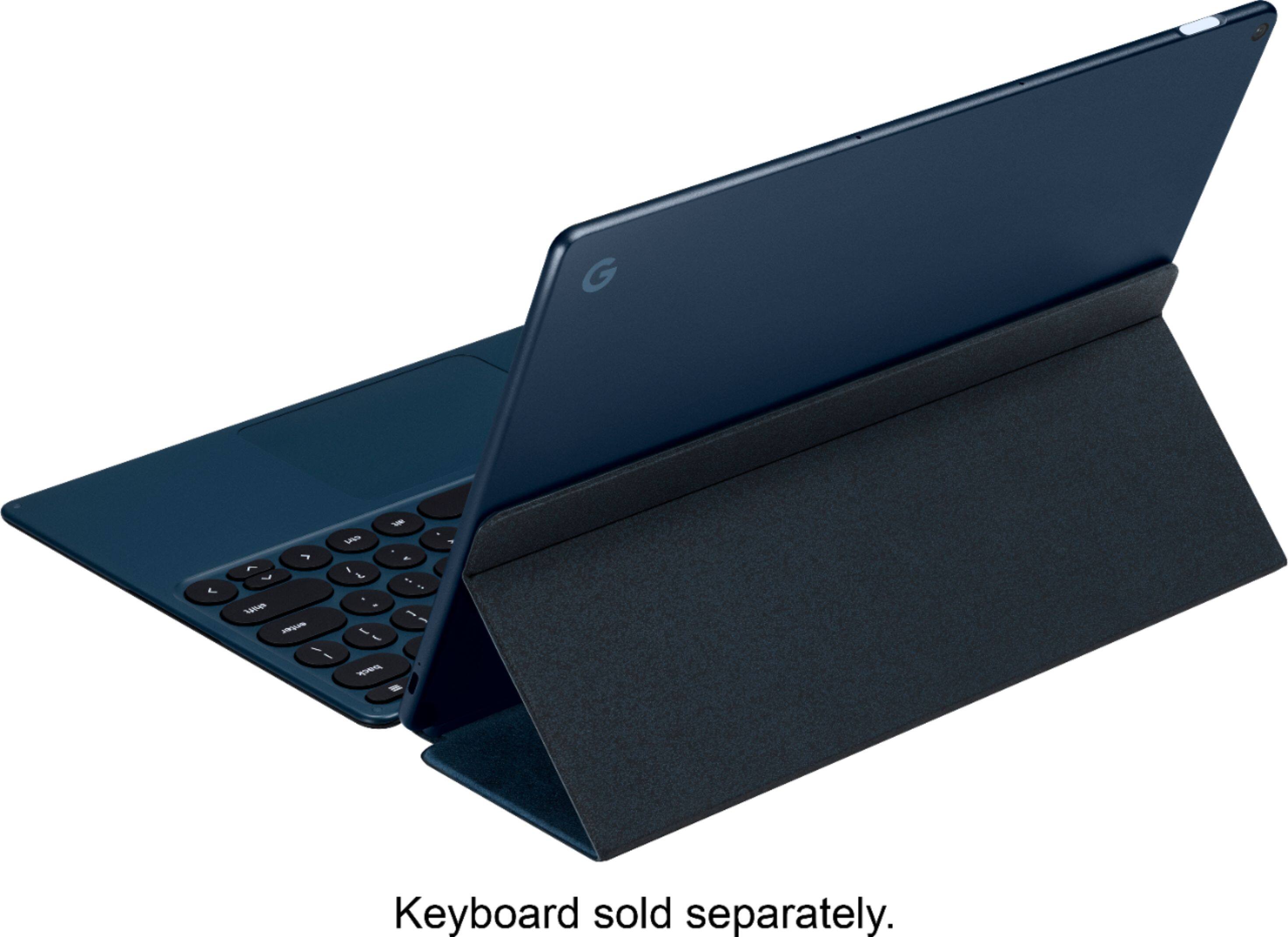
|Posted .This reviewer received promo considerations or sweepstakes entry for writing a review.If you're a frequent user of Chrome browser and Google services like Gmail, Drive, Docs, Sheets, Duo, etc... then the Pixel Slate could be an alternative to a full fledged computer or hefty Chromebook, especially with the recent drop in price. If you do a lot of inputting, though, then best to get the optional keyboard, in which case the Pixel Slate with keyboard lands in the same price range as higher end Chromebooks like the Google Pixelbook. PROs • Excellent screen resolution, though less saturated color than other tablets • Great sound from the small speakers • Battery lasts a full working day • You won’t miss a computer when working in Chrome browser, especially with Google services like Gmail, Photos, etc... • Has two USB-C ports so you can use external storage CONs • Heavier than I expected for a tablet. Would get tiring if you had to hold it a long time. Plus it runs warm when watching videos. • Sections of the screen flicker at times. I noticed this especially on infinite scroll pages like Quora and when watching live TV stream from my cable company. On YouTube and Netflix there was no flickering. • Touch input did not work on every web site. When I was in iCloud.com using the Notes app, only the touchpad on the optional keyboard was recognized, but I could not get the tablet to recognize touch. I don't know if there are other websites that would have the same issue, though all of the Google services worked fine. • The biggest con is when using Android apps. Maybe it depends on the developer, but Android apps don’t seem to take advantage of the larger screen. And in the case of my password manager, 1Password, it didn’t recognize the fingerprint sensor on the Slate and asked me to enter my password to open it. Nor did it autofill my passwords when using Chrome. With the reduced price of the Pixel Slate, I would recommend it if you work primarily in Chrome and especially in Google services, and if you get the optional keyboard. If you do, you will love the experience.
I would recommend this to a friend works well
||Posted .This reviewer received promo considerations or sweepstakes entry for writing a review.The Slate is a nice device but it feels unfinished, especially when compared to the Ipad.
No, I would not recommend this to a friend- Cons mentioned:Weight
So disappointing
||Posted .This reviewer received promo considerations or sweepstakes entry for writing a review.Of course there is no way to see this on display in my state or others surrounding it, so I bought one. Found it in store shockingly enough. It's very heavy, which is weird. The deal-breaker for me was scrolling...you have to press hard on the screen to register a scroll. I can't tell you how many times I tried to scroll a simple web page and it didn't register at all. Kind of stunning for a $1k device. Guess I know why it isn't on display...no thanks, went right back to the store. Suggestion: have display models to cut down on returns and if you are reading this still, but a Pixelbook or better yet SP6. The Slate is garbage.
No, I would not recommend this to a friend Product Delivers but Software Must Evolve Further
||Posted .This reviewer received promo considerations or sweepstakes entry for writing a review.Already a Pixelbook owner, I jumped and bought a Slate for its portability and convenience. ChromeOS needs to evolve further but with the OS and Android Apps, I can do almost anything, anyplace.
I would recommend this to a friend- Pros mentioned:SpeakersCons mentioned:Price
A hybrid Chromebook and Android tablet
|Posted .This reviewer received promo considerations or sweepstakes entry for writing a review.Pros: Build quality is fantastic, made out of a single slab of aluminum. The buttons are clicky and the FO sensor is fast. Screen is awesome. It's one of the best screens you'll see on a device like this. It's fast, oh so fast! With it running on chrome everything is smooth and has no hiccups. Nothing really comes close to the speed of this. Android apps can be used on this. Speakers, these are fantastic and rival others and best them In a lot of ways. 2 USB C ports, when other companies think just one is enough when it's not, Google come up with the goods. Cons: Price, it is very expensive for what it is It's a Chromebook but more mobile and while it can use Android apps it can still be a little limiting. Android apps, you get some odd behavior with some and some just flat out don't work and force close like Facebook. Expensive accessories. For the keyboard and stylus that will set you back another $300. Overall it's a nice unit, it's a Chromebook and if that's what you are wanting then this will not disappoint
I would recommend this to a friend Great Tablet For Work
||Posted .This reviewer received promo considerations or sweepstakes entry for writing a review.Google slate is the perfect tablet for everyday work when you're away from your actually desk. Does everything a regular copter does but more compact for the road...
I would recommend this to a friend- Pros mentioned:Battery life, Sound quality, Speakers
Excellent display, powerful tablet
|Posted .This reviewer received promo considerations or sweepstakes entry for writing a review.This review is based on using the tablet to surf, check email, stream, work inside the GSuite tools, video chat and play Andriod games. Overall this tablet does everything well, but really excels in both streaming and working in the Google ecosystem. In the box is the tablet, usb-c charger, 3.5 headphone adapter. To set up, remove from packaging, turn on. It does come partially charged, but to charge it fully took approximately an hour. When the battery is low, it takes just over 1.5 hrs to fully charge. The auto setup prompts will walk you through the system, starting with wifi, then moving on to logging into your Google account, done. There is also the option at boot up to setup the fingerprint sensor. You can then chose to go to the playstore to find your favorite Andriod apps to install. So far the only app I've found that doesn't play well on the Pixel Slate is Facebook. Out of the box you will notice that the display has impressive resolution, low reflection, and highly responsive. The Pixel Slate has a front and back camera, which integrate seamlessly into the Google Duo video calling app. The speakers are crisp and clear, with a wider range than most tablets this size. During voice calls, audio is clear and the people I called said my audio was clear and easy to understand. To use the tablet with Google Docs, Gmail, or anything else that required typing, I added in the external keyboard (not included) this made the tablet feel more like a chromebook. You can use the onscreen keyboard but it takes up some of the screen and found it cumbersome if having to type more than a few sentences (such as this review). The keyboard locks in with magnets, and also doubles as a cover / stand. When using the keyboard I found it to be lightweight, responsive, and was small yet had enough space so I wasn't hitting multiple keys. There is also the option to purchase a battery powered Pixel stylus pen to draw, sketch, write. It pairs seamlessly with the tablet and the response was 100% accurate, it doesn't have the lag, jitter, or slight bias that some pens give. Overall this tablet is wonderful for working with Google tools or streaming. I found that the GSuite of tools offered everything I needed to do basic daily tasks, and even some working from home needs such as spreadsheets. The experience is superb to Windows laptops since you don't have to deal with the bloatware or Microsoft office tools. Highly recommended!
I would recommend this to a friend way better than the early reviews claim
||Posted .This reviewer received promo considerations or sweepstakes entry for writing a review.I guess waiting for the right price, and for the chrome os to get updated a few times was the way to go. works great no issues.
I would recommend this to a friend- Pros mentioned:Battery life, Screen size
Fantastic Chromebook/Tablet
|Posted .This reviewer received promo considerations or sweepstakes entry for writing a review.Hands down one of the best chromebooks. It's a fantastic form factor and makes for a very light and portable device. The attachable keyboard is ok and makes for a great cover that affords a lot of protection. I would like to have seen some smaller bezels on the display. From a performance perspective you couldn't ask for better. The processor is one of the highest performing of any chromebook out there. It is quite snappy given just about any task you throw at it. And all that horsepower doesn't seem to hamper the battery life very much. It can sit idle for nearly a week, and under full use can go about 10 hours or so. One of the biggest cons really with a chromebook in this touch tablet form factor is that it can be difficult to navigate and tap things with bigger hands/fingers. I manage, but would prefer a more touch-user friendly interface on the chrome os. One thing I think is missing is a hard shell rigid keyboard to attach turning it into a laptop. The soft style keyboard case isn't the most lap friendly and results in a poor lap experience. The screen is beautiful and has excellent resolution and clarity. The brightness is really quite good. And even at ~30% brightness is still quite viewable. All in all it feels like a very sturdy tablet considering it's modest form factor and light weight. I highly recommend this device if you are considering a non-windows device for the kids headed off to school. It would be an excellent productivity device, and would make for great media consumption. The sounds is a bit meh, but nothing you can't remedy with a decent pair of headphones. The only other real detractor is the price tag. At the end of the day you can still get a really good Windows PC for the same price. So it all depends on your love for Chrome and need for Office. There's always Office 365 web if you absolutely must have it. I'm quite happy with it and would give it a recommend.
I would recommend this to a friend Very good tablet, very sharp.
||Posted .This reviewer received promo considerations or sweepstakes entry for writing a review.Lots of features. It basically replaces a laptop if a keyboard is used. Make sure you protect the face with a cover.
I would recommend this to a friendlove it
||Posted . Owned for 1 month when reviewed.This reviewer received promo considerations or sweepstakes entry for writing a review.i love this chromebook. its fast and smooth. although it could improve on the smoothness a lil bit.
I would recommend this to a friendGreat product
||Posted . Owned for 1 year when reviewed.This reviewer received promo considerations or sweepstakes entry for writing a review.This is a great product capable of fulfilling versatile needs.
I would recommend this to a friend- Pros mentioned:Screen size, Storage
premium tablet, good notebook option
|Posted .This reviewer received promo considerations or sweepstakes entry for writing a review.I found this tablet to be most useful for my needs with the keyboard that is sold separately, but in my opinion absolutely necessary. I am a teacher and utilize all of google's add ons (docs, drive, slides, email) which conveniently this product supports very well. This product was a match made in heaven for me. It is ultra portable but still has a premium quality feel to it, nothing cheap feeling to it. The casing is some type of metal and the tablet itself is quite thin. The midnight blue color is neat but I would prefer a mat black or dark gray, just a personal preference. Set up was a breeze after charging. I have previously owned another chrome product so it was mostly a matter of logging into my google account and I was ready to go. The screen quality is clear and sharp, much better looking than I had anticipated. I didn't have any issues with watching videos, they came through clear and vibrant. The glass has a fingerprint/smudge proof coating to it and it holds up quite nicely. Storage is larger than I would have expected for a tablet(128gb). I mainly use Google Drive so storage isn't a big deal for me but it is nice to have it if needed. I used multiple programs/windows at once and never had an lag. I noticed some people had complained about certain apps not working properly or seeing some type of software issues. I myself have not noticed any issues. I use this tablet with a keyboard just like a chromebook, basic laptop type usage and I absolutely love it. - charger can get hot at times so I prefered to charge it on a hot surface.
I would recommend this to a friend - Pros mentioned:Battery life, Screen size, Sound quality
A great tablet that does double duty as a laptop
|Posted .This reviewer received promo considerations or sweepstakes entry for writing a review.Ever since Transformers came out in the 80s, I loved the idea that you buy a toy car and, after some manipulation, you also have a robot. This idea has been copied across many platforms because there is tremendous value in a product that has many uses. This Google Pixel Slate is one such device. It easily combines the usefulness of a consumable tablet, a business laptop, a 3k Tv with surround sound, and a drawing pad. What's most important is it's capability of doing everything well and seamlessly. With the purchase of the keyboard case and the stylus, this becomes a triple changer! The screen is bright and crisp at 6Mp (equivalent to a 3K TV screen) and the front firing speakers create a simulated surround that's believable. The user interface is just like an Android phone complete with Swype keyboard. It's lightweight, has great battery life (while still new), is thinner than my Xperia phone, and looks better than your average tablet (though it wouldn't hurt to allow customization like Google did with Moto). Both cameras capture light indoors far better than my windows tablets and on par with i-devices. My only issues are: 1- the lack of included accessories for the 2 usb-c ports (headphone adapter included) 2- keeping with Google trend by not offering a microSD slot for expansion 3- not having anywhere to store the Pen (magnetically or physically) That's it, not much in the way of issues thus far. The price is a bit high, though I suspect you get what you pay for.
I would recommend this to a friend Love it
||Posted . Owned for 3 weeks when reviewed.This reviewer received promo considerations or sweepstakes entry for writing a review.Great chrome os tablet. Hopefully after a few updates from Google this will be amazing.
I would recommend this to a friendGreat device
||Posted .This reviewer received promo considerations or sweepstakes entry for writing a review.Chrome os and crostini, best combination! You can develop software with this tablet.
I would recommend this to a friend- Pros mentioned:Sound quality
Excellent tablet hurt by accessories
|Posted .This reviewer received promo considerations or sweepstakes entry for writing a review.I have had a Chromebook for about a year and have really enjoyed the Google ecosystem so I was excited to get this Slate to use more like a tablet when traveling or while watching tv. I did see some negative reviews online prior to receiving it but I think it is overall a really good device. The packaging like other Google products is simple and sharp. Unpacking this Slate was easy. It comes with a USB-C charger, very nice, long USB-C cable and a USB-C headphone adapter which is a nice touch. I love USB-C and am a big fan of a port that can do so much more than just charge a laptop. Once I got this charged, setting it up with my Google account was a breeze, they make it so easy. I was browsing the internet within minutes and web sites loaded quickly and looked great. I then watched some trailers on Youtube and was blown away by the sound! I could not believe the amazing, full sound was coming from this tablet. Really wild and the picture was amazing too. My next test was to pair it with my bluetooth keyboard and mouse and connect it to my Dell P2719HC monitor via USB-C. The keyboard and mouse worked perfectly, but my monitor was not detecting the Slate. it was able to power the device, but no picture. I Googled the issue and ended up in a chat with Google support. They had me try a USB-C hub and connect to the monitor via HDMI and it worked, but that is not a good option for me. I have 4 other laptops that have connected perfectly to this monitor, why won't the Slate? Google blamed Dell and from what I read online, Dell is blaming Google. Ridiculous. Although my main use for this tablet is not to use it like a computer, I am sure others will and they need to update their firmware. USB-C is a beautiful thing, get it working please. The other issue I have is with the Pixel Pen and the Google keyboard case that I reviewed separately. The Slate is a great device but its potential is really dragged down by its accessories. Shame. Overall, great tablet, definitely more useful and enjoyable than my iPad and wow, that sound!
I would recommend this to a friend Great tablet for developers
||Posted . Owned for 1 month when reviewed.This reviewer received promo considerations or sweepstakes entry for writing a review.BestBuy service is so good, and the product is good for developers.
I would recommend this to a friendGreat Tablet
||Posted . Owned for 9 months when reviewed.This reviewer received promo considerations or sweepstakes entry for writing a review.Works great. You can use as a laptop with the keyboard
I would recommend this to a friend- Pros mentioned:Battery life, Screen size, Speakers
It works but not without its issues
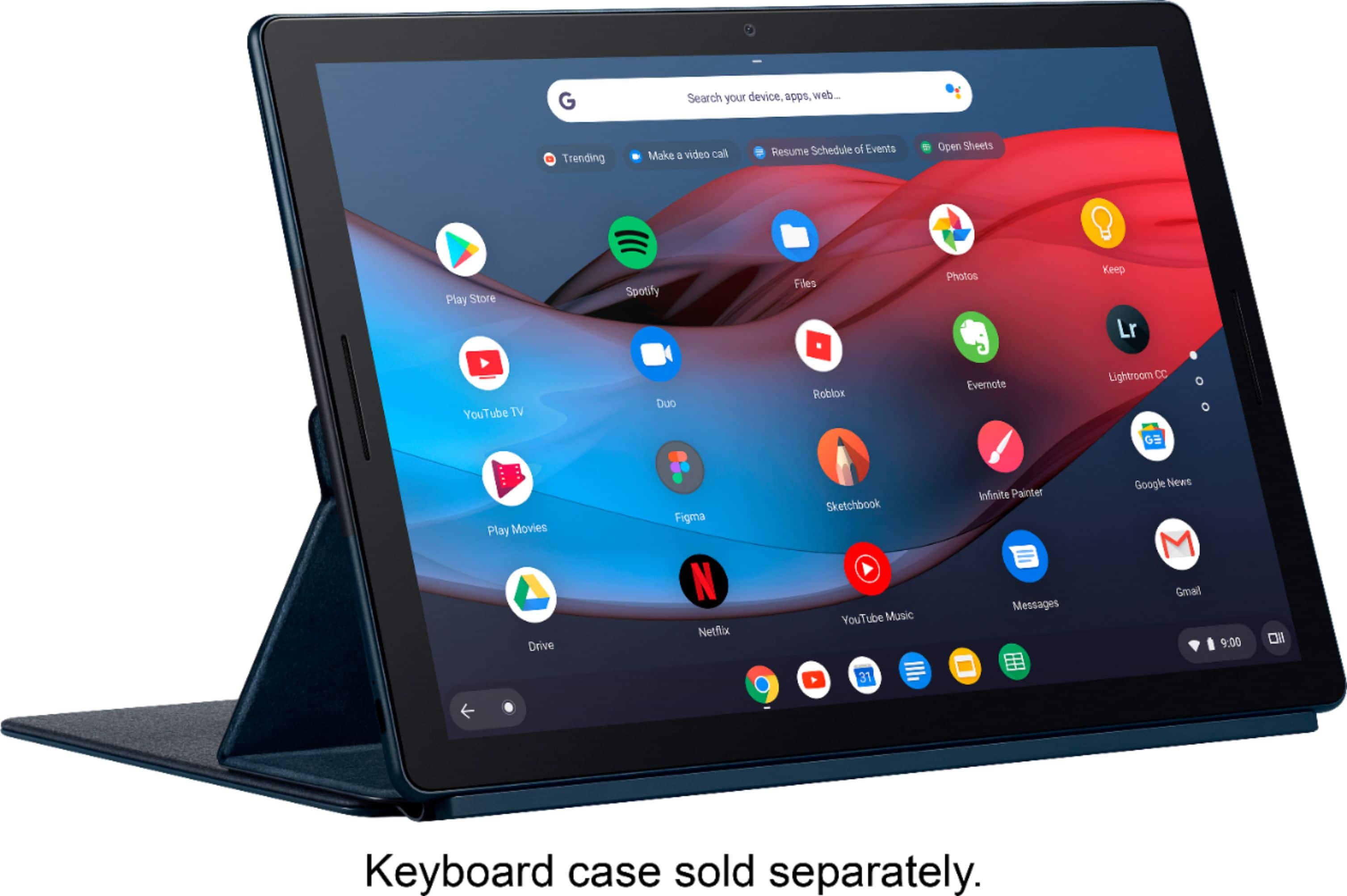
Posted .This reviewer received promo considerations or sweepstakes entry for writing a review.Having switched back to Android last year and using more of Google's ecosystem (e.g. Maps, Drive, Docs, etc.), I've debated buying an Android tablet. However, I wasn't impressed by the options out there. When Google announced its Slate, based on ChromeOS, I made the dive. I purchased the i5 Slate with Google's keyboard. My experience overall has been alright. I use the Slate primarily for watching media, doing work within Google docs, sheets, and slides, and general surfing. My Bose wireless headphones connect without problem. That's something I've had trouble with on Chromebooks. The front facing speakers are amazing! They've got a good umph to them. The screen is high quality and the small bezels make for a great viewing experience. I also like that this is built on ChromeOS. It means I can have multiple logins (e.g. personal and work) and switch between them. I don't like that the iPad doesn't let you have multiple users on a single device. A single charge lasts me all day, too. As I type this review, I'm at 79% battery with 9h51m remaining on the battery. Even though the Slate has been working well, it's definitely not without its problems. There are times where the Slate doesn't recognize they keyboard and stays in tablet mode. The touchscreen isn't always responsive. I can tap an icon or type on the keyboard, and it won't register. Sometimes it will register but fail to carry out its action. For example, if I type the letter "A" it will recognize it by highlighting the key, but the letter A won't show up in the textbox. The screen flickers from time to time. Scrolling on the device's screen shows the lag it has. When I scroll with my finger, there is a delay in the page moving. This is not apparent on my iPad. You can use Android apps in ChromeOS, but they often don't work. There are times where I will close an app but it stays on the screen. If I resize an app to be smaller, it will leave a ghost image of itself where it used to be. Some apps, when closed, will keep running processes in the background. So I found that I primarily use the web versions of apps. For example, I just watch Netflix on its website rather than using its app. I know the Slate exists for a different purpose than the Pixelbook. I find that I'm using the Slate more as a Chromebook than as a tablet. The two USB-C ports make it easy to charge, attach devices, and connect to a large monitor. The Slate easily works with my 27" HD monitor at home. It's replaced my setup with my Macbook. Honestly, for me it makes sense to just buy a Pixelbook. I tried the current Pixelbook but didn't like the bezels. I know, that's pretty petty of me. Part of the reason I got the Slate is because of its screen. Depending if/when Google releases a Pixelbook 2, I will probably return the Slate for it. I've been finding the Slate being my go-to at home and work. I constantly carry it with me in my work bag, which is not something I've done with my iPad or Macbook before. The Slate does everything I need it to do, but my needs are pretty low. For my friends who are tech-forward and always on the leading edge: yes, I would recommend it for them! I think they'd love playing with it, using it as a developer tool, coding with it, etc. But for the everyday user, I feel the issues its had would make them question why they bought it. For the same price, they could have a smoother experience with an iPad. It feels like Google sent out a beta version of the device. Most of the issues, though, seem software related and I look forward to Google making improvements. Overall, I'm happy with what I got but I'm eager to see what else Google releases in the future.
No, I would not recommend this to a friend