Customer Ratings & Reviews


- Model:
- HP 25X
- SKU:
- 6280605
Rating by feature
- Ease of Use
Rating 4.8 out of 5 stars
- Value
Rating 4.6 out of 5 stars
- Quality
Rating 4.7 out of 5 stars
Customers are saying
Customers frequently mention the excellent picture quality and smooth refresh rate, making it ideal for gaming. Many appreciate the monitor's affordability and ease of setup. However, some users wish it included speakers, and a few have noted issues with viewing angles and the LED indicator light. The absence of built-in speakers is a recurring negative comment.
This summary was generated by AI based on customer reviews.
Consistent with other reviews
||Posted .This reviewer received promo considerations or sweepstakes entry for writing a review.This is as crappy as the other reviews say. The screen frequently shows bad spots/pixelated areas. This is usually during down time. If you move the mouse it clears up quickly.
No, I would not recommend this to a friend- Cons mentioned:No speakers

Fine Monitor
|Posted .This reviewer received promo considerations or sweepstakes entry for writing a review.As far as gaming monitors go, if you are running AMD, this monitor works better with their video cards. It runs at 1920x1080. 1 ms response time, 144 Hz refresh rate. What does that all mean? It performs well without driving your video card into a panic and is easier on the eyes. A couple warnings, the default brightness is blinding. When powering on the first time, be in a bright room. Otherwise you may fry your corneas. A second drawback is no speakers. After using it for a few days, you will need to adjust the settings again. It seems like it has a burn in process or my eyes adjusted to it and wanted more. As far as bezels go, the side and top are very thin. There is a good sized chin to it. The green accent lights kind of grow on you like mold after some time. It would have been nice to have a way to change the colors to something other than green accent lights. It really has the look of a gaming monitor. The monitor does rotate portrait to landscape. It will rise pretty high on the base and lowers to the desk top level. I can’t imaging not finding a comfortable viewing angle for almost anyone who uses it. My only drawback are the no speakers and blinding default settings. Pair this with a Pavilion and you will be pretty happy. Just don’t set the virtual performance settings in the AMD settings. It slows framerates to a crawl. If you make changes, do them one at a time and test before modifying anything else. Ports, works with HDMI and Displayport. Frame rates with my Pavilion with Ryzen 5 PC: Gary's Mod consistent over 100 FPS Rocket league max frame rate 250 FPS
I would recommend this to a friend Great product bad panel
||Posted .This reviewer received promo considerations or sweepstakes entry for writing a review.Great monitor but after owning it for a months, there was a line starting to form across the screen. Shame though its a great product.
No, I would not recommend this to a friendOkay
||Posted .This reviewer received promo considerations or sweepstakes entry for writing a review.Bought for gaming and not impressed with the graphics at all. Also, the bottom of monitor is not lit up with green once turned on. Only the center.
No, I would not recommend this to a friendNot so great
||Posted . Owned for 8 months when reviewed.This reviewer received promo considerations or sweepstakes entry for writing a review.Big and bulky stand. The graphics aren't that great.
No, I would not recommend this to a friendGreat budget friendly gaming monitor!
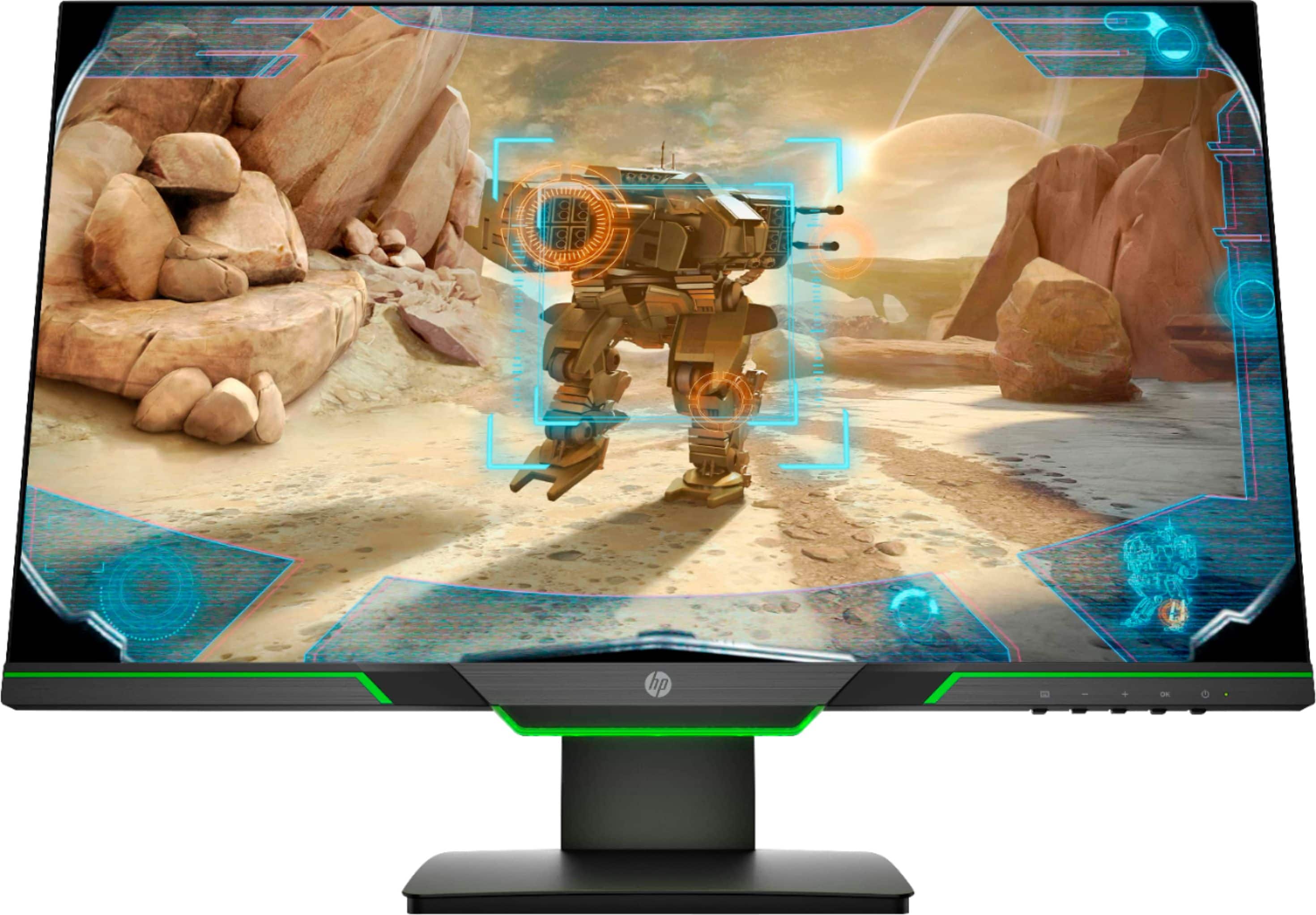
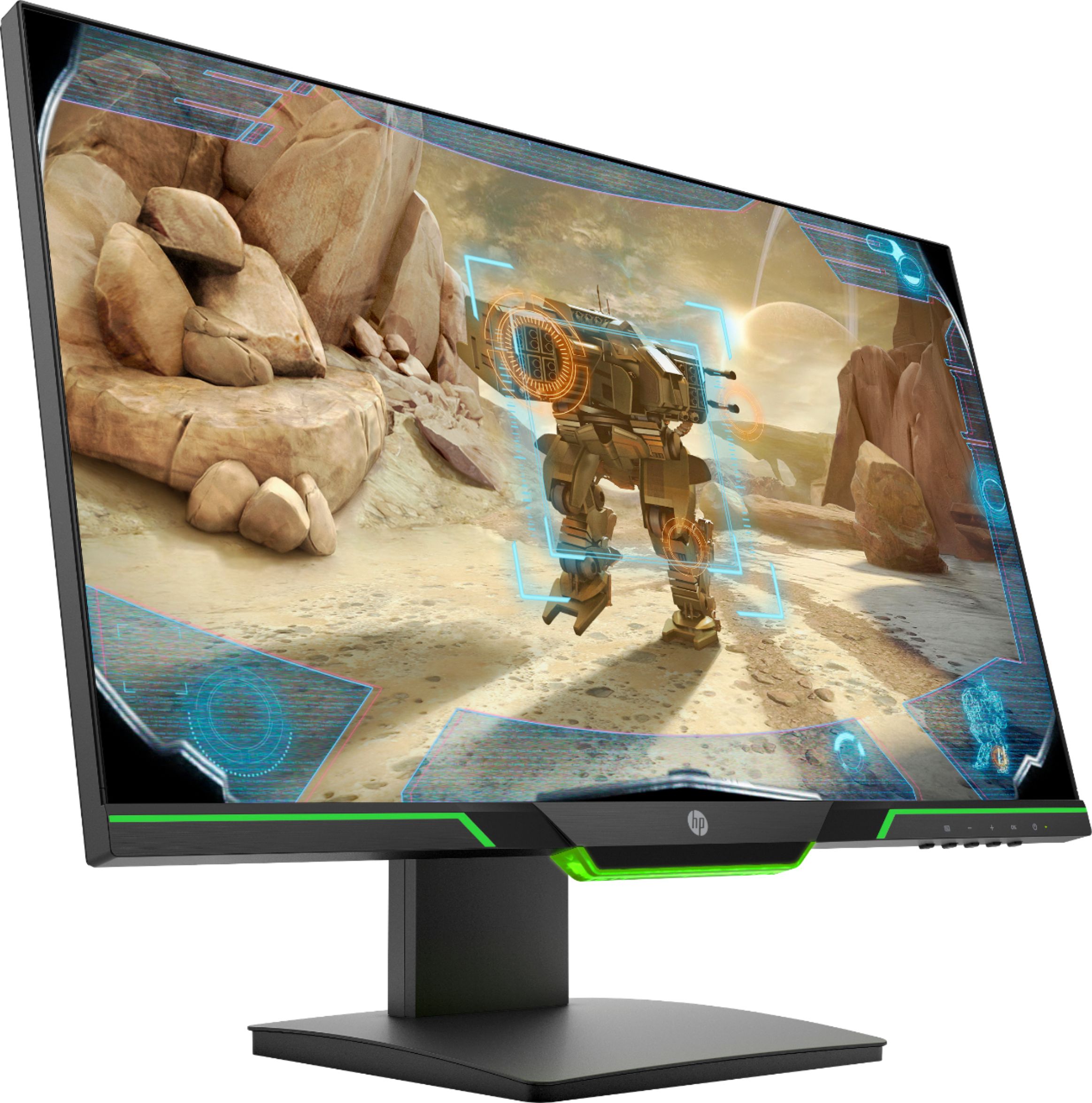
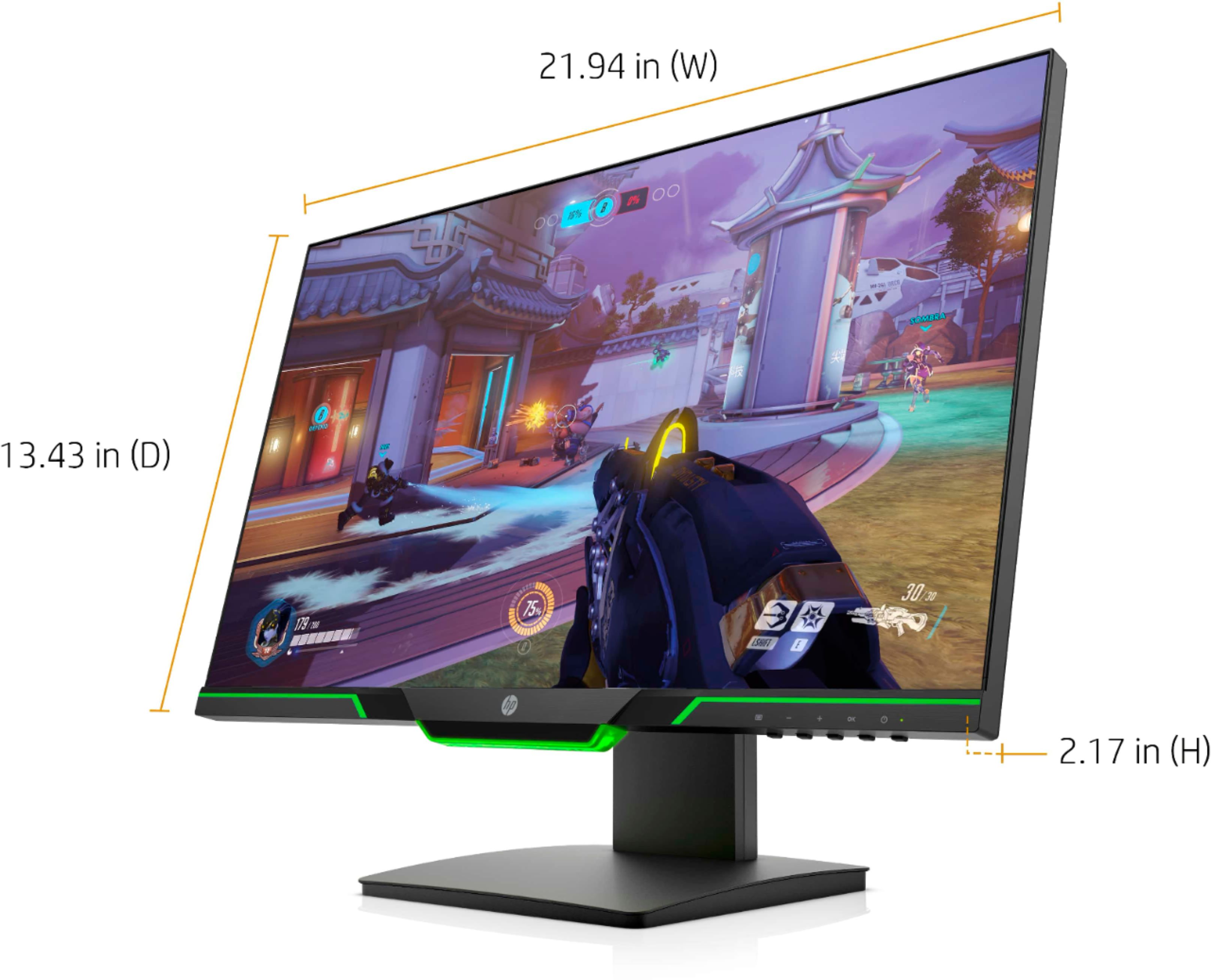
|Posted .This reviewer received promo considerations or sweepstakes entry for writing a review.HP 25X Monitor Review Setup: I was up and running with the 25X within minutes. HP includes a quick setup guide taped to the face of the monitor. No subtly here! There is also a six-foot HDMI cable included in the box. The monitor also has a DisplayPort. This will allow for the connectivity of two devices. For example, you can connection your HP Pavilion gaming desktop to the DisplayPort connection and your work laptop to the HDMI. This way you can take advantage of multiple monitor support when you are working from home on snow day and not have to worry about reworking the wiring with your gaming computer. This is a must have capability for me. Screen Controls: There are five downward facing buttons on the bottom right of the bezel. The only one marked is the power button. The other four do not have any labels. I originally found this annoying. Pressing any button will produce an onscreen display in the bottom right corner. The graphics align with each button. It took me a few minutes to figure out the function that each graphic represents. The base functions are Switch Input, Viewing Modes, Information, and Main Menu. The viewing modes and main menu are where you can control the behavior of the monitor. The viewing modes allows you to choose from Low Blue Light, Night, Reading, HP Enhance +…, Gaming – FreeSync, Movie, Photo, and Custom. As far as I can tell, any changes you make to one of these profiles from the main menu automatically changes the custom profile. This is where HP should have included some useful information. For example, what the heck is HP Enhance + on the viewing modes menu and what is DisplayPort Mode… in the main menu? No clue and not sure how it enhances my experience with this monitor. HP should have taken more care here. The modes do change the viewing experience, so it is in your best interest spending some time cycling through them. It does not appear that you can bomb out any of the preset view modes so don’t worry too much about making a mistake as you surf the menus. Look and feel The monitor does look good. It is flat black, thin bezel around the sides the top of the screen, and just enough bezel along the bottom edge of the screen to accommodate the buttons, a product feature sticker, and some sharp looking green racing stripes. There are three stripes. The center stripe has an LED that lights up when the monitor is powered. The light has a subtle breathing pattern. Unfortunately, the green racing stripes on the left and right do not light up. I find this disappointing. The center racing stipe looks sharp lit up. I feel that HP missed a chance at greatness by ignoring the same effect for the left and right stripes. I do like the long, vertical travel of the monitor along the stand. The monitor can be lowered almost to the table top and all the way up to my eye level. The panel rides smoothly from position to position. The monitor can also be easily rotated from landscape to portrait with little effort. The panel does tilt along the Y axis. This allows you to setup monitor at different viewing angles. One final thought. I would like to have seen cable management on the back of this monitor. Instead, the cables simply hang from the back of the monitor and make my setup look unkept. If you are someone who values a clean look for their gaming space, then you will either want to look for a monitor with better cable management options or come up with a system to manage your cables with this monitor. I picked up some computer cable management products from Home Depot and stuck them to the back of the monitor. It is an inconvenience, but the issue is manageable. Usage I use this monitor for gaming with my HP Pavilion gaming desktop with an AMD X580, a DIY gaming computer with an older Nvidia 970, multiple laptops including an Acer Nitro 5 with an AMD 560X mobile GPU, and various work laptops. I typically have the monitor connected to my gaming system using a DisplayPort cable. All the other computers take turns using the HDMI connection. Connecting to the monitor is super easy. All I do is plug in the HDMI cable and tell Windows 10 to extend my desktop. All AMD video cards instantly recognize this monitor as FreeSync capable. The other computers simply recognize the monitor and the 1080p resolution. So far, I have had no issues swapping between systems. Performance The performance of the monitor seems a bit mixed. HP claims that this monitor has a 1ms response. However, I have seen multiple instances of ghosting. It is most evident when I drag the mouse cursor across the screen. The pointer turns into multiple pointers as it trails across the screen. I’ve also noticed this with Mechwarrior Online. At first, I thought it was the game. However, at 100+ frames per second, my images should be butter smooth. Instead, the images on the screen seem jerky as I pan the camera from left to right across the scene. The images do not break, though. So, I know that frames are not being dropped. When the action slows down, the images are crisp, clean, detailed, and colorful. I also played Batman: Arkham City. I noticed none of the issues I mentioned above. Butter smooth throughout the game. So, maybe the content is partly to fault for my experience. AMD FreeSync This is a FreeSync monitor. I have no idea why HP is not listing this feature. This will help any AMD Radeon owner’s purchasing decision easier. Maybe FHD stands for FreeSync High Def? It should be properly labeled. I can tell you that the Radeon drivers automatically recognized the FreeSync capabilities of this monitor and used it in every game I played. I saw frame rates up to 120fps. I never got to the magical 144fps that the monitor supports. I attribute that to the performance of my specific graphics card and not as a limitation of the panel. Maybe someone with a more powerful card can confirm the panel’s full potential. I also matched this up with an older Nvidia 970. My older G-Sync monitor, using the 970, could only achieve 60pfs regardless of the settings. I was able to achieve 100fps in the same game on this monitor! Go FreeSync! Overall impressions Overall, I do like this monitor. Most of my gripes are cosmetic and easily overcome with little effort on my part. The monitor does integrate well into my system. I do have a solid gaming experience. There is some image ghosting. However, I feel that I have some additional tweaking to do before I get the experience I am looking for. The monitor is also proving useful in a multi-computer system setup. I can use this monitor for office type work all day long and then re-purpose it for gaming without any effort.
I would recommend this to a friend- Cons mentioned:Hdmi cable
Very nice monitor, cool aesthetics
|Posted .This reviewer received promo considerations or sweepstakes entry for writing a review.So this monitor is quite nice. It's got great brightness to it and is pretty responsive. The OSD is ok, I do with it was a bit more streamlined and had less minute options. You can definitely get in to the nitty gritty with customizing and calibrating the colors how you like though. Despite the appearance of the Green that goes along under the monitor, there is ambient lighting only in the center portion. You can set it to on, off, breathing and I believe there was one other option. Green is your only color choice though. It certainly matches the Green Lighting on the Pavilion Gaming Desktop it was paired with. My only real complaint with this monitor is that I wish instead of an HDMI cable, a DisplayPort cable was included. DisplayPort certainly handles a/v better than hdmi, it also gives the added benefit of being more futureproof in that it supports up to 144hz at 4k, whereas HDMI is limited to 60hz at 4k. I think in my personal experience DisplayPort handles refresh rates better than HDMI. One thing to be aware of, that if the Video Card you are using does not support HDMI 2.0 you will not be able to take advantage of the 144hz as you will be limited to 60hz.
I would recommend this to a friend - Pros mentioned:Refresh rate
Smooth gaming
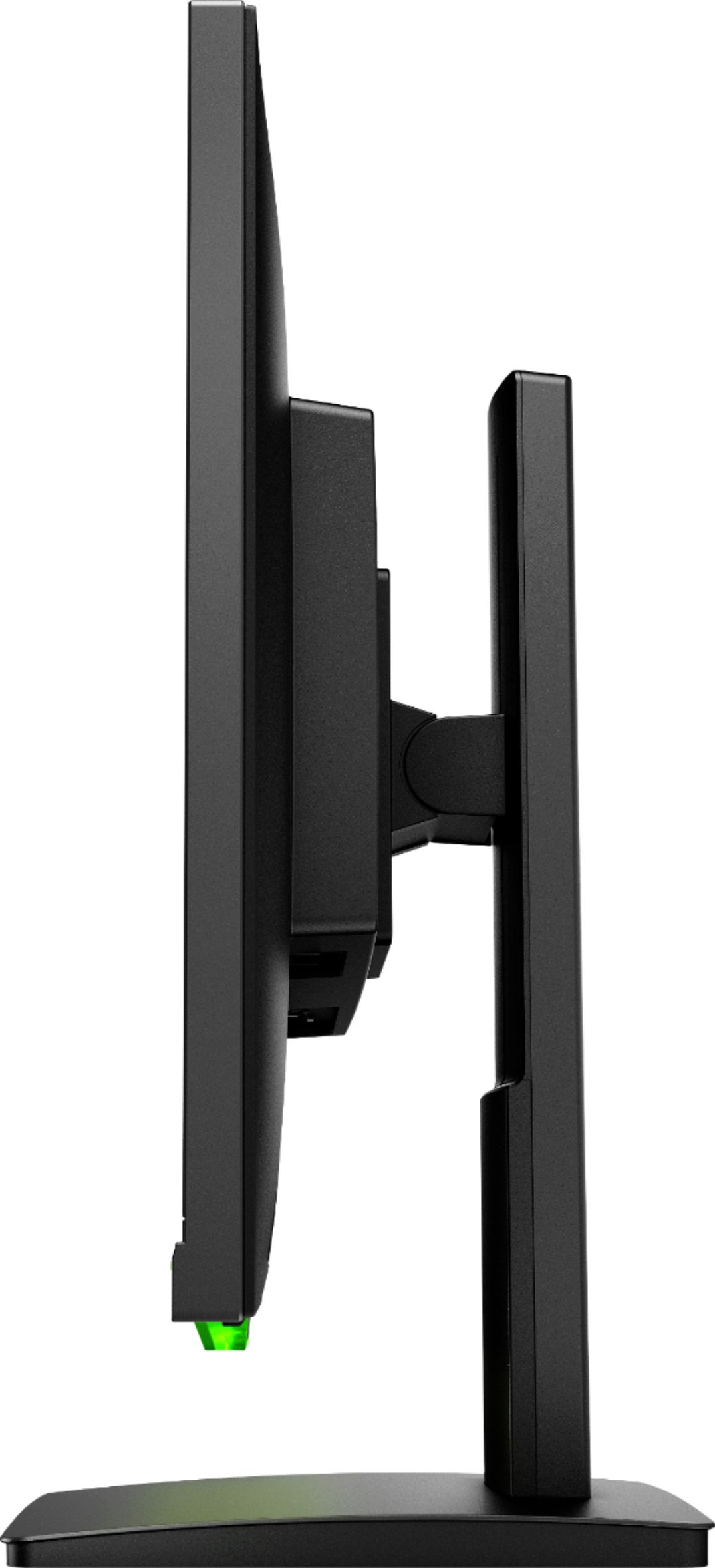
|Posted .This reviewer received promo considerations or sweepstakes entry for writing a review.Thanks to a 144Hz refresh rate and a 1ms response time. You will experience very smooth stutter free gameplay. With FHD 1920x1080 @ 60 Hz, freesync when paired with a AMD radeon graphics card. I had seen fps of up to 120 when playing games at max settings. It has 5 downward faceing buttons for on screen controls and power. I found the controls easy to navigate. The screen it self looks great with a micro-edge on both sides and top and the bottom edge is only about 3/4 of an inch. One neat feature is the precise height adjustment base this monitor has. You can easly move the screen up or down with one hand to what ever position is most comfortable to you. You can also pivot the whole screen from landscape to portrait. Or if you wish not to use the included stand you can use a VESA mount 100mm sold separately. It also has two video out ports one HDMI and one display port. Making it easy for me to use with my gaming computer and my MacBook Pro Over all this is a great mid level gaming monitor. And I feel most will be happy with it.
I would recommend this to a friend Fps is there
||Posted . Owned for 2 weeks when reviewed.This reviewer received promo considerations or sweepstakes entry for writing a review.Piece of crap monitor burnt out on me had two that broke when I was running triple monitor setup then the second time when it burned out I was playing a competitive match and screen just went black
No, I would not recommend this to a friendDon’t get this monitor
||Posted . Owned for 3 weeks when reviewed.This reviewer received promo considerations or sweepstakes entry for writing a review.Had only bought it because was only 144hz monitor in stock but it was the worst de idiom of my life. I rather wait for a better monitor.
No, I would not recommend this to a friendPrepare your eyeballs
|Posted .This reviewer received promo considerations or sweepstakes entry for writing a review.Big fan of this monitor right out of the box. Great size where you have enough screen to feel immersed in a game. I am not a huge fan of the curved monitors and I only like multiple monitor setups for work. As others have mentioned this monitor can run up to 144mhz and in all my previous experience I have not seen performance on this scale. It pairs great with an AMD video card where you will be able to utilize Freesync and choppy gameplay. At first I was a little surprised there was no 4K capability here, but not a huge deal overall. Setting it up right out of the box with no tools was a breeze and very convenient, I had it connected and powered up in about 5 minutes. The monitor stand is also a great feature that has a wide range of height adjustment to play with. I really like this as I am constantly shifting from standing and sitting and adjusting the monitor to the right height for each is major value to me. Aesthetically this monitor looks and feels solid, with RGB lighting to accompany the nice hue of the keyboard and desktop matched with the 25x. I was a bit frustrated at first with the lack of even minor instructions with the monitor as I had no idea what the buttons on the right underside were for. Only took some minor fumbling to eventually figure out the labels pop up on the screen itself. The first game I loaded up was Doom which seemed appropriate to test first. I used a spare HP monitor to do a side by side and really get a feel for how much the frame rate and Freesync technology come into play and it was night and day with the 25x showing its full potential without a hitch. The price-point for this monitor is about what I would expect given the technology and where other monitors with similar attributes are priced, so not a huge concern for me. Overall, I really enjoy the 25x setup and will be gaming with an advantage for years to come.
I would recommend this to a friend- Pros mentioned:Refresh rate
Great graphics capabilities for beginner gamer
|Posted .This reviewer received promo considerations or sweepstakes entry for writing a review.This monitor is impressive for gaming graphics. I have it paired with the HP AMD Ryzen 5 series gaming desktop that has a AMD Radeon RX 580 graphics processor. Setup out of the box is quick and easy, attach stand (no tools required) plug in HDMI (displayport cable not included), power cable, and you are ready to go. This stand features tilt, vertical height adjustment and a full rotation for vertical or horizontal screen viewing. The stand tension is perfect, in that I can easily adjust and the stand keeps that angle. The design and manufacturing of this monitor have a great feel. There is a small green led strip at the bottom of the monitor that matches the styling of the HP Ryzen desktop, making this a visually attractive package. Note this LED can be turned off in the monitor settings. The graphics capabilities are listed as full HD 1920 x 1080 resolution. I put this next to a few other HD monitors and found that it had, by far, the best resolution and refresh rate with no glare in both high and low light settings. The only downside is one I find that holds true to all new HP monitors. If you haven't used a HP monitor, the physical buttons on the bottom edge of the monitor are not intuitive. This is easily overcome once you use it enough to remember the functions, however not my favorite setup.
I would recommend this to a friend Disappointed
||Posted . Owned for 10 months when reviewed.This reviewer received promo considerations or sweepstakes entry for writing a review.Would have constant errors with two monitors would not sync up or work together display was decent but this monitor was a bust
No, I would not recommend this to a friendOnly 1080P???? I don't believe it!
Posted .This reviewer received promo considerations or sweepstakes entry for writing a review.Couldn't imagine a better monitor for my usage. I game on it, and its gorgeous. Vibrant colors, clear textures, rich blacks. I ended up getting 3 of them, and they are a must have! Obviously there are monitors with higher resolution numbers. But as I said for my use, this is a perfect monitor for me.
I would recommend this to a friendwouldn’t recommend
||Posted . Owned for 2 weeks when reviewed.This reviewer received promo considerations or sweepstakes entry for writing a review.it looks nice at first but when u use it for a day or 2 it becomes annoying and my power button was locked for me i didn’t like it at all
No, I would not recommend this to a friend- Pros mentioned:Price
Great 1080p Monitor
|Posted .This reviewer received promo considerations or sweepstakes entry for writing a review.This is a really good performing 1080p monitor. it also looks nice. It has a really slim bezel that has a bar on the bottom. It is a standard size monitor not an ultra slim. It's design is different so it does stand out when compared to other monitors. The performance of this monitor is pretty good. My only gripe is that I wish it was at least 1440p. But because it is only 1080p, it should be really easy to run games at max settings and good fps with a decent graphics card. The response time is only 1 ms which is just about the lowest you can get. Action fast paced games run smooth as butter on this display. The colors really pop and the contrast is really good. The brights are brights and it can get pretty dark. All in all this is a really good monitor for the price. I really recommend it.
I would recommend this to a friend Awesome gaming monitor!
|Posted .This reviewer received promo considerations or sweepstakes entry for writing a review.The HP 25x is the perfect companion to the Pavillion series gaming desktops and really is a great size without being too big or too small. The look is great with a thin bezel and green LED light that isn't too abnoxiously bright. The key factor with this monitor is having the ability to set it to a higher refresh rate and use the AMD FreeSync feature which helps minimize lag and tearing in the image while gaming. I would say if you haven't tried this technology before, that you do, as it does make a difference that is actually noticeable! In terms of color and brightness, this display hits the right marks for my tastes and while it wasn't designed as a professional monitor it does look really good with natural colors and the right brightness. I do wish for the size that it supported QHD resolutions but the HD 1920x1080 resolution is good for gaming. I do like that this monitor offers the ability to support HDMI and DisplayPort but do keep in mind that it does not come with a DisplayPort cable. It also doesn't have any built-in speakers or a USB hub but most built-in speakers don't sound that great anyway and USB Hubs builtin usually make the ports nortoriously hard to find/access anyway. Of the things I wish it had, I do wish that it had a cable management system so that you could organize any cables beind it easier. While there are other monitors out there that aren't dubbed as "Gaming Monitors", I would say that if you have an AMD Graphics card you should strongly consider getting one of these as the difference is definitely noticeable in gaming, and just makes it feel nicer all around when playing games. Even if you don't have an AMD Grapics card, this display will still run at 144hz if your graphics card supports it, though it will not support the FreeSync technology. Overall, I'd recommend this monitor especially if you have an AMD Graphics card, and even if you don't this display is still very nice and just having the 144hz referesh rate is nice to have.
I would recommend this to a friend- Pros mentioned:144hz, Price, Refresh rate
Very nice for gaming!!
Posted .This reviewer received promo considerations or sweepstakes entry for writing a review.I grabbed this monitor during the member sale for $199. I replaced a 8 year old Acer led 1080p monitor and really did not expect there to much of a difference. Boy was I wrong and I have been missing out. The freesync works great but you do have to change some display settings in windows to get the 144hz refresh rate. Overall I think any price under $300 is a good deal. If you pick it up, enjoy!!
I would recommend this to a friend Sound is not compatible with the machine
||Posted . Owned for 1 month when reviewed.This reviewer received promo considerations or sweepstakes entry for writing a review.There is no sound from this monitor. The monitor is too heavy and thick. Screen is not edge to edge.
No, I would not recommend this to a friendVery bad quality
||Posted . Owned for 3 months when reviewed.This reviewer received promo considerations or sweepstakes entry for writing a review.The quality of the monitor was so bad and it hurt my eyes just using it.
No, I would not recommend this to a friend