Customer Ratings & Reviews



- Model:
- J9V90A#B1H
- SKU:
- 5519200
Rating by feature
- Value
Rating 4.2 out of 5 stars
- Quality
Rating 4.1 out of 5 stars
- Ease of Use
Rating 4.0 out of 5 stars
Customers are saying
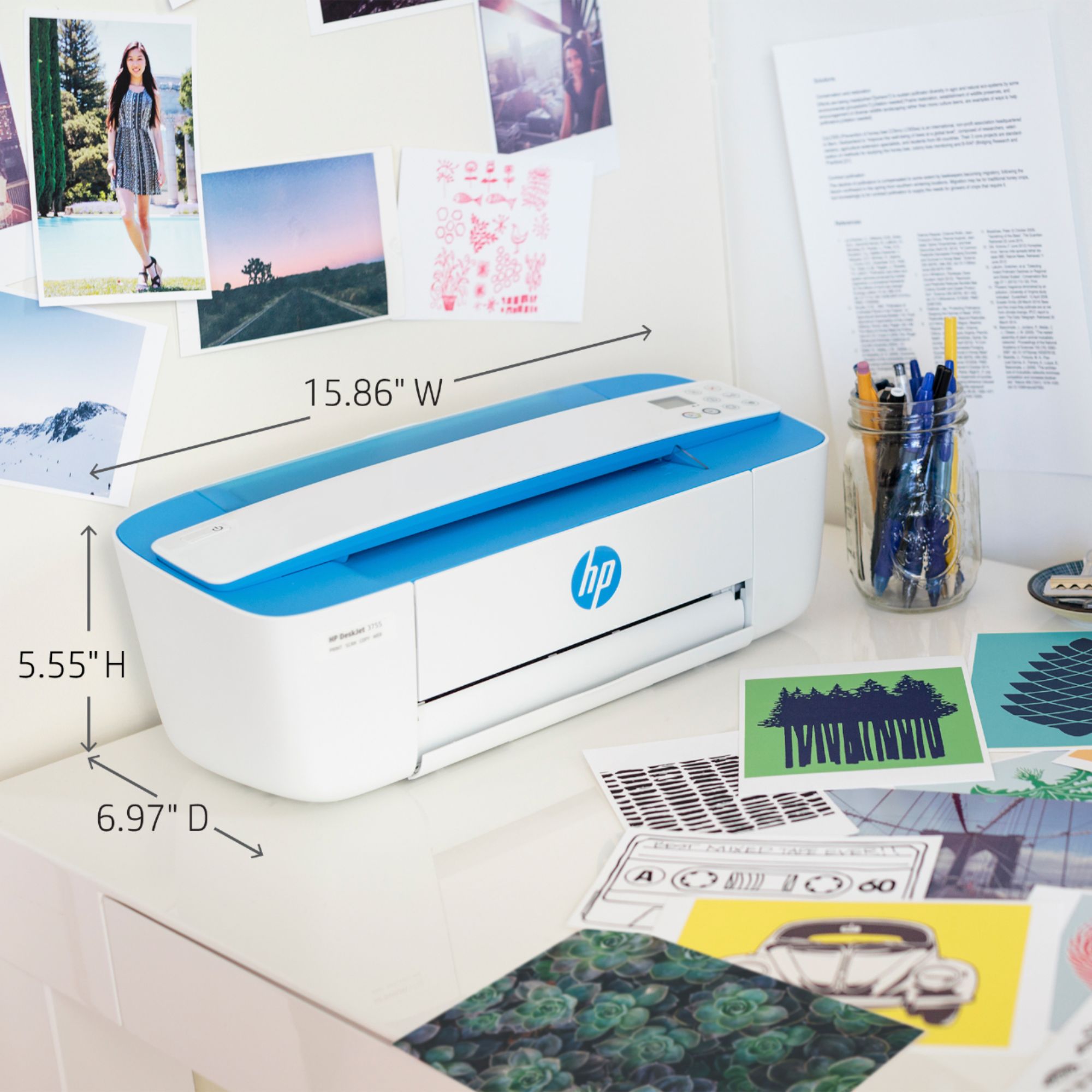
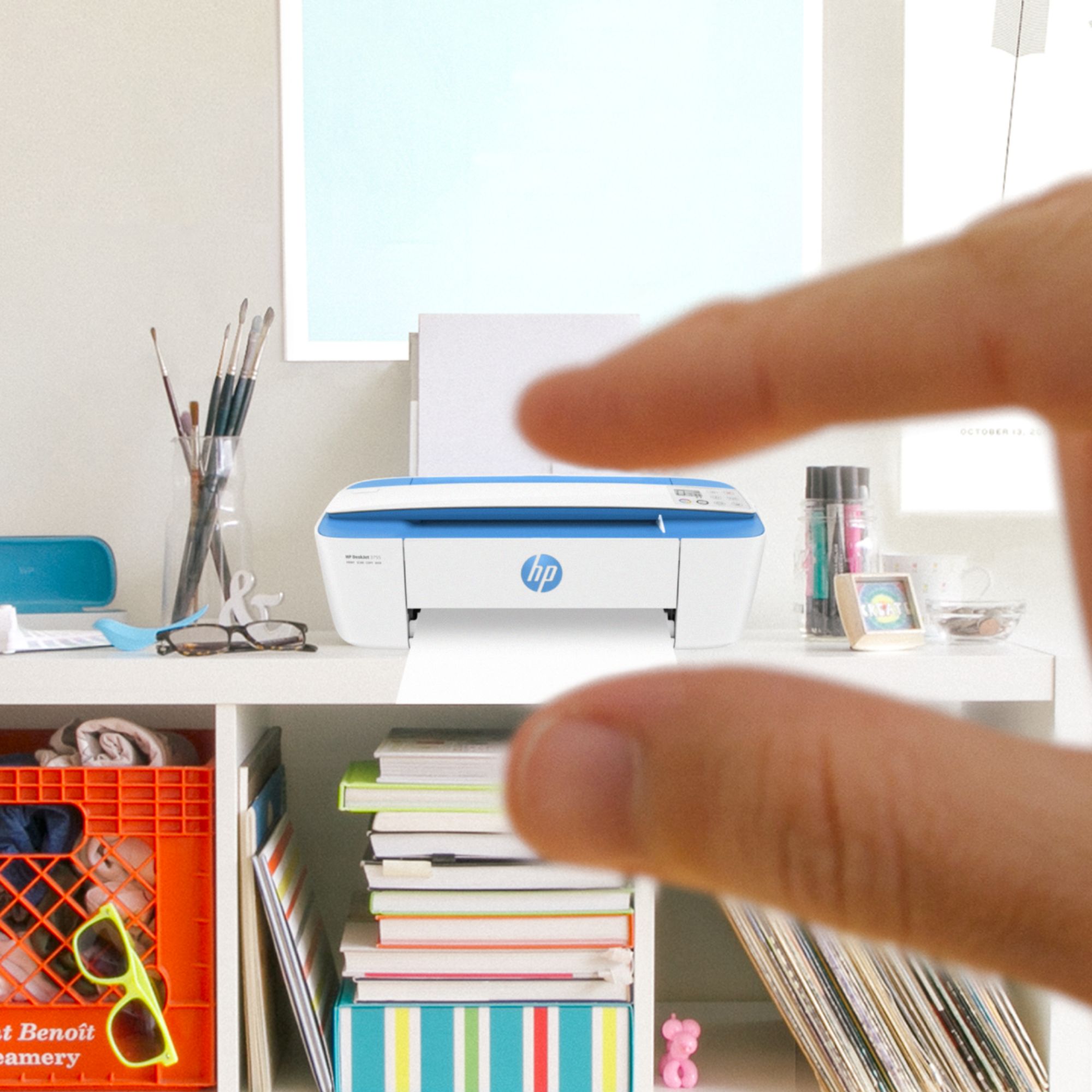
Customers consistently note the DeskJet 3755's small size and ease of use as significant advantages. The printer's print quality also receives positive feedback, along with its wireless capabilities and affordable price. Many appreciate its lightweight design and quiet operation.
This summary was generated by AI based on customer reviews.
- Pros mentioned:Print quality, Size
It's ok
Posted .This reviewer received promo considerations or sweepstakes entry for writing a review.Not really happy with this purchase. I got it for the size and the cheaper ink but it's definitely not an improvement over my last one. It's a lot slower and the print quality is not very good. It's fine for just printing regular pages but if you print pictures, you can see lines in it. Thankfully I got it cheap because I may just have to get something else.
No, I would not recommend this to a friend HP printer all in one
Posted .This reviewer received promo considerations or sweepstakes entry for writing a review.This printer is just what I needed for what I do. I like it.
I would recommend this to a friend- Pros mentioned:Price
Good enough for the money
Posted .This reviewer received promo considerations or sweepstakes entry for writing a review.Set up instructions could be better written for novices. Dont like the scanner. Good buy for the money.
I would recommend this to a friend - Pros mentioned:Print quality
Printer
Posted .This reviewer received promo considerations or sweepstakes entry for writing a review.I like the quality of the print out but I have to turn the printer off every time so it reconnects to the WiFi
No, I would not recommend this to a friend The printer is OK.
Posted .This reviewer received promo considerations or sweepstakes entry for writing a review.This printer is very space-friendly - it fits nicely on a cabinet. It's slow and noisy, though. After a page has been printed, it shoots out of the printer like it's running a race. I have to be prepared to "catch" the page as it exits the printer or it will land on the floor. This printer is okay. After I learn the scan and the copy procedures, I'm sure I will be much more satisfied.
No, I would not recommend this to a friendHorrible printer and horrible service
Posted .This reviewer received promo considerations or sweepstakes entry for writing a review.I will never buy HP products again. The customer service is very bad. The deskjet 3755 is a ok printer when you can get it to print. Always offline. Web services button is always on. Insta Ink service jams it up. Horrible all the way around. I bought it because it was compact but it's been a nightmare. HP even replaced it but the problem was never with the printer as I informed them. It was with webservices. I'm always transferred numerous times and always get disconnected when the technician can't seem to 'fix' the problem. I've had the worst experiences with HP but decided to try again after 8 years thinking they had improved but boy was I wrong! Never again in life. Run while you can. Pick a different brand! If I could give this product zero stars I would do just that!
No, I would not recommend this to a friendBrand response from HP Team
Posted .Hello KW253, sorry to hear you are experiencing an issue with wireless connectivity on your HP DeskJet 3755 All-in-One Printer. Thank you for taking the time to submit a review, I appreciate your feedback. Please follow the guidelines in this document to fix this issue: Printer is Offline (Windows): http://hp.care/2rSoguN or Printer is Offline (Mac): http://hp.care/2rSli9O If you have successfully connected your printer to a wireless network, but the connection drops, the steps in this document should help you fix this issue: http://hp.care/2rZ75HQ

Great printer
Posted .This reviewer received promo considerations or sweepstakes entry for writing a review.This is a great product. Best Buy Always carries the best selection in printer. Highly recommended HP printer
I would recommend this to a friendOne star is one too many
Posted .This reviewer received promo considerations or sweepstakes entry for writing a review.I actually purchased this at Best Buy. It is the biggest piece of steaming junk ever created and if I were not planning on returning it, I would take it outside and smash it with a hammer. It jams repeatedly before every single attempt to print. Note the word, "attempt," because it doesn't ever actually successfully print anything. Trust me, DO NOT buy this. You would be better off trying to produce your print job by hand than by using this.
No, I would not recommend this to a friend- Pros mentioned:Size
Great little Printer
Posted .This reviewer received promo considerations or sweepstakes entry for writing a review.Great little machine. I purchased it because the ink to replace on my old HP costs more than buying this machine! Has small footprint too so it can fit anywhere.
I would recommend this to a friend Small yet Gets the Job Done
Posted .This reviewer received promo considerations or sweepstakes entry for writing a review.I did much research over which kind of HP printer to get. I ended up deciding on this one because it can do many tasks that I would need for my home office. Plus, it was so small that I thought it would be good for the office. I have a very decorative office and I wanted an item to be minimally seen. I did notice that the noise was a little louder than anticipated but thus far my copies, scanned documents and print outs were just fine.
I would recommend this to a friendHP Printer
Posted .This reviewer received promo considerations or sweepstakes entry for writing a review.Had a larger HP printer but always had ink message that would not recognize one of the ink cartridges even though it was pretty new and got tired of having to waste ink to get it to work, there bought a cheaper HP and this smaller printer. Only thing I need wish is that it would print quicker, but I can live with it.
I would recommend this to a friendWorst Printer Ever
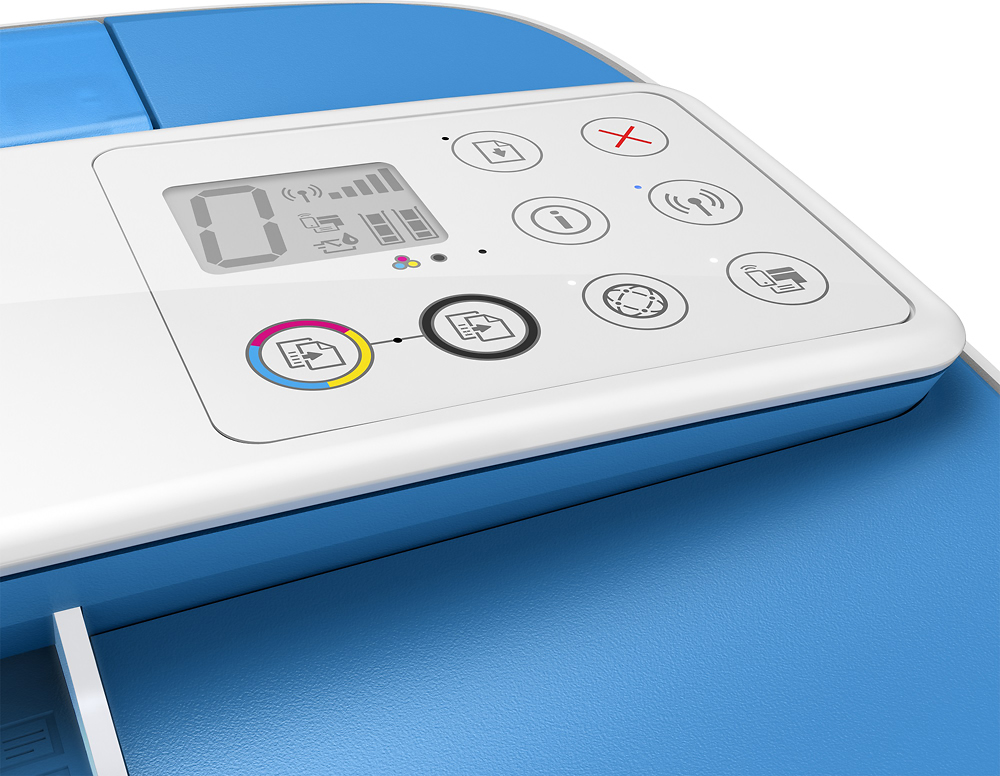
Posted .This reviewer received promo considerations or sweepstakes entry for writing a review.If I could give this sad excuse for a printer zero stars or negative stars I would. It took us all evening just to get it set up; it's not intuitive at all. You couldn't just connect it to your PC and go. You had to download drivers from the internet or the "cloud." Reminds me of 40 years ago when I used to run a mainframe! When we finally got it up and running, the print quality was marginal at best. None of the buttons on the top right side tell you what they do (again, not very intuitive). You can't scan/copy from a book or magazine as there is no flat surface. You have to feed in one document at a time, and most of the time it's difficult to get the document to feed at all. Plus, it is incredibly SLOW, even compared to our previous 6 year old printer. Now after about 6 months it is only printing very light partial characters. We tried cleaning and aligning the printheads several times with no luck. So, after 6 frustrating months, we bought a new non-HP printer.
No, I would not recommend this to a friendBrand response from HP Team
Posted .Hi there.
I'm sorry to hear that your printer was so difficult to set up, and that you’ve experienced poor print quality and slow printing since then. This is not at all the experience that we intend to provide to our customers, so I can imagine how disappointing this must be. We want to make sure that your printer delivers high-quality prints reliably for any urgent printing needs, so I’ll offer some resources that I hope will help.
First, I recommend following the steps listed in this guide to improving print quality, including faded or streaked prints, color or black ink not printing properly or at all, and blurred or fuzzy text:
- support.hp.com/us-en/document/c05040421
I also suggest you look at a guide on our support site that covers improving print speed; choose whichever of the two matches your operating system:
- Windows: support.hp.com/us-en/document/bud03409
- Mac OS: support.hp.com/us-en/document/c01928898
If any problem persists, I hope you’ll contact us directly at +1 800-474-6836 so we can help you assess the situation and guide you through any applicable troubleshooting. (Please note that because of restrictions on personal movement and workplace attendance associated with the COVID-19 pandemic, wait times for agents are longer than normal. Thanks in advance for your understanding.) To expedite the process, I recommend gathering the following information before the call:
- Model number
- Serial number
- Your location
- Case number (from any previous contact with HP support)
I'll also mention that HP printers have a one-year warranty from their purchase date that covers hardware as well as ink supplies, so if it comes to that, you might consider making use of it. You can verify the warranty using the following link: support.hp.com/us-en/checkwarranty
Keith
HP Care
hp.com/support
Way Too Slow
Posted .This reviewer received promo considerations or sweepstakes entry for writing a review.Takes forever to print a page. Will print one page, but doesn't realize it's finished printing the page. Sits there doing nothing and does not print the next page. I have to turn it off and start over. Then it will say, "Canceling Job". Takes forever for it to recognize the next page and start printing. My advice is to spend a bit more money and invest in a better printer. Have had other HPs that worked fine.
No, I would not recommend this to a friendBrand response from HP Team
Posted .Hello Cgar, thank you for taking the time to submit a review, I appreciate your feedback and I am sorry for all the inconvenience caused. I understand that you are experiencing a slow printing issue on your HP DeskJet 3755 All-In-One. Remember HP Support is always there to fix all your issues. If the print speeds are slower than expected or do not meet the speeds noted in the printer specifications, the steps in these documents should help you fix this issue: Slow Printing (Windows): http://bit.ly/2fqsd0Y or Slow Printing (Mac): http://bit.ly/2frS9cQ HP printers generally have a 1-year warranty from their purchase date, you can verify the warranty using the following link: http://bit.ly/2mP3Xrb You can also contact HP Support in case you need further assistance: http://hp.care/2nbNQFi
Marian
HP Support
A Lesson in Technology
Posted .This reviewer received promo considerations or sweepstakes entry for writing a review.No five star because of lack of information on set up with you phone and HP printer. Too complicated if you are a newbie to the technology. It took me five days of research on YouTube before I got everything I needed. It works from my phone with USB plug etc. Prints slow but very well.
I would recommend this to a friend- Pros mentioned:Wireless
Not a good printer
Posted .This reviewer received promo considerations or sweepstakes entry for writing a review.Though this printer looks good and connected wirelessly to my computer without much trouble, it would not work: the printer would not recognize the ink cartridges that came in the box, no matter what troubleshooting steps I found on the HP site or got from an HP agent. Incredibly frustrating.
No, I would not recommend this to a friend - Pros mentioned:Size
a whole big waste of my money
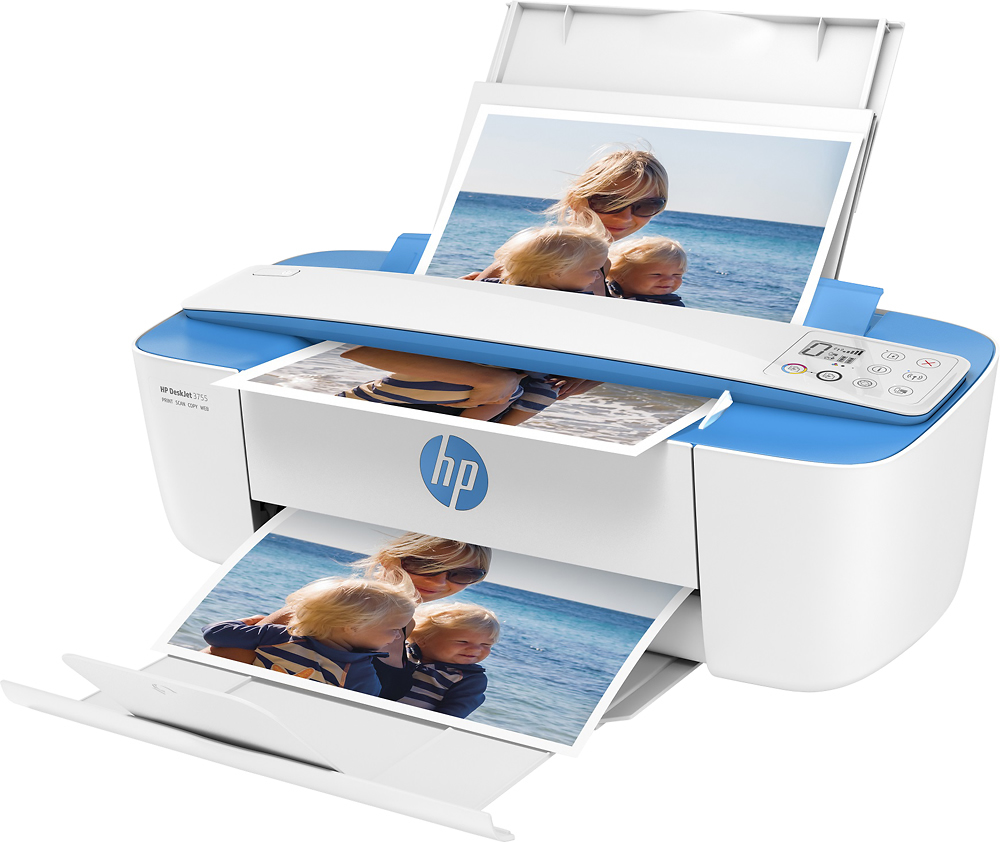
Posted .This reviewer received promo considerations or sweepstakes entry for writing a review.the ONLY good things I can say about this printer is the compact size. and the pretty color. it is cheap plastic. comes with virtually no instructions for use. I've used several hp printers and never had this problem .it is loud, prints very slowly, will NOT accommodate card stock or photo paper. the tray for output is not large or deep enough so be prepared to pick your printed papers up from the floor. I have absolutely NO IDEA how to copy or scan. Ive googled this but its as clear as mud. I paid $125 plus tax/ship. I see it here for $90 which makes me feel even MORE a waste of my money. id send it back but it would probably cost a fortune and I really cannot go without a printer for a week or so.
No, I would not recommend this to a friendBrand response from HP Team
Posted .Hi, Diane.
I’m sorry to hear that your printer has caused such inconvenience. It’s easy to understand why the various difficulties you describe plus a lack of instructional material would be exasperating, so I’ll offer some information and resources I hope will help.
First, to learn more about your printer (including the copy and scan functions) and all its other features, or for help solving problems, you can access video tutorials, user manuals, how-to documents, software updates and troubleshooting guides here:
- support.hp.com/us-en/product/hp-deskjet-3700-all-in-one-printer-series/8954253/model/11262035
I also suggest you visit a page on our support site that has diagnostic tools for various problems, including a general-purpose tool called the HP Print and Scan Doctor. If you use Windows, the tool will help identify and guide you through solutions to a wide range of common printing and scanning issues. Visit that page here:
- support.hp.com/us-en/topic/diagnostics
If any problem persists, I hope you’ll contact us directly at +1 800-474-6836 so we can help you assess the situation and guide you through any applicable troubleshooting. (Please note that because of restrictions on personal movement and workplace attendance associated with the COVID-19 pandemic, wait times for agents are longer than normal. Thanks in advance for your understanding.) To expedite the process, I recommend gathering the following information before the call:
- Model number
- Serial number
- Your location
- Case number (from any previous contact with HP support)
I'll also mention that HP printers have a one-year warranty from their purchase date that covers hardware as well as ink supplies, so if it comes to that, you might consider making use of it. You can verify the warranty using the following link: support.hp.com/us-en/checkwarranty
Keith
HP Care
hp.com/support
- Pros mentioned:Ease of use
Hp printer
Posted .This reviewer received promo considerations or sweepstakes entry for writing a review.Works like a charm with my Chrome book. Easy to connect with a cable ot via internet. Easy to replace printer cartridges
I would recommend this to a friend Great printer
Posted .This reviewer received promo considerations or sweepstakes entry for writing a review.I like that to scan there is no lid to open to scan. I like that scan the way you would do with a fax machine
I would recommend this to a friend- Pros mentioned:Print quality
Worth every dollar
Posted .This reviewer received promo considerations or sweepstakes entry for writing a review.Simple set up! Super compact in size but you would never know by the speed and quality in the prints.
I would recommend this to a friend - Pros mentioned:Print quality
Nope
Posted .This reviewer received promo considerations or sweepstakes entry for writing a review.I purchased this printer based off the reviews on this site, but i just returned it because it’s a hunk of junk. The one I received was, at least. Happy to have it out of my life. What frustration it caused! Set up was easy, and I love the wireless printing situation, but if I sent a print job through that was more than 1 page, the printer would print a page or two of the series and then get stuck on the same page for eternity and print that one page out on repeat until I unplugged the printer. I would cancel the job again and again and it would continue spitting out that one page. I definitely couldn’t print only a few pages of a document either- again it would just print out one page. I think it was possessed? I don’t know. that was bananas. I spent an hour working with HP tech support, which was generally unhelpful and just like, yep, (Shrug). He did try to help but kept telling me to call a number for additional tech support I would have to pay for, which is a hard no. Why should I pay for support on a defunct printer I have owned for a month? And then he abruptly ended the chat. Sounds like I’m in the minority here, but this was not a good experience for me.
No, I would not recommend this to a friend