Customer Ratings & Reviews

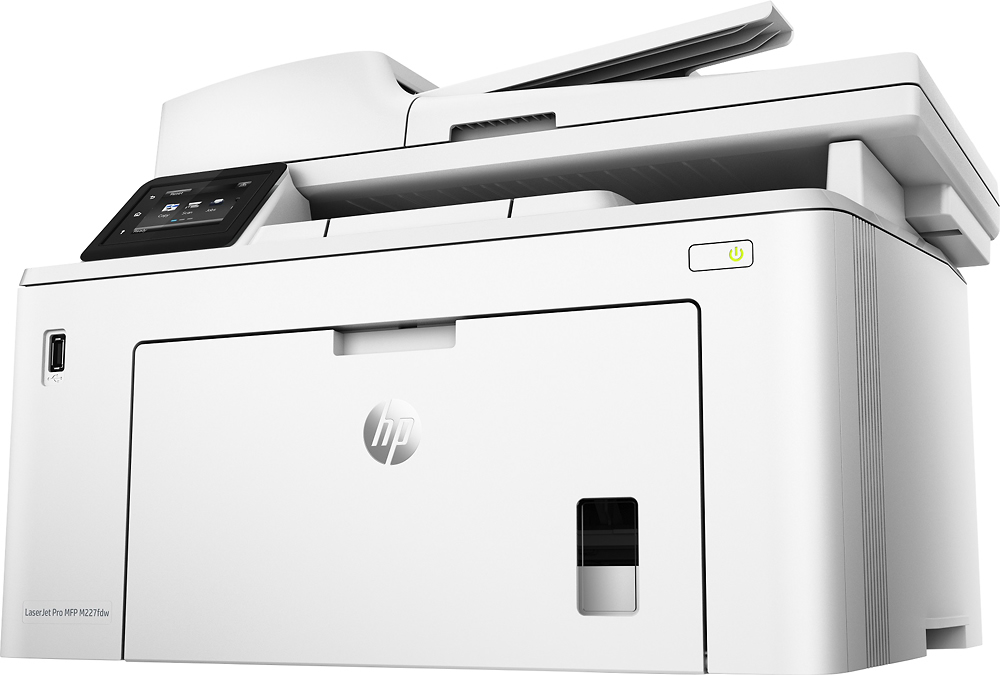
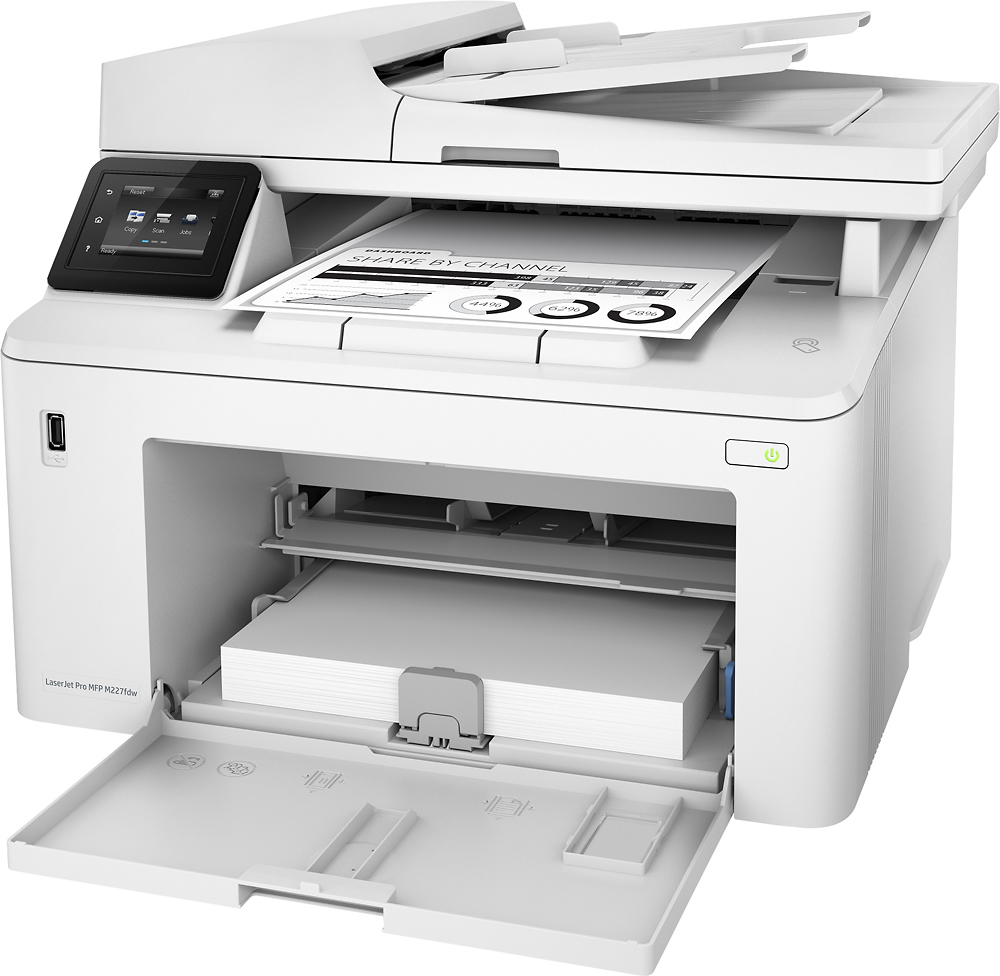

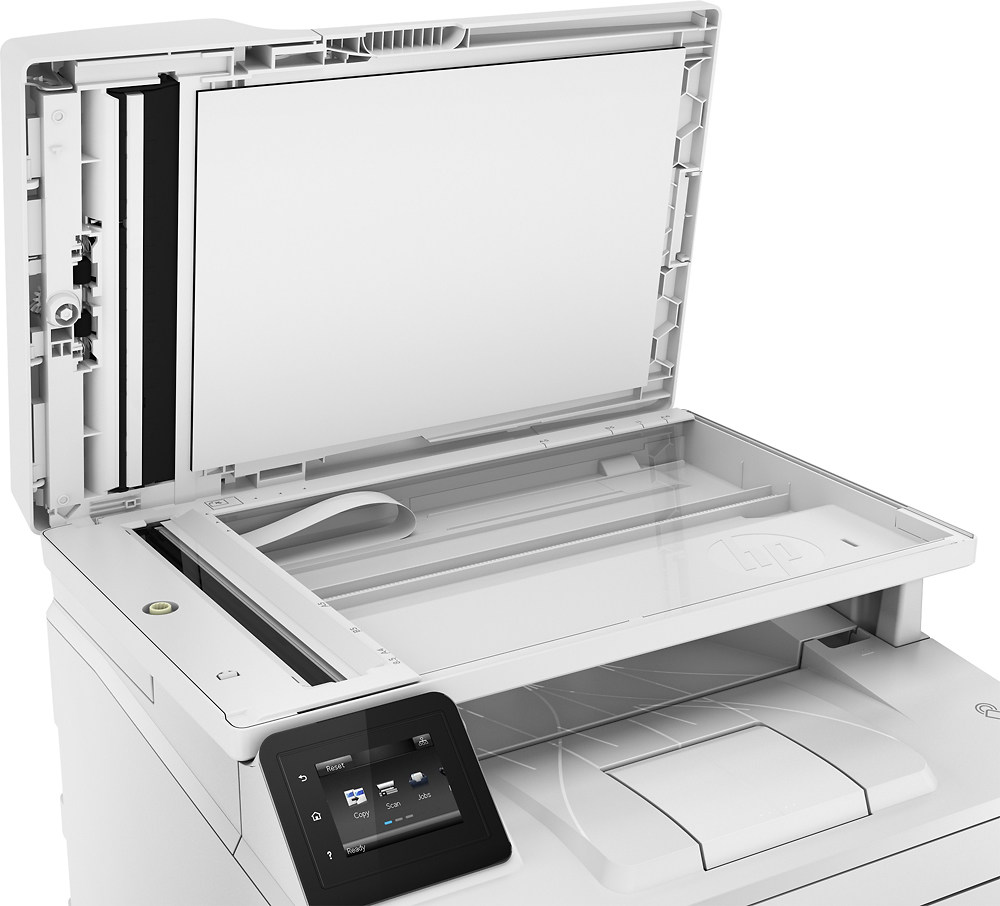
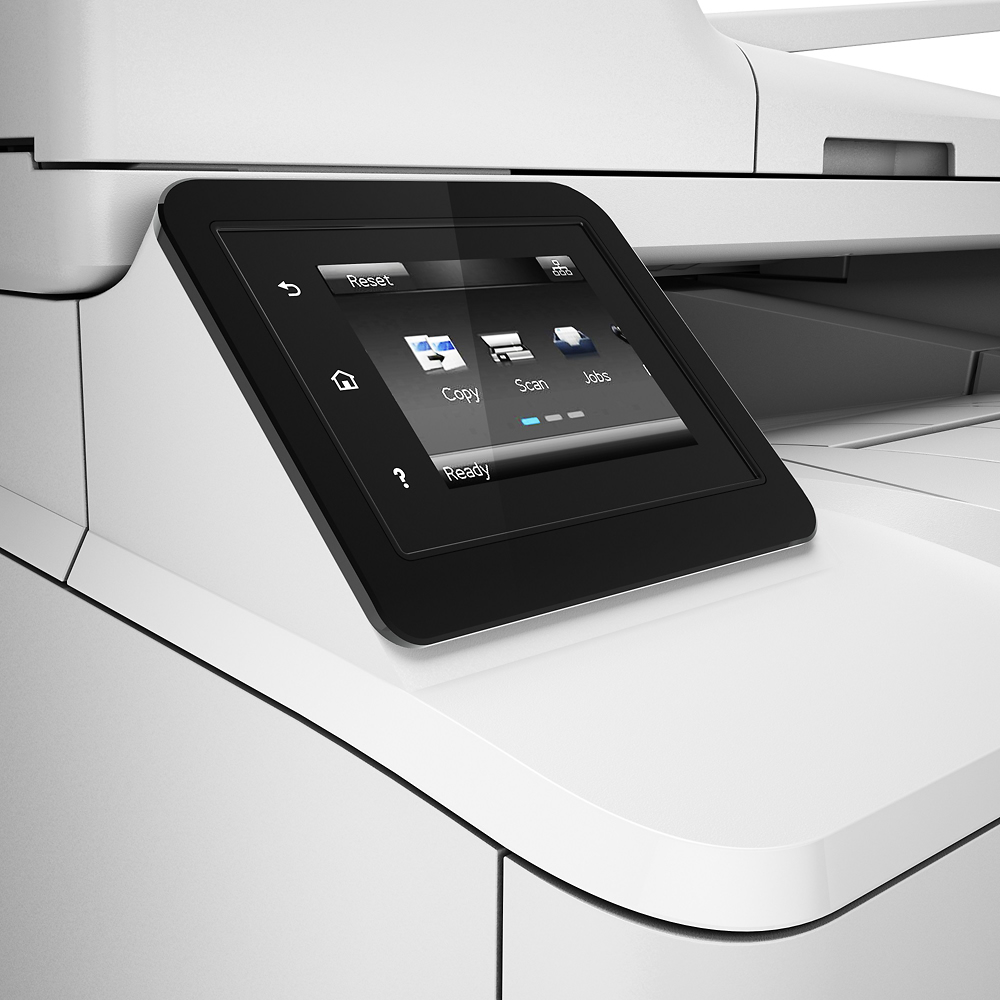
- Model:
- G3Q75A
- SKU:
- 5689641
Rating by feature
- Value
Rating 4.6 out of 5 stars
- Quality
Rating 4.5 out of 5 stars
- Ease of Use
Rating 4.3 out of 5 stars
Customers are saying
Customers appreciate the LaserJet Pro M227fdw's high-quality prints and ease of use, frequently praising its user-friendly setup and reliable performance. Many also find the printer to be an excellent value for its price. While some users experienced occasional difficulties with the wireless connection, the overall feedback highlights the printer's strengths in printing, scanning, and faxing capabilities.
This summary was generated by AI based on customer reviews.
Good product for the price.
||Posted .This reviewer received promo considerations or sweepstakes entry for writing a review.Awesome printer. A little bulky for the desk, but it does the job.
I would recommend this to a friendNot certain
||Posted . Owned for 2 weeks when reviewed.This reviewer received promo considerations or sweepstakes entry for writing a review.Product has been good efficient and priced well , but the cartridge I'm finding costly
I would recommend this to a friendGood printer for the price
||Posted . Owned for 3 weeks when reviewed.This reviewer received promo considerations or sweepstakes entry for writing a review.Excellent printer and scanner for the price. Very serviceable for home office use.
I would recommend this to a friendGreat Printer
||Posted .This reviewer received promo considerations or sweepstakes entry for writing a review.Get for small office or home office. Definitely satisfied with this purchase.
I would recommend this to a friendGreat all in one
||Posted .This reviewer received promo considerations or sweepstakes entry for writing a review.This is a great all in one for a single user or small office
I would recommend this to a friendGood inexpensive laser printer
||Posted .This reviewer received promo considerations or sweepstakes entry for writing a review.Using this at my office over ethernet and works great.
I would recommend this to a friendAffordable product
||Posted .This reviewer received promo considerations or sweepstakes entry for writing a review.I’m replacing my printers and this was the best option.
I would recommend this to a friendAwful wifi conectivity
||Posted . Owned for 7 months when reviewed.This reviewer received promo considerations or sweepstakes entry for writing a review.HP needs to work on the ease of set up for their devices.... Sometimes the printers is available and on line, sometimes it is not. What I do use is the remote printing feature by email,..that one never fails !!
No, I would not recommend this to a friendBrand response from HP Team
Posted .Hi there,
I am so sorry that you are experiencing problems wit the printer connection. This is far from the reliable and satisfying experience we wish to offer our Customers. I can understand how disappointing these issues must have been for you.
To resolve the connectivity issues you are having I recommend looking through the following documents. These steps often resolve the problem and guarantee a stable connection:
- Windows: support.hp.com/us-en/document/c04249080
- Mac: support.hp.com/us-en/document/c04249334
As a supplement to that, the following link will help guide you through solutions to a wide range of wireless issues: hp.dezide.com/ts/start.jsp?guide=Printer_Does_Not_Maintain_Wireless_Connection.net
If this doesn't provide a resolution, please get in touch with us directly for support. You can give us a call at +1 800-474-6836 any day between the hours of 8 am - 9 pm ET. To expedite the process, I recommend gathering this information beforehand:
- Model number
- Serial number
- Your location
- Your case number (from prior contact with support)
Despite this printer not working well for you, I hope that you'll consider allowing us an opportunity to rectify this. We would love a chance to make things better with the quality experience that we intended on providing from the start.
Tom
HP Care
hp.com/support
Fair
||Posted .This reviewer received promo considerations or sweepstakes entry for writing a review.Can’t get the thing to stop printing on both sides.
I would recommend this to a friendBrand response from HP Team
Posted .Hi Westcliffn, sorry to hear you are unable to cancel the two-sided printing option from your HP LaserJet Pro M203dw Printer. Don't worry as I have a few steps that should help fix this issue. You need to deselect the check box next to the Two-Sided option in the Print window. And here's the step by step guide for you in the link: http://hp.care/2j9Ac2O HP printers generally have a 1-year warranty from their purchase date, you can verify the warranty using the following link: http://bit.ly/2mP3Xrb You can also contact HP Support in case you need further assistance: http://hp.care/2nbNQFi
- Pros mentioned:Print quality
Printer
Posted .This reviewer received promo considerations or sweepstakes entry for writing a review.I love this good printer for sample use, it’s very smooth and fast.
I would recommend this to a friend - Pros mentioned:Print quality
Printer
Posted .This reviewer received promo considerations or sweepstakes entry for writing a review.Easy setup. I have only used for printing so far, does a great job.
I would recommend this to a friend - Pros mentioned:Price
SELF EMPLOYED CPA
Posted .This reviewer received promo considerations or sweepstakes entry for writing a review.THIS PRINTER IS A GREAT MACHINE AT A GREAT PRICE. IT FITS INTO WHAT I NEEDED IN MY OFFICE. IT IS THE CENTERPIECE OF MY OFFICE.
I would recommend this to a friend - Pros mentioned:Print quality
Great printer, great price
Posted .This reviewer received promo considerations or sweepstakes entry for writing a review.It does everything it's advertised to do. Setup was a breeze. Just downloaded the file and had absolutely no problems. Great print and copy quality, scan feature works great. Won't be using fax so no comment there.
I would recommend this to a friend Don't buy this product!!!
Posted .This reviewer received promo considerations or sweepstakes entry for writing a review.The scanner and copies come out scew. After dealing with hp customer service which is a nightmare. 1. Is hard to understand the people they are In India. And they get mad because you ask to repeat themselves. 2 hours in hold, you cal back and repeat over an over your problem 3 After days of calling and holding hours in the phone they sent a replacements which was days late from we were supposed to received it. 4 the replacement they sent was USED! We paid for a new one and now getting their leftovers!!! 5. Extremely frustrating never buying HP products EVEr again
No, I would not recommend this to a friendBrand response from HP Team
Posted .Hi Diana, thank you very much for purchasing HP LaserJet Pro MFP M227fdw and sharing your feedback. I understand that you were experiencing copy quality issue on your printer and hence replaced it. However, you got used printer as replacement. I would like to inform you that we are not providing new printers as replacement. If you face any issues, you can contact us and we will assist you in fixing it as long as the printer is in warranty. If you face similar copy quality issues in future, please follow the guidelines in this document: http://bit.ly/2yEz5E6 You can contact HP Support in case you need further assistance: http://hp.care/2nbNQFi
- Pros mentioned:Print quality
As a user, you will be challenged at every step.
Posted .This reviewer received promo considerations or sweepstakes entry for writing a review.The printer prints well enough, but changing out cartridges and other, even simple functions is hellish. The instructions supplied are minimal and more often than not do not produce desired results. Also, it would be very easy to break something whether or not you follow the directions. All in all a very disappointing purchase as I'd been led to believe -- online -- that HP was storming the market. My old pain-in-the-neck Brother is easier to work with. And less costly in terms of ink cartridges and time, the most precious commodity. (Written after three hours of tinkering!)
No, I would not recommend this to a friendBrand response from HP Team
Posted .Hi there.
I’m sorry that you’ve encountered difficulty with your printer. Aside from toner cartridge installation, I can’t tell from your review what specific issues you’ve faced. Nonetheless, I want to help you get the most from the device, so I’ll offer what I hope are some helpful resources and suggestions.
First, for help solving problems, you can visit a page on our support site that has diagnostic tools for various tasks and issues, including cartridge installation, print quality and connectivity. There you’ll also find a general-purpose tool called the HP Print and Scan Doctor. If you use Windows, the tool will help identify and guide you through solutions to a wide range of common printing and scanning issues. Visit that page here:
- support.hp.com/us-en/topic/diagnostics
For more help with difficulties, or to learn more about your printer and all its features, you can access troubleshooting guides, how-to documents, user manuals and software updates here:
- support.hp.com/us-en/product/model/9365386
If you need further assistance with anything, I suggest that you contact us directly at +1 800-474-6836 so we can help you assess what’s happening and find a solution. To expedite the process, I recommend gathering the following information before the call:
- Model number
- Serial number
- Your location
- Case number (from any previous contact with HP support)
Keith
HP Care
hp.com/support
Nice printer, but beware its service costs!
Posted .This reviewer received promo considerations or sweepstakes entry for writing a review.Just bought this printer from Best Buy for a hefty $400+. It turns out, the cartridges that came with it are difficult to install. I mean, really difficult. And BB, just to have someone show me how to properly install the cartridges without breaking the printer, wants me to pay a service fee! This is an unfortunate turn of events, to say the least.
No, I would not recommend this to a friendnot great, keep looking
Posted .This reviewer received promo considerations or sweepstakes entry for writing a review.I wanted a laser printer that would print a large amount of pages without having to buy ink/toner real often but this isn't it. It's not much more efficient than an inkjet printer but so much more expensive! I could've bought 3 inkjet printers for what I just spent on toner replacement ($320)! The rollers constantly need cleaning and greasing, it constantly complains that it's out of paper when it's full. Just a big pain in the butt and very high maintenance. As soon as it's current toner runs out I will be buying a $80 Epson inkjet!
No, I would not recommend this to a friendBrand response from HP Team
Posted .Hi,
I am extremely sorry about your trouble with the printer. This is certainly not what we want our customers to face!
In case there are other things that could help the situation, instructions about how to fix an 'out of paper' error here: c05315129
If that doesn't help, you can always contact us at: hp.com/contacthp
Mary
HP Care
hp.com/support
HP Printer a Piece of junk
Posted .This reviewer received promo considerations or sweepstakes entry for writing a review.I received the printer and it worked fine for a little while. It will not copy or scan and the printer control panel no longer works. I took the printer to Best Buy and they said they couldn't do anything that I would have to contract the manufacturer. So I contacted the manufacturer and they said we cant do anything you will have to contact Best Buy. I also have had Best Buy hang up on me 3 or four times while trying to get assistance with this issue. I will never buy anything from Best Buy ever again.
No, I would not recommend this to a friendBrand response from HP Team
Posted .Hi Bob,
I'm terribly sorry that you were put into this terrible situation!
It is unclear why you were told to contact Best Buy for this, but you can contact us again (hp.com/contactHP) to get this cleared up. It will speed things up if you have the following ready before calling:
- Model number
- Serial number
- Your location
- Your case number (from when you previously contacted support)
We look forward to hearing from you!
Mary
HP Care
hp.com/support
Does Not Print at Times
Posted .This reviewer received promo considerations or sweepstakes entry for writing a review.The wireless function is worthless and it does not work. At times with the USB cord plugged into my computer, the computer can't locate the printer. Crazy! Very frustrating. You can't call HP to get help. They only have online forums, which are worthless. Don't buy this printer.
No, I would not recommend this to a friendBrand response from HP Team
Posted .Hi,
I am unhappy that you didn't have an easy experience with connectivity. This is not what we wish to happen.
For issues surrounding keeping connected to WiFi, these instructions should help: support.hp.com/us-en/document/c05368548
Haven't heard of the problem with the USB cable before. If the cable is connected properly and isn't damaged, that should not happen.
To check that out, and for any other concerns, you can always contact us by your preferred method. Details about how to do that in your location can be found at: hp.com/contacthp
Mary
HP Care
hp.com/support
Frustrating software and hardware issues,
Posted .This reviewer received promo considerations or sweepstakes entry for writing a review.This printer has been a huge time sink for a variety of reasons. It is riddled with connection issues wired, wireless or USB. Waste of time and money
No, I would not recommend this to a friend