Customer Ratings & Reviews

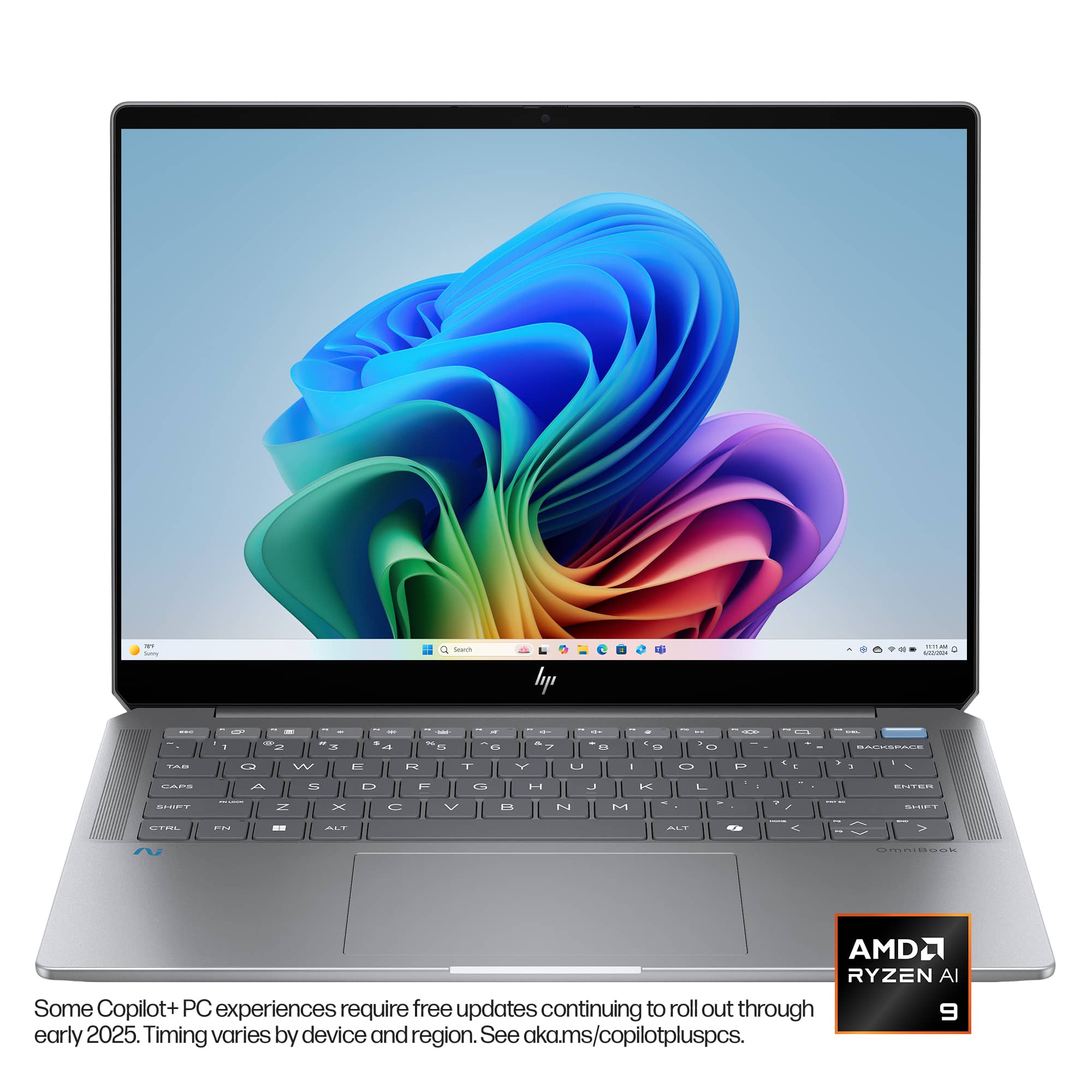
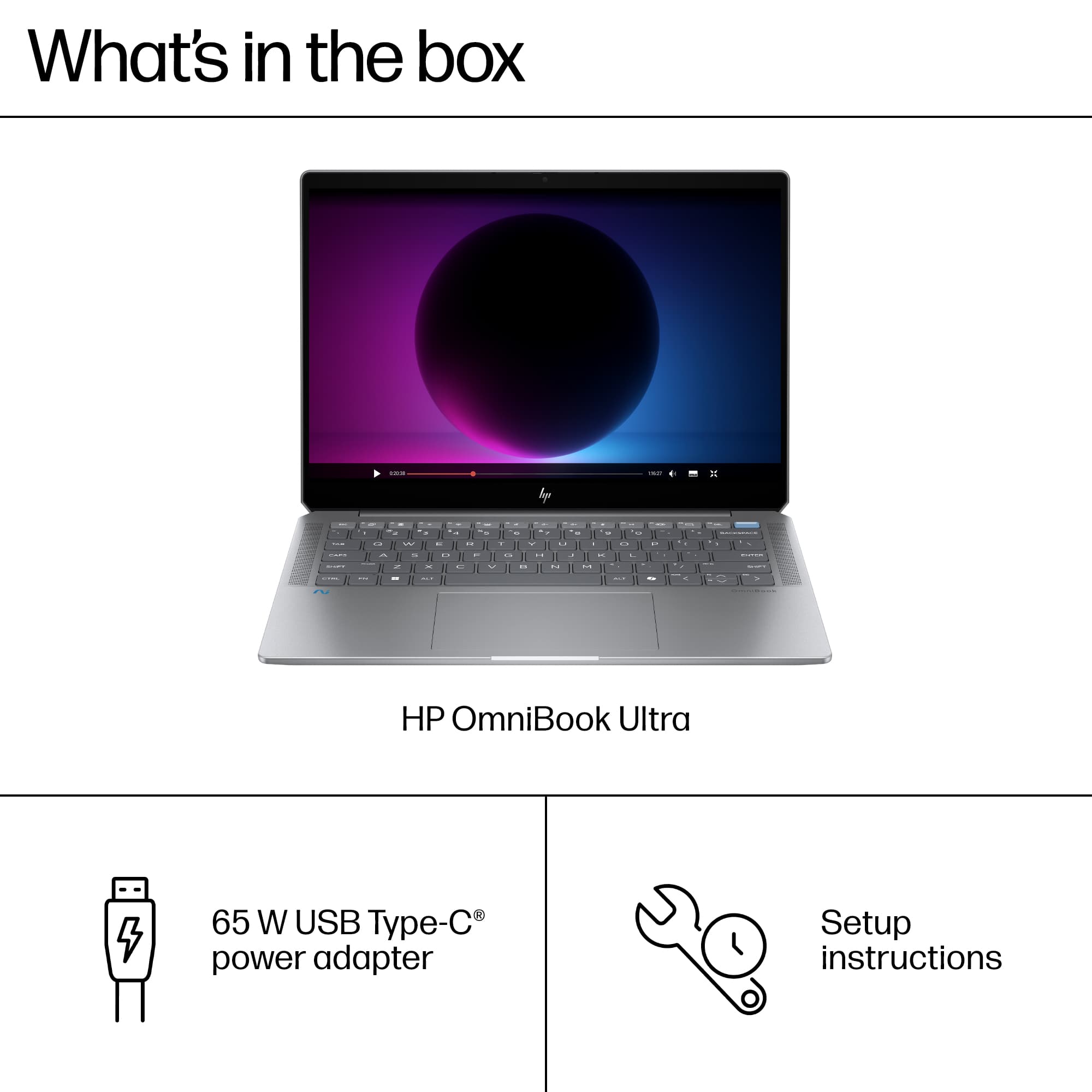
 for registration status and tier levels by country. hp](https://pisces.bbystatic.com/image2/BestBuy_US/images/products/b8dbd5ab-b929-471c-938a-a8f73be2b54f.jpg)

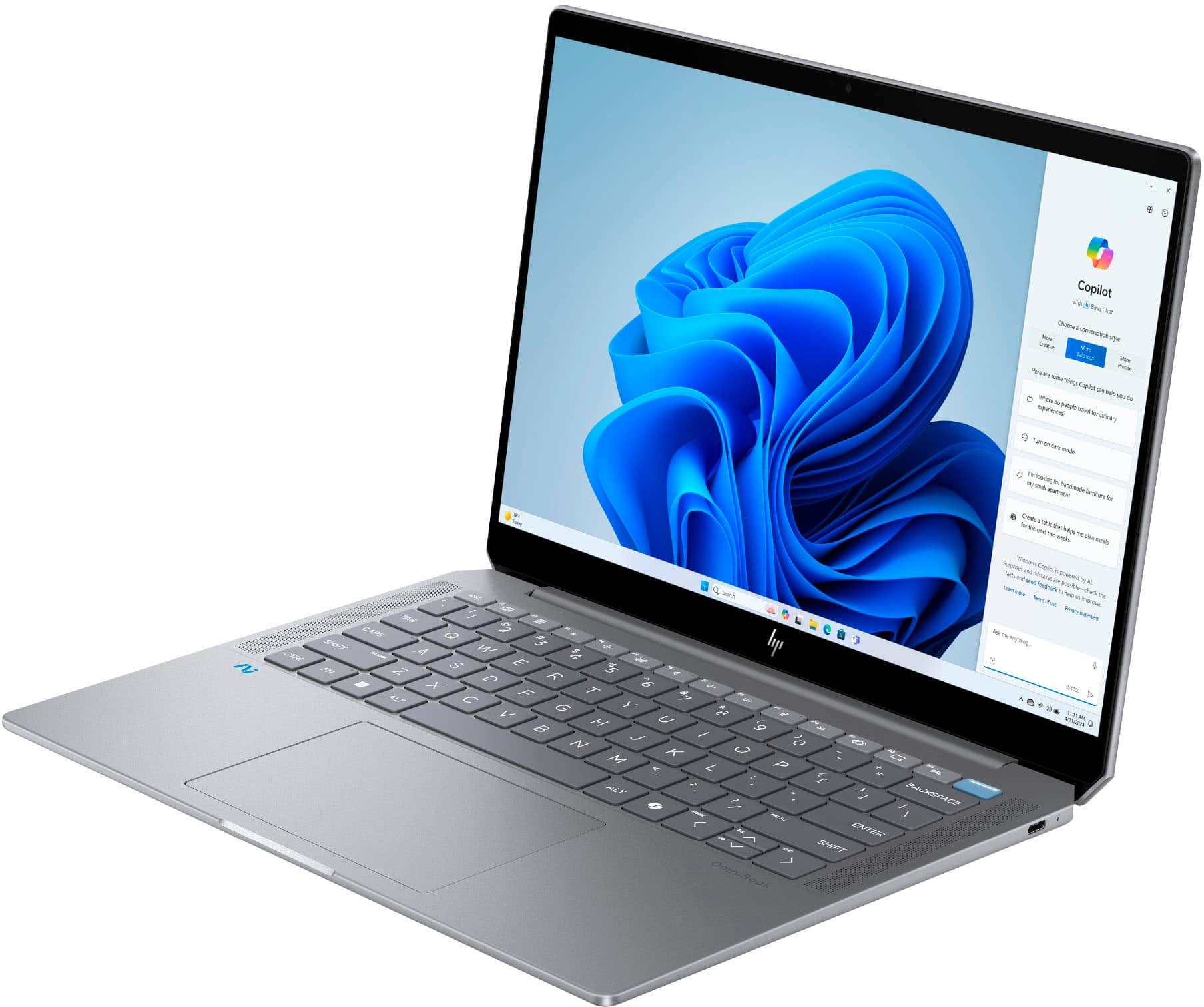
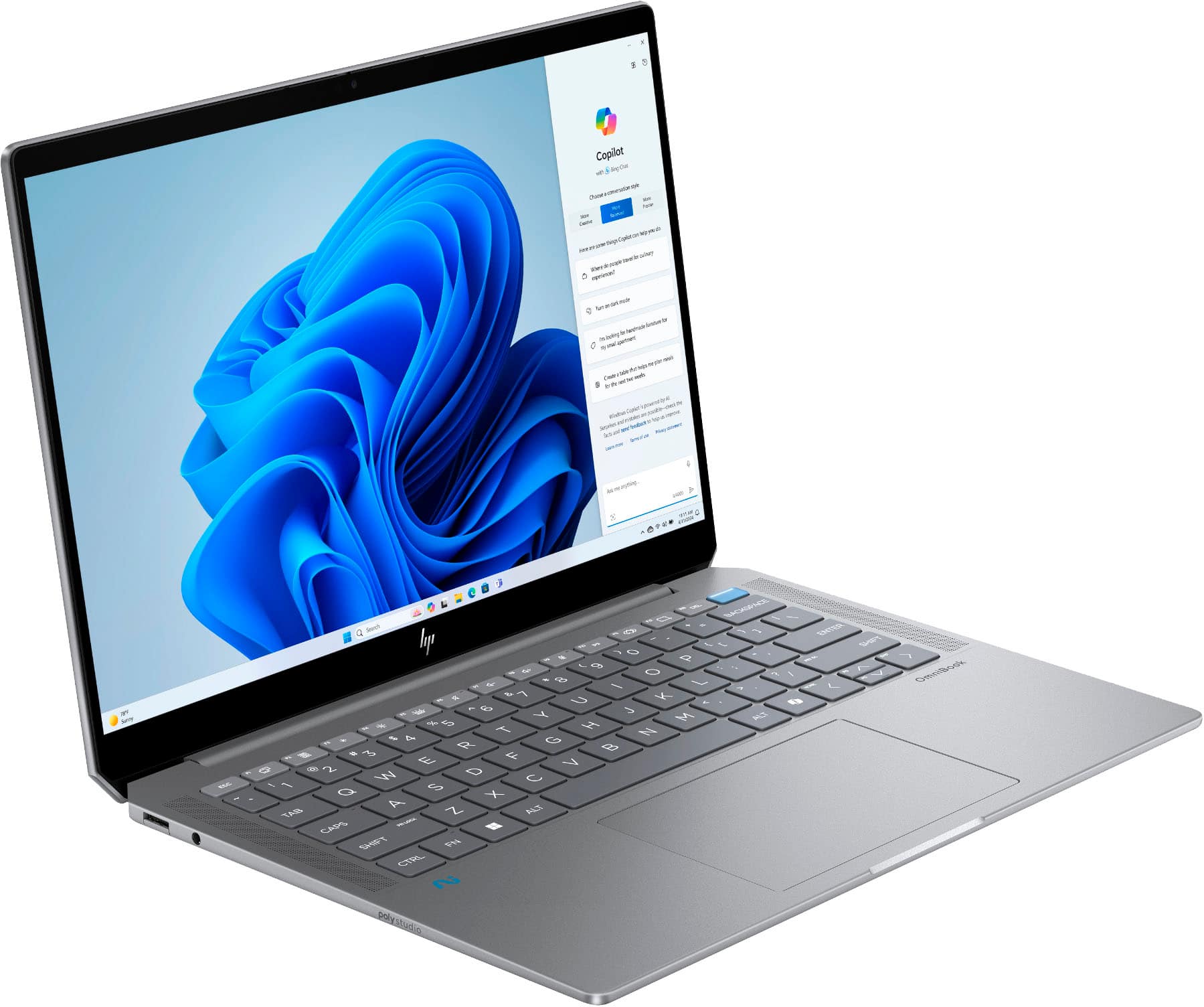
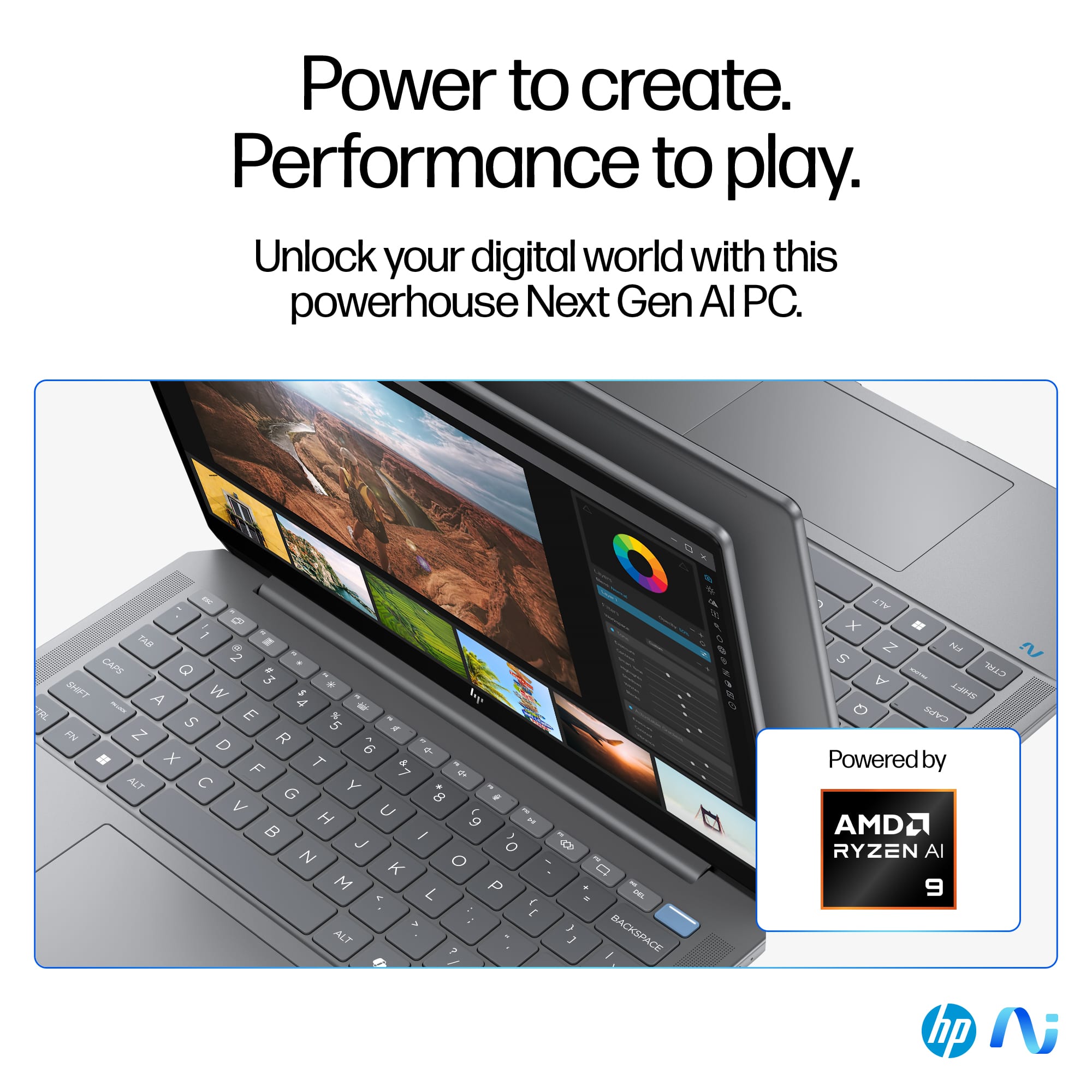
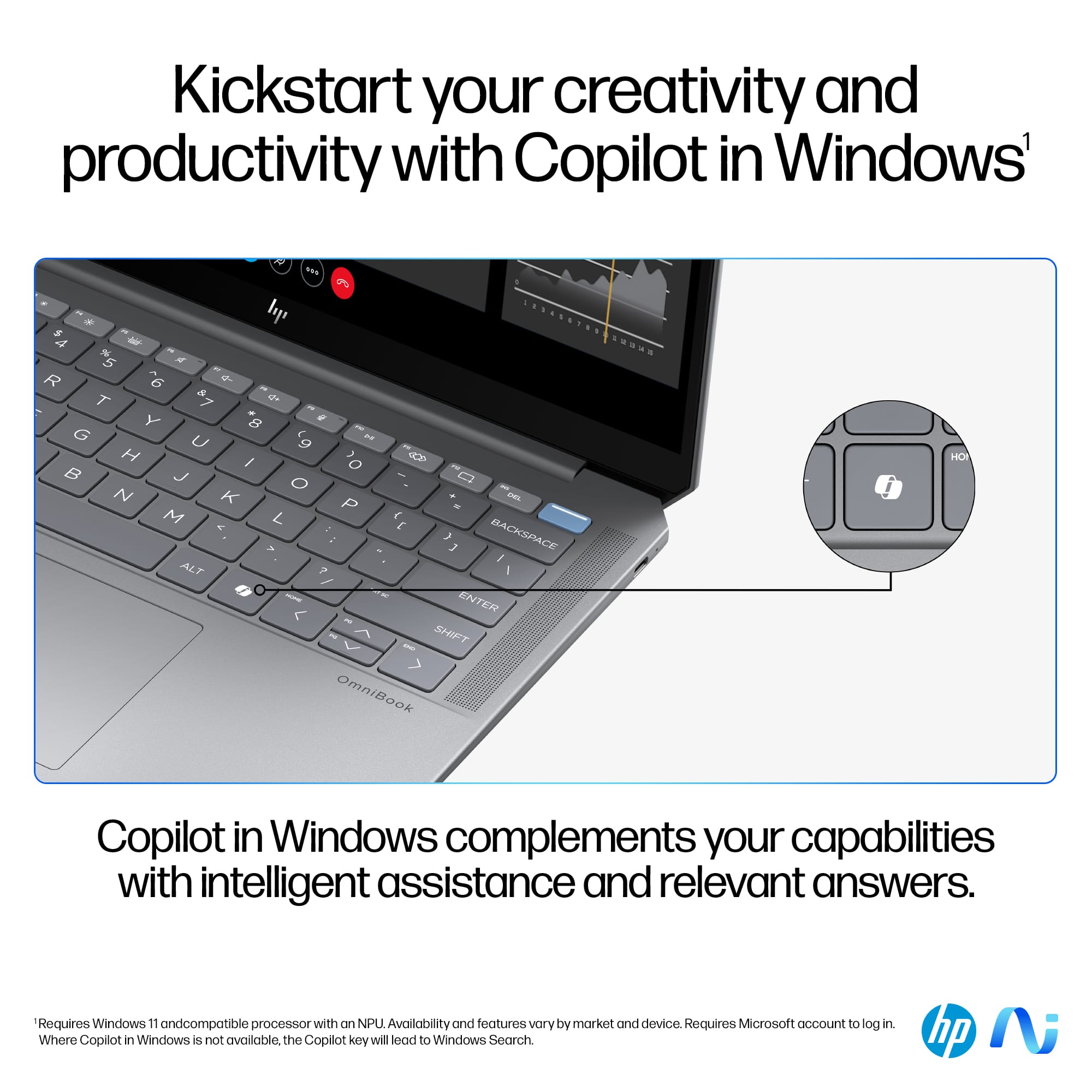



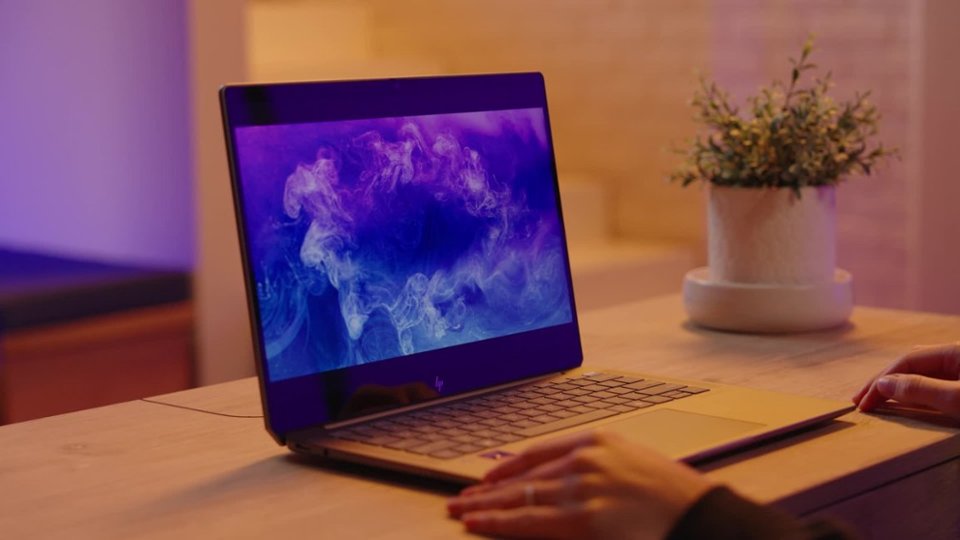
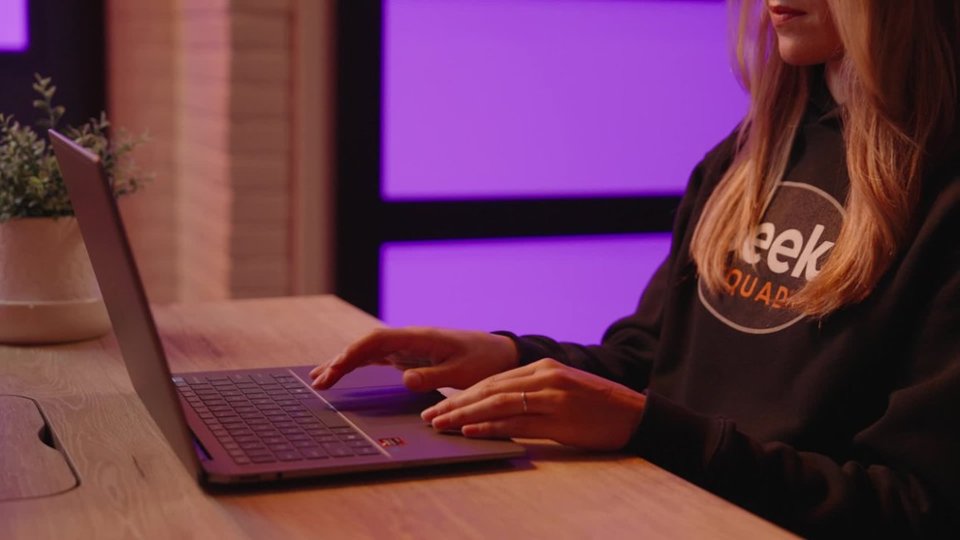


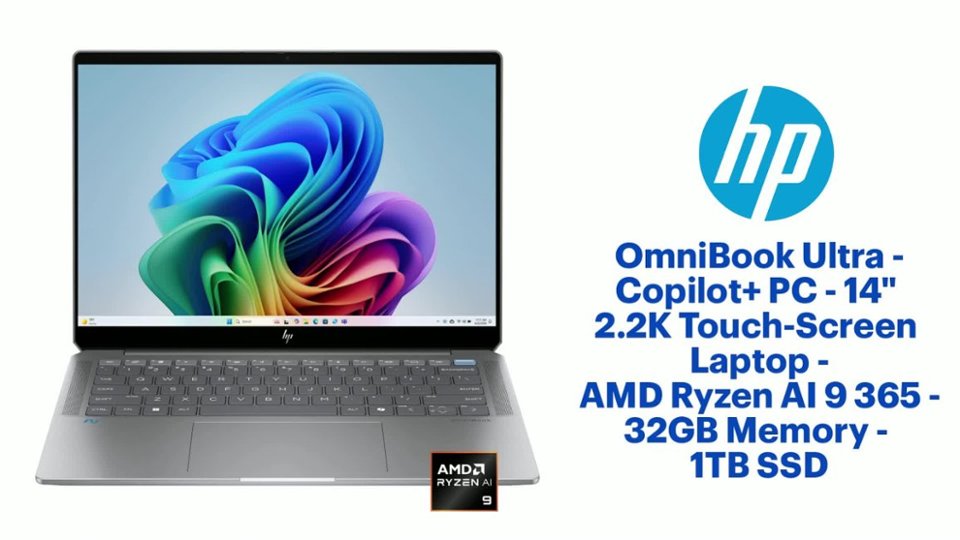
- Model:
- 14-fd0013dx/A31ZJUA#ABA
- SKU:
- 6589592
Rating by feature
- Battery Life
Rating 4.7 out of 5 stars
- Speed
Rating 4.8 out of 5 stars
- Display
Rating 4.6 out of 5 stars
Customers are saying
Customers admire the OmniBook Ultra for its exceptional battery life, comfortable keyboard, and fast processor. Its portability, ample RAM, and generous storage capacity are also appreciated. However, some customers express a desire for more ports on the device. Overall, the laptop receives positive feedback for its performance and features.
This summary was generated by AI based on customer reviews.
- Pros mentioned:Battery life, Keyboard quality
The laptop you want to love - Powerful and likable
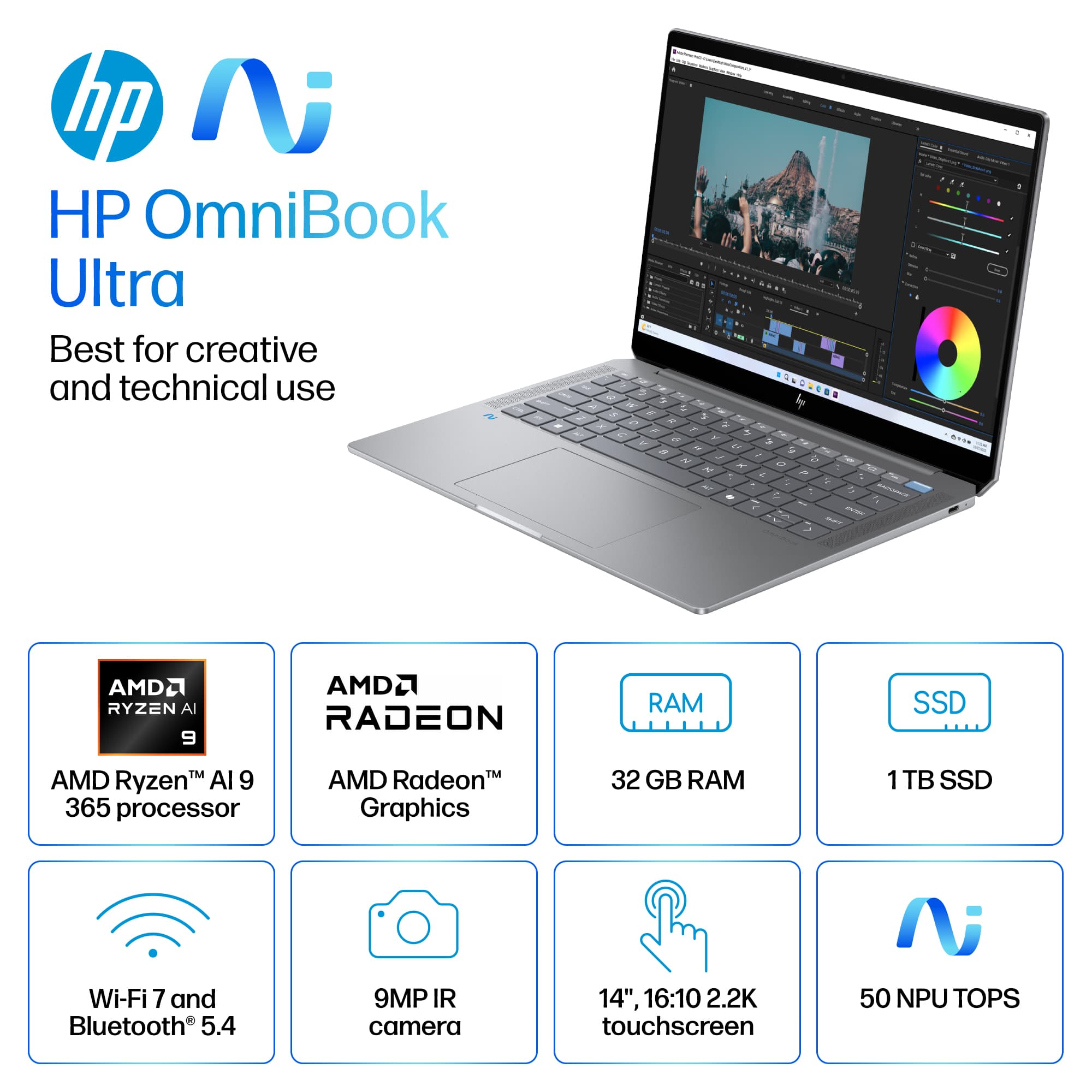
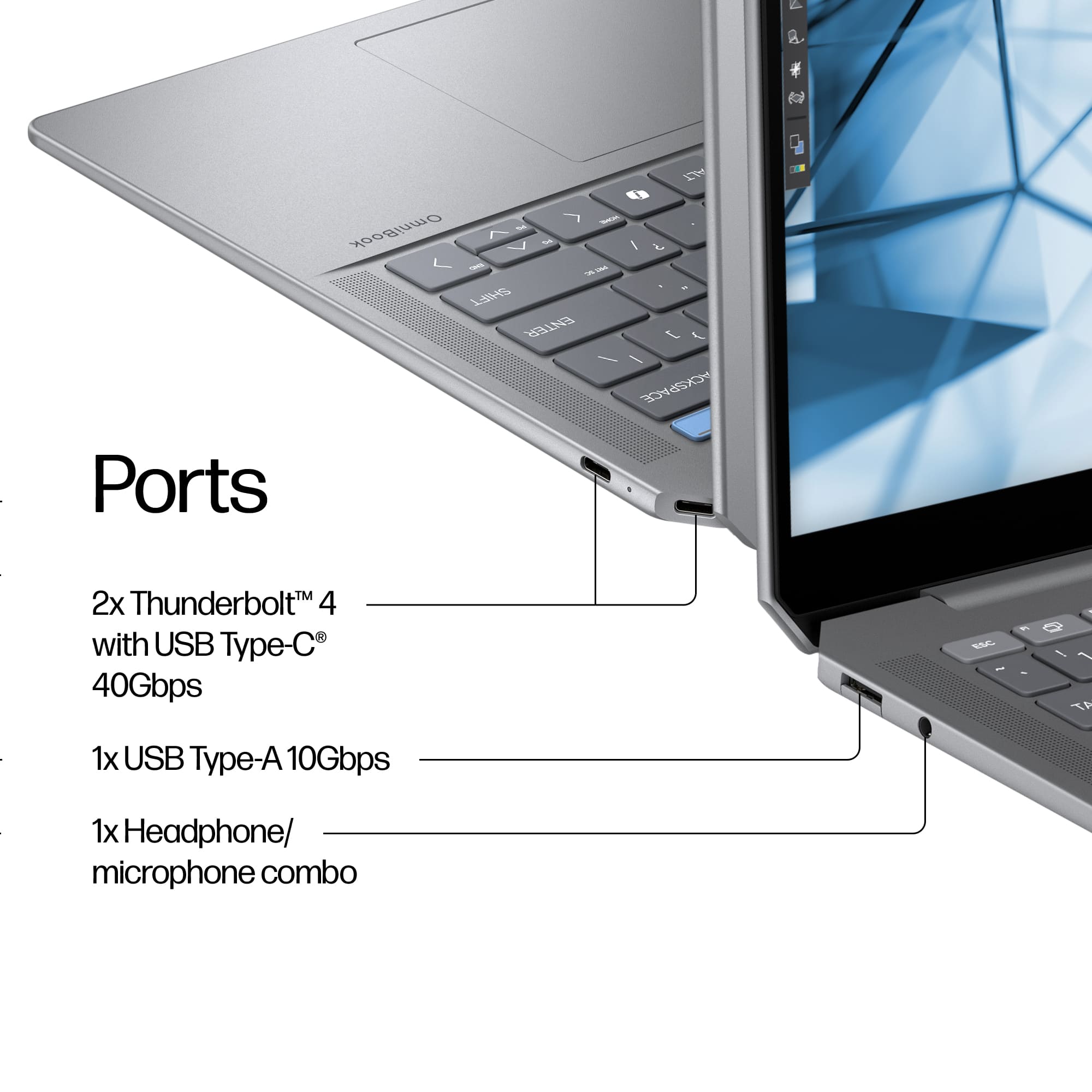
||Posted . Owned for 1 week when reviewed.This reviewer received promo considerations or sweepstakes entry for writing a review.The Specs - CPU - AMD Ryzen Ai 9 365 Processor (50 TOPs of NPU) Graphics - AMD Radeon 890M RAM - 32GB LPDDR5X running at 7500 MHz Display - 14” 2.2K (2240 x1400) ips display with a 16:10, 300 nits peak brightness, 60hz panel Storage - 1TB M.2 NVMe PCIe 4.0 SSD Network Communications - WiFi 7(802.11be) (2x2) + Bluetooth 5.4 Battery - 68WHrs, 4-cell Li-ion Ports - Right Side - 2 USB-C (40gbs) ports Left Side - 3.5mm headphone jack, USB-A (10gbs) The ports are sufficient but it would have been nice to have USB-C ports on both sides for versatility and I think HP should have included an HDMI port or SD card slot. Weight and Power brick - The unit comes in at approximately 3.4lbs (3.366lbs) and once you add the power brick, total weight is approximately 4lbs (4.002lbs). The power brick itself looks and feels like quality materials were used and gives you approximately 9ft 5in of distance from a power source. The cords are awesome and are perfect in my book. Feels nice, easily moveable, flexible and has a nice soft texture to it. Unboxing Experience - The HP box looked great and opening it was straightforward and efficient. The presentation of the laptop inside its box, the unwrapping, and the initial unveiling retained the natural excitement of receiving a new laptop and wanting to use it. The unit itself was light and felt well built. The unit did not have a slippery feel to it and had a more slightly textured aspect to the finish. Opening the laptop was a little stiff and would not fulfill a windows user's dream of one handed opening. First impressions - I like the laptop and think the size is perfect. Picking it up feels good and the laptop doesn’t really have any flex on the unit (screen, body, keyboard) and as its light, it's easy to grab with one hand to move to another location confidently. The keyboard and trackpad are great. The keys, to me, are a perfect blend between mushy and clicky and the layout is very comfortable. The letter print on the keys are big and look great. The trackpad is responsive and the clicking aspect is good. Overall, I’d label it above average and a great experience. System responsiveness is excellent. There are no complaints as the laptop is smooth. During everyday tasks such as opening and using office documents, surfing zillow for dream homes, checking in on facebook, and opening a ton of tabs in a web browser for comparison shopping, the laptop is a pleasure to use. Fans stay silent but the system can get slightly warm. During normal use with this laptop, you definitely can use it in any setting (counter, desk, on lap, on lap with pillow) without worrying too much about ventilation or excessive heat. Fans and heat can be a little loud if you do use the laptop for anything such as gaming or more intensive productivity tasks. The fans can be noticeable but not in an embarrassing way. Macbook users may raise an eyebrow at you in a library. Heat wise, you are looking at approximately 86F around the middle of the keyboard (T, Y, G, H, keys) while doing most tasks with approximately 31 decibels. In games or more taxing productivity tasks, those temps will hit around 101F or more with fans hitting around 36 decibels. The heat becomes a little noticeable on the keyboard after 5-10 minutes of intensive tasks. On the bottom of the unit, I registered 107F as a high which was around the center where the vent holes were. I ran CPU-Z stress test, and played Kingdom and Castles (a sim like game) and fan noise maxed out at around 46 decimals with temps registering the same high as before. The screen situation is its biggest let down. Why HP decided to release this awesome laptop but then intentionally cripple it with a poor display panel (2.2K at 300 nits) that has a 60Hz refresh rate is beyond me. Having one of choices would be okay but all three (lower resolution, low brightness, low refresh rate) I think is a tragedy. One might overlook this display issue but at this price point ($1500) the word dull or drab I think is appropriate when comparing what other manufactures offer. On a positive note, the screen is a touch screen The web camera quality is pretty good for a windows laptop I’d say. The image looked “enhanced” and you would still want to pay attention to angels and the light in the room in order to look your best. The audio quality is, I think, sufficient. In comparison mode you might think the sound being produced isn’t as good as it could be but it certainly isn't bad. There wasn't any battery drain during sleep mode when I tested it. There were a few times in which I’d close the lid overnight and come back in the morning and it was at the same percentage as I had left it at. HP did a fantastic job I think in that regard. For a battery test I ran basemark web 3.0 (full screen brightness, using the balanced plan and not altering any other system settings) to get a feel about how long this machine could last in more demanding situations. I got 4hrs. 27min. This obviously is a much more draining task than just doing light web browsing, listening to music and some productivity tasks. I was pretty surprised by the result and have no doubt that this laptop would easily make it all day with normal workloads. Also something I think is worth mentioning is that fact that the fans never kicked on during the test. I found the HP software a little bit on the bloated side. I counted at least 8 different HP branded software apps that perform some sort of functions and enhancements. It does offer an OMEN hub which I didn't care for but does offer some info on your system. Definitely not as good as something that Asus offers. In conclusion - This laptop is great and I really want to love it. I found myself liking it the more I used it. It has a perfect size, great keyboard and the power it has is fantastic. I was amazed that under load, the fans were not louder. I do find it really hard to shake the display choice HP went with. For a laptop, the screen in my book is very important and HP didn't seem to care about it. At $1499, I think there are some shortcomings when you compare this to other products. To name a few, you don't get great port selections, the power cord can only plug in on one side, the keyboard gets a bit warm during normal use and almost hot during intensive tasks and I am disappointed, mainly on principle, that HP didn’t offer a better screen for this laptop. Other than that, it is a great laptop in so many areas.
I would recommend this to a friend - Pros mentioned:Processor speed
Must consider before buying anything else
||Posted . Owned for 4 months when reviewed.This reviewer received promo considerations or sweepstakes entry for writing a review.Really loved the laptop, huge 2 in 1 fan for all of the obvious reasons, IT'S A BLAST what you can get done with the right side of your brain in laptop mode and then flip it into tablet mode and let loose your left brained imagination with that amazing large and reactive touch screen that is so graciously bright! You'll love the color display as well as the fact that a.i. is working throughout the entirety of the laptop like a personal assistant no matter what task you're attempting to get perfected. Processing speed is VERY FAST and maxed out my wifi internet company's broadband speeds around 456mbps and I only pay for 400 Mbps apeeds so it's entirely over clocking what I'm even supposed to be able to achieve when hardwired To the router with an Ethernet cord BUT, it does so over 5G Internet which is basically wifi, I can't even imagine how fast this laptop would run if I were actually hardwired in. It's a great buy and on sale you can't pass on it!
I would recommend this to a friend - Pros mentioned:Battery life, Keyboard quality
*Open Box* Omnibook
||Posted . Owned for 3 weeks when reviewed.This reviewer received promo considerations or sweepstakes entry for writing a review.I bought an Open Box. I love it so much. The screen is big, it has touch ID & face ID. The battery is good, the keyboard lights up. It has a slide where you can cover your camera. And most of all, it has huge storage. Very impressed with my purchase.
I would recommend this to a friend - Pros mentioned:Keyboard qualityCons mentioned:Ports
Sleek, Fast, Reliable – A Great Everyday Laptop
||Posted . Owned for 3 weeks when reviewed.This reviewer received promo considerations or sweepstakes entry for writing a review.I’ve been using this laptop for both work and personal tasks, and it has been outstanding. It’s sleek in design, super fast, and runs silently—perfect for staying focused throughout the day. The touchscreen is a big plus for me, as I prefer the flexibility and ease it offers. While it doesn’t come with a 10-key number pad (something to consider if you use one frequently), and it only has two USB ports, I’ve been using a multi-port adapter with no issues at all. Overall, this laptop checks all the boxes for my daily needs. Highly recommend if you’re looking for a modern, efficient machine that just works.
I would recommend this to a friend - Pros mentioned:Keyboard quality, Portability
Great value for sleek AI laptop for daily use
||Posted .This reviewer received promo considerations or sweepstakes entry for writing a review.Love this laptop. Super light and sleek. Great value for the price. Works great for daily tasks and basic-moderate content creation and image processing.
I would recommend this to a friend - Pros mentioned:Battery life
HP Omnibook Ai
||Posted . Owned for 1 month when reviewed.This reviewer received promo considerations or sweepstakes entry for writing a review.I've had the laptop for a few weeks now. Flawless so far. Very fast and efficient. Battery life is phenomenal, can't beat the price or Internals. So far it exceeds my expectations compared to the others. Would definitely recommend buying this laptop for school or editing.
I would recommend this to a friend - Pros mentioned:Battery life
The HP OmniBook Ultra PC 14 is one of HP’s
||Posted . Owned for 2 months when reviewed.This reviewer received promo considerations or sweepstakes entry for writing a review.Battery life: Around 12–15 hours (depends on display type and usage) • Charging: 65 W USB-C fast charging (50% in about 30 minutes).
I would recommend this to a friend Great Laptop
||Posted . Owned for 3 months when reviewed.This reviewer received promo considerations or sweepstakes entry for writing a review.This laptop is what I needed. The touchscreen is great and face security is a nice touch.
I would recommend this to a friendPlease feel the love of God do buy omnibook 14 ult
||Posted . Owned for 8 months when reviewed.This reviewer received promo considerations or sweepstakes entry for writing a review.Well this computer worked really great I loved it and it was really fast. But I don't know what happened and I totally crashed and fried and it was supposed to miserable experience I've ever had I got ripped off I feel like I ripped of bigg time!
No, I would not recommend this to a friend- Pros mentioned:Processor speed
Best laptop
||Posted . Owned for 1 month when reviewed.This reviewer received promo considerations or sweepstakes entry for writing a review.Best laptop I’ve had in years extremely fast and amazing
I would recommend this to a friend Love this one
||Posted .This reviewer received promo considerations or sweepstakes entry for writing a review.Awesome product. Bought this for my sister. ITs amazing.
I would recommend this to a friendMy Fave LapTop
||Posted . Owned for 2 weeks when reviewed.This reviewer received promo considerations or sweepstakes entry for writing a review.Easy to use, very user friendly Love how fast it is and how much memory it has
I would recommend this to a friendPerfect
||Posted .This reviewer received promo considerations or sweepstakes entry for writing a review.I love the laptop, excellent product, I totally recommend it
I would recommend this to a friend- Pros mentioned:Battery life, Keyboard quality, Processor speed

PERFORMACE MACHINE!!!
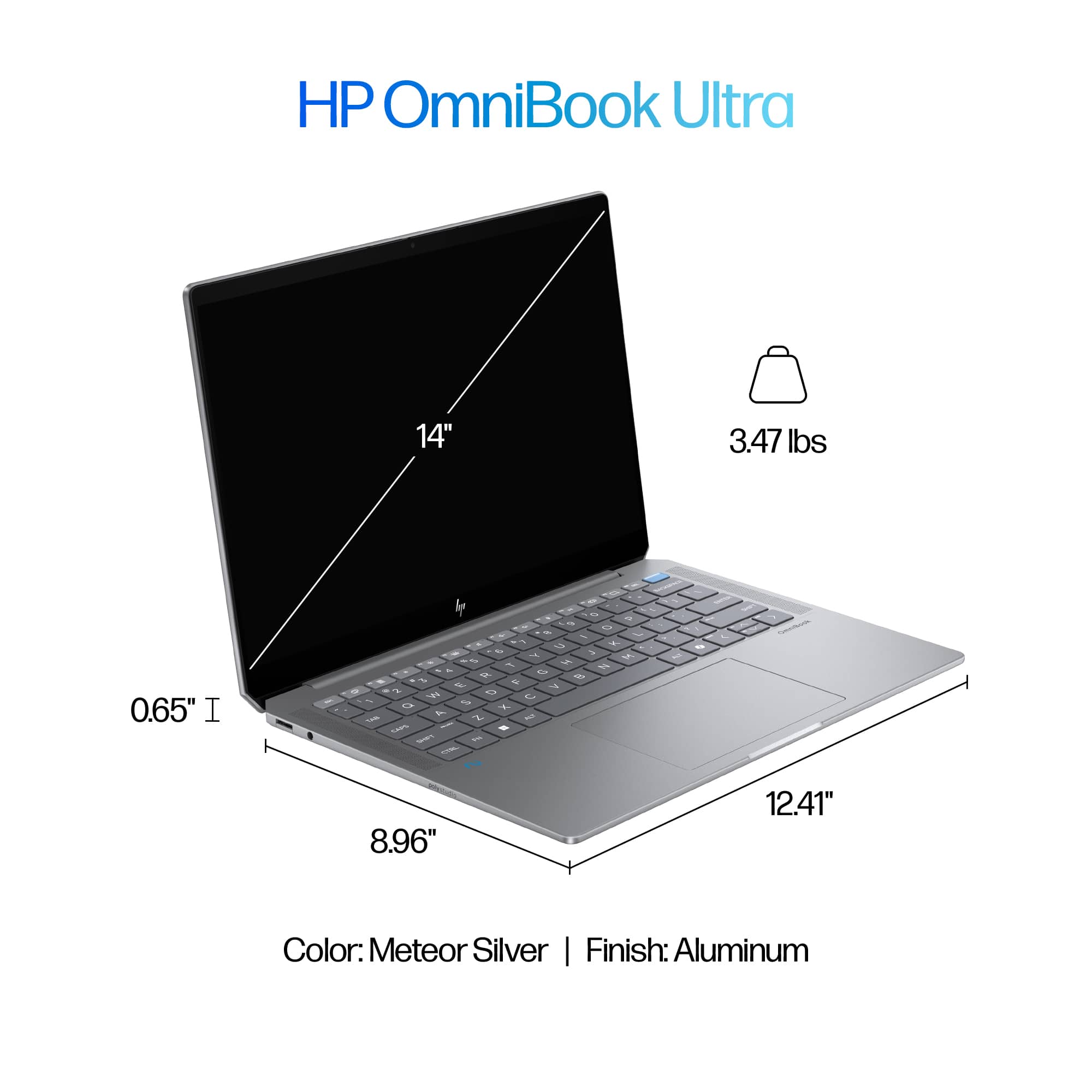
|Posted .This reviewer received promo considerations or sweepstakes entry for writing a review.I've had the opportunity to test out several high-performance laptops, and the HP OmniBook Ultra with Copilot stood its ground. I've been using the HP OmniBook Ultra for a few days now, and I'm thoroughly impressed. The powerful AMD Ryzen AI 9 365 processor, coupled with 32GB of RAM handles everything I throw at it with ease. Whether I'm editing high-resolution videos, running virtual machines, or simply browsing the web, the OmniBook Ultra held its own. So, let’s go over what the new OmniBook Ultra has to offer. CONFIGURATION AS TESTED: DISPLAY: 14 INCH 2.2K (2240 X 1400) IPS LED TOUCH SCREEN DISPLAY PROCESSOR: AMD RYZEN AI 9 365 APU RAM: 32GB ONBOARD LPDDRDX SDRAM STORAGE: 1TB SSD GRAPHICS: INTEGRATED AMD RADEON WLAN: WIFI 7 PORTS: 2 X THUNDERBOLT 4, 1 X USB-A 3.1, MIC/HEADPHONE JACK (COMBO) BUILD QUALITY: The OmniBook Ultra is not only powerful but also built incredibly well. The aluminum finish is exceptional, with a solid and sturdy construction that feels premium in the hand. The laptop is incredibly thin making it extremely portable coming in at .65 in thick, 12.41 wide and 8.96 deep and weighing in at about 3.47lbs making it easy to take with me wherever I go without feeling weighed down. DISPLAY: The 2.2K touch-screen display is amazing. The IPS LED screen ensures the colors are incredibly vibrant and accurate, making images and videos pop off the screen. The touch responsiveness is exceptional, making it a breeze to navigate through menus, scroll through documents, and interact with on-screen elements. PROCESOR: The AMD Ryzen AI 9 365 is an exceptional performing processor and in my experience has performed admirably even under heavy load. The Ryzen AI 9 features 10 CPU cores and operates at 2.0 GHz and can boost up to 5.0 GHz. Also, as the name suggests, the processor is optimized for AI workloads, making it ideal for tasks such as content creation, video editing or using AI enhanced applications. While this laptop is primarily geared towards productivity, it can handle some casual gaming, but I would not recommend running any graphics heavy games. BATTERY LIFE: The battery life on this is pretty impressive. While the exact figure depend on your usage, on a full charge I was looking at about 10 hours under normal usage. HP AI ASSISTANT (beta)/POLY STUDIO: The HP AI assistant comes preinstalled on the laptop, but you will need to create an account to start using the companion application. The HP AI companion can be used to find insights from your personal files, handle performance optimization of the laptop itself and help with pretty much anything else that you may need. Poly Studio is another application that comes with this laptop. This application is geared towards audio and video conferencing. The application offers AI noise cancellation and smart camera framing ensuring that you always stay in the frame even if you are moving around and also that you are heard and can hear clearly and is compatible with leading platforms such as Microsoft teams, Zoom and Google Meet. CONCLUSION: Overall, I'm extremely satisfied with the HP OmniBook Ultra. It's a powerful, portable, versatile, and well-built laptop that's perfect for pretty much everyone. Its performance, display and design make it the perfect performance machine for productivity
I would recommend this to a friend Very nice
||Posted . Owned for 1 month when reviewed.This reviewer received promo considerations or sweepstakes entry for writing a review.Value for money when on sale. Excellent performance for a 14inch laptop. Silent under low to medium loads. Comes at a cost, which it is slightly larger and heavier than most 14ich laptop
I would recommend this to a friendLaptop
||Posted . Owned for 5 months when reviewed.This reviewer received promo considerations or sweepstakes entry for writing a review.Works well for video editing and photo processing .
I would recommend this to a friendLaptop
||Posted . Owned for 2 weeks when reviewed.This reviewer received promo considerations or sweepstakes entry for writing a review.Excellent purchase, very nice, practical and easy to handle.
I would recommend this to a friend- Pros mentioned:Battery life, Keyboard quality, Portability
AI capable and ready for the future!
|Posted .This reviewer received promo considerations or sweepstakes entry for writing a review.I’m really enjoying the new HP OmniBook Ultra. This is a laptop that can totally change the way you work, with the AI tools available and its ability to use them efficiently with the new Ryzen AI 9 processor. This laptop really brings together power, portability, and the option of using next-gen AI for every day tasks. And once you start using AI for some things, you’ll want to use it for everything! The laptop arrived in a sturdy clamshell style cardboard box. As soon as I took this out of the box, I was impressed by the sleek and sturdy, aluminum chassis. At just 0.65 inches thick and weighing under 3.5 lbs, it’s truly portable and can be taken with you anywhere without feeling like you're lugging around a heavy laptop. The "Meteor Silver" finish is really nice and impressively, it does a good job of mitigating fingerprints better than most other laptops. The finish keeps it looking clean and I really like that, since I”m that guy always wiping fingerprints off of my tech. Combine the thin and modern design, with the sleek finish and quality materials, and the HP OmniBook Ultra has that premium quality feel I always look for in a laptop. Another thing is that the lid on this has a magnetic snap close that you can feel within the last half inch of closing it. This ensures that the lid is less likely to pop open if the laptop is dropped. I’m very impressed by the performance of this laptop. The AMD Ryzen AI 9 processor and 32GB of RAM work to improve the speed and efficacy at which I can perform my daily tasks. I can multitask with spreadsheets, video editing software, and have several browser tabs open, while streaming a 4k video, all at once with no problem at all. The processor is super fast and snappy, allowing me to get through my daily tasks without any lag. It’s also equipped with an integrated Radeon 880M graphics card, which, while not built for hardcore gaming, can handle some light gaming and the graphics work smoothly. If you are somebody who does a lot of heavy gaming, this probably isn’t the best laptop for you. I did test it with a few less demanding games, and it has decent frame rates and gameplay, and looks great on the screen. The 14-inch 2.2K display is nice and looks really good. The high-resolution screen is ideal for watching videos, editing photos, and working on detailed documents. I make a lot of AI generated artwork and videos, and all the images I’ve been creating look beautiful on this screen. Sure, there are better screens on the market, but given that this one is touchscreen, it looks pretty dang great! The colors are rich and vibrant, and the IPS touchscreen is a welcome feature. The touch interface is responsive, making it easier to scroll through documents or switch between apps by using the screen. The only minor drawback is the glossy finish, which can cause glare in certain lighting, but that’s nothing new and if you reposition yourself, it can be easily fixed. I also wish the screen got a little brighter, but then again, maybe it’s better for my eyes that it doesn't. The 100% sRGB coverage ensures that every color is vibrant and true to life, which is important for me since I do create a lot of AI generated art and video content. Beyond just looking great and having premium specs, this laptop is also designed for convenience. The backlit keyboard is comfortable to type on for hours at a time, the keys feel smooth and are very responsive. The trackpad is the perfect size! And it adds to the smooth user experience. It’s large enough that I have no issues using it without needing a mouse, and I’m somebody with large hands. Another great feature that HP included is integrating the fingerprint scanner into the power button, which isn’t necessarily something new, but it’s something that all laptop makers should do. The USB-C and Thunderbolt 4 ports provide fast data transfer and the ability to connect external displays without any issues. And I love that HP put one of the ports in the back corner of the laptop so that I can charge it, while it’s on my lap, sitting with my legs crossed on the couch, without my thigh nudging and bumping against the cable, which weakens the port and cable over time. It’s small features like this that let you know HP designers truly put a lot of thought into how people will use this laptop. The battery life is better than what I was expecting. So far I seem to be getting 8-9 hours on a single charge. I think that’s perfect for someone who works on the go, or to use when traveling. You can rely on the battery to last through any work meetings, AI creation and editing sessions, and even casual web browsing without worrying too much about finding an outlet. And when it’s time to charge, HP’s Fast Charge technology brings the battery back to 50% in just 45 minutes, which is amazing. Speaking of charging, the charging cord that comes with this laptop is equally lightweight, and well designed, with a fabric wrapped cable that feels like a step above most other charging cables. As for the AI capabilities, HP has done an impressive job integrating AI tools with Windows Copilot. I’m still getting used to how they all work on this laptop, to be honest, but I’m getting the hang of it and I can see how this is really going to improve my workflow. While some of these features are still evolving, the potential here is very exciting. I’ve tried out HP’s AI Companion, which uses AI to help search for files and assist with productivity tasks. It’s still in Beta, and does have some small issues to work out, but overall I think this is going to be a huge help for me going forward, once they get all the kinks ironed out. Poly Studio audio is also included and it adds another level to the virtual meeting experience, with noise cancellation and smart camera framing that works to make video calls feel more professional. I also love the security features this laptop offers. Beyond the fingerprint reader, the presence detection sensor locks the laptop automatically when I step away and it wakes it up when I return, giving me peace of mind that my work is secure when I’m not at my desk and helping to maximize the battery life. Overall, the HP OmniBook Ultra is a versatile, next gen laptop with everything I need to improve my daily grind. With its high-end performance, premium design, and AI-enhanced features, it’s perfect for professionals, students, and creatives alike. While the AI software still has some room to grow, the hardware is well-prepared for what’s to come. And for any AI programs I download to run locally. If you’re looking for something reliable that can handle a demanding workload and offer a smooth, vibrant display, and is also ready for the world of AI, look no further than this laptop. I think you’re going to love it as much as I do.
I would recommend this to a friend HP Omnibook Ultra
||Posted .This reviewer received promo considerations or sweepstakes entry for writing a review.Bought this laptop on February 2025, started using from April for my online class. Suddenly, it started showing vertical lines in the display. Unable to return it at best buy due to its window period. Contacted HP. Unable to resolve through troubleshooting. Case escalated to the case manager however, case managers not really helpful she got stuck to her point that it’s oqver 30 days of purchase and Customers got to pay for any repairments if needed although HP has given warranty for a year. Also, it shows that warranty started from September 2024 although I only bought it on February 2025.
No, I would not recommend this to a friend- Pros mentioned:Keyboard quality, Portability, Processor speedCons mentioned:Ports
Perfect for Traveling Productivity, Forget AI
|Posted .This reviewer received promo considerations or sweepstakes entry for writing a review.I needed a powerful travel laptop that wasn’t a gaming one but could crank out some technical workloads. I specifically needed one with plenty of RAM and a Core that could handle AI tasks locally. That is where I narrowed in on the HP OmniBook Ultra 14, as it came weighing in under 3.5lbs yet had one of the new AMD AI cores and 32GB of RAM. It checked all my boxes, so I picked it up. Pros: - Thin and Light. - Powerful as hell. - Cranks through AI task. Cons: - Only 2 USB-C ports. - Battery Life is 8-10 hours depending on use. - IPS instead of OLED. Unpacking and Setup: Unpacking was simple, HP has been making great choices in packaging with reduced waste and recycled materials. The laptop is in a soft cloth like sleeve, with the power adapter under a paper card of the standard HP instructions and offers. Windows 11 setup was uneventful if you’ve done a windows setup recently, no issues and the normal annoyances of OneDrive trying to download everything on setup. HP includes some preinstalled apps as usual, though the only one I take issue with is McAfee, so that was uninstalled first. The OmniBook Ultra 14 was surprisingly up to date on all firmware changes when I received it. Design and Features: The design of the OmniBook Ultra 14 keeps the design of prior OmniBooks, an all-aluminum chassis that looks sleek and professional with simple HP Logo. A small difference is the back corners are angled, instead of being rounded, with one USB-C port on the back right side. The port count is on the low side with only 2xUSB-C plugs, a compact ethernet port, and a combo Audio jack. I like the move away from using USB-A ports, as USB-C are so much better and more versatile, but it would have been nice to have 1 more USB-C port. HP included the Poly Studio audio solution, which supposedly uses AI to help deliver clearer audio. I must admit the speakers do sound better than your average professional laptop, more on par with what I would expect from a Gaming focused laptop. But they are still laptop speakers and distort at high volumes, not to mention cause the laptop keyboard to vibrate when above 70% volume. Though I found the speakers worked perfectly for meetings and light listening to music or videos. The 2.2K resolution touchscreen is crystal clear and very responsive. I would’ve loved to see an OLED screen used here instead, but I can understand the choice to keep the cost down and battery life up on a productivity focused device. The included 9MP face camera looks great and handles low light situations well. Plus, when paired with the HP Enhanced Lighting app, this makes for a great device for anyone who spends most of their meeting time with the camera on. Specs: Hardware specifications wise, the OmniBook Ultra 14 does not disappoint at all. The brand-new AMD AI 9 365 is a 10-core, 20-thread monster CPU, paired with a 50 TOPS NPU to handle any AI related tasks you can throw at it. Having 32GB of RAM enables all this power to be taken advantage of, allowing you to run multiple applications without concern of performance issues. All this fits inside at under 3.5lbs and only 0.65in thick, which lands this laptop right into the Thin-and-Light class of laptops. This makes it a perfect companion for any professional on the go or traveling between client, office, and home. Performance: The OmniBook Ultra 14 handled everyday tasks like email, web browsing, and videos with ease. I ran a normal workday scenario for me using Microsoft 365 apps (4+ Excels, 2-3 PowerPoints, Outlook with tons of emails opened, and Teams eating up 8GB of RAM), without it really breaking a sweat. I have to say, I am very impressed. I tried out some gaming, to see how the Radeon 880M integrated graphics faired and was pleasantly impressed again. This isn’t going to crank out those high frame rates on triple AAA titles, but it’s a professional productivity laptop that can easily handle light gaming. I was able to run vampire survivors with no issues, even when cranking up the enemy counts, I had zero lag or issues seeing the screen. Fortnite was another that played alright at medium settings, though the built in screen only has a refresh rate of 60 frames per second, which it was able to maintain with ease on medium settings. Overall, gaming should not be a focus here, but it does show that integrated graphics on these new CPUs will handle graphics intensive tasks well. Upgradeability: As is the trend these days, the only upgradability on this laptop are the M.2 SSD and Wireless card. At least you have the option to upgrade the storage in the future if you want, but that will require a copy over or clean install as there is only 1 M.2 slot. RAM is soldiered on, so buy it with at least 32GB or you will regret it in a few years. AI & CoPilot+: The AI features were still lackluster, but that is more a software thing and depending on what you use it for. I was able to use CoPilot to generate a few letters and documents for me, which I found to be quicker and more responsive compared to an older PC running the same kinds of tasks. But I think the biggest benefit here for AI is the sheer power of this machine compared to the baseline specs required for CoPilot+, the Omnibook Ultra 14 has at least double the minimum RAM, and 4x the required storage not to mention the new AMD core. Overall, don’t buy this for the AI features yet or you will be disappointed. That is not because of the device at all, but because the AI features available are not measurably better on this PC compared to any other PC currently available. Conclusion: If you ignore the AI focus of CoPilot, the HP OmniBook Ultra 14 is an amazing professional laptop that can handle any workload you throw at it while being thin and light for daily travel. With the new AMD Radeon integrated graphics, you can even enjoy some light gaming or visual design work without needing a bulky gaming laptop. I’m excited to recommend the OmniBook Ultra 14 as a perfect laptop for productivity or office work, but I’m still waiting for all these AI features to mature for general usefulness.
I would recommend this to a friend