Customer Ratings & Reviews

- Model:
- HD4101BUGL
- SKU:
- 6622415
Rating by feature
- Value
Rating 4.7 out of 5 stars
- Quality
Rating 4.7 out of 5 stars
- Ease of Use
Rating 4.8 out of 5 stars
Customers are saying
Customers express satisfaction with the HyperDrive Flex 5 Port USB-C Hub's overall performance, connectivity, and portability. Users appreciate the port selection and power delivery capabilities. Some customers have noted that the light indicator is always on when plugged into a computer.
This summary was generated by AI based on customer reviews.
- Pros mentioned:Overall performance, Power delivery
LG hub
||Posted .This reviewer received promo considerations or sweepstakes entry for writing a review.This hub works great for me because it doesn’t require an external power adapter.
I would recommend this to a friend - Pros mentioned:Connectivity
Very useful adapter.
||Posted .This reviewer received promo considerations or sweepstakes entry for writing a review.This is multiport adapter is definitely an affordable addition to connect my laptop to monitor. I also like how it lights up after it’s connected.
I would recommend this to a friend The best adapter
||Posted . Owned for 1 week when reviewed.This reviewer received promo considerations or sweepstakes entry for writing a review.This adapter is the best one I’ve ever bought it let me connect by HDMI,
I would recommend this to a friendGreat product
||Posted . Owned for 2 weeks when reviewed.This reviewer received promo considerations or sweepstakes entry for writing a review.Looks just like picture on box. Works really good. Yes i will recommend this product. I will be buying more.
I would recommend this to a friendPlug and Go
||Posted . Owned for 1 month when reviewed.This reviewer received promo considerations or sweepstakes entry for writing a review.Super easy to use. Exactly what I needed for my Mac Mini Split Screen setup.
I would recommend this to a friendGreat peripheral
||Posted . Owned for 2 weeks when reviewed.This reviewer received promo considerations or sweepstakes entry for writing a review.Just what I needed. Apple didn’t provide enough connection ports.
I would recommend this to a friendSo far, so good
||Posted .This reviewer received promo considerations or sweepstakes entry for writing a review.Since my laptop has only one USB-C port, I'm using the HDMI and extra USB-C ports. Helps to unclutter what's plugged into the laptop.
I would recommend this to a friend- Pros mentioned:Connectivity, Overall performance, Port selection

Warp Speed Ahead for All Your Peripheral Needs
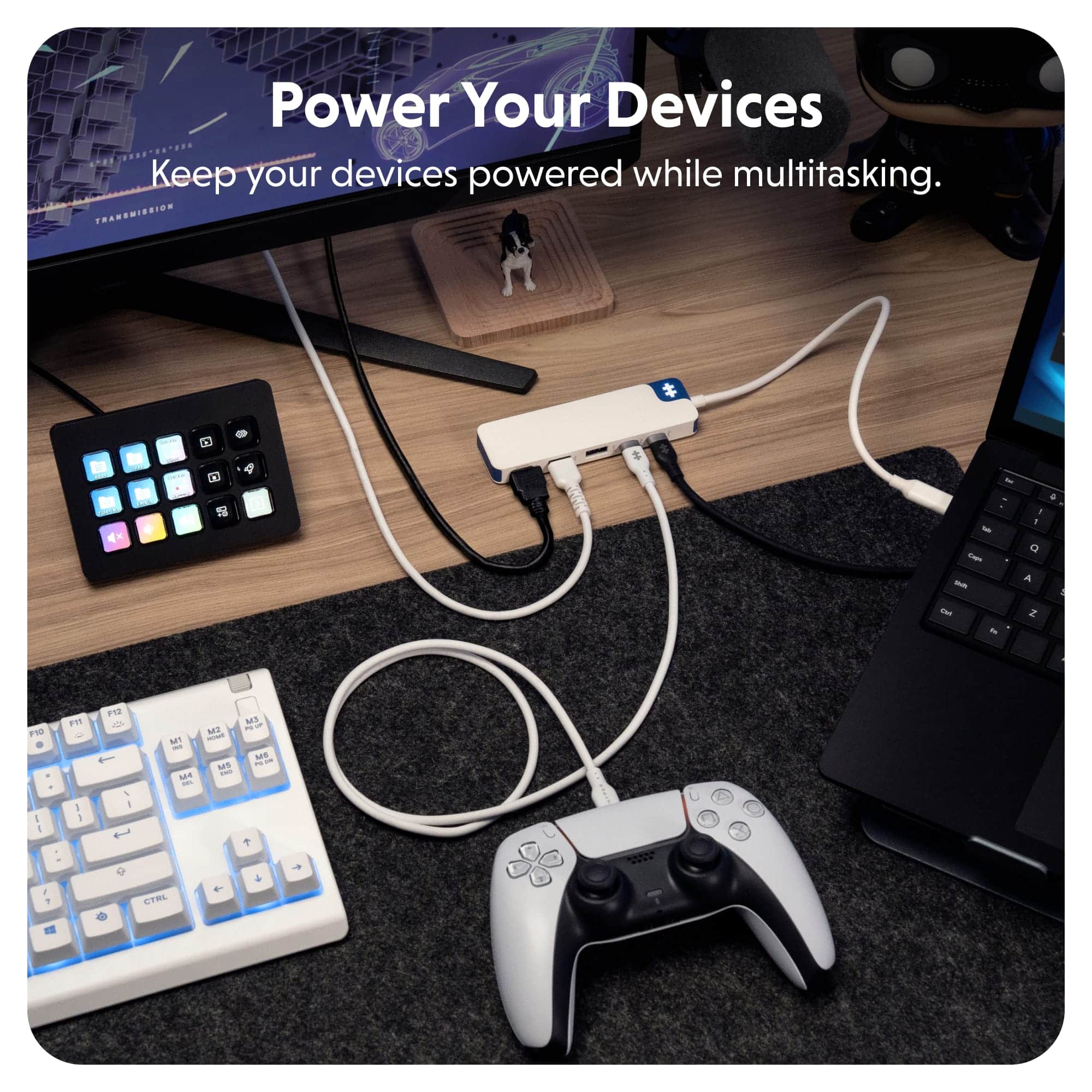
|Posted .This reviewer received promo considerations or sweepstakes entry for writing a review.HyperDrive Flex 5 Port USB-C Hub is a convenient way to add more peripherals to laptops and tablets that are limited to one or two USB-C ports. With the Flex 5, I could easily hook up my tablets, Chromebook, or PC laptop to a keyboard, mouse, USB-C headphones, and a monitor all while powering the device. The experience was flawless. Experience: Power pass-through and HDMI video were extremely easy to use. Users will need to make sure that the passthrough will supply enough power for their individual PC or tablet, but it worked with my devices fine. There is an HDMI port on the Flex 5. Display via HDMI is capped to 30FPS at 4K. I was able to get it to 120hz in 1080P but features like Nvidia G*Sync did not work for me with the adapter attached. Also, audio did transfer via HDMI in addition to the video. My only real “Con” to the device is that the lit-up logo is a bit bright. Conclusion: A solid hub. It never got hot in my experience. It works as expected and advertised. It is truly a plug and play hub that worked for me with a variety of devices. 5/5 Recommended.
I would recommend this to a friendBrand response from Hyper_Bicycle_Expert
Posted .Hi, Thank you so much for the 5 star review and feedback on the Hyper Port USB-C Hub. If you need anything in the future do not hesitate to contact us. Many thanks Diane

- Pros mentioned:Port selection, Portability, Power deliveryCons mentioned:Indicator light
Compact 4 port hub with HDMI 1.4 port
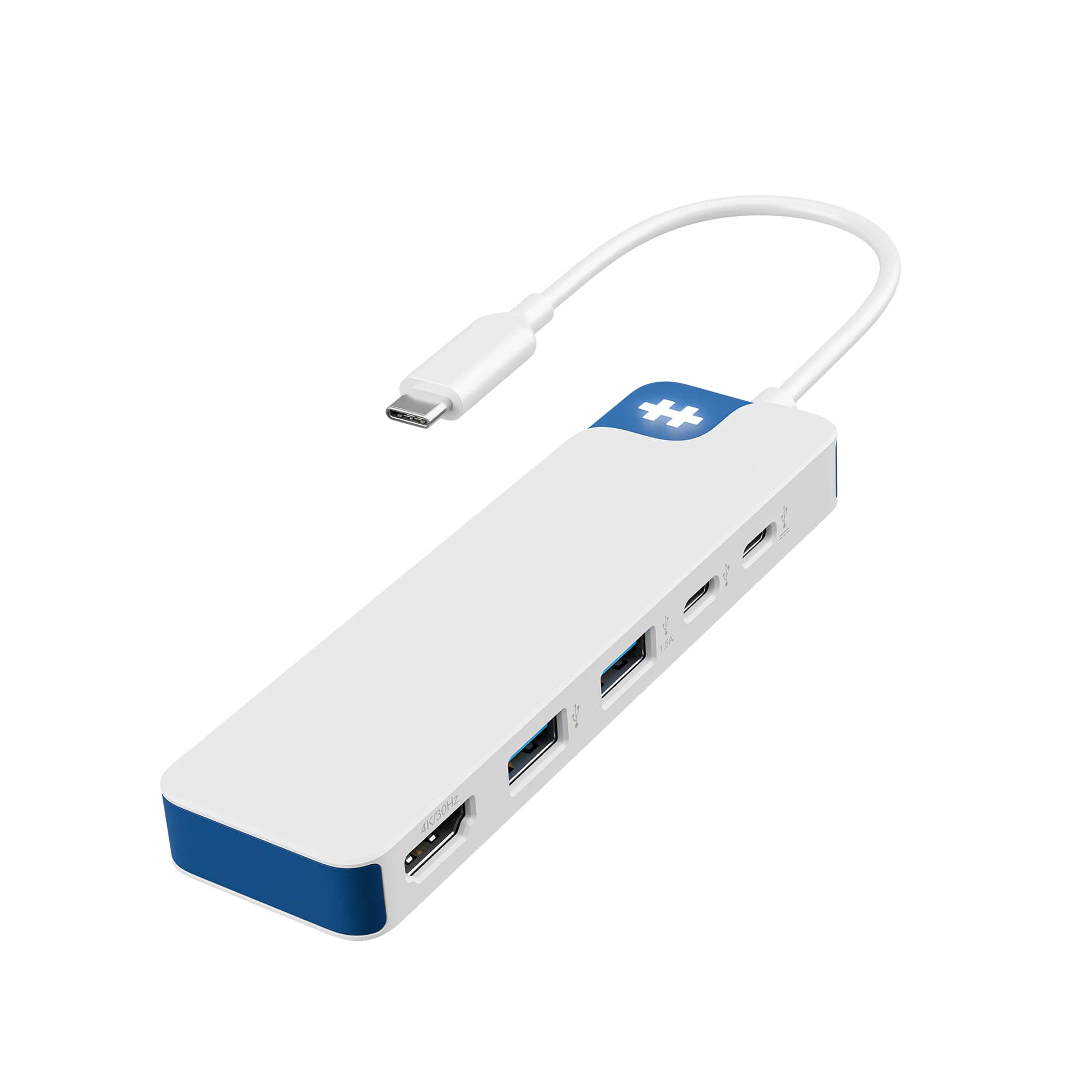
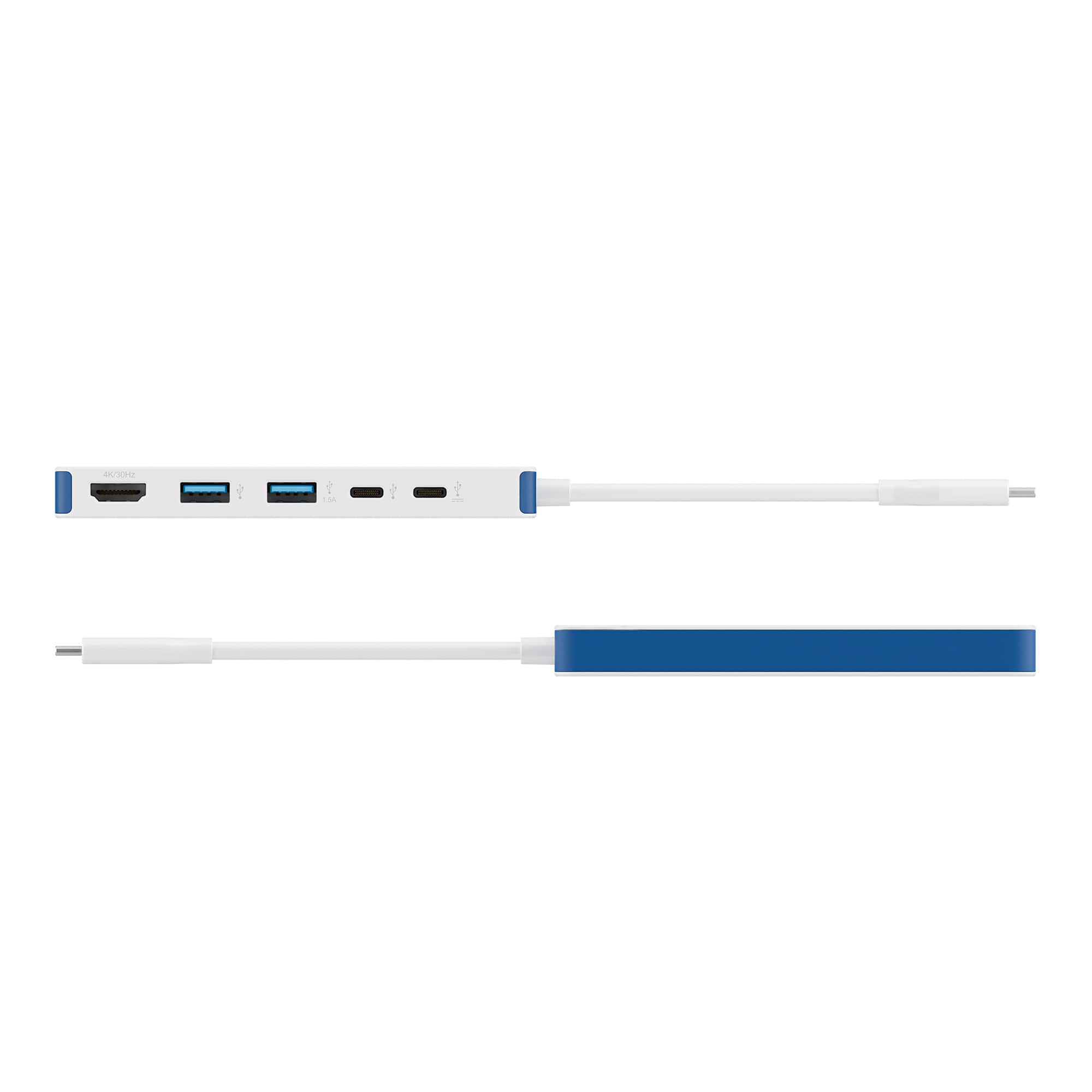
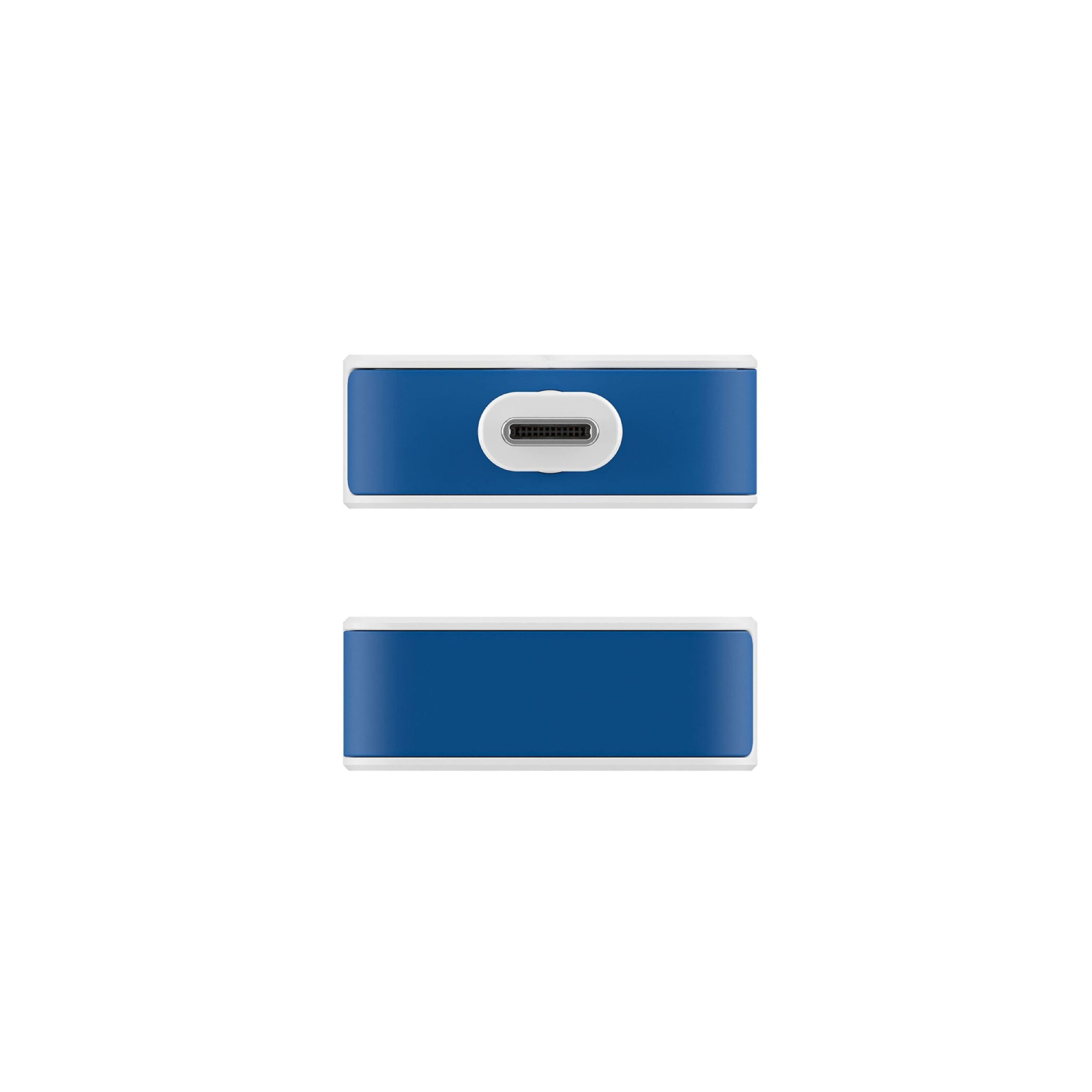
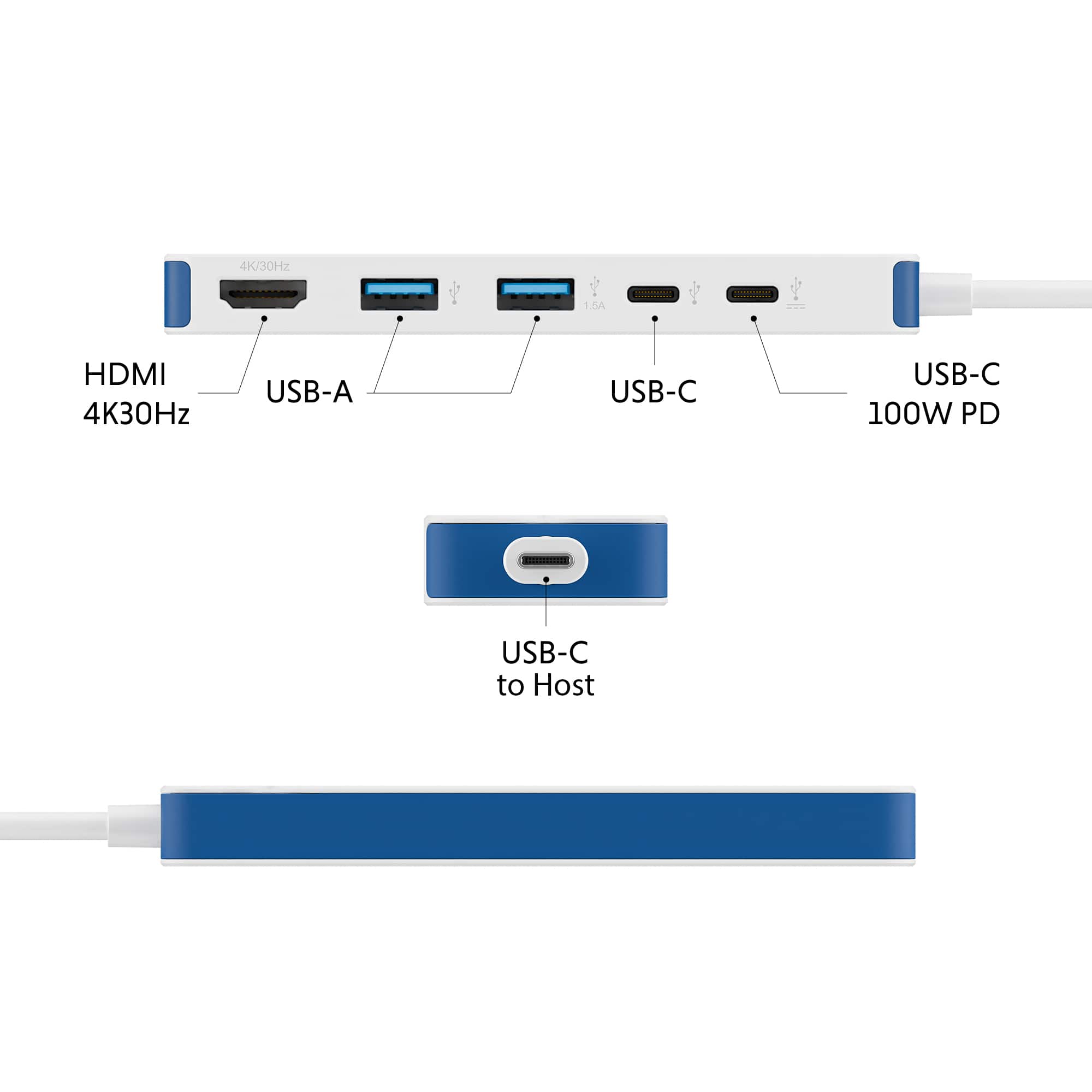
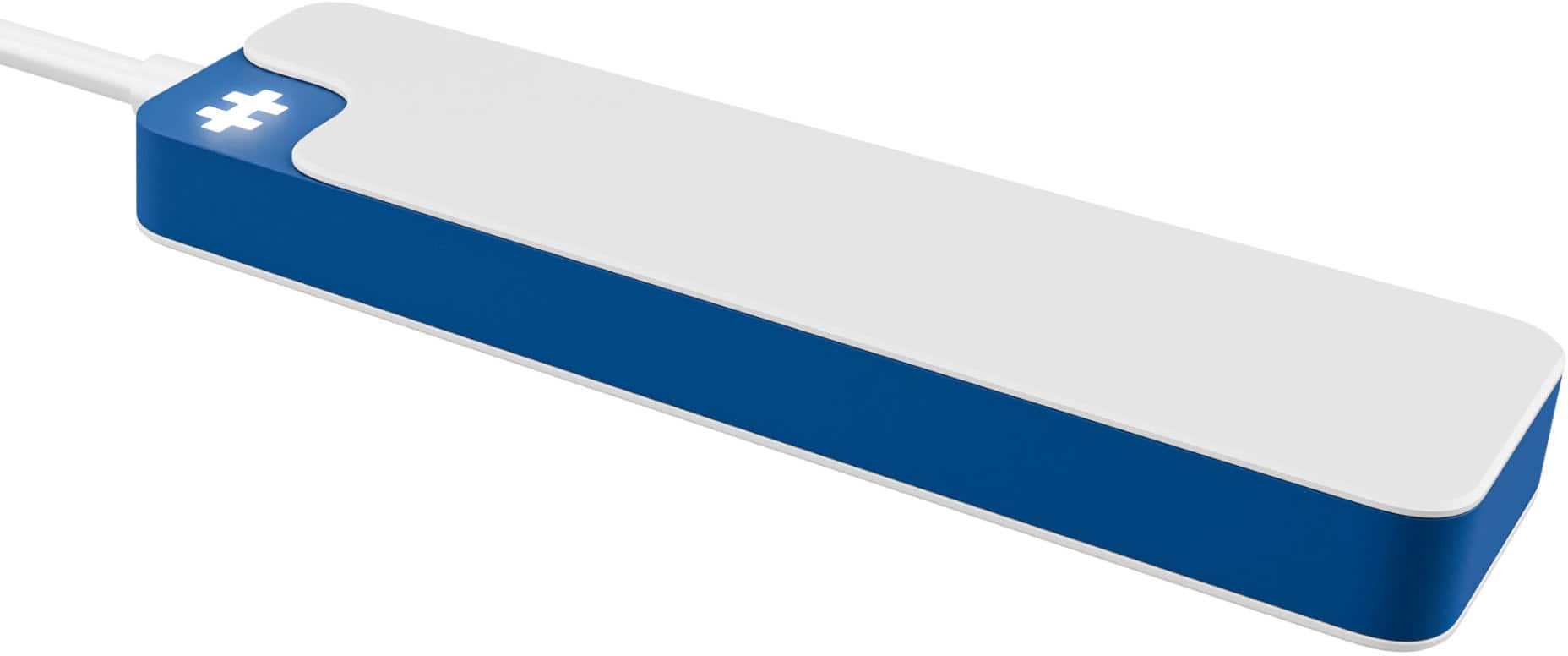
|Posted .This reviewer received promo considerations or sweepstakes entry for writing a review.HyperDrive Flex 5 Port USB-C Hub The HyperDrive Flex 5 Port USB-C Hub is pretty straightforward; it has an HDMI 1.4 that supports a 4K 30Hz Display, two USB-A 3.2 Gen 1 5 Gbps, a USB-C 32 Gen 1 5 Gbps, and a USB-C Gen 1 5 Gbps that is 100W power passthrough with a USB-C 3.2 Gen 1 15 Gbps to host pass through with a 6In cord on one end, which supports up to 85W. It is small and lightweight, weighing only 0.22 lbs. It is housed in a plastic case with a logo that lights up when the device is active. The device hooks up to your computer's USB-C port and requires no additional device drivers. I could have all the ports occupied with a mouse, keyboard, USB-C thumb drive, and hook the HDMI port to an external monitor while charging a small device on the pass-through USB-C port. I didn’t notice any degradation in transfer to the thumb drive while using all the ports. The device remained cool, and the ports have enough space to accommodate most standard plug sizes. The only thing I would have changed was the light-up logo, as I would prefer a small LED to indicate functionality instead of this bright, off-white logo. My solution was to flip it upside down, which is easy since the Main USB-C connection is multi-positional.
I would recommend this to a friendBrand response from Hyper_Bicycle_Expert
Posted .Hi, Thank you so much for the review and feedback on the Hyper Port USB-C Hub. If you need anything in the future do not hesitate to contact us. Many thanks Diane
- Pros mentioned:Connectivity, Port selection, Portability
Great compact USB-C hub
|Posted .This reviewer received promo considerations or sweepstakes entry for writing a review.The HyperDrive Flex 5 port USB-C hub is extremely compact and perfectly suited for mobile use. The small size makes this unit ideal for travel or just working from home with a laptop. It has 1 HDMI port, 2 USB-A ports, and 2 USB-C ports, one of which can also be used as 100w power port. I have been using this hub for a week with hardly any issues at all. Transfers from portable drives are fast and trouble free, and other USB devices work flawlessly. The USB-C charging port has also worked without a hitch. The only issue I had initially was with the HDMI port; I couldn't get the max resolution of 4k to even be recognized as an option for an external 4k monitor. I'm not sure what caused this, or what I did to resolve the problem. On the 3rd or 4th attempt at reconnecting the HDMI cable, the problem disappeared and I haven't been able to replicate it. The 4k @30Hz is fine for my work environment; the display is crisp, bright, and fully functional. Overall, I think this is a great product for anyone needing a hub with a small footprint.
I would recommend this to a friendBrand response from Hyper_Bicycle_Expert
Posted .Hi, Thank you so much for the 5 star review and feedback on the Hyper Port USB-C Hub. If you need anything in the future do not hesitate to contact us. Many thanks Diane
- Pros mentioned:Connectivity, Overall performance, Port selection
Easy expansion and connection
|Posted .This reviewer received promo considerations or sweepstakes entry for writing a review.For anyone who uses a laptop and needs to connect up more devices that you have ports for, this little gem is a lifesaver. Need to connect up to an HDMI monitor? There's a port for that and it is listed at 4K/30Hz! Not bad for what I would consider a mini mobile hub. Plus you have two USB-A 3.2 ports and two USB-C ports. One of the USB-C ports supports charging power up to 100Ws. So you could actually charge many laptops or tablets with ease with the right power source. The unit is very compact and lightweight, easily going into a backpack or briefcase. The cord is just a little over12 inches long allowing for flexibility in connecting to a power source. I was able to connect two different monitors, one portable and a standard HDMI monitor and all worked as expected. I also connected an external drive to see if there was any drop off in performance and I did notice any change in performance. I now have an easy and convenient way to get my devices connected with I'm both in the office and working away.
I would recommend this to a friendBrand response from Hyper_Bicycle_Expert
Posted .Hi, Thank you so much for the 5 star review and feedback on the Hyper Port USB-C Hub. If you need anything in the future do not hesitate to contact us. Many thanks Diane
- Pros mentioned:Overall performance, Power delivery
Nice entry USB/HDMI hub.
|Posted .This reviewer received promo considerations or sweepstakes entry for writing a review.Starting off, this is my first extension type dongle for a PC device. My end goal was to free up USB ports past the default 2x USB-A that I have dedicated on the laptop itself. Happy to say this solved my situation via laptop as I can now plug in a total of 4x USB-A and also have access to 2x USB-C from the single lightning port. Can now use TYPE-A Mouse, Keyboard, Speakers and Headset without moving stuff around. PROS: - Seems very well built. I don't know much about Hyper as a company, but it seems they're related to Targus international which I do like. - Everything seems to operate correctly as intended. - 100W max PD passthrough through 1/2 of the type C ports. - Great color scheme if you like blue and white. CONS: - A little pricey relative to some competitor options with same layout. - 4K/30hz max resolution out HDMI (Not a con for me per say, but it's likely a limitation of the 5Gbps spec on dongle). NEUTRAL: - "++" LED is bright in a dark room. Not really a pro or con depending on the individual, just something to note. I'm not using the HDMI output, but can confirm it does 4k/30hz. My laptop has a native full-size HDMI 2.1 which I tested with a 240hz 4K OLED gaming monitor (DSC).. so it's a bit redundant for me to use. OVERALL: It's hard to really fault. I could complain that there are more cost effective options, but I haven't tried those to make that comparison. I would have liked to see 6 total ports via an extra type-A or type-C, but there might be limitations to the dongle hardware itself. Solid device otherwise.
I would recommend this to a friendBrand response from Hyper_Bicycle_Expert
Posted .Hi, Thank you so much for the 5 star review and feedback on the Hyper Port USB-C Hub. If you need anything in the future do not hesitate to contact us. Many thanks Diane
- Pros mentioned:Connectivity, Portability
A very basic but good extension hub
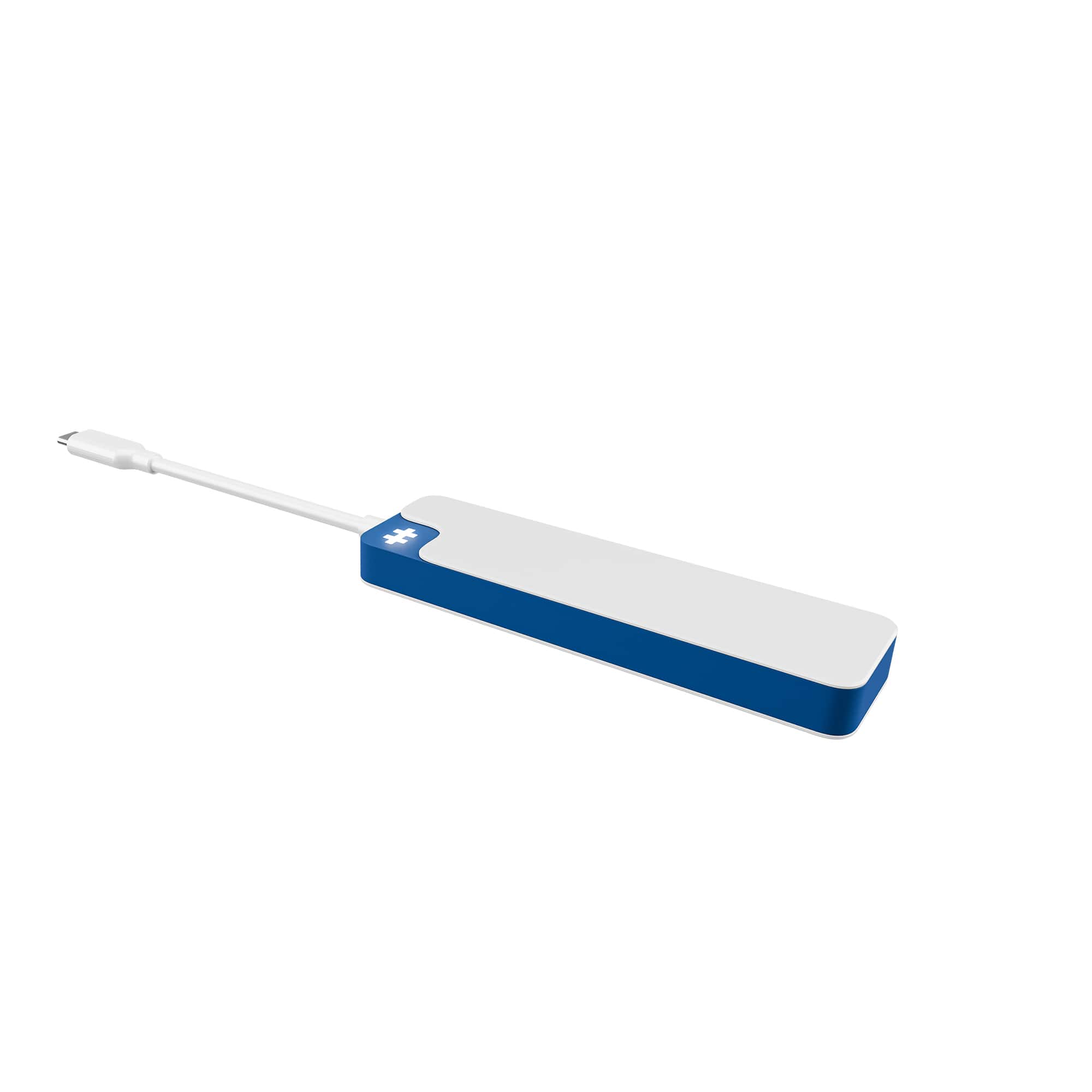
|Posted .This reviewer received promo considerations or sweepstakes entry for writing a review.Laptops are getting thinner, lighter, and smaller. While this is great for portability, it comes at an expense – they are starting to reduce the number of ports and drives there are on them, sometimes leaving you with not enough ports to run your external devices. That when you need something like the Hyperdrive Flex Hub. In this case, it’s their 5 port USB-C hub, but there are other variations available. This will work on Windows, Mac, or Chrome devices. No drivers are needed as it’s plug-and-play. I’ll call this one the Hyperdrive 5 Hub. In this case, you have a small and light device that’s just under 5 inches long by just under 1.5 inches wide. On one end you have a short USB-C cable that you use to plug it into a USB-C port on your laptop (or desktop if needed), and the Hyperdrive then will give you 5 more ports. Two USB-C ports (one of which can be powered), Two older style USB-A ports, and a HDMI port for an external monitor if you want. If your computer’s port is powered, it will draw it’s power for your peripherals from that. If not, you can plus an A/C adapter and USB-C cable into the powered USB-C port on the 5 hub, and this will provide power for your devices. A hashtag-type symbol in the corner will light up when it’s getting power. The hub may get slightly warm if you are using something that draws more power for longer periods of time, but so far, it hasn’t got hot or anything to be concerned about in my use. Should you want to use an external monitor, it will support up to a 4K, 30Hz display. What your computer can handle factors into this. The other ports can handle your USB thumb drives, external hard drives, even a printer, or scanner, etc. Again, compatibility and use will depend on whether you have the Hyperdrive 5 Hub plugged into a properly powered port on your computer, and if not, if you are using up to a 100watt power cable directly into the hub itself. I’ve had no problems with compatibility for any devices, myself. I’ve used this on an upper midrange laptop as well as a much less powerful entry level model, and my devices have worked just fine. Observations: I think this is fine for very basic port extension needs. It’s certainly affordable, and extends the number of devices you can use. Keep in mind though, you MAY have to use the powered USB-C port, and if so, you have reduced the available C-port back to 1. In my opinion, if you need more than just the basics, perhaps seek out the Hyperdrive models that offer 7 or more ports, as you’ll be able to find models that have a SD memory card reader and perhaps more C-ports as well. I still give the 5 Hub a recommendation for the basic, though.
I would recommend this to a friendBrand response from Hyper_Bicycle_Expert
Posted .Hi, Thank you so much for the review and feedback on the Hyper Port USB-C Hub. If you need anything in the future do not hesitate to contact us. Many thanks Diane
- Pros mentioned:Overall performance, Port selection
Great addition to my setup!
|Posted .This reviewer received promo considerations or sweepstakes entry for writing a review.This HyperDrive 5 port hub was a great addition to my setup! (mainly used on PC) First off from a design standpoint it looks pretty sleek in white (won’t collect dust as easily) and it has a white logo that lights up. The USB-C cable is pretty short and is easy to wrap around or mount on top of your PC case without it flopping around (see picture) I mainly got this to add USB-C ports for my main computer which only has 1 on the front of its case. This adds 2 USB-C ports + 2 USB-A ports. There is also a HDMI port which can drive up to 4K 30Hz resolution. Now in terms of performance everything worked great which is honestly most important. I constantly have devices like wireless gaming headphones, mice, and the occasional USB drive plugged in. Everything worked perfectly and there were no cutouts in the signal on the headphones or mouse. My last use case for this was for using Samsung DeX via its HDMI port, and I had no trouble getting a signal - everything looked good and functioned as it should. You could also use this on the iOS side for mirroring your iPhone/iPad etc. Overall a worthy recommendation really for anyone.
I would recommend this to a friendBrand response from Hyper_Bicycle_Expert
Posted .Hi, Thank you so much for the 5 star review and feedback on the Hyper Port USB-C Hub. If you need anything in the future do not hesitate to contact us. Many thanks Diane
- Pros mentioned:Connectivity, Portability, Power delivery
All in one adapter.
|Posted .This reviewer received promo considerations or sweepstakes entry for writing a review.This adapter has it all. It connects via USB-C and has two USB-A ports, two USB-C ports and one HDMI port. Its quick and easy to connect to any computer or laptop. In the box, the adapter comes with an instruction booklet. The adapter is ready to go, no need to setup or software to download. The connections are fast and does not have connection problems. The HDMI port supports 4K at 30Hz. The adapter itself can deliver up to 5Gbps of high speed data. The adapter has the ability to deliver fast power through the ports. This adapter also has an icon that lights up when connected. The light is bright white and indicates the adapter is functioning and has power to connect devices. I've used this adapter on my computer and laptop to transfer pictures from my phone with no issues. This adapter can also be used to charge devices compatible with the ports. Overall, this adapter looks well made with quality materials that are made to last. For anyone looking for an affordable adapter, this model would make a great value for the money.
I would recommend this to a friendBrand response from Hyper_Bicycle_Expert
Posted .Hi, Thank you so much for the 5 star review and feedback on the Hyper Port USB-C Hub. If you need anything in the future do not hesitate to contact us. Many thanks Diane
- Pros mentioned:Connectivity, Port selectionCons mentioned:Indicator light
Nice upgrade over my previous hub
|Posted .This reviewer received promo considerations or sweepstakes entry for writing a review.I recently got the Hyper Hyperdrive Flex 5 port USB-C hub to replace my older 4 port hub. It is a much better solution than my previous hub which only had USB-A ports. While it is a 5 port USB-C hub, keep in mind that it plugs into your computer via USB-C, but the 5 ports are 1 HDMI port, 2 USB-A ports, and 2 USB-C ports, one of which also has power delivery so you can charge devices through that port. This makes charging my mouse and keyboard quite convenient. It also makes data transfers significantly faster using the USB-C ports with my portable disk drive and flash drive when transferring photos and various files/documents. One kind of annoying thing is the logo on the device is lighted when its plugged into your computer. If I put my laptop into hibernate or sleep mode the logo always stays lit, it never shuts off, and there is no mention in the instructions of a way to turn the light off. So it looks like its always drawing power from your computer, not sure how much but I can only assume it is slowly draining my battery if I’m not plugged into an electrical outlet. So one star off for that, otherwise it’s a handy addition to my computer and an improvement over my previous hub.
I would recommend this to a friendBrand response from Hyper_Bicycle_Expert
Posted .Hi, Thank you so much for the review and feedback on the Hyper Port USB-C Hub. If you need anything in the future do not hesitate to contact us. Many thanks Diane
- Pros mentioned:Connectivity, Port selection, Portability
Fast and inexpensive
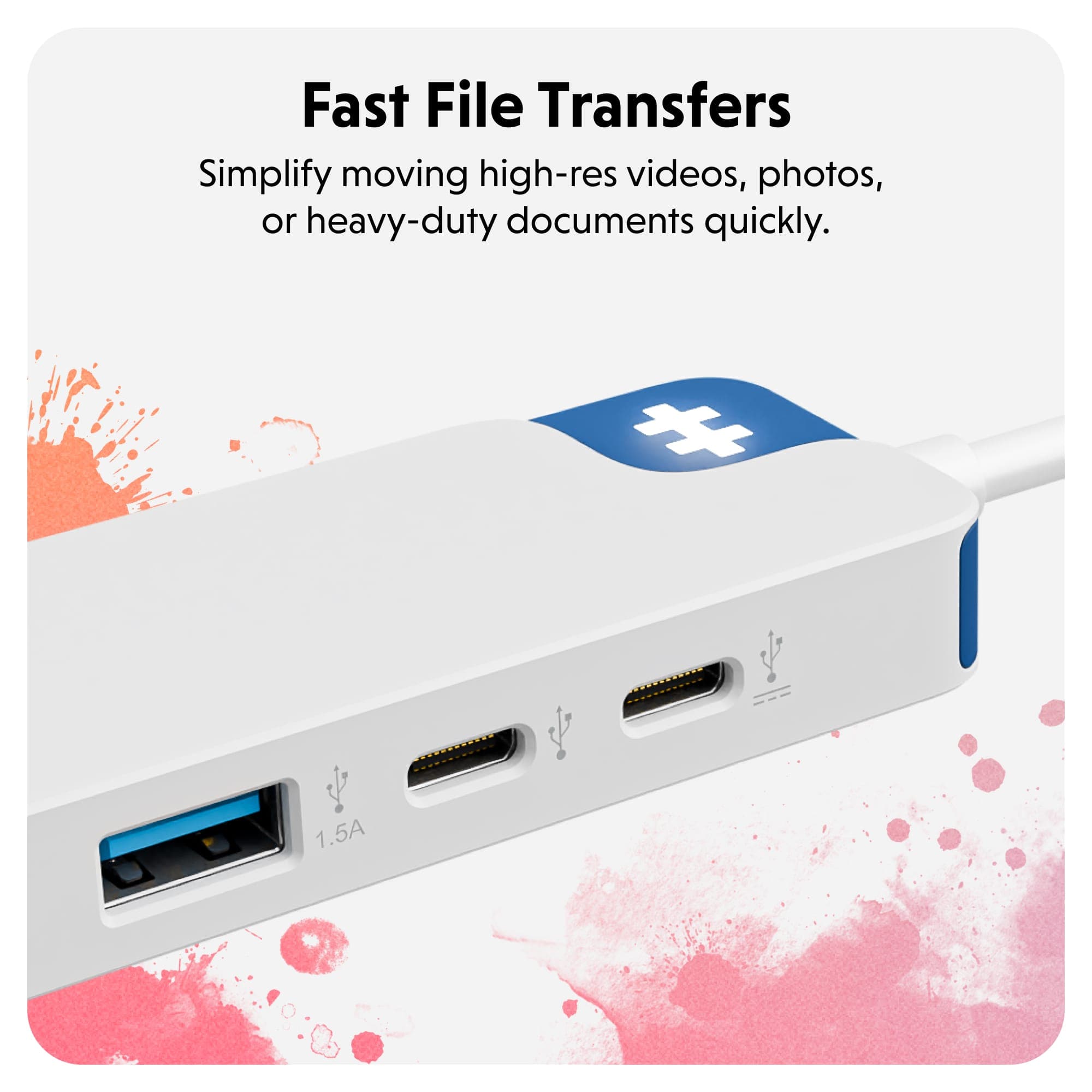
|Posted .This reviewer received promo considerations or sweepstakes entry for writing a review.These devices are very handy to have, especially when traveling. They should include a case with this model. At least a cloth bag. I have another port that is USB-A and it has some metal components. This HyperDrive seems to be primarily plastic and very lightweight. Not sure how it will hold up when traveling. The 4K/30Hz HDMI port is very handy when connecting to a TV or screen setup. That worked well. The only issue was connecting the HDMI cable. It was a little hard to get it in and out but this is a new device. Two USB-A ports are great to have as we all have older devices that connect vis USB-A. My portable CD-ROM drive connected just fine. There are also two extra USB-C ports (one is 100W PD) that offer high speed data. With 5Gbps data this is a fast and inexpensive option. I just really wish they had used more metal in construction and provided some kind of cover. This could easily become dusty in the ports if not kept covered. And the box was very hard to open so now it doesn’t fully close.
I would recommend this to a friendBrand response from Hyper_Bicycle_Expert
Posted .Hi, Thank you so much for the review and feedback on the Hyper Port USB-C Hub. If you need anything in the future do not hesitate to contact us. Many thanks Diane
- Pros mentioned:Connectivity, Overall performance, Portability
Reliable and Stylish USB-C Hub
||Posted . Owned for 2 weeks when reviewed.This reviewer received promo considerations or sweepstakes entry for writing a review.Compact, stylish, and reliable, the 5 Port USB-C Hub adds versatile connectivity without sacrificing performance.
I would recommend this to a friend - Pros mentioned:Connectivity, Overall performance
Review
||Posted . Owned for 3 weeks when reviewed.This reviewer received promo considerations or sweepstakes entry for writing a review.This works great with my iPad Pro and has no issues. It connects easily and seamlessly.
I would recommend this to a friend - Pros mentioned:Connectivity, Portability
Very convenient and easy to use
||Posted . Owned for 1 week when reviewed.This reviewer received promo considerations or sweepstakes entry for writing a review.Small, light and VERY handy! The added ports are just what I need when I'm running Zoom meetings with speakers, microphones, video camera and other assorted peripherals. The charging port is a plus as well. Well worth the price.
I would recommend this to a friend