Customer Ratings & Reviews
- Model:
- SlateHako2110
- SKU:
- 6515190
Rating by feature
- Value
Rating 4.8 out of 5 stars
- Quality
Rating 4.6 out of 5 stars
- Ease of Use
Rating 4.7 out of 5 stars
Customers are saying
Customers admire the SlateHAKO Gaming Desktop's RAM, upgradability, and ease of setup, praising its build quality and included keyboard and RGB lighting. However, some users express concerns regarding the GPU's performance, particularly in demanding games, and the limited storage capacity. The system's suitability as a gaming PC is a point of contention among customers.
This summary was generated by AI based on customer reviews.
- Cons mentioned:Performance
A perfect gift for my 7year old. Future youtuber.
||Posted . Owned for 1 month when reviewed.This reviewer received promo considerations or sweepstakes entry for writing a review.This computer was a great choice for my 7 year old that wants to be a youtuber. He had an old pc and after getting this one he doesn’t have the problem of lagging. He is so happy with this.
I would recommend this to a friend - Pros mentioned:Keyboard, Processor speed, RamCons mentioned:Gpu

Great for Games and Work
|Posted .This reviewer received promo considerations or sweepstakes entry for writing a review.This is my first purpose-built gaming computer. I have had prior computers that can play some games but nothing special. I was a little hesitant with this computer as the specs seemed on the lower side of a gaming PC. While this is true, this computer played everything I threw at it (mostly racing games). The computer did not have any hiccups, overheating, or even slowing down. Some games I was not able to have at the max graphics settings. This computer also seems to be easily upgradable so swapping out a video card at a later date should be pretty simple. The computer looks great in my office and the LEDs really make it shine. I like that you can adjust them or even turn them off. I do wish there was a way to put them on a schedule so overnight they would turn off. It's not that hard to open the application and just click them off. The mouse and keyboard also light up and look great as well. The keyboard is very comfortable to type on. The included mouse is one of the best I have used. It is very comfortable for playing games or browsing the internet. This computer also has lots of room inside to customize and add a better graphics card, more memory, etc. I was thinking an I3 and only 8 gigs of ram this computer would struggle with games or even task. I was so wrong; applications and games open very quickly. I even tried to purposely slow it down by opening many different applications and web tabs, it didn't affect it at all. When you turn it on and type in your password the computer is fully ready to go and use applications. The intel video card seems to handle games with ease. The video card also has three display port inputs and one HDMI. I currently have two monitors setup on the computer, one on HDMI and the other on display port. I was unable to test if I could add additional monitors, but I would assume you could. There is also a decent amount of USB ports, and microphone and speaker inputs. The wifi card has two adjustable antennas and I was able to get very fast internet speeds. This computer does not have a DVD/CD rom drive. This computer is great for someone who wants to play some games, do work/school, and just have a good powerful computer. If you are strictly playing games, I would look at one of the higher end Ibuypower PC's. Their build quality is really great along with pricing. To me this computer will be great to play games and also use for work applications. Knowing the computers limitations, it is a great computer.
I would recommend this to a friend - Pros mentioned:Processor speed, RamCons mentioned:Gpu, Performance
Not a bad PC, but not good for gaming
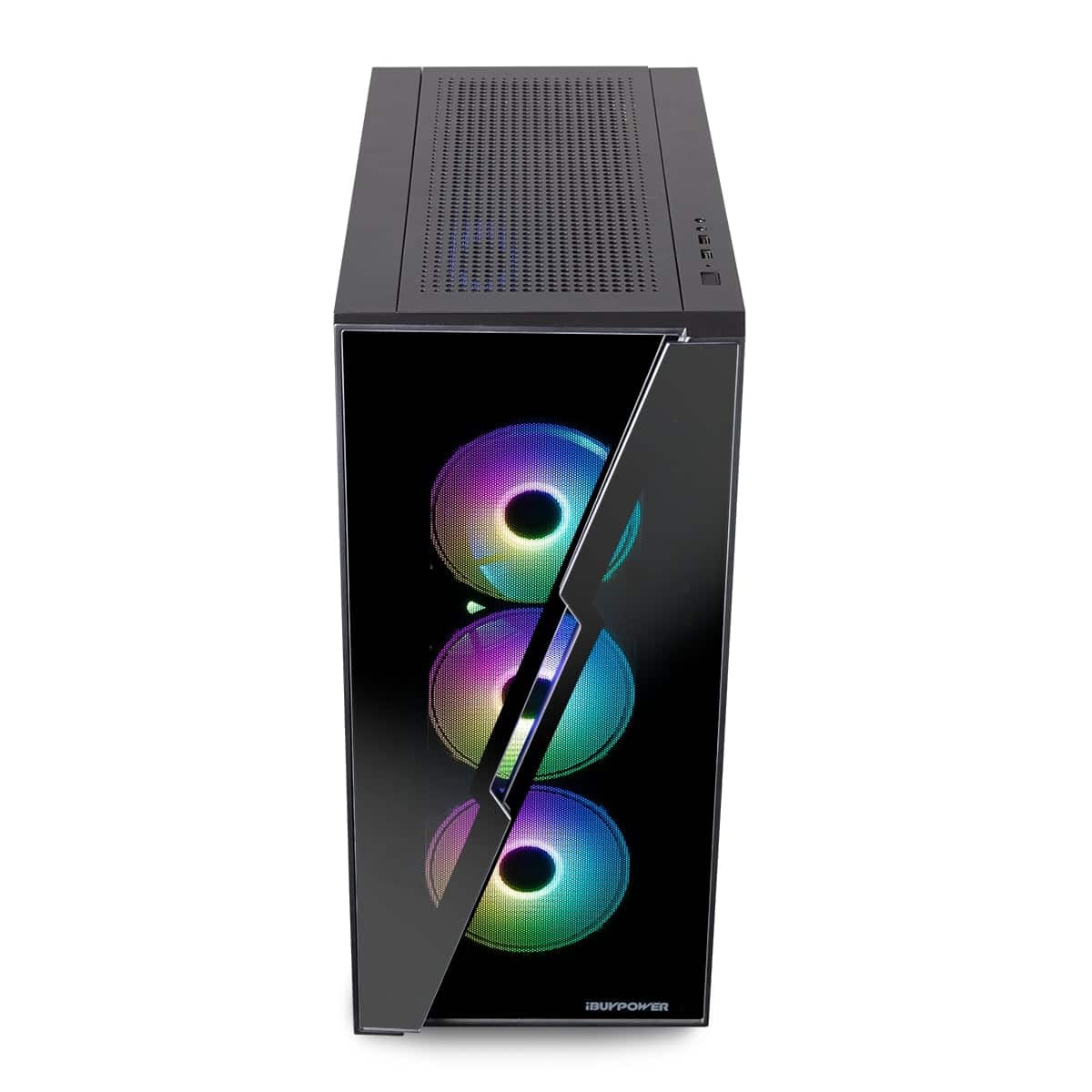
|Posted .This reviewer received promo considerations or sweepstakes entry for writing a review.This is a decent Windows machine for basic tasks. The Intel Core i3 chip is a good processor for everyday computing tasks and with 8GB of RAM, this system should run most productivity applications with no issues. That said, do not expect that this system can handle heavy content creation or video work. If you want to do some light gaming on this machine, it could probably handle Minecraft ok, but games with more demanding specs, such as Call of Duty: Modern Warfare will not be able to work with this system. The computer was well-packaged with plastic wrap and styrofoam. It is a heavy PC so it getting it out of the box is a little difficult because it’s hard to get a grip on the PC case. If you are familiar with connecting PCs to external devices, getting it set up is no problem. There is a sticker on the back of the case that tell the user to utilize the video ports below the fan assembly. When you remove this sticker you will reveal another set of ports that include several USB-A ports, an HDMI port, a DisplayPort, a USB-C port, a PS/2 port, wireless antennae connectors, an Ethernet port, and a microphone port, and a line in/line out port. I’m not 100% sure what the HDMI and DisplayPort in the main section of ports is used for since I followed the instructions of the sticker and used the HDMI port below that main section. According to the specs of this unit, there should be only one of each type of video port, but that’s not the case. After connecting the PC to an external monitor, its keyboard and mouse, and attaching the wireless antennas, I plugged in the power and turned the unit on. It started up pretty quickly and seemed to be quite responsive to keystrokes and mouse clicks. The computer is very nice to look at. The case features glass panels so you can view the internals at work. The fans have RGB lighting built in, which is bright and colorful. As PC cases go, this one has a sleek, modern design to it. As far as performance goes, I want to break this into two categories — standard use and gaming. Standard Use The computer set-up process went smoothly. Once I got Wi-Fi connected, updates were completed within just a few minutes. I did some basic housekeeping tasks with it including downloading gaming software. All of this went smoothly. It seems as though the system build can tolerate basic use just fine. The system was responsive when it came to opening and closing applications, browsing the internet, and reviewing system preferences. I didn’t not have Microsoft Office installed, but opening documents in Google Docs seemed to go smoothly, too. The Intel 12th Generation Core i3 is rated as ‘low’ performance, which is between ‘budget’ and ‘medium.’ Supposedly, that means it will be good as an entry-level processor for everyday tasks. It will also support music and video playback just fine. I can concur that this is a good summary of the processor’s capabilities with this pre-built machine. With its 8GB of RAM, the machine should also be able to handle heavy applications and gaming activities. I would agree with that with one big caveat — Windows 11 requires 4 GB to work smoothly. Therefore, you do not have the full 8GB of RAM to dedicate to gaming or other performance-driven tasks. The system comes with 500GB of SSD storage, which should be enough for most computing activities. While 500GB sounds like plenty, there are a couple of things to consider. First, the operating system (Windows 11) is going to eat up 64GB of that storage space and popular PC games are going to require anywhere from 25GB-80GB of storage space, too. If you never loaded any other programs onto this machine, that initial storage pool might be just fine. But, computers’ performance will slow down as their hard drive fills up since computers need empty storage space for virtual memory. Fortunately, there is an additional M.2 slot so users can add an additional SSD to increase the total amount of storage this system has. Gaming Use As a gaming computer, I just don’t see this system being viable. I loaded an emulator onto the system so that I could play Call of Duty: Mobile on the PC. The game loaded and I did play a few rounds, but I found the gameplay to be less fluid than it is on my mobile devices. I considered loading other games onto the system, but started to find that most modern/recently released games required at least an Intel i5 processor to operate. When I found this out, I decided to look at three popular PC games and review their minimum requirements to see if this system met any of them. I looked at Call of Duty: Modern Warfare II, Elden Ring, and God of War. Each of these games were or are going to be released this year. In order to be as accurate as possible with the specs I sought out, I pulled them all from the same source (System Requirements Lab). Call of Duty: Modern Warfare II (first-person shooter game); release date October 28, 2022 CPU: Intel Core i5-3570 RAM: 8 GB VIDEO CARD: NVIDIA GeForce GTX 960 or AMD Radeon RX 470 FREE DISK SPACE: 25 GB DEDICATED VIDEO RAM: 2GB Elden Ring (action role-playing game); release date February 25, 2022 CPU: Intel Core i5-8400 RAM: 12 GB VIDEO CARD: Nvidia GeForce GTX 1060, 3GB | AMD Radeon RX 580, 4GB FREE DISK SPACE: 60 GB DEDICATED VIDEO RAM: 3 GB (4GB AMD) God of War (action-adventure); release date January 14, 2022 CPU: Intel i5-2500k (4 core 3.3 GHz) RAM: 8 GB VIDEO CARD: NVIDIA GTX 960 (4 GB) or AMD R9 290X (4 GB) FREE DISK SPACE: 70 GB DEDICATED VIDEO RAM: 4 GB One of the first things I noticed was that the processor on the SlateHako2110 does not meet the minimum requirements for any of these games. In addition to that, the SlateHako2110 system only has 8GB of RAM to run its operating system as well as any other active tasks. Each of these games needs at least 8GB of RAM (Elden Ring needs 12GB) to run properly. I also used UserBenchmark to compare the specs of the video cards required for each of these games against what is included in the SlateHAKO Gaming Desktop. For the most part, the required GPUs had higher performance ratings than the Intel Arc A380 that is in the SlateHAKO desktop. In fact, the only spec that the A380 had that beat out the specs for the games was its age. The A380 was released this year and the other GPUs are well-established in the market. Summary This isn’t a bad PC, but I think it’s a stretch to call it a ‘gaming’ PC. I believe that this system needs some upgrades to be completed before it will provide a smooth gaming experience for any user. This would be a good system for an entry-level user who need something for basic tasks.
I would recommend this to a friend - Pros mentioned:Case quality, RamCons mentioned:Gpu
Surprisingly Competent Budget Gamer
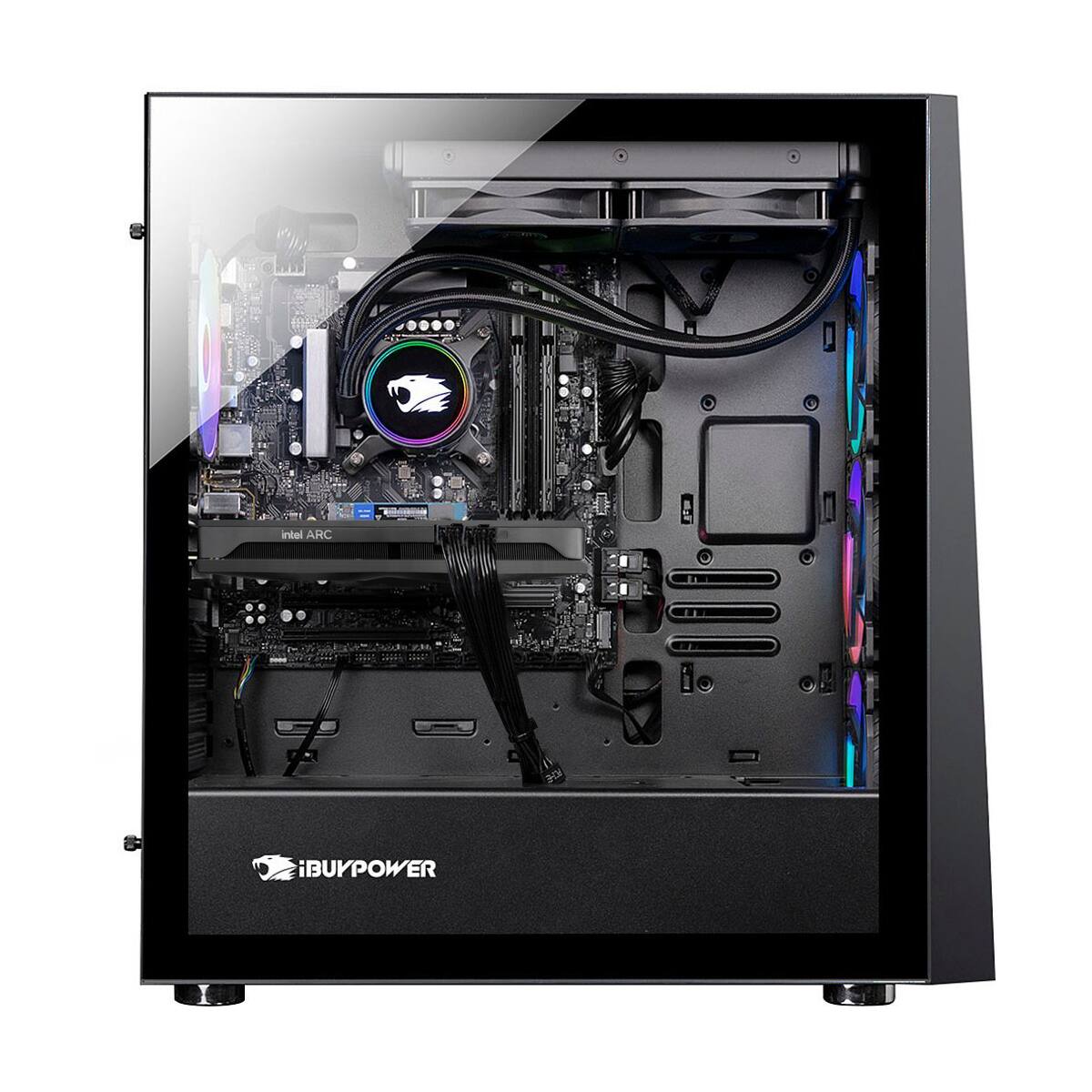
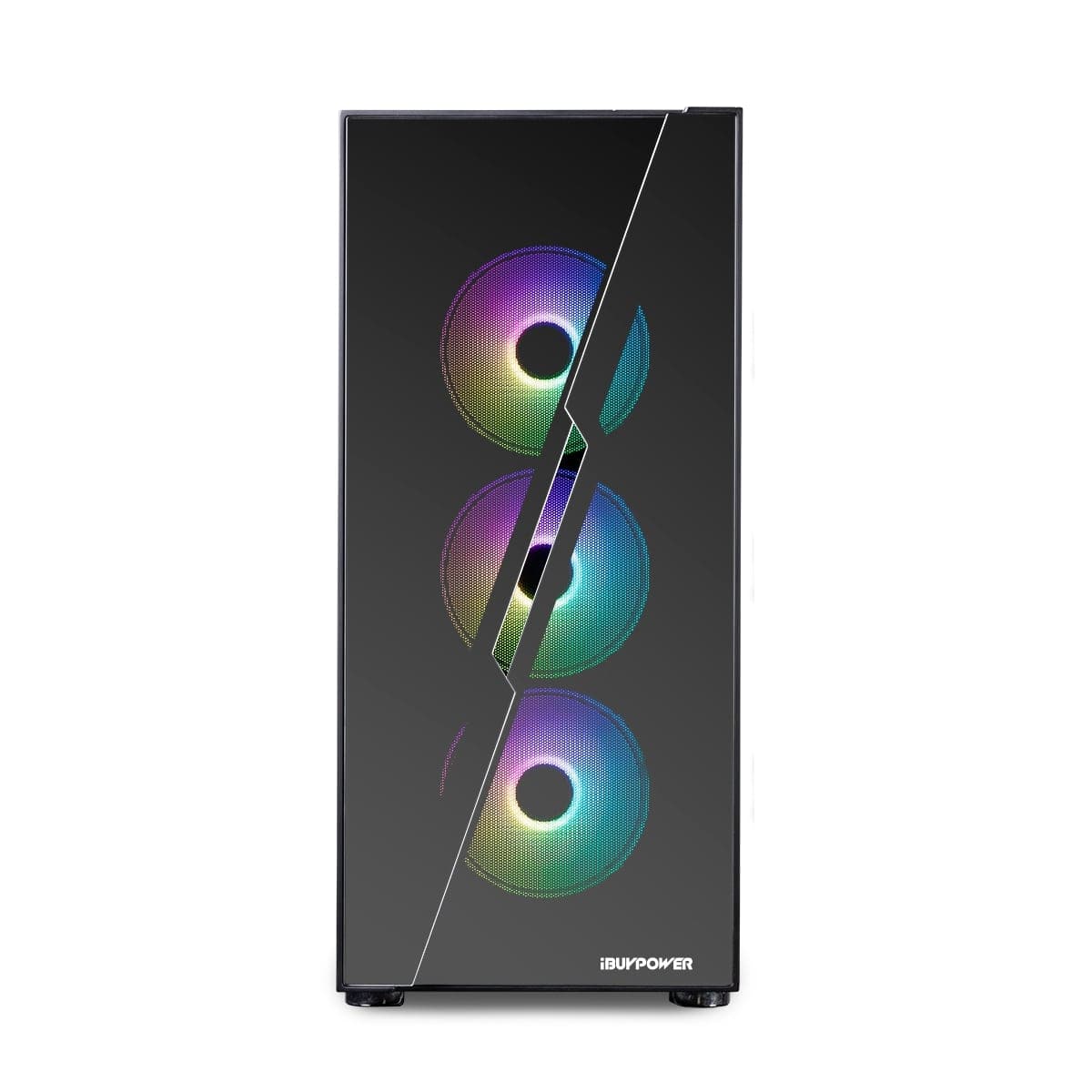
|Posted .This reviewer received promo considerations or sweepstakes entry for writing a review.This is an entry level, budget gaming desktop. As such, my expectations were somewhat low in the first place. The goal in this market segment is to have a reasonably low (relatively) cost of entry that will allow one to play games while looking competent on one's desktop. iBUYPOWER is also not a manufacturer, rather an SI (Systems Integrator) so the components that make up this build are commonly obtainable and easily replaceable/upgradeable. This is important if you are looking to get in cheap, but want to upgrade to better components over time. At the core of this system is a Gibabyte B660 DS3H motherboard. It is a solid entry level motherboard. Being a budget board, it does have some feature limits, such as the amount of USB ports on the rear I/O panel or no CPU overclocking functions, but its price point is attractive and it has a decent aesthetic that won't look out of place viewed through the tempered glass case window. Two things surprised me about this board - it is a full size ATX board, and it offers built-in wifi, adding to the value. The photo on the BestBuy product page shows a smaller ITX motherboard and no wifi. Mounted on the Gigabyte is an Intel Core i3-12100 processor. The 12th generation i3 is the king of budget CPUs and is a nice addition to the package. DRAM is supplied by Forza and is their budget offering, running at 3000 Mhz. It's solid and works, and the slower memory isn't really going to be noticed when gaming. It's only 8GB as well, which is at the bare minimum for a reasonable desktop and the single stick holds it back slightly as well. Two 4GB sticks running dual-channel would be a bit more efficient performance-wise. Storage is via a WD Blue 500 GB nVME SSD. Performance, again is reasonable. The power supply (PSU) is a 600w Gold Plus rated unit from High Power, which is more than adequate for the power requirements of this system. Graphics on this model is supplied by an Asrock Intel Arc A380 Challenger GPU. It's Intel's re-entry into the discrete graphics card market, where nVidia and AMD have been the only players the past couple of decades. As such, it's a first generation product and will suffer growing pains. I haven't experienced any issues first hand with this PC, but I've read plenty of issues regarding driver maturity. From a performance standpoint, it does what it intends to do, though perhaps not as well as others. You can expect overall performance somewhat similar to budget cards from two - almost three generations ago. It's faster than the GTX 1650 and RX 6400, but a tier below that GTX 1650 super and RX 6500 XT. In general, it can run most games at FHD resolutions on medium settings, which is fine for a budget system. Some games will require dropping the settings further, while others will allow higher settings while maintaining a playable framerate. For example, Forza Horizon 4 benchmark showed 60 FPS or better at Ultra settings. The game was smooth and playable, and I experienced no issue. The third-person shooting game Control at the highest settings ran at 25-30 FPS, which is kind of playable, but to achieve smoothness in the gameplay, settings need to be ran at their lowest, which results in framerates around 60 FPS. The assembly of the iBUYPOWER Slate HAKO Gaming Desktop was competent. No loose screws or misaligned components. Cable routing was done nicely and securely. Build quality was acceptable with a case that felt solid and did not flex. Speaking of the case, taste is certainly subjective, but I thought the general aethetic was good for a gaming PC. The all glass front panel however will prevent any sort of reasonable airflow through the case, as there is only a small area in the middle of the glass panel, and vents on one side to let fresh air in. The airflow of the three front fans will exceed the amount of air the case will allow in, making the thermals terrible. The upside is being all budget components, there's not going to be a lot heat generated inside, so bad airflow is not going to cripple this system. They included RGB keyboard and mouse are basically throw-ins. They function, and will get you by if you don't already have a keyboard and mouse, but no one is going to mistake them for quality peripherals. So should you buy the iBUYPOWER Slate HAKO Gaming Desktop? It depends. For a budget, entry-level gaming PC it performs as I expected it to. It's going to cut some corners to keep the price low. For example, it only has a couple of USB ports on the rear panel. On the other hand, it came with wife, which was excluded from the product specifications. Performance was decent on the two games I benchmarked -- both were very playable as long as the graphics settings allowed it. Add one more stick of memory and a mid-level graphics card and it will play anything at reasonable settings. In my opinion the iBUYPOWER Slate HAKO Gaming Desktop is a solid value. If you can find it on sale, even better. That being said, there are some questions regarding the Intel A380. I didn't have any issues, but there have been some noted by others. Its performance is mediocre at best. It's acceptable, and being a first generation card it does have potential, but reaching that potential is not guaranteed. If you can find this same build with a GTX 1650 Super at or near the same price, the higher performance and more mature drivers would probably be my preference.
- Pros mentioned:Processor speed, RamCons mentioned:Gpu, Performance
Minimum Spec
|Posted .This reviewer received promo considerations or sweepstakes entry for writing a review.Let's start this review by emphasizing the word *entry* in Entry Gaming, which is what this computer is classified as. On the upside, when I opened the box, the computer was well protected in the foam packaging, which is much more flexible and cushioned versus hard styrofoam, which tends to crack/break with hard impacts. From there, however, it got a little... strange. In the setup poster, there are references to internal protective foam to protect the components inside the computer from the risk of high impact - however, there was no internal protective foam. Removing the clear plastic film from the front and side panel (it is important to note that the plastic film is on **BOTH** sides of the tempered glass panel), and removing the sticker on the back covering the ports indicating to use the graphic ports on the graphics card further down instead of the built in graphic ports, I connected the included mouse and keyboard and turned on the computer. I was pleased that the computer started up quickly, and after doing the brief setup process in Windows 11, was greeted by... a pretty bare installation of Windows 11. While I appreciate there not being any bloatware/crapware as some of the big box manufacturers include, as this is an entry gaming desktop, I would have expected or would have liked to see some preinstalled or shortcuts to popular installers, such as Steam. HARDWARE In reviewing the hardware alone, there are a few good things, but quite a few bad things about this machine. + Cable management is done nicely - all the extra cables (the power supply is not modular, unfortunately) are neatly tucked away underneath the PSU shroud at the bottom of the case. + The case itself is very large with a large mesh top opening. + The case's RGB fans are pleasant with good visual effects + The WD SN570 Blue SSD is fast for most uses + The Intel i3-12100 works well, boosting to the correct frequencies + The motherboard uses DDR4 RAM, which means buying more memory will be cheaper versus DDR5. + There is a second M.2 slot for another M.2 SSD. Now the bad... - The front glass panel does not leave much room for the front fans to draw in air. There is a very small opening in the middle between all the glass segments in the front, and there is a magnetic filter in front of the fans, and only one side of the front panel is ventilated. If you have this computer on a carpeted floor, there is barely any air being drawn in from the front. - The WiFi card in here is an Intel 3168, which is WiFi 5, not WiFi 6, and was introduced over SIX years ago. It is also a 1 x 1, meaning that it maxes out at 433Mbps. - The SN570 SSD while good in most use cases, is a DRAM-less SSD, meaning that doing heavy sustained read/write tasks will suffer. This is a rarity, however, and would only really be noticed in more productivity/content creation/high end gaming, such as loading large game levels, etc. - The Arc A380 GPU is more suited towards content creation than gaming, according to reviews. Additionally, Intel has their own "Game Ready" drivers, similar to nVidia's GeForce Experience, complete with a control panel, that was not installed. - The BIOS on the Gigabyte B660 motherboard in this computer is the original release from 2021, and was not updated. In terms of upgrades, in the matter of most beneficial, I would: 1. Upgrade the RAM to 2 x 8GB to run in Dual Channel 2. If you use WiFi, replace the WiFi with a WiFi 6/6E, either by replacing the card itself or buying another PCIe / USB solution 3. If you care about noise, I would replace the stock CPU cooler with a tower heatsink - the CPU fan does ramp up and down rather quickly in response to CPU load. That being said at idle, it is very quiet. 4. For higher end gaming, I would add another GPU, such as a 1660 Super or an RTX 3060. All in all, in the week that I have been using this desktop, I would sum it up in the title, as Minimum Spec. It works fine for basic productivity and some light gaming, but if you want this computer to be usable in the long run for more intensive tasks such as content creation or gaming beyond esports titles, I would say to look into other options. In the week that I have been testing it with games such as Fortnite, it can do 60 fps at 1080p on high settings. However again I wouldn’t expect it to do as well on more demanding games. Parts List: - Intel i3-12100 - 1 x 8 GB DDR4 3200 - 1 x 500 GB WD SN570 - 1 x Arc A380 6GB
No, I would not recommend this to a friend - Pros mentioned:Case quality, Keyboard, UpgradabilityCons mentioned:Performance
Problems at first but finally got it sorted out.
|Posted .This reviewer received promo considerations or sweepstakes entry for writing a review.My first iBUYPOWER PC and the experience is a interesting one to say the least. Upon receiving this PC, it came packaged nicely, with a nice big poster like introduction and showing how to set it up, one interesting note was that this PC supposedly was suppose to have packing foam of some sorts inside the PC to keep the internals secure which it did not have at all, not sure if this packing foam is only in more pricey PC's from the manufacturer or if mine was just accidently left out but there was no loose screws, the glass, the casing, everything was perfect. Upon hooking everything up including hooking up my monitor via HDMI to the HDMI port on the video card, and booting up the PC for the first time, I had no signal of nothing showing on the screen, so I tried out the display port connections instead, same result, I was left scratching my head, even though the motherboard has HDMI and a DisplayPort input, I thought I would give that a shot just to see what would happen considering the Intel Video card seemed to be not working at all, and finally I seen the Gigabyte post bios boot screen show up and then Windows 11 setup was showing up, I set it all up and then did the windows updates, hoping the updates would update the drivers for the video card to make it work, tried the video card again, and still no signal on the monitor. I went ahead and contacted Best Buy and they redirected me to iBUYPOWER and they immediately got in touch with me and escalated my issue, we all figured I may have a faulty/non-working video card and was set up for a RMA process to get them swapped out. Well, I figured I would try checking out the bios settings and I seen where the integrated graphics on the board itself was enabled instead of being turned off!!! I turned it off and tried out the video card and finally it worked! Not sure what happened or why it was enabled but the iBUYPOWER support team suspected that perhaps the bios got reset somehow. I looked over the other reviews already for this PC on here and seen no one else had this problem, I seem to be the only one that had this issue, I did notice that one reviewer had Gigabyte App center with RGB Fusion 2.0 app, BIOS editor, EasyTune for tuning / clocking, and a FastBoot setting editor. This PC doesnt have any of that with the except of RGB Fusion 2.0 and it had some complications when running the program to change the colors of the LED's, sometimes it would work and sometimes it wouldnt work at all, I had to end up uninstalling it and downloading a new copy from Gigabytes support website and it works now like it should but im suspecting that this PC I received didn't go through the full Quality and Assurance of passing to be sold to the customer since I had to work to get this video card working and then possibly missing software that others are getting with their PC's. Overall, I will say that the inside of the case is nicely well done, the wiring, the room that is inside, its easy to expand/upgrade down the road which I plan to do, the RGB color customization and the nice see through glass and the case is nicely well done. However, the specs seem to be minimal and not worth the price that is asked, I think it could be priced alittle lower for someone who is looking to start out with a budget gaming PC build. The RGB Keyboard and mouse feels really comfortable, It may be basic to some but I feel it to be great. I ran some benchmarks and it does perform on the lower side then the beefier gaming PC's out there, it does do good for the most part, I first tried out Minecraft and of course it ran smoothly and works with no frame drops and then I tried a more demanding game, Back 4 Blood and it works just as good with no frame drops either, I did notice alittle screen tearing on the game every once in awhile but not to bad to make it unplayable or distracting. Overall, with the problems I had and possibly missing software and then finally getting to use it, I would recommend this only for someone on a strict budget but wants a nice looking gaming PC but for beginner/starter gamers only where they can get a feel and again, there is that option to upgrade components in this down the road.
I would recommend this to a friend IBuyPower PC
||Posted . Owned for 3 weeks when reviewed.This reviewer received promo considerations or sweepstakes entry for writing a review.Item works and runs great. My son enjoys playing roblox and other games on this pc. Very fast and a great option for beginners.
I would recommend this to a friend- Pros mentioned:Ram, Upgradability
Good Entry PC with Lots of Upgrade Potential
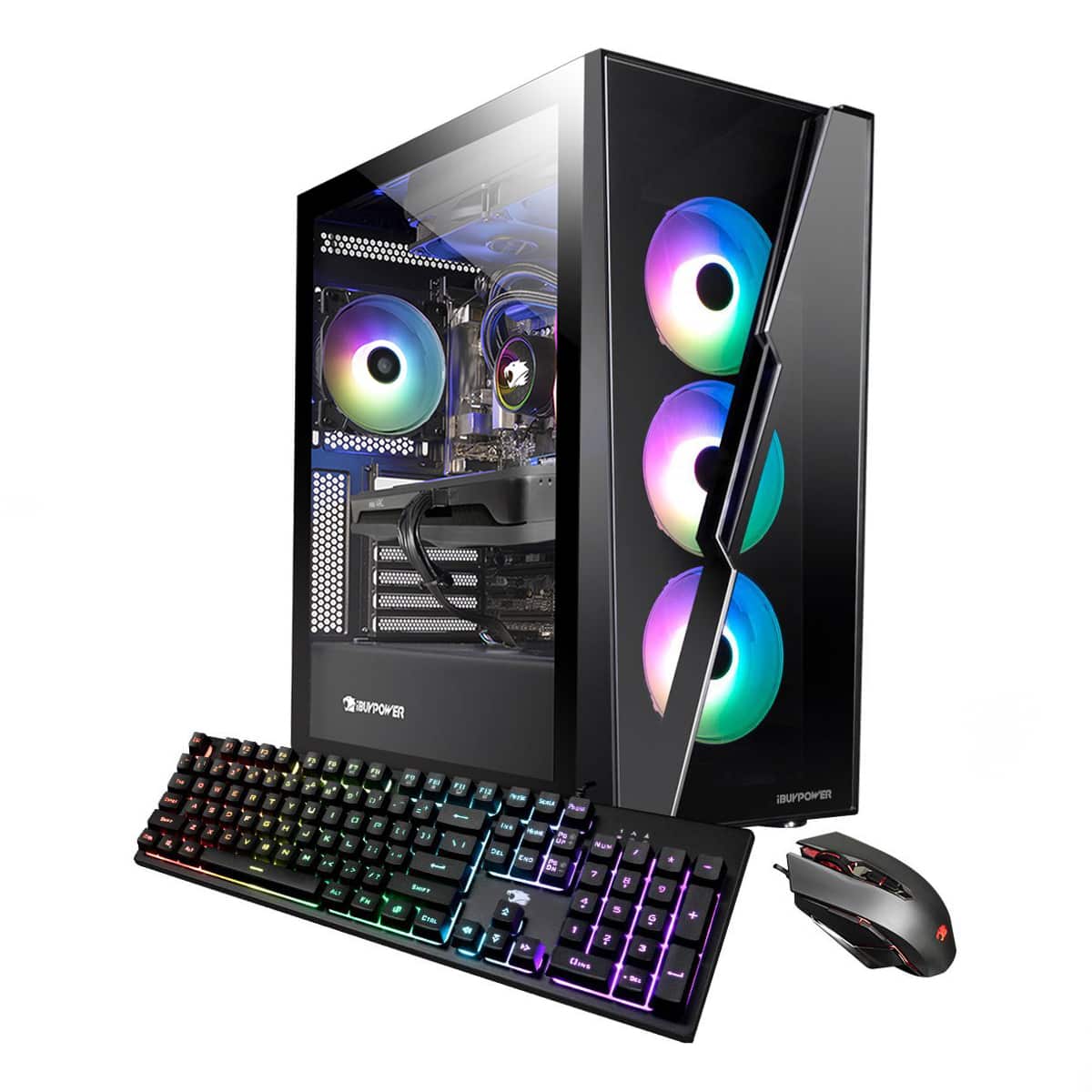
|Posted .This reviewer received promo considerations or sweepstakes entry for writing a review.Setup is easy, like any other new Windows PC. Plug it in, answer some preferences, enter your Wi-Fi password, do some updates and your good. This PC is full of MODERN reliable name brand components neatly assembled with a warranty at a competitive price. Thanks to the name brand quality components, this computer should provide long, reliable, and quiet service. The keyboard and mouse are decent, not the mushy feeling ones you typically get with a new PC. Granted the hardware inside is not going to set any speed records with an I3 CPU. However, its more than adequate for web surfing, email, movie streaming, and most games provided the resolution and color depth are kept to a reasonable setting. What I really like about this computer is the future POTENTIAL. This is not a dead-end PC. Unlike many of the big-name brands, every part on this PC can be easily replaced / upgraded with standard off the shelf components. This is not typical with many of the big brands that have a custom shaped case full of proprietary parts that make many upgrades difficult and expensive when it’s even possible. The case if the foundation of any computer. It dictates what future upgrades are possible. The case here is an excellent choice for future upgrades. It is a standard case, on the larger size that supports even the largest ATX-E Mainboards. Your choice of potential future motherboard upgrades is virtually limitless. With three large fans in front and one in the back, it has great air flow. The top of the case will support three more large fans, or a radiator for a CPU liquid-cooling setup. The Gigabyte B660 mainboard is a well-known reliable starting point. The only reason to replace it would be if it failed, you want other features, or you wish to indulge in overclocking. The B660 mainboard supports the 12th gen Intel CPU family. It will most likely support the 13th gen CPU family that came out at the end of October 2022. A BIOS and Firmware upgrade may be needed before swapping out the 12th gen I3 CPU for a 13th gen I5, I7, or even an I9 (with proper cooling upgrade). A CPU and cooler upgrade will go a very long way to improving performance. With 4 DDR4 memory slots, you can increase RAM from 8GB up to 128GB, and go with faster DDR4 5333 DIMMs as well. Best I can say for the ASRock Intel Arc A380 Graphics card is its on par with the other components. Replacing the video card with a NVidia 3060 or better will have a substantial impact. Faster video cards like CPU’s and RAM needs more power. Depending on your choice, you may need to upgrade the 600-watt power supply. The 500GB M2 Storage stick is a WD Blue drive. Being an M2 SSD stick, it is still fast storage, much faster than any mechanical drive. Bang for the buck, replacing this storage is not the best upgrade. But if you need more storage, may as well go with a faster WD Black M.2 as it’s not much more money. Adding a faster, larger M2 is easy since this mainboard supports two PCIe 4.0 x4 and one PCIe 3.0 x4 M.2 slots. If this PC meets your budget today, the iBUYPOWER SlateHAKO is a good value. If you think you might want to upgrade some things later, then this becomes an excellent value thanks to the use of a great case and standard components that make upgrading any part easy.
I would recommend this to a friend - Pros mentioned:Case quality, Ram
Good entry level Gaming Rig ! - Quality Components
|Posted .This reviewer received promo considerations or sweepstakes entry for writing a review.iBUYPOWER - SlateHAKO Gaming Desktop - Intel i3-12100 - 8GB DDR4 Memory - Intel Arc A380 6GB Graphics - 500GB NVMe SSD. - Black Great Entry Level Gaming PC - No cut corners ! Hello Everyone ! - *WARNING* This review is going to be a bit different ! Why ? I used this PC as built for over a week, updated things, ran games etc ...and I independently verfied the exact same things everyone else did and said. ( It's great for 1080P gaming, +8gb ram is good, please update the bios and intel drivers etc... ) So - Box checked. It does those things ! I needed a media / light gaming PC for my Living room so I gutted this nearly brand new entry level gaming PC after testing to take a good look at the physical build and all the components. Don't worry - It was re-incarnated with all the same parts into an HTPC style ATX case. ( If you don't know what that is - imagine an old style stereo receiver in black ! ) Here are my findings - For anyone worried about all the glass on this case - It's non-captive, meaning the side side panel is not framed in - the attachment rails are glue/taped to the side of the glass. This actually avoids stressing the glass versus a fully framed panel. It's THICK and the edges are rounded and sanded. I can tell you from experience that you are not not likely to break it. Motherboard - ATX - Gigabyte UD Series 660 (Nice !) Memory - Single stick - Forza W/Heatspreader Hard Drive - Western Digital 570 Blue Series GPU - Asrock Intel Arc A380 single fan Case - Standard iBuypower case with LED/Fan controller. No sharp edges !!! Fans - I peeled the ibuypower sticker on one, IS a ball bearing fan. Power Supply - Generic 600W non-modular. CPU Cooler - Deepcool Aluminum cooler with Ball Bearing fan. All air points have removable magnetic screens Overall - No complaints - good parts. Well thought out standard ATX build. The cable management is well done and there is PLENTY of room for add ons like 3.5" and 2.5" hard drives. It's notable that you are not likely to give a blood offering to the upgrade gods while adding said hard drive due to smooth edges. What I love - QUALITY mainstream components ! - I.e. no junk parts ! Smooth edges in all the accessible spots inside the case. Thorough attention to cable management ! Room up top for more fans or a 240MM AIO Not so great - MATX board shown on website - System came with full ATX board. Immmature Arc 380 Drivers - Issues with a few random old titles.
I would recommend this to a friend - Pros mentioned:Ram, Upgradability
Solid machine to start on, upgrade capable
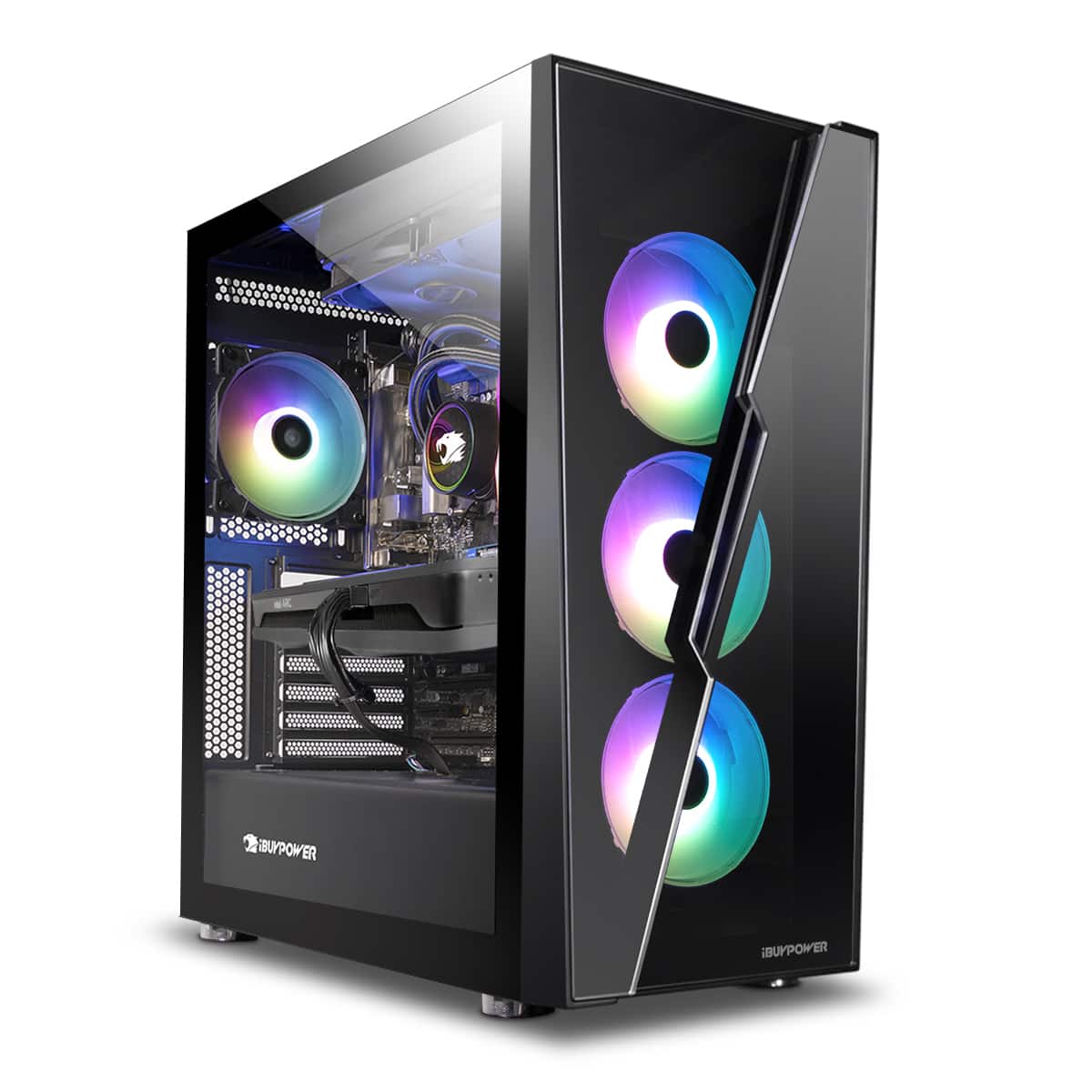
|Posted .This reviewer received promo considerations or sweepstakes entry for writing a review.As someone who didn't start gaming until later in life, when I picked it up to spend time with my teens, I think these "starter" builds get a bad rap and are held to an unreasonable standard. That being said, the iBUYPOWER - SlateHAKO MR gaming desktop is a good basic build for someone who isn't 100% sure they know what direction they want to take a gaming rig, doesn't have the funds to buy a high end prebuilt, or just wants something that is a good all around desktop for games and work / hobby applications. The exterior of the SlateHAKO MR has nice, smooth lines, lots of internal real estate space, rgb customizable front, front / top / back ventilation, and a smoked tempered glass side and transparent front for lighting aesthetics. On the top, towards the front is the power button, 2 x USB 3.0, headphones and mic jacks. This is a solid peripheral option configuration when combined with the back ports: PS/2 port, 5 x USB, 2 x HDMI, 4 x DisplayPort, wireless antenna x 2, USB-C, ethernet port, audio in/out, and mic. As far as exterior, my only hesitation is the tempered glass. I think it's a bit of a bold move, it looks great, but not sure how well it will hold up if accidentally kicked or a controller hits it, otherwise I really think this case layout and design are fantastic. On to setup. In the box is the desktop with Win11 pre installed, rbg wired keyboard, and wired mouse. Setup is typical Windows workflow, and to my surprise there was no other bloatware, with the only additional software being the Gigabyte App center. Once though setup, I went straight to the App center and installed all the recommended apps as well as all the driver updates, this, in conjunction with Windows updates takes a few hours to get through, maybe less if you are attentive to reboots. The app center delivers Windows settings, third party software, and native Gigabyte Apps. The Gigabyte apps are RGB Fusion 2.0 app, BIOS editor, EasyTune for tuning / clocking, and a FastBoot setting editor. I ran through each, and appreciate the quick functions each provides. I did use the RGB Fusion to customize the front lights, other lighting options include dynamics, sync to game or music, and customize colors / patterns. After getting everything up to date, I moved into the benchmarking software to see exactly how this build fares. The internal build boasts an Intel i3-12100 CPU, Intel Arc A380 GPU, Gigabyte B660 motherboard, 8 GB DDR4 RAM and 500 GB SSD. Using 3DMark benchmarking, the stress test was first, which passed with a 97.1% frame rate stability. One kudos is that the desktop didn't result in high fan noise when stress testing. The fan configuration combined with venting allows for good air flow through the case. Moving over to Port Royal ray tracing benchmark, the out of the box score was 1291, and graphics result of 5.98 FPS. Meh for ray tracing. Lastly, I tested the Time Spy gaming benchmark. GPU score was 4272 with graphics tests of 27.73 and 24.59 fps, CPU score of 5477 and 18.40 fps. Translating that into application, this means that the desktop runs smoothly under moderate loading, things like macro heavy excels, compiling simple 3d models, basic video editing, etc all ran fine for me. That being said, this is still a gaming desktop, it can hold its own to drive your 45 - 60 fps games without issue providing you have enough RAM and are willing to adjust your settings accordingly. Note, this build won't keep up with Red Dead Redemption 2, Control, and other GPU intensive games, nor should you expect it to. The perks of this build come within its upgradability, I'm currently working through exactly what it drives well and which of my favorite games or applications need a better build. Once I make my list I have the existing footprint to add or upgrade RAM, GPU, CPU and cooling to make this what I need without spending a fortune up front.
I would recommend this to a friend - Pros mentioned:Processor speed, Upgradability
Awesome Starter Gaming Rig!!!
|Posted .This reviewer received promo considerations or sweepstakes entry for writing a review.I miss my days when i was building my own desktops. Well now this iBuypower SlateHAKO gaming rig came in handy to experience that again. Keeping in mind the low price of it, it makes this gaming setup amazing for most who are just entering this world. I was, to be honest, skeptical about the i3 processor and the 8gb of ram in the beginning, that won't keep up with the basics but to my surprise this wasn't the case. The Pc booted up quickly and i assume that was because of the Nvme SSD, the setup was very basic and i had no problem activating the windows key and get the computer thru the first setup. When i first turned it on, the color of the fans stayed one color but quickly i was able to locate the RGB setting and play with that latter. The build is strong! I love the tempered glass with a mirror like finish to it. The fans work great and most importantly they are quiet like inexistent and they make the Desktop look so cool with their lights. Mouse and Keyboard are very comfortable also rgb powered. Like i said in the beginning i can't wait to throw some upgrades to this setup which is very easy to do! I will first double the ram and the storage capacity. And down the road Graphics, more ram and maybe the Processor. So i recommend buying it if the thought of putting your hands on it and make it yours matter to you. It's a great piece to start with and very cool looking!
I would recommend this to a friend - Pros mentioned:Ram
Is this a gaming computer, yes but be informed
|Posted .This reviewer received promo considerations or sweepstakes entry for writing a review.As with all computers the first question is alway what do you want it to do. That should determine if this iBUYPOWER - SlateHAKO Gaming Desktop is right for you. The answer will always be different for everyone. I can recommend this gaming computer if you're gaming at 1080p, with most game graphic settings at low or close to that. You will find that the Intel Arch A380 graphic card is going to hold you back for much beyond that. Your mileage will vary for fast shooters but for most other games you should be fine. But that is not the end of the story. If you keep your expectations in check you can play lots of great games with this computer. As for the whole package. I was pleasantly surprised and also somewhat disappointed. The Intel i3-1210 CPU here is just fine for budget gaming. And since it uses the LGA1700 CPU socket it can easily be upgraded if you want all the way to the new Intel® Core™ i9‑13900K, if you are so inclined. So I think this is a good choice of CPU at this price. The 500GB NVMe SSD isn’t the fastest but it's not bad and would have been thought of as very fast not too long ago. The computer came packaged very well, it was easy to setup. It ran cool and quiet throughout my testing. The wire management was done fine and the RGB case lighting looked good and is easy to control. The CPU heatsink is fine for the i3 and there is plenty of room in the case for adding an AIO water cooler if you want in a future upgrade. The case has good airflow and is easy to work in. You can add more SATA HDDs or onboard NVMe storage.There is enough here for a good starter gaming PC with room for upgrades in the future. Now the problem, this SlateHAKO Gaming Desktop only has one stick of 8GB DDR4 Memory. If you are just surfing the web and using office apps this will work. But it really is not a good idea for any gaming computer that uses DDR4 ram. You will get a good boost in performance if you use two identical sticks of ram over the one stick found here. I think this is a must upgrade and will be worth doing. The choice of power supply found here might be ok but it is not a highlight. It's a 600 watt Gold power supply and fine for this system but that's another part that might need to be replaced in the future if you do a CPU or GPU upgrade. You do not have to upgrade anything here just to game. If your plan here is using this as a foundation for the future keep in mind I do recommend the ram be upgraded and the power supply too if your upgrade includes a CPU or GPU
I would recommend this to a friend - Pros mentioned:RamCons mentioned:Gpu
Good start, easily upgradeable
|Posted .This reviewer received promo considerations or sweepstakes entry for writing a review.The iBuyPower SlateHAKO gaming desktop is a very nice place to start for those looking for a gaming desktop to play newer games. The system looks very nice and has decent airflow, the RGB is fully addressable and shines nicely through the tempered glass panels, and the build seems well put together and very sturdy, allowing you to continue to upgrade through the years without having to buy a new case! The included keyboard is fine, it has RGB but it's controlled by using key combinations on the keyboard itself. The mouse is surprisingly nice, it definitely has a "gaming" look, but the weight and button pressure is great for FPS games! The i3-12100 is a pretty impressive starter CPU, with a really nice boost clock for in-games and streaming, it's not going to be a good permanent choice if you're looking to get into more demanding games or video & photo editing but a good start (and upgradeable to other CPUs in the 12th gen Intel lineup, possibly to the new 13th). There are 4 RAM slots available and the 8GB the system comes with are in the form of dual 4GB sticks, a very nice start and definitely upgradeable down the road. That's really the biggest positive of this system is that it is a very nice place to start for beginner PC gamers to be able to game right out of the box, but also upgrade and change components in the future without having to worry about weird proprietary ports, cables, or parts to mess around with. The case is perfectly set up for playing around and building in, making it excellent for someone who is just getting started in e-sports and is looking for something they change tweak and change to their liking! Also, the Intel Arc GPU is very nice in newer e-sports games, but not so great at some older popular games, namely GTA V, but hopefully as time goes, the Arc GPUs will get better at those. The only reason the system gets 4 starts is the GPU performance could be better in older AAA games by using a similar AMD or NVIDIA GPUs that have proven performance in older titles, there was no packing foam inside the case (was stated to remove it after safely being shipped, was not there), and the RAM was mis-configured (was not set up in dual channel, but worked okay as is). Overall, this is a great starter system when it's on sale and an excellent way to get started in PC gaming today while being able to easily upgrade in the future!
I would recommend this to a friend Great Introductory Gaming Pc
|Posted .This reviewer received promo considerations or sweepstakes entry for writing a review.I got the iBUYPOWER - SlateHAKO Gaming Desktop Pc to be my streaming PC for a 2 PC setup. I currently have my own customs built pc. But wanted to take some of the load off of my main pc when streaming. The packaging of the PC was done great with a strong box and very firm foam and had no dings in the case. I will say I was very impressed with the cable management of this Pc in that everything was nicely strapped and zipped tied in the back of the PC. Will say was a tad disappointed in the power supply not being modular but for this price point I get why they didn’t go with one. The setup for this pc was very easy and for someone just getting into PC game IBuyPower gave very good detailed step by step instructions for setting up your PC which is very nice and wish more companies did it this way. One thing I would change from the prebuilt right away is the cooler for the cpu in that it’s not a great air cooler and for around $30-$50 dollars you could upgraded it to a better one. I do recommend going into the bios and tweaking the fan curve a little because I noticed and heard the fans ramping up when doing little tasks. The RGB is nice and not obnoxious and tempered glass has like a tint on it so it’s not too bright. The software for changing the RGB lights is right on the desktop and is very easy to use. I give IBuyPower credit for not having a bunch of pre installed blotware apps that no one wants, but for new pc people they should of have some of the Intel software apps in order to update the GPU and other little Intel things. If you plan on gaming on this I do not recommend playing anything higher than 1080p because you will more than likely run into issues. But for games like Fortnite, Overwatch, and Valorant because you should have no issues running those games. The mouse they included with this PC is ok, but they keyboard is not good, so I recommend upgrading that. I will say I didn’t noticed it only had 8GB ram, which in my opinion no prebuilt gaming PC should ever be come without at least 16GB of Ram. Overall this is a good introductory PC for gaming and is made so it’s easily upgradable and would recommend for those who are on a budget and want to get into pc gaming.
I would recommend this to a friend- Pros mentioned:RamCons mentioned:Gpu
Decent Entry PC or Fantastic streaming PC
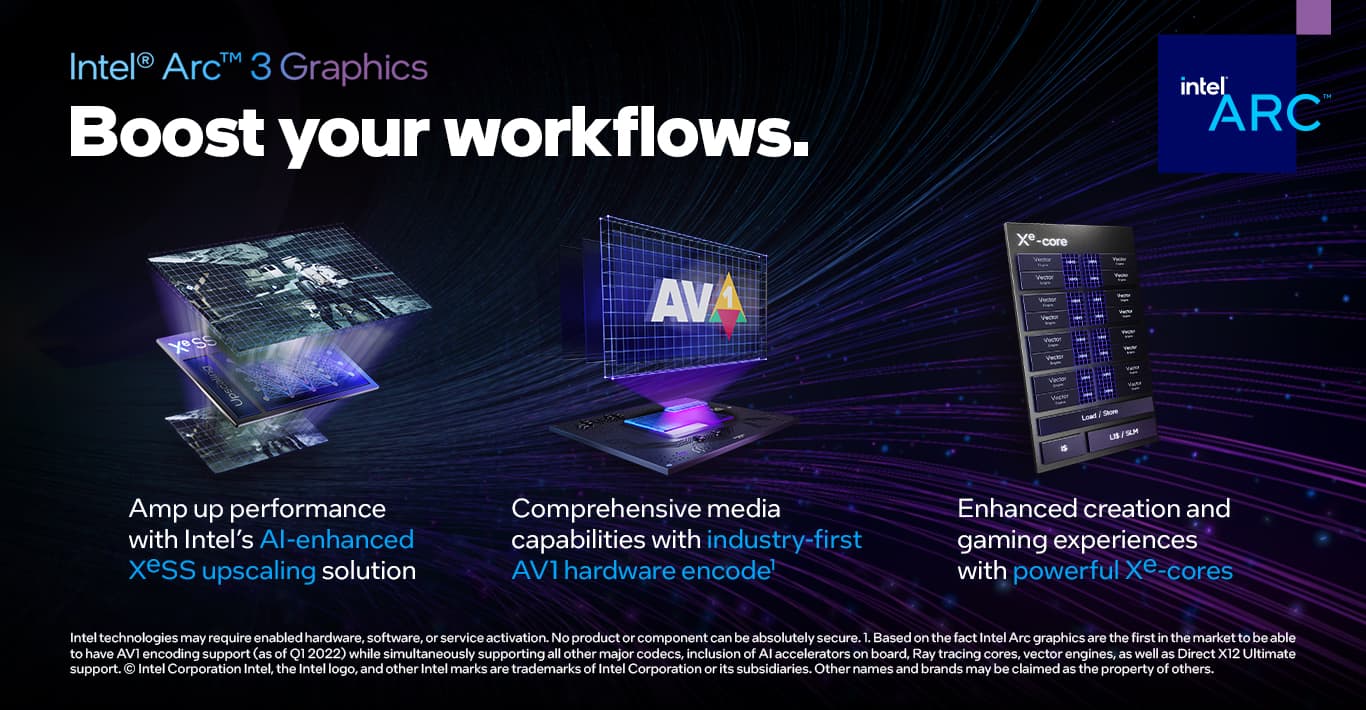
|Posted .This reviewer received promo considerations or sweepstakes entry for writing a review.Like many other reviews have pointed out, this is a decent entry level PC. You won't be able to hit 144hz on most games but if you have a child or someone who just starting to get into gaming, this would be more than satisfactory for a solid 60fps gaming on most games. 8gb ram is more than enough to run any game at this level as well. Intel's new A380 gpu is a budget graphics card that can run most games that are on DX12 platform however it tends to struggle on anything before that (DX11/DX9). The CPU is the i3-12100 which is intel's now second-latest generation of CPUs. The performance is solid and can easily keep up with the paired gpu. A huge plus and I'm glad is a standard now with new PCs is that this computer comes with a SSD which allows for fast boot up and a smooth feel when browsing anything. It's not an NVME drive or anything and its on the smaller side (500gb), but again, more than enough for the type of system this is aiming for. As for the look of the PC, it looks clean and nice! The RGB is tasteful and the tempered glass gives the pc a nice look. Mouse and keyboard are okay, more than enough for anyone just entering the PC gaming space. Now the secondary use of this pc is definitely something interesting, if you're big into streaming, Intel's hardware encoding on the A380 is fantastic, and would allow you to put all the streaming effort onto your secondary PC rather than your main. It's definitely something streamers should look into. TL;DR: Okay gaming PC, good for entry level gamers, also allows for future upgradability. Very good secondary streaming PC if you're into that. Also looks very nice!
I would recommend this to a friend - Pros mentioned:Processor speed
Great starter gaming system.
|Posted .This reviewer received promo considerations or sweepstakes entry for writing a review.As an avid gamer, I was skeptical about the performance of this gaming desktop, since it has an i3 processor. I have always had a higher processor when gaming, but I haven’t always had a dedicated graphics card. That makes a big difference. My desktop with an i7 had integrated graphics. It was fast at a lot of things, but gaming was limited due to the graphics card. I couldn’t use the good graphics settings on my games. This pc is an i3, but it has 6 GB of dedicated graphics and done fine on my games. The lights that are controllable are pretty cool. I like how I can connect my iPhone 14 Pro to my pc and then access the Fusion app. That’s an awesome feature. It was a seamless upgrade experience going from my old desktop PC that ran Windows 10, and this one that is now on Windows 11. The setup was easy, and there were no problems at all. I installed my Microsoft Office 365, and mine my sons games. He had one issue with one of his games, but he said he figured it out. If you play a lot of the high graphic, high processor using multiplayer games like WoW, Diablo, Overwatch, then check the system requirements for processor speed, as they require at least an i5 processor. All in all, if you are a gamer, this would be an ideal starter gaming PC, but if you have been gaming awhile and play those games mentioned above (Wow, Diablo, Overwatch, just to name a few that I play), then you want to move up to a higher processor. I’d recommend this for beginning gamers or gamers that play games that will run smoothly on an i3 processor, which is a lot of them.
I would recommend this to a friend Entry-Level with Upgrade Potential
|Posted .This reviewer received promo considerations or sweepstakes entry for writing a review.Verdict: The iBUYPOWER SlateHAKO Gaming Desktop is an entry level gaming rig and a decent PC for normal day-to-day tasks. The specs are on the low end, but depending on the games you play, this PC may fit your gaming needs, and serve as a great daily driver for other tasks. I think the price to value proposal is fair, and given the upgradable nature of the design, I think it's actually a decent value. First impressions. The case is quite large. The components are nicely laid out, and cabling is well done. There seems to be ample fans to keep things cool. It comes with an RGB keyboard and mouse, a power cable, quick-start guide, and an extra SATA cable. Setup. Once turned on, the computer started up pretty quickly, thanks to the SSD drive. The ambient lighting came on as well but only on a single color. Software setup was standard, and I had no issues validating my Windows product key. I found the "RGB Fusion" app and tweaked the ambient lighting to my liking; that was easy. I opened the XBOX app, signed on to my GamePass account, and downloaded one of the games I am playing right now: Gears 5. Gaming. To be honest, I was skeptical about the i3 processor, 8GB or RAM, and the GPU. To my surprise, it handled Gears 5 really quite well, at 60fps, 1080p, on high settings. Graphics were generally pretty smooth! I did not encounter any issues or feel any frustrations due to performance. The fan noise remained fairly low. In this case, Gears 5 is not particularly CPU and GPU intensive, but I think it's a good case for what I think this PC is for. There are a LOT of people who play first person shooters, and many (most?) of these games are not particularly CPU and GPU intensive, and I think this is the market. This PC offers a fairly affordable package to play really fun titles that will run perfectly fine on this PC. But... this PC will certainly struggle to play demanding games... I didn't even try to load the other title I am playing right now because it's already tough on my nice gaming rig as it is. Upgradable. One of the best selling points of this PC is that it offers an entry level package to play fun games right now at a decent price, and if you want to play more demanding games later, you can spend a little bit of money every few months to upgrade parts: add another identical 8GB stick of RAM in one of the 3 open slots, then maybe upgrade the CPU or GPU, and the power supply. The case is solid, the motherboard is decent, and the fans are adequate, so you can build on that slowly, if you feel you want to play higher-end games. As is, the computer is completely adequate to do daily tasks, such as word processing, browsing, and streaming, so when you are not gaming, it can do everything else you need. Things I love: - Fairly quiet fans, and fan levels are adjustable in the BIOS - Many popular games will run smoothly despite lower specs on CPU, GPU, and RAM - The ambient lighting is nice and customizable - The case is solid and looks good, the motherboard is decent, and there is room for upgrades over time - The mouse and keyboard look cool and are comfortable. I like the membrane keyboard actually. It's a nice pairing for this PC - The PC is well put together - There is no added junkware with the operating system Things I don’t love: - The CPU, GPU, and RAM specs will limit what games you can play. However, if you know that you are getting an entry level gaming rig and the games you love are not too intensive, then this computer will work fine for you - The tempered glass on the side of the case says "handle with care." This PC will be on the floor under my desk. I do hope I won't shatter the tempered glass if I accidentally hit the PC. I'll just position it the other way to avoid issues Overall, this is an entry level gaming PC at a fair price, and it delivers decent value and upgradability for the future. I recommend this PC for light gamers and gamers who play popular games that are not CPU/GPU intensive, and who also want a good looking rig that they can upgrade over time.
I would recommend this to a friend- Cons mentioned:Gpu
iBuyPower missed the mark
|Posted .This reviewer received promo considerations or sweepstakes entry for writing a review.I'm not going to beat around the bush, this version of iBuyPower's Slate HAKO is NOT a gaming PC. Here's why: If you don't know what's inside, the tower itself is gorgeous. Be it the ARGB fans or the stylish case, it's really nice looking. It offers a fair amount of connections and comes with a (membrane) RGB keyboard and a wired RGB mouse. Both are OK but nothing to brag about. I thought it was a smart choice to include an additionnal NVMe screw and a SATA cable. WIFI is integrated and 2 antennas are provided. Now that we've covered the outside, let's have a look where it hurts: the components. The motherboard is a custom Gigabyte Ultra Durable, which is actually pretty good. It comes equipped with 8 gigs of DDR4. That's the first red flag. It's common knowledge amongst PC builders that 16 gigs of RAM are the minimum to play and 32 gigs for extra comfort. Windows 11 is pre-installed and that gobbles up most of your memory. I would have liked to see more RAM. The CPU is a Core i3 with 4 cores and 8 threads. This is most definitely not a choice one would make to build a gaming rig. In most scenarios, this CPU will prove to be too slow to play. Let's have a look at the graphics card, which is the most interesting component so far. As some may know, Intel made the jump to producing dedicated discreet GPUs to compete with the two other major players. The Arc A380 inside this PC is Intel's weakest GPU offering. It does come with 6 gigs of GDDR, but that doesn't really seem to matter as it can't render complex 3D scenes without a major hit on the performance. I would even go as far as to say that only "light" gaming is possible, such as 2D games and very, very few 3D games. Over time, Intel might be able to push a little more frames per second out of this card, but even then, it just can't deliver as much raw power as the lowest priced offerings from Intel's competitors. Storage is limited to a NVMe SSD with 500 gigs (minus Windows and drivers), which is made by Western Digital. It's rather fast, but again, the room is really tight and you won't be able to store much on it. To give you an idea of how little that is, games like Ark clock in over 400 gigs, CoD Vanguard a little over a hundred and Forza Horizon 5 is just below 100 gigs. The bottom line: As much as it pains me to say, the Slate HAKO by iBuyPower is not a gaming PC. It has the looks but not the guts. I imagine that with a little tuning you could play some 3D games in 720p, but that's about as much as it can deliver. On the other hand, if you are a little tech-savvy, you could improve this build by replacing and adding components at your own pace to turn it into something closer to a gaming rig. But as it is now, I wouldn't recommend it, unless you're on a tight budget and plan to beef it up, it's simply not up to the task.
No, I would not recommend this to a friend It’s great for a certain demographic after upgrade
|Posted .This reviewer received promo considerations or sweepstakes entry for writing a review.Let me start by saying. Yes, this is a lower tier gaming pc. But we need these type of gaming PCs. Because not everyone is playing warzone, metro exodus, or other AAA rated hard to run games. Like my wife for example who plays sims 4, need for speed and other mild and easy to run games. Or my kids who play Roblox and the like. At this price point. You get a great value. Great design with nice RGB lighting as well. It’s simple yet nice. Which both my kids and wife like a lot. Plenty of air flow for a not so power hungry intel i3 12th gen and a single fan intel a380 gpu. Yes the front glass panel doesn’t let a great amount of air but these components don’t put out a lot of heat. This is all you need for the simple casual gamers like i previously mentioned. So we should be a bit more open minded and understanding imo. There are good things In This prebuilt. A very solid gigabyte b660 motherboard with plenty ports, WiFi built in and plenty performance to be had. With certain upgrades. Which I will get to later. This did only include 8gb of Ram with decent speed and actually very good timings with a cas latency of 15. That’s pretty good. I personally always have extra parts so I through in my 16gb kit with RGB to get the performance benefits offered with dual channel. Operates smoother and better fps while gaming. This is meant for 1080p gaming only, so I went ahead and tested apex legends, overwatch 2, fortnite and sims 4 (my wife) all those games played very well. Now while “attempting” to run warzone I was quickly reminded that this is not meant for that and that’s fine(see pics). For everything else this pc ran perfectly fine for its intended audience. And I appreciate that greatly. 500gb ssd nvme is plenty and if not you can upgrade in the future. The intel gpu only has a single fan but that’s all it needs. Runs quiet enough. No issues there’s. Keyboard and mouse are fine as well. Nothing amazing. But the keyboard keys while(membrane) feel nice and solid. The mouse is a bit cheesy imo but it’s ok. Lol. I do recommend (if you know what you’re doing) to update the bios through the gigabyte website as my bios version was from December 2021. I updated to the latest version. Also download the intel driver assistant software to update the arc gpu and other components such as Bluetooth and WiFi. If applicable. Those 2 days hinge helps with performance and future proofing your system. The bios update fixes the gigabyte RGB software issue where I had to reselect my RGB fan color setting. May not be a big deal yo most but my wife and I like RGB. So there’s that. So if you have a wife or kid that games but doesn’t need the most horsepower, then I can and will recommend you his pc so long as you know what you are getting and what upgrades may need to be done. You will be good to go. One last note- so the air cooling In This system is plenty fine. But if you want to add more fans or plan to upgrade the CPU or GPU ibuypower design this case well as you can easily remove the top part of the case to easily upgrade the cooling with 3 more 120mm fans. That is great forward thing here.
I would recommend this to a friendGreat Entry Level Gaming System
|Posted .This reviewer received promo considerations or sweepstakes entry for writing a review.This is my first computer from iBUYPOWER and I was surprised at how much I liked it. I like that it is built with standard off-the-shelf parts so future expansion and upgrading will be simple and straightforward. The build quality also seems excellent and cable management looks well done (better than how I probably would have done it if I had put it together myself) I’ve been a DIY computer enthusiast since the Intel 486 days and I feel the components that are used in this computer make it a great entry level 1080p gaming system. The main components used in this computer were the following: Intel i3-12100 Gigabyte B660 DS3H AC DDR4-Y1 motherboard Asrock Challenger Intel ARC 380 graphics card WD SN570 nMVE 500 GB SSD Forza 8 GB DDR4 memory stick Slate Hako MR Midtower case While the Intel i3-12100 is considered an entry level processor now, it actually feels more zippy than the Intel Core i5 9600K used in my previous mid-tier gaming computer from several years ago. The WD SN570 nMVE 500GB SSD is generally considered an excellent Gen3 nMVE SSD and the size should be large enough for most starter systems. The Gigabyte motherboard is a very nice full ATX motherboard with plenty of available expansion possibilities. There are 4 available 6Gb/s SATA ports, another available PCIe Gen4 x4 M.2 SSD slot, 4 available PCIe x16 slots (each operating at x1 although one of them is blocked by the graphics card), and 4 memory slots (with one slot taken by an Forza 8 GB memory stick) The SlateHAKO MR case is also a great starter case with lots of room to work in and has space for 2 internal 3.5 inch drives and 4 internal 2.5 inch drives. It’s one of the few mid tower cases that can handle E-ATX motherboards. I found the case to be very attractive but I probably would have preferred a front grill that might allow for a little more air flow but the current air flow seems fine for the components used in this build. For the most part it is fairly quiet although the fans did noticeably revved up and down during my initial time using the computer. After I updated the bios and drivers, I noticed that fan noise seemed to be much quieter than before. The main draw for me was the Intel ARC 380 graphics card. I’ve always been drawn to underdogs and unique and interesting devices and the Intel ARC 380 certainly checks those boxes. I still have one or two Intel i740 graphic cards that I fondly remember using so I’m rooting for the Intel ARC graphics cards to be successful. I tested the following games running at a resolution of 1920 x 1080. Battletech (which is the game I am currently playing the most) ran at about 55 to 60 fps and it felt perfectly fine to me. There were no graphical glitches and the game felt smooth to me. When I first started the game, it did warn me about low memory (it said the game needs at least 8 Gbytes) but I never noticed any problems when playing and the warning never appeared again. XCOM 2 also played fantastic with an average 114 fps during game play. No graphical glitches or stuttering were detected. Witcher 3 ran at about 55 to 60 fps using high quality graphics. When set to ultra, the frame rate dropped to about 44 fps. It still felt smooth to me and I would only know that it was running at 44 fps by looking at the frame counter. I didn’t see any visual glitches or stuttering. Resident Evil 2 ran at around 37 fps with ray tracing turned on and seemed to run silky smooth with no graphical glitches or stuttering. With ray tracing turned off, it ran at a solid 60 fps. I don’t really see much of a visual difference with ray tracing enabled but it’s kind of cool that this entry level graphics card can run a game with ray tracing turned on with acceptable performance. For the type of games I like playing (turn-based strategy, turn-based combat, role playing games etc.), the fastest frame rate isn’t that important to me. I’m not a competitive gamer who plays first person shooters so anything above 30 fps feels smooth and fast enough for me. I am the type of person that would need to have a visual frame counter for me to know what the actual frame rate was as I usually can’t tell the difference between a game running at a constant 30 fps versus one that was running at 114 fps. For the games that I tested, they all ran great in 1080p resolution. And the games that I tested were not DirectX 12 games which the Intel ARC is supposedly much better at. I think that as drivers mature, the Intel ARC 380 will become an even better graphics card. And for non-gaming purposes (such as AI, machine learning, video encoding/decoding etc.), the Intel ARC 380 holds intriguing promise because of its internal system design. The only thing that I would like to see changed with this system is the memory. I think including 16 Gbytes of memory instead of 8 Gbytes would make this a much better value. Having only 8 Gbytes makes things feel a little too tight. For entry level 1080p gaming, I think the iBUYPOWER SlateHAKO Gaming Desktop with Intel i3-12100 andIntel ARC 380 graphics is a very good value. Since this computer is easily upgradable and expandable using standard off-the-shelf components, it would be able to serve the user well for many years to come.
I would recommend this to a friend