Customer Ratings & Reviews
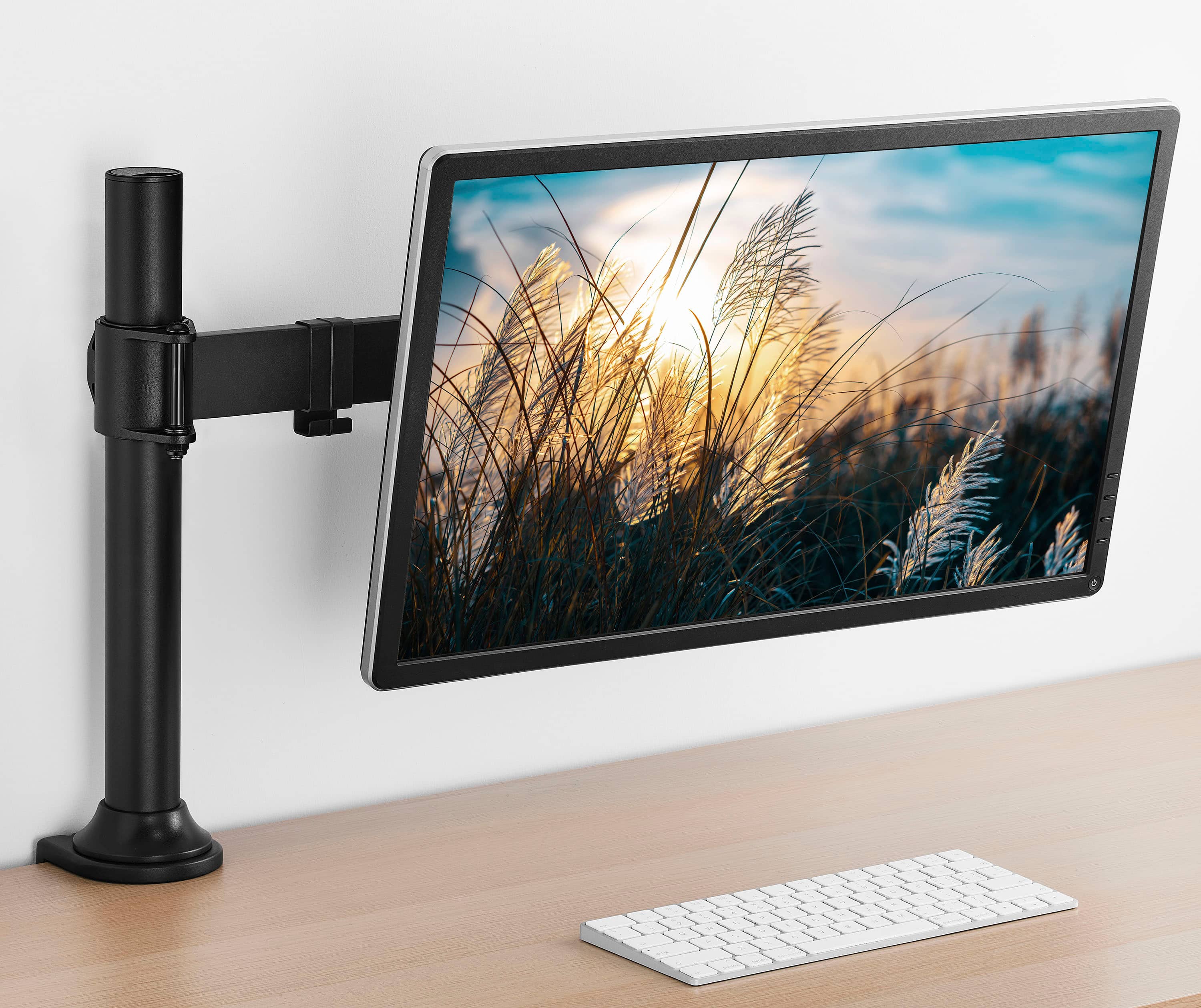
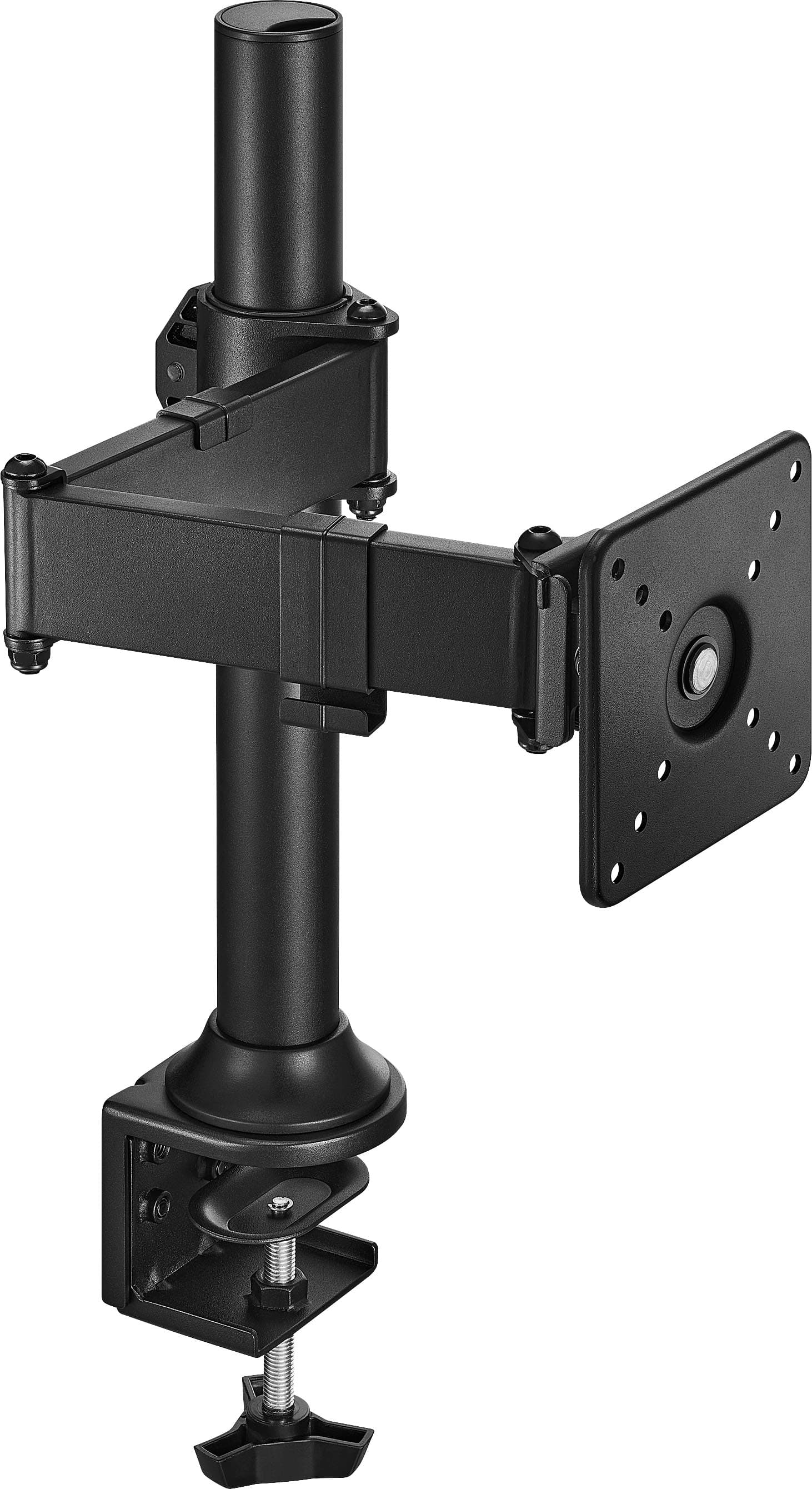
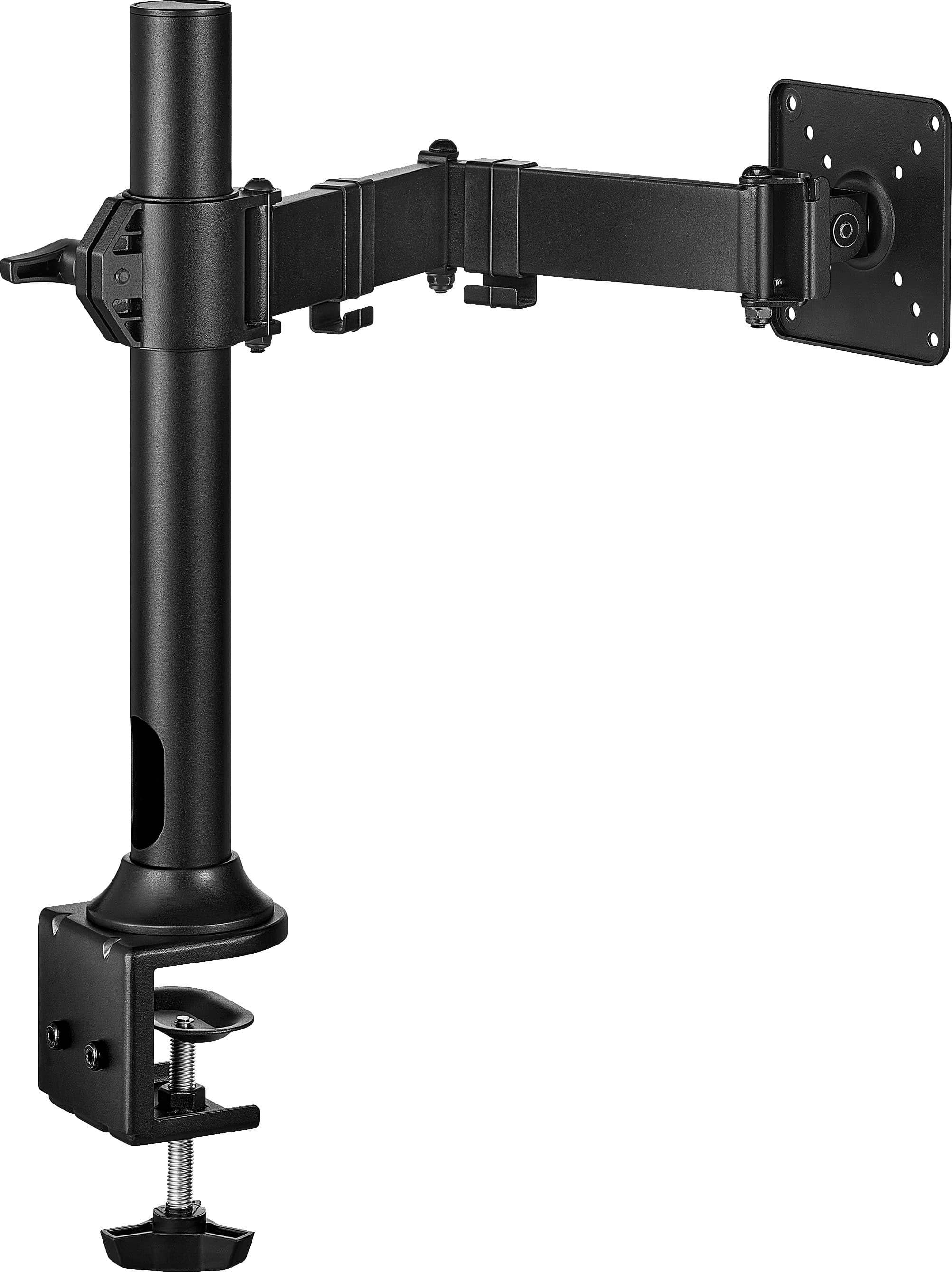
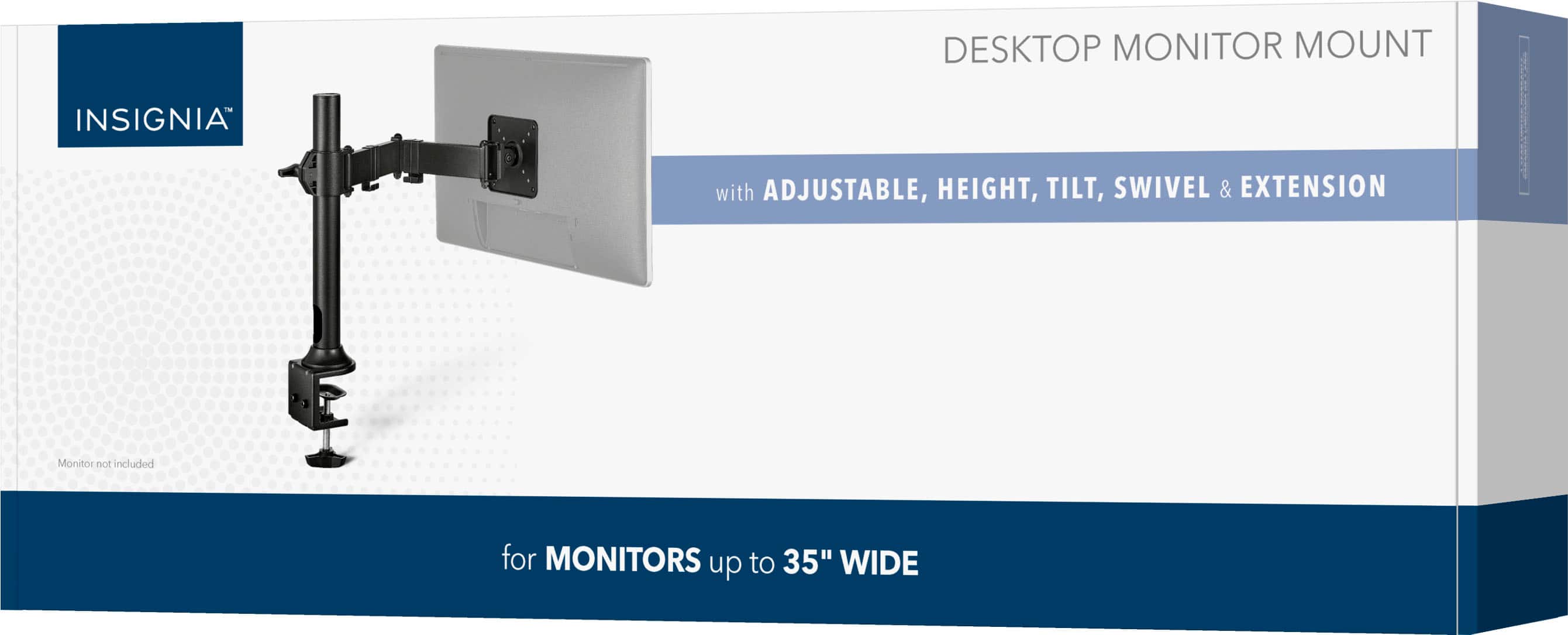
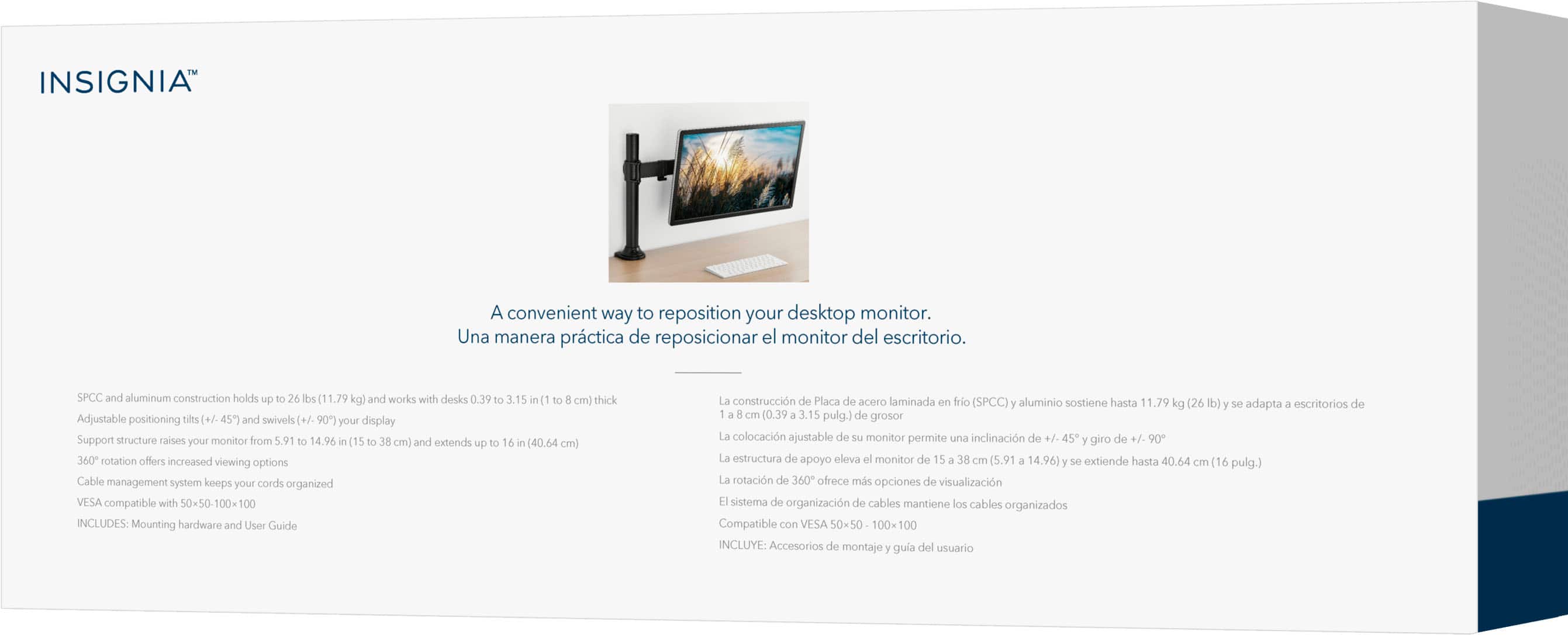

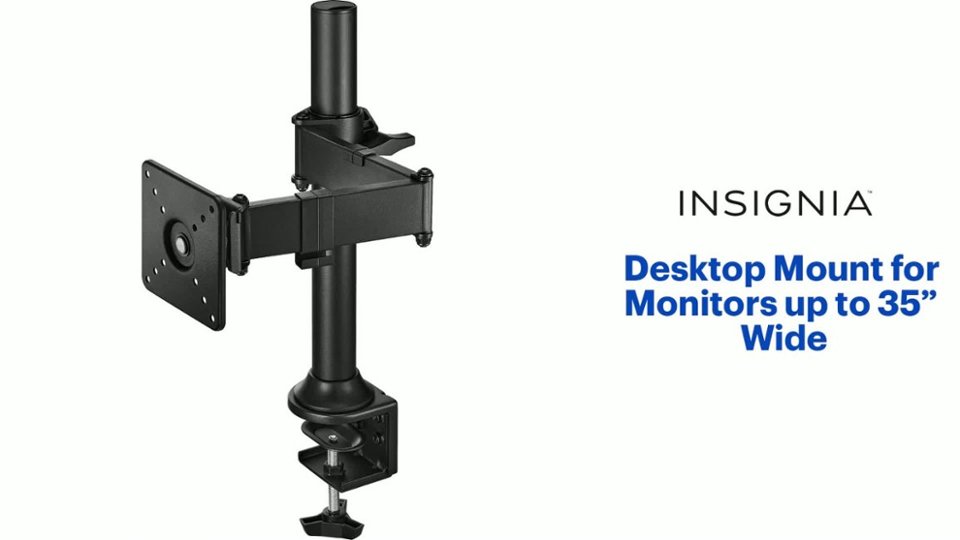
- Model:
- NS-SMMT2B5
- SKU:
- 6599410
Rating by feature
- Value
Rating 4.7 out of 5 stars
- Quality
Rating 4.6 out of 5 stars
- Ease of Use
Rating 4.7 out of 5 stars
Customers are saying
Customers find value in the product's impressive stability and solid build quality, which are the most frequently praised features. Users also appreciate the effective cable management system and the straightforward assembly process. While the mounting performance is generally reliable, some customers have noted concerns regarding the height of the stand and its ability to support heavier monitors.
This summary was generated by AI based on customer reviews.
- Pros mentioned:Stability
PERFECT mount to add to my existing standing desk!
||Posted .This reviewer received promo considerations or sweepstakes entry for writing a review.This is about the ARM supports I purchased to mount a 34" curved monitor, and a second 24" flat monitor set to PORTRAIT mode. I purchased 2 of these Insignia Desk Mounts to replace the mounting arm on an Ergotron work-fit, dual monitor standing desk I own. The mounts are really affordable and are PERFECT for my needs, as I don't need to raise the height of the monitors independently from my ability to raise and lower the height of both monitors, as they're attached to my Ergotron standing desk, which I can raise and lower at will. Be aware that these mounts weigh less than the gas powered reticulating type. Consider this information when buying a mount. These mounts just go forward and back. They can be height-adjusted, somewhat, but they don't go up and down so easily, and not as much as the fully reticulating arm mounts. They do make it easy to turn each monitor around to reveal the back, the cords etc, which was something I could never do with the old monitor support on my Ergotron standing desk. That is SO convenient! My previous dual monitor setup was two 24" monitors. The arm holding them on my standing desk were built into the Ergotron, centered and allowed equal-sized monitors to be placed an equal distance from the center. Thankfully, I was able to remove the Ergotron dual mount arms so that these Insignia arms have no obstacles. I recently purchased an LG 34" curved monitor (from Best Buy), and due to the refresh rate for my old 24" monitors, I also decided to purchased another 24" Acer monitor (also from Best Buy), as the intent is to place the 24" in portrait mode, and the 34" wide curved monitory gives the feel of two monitors all in one. My older 24" Acer still works, but the refresh rate is half of both of my new ones. I've loved Acer monitors (that I always have purchased from Best Buy), but the old one was purchased in 2017, and since the current refresh rate on my LG monitor is higher, I decided, with the current affordability of the 24" Acer monitor, that I might as well upgrade that too, since it was less than $100. I'd been salivating over the idea of a wide curved monitor for YEARS but didn't feel comfortable with the higher prices of the oversized monitors that caught my imagination. Additionally, since I use a MAC MINI, most of the larger curved monitors in the market these days, it seems are made by Samsung, a company that de-prioritizes Apple products (look it up) making that brand less compatible for my Apple Mac Mini. I've also been studying AI in high-level classes for the past year, so I asked. AI, since I'm not a gamer, what would be the best setup for my desktop? The AI answer was to suggest that I buy a 34" curved monitor and keep one of my 24" monitors and set it up in PORTRAIT mode to give ease in reading documents. Such a brilliant concept! Since my desk itself is height-adjustable, the simple Insignia desktop mount is PERFECT to attach to the Ergotron standing desk attachment in my home office. I am not in need of the more complex gas spring arms to adjust the height as the standing desk I already own covers that. Additionally, since the 24" is now set to portrait mode, I needed to place one of these 2 Insignia mounts farther to the left for the 24" monitor, and place the mount for the 34" curved monitor closer to the center of my standing desk.
I would recommend this to a friendBrand response from InsigniaCustomerSupport
Posted .Thank you for sharing such a detailed review of your setup, PhillyKat. We’re glad to hear the Insignia mounts fit your standing desk configuration and support your 34" curved and 24" portrait monitors effectively. Your insights on weight, adjustability, and compatibility are incredibly valuable for other customers considering similar setups. If you need any additional assistance, please feel free to contact our support team at 1‑877‑467‑4289 or insigniasupport@bestbuy.com
Lucien | Insignia
- Pros mentioned:Cable management
Very affordable and easy set up! Highly recommend!
||Posted . Owned for less than 1 week when reviewed.This reviewer received promo considerations or sweepstakes entry for writing a review.I just set up my mount yesterday and I’ve seen a remarkable improvement for my gaming set up! I no longer have to deal with my previous monitor blocking my mouse movement on my desk. This mount doesn’t take up any space on your desk. I want to say this mount fits 50,75, & 100mm VESA fittings. My Odyssey G4 has a VESA 100mm by 100mm so this mount fits perfectly with my gaming monitor. I don’t have to worry about cable management because this mount offers a built in cable management system in the stand itself. Just slide your cables through the tube stand and use cable clips to secure your cables to the stand to avoid those dangling cables that no one likes! This mount is affordable compared to other options and in my honest opinion it’s a lot better than the gas operated mounts. It’s really a one and done stand. Set it up how you want it and just leave it. Very beginner friendly and a very easy installation, your grandmother could set it up just fine. Highly recommended!
I would recommend this to a friendBrand response from InsigniaCustomerSupport
Posted .Hello Brandon, thank you for taking the time to share such a detailed review of our Desktop Mount for monitors up to 35". It’s great to hear how much it improved your gaming setup, especially freeing up desk space and eliminating the issue with your mouse movement. We’re glad the VESA compatibility, built‑in cable management, and easy installation all worked out perfectly for your Odyssey G4. Thanks for letting us know how it worked out for you.
Poojitha | Insignia
- Pros mentioned:Stability
Insignia arm
||Posted . Owned for 1 week when reviewed.This reviewer received promo considerations or sweepstakes entry for writing a review.I’m really happy with this monitor arm so far. It feels sturdy, was easy to install, and makes it much easier to position my monitor exactly where I want it. The adjustments are smooth and it helped clean up a lot of desk space compared to using the stock stand. Overall it’s a great upgrade if you want a cleaner setup and more flexibility with your monitor positioning.
I would recommend this to a friendBrand response from InsigniaCustomerSupport
Posted .Hello Joey, thank you for your feedback! We're glad to hear the Insignia Desktop Monitor Mount was easy to install and is helping create a cleaner, more organized workspace. It's great to know you're enjoying its sturdy design, smooth adjustments, and added flexibility for monitor positioning. Thank you for choosing Insignia!
Sudeep | Insignia
- Pros mentioned:Stability
Very sturdy, can hold an old heavy monitor.
||Posted . Owned for 1 month when reviewed.This reviewer received promo considerations or sweepstakes entry for writing a review.I have an old 1440p monitor with a built in web cam on this bad boy and it's completely stable and articulatable with it on there. Slapped right on vesa style no problem. It let's me orient the monitor to a simulator rig just right for any height.
I would recommend this to a friendBrand response from InsigniaCustomerSupport
Posted .Hello Carll, thank you for sharing your experience. We're glad to hear that the Insignia Desktop Mount is providing the stability and flexibility you need, even with a heavier monitor setup. It's great to know that the VESA compatibility and adjustable positioning are helping you achieve the perfect viewing angle for your simulator rig. We truly appreciate your feedback and are pleased that the mount is performing so well for your needs.
Sidhartha | Insignia
- Pros mentioned:Cable management, Stability
Excellent!
||Posted . Owned for 2 weeks when reviewed.This reviewer received promo considerations or sweepstakes entry for writing a review.Perfect side monitor stand! Sturdy. Cable management. Easy to set up. Easy to move. Love it!
I would recommend this to a friendBrand response from InsigniaCustomerSupport
Posted .Awesome to hear, DanielleG! A sturdy, sleek setup that’s easy to manage and move? That’s the dream desk upgrade right there.
— Shiela | Insignia Support
- Pros mentioned:Build quality, Cable management

Easy to setup and looks great
|Posted . Owned for 2 weeks when reviewed.This reviewer received promo considerations or sweepstakes entry for writing a review.[Employee of bestbuy] Was easy to install and it feels very sturdy, I also like how it has cablemanagment clips
I would recommend this to a friendBrand response from InsigniaCustomerSupport
Posted .Thank you for your feedback. We are pleased to hear that you found the installation process easy and that the product feels sturdy. Your satisfaction with the cable management clips is important to us, and we are committed to providing solutions that meet your needs. We appreciate your support and look forward to serving you again in the future.
Keith | Insignia Support
Perfect stand
||Posted . Owned for 2 weeks when reviewed.This reviewer received promo considerations or sweepstakes entry for writing a review.It gets your monitor right where you need it. The stand has a heft clamp that is easy to use with any desk you got!
I would recommend this to a friendBrand response from InsigniaCustomerSupport
Posted .Hello Austin, thank you for sharing your experience. We're glad to hear the desktop mount helps position your monitor exactly where you need it and that the sturdy clamp made installation easy on your desk. It's wonderful to know the mount is working well for your setup. We appreciate you taking the time to share your feedback.
Sidhartha | Insignia
- Pros mentioned:Build quality, Cable management
Good stuff
||Posted . Owned for 2 weeks when reviewed.This reviewer received promo considerations or sweepstakes entry for writing a review.Easy setup and feels quality. Cable management is fantastic.
I would recommend this to a friendBrand response from InsigniaCustomerSupport
Posted .Thank you for your feedback. We're glad to hear the setup was easy and that the build quality met your expectations. It's great to know the cable management features are working well for you.
Keith | Insignia Support
Amazing
||Posted . Owned for 1 year when reviewed.This reviewer received promo considerations or sweepstakes entry for writing a review.I love not having my Monitor stands not touching my mouse
I would recommend this to a friendBrand response from InsigniaCustomerSupport
Posted .Hello Renn, thank you for your review of the Insignia Desktop Mount for Monitors. We're glad to hear the mount has helped create a cleaner workspace and freed up valuable desk space. We appreciate your feedback and support.
Poojitha | Insignia
Mount
||Posted . Owned for 1 week when reviewed.This reviewer received promo considerations or sweepstakes entry for writing a review.Have held my monitor up and the cable management is great
I would recommend this to a friendBrand response from InsigniaCustomerSupport
Posted .Hi Tonya, Thank you for sharing your feedback on the Insignia Desktop Mount for Monitors up to 35 Wide. We're glad to hear it securely supports your monitor and that the cable management features have helped keep your workspace neat and organized. Thank you for choosing Insignia. Shashank | Insignia
Nice arm
||Posted . Owned for 1 month when reviewed.This reviewer received promo considerations or sweepstakes entry for writing a review.Pretty good so far I like how its adjustable and it wasnt too hard to put together
I would recommend this to a friendBrand response from InsigniaCustomerSupport
Posted .Hi Dhana, thank you for taking the time to share your review of the Insignia Desktop Mount for Monitors up to 35". We're pleased to hear you found it easy to assemble and are enjoying the adjustable design. It's great to know the mount has been working well for your setup. We appreciate your feedback.
Vennila | Insignia
Works for me!
||Posted . Owned for 2 weeks when reviewed.This reviewer received promo considerations or sweepstakes entry for writing a review.These are perfect for my setup. I own two. Simple to setup, took me about 45 minutes to setup both. One is home to my Alienware 34in. widescreen monitor and the other my ASUS 24in monitor mounted vertically. Very affordable, does and looks better than the fancy one I used to have. Will highly recommend.
I would recommend this to a friendBrand response from InsigniaCustomerSupport
Posted .Hi Insignia Customer, thank you for taking the time to share your review of the Insignia Desktop Mount for Monitors up to 35". We're delighted to hear the mounts were easy to set up and work so well with your monitor setup. It's great to know they exceeded your expectations while providing excellent value. We appreciate your recommendation and feedback. Vennila | Insignia
Great Desktop Mount! Great Price!
||Posted . Owned for 2 weeks when reviewed.This reviewer received promo considerations or sweepstakes entry for writing a review.I have a small desk, and this monitor mount fit my desk setup perfectly. I used it for a Samsung 27" curved monitor with VESA standard mounting holes. Everything worked out great! The material is good quality, and instructions were easy to read and understand, even though I hardly used them because everything that comes with it is pretty intuitive. I did delete one of the articulating arms on my own because it extended further than I needed and it was pretty simple and worked out well. I'm completely satisfied with this mount and the price.
I would recommend this to a friend- Pros mentioned:Stability
Very sturdy
|Posted . Owned for 2 weeks when reviewed.This reviewer received promo considerations or sweepstakes entry for writing a review.[Employee of bestbuy] I ordered this mount for my third moniter and it holds up very well would highly recommend.
I would recommend this to a friend Great arm…but
||Posted . Owned for 1 month when reviewed.This reviewer received promo considerations or sweepstakes entry for writing a review.At first I was concerned that this arm wouldn’t be strong enough to hold up my Samsung G5 monitor but I was pleasantly surprised that it’s done a great job and has held up for the past month. The only downside is your desk needs to be open on the back for the clamp to be able to attach to the desk.
I would recommend this to a friendNice mount!
||Posted . Owned for less than 1 week when reviewed.This reviewer received promo considerations or sweepstakes entry for writing a review.Easy to mount, you can remove a section so it doesn't stick out as far too. I have 3 of these for various purposes.
I would recommend this to a friendBrand response from InsigniaCustomerSupport
Posted .Dear Insignia Customer, thank you for sharing your feedback. We’re glad to hear your Insignia™ Desktop Mount was easy to install and versatile enough for multiple setups. It’s great to know you’re using three of them for different purposes. We appreciate your support and thank you for choosing Insignia.
Rafay | Insignia Products
Solid budget option
|Posted . Owned for 1 week when reviewed.This reviewer received promo considerations or sweepstakes entry for writing a review.[Employee of bestbuy] Works as intended and easy to setup and use. Im using this for a secondary monitor and its perfect for my use case; although I do think that including a set screw doe the horizontal drifting off level, would’ve been helpful.
I would recommend this to a friendIt does what its supposed to
||Posted .This reviewer received promo considerations or sweepstakes entry for writing a review.Its a monitor arm. Easy, simple, effective. Good price for what you get
I would recommend this to a friendBrand response from InsigniaCustomerSupport
Posted .Hello Ben, thank you for sharing your thoughts. We’re pleased to hear the Insignia Desktop Mount has been simple to set up and works effectively for your monitor. We appreciate your feedback.
Rihan | Insignia
- Pros mentioned:Build quality, Stability
Great for Ultrawide Monitor
||Posted . Owned for 1 week when reviewed.This reviewer received promo considerations or sweepstakes entry for writing a review.Needed a mount for an 34” ultrawide monitor, so I bought this and an Amazon version (for about $10 less) and ended up keeping this. I modified this to a flush mount and it works amazingly well. This is far superior in quality to the Amazon one and hides the wires inside the tube instead of in some brackets on the outside. The height adjustment is also infinitely better due to it sliding up and down and not being stuck to pre-set holes. To get this quality from an Amazon mount it would have been the same or more.
I would recommend this to a friendBrand response from InsigniaCustomerSupport
Posted .Hello Insignia customer, thank you for sharing your experience with the Desktop Mount for Monitors up to 35" Wide. We’re glad to hear it provided the quality, adjustability, and cable management you were looking for with your 34" ultrawide monitor. It’s great to know the sturdy design and smooth height adjustment helped it stand out compared to other options you considered. We appreciate you taking the time to share your detailed feedback and positive experience with us. Poojitha | Insignia
- Pros mentioned:Build quality, Cable management
Desktop mount for monitor
||Posted . Owned for 1 week when reviewed.This reviewer received promo considerations or sweepstakes entry for writing a review.It worked perfectly. I have two more of these hooked up to my other two monitors in my setup, and they do a great job of hiding the cables and keeping everything looking clean. They’re well built, and I have no complaints.
I would recommend this to a friendBrand response from InsigniaCustomerSupport
Posted .Hello Insignia Customer, thank you for sharing your experience with the Insignia Desktop Mount for Monitors up to 35". We're pleased to hear it worked perfectly with your setup and helped keep your workspace organized with effective cable management. It's great to know the build quality has met your expectations across multiple monitors. We appreciate your continued support and valuable feedback. Poojitha | Insignia