Customer Ratings & Reviews
- Model:
- j715020
- SKU:
- 6471424
Rating by feature
- Value
Rating 4.3 out of 5 stars
- Quality
Rating 4.5 out of 5 stars
- Ease of Use
Rating 4.5 out of 5 stars
Customers are saying
Customers enjoy the Roomba j7's excellent cleaning performance, intuitive mapping and navigation, and impressive obstacle avoidance. Many appreciate its ease of use and quieter operation compared to previous models, although some find the dustbin capacity could be larger. The app receives positive feedback for its ease of use, and the suction power is frequently praised. While some users experienced issues with brushes, the overall customer sentiment is positive.
This summary was generated by AI based on customer reviews.
Stopped Working Well after a Month
||Posted . Owned for 1 month when reviewed.This reviewer received promo considerations or sweepstakes entry for writing a review.When it vacuums my floor does feel much cleaner, but after a month it stopping working well. It’s constantly saying bin full, and I get the “empty bin” message about every 7-15 minutes, even when I’ve wiped the unit down, taken everything apart, and cleaned the sensors. It’s not ever full, and the needed breakdown and babying of this unit I have to do is more work than my old, regular, vacuum.
No, I would not recommend this to a friendWorst Roomba Ever
||Posted . Owned for 8 months when reviewed.This reviewer received promo considerations or sweepstakes entry for writing a review.This has been the worst of 4 different roomba models we have owned. It cannot "connect" in the app. We have reset the device to factory repeatedly and it still does not work more than once cleaning. Currently have returned to an older model that has seen many better days. Hopefully, iRobot support will eventually resolve the issue for us.
No, I would not recommend this to a friendBumper stuck
||Posted . Owned for 2 weeks when reviewed.This reviewer received promo considerations or sweepstakes entry for writing a review.Don't buy this trash. It always encounters an error saying the bumper is stuck.
No, I would not recommend this to a friend- Pros mentioned:Navigation

The Smartest Robot Yet
|Posted .This reviewer received promo considerations or sweepstakes entry for writing a review.The newest j7 series of iRobot robotic vacuums brings a host of new features compared to previous models that make it a worthy upgrade or first time purchase. Solid cleaning, sophisticated object avoidance, and added app smarts make this a real winner. Setup was quite simple as expected. Plug it in, register with the app, and you're off an running. One of first things I noticed is that the j7 is fairly loud. I'm coming from a model (690) that's 3 or 4 years old at this point and expected this one to be a bit quieter, but overall, it's not. What it has improved on is cleaning ability, though. While I felt the 690 always did a great job, the j7 has improved considerably so in my particular case. We have a 17 month old and a cat, both of which contribute to various messes around the house, and we've found the j7 handles the vast majority of them within reason. This model doesn't come with the collection bin, so you'll need to empty after every run. It would be quite nice to have that feature, but you'll pay for it... The navigation abilities of this thing truly surprised me. My previous model, the 690, was completely dumb in comparison. That one had very little in the way of collision detection, mostly only avoiding walls and large objects like furniture. This j7, on the other hand, is adept at traversing the messes of our aforementioned child and cat. Our cat has accidents from time to time on the carpet, and I'm happy to report that we've not been greeted with any of the smeary messes the Roomba series has been notorious for in the past. All in all, this is a significant upgrade from the 690 in terms of how well it does in suboptimal spaces. Finally, the app integration is much improved over the 690 I had previously. The estimates are more accurate to start. And the app gives a whole host of information on maintenance status of various parts. Finally, the scheduling abilities make this a virtual set and forget experience, though again, you'll need to manually empty the dirt bin (this is where the collection bin would totally come in handy). Overall, this has been a great experience in my particular usage scenario. We badly needed an upgrade over the 690, which wasn't getting run much lately based on how many obstacles we have at any given time in the space it runs. The j7 has been the answer in almost every way. The only real question is whether to pay up for the + model, which I probably would if faced with the decision again. Highly recommended for existing Roomba owner and first time buyers alike.
I would recommend this to a friend - Pros mentioned:Mapping
Even better than before
|Posted .This reviewer received promo considerations or sweepstakes entry for writing a review.The Roomba J7+ is an improved model over past robot vacuums. Is it perfect, no, does it do as good of a job as me with my Meile tank vacuum, no (maybe not on the first pass) but it is a time saver so I can do other things I want and spend less time cleaning, YES. Eventually though, I think it does just as good of a job in the majority of my condo. All good things come int time, which is what you will ultimately save with this smart vacuum. Packaging was great, almost too good which leads me to set up. There is a quick set up card, that is it, plug it in, download the app, connect wi-fi done. Once charged set up the app and auto clean function you are on your way. Once your map has been created, you can take advantage of automated schedules and the amount of passes for a room, if it needs a little more than normal. The J Series offers something called PrecisionVision Navigation, the J7 can identify obstacles and ask you if you think it should avoid the obstacle or area. All this decision making happens from the iRobot app. It must be used in conjunction with the iRobot app. Also, the app provides statistics after each run. You then have the ability to tell your own Roomba if it is a; Temporary, Permanent, or not an obstacle at all. They are pretty confident in their product and offer the Pet Owner’s Official Promise (POOP). If my j7 runs over any animal waste, Roomba will replace it for free, this is valid to the original owner for up to one year from the purchase date. Here is what you need to know though. TheJj7 needs to be set up properly to work properly so plan to invest some initial time. Depending on the layout of your house and your lifestyle learning the floor plan can be a bit difficult. The j7 needs to run a few passes through your home to establish a map. These passes can be a normal cleaning or a mapping run. If there is a change in the environment, the J7 will think it’s a new floor plan and create a second map and so on. Do yourself a favor and clean up before the first few runs and make sure everything is in its place, let one map be created and then modify the map from there. If you don’t it will be more work in the end and you won’t be as satisfied with what the J7 can really do. With a good base map you can tell it not to go in a bathroom because it doesn’t do well with bathroom type rugs, or rugs with fringe. I got so sick of it spending an hour to clean around my dinning room set, I made that a “no fly zone.” Now it doesn’t clean under the table but I cut an hour off the cleaning time so it does the rest of the room more quickly. I think it is smart enough to eventually tackle the dining room table and chairs but for now, no. I really love sending the J7 into a room I may have just made a mess in, say the kitchen to clean up after me. You can do this through the app or Google voice assistant…COOL. The vacuum base is loud, although brief, literally sounds like a small jet taking off, would not recommend scheduling cleaning at night if you sleep on the same level as your J7. Another consideration is these units will need general maintenance, just like every other piece of high-tech equipment. You may need to remove hair and dust from the unit, check the bin to ensure it has all emptied into the storage unit, change the filter, spin rollers and whisker. This may add cost to your ownership, but the time saving is worth it. And, as always, buy the protection plan, you will never be sorry….
I would recommend this to a friend Floor cleaner
||Posted . Owned for 3 weeks when reviewed.This reviewer received promo considerations or sweepstakes entry for writing a review.Was not easy to setup and the use was not anything like the box stated.
No, I would not recommend this to a friend- Pros mentioned:Mapping
Avoids cables and its awesome
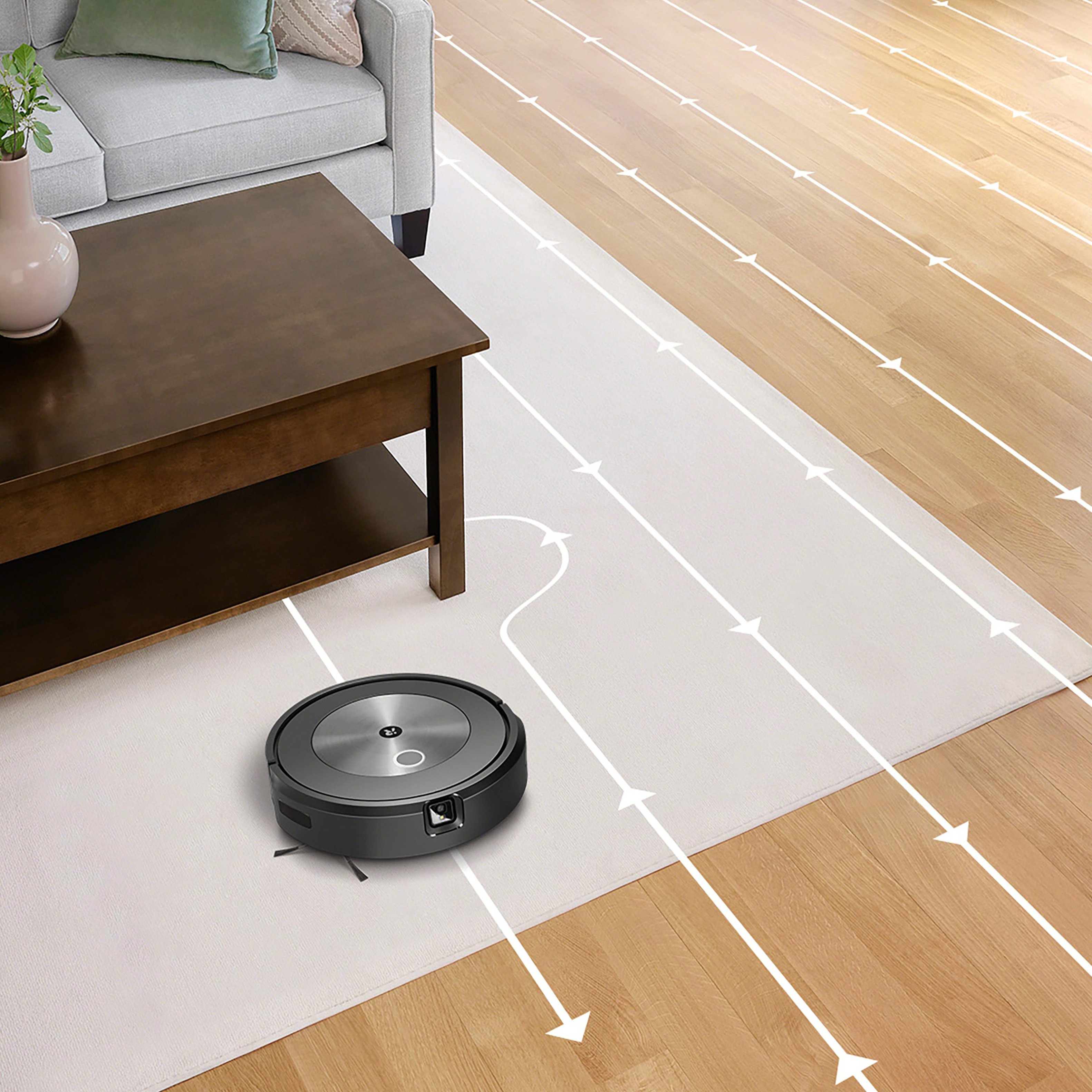
|Posted .This reviewer received promo considerations or sweepstakes entry for writing a review.The J7 initially left me confused since the obstacle avoidance feature wasn’t enabled by default, I had to go into the robot settings to enable the feature. Also, I would have liked to have seen iRobot continue with the D shaped robots since the robot is able to get edges much better than the round shape. Packaging was as minimal and included the charging base, charging base cord, additional filter, and an additional side brush. After unboxing, I was able to easily set up the robot on my Wi-Fi through the iRobot app. I ran the J7 three times before I was able to name the various rooms. This is where imprint mapping comes into play. After the J7 mapped out the space split up and labeled the entire floor in a home map saved in the iRobot app. Now I can send the J7 to the kitchen or ask google home or alexa to send the J7 to clean the kitchen, living room, or any other room or area I have marked on the map. In addition I can designate cleaning zones and no go zones which is vastly helpful. All areas in front of sliding doors or doors I have marked as a cleaning zone so that the J7 spends extra time in those areas and I marked the cat food and water area as a no go zone. On the fourth run I was informed in the app of the various obstacles the J7 though it ran into and I went through and verified whether or not it was an obstacle, a temporary obstacle, or not an obstacle. I then had the option to send the Roomba to clean areas that were skipped due to obstacles seen. On the first two runs I was confused as to why the J7 kept getting stuck on cords, but I went into the settings and enabled the obstacle avoidance feature. After that, the J7 didn’t get stuck on any cords I placed in the way, accidentally or on purpose. This is a great feature that will help avoid headaches later on. I have forgotten many times to clear the floor of a cable that was hiding under the couch and have come home to find my robot stuck under the couch. I think this is a big step in the right direction. The suction on the J7 is not nearly as strong as the S9+, but this is more of a mid tier robot with advanced features. I will end up buying the automatic self emptying bin for the J7 because that is the only component missing, besides better suction.
I would recommend this to a friend Don’t buy!
||Posted . Owned for 1 month when reviewed.This reviewer received promo considerations or sweepstakes entry for writing a review.Terrible. Shuts down after 5 minutes and doesn’t vacuum properly. Also, it bumps into everything and will not read steps. Don’t buy. Fail.
No, I would not recommend this to a friend- Pros mentioned:Cleaning performance, Mapping
Quite the robot
Posted .This reviewer received promo considerations or sweepstakes entry for writing a review.It is quite the robot, works very well. It cleans it maps the cleaning area it learns quick and all I have to do is tell Roomba clean. I have mine linked to my Alexa app and it works perfect.
I would recommend this to a friend Smart & Sleek
|Posted .This reviewer received promo considerations or sweepstakes entry for writing a review.Today there are a variety of robot vacuums in a multitude of price points. This Roomba model however definitely has nearly all the bells and whistles at a reasonable price point. Firstly, the aesthetics of this model are very sleek and minimalistic. I do not have any hesitancy with this sitting in an open area of my home as it fits in with most furniture today. Going into the actual performance though is where this thing sets itself apart from its competitors. As someone who has used a few different models of robot vacuums, this one is definitely the "smartest." The ability to avoid various obstacles and still maintain the "mapping" of a room is so nice as other "smart" robot vacuums will adjust the room in a sense and will avoid a specific area continuously if an obstacle was there during one cleaning session. The ability to spot clean is also extremely handy as having the vacuum run solely in the kitchen after cooking is a nice feature. The customized schedules is beneficial especially with the recommended cleaning schedules based on prior uses. I have definitely noticed that the more I have used it, the smarter it has gotten and the better the recommendations have become to the point where it is nearly unnoticed anymore. Overall, the initial price may seem overwhelming, but the difference between this robot vacuum and those half the price is astronomical! I would highly recommend this product to those in the market for a robot vacuum as there is a reason why the Roomba brand is synonymous with robot vacuums.
I would recommend this to a friendBad deal
||Posted . Owned for 1 month when reviewed.This reviewer received promo considerations or sweepstakes entry for writing a review.Sucks...won't put trash in bin.. wish I could return
No, I would not recommend this to a friendHigh quality product that needs more instructions
|Posted .This reviewer received promo considerations or sweepstakes entry for writing a review.Upfront make sure your power cord is firmly seated all the way into the charger! 1. I have run this through all the paces and so far it works as advertised. 2. Set up on the App was a little confusing in that until you activated your WIFI in a 2 step process the icon for the j7 never showed in the setup app. So be advised that when the link sends you to "blue tooth set to on" you then have to manually switch to WIFI settings on you phone and click on the irobot connection. Then after you see a very short connection and then disconnection click back on your normal WIFI. The disconnection part was what caused me to stumble at first. Just ignore it. 3. As far as mapping and cleaning it works much better than the previous series. 4. Multiple room maps and Google functionality will cut down your cleaning time. 5. Mapping mode "only" runs for hours if your area is large and cluttered. 6. Interesting issue is that my two grey indoor/outdoor 10X12 flat stiff area carpets seem to confuse it slightly. 7. Unless you create multiple maps it will always start at the beginning area and clean untill the battery runs low. 8.Another issue is you must close out the app and reopen it to get it reconnected after a long cleaning run. 9.This is my 5th iRobot and appreciate the advanced systematic mapping and cleaning versus the older random models. 10. Best use is hard to get areas under furniture, baseboards, curtains, and doors. 11. This unit came with a spare cat wisker and filter. Bottom line this is a very high quality product with a high end long run battery. BTW it always finds it way home!
I would recommend this to a friendExcellent Performance, Easy To Set Up And Operate
|Posted .This reviewer received promo considerations or sweepstakes entry for writing a review.This Roomba does a great job of vacuuming. It's got rollers on the bottom that sweep the surface that it's vacuuming. It's thorough and picks up all the hair and dirt. I have pets that shed and it has picked up all the pet hair so far with no problems or clogging, running over hardwood floors and area rugs. The Roomba is equipped with a camera that it uses to detect and avoid obstacles. It took the Roomba three complete runs to map my house, and after that I was able to select individual rooms to tell it to clean. I rearranged my living room and moved the Roomba home base after it had completed its map of my house just to see how it would perform. It explored and remapped the living room with no problem, incorporating it into the whole house map. One really cool feature is that the camera takes pictures of obstacles and saves them in the job history. Once a cleaning job is done, it's saved in the History section of the app. When you pull up a particular job, it displays pictures of obstacles along with elapsed time and square footage covered. It also shows the number of "Dirt Events" - times where it encountered more dirt than usual, but it doesn't give any further details. I got the Roomba without the self-emptying feature and its very easy to empty. Just press a button on the side and the receptacle pops out and after emptying just clicks back into place. Overall I'm really impressed with how well it cleans, and it frees up my time to do something else while my house is being vacuumed.
I would recommend this to a friend- Pros mentioned:Obstacle avoidance
Amazing scanning capability like watching a sci fi
|Posted .This reviewer received promo considerations or sweepstakes entry for writing a review.iRobot has come up with a wonder of scanning. This unit will not get stuck, fall off a stair, get caught in a cord When you set up a room it goes about scanning everything in a very precise manner. Add your own drawings and specs and you get a vacuum that can take over most routine tasks without any human interaction. On top of all that it does a great job cleaning pet hair and dirt. Highly recommend.
I would recommend this to a friend A Superior Product
Posted .This reviewer received promo considerations or sweepstakes entry for writing a review.A superior product that is noticably quieter than previous versions and that connects more easily to the Roomba app.
I would recommend this to a friend- Pros mentioned:Obstacle avoidance
Best vacuum you could get
Posted .This reviewer received promo considerations or sweepstakes entry for writing a review.I tried a bunch of roboots last year, including the roomba s9+ and I had to return it because it would take for ever to vacuum and also because it would get stuck every other day and sometimes everyday, I ended up going with ecovacs t8 avivi as being the "best at the time" how ever that vacuum gets stuck quite often as well, so i dediced to give this one a try and I am keepning it! it has not gotten stuck once since i bought it about 2 weeks ago, it is slow but i dont care because its set to vacuum when I am at work! it has the best obtacle avoidance hands down! and its a set it and forget it type of vacuum! which is what I was looking for! get it with the self empty bin!
I would recommend this to a friend Great purchase. No complaints.
Posted .This reviewer received promo considerations or sweepstakes entry for writing a review.Love this product. Works well on both my hardwood and carpet floors. Picks up dog fur with ease.
I would recommend this to a friendR2D2
Posted .This reviewer received promo considerations or sweepstakes entry for writing a review.AWESOME LIL' CLEANING DEVICE! Does the grid system cleaning layout in precision.
I would recommend this to a friendDirty Harry - makes our day
Posted .This reviewer received promo considerations or sweepstakes entry for writing a review.Our 3rd rumba, over the years. This one we named ‘Dirty Harry.’ We like it is gentler on the baseboards and furniture. Battery seems to last longer.
I would recommend this to a friend- Pros mentioned:Obstacle avoidance
Good vision
Posted .This reviewer received promo considerations or sweepstakes entry for writing a review.This robot cleaner does a great job of avoiding obstacles on the floor
I would recommend this to a friend