Customer Ratings & Reviews

- Model:
- JVAW62
- SKU:
- 6465108
Rating by feature
- Value
Rating 4.2 out of 5 stars
- Quality
Rating 4.5 out of 5 stars
- Ease of Use
Rating 4.5 out of 5 stars
Customers are saying
Customers recognize the ScreenCast USB-C® Wireless Display HDMI™ Extender for its plug-and-play functionality and straightforward setup. Many users appreciate the convenience of using it as a wireless HDMI cable. However, some customers have mentioned experiencing lag, which can cause audio and video to be out of sync.
This summary was generated by AI based on customer reviews.
- Pros mentioned:Wireless
Good wireless connection option
||Posted . Owned for 3 weeks when reviewed.This reviewer received promo considerations or sweepstakes entry for writing a review.Good idea for connecting devices without wires. Tried it out and it works fine.
I would recommend this to a friend - Pros mentioned:Wireless
Wireless
||Posted . Owned for 1 month when reviewed.This reviewer received promo considerations or sweepstakes entry for writing a review.Wasn't sure how well these would work but they are amazing!
I would recommend this to a friend - Pros mentioned:Ease of use
Quick and easy
||Posted . Owned for 1 month when reviewed.This reviewer received promo considerations or sweepstakes entry for writing a review.Quick and easy to use. Worked right out of the box.
I would recommend this to a friend - Pros mentioned:Ease of use, Video quality

Nice addition to ones Presenting capabilities
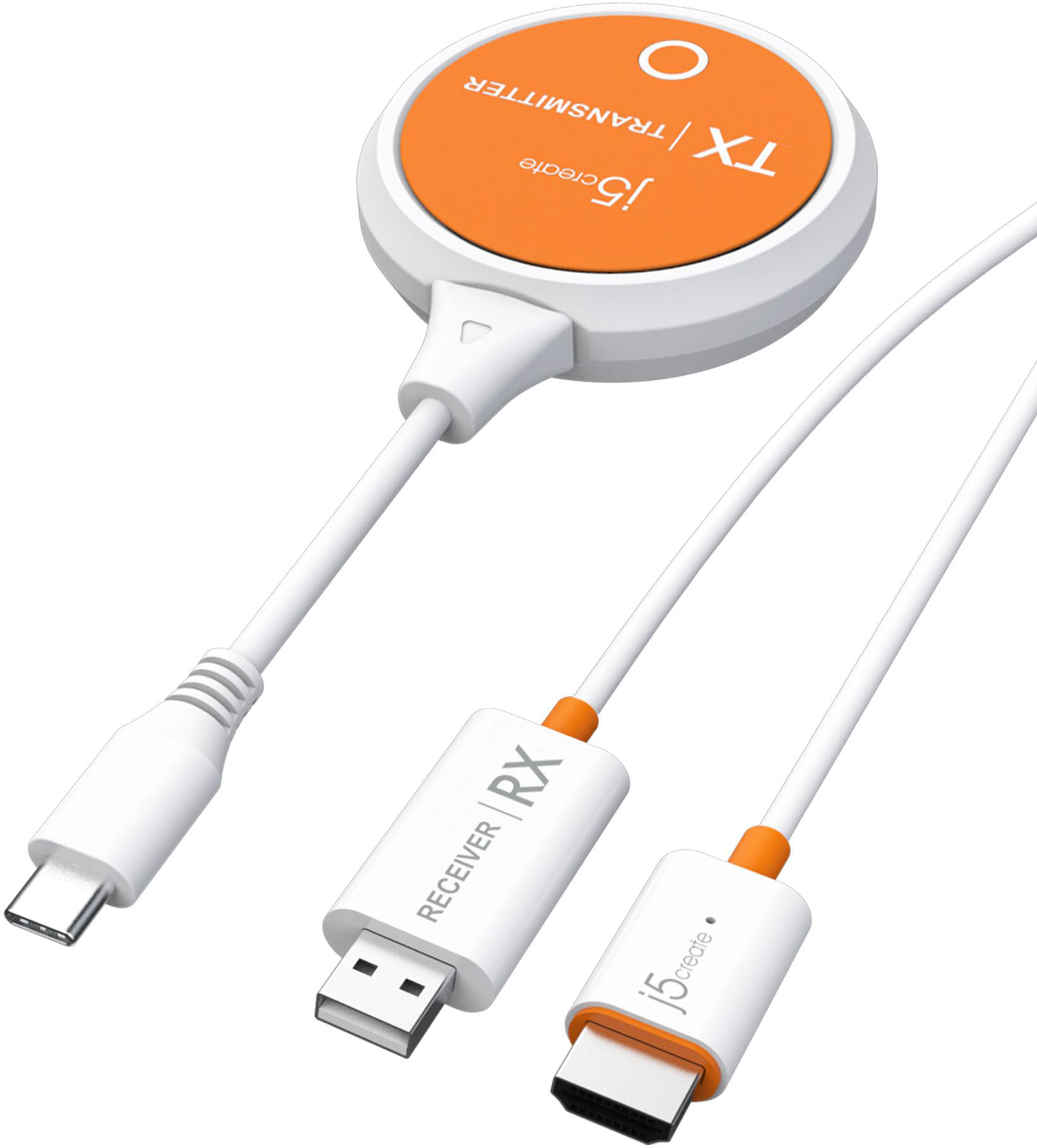
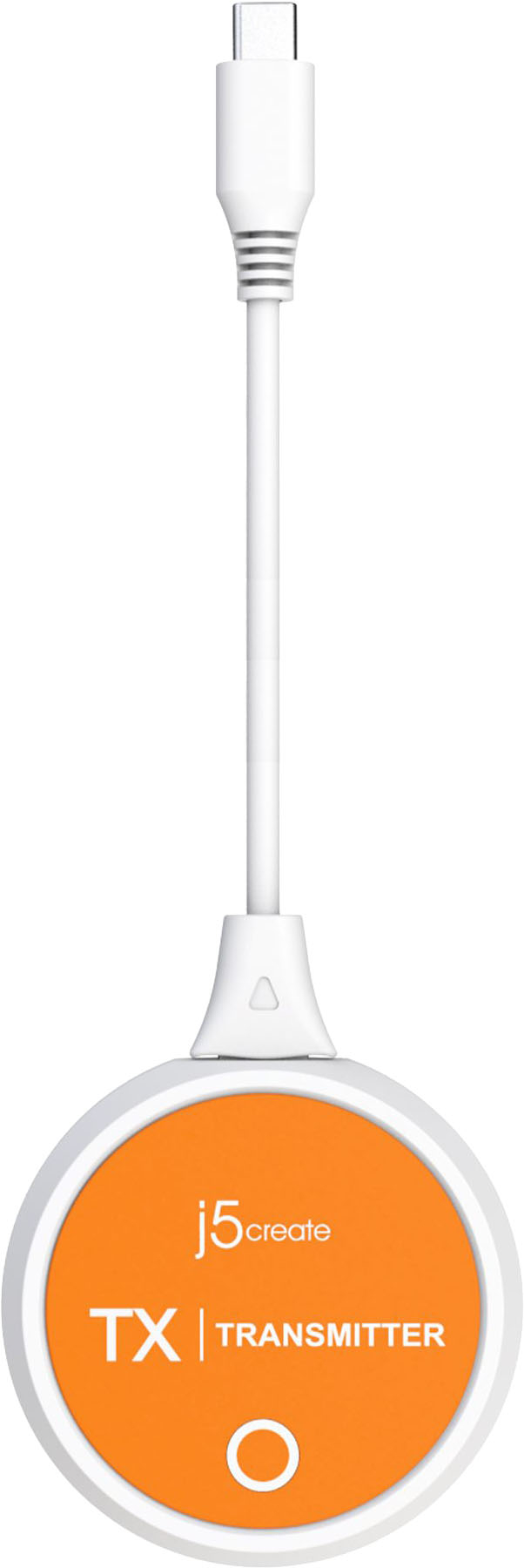
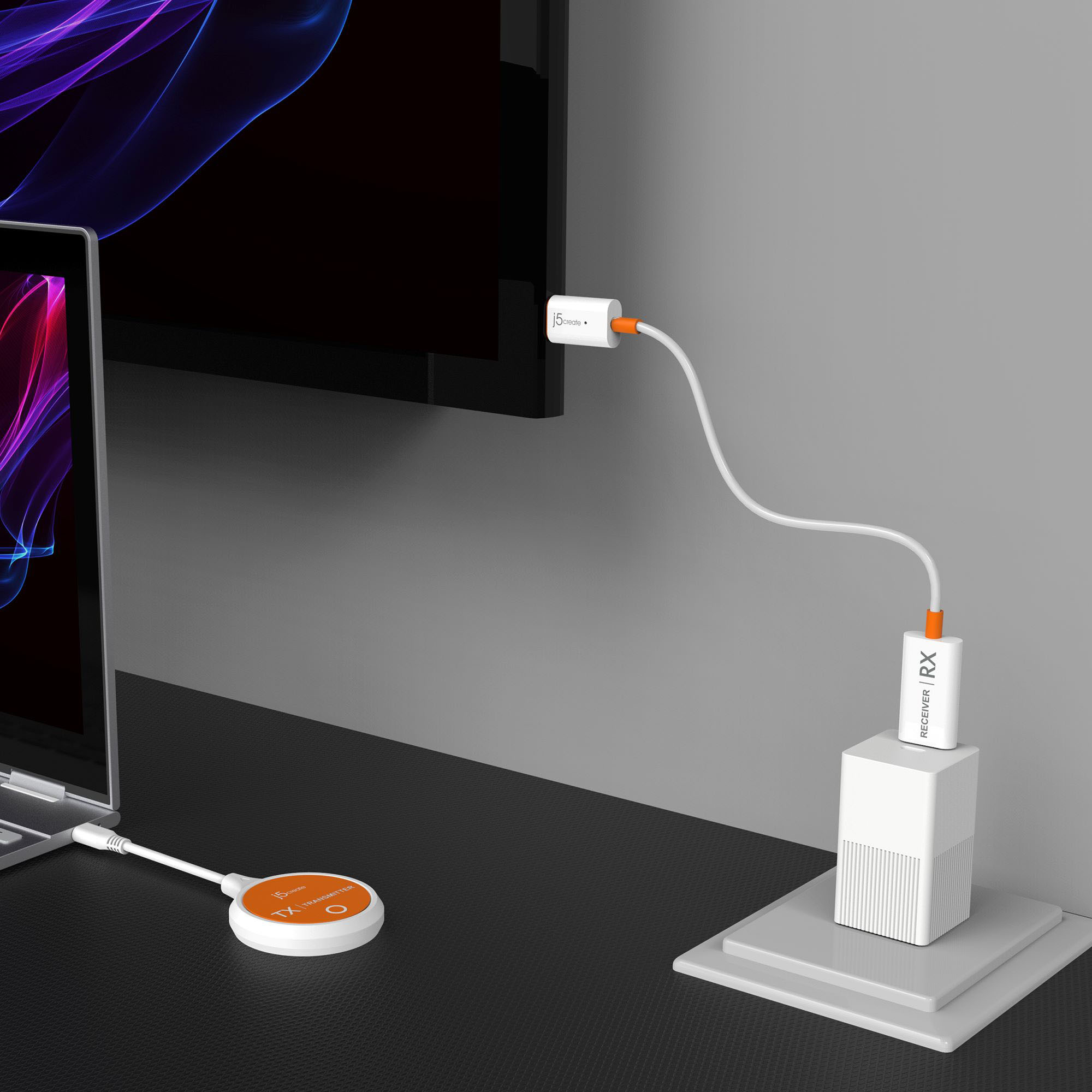
|Posted .This reviewer received promo considerations or sweepstakes entry for writing a review.The ScreenCast USB-C® Wireless Display HDMI™ extender (model: JAVW62) by J5 connect is a useful device that allows one to connect devices with a USB-C based DisplayPort Alt Mode capability to wirelessly transmit the video and audio signals to the device connected to the receiver. The device supports 1080P HDMI, it is plug and play and supports both mirroring and extend modes of the device being displayed. Extend mode allows macOS® and Windows® devices to use the remote device as a secondary monitor. The devices support tablets, Laptops, and phones with USB-C connectors. Please note that not all USB-C® enabled phones have the required DisplayPort Alt Mode required for this device to work – for example, my Samsung phone has this capability, my wife’s Motorola does not. The device supports iPadOS®, ChromeOS™, Android™, macOS® and Windows® operating systems. The device supports Miracast™, Airplay® and Google™ Chromecast™. It transmits via a 2.4 or 5G Wi-Fi® signal at a distance of 32.8 – 49.2 feet (10-15m). The device comes with the Transmitter, receiver, a USB-A extension cable, and instructions. At the price this device retails for a USB power adapter being included would be a nice value upgrade. The device is quick and easy to install and can be up and running very quickly. The transmitter device is attached to the USB-C port being used on the sending device and the receiver part is connect to the HDMI port of the receiving device. The Receiver does need to have a USB-A port that can provide power for it to function – be this a power plug or a port on the target device that can supply power via a USB-A port. Note that you may have to pair the receiver and transmitter on fist use and the pin hole to set the receiver into pairing mode is on the HDMI connector of the receiver part of the system and for the device I was connected to at the time, the port was on the hard to access side of the HDMI connector. Other than the lack of an included USB-A power plug and the minor pairing quirk, the device has worked very well and transmitted very well from multiple devices that I tested including my phone and a laptop. Overall, this device makes a nice addition to one’s presenting capabilities at only a slightly premium price as of this writing. One will have to decide for yourself if the price you find this device at is worth it to you. Pros: Picture and sound quality, ease of set up Cons: Price
I would recommend this to a friend Signal went out
||Posted . Owned for 1 month when reviewed.This reviewer received promo considerations or sweepstakes entry for writing a review.Works well in my classroom during then suddenly stopped. Possibly because so many people came back now the signal doesn’t connect
No, I would not recommend this to a friend- Pros mentioned:Ease of useCons mentioned:Lag
Works well with some caveats for watching media
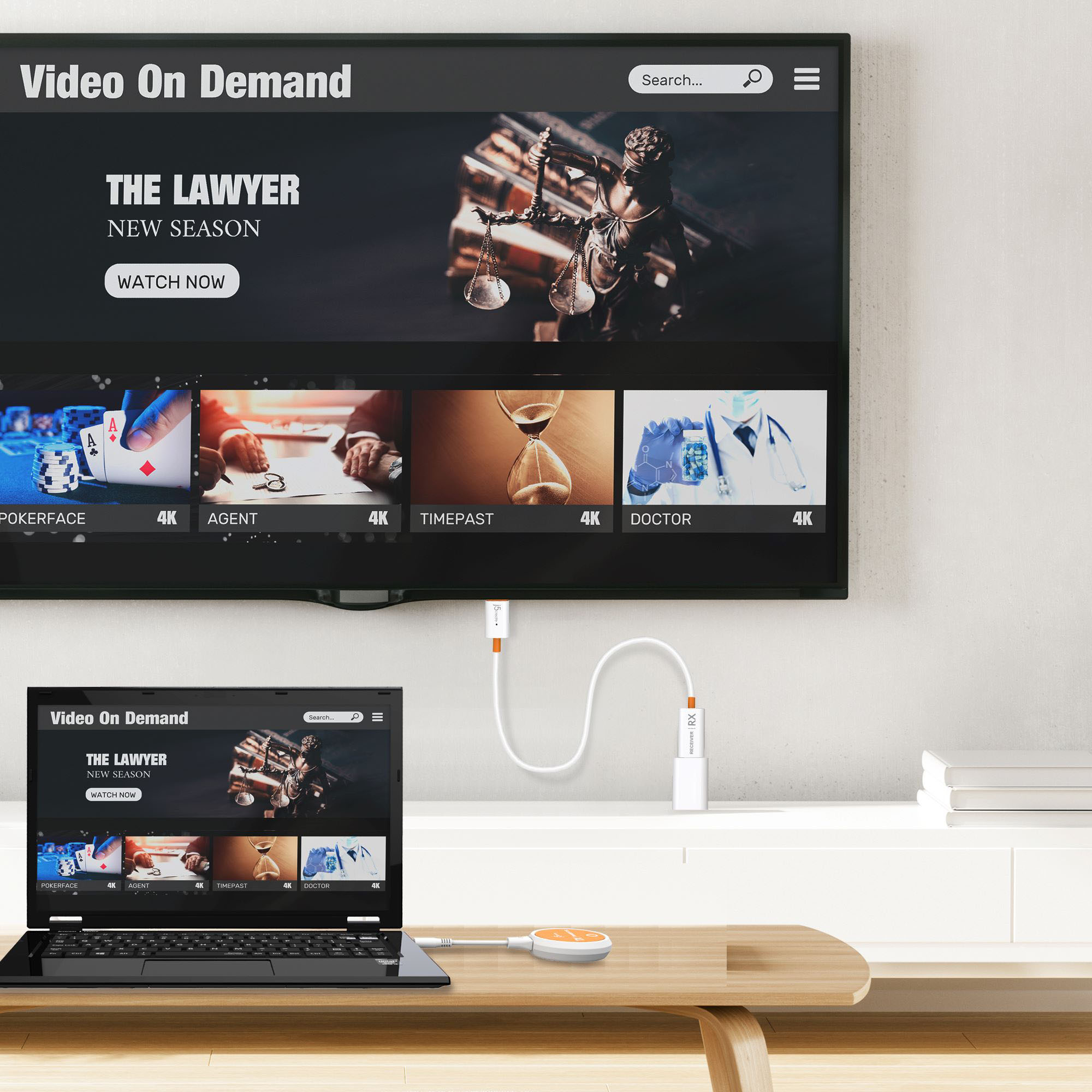
|Posted .This reviewer received promo considerations or sweepstakes entry for writing a review.Pro: -Easy to set up -Direct connection, no internet required Con: -Lag can cause video and audio to be off sync -Lower video quality This is a nice portable, wireless way to connect your PC, laptop, or tablet to an external display. It’s a simple setup and is a direct connection so no internet is required. The receiver plugs into the HDMI and is powered by USB, which can either be the USB port on the TV or a power adapter (not included). The transmitter just plugs into the USC-C. Once connected, it takes about 5 seconds for the connection to be automatically established and you can either duplicate or extend your display. It works well enough, but there’s some caveats like the loss of quality, lag, audio desync, and range. How well it works depends on your use case. For something like working, web browsing, or presentation, it works well. There’s a bit of an input delay and the picture quality is fine. Using it for media is where issues can occur. Right away the drop in picture quality is noticeable, which is expected. There’s more compression and color banding. The audio is also a bit off sync. Even though it’s not unwatchable, don’t expect it to be the same as watching it on your device or through your networked devices. I think the best use for this is if your device doesn’t have an hdmi out or you need something small and portable for traveling. The range is short and isn’t much of an advantage over using an hdmi cable. As it is, it works well enough as long as you know the drawbacks.
I would recommend this to a friendBrand response from J5create Team
Posted .Please make sure the TX is in distance range (50ft) and the RX is not connected behind the TV. That could create lag issues. You may also want to check for any available updates through your computer's manufacture's website such as BIOS, hardware/software drivers, etc. The JVAW62 is a PnP device and no drivers are required but uses your hardware for it to work. ** If you require further assistance; please contact the j5create Technical Support team by Live Chat or Email and we will be glad to further assist you. Our phone support will temporarily be unavailable due to COVID situations. Their information can be found on our website under the "Support" tab. We appreciate your feedback on the JVAW62. Thank you.

Good concept if I could get it to work
||Posted . Owned for 2 weeks when reviewed.This reviewer received promo considerations or sweepstakes entry for writing a review.Good concept but couldn’t get it to work. The piece that came with it didn’t fit in my laptop. Maybe I was doing it wrong
I would recommend this to a friendBrand response from J5create Team
Posted .The transmitter part must connect to a USB-C port on a computer, tablet or phone that supports "DisplayPort Alt Mode". The receiver connects to an available HDMI and USB on TV. Turn on TV to power the receiver and select the correct input until you see the setup process. ** If you require further assistance; please contact the j5create Technical Support team and we will be glad to further assist you. Thank you.
- Pros mentioned:Ease of use, HdmiCons mentioned:Lag
Easy and quick to use. Perfectly functional!
|Posted .This reviewer received promo considerations or sweepstakes entry for writing a review.Super easy to setup. It's literally plug and play. Perfectly functional and responds very quickly. There is little to no delay using this with my phone. Playing games might still provide some issues because those require no delay at all, but using this for presentations or videos is perfect. You'll need USB power for the receiver (RX) module, but most TVs provide that. There is no USB outlet plug so you will need to provide your own if your TV doesn't have a USB plug. The product comes with a USB extender just for this reason. Overall, it's perfect and simple to use.
I would recommend this to a friend - Cons mentioned:Lag
works for video, wouldn't recommend for gaming
|Posted .This reviewer received promo considerations or sweepstakes entry for writing a review.Follow the directions and pay attention to any specifics (placement being the big one). If you bury this thing in a drawer or behind stuff, it's going to interfere with the signal, simple as that. I, too, started to just plug things in and after a few minutes said to myself, "Self, stop and read the instructions, they're there for a reason." It's a plug and play screencasting device and it does exactly that. Now, there is a bit of lag/latency, so you aren't going to want to use this in a gaming capacity. Aside from that it's an extremely simple (yet crucial) device when you really need to cast something and don't have a network to do it on. If the technology could get to the point where you *could* use something like this for gaming it would be a 5-star review 8 days a week. Nearly there, consider this a very strong 4-star product.
I would recommend this to a friend - Pros mentioned:Ease of use, Video quality
Awesome Lap top accessory!
|Posted .This reviewer received promo considerations or sweepstakes entry for writing a review.I really like the j5create-ScreenCast USB-C Wireless Display HDMI Extender. It does exactly what it says it does, without any drama. I plugged it into my TV, and within minutes I had connected my phone. I didn't need to mess with any WiFi passwords, or scan a QR code, or any of that stuff, just plugged it in and it worked. It was just as easy to use with my laptop as well. The dongle was already plugged into the TV, so I just plugged in the USB-C dongle into my laptop, and after blinking a few times my laptop screen was mirrored perfectly on the TV. Once again no passwords, codes, or any fuss at all, it just simply worked. The picture was perfect, and the sound was great also. I can easily recommend this to anyone, 5 stars all the way!
I would recommend this to a friendBrand response from J5create Team
Posted .Eliminate the need and expense of running unsightly cables by wirelessly sending what’s on your laptop, tablet, or mobile phone to your HDTV. Thank you for your review, Chris. Enjoy
- Pros mentioned:HdmiCons mentioned:Lag
if need to mirror, this is great.
|Posted .This reviewer received promo considerations or sweepstakes entry for writing a review.it works ok. if you have a monitor, tv or projector and it does not have a mirror future and you want a wireless connection this is great. for my phone and tablets this just mirrors the image. for laptops, this will allow you to duplicate, extend or use on its own. but it is limited to USB-C connection. as for the HDMI part, it comes with a USB extender if you need to plug into a wall. why 3 stars. for me, I feel it could have used a few things to help make it better and feel worth the price. first, no USB-C pass thru. so, if using with a phone, tablet, you need to get a splitter if you want to charge and use. I don't own a splitter myself so could not verify if it would still work. so would be nice if they had one built with it or at the end or something so that you could still charge phone or tablet at the same time you are using this. it can also not be too comfortable if you are using with a phone while holding phone. maybe a way that it could attach to at least most phones (with cases would be nice) so that you can use phone more easily. maybe some kind of clip that can adjust. it does lag a tiny, not too bad if you are using to watch videos or do a presentation with laptop. but if you play games or something, you notice it more so. I also tried a little and this is not a big deal as it does not say it can do this, but would be great if it can, but I was not able to use this with a desktop. that would have been nice if they maybe get an app or something that makes it work with desktops. I have a USB-C port not being used at moment, and a monitor that sits to the side and would be nice to have it wireless and have like TeamSpeak and discord on that monitor while I game instead of running a HDMI cable to it. I said I tried a little. there might be software or apps that might allow this. I just did not look hard enough. figured it would be nice for them to have their own way to do it. lastly just the simple fact that now most TV's, projectors and now even monitors are starting to have mirroring futures, as well as wireless that do the same things. overall, I recommend if you are looking to cut out some cables, and the monitor, or whatever device you want to use to mirror too or does not have wireless, and the device you are using to mirror from is USB-C, then I recommend this.
I would recommend this to a friendBrand response from J5create Team
Posted .Phones would have to have a built-in software to use as a PC-like experience such as the DeX mode that are found on some Samsung phones and tablets. Desktop that are equipped with a USB-C port must support "DisplayPort Alt Mode" for video out to be able to use the JVAW62. Please refer to the manufacturer of your hardware for more information on your device. Thank you and we appreciate your feedback the JVAW62. Enjoy!
- Pros mentioned:Video quality
NO HASSLE SCREEN CAST
|Posted .This reviewer received promo considerations or sweepstakes entry for writing a review.Learned that the WIRELESS ScreenCast AVW62 by j5Create.com is a more compact reinvention of an earlier solution of theirs. This tool mirrors content from smartphones and other devices to compatible viewing flat screen platforms. True to the promotion, I got an easy peazy, out-the-box plug'n play experience with the ScreenCast AVW62 to mirror my DELL G7 Screen to a HiSense ~60" Flat Screen within ~9' between devices. First, I plugged the tiny HDMI RECEIVER into the open HDMI port at the back of the HiSense TV. Next plugged its corresponding USB connector into a power boosting wall adapter (not included). Subsequently, I plugged the round, very light weight TRANSMITTER into the USB-C port of my Windows 11 driven DELL G7. I pressed the round unit's start up button to initiate synching between the TRANSMITTER and RECEIVER. Once the blinking stopped, the laptop's image automatically appeared on the large screen. There was no audio lag and flat screen resolution was satisfactory for my needs. Looking forward to the convenience of moving this connection as needed to mirror streaming and other content from my smart phone to other flat screens in the home or while travelling. Also, a quick look at j5Create.com revealed a mother lode of other tech tools for future reference.
I would recommend this to a friendBrand response from J5create Team
Posted .Enjoy a large screen experience by simply connecting the USB-C transmitter to your compatible device and then connect the HDMI receiver to your TV. Thank you for your detailed review on the ScreenCast USB-C device. Cheers!
- Pros mentioned:Video qualityCons mentioned:Lag
Great Solution / Compact Size
|Posted .This reviewer received promo considerations or sweepstakes entry for writing a review.It is nice when a product works as advertised. This is a great example. Setup was fast and easy using my android phone and chrome book. Image and sound quality are quite acceptable seeing as this is almost a "hack" to get your images, videos, etc. onto a larger screen for sharing. I noticed some slight latency but all in all, a great solution in a compact size.
I would recommend this to a friend - Cons mentioned:Lag
Easy setup, works great!
|Posted .This reviewer received promo considerations or sweepstakes entry for writing a review.Easy setup, however you need your own USB power adapter if your TV won't power it. Other than that, setup was easy and worked great. Connected fast and no lag - used Bluetooth through my sound bar for sound and everything was good to go. Highly recommend!
I would recommend this to a friend Works well, Some compatibility and playback issues
|Posted .This reviewer received promo considerations or sweepstakes entry for writing a review.The j5create pretty much acts as a wireless HDMI cable. There's a transmitter and receiver. The transmitter connects via USB-C to your device while the receiver plugs in via HDMI to a TV or other display device. The receiver needs power, so that either means USB from the display or using an external power source. Setup was pretty straight forward. I plugged the receiver into a spare HDMI port on my TV and the USB into one of the ports on my TV. The cable between the HDMI plug and USB is a decent length so you'd likely be able to reach any two ports on a TV. In my case, things were close enough that I only needed to uncoil one loop of the cable to make it work, keeping things neat and hidden. With the receiver plugged in (but transmitter not), when you switch to the HDMI channel with the receiver, you get some instructions and a QR code that would take you to a website with more info. While it seems pretty straightforward that instructs are not needed, where that may come in handy is if one ever needs to repair a transmitter and receiver and cannot remember how to do it. The transmitter is bulkier and looks weird when plugged into a phone. Once plugged in to a compatible device, this is detected automatically and typically starts broadcasting within a few seconds. There's no loss in quality so what you see is exactly the same as you'd get with a wired HDMI connection. Watching 1080p video and doing video calls, I could not see any delays between the devices I tested (laptop and phone) and the remote display. On a PC, it acts just like an external display. So you can mirror what's on your main screen or extend the display. On a phone, it just mirrors the display. I tested a couple phones, a Pixel 3XL and Samsung S8. The Samsung worked - it was compatible with the transmitter. The Pixel did not. I tried connecting to the wireless AP created by the receiver (SSID and password are shown on that helpful screen that's displayed when the transmitter isn't connected) but wasn't able to cast to the receiver. It showed up once as a potential cast sink, but then just looped endlessly attempting to connect until I gave up after a few minutes. After that one time, I've not managed to get the j5create to show up as a potential cast device for the pixel. My TV actually runs android TV and I verified that it continued to show up (and operate) as a cast receiver from both the Pixel and the S8. When mirroring Android, there's an interesting behavior depending on your screen orientation. In portrait, you get a heavily letterboxed strip displayed on the screen. It's still readable but does not use much of the screen real estate. I'm guessing that's to maintain aspect ratio rather than stretching things out. This probably works better on a 4k display but on a 1080p one, you will struggle a bit to see things from a distance versus sitting a 2-6 feet from the TV. Flip the phone to landscape and it goes full screen on the display and is much better. That said, there's still a lot of apps that are portrait only, so it feels like using this with android would mainly be for viewing photos or videos on a bigger screen. Maps on a big screen was also cool. Another thing of note was sound. Mirroring the S8 and watching video, sound played at both the TV and the phone. This could be annoying if you're using this to watch a movie on a "dumb" TV (or even a smart TV where you don't want to share your media passwords). With a video call, the sound was only at the phone. I'm conflicted a bit on this and it may more be an issue with how this is implemented on the phone, but it would be nice to have control over how sound is redirected. I had high hopes for this but unfortunately needed to award just 3 stars. I didn't expect 100% compatibility with all Android devices but not being able to use it as a cast receiver with a device that didn't support the DisplayPort alternate mode over USB-C was disappointing. I'm happy with it's behavior with a laptop, but one would get the same thing using more compact wireless HDMI adapters.
No, I would not recommend this to a friendThis works very well but...
|Posted .This reviewer received promo considerations or sweepstakes entry for writing a review.The j5create - ScreenCast USB-C Wireless Display HDMI retails for $119.99 usd. I do have to say that this mirroring device works very well. Just plug and play. One thing that isn't included, is the USB A power plug for the receiver. There are a couple things I have experienced that I do have to mention. The transmitter gets pretty warm after 5 min of use. The transmitter and receiver has to be in direct sight of each other to cut down on the buffering lag. The package says that there is a max range of 33-49 ft. for the transmission. But I started to experience buffering lag from about 12 feet. Lastly, the transmitter plugs straight into the USB-C end of your device. So you can't have a constant power source. Make sure your device is all the way charged if you're going to watch about an 1 to 1.5 hrs of media on your tv.
I would recommend this to a friendNothing special.
|Posted .This reviewer received promo considerations or sweepstakes entry for writing a review.It works as advertise, the range is short but for the its intended use it is ok. Nice to project with the Screencast 4K wireless display by j5Create in my laptop and cellphone. This extender is only useful in home setting as in an office setting is not necessary due to the short range. I thought it would make a huge difference but not really, just enough to be noticeable.
No, I would not recommend this to a friendBrand response from J5create Team
Posted .Thank you for your feedback. Unfortunately, the JVAW62 has a wireless range of up to 50 ft/15m. Hopefully, we come with a new product that supports further range. Thank you.