Customer Ratings & Reviews


- Model:
- JUD380
- SKU:
- 5901250
Rating by feature
- Value
Rating 4.2 out of 5 stars
- Quality
Rating 4.4 out of 5 stars
- Ease of Use
Rating 4.5 out of 5 stars
Customers are saying
Customers are delighted by the USB 3.0 Mini Dock's ease of use, USB connectivity, overall performance, and compact size. Many appreciate its compatibility and the availability of multiple ports, while some find the price appealing. However, a few customers have noted that the device tends to heat up during use.
This summary was generated by AI based on customer reviews.
pricey
||Posted . Owned for 1 month when reviewed.This reviewer received promo considerations or sweepstakes entry for writing a review.Took it back when I found a much cheaper option. Why pay $70 when there's a cheaper choice?
No, I would not recommend this to a friendBrand response from J5create Team
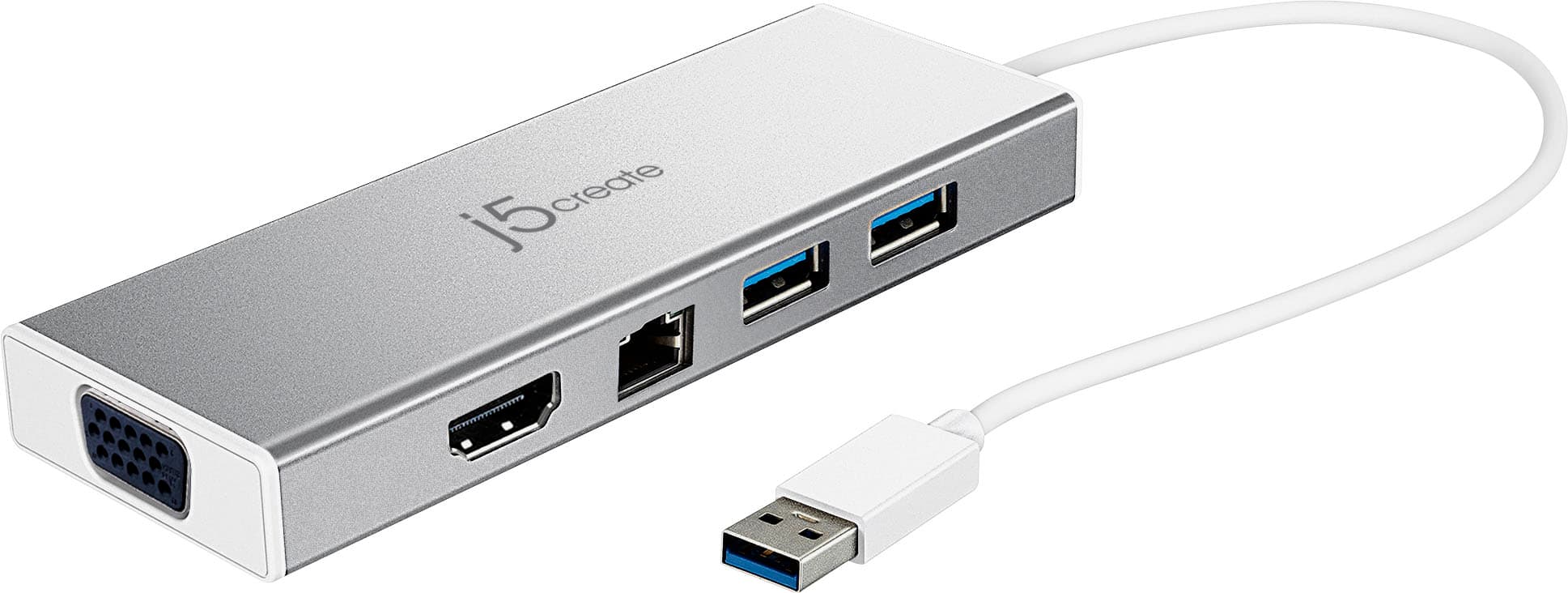
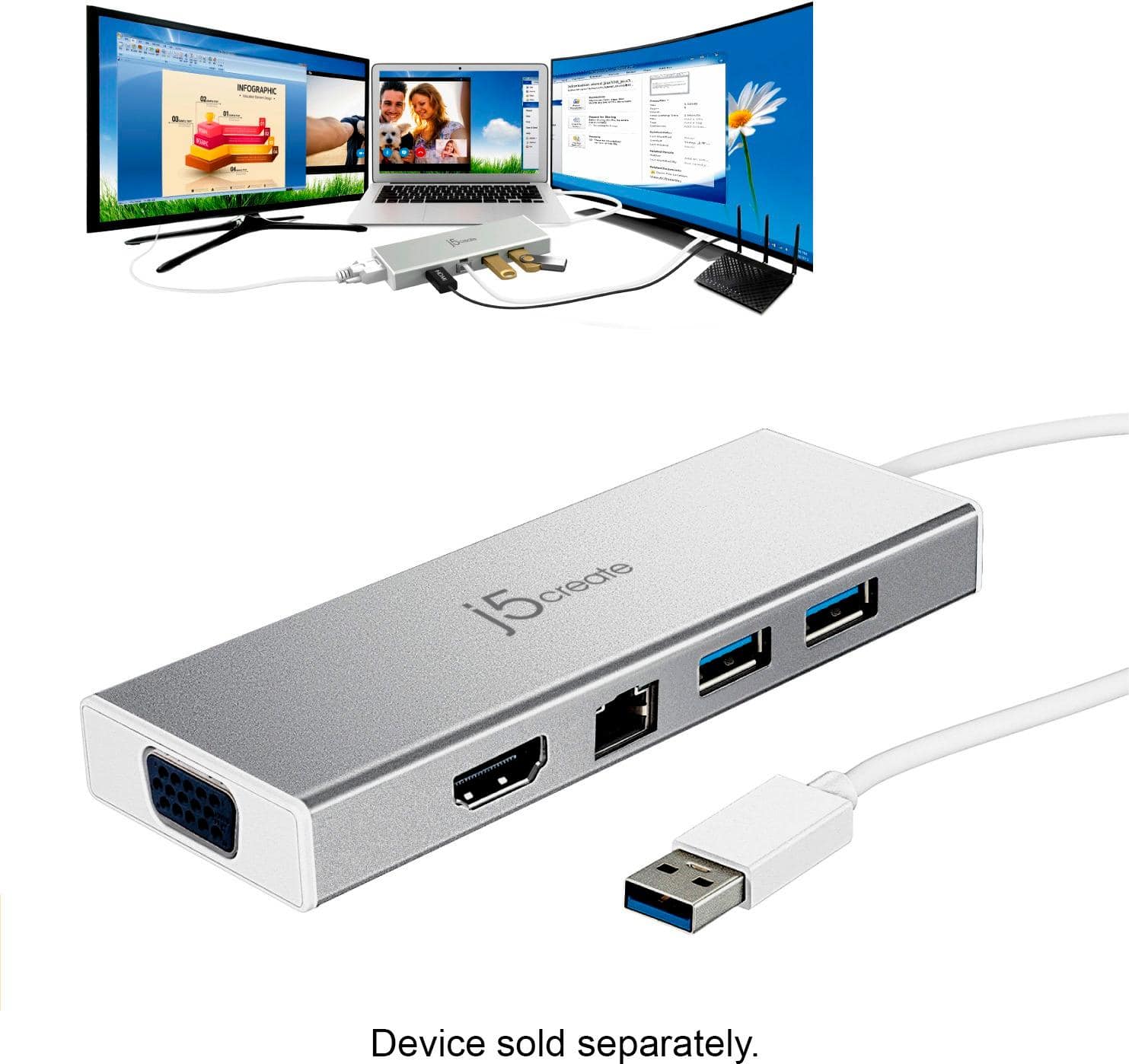
Posted .The JUD380 supports dual displays, Ethernet, 2 USB-A ports and Micro-B DC in with an aluminum enclosure. We appreciate your feedback. Thank you.

Dock
||Posted . Owned for 3 weeks when reviewed.This reviewer received promo considerations or sweepstakes entry for writing a review.Would not work for extending HDMI from the additional monitor.
I would recommend this to a friendBrand response from J5create Team
Posted .Proper functionality entails downloading and installing a driver on a Windows or Mac platform. Depending on the OS you have, different instructions apply. Drivers are available on j5create website under the "Support" tab > "Downloads/Drivers". ** Feel free to contact j5create Technical Support if you require further assistance. Their information can be found on our website under the "Support" tab. Thank you.
- Pros mentioned:Usb
First one had to return
||Posted . Owned for 1 month when reviewed.This reviewer received promo considerations or sweepstakes entry for writing a review.The HDMI slot didn't work on the first one I purchased no issues on the second one
No, I would not recommend this to a friendBrand response from J5create Team
Posted .Hi!
I'm sorry to hear you had trouble with our device! I'm glad the second one didn't let you down however and hope it won't for as long as you need it.
Thanks,
j5create
- Pros mentioned:Overall performance
Mini USB Dock
||Posted .This reviewer received promo considerations or sweepstakes entry for writing a review.Works great for an extra HDMI on my laptop and Virtual Pinball Machine.,
I would recommend this to a friend Didn’t work for me
||Posted .This reviewer received promo considerations or sweepstakes entry for writing a review.Caused a software conflict with work docking station that could not be resolved. Had to return.
No, I would not recommend this to a friendBrand response from J5create Team
Posted .Hello,
I regret to hear that the driver software caused a conflict and that you had to return the mini dock.
Thanks,
j5create
Disappointed
||Posted . Owned for 3 weeks when reviewed.This reviewer received promo considerations or sweepstakes entry for writing a review.I bought this to add some separate connections for my laptop, hoping it would be effectively a docking station for my laptop. I wasn’t able to connect my laptop to a separate monitor through this, instead just had to plug the monitor directly to the laptop. So effectively all this device does is turn one USB port into two. So it wasn’t worth the money.
No, I would not recommend this to a friendBrand response from J5create Team
Posted .Hi Pete.
I would like to apologize for the inconvenience that this has caused you. My Customer Service team is available to assist you in getting up in running or in finding you a device that better suits your needs. Our information can be found on the back of all of our product boxes and on our website under the support tab. There you can also find links to our livechat, phone, and ticketing services for your convenience.
Thanks,
j5create
Awesome docking station
||Posted .This reviewer received promo considerations or sweepstakes entry for writing a review.Expand your capabilities with this docking station. Provides plenty of ports to hook in multiple items. It is a must have if you're a gamer / streamer.
I would recommend this to a friendBrand response from J5create Team
Posted .For more screens to work off, up to 1 gigabyte internet speeds and USB ports for peripherals, the JUD380's intended for working from home or office and we are excited to hear you are satisfied with your purchase.
Cordially,
j5create
Works but not enough ports for what I needed
||Posted . Owned for 3 weeks when reviewed.This reviewer received promo considerations or sweepstakes entry for writing a review.It is what it is. It lacks enough ports to really add on so had to exchange it.
No, I would not recommend this to a friendBrand response from J5create Team
Posted .Chief, thank you for your review. If you are ever interested in another product of ours, feel free to contact us and we'll help you find the right device for you. Thank you, j5create.
Hard time getting it to work.
||Posted . Owned for 1 year when reviewed.This reviewer received promo considerations or sweepstakes entry for writing a review.I bought this for my son because I thought it would make it easier to easily connect his monitor, keyboard and mouse to his laptop, but it doesn’t seem to work properly. The keyboard stops being responsive when hooked up through this device and the mouse has some lagging. We stopped using it after the first couple of days.
No, I would not recommend this to a friendBrand response from J5create Team
Posted .Good day,
I would suggest that you reach out to the j5create customer support team regarding the issue you are having with the docking station. Contact information for the j5create customer support team can be found printed on the device packaging or on the j5create website under the ‘Support’ drop down. I hope that you give us the opportunity to help get your dock up and running.
Thank you,
j5create
- Pros mentioned:Ease of use
Easy to use!
||Posted . Owned for 3 weeks when reviewed.This reviewer received promo considerations or sweepstakes entry for writing a review.Perfect docking station to connect my screen to my laptop!
I would recommend this to a friend Looks good, but...
||Posted . Owned for 1 month when reviewed.This reviewer received promo considerations or sweepstakes entry for writing a review.Quality and Design are excellent. Would have liked more USB connections.
No, I would not recommend this to a friendBrand response from J5create Team
Posted .Hello Slick, being short on USB ports can slow down work flow - we understand and apologize for the troubles. Models such as the JUD481 for example, supply 4 USB ports for gadgets. If interested in learning more about it, feel free to reach out to us and we'll gladly answer any questions you may have.
Respectfully,
j5create
- Pros mentioned:Ease of use
Electronic
||Posted . Owned for 1 month when reviewed.This reviewer received promo considerations or sweepstakes entry for writing a review.Works great, would definitely buy again. Very useful item
I would recommend this to a friend Simplicitic
||Posted .This reviewer received promo considerations or sweepstakes entry for writing a review.Great product for a great price. Just download the software and go.
I would recommend this to a friendBrand response from J5create Team
Posted .Exactly as stated; the JUD380 provides connectivity for HDMI, VGA, Ethernet and USB accessories such mice, keyboards, flash drives, or web cameras - simply download, install the driver and you're ready to roll!
Gratefully,
j5create
J5create
||Posted .This reviewer received promo considerations or sweepstakes entry for writing a review.Would have been great if all the inputs worked. Had to return because the only port that worked was the USB.
I would recommend this to a friendBrand response from J5create Team
Posted .In the case where the JUD380 is not working in it's entirety, we recommend that you contact the support team for assistance and an agent will gladly assist.
Regards,
j5create
- Pros mentioned:Ease of use
It fit what I needed it for
||Posted .This reviewer received promo considerations or sweepstakes entry for writing a review.I needed a splitter for an additional screen and this worked great
I would recommend this to a friendBrand response from J5create Team
Posted .Adding VGA, HDMI, Ethernet, USB ports to your computer is now easy to do; with the JUD380 all your needs will be met in one.
Gratefully,
j5create
Bought it to add two monitors to my Dell laptop
||Posted . Owned for 1 month when reviewed.This reviewer received promo considerations or sweepstakes entry for writing a review.It has 2 ports but only supports one at a time.... I could do this without buying anything else.
No, I would not recommend this to a friendBrand response from J5create Team
Posted .Hi KevinD, I'm sorry to hear about the JUD380 only supporting one monitor at a time. The JUD380 should be working with both VGA and HDMI simultaneously. In the case they are not, this could be due to converter cables, defective cables, or other devices connected in between. If you'd like to speak with a rep and determine the cause of this, please feel free to reach out to support and an agent will gladly lend a helping hand.
Sincerely,
j5create
Can be problematic
||Posted . Owned for 2 months when reviewed.This reviewer received promo considerations or sweepstakes entry for writing a review.Worked fine after installing the proper driver. Then IOS updated and according to the 4 hour phone call with Apple, the driver became an issue again. I see this as a recurring theme. I was trying to save money and expand available ports. Probably not the best choice.
No, I would not recommend this to a friendBrand response from J5create Team
Posted .Rockhound, I'm sorry to hear the JUD380 has been problematic. Depending on the version of Mac you are on, different issues may occur. In order to narrow down the root of the problem, we recommend calling in to speak with a rep; the agent will diagnose, troubleshoot and offer solutions. We apologize for the inconvenience and hope we can still help.
Respectfully,
j5create
Must have
||Posted .This reviewer received promo considerations or sweepstakes entry for writing a review.Pricey little accessory gadget but in today's tech world a must have.
I would recommend this to a friendBrand response from J5create Team
Posted .Thank you for your review. We appreciate your business. Thanks.
Would not recommend
||Posted . Owned for 6 months when reviewed.This reviewer received promo considerations or sweepstakes entry for writing a review.Convenient but a bit pricy. Quality was not there and only lasted 2 months
No, I would not recommend this to a friendBrand response from J5create Team
Posted .Hello,
The JUD380 should last longer than two months under normal use. I would recommend that you contact j5create customer support for assistance with the dock. You can find our contact information on the j5create website under the ‘Support’ drop down. I hope that we can resolve this issue and get the dock back up and running for you.
Thanks,
j5create
Not for Linux
||Posted . Owned for 2 weeks when reviewed.This reviewer received promo considerations or sweepstakes entry for writing a review.Only the eithernet adapter works on linux based operating systems.
I would recommend this to a friendBrand response from J5create Team
Posted .USB devices require drivers but are only compatible with Windows and Mac computers. If your Linux computer has a Type-C port and supports DP Alt. Mode, you may want to look at some of our Type-C devices such as JCD383, JCD386, JCD372. Thank you. j5create.