Customer Ratings & Reviews
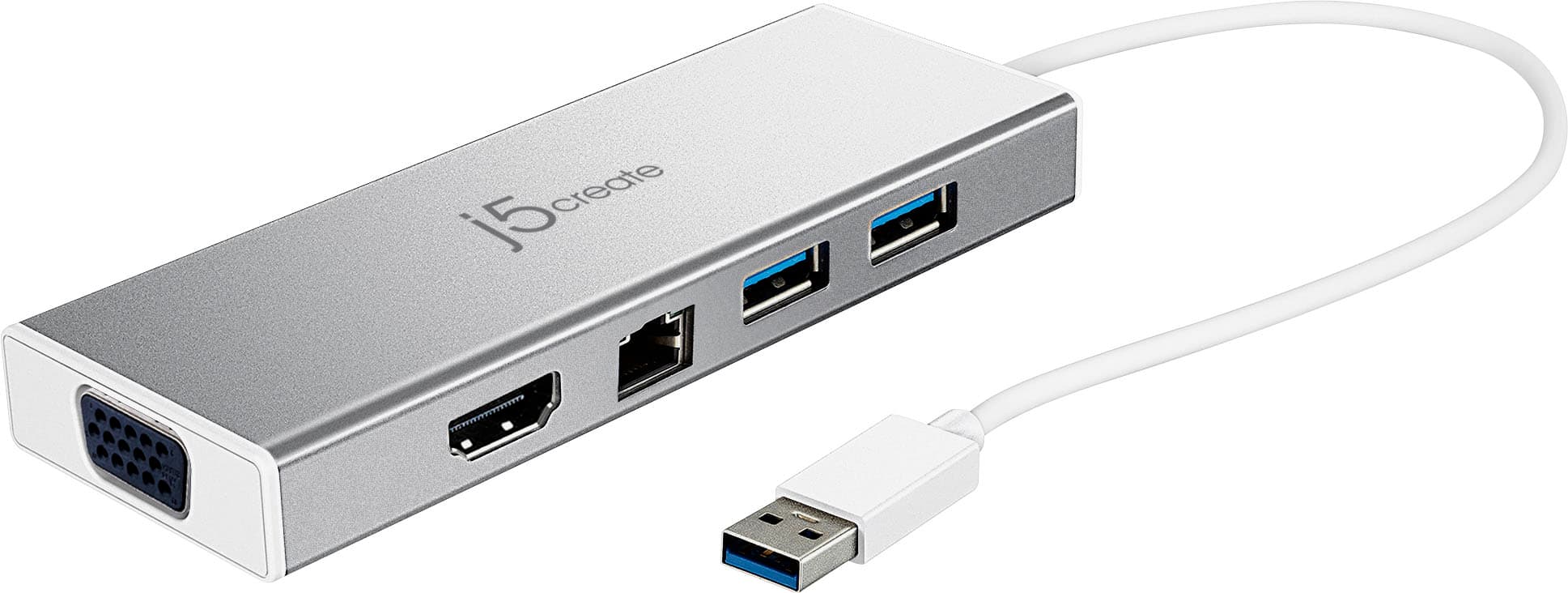
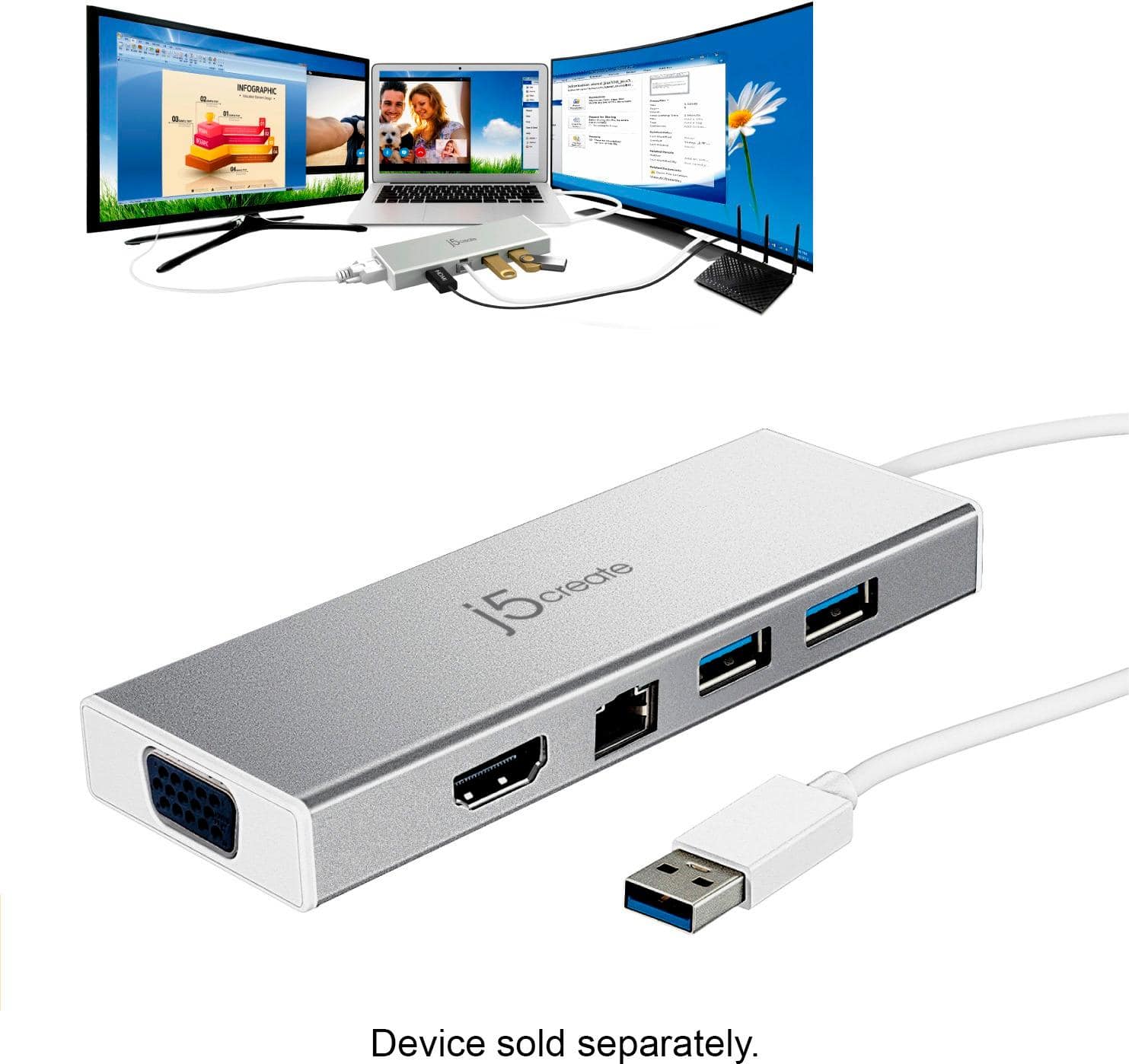

- Model:
- JUD380
- SKU:
- 5901250
Rating by feature
- Value
Rating 4.2 out of 5 stars
- Quality
Rating 4.4 out of 5 stars
- Ease of Use
Rating 4.5 out of 5 stars
Customers are saying
Customers are delighted by the USB 3.0 Mini Dock's ease of use, USB connectivity, overall performance, and compact size. Many appreciate its compatibility and the availability of multiple ports, while some find the price appealing. However, a few customers have noted that the device tends to heat up during use.
This summary was generated by AI based on customer reviews.
- Pros mentioned:Overall performance
Worked well
||Posted .This reviewer received promo considerations or sweepstakes entry for writing a review.Turns out I didn’t actually need this.. but it works well anyway!
I would recommend this to a friendBrand response from J5create Team
Posted .Obtaining the right device to meet your needs can be difficult, with the JUD380; Ethernet, USB ports and video output is part of the picture making it a space-efficient choice.
Cordially,
j5create
- Pros mentioned:Overall performance
Nice docking station
||Posted .This reviewer received promo considerations or sweepstakes entry for writing a review.Bought for a home office setup. Works great as advertised.
I would recommend this to a friendBrand response from J5create Team
Posted .Working as advertised, having all your needs in one make up the JUD380 - it's durable build and quality in every detail make this top of the line.
Sincerely,
j5create
Great for adding devices
||Posted .This reviewer received promo considerations or sweepstakes entry for writing a review.It help me with adding a monitor and a external hard drive
I would recommend this to a friendBrand response from J5create Team
Posted .Ability to add monitors, USB ports for gadgets i.e. mice, keyboards, flash drives, web cameras is what makes the JUD380 a good choice and we are glad to hear it is meeting your expectations.
Sincerely,
j5create
- Pros mentioned:Ease of use
Works great
||Posted .This reviewer received promo considerations or sweepstakes entry for writing a review.Works well for intended purpose, and was easy to install.
I would recommend this to a friendBrand response from J5create Team
Posted .Working great, having everything you need in one, saving you space is the nature of the JUD380 mini dock; connecting via USB 3.0 guarantees customer satisfaction.
Gratefully,
j5create
- Pros mentioned:Ease of use
Good Product
||Posted .This reviewer received promo considerations or sweepstakes entry for writing a review.Easy to pack around and expands capabilities of laptop.
I would recommend this to a friendBrand response from J5create Team
Posted .Expanding capabilities on your laptop e.g. Ethernet, HDMI, VGA and USB ports for accessories make the JUD380 the perfect space-efficient and economical choice!
Regards,
j5create
Doesn't have the locking pins
||Posted . Owned for 3 weeks when reviewed.This reviewer received promo considerations or sweepstakes entry for writing a review.SO this is weird- it is designed to add a second monitor but it lacks the locking pin locations so the plug keeps falling out. Poor design. We ended up using electrical tap to keep it secure.
No, I would not recommend this to a friendBrand response from J5create Team
Posted .Hello Michelle,
Thank you for your feedback. Other customers have brought up the lack of fasteners on VGA port of the mini docking station. This is something that may be considered in future products.
Have a good day,
j5create
didn't work fpr me
||Posted . Owned for 5 months when reviewed.This reviewer received promo considerations or sweepstakes entry for writing a review.I purchased this to help work from home, I have a similar devise my IT department set up for my at work. However, I never was able to get it to work properly at home.
No, I would not recommend this to a friendBrand response from J5create Team
Posted .Hello, the Mini Dock requires drivers to be installed onto a computer. Depending on what type of operating system, some platforms will not be compatible. To further trouble shoot with you, please contact our representatives and they'll be glad to assist you. Kindly, j5create.
Won't work without software
||Posted . Owned for 11 months when reviewed.This reviewer received promo considerations or sweepstakes entry for writing a review.I returned this because it would not work unless I loaded the software that went with into the computor. If you have a work computor that you are not aloud to load anything on, don't get this.
No, I would not recommend this to a friendBrand response from J5create Team
Posted .Hi!
I would like to apologize for that inconvenience. If you would contact my customer service team, we would be more than happy to assist you in finding a device that better suits your needs. Our information can be found on the back of all of our product boxes and on our website under the support tab where you can also find links to our live chat and phone services.
Thanks,
j5create
Monitor not working through device
||Posted .This reviewer received promo considerations or sweepstakes entry for writing a review.This is working fine as an expensive USB hub, but even after getting the old style monitor plug, monitor still not swing up. I am trying to use this on a new Dell tablet.
No, I would not recommend this to a friendBrand response from J5create Team
Posted .Hi!
This is actually very common with old monitors across all brands of docking stations. The software in the monitors isn't compatible any longer with modern docking stations unfortunately. In the time since your review, we've continued to improve our devices and make sure things like this don't happen. I hope that in the future you would consider giving us a second chance so that we can show you the difference! Thanks, j5create
Doesn’t work
||Posted . Owned for 2 weeks when reviewed.This reviewer received promo considerations or sweepstakes entry for writing a review.In store purchase and recommended by sales person when we asked for guidance to connect MacBook Air to larger screen. The device she said we needed to use was this one. It didn’t work. The docking station came with a disc to install drivers. MacBook Air’s don’t have disc drives, so I went to manufacturers support website to download and update the needed system requirements. The devices support page lists models and operating systems compatible with and MACBOOK AIR is NOT listed.
No, I would not recommend this to a friendBrand response from J5create Team
Posted .Hi Nicole, thank you for your feedback. In order to help you install and make sure all drivers has been allowed through, please call in and we'll assist you in setting up the Mini Dock for your MacBook Air. Our contact information can be found on the packaging or our website. Looking forward to hearing from you. j5create.
Not great.
||Posted . Owned for 1 month when reviewed.This reviewer received promo considerations or sweepstakes entry for writing a review.Did not love this item. It didn’t come with a power cord so we had to buy that separately. It did not work with our Lenovo laptop we purchased and ultimately had to return it.
No, I would not recommend this to a friendBrand response from J5create Team
Posted .Please contact our Technical Support Team for further information. Their information can be found on j5create website under the Support tab and a specialist will be ready to assist you. Thank you.
ET
||Posted . Owned for 1 month when reviewed.This reviewer received promo considerations or sweepstakes entry for writing a review.Product works on one machine but not another. I tried in three different products and only one of the machines it will work in. Strange
No, I would not recommend this to a friendBrand response from J5create Team
Posted .In order to narrow down the exact issue you are experiencing, we recommend contacting j5create support and a specialist will be ready to assist in resolving this, thank you.
Acceptable but not perfect
||Posted . Owned for 1 month when reviewed.This reviewer received promo considerations or sweepstakes entry for writing a review.Can only get it to work on one of my Mac machines. Doesn’t seem to work on my MacBook Air.
No, I would not recommend this to a friendBrand response from J5create Team
Posted .The USB 3.0 Mini Dock requires an installation of driver for proper functionality. Depending on the OS you have, different instructions apply. ** Feel free to contact j5create Technical Support if you require further assistance. Their information can be found on our website under the "Support" tab. Thank you.
Dont bother
||Posted . Owned for 5 months when reviewed.This reviewer received promo considerations or sweepstakes entry for writing a review.this thing gets soooo hot like I mean it left a blister on my little girls leg when she accientally touched it. but what does it matter. its not like youd refund my money anyway.
No, I would not recommend this to a friendBrand response from J5create Team
Posted .I apologize for the experience you have had with the USB 3.0 Mini Dock. The product does get warm, but it should not get hot enough to cause harm. If you have any questions or concerns please contact our customer support team by visiting the j5create website then click on the "SUPPORT" tab at the top right of the webpage. Thank you.
Good expansion station
||Posted .This reviewer received promo considerations or sweepstakes entry for writing a review.The J5create was easy to setup is very small in stature and has worked as described. Apple Macbook have such limited ports that this allows laptop to be more versatile
I would recommend this to a friendBrand response from J5create Team
Posted .Versatility in one's computer is necessary now in days; with the JUD380, you can now have access to more displays, Ethernet connectivity for a safer, faster internet experience along with USB ports for accessories in one.
Cordially,
j5create
Missing Information
||Posted .This reviewer received promo considerations or sweepstakes entry for writing a review.I purchased this product so I could "dock" my PC and hook up two HDMI capable monitors. Didn't work. Called their support group and was told that my PC had to have two HDMI graphics cards in order for this to work, because the docking station's software was not capable of duplicating a single HDMI instance. Kudos for telling the truth, sucks that this is not mentioned on the packaging. While shopping for this device I told the Best Buy sales guy what I wanted and he recommended this product. He needs to go back to car stereo sales...
No, I would not recommend this to a friendBrand response from J5create Team
Posted .We apologize for the inconvenience. Unfortunately, PC's would require a video graphic card fro the mini dock to function correctly.
MacBook Air owners beware!
||Posted . Owned for 1 month when reviewed.This reviewer received promo considerations or sweepstakes entry for writing a review.The plug does not work on Mac Book Airs, despite all the drivers available for Apple. Had to return it.
No, I would not recommend this to a friendBrand response from J5create Team
Posted .Proper functionality entails downloading and installing a driver on a Mac platform. Depending on the OS you have, different instructions apply. We apologize for the inconvenience.
Need to get addition USB
||Posted . Owned for 2 months when reviewed.This reviewer received promo considerations or sweepstakes entry for writing a review.Why I returned this one is I need more USBs ports. I replaced it with a Insignia (Buy Buy) which has 4 USB. I needed the two extra USB Ports.
No, I would not recommend this to a friendBrand response from J5create Team
Posted .Hi!
I'm so sorry to hear that! I'll pass your feedback onto my team so that we can continue to improve our devices.
Thanks,
j5create
NEVER AGAIN
||Posted .This reviewer received promo considerations or sweepstakes entry for writing a review.An associate of Brighton, Michigan store recommended for my daughter's Surface. We only determined it was not going to work for her. When she returned from school she retrurned it to me. It had been 32 days and those products were still on shelf in the store. No return.. in store credit. I spent on graphing calculator.. THIS IS THE LAST BEST BUY PURCHASE I EVER MAKE.. HELLO AMAZON..
No, I would not recommend this to a friendBrand response from J5create Team
Posted .We're sorry to hear the Mini Dock was not compatible with her computer. If you have any questions, our contact information is located on the original packaging or j5create website. We apologize for the inconvenience.
- Pros mentioned:Ease of use
Lacking
||Posted .This reviewer received promo considerations or sweepstakes entry for writing a review.This device worked the way I expected it to work, with one exception. My mouse wasn’t recognized, and it was brand new.
No, I would not recommend this to a friendBrand response from J5create Team
Posted .TimP, If you are using a wireless mouse, this may be due to leaky waves which is when a wireless dongle is connected to a USB 3.0 port producing radio waves. When the radio waves collide, they cause the wireless peripheral to not work as intended. We recommend using a wired device instead. We apologize for the inconvenience and if you wish to speak with rep for more information, please reach out to support and a rep will gladly assist.
Respectfully,
j5create