Customer Ratings & Reviews


- Model:
- JUD380
- SKU:
- 5901250
Rating by feature
- Value
Rating 4.2 out of 5 stars
- Quality
Rating 4.4 out of 5 stars
- Ease of Use
Rating 4.5 out of 5 stars
Customers are saying
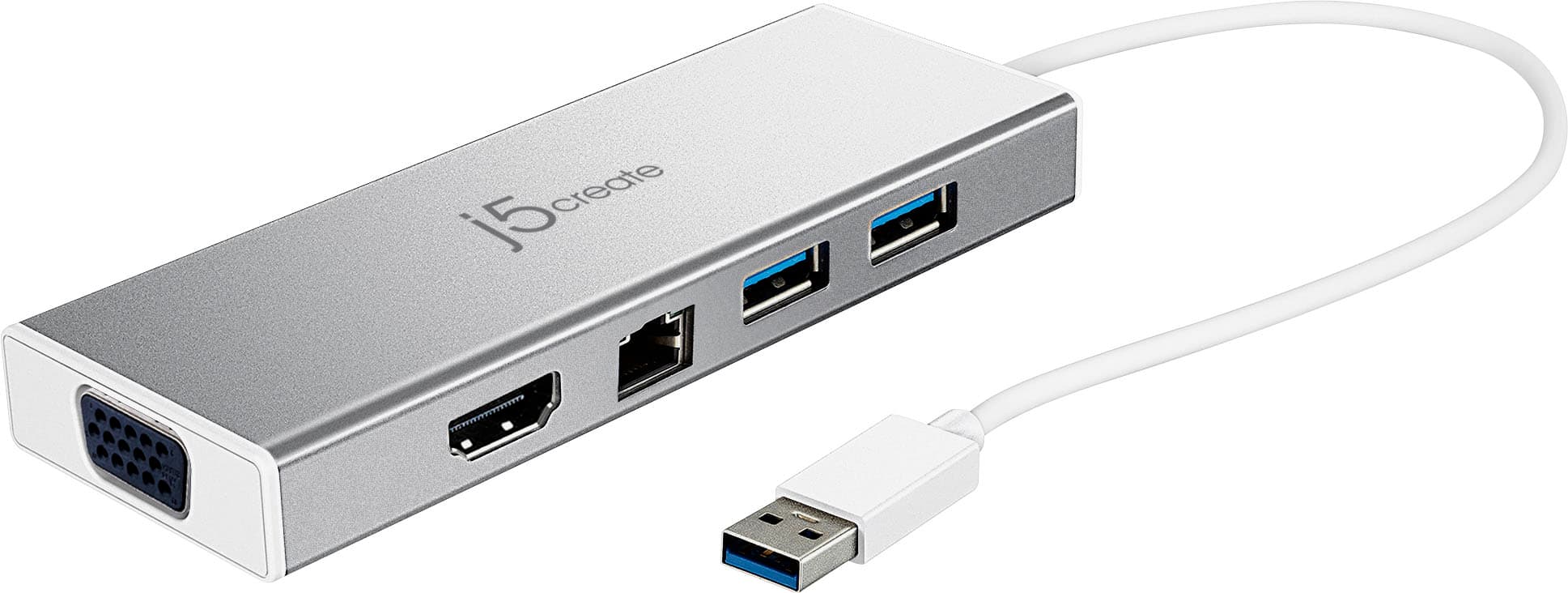
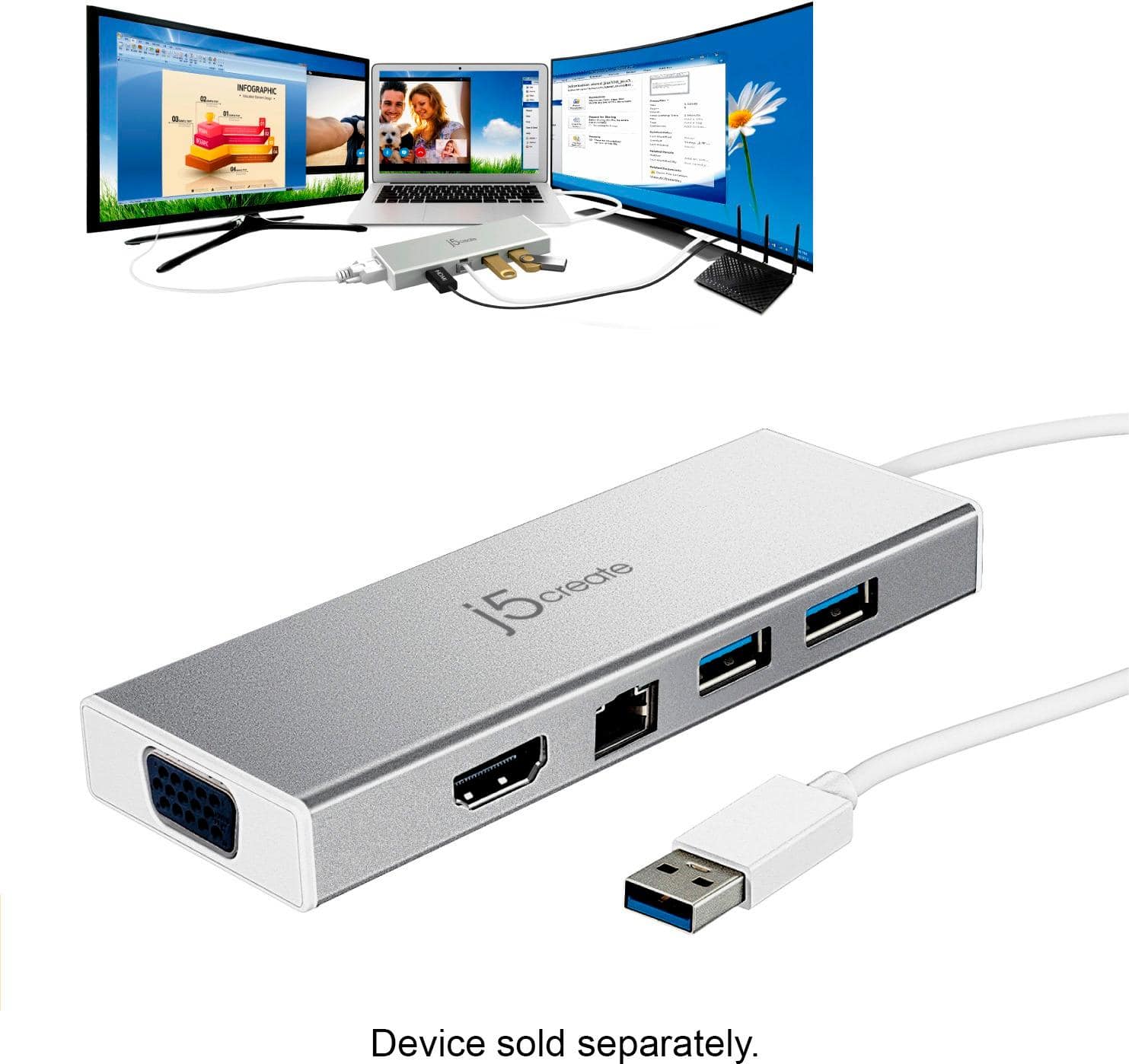
Customers are delighted by the USB 3.0 Mini Dock's ease of use, USB connectivity, overall performance, and compact size. Many appreciate its compatibility and the availability of multiple ports, while some find the price appealing. However, a few customers have noted that the device tends to heat up during use.
This summary was generated by AI based on customer reviews.
Had to return it.
||Posted . Owned for 1 year when reviewed.This reviewer received promo considerations or sweepstakes entry for writing a review.It does not work. Had to return it on the spot. A total disappointment.
No, I would not recommend this to a friendBrand response from J5create Team
Posted .Hi,
Sorry to hear that you decided to return the mini docking station. A call to our support team may have saved you the trip back to the store. Our support team based just north of Atlanta, GA is available to answer questions and to troubleshoot any j5create device.
Thank you,
j5create
Very Slow
||Posted .This reviewer received promo considerations or sweepstakes entry for writing a review.This makes using the mouse very slow and also mess up the audio finding it difficult to toggle.
No, I would not recommend this to a friendBrand response from J5create Team
Posted .It is possible that if you are using a wireless mouse, performance can be degraded due to radio frequency interference radiating from other wireless devices nearby and in this case, we would recommend using a wired one instead. In order to better understand the situation and offer a working solution, we would value the opportunity to troubleshoot. Support information can be found on the casing and an agent will be happy to help.
Respectfully,
j5create
Did not work effectively
||Posted . Owned for 2 weeks when reviewed.This reviewer received promo considerations or sweepstakes entry for writing a review.Delay in amount of time for computer screen to catch up to my laptop screen.
No, I would not recommend this to a friendBrand response from J5create Team
Posted .Hi!
I'm very sorry for the inconvenience that this has caused you. In order to see exactly what is going on, we would need to look at the specifications on your computer and we would be more than happy to assist you. Our information can be found on the back of all of our product boxes and on our website under the support tab. There you can find links to our livechat, phone, and ticketing services.
Thanks,
j5create
Stop working after a month
||Posted . Owned for 1 month when reviewed.This reviewer received promo considerations or sweepstakes entry for writing a review.One of the USB ports stooped working after a month. Called customer service and was told that it is not working well with wireless keyboard/mouse and also video cameras use too much power for this docking station. So if you want to plug in wireless mouse or camera this is not the right docking station.
No, I would not recommend this to a friendBrand response from J5create Team
Posted .Hello,
It sounds like you were encountering radio frequency interference between the wireless keyboard/mouse and the USB ports on the dock. USB 3.0 devices will generate radio waves that can interfere with wireless devices that use the 2.4 GHz band to transmit a wireless signal. Intel has written a detailed article on this subject. A wired keyboard/mouse or wireless device that uses the 5 GHz band may improve your experience. We appreciate you taking your time to share your feedback.
Thank you,
j5create
Doesn’t work w/wireless keyboard & mouse
||Posted . Owned for 3 weeks when reviewed.This reviewer received promo considerations or sweepstakes entry for writing a review.The most annoying thing ever - it causes a delayed reaction when connecting it to a wireless keyboard and mouse! Also, there are no screw holes to hold the monitor cable in place. I had to use a piece of tape to keep it from disconnecting! Horrible product that I’m now stuck with... Buyer beware!!!
No, I would not recommend this to a friendBrand response from J5create Team
Posted .Hello and thank you for your review,
I am terribly sorry that these issues are affecting your experience with the device.
The issue that you are encountering with the with the wireless keyboard and mouse sounds like Radio Frequency Interference. The signal from USB 3.0 devices (like the mini dock) can interfere with wireless devices operating within the 2.4GHz band (like a wireless keyboard or mouse). I would recommend that any nearby wireless devices are plugged into a USB port directly on the computer and placed across from other USB 3.0 devices if possible. Another option would be to use wireless devices which operate within the 5GHz range, as they will not encounter as much radio frequency interference with USB 3.0 devices.
In regards to the VGA ports the lack of mounting bolt for the screws was a design choice. The VGA cable should fit snuggly into the port. If you feel that there may be some kind of defect with the dock you may want to contact our customer support team. Contact information for customer support is on the device packaging and on our website under Support. You have the option to work with the support team over the phone, by email, or through live chat.
I would again like to apologize for the experience that you are having with the mini dock.
Thank you,
J5Create
Buy something else
||Posted . Owned for 7 months when reviewed.This reviewer received promo considerations or sweepstakes entry for writing a review.Unfortunately this was not very good for duel monitor display. It constantly lost the feed on all monitors. All cables and adapters were set properly in fact done so by IT at a very large financial institution. We went with an aftermarket brand and have not had issues since. Would not buy this.
No, I would not recommend this to a friendBrand response from J5create Team
Posted .Hello Joseph,
In the future if there is any trouble with a j5create device our customer support team can help with troubleshooting any issues that come up. Contact information for our customer support team can be found printed on the product package as well as the j5create website.
Thank you,
j5create
j5create
||Posted . Owned for 1 year when reviewed.This reviewer received promo considerations or sweepstakes entry for writing a review.Very handy for my laptop. It provides connections that aren't on the machine.
I would recommend this to a frienddid not work with usb-c to usb-A adapter
||Posted . Owned for 2 months when reviewed.This reviewer received promo considerations or sweepstakes entry for writing a review.did not work for HDMI when plugged in to a USB to USBC adapter. very frustrating and expensive problem. says on boxy it works iwth USBC, but it is not cabled for USB C and did not work with my USB C adapter.
No, I would not recommend this to a friendBrand response from J5create Team
Posted .The USB 3.0 Mini Dock requires an available USB Type-A 3.0 port on a computer. We do not recommend using an adapter, we cannot guarantee proper functionality. The Dock also requires an installation of a driver. Drivers are available on j5create website under the "Support" tab > "Downloads/Drivers". ** If you require further assistance; please contact the j5create Technical Support team and they will be glad to further assist if necessary. Their information can be found on our website under the "Support" tab. Thank you.
Don't Buy
||Posted .This reviewer received promo considerations or sweepstakes entry for writing a review.Terrible. The HDMI port stopped working 1 month after purchase. I moved and was unbale to find the receipt, so I was not able to return this defective product. Expensive and not worth it.
No, I would not recommend this to a friendBrand response from J5create Team
Posted .Please contact our Technical Support Team, so that they can get more information from you; in order to narrow down the exact issue you are experiencing. Their information can be found on our website under the "Support" tab and a specialist will be ready to assist you. Thank you.
DIDNT work for me
||Posted . Owned for 1 month when reviewed.This reviewer received promo considerations or sweepstakes entry for writing a review.I was trying to rate this item with no stars. This item did not work for my computer at all. I have a Mac and I followed the instructions and it did not work. I reached out to J5 and was not able to get help so I returned the item. Personally I wouldn’t recommend.
No, I would not recommend this to a friendBrand response from J5create Team
Posted .Hello,
I regret to hear that you were not able to get the JUD380 to work with your computer. This mini dock is compatible with MacOS 10.8 to 10.15. We appreciate your feedback and will endeavor to improve.
Thank you,
j5create
It did not work after 2 month of use.
||Posted .This reviewer received promo considerations or sweepstakes entry for writing a review.It did not work after 2 month of use. I don't think it is covered under warranty.
No, I would not recommend this to a friendBrand response from J5create Team
Posted .Rupesh, We regret to hear the JUD380 stopped working after two months. The JUD380 is covered under the manufacturer's two year warranty and if still within the time frame, please reach out to support and a rep will be more than happy to help.
Respectfully,
j5create
Bad installation done by best buy third party
||Posted . Owned for 3 weeks when reviewed.This reviewer received promo considerations or sweepstakes entry for writing a review.The people that installed this were horrible. They were sent by Best-buy, but pretty much hustled me for another 100 to install and i paid because i needed it installed that day. I contacted Best-buy and they did nothing !!!!
No, I would not recommend this to a friendBrand response from J5create Team
Posted .Thank you for purchasing our Mini Dock. Sorry to hear about the installation experience.
Get the hyperdrive one
||Posted .This reviewer received promo considerations or sweepstakes entry for writing a review.This i took back. The HDMI did not want to power up my exterenal monitor
No, I would not recommend this to a friendBrand response from J5create Team
Posted .JohnM, In the case where the JUD380 is not working with your monitor, this could be due to different reasons and in order to narrow down the root of the issue, we recommend contacting the support team and seeking assistance. Our agents are standing by ready to help at your convenience. Our contact information can be found on the casing and website.
Respectfully,
j5create
No problems
||Posted .This reviewer received promo considerations or sweepstakes entry for writing a review.Just what my son needed to connect lots of things.
I would recommend this to a friendEasy switch over...
||Posted .This reviewer received promo considerations or sweepstakes entry for writing a review.I use this to quickly switch from my work laptop over to my school laptop to connect my printers. I initially also used it for my wireless keyboard and mouse but found the signal didn't always work well. I would end up with jittery/not tracking mouse movement and typing.
I would recommend this to a friendBrand response from J5create Team
Posted .Jittery mouse while using the JUE130 may be experienced due to leaky waves. This is when there is radio wave interference; due to the JUE130 connecting via USB 3.0, it can cause the jittery experience you had. In this case, we recommend using either a wired, or Bluetooth mouse instead. We apologize for the inconvenience this caused. Feel free to contact the support team on the casing with questions, concerns, warranty information and a specialist will be glad to help.
Respectfully,
j5create
Lags
||Posted .This reviewer received promo considerations or sweepstakes entry for writing a review.Slow and lags. Not a fan. Will likely return this dock.
No, I would not recommend this to a friendBrand response from J5create Team
Posted .Lag can be frustrating and we understand. Slow performance is never welcome especially when needing to get work done; for such instances, we may recommend a PnP device which works off the computer's hardware resulting in faster, smoother performance. For further assistance on an alternative, feel free to reach out to the support team printed on the packaging to speak with a specialist and they will be ready to assist.
Respectfully,
j5create
not needed their were cords
||Posted .This reviewer received promo considerations or sweepstakes entry for writing a review.not what i needed there were wires that would do the job
No, I would not recommend this to a friendBrand response from J5create Team
Posted .Hello and thanks for reviewing the JUD380. We value customer input as it helps us improve; please feel free to contact support on the packaging for questions, comments, concerns and a representative will be happy to help.
Respectfully,
j5create
Need more USB Ports
||Posted . Owned for 3 weeks when reviewed.This reviewer received promo considerations or sweepstakes entry for writing a review.Not enough USB ports. I need to exchange for a different product with more USB ports that doesn't reguire an electrical connection. This doesn't need electricity, but I need more ports for my Surface laptop.
No, I would not recommend this to a friendBrand response from J5create Team
Posted .Hello, we do offer the JUH377 7-port hub. If interested, please check out j5create.com and type in the model number in the search bar on the upper-right hand corner. Kindly, j5
2nd to Apple Happy
||Posted .This reviewer received promo considerations or sweepstakes entry for writing a review.So this product may need a review by Best Buy, however as usual the Best Buy folks were extremely helpful in finding me the solution in their inventory. Same response as my previous review the hardware seems solid, but the software is a bit fidgety.
No, I would not recommend this to a friendBrand response from J5create Team
Posted .Proper installation of the software is vital for optimal performance with your monitors and Ethernet connection, in the case where the driver was possibly corrupted, fidgety or spotty connectivity may be experienced. We're sorry to hear this happened to you and if interested in having a specialist help you, please feel free to reach out to the technical support team and a rep will be ready to help.
Respectfully,
j5create
Not worth the money
||Posted . Owned for 1 year when reviewed.This reviewer received promo considerations or sweepstakes entry for writing a review.Item worked for a few months then quit working. Maybe if I was stationary it would last but I travel a lot for work and this just did not hold up.
No, I would not recommend this to a friendBrand response from J5create Team
Posted .In order to narrow down the exact issue you are experiencing, we recommend contacting the Technical Support Team and a specialist will be ready to assist you. Their information can be found on our website under the "Support" tab. Thank you.