Customer Ratings & Reviews


- Model:
- JUD380
- SKU:
- 5901250
Rating by feature
- Value
Rating 4.2 out of 5 stars
- Quality
Rating 4.4 out of 5 stars
- Ease of Use
Rating 4.5 out of 5 stars
Customers are saying
Customers are delighted by the USB 3.0 Mini Dock's ease of use, USB connectivity, overall performance, and compact size. Many appreciate its compatibility and the availability of multiple ports, while some find the price appealing. However, a few customers have noted that the device tends to heat up during use.
This summary was generated by AI based on customer reviews.
I returned it even it was plugged.
||Posted .This reviewer received promo considerations or sweepstakes entry for writing a review.There was not enough power to power my monitor. Errrr
No, I would not recommend this to a friendBrand response from J5create Team
Posted .Hello and thank you for reviewing the JUD380. We are sorry to hear the mini dock was not able to get the monitor up and working properly; we would value the opportunity to troubleshoot and see if we can turn things around. We understand it's been some time since the review was submitted, but if in the future you experience a difficult time getting the device working as intended, please feel free to contact support on the casing and an agent will be happy to help.
Respectfully,
j5create
So far so good
||Posted .This reviewer received promo considerations or sweepstakes entry for writing a review.Its ok just not 4k transfer. If rhat matters to you
I would recommend this to a friendBrand response from J5create Team
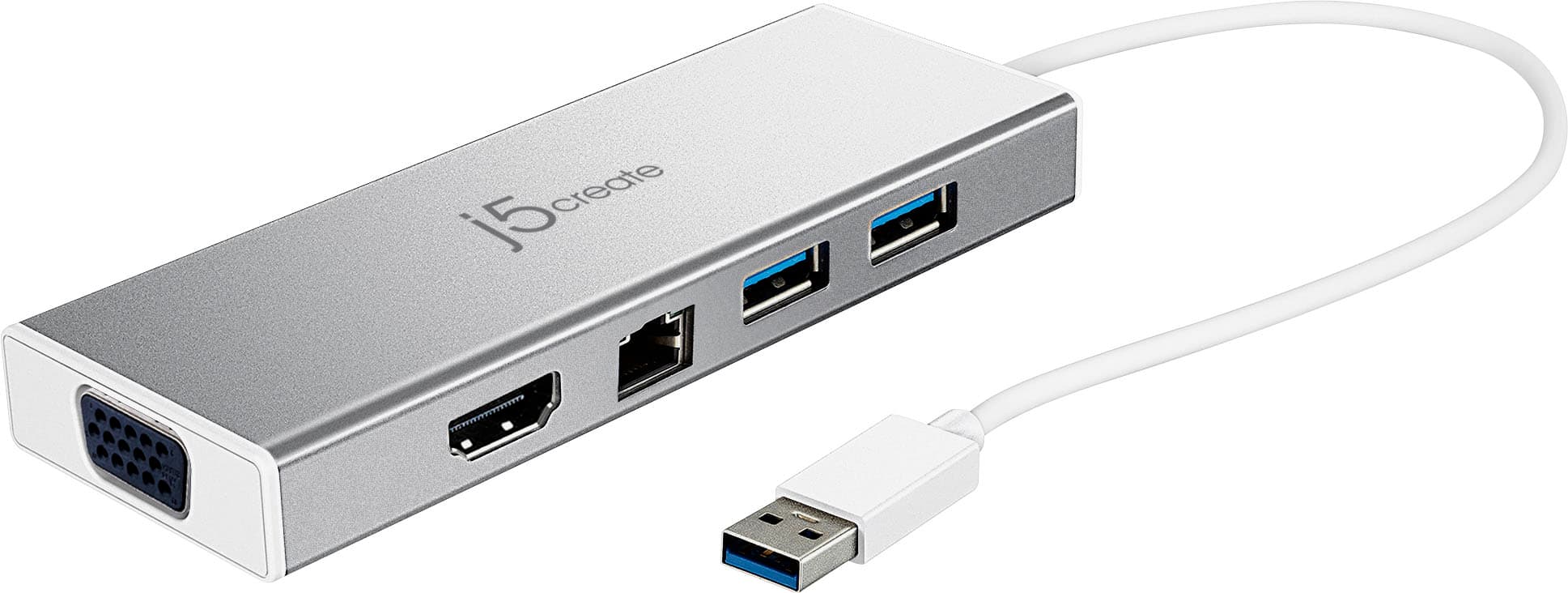
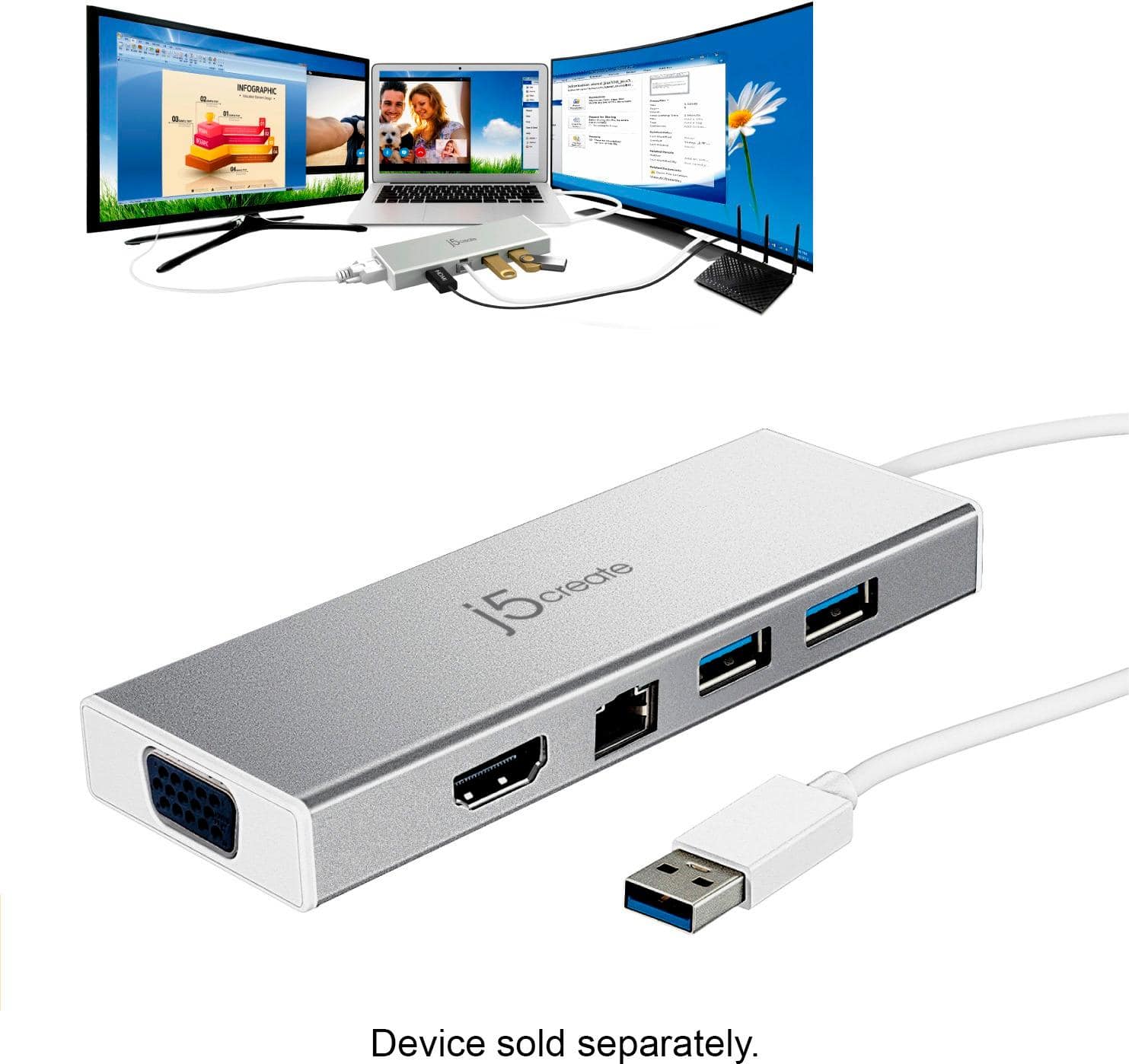
Posted .HDMI & VGA output port, providing up to 2048 x 1152 resolutions
Docking station
||Posted .This reviewer received promo considerations or sweepstakes entry for writing a review.Would not recommend this unit intermittently fails
No, I would not recommend this to a friendBrand response from J5create Team
Posted .Frank, In the case where your j5create device is intermittently failing, we strongly advise you to contact the support team and a rep will diagnose, troubleshoot, offer solutions; if necessary, an exchange will be issued under the manufacturer's warranty. We apologize for the inconvenience you experienced with us and hope we can still turn this around.
Respectfully,
j5create
Not for MAC without driver installation
||Posted .This reviewer received promo considerations or sweepstakes entry for writing a review.I have a mac and this seems to need a driver installation and other reviews said it could "brick" my MAC. I dont want to use any accessory like this that I need to use a driver for. It should work native to mac. And poor reviews about the driver installation for some mac os version wasn't encouraging, so I just didn't try it.
No, I would not recommend this to a friendBrand response from J5create Team
Posted .Hello and thank you for the review on the JUD380. We're sorry to hear the installation process may have come across as intimidating due to the 'brick' term and can guarantee it will not damage your computer. For technical difficulties, we recommend contacting support who's information can be found on the packaging and an agent will be glad to lend a helping hand and get the adapter working as intended. We apologize and hope we can turn things around.
Respectfully,
j5create
- Pros mentioned:Overall performance
Great Value for the Price
Posted .This reviewer received promo considerations or sweepstakes entry for writing a review.I consulted with the IT team of my company and they wanted me to spend more money on a Dell dock, but this one works great! Especially for the price, very affordable. I mainly use this for work to hook up two large wide screen monitors to my 17" HP Envy laptop, It did take a minute to install the drivers, but after that it worked fine. I was a little worried because my laptop is old (purchased in 2017), but it works great! My only complaint is that at the usb cable is a little loose when plugging into the computer. It could be my laptop, but everything else connects fine. So I just leave it alone and I've had no problems. So in summary, I have one monitor hooked into the HDMI port that came with my laptop then the second monitor is hooked into the docking station, I'm surprised to say they both display the SAME quality, Very happy!!!
I would recommend this to a friendBrand response from J5create Team
Posted .Thank you for writing a detail review on your experience with the Mini Dock. We're happy to hear your monitors works well. Thanks and have a great weekend.
DID NOT WORK
||Posted .This reviewer received promo considerations or sweepstakes entry for writing a review.I tried this a it did not work so I returned. I would not recommend.
No, I would not recommend this to a friendBrand response from J5create Team
Posted .Purchasing a device to meet your needs that is not working as intended is frustrating - we understand and apologize for the experience you had. Due to the different reasons that could impede driver installation, it is difficult to determine what caused this; in order to narrow down the root of the problem and offer a solution, we recommend contacting support on the casing to speak with a rep if in the future you ever have issues with our adapters again. We would highly value the opportunity to turn this experience around.
Thank you for the input,
j5create
- Pros mentioned:Usb
Good
Posted .This reviewer received promo considerations or sweepstakes entry for writing a review.I got it to work as expected. Two monitors work in extended mode correctly. fast response. ethernet works too... do not have much experience with the ethernet working together with the 2 external monitors. Con!!!! the instructions were written by a person that has no experience. If the settings of Windows 10 is used one will find the extended mode function immediately. the intel app is insufficient. su much so that it seems that J5 disables it.
I would recommend this to a friendBrand response from J5create Team
Posted .Hello and thanks for reviewing the JUD380. We're glad to hear it is working to your expectations and apologize the instructions were not clear to properly assist. If needed, technical assistance can be obtained with support information on the casing and an agent will be ready to lend a helping hand.
Respectfully,
j5create
- Pros mentioned:Size
Smartest move I ever make for my computer.
Posted .This reviewer received promo considerations or sweepstakes entry for writing a review.realized I needed to convert my lap top to a permanently installed computer at home. Tech brought this mini-dock and suggested was the best for my use. He was right. Am impressed with it and it's size. Have more room on my desk and full use of the laptop. Recommend the change to anyone who is considering downsizing.
I would recommend this to a friend MAC issues!
Posted .This reviewer received promo considerations or sweepstakes entry for writing a review.So I got this to use with a mac & could not get it to work initially. Here's how I fixed it! First I downloaded the driver from j5. On my Display settings: I did not have "arrangement" tab; only "display, color, nightshift" & I could not figure out how to make this setting appear. Open Settings - Display. Plug in monitor to hub & plug j5 into mac. Unplug hub from mac - screen should turn black - Pop up settings screen - Unlock & allow Activate USB driver - check box for the driver. Now your display settings will have the "arrangement" tab! If it doesn't work then unplug the j5 from the mac a couple of times until you get the screen to flash black. Someone posted this fix on apple discussions under "arrangements tab missing in displays/settings" Hope this helps!
I would recommend this to a friendBrand response from J5create Team
Posted .Hello, please make sure all drivers have been allowed through by checking Security & Privacy. Once that is done you should have DJT in screen recording through Privacy tab once a display is connected. Thank you for your review, Tini.
- Pros mentioned:Usb
doesnt work with Oculus Rift
Posted .This reviewer received promo considerations or sweepstakes entry for writing a review.Works great as a hub that provides additional HDMI outlet and USB 3.0 slots. However, oculus doesn't allow a buffer with the sensors so it wouldn't work in that fashion. When I used it for the additional HDMI, it was solid and output the same as my monitor.
I would recommend this to a friendBrand response from J5create Team
Posted .Thank you for letting us know how the JUD380 is working for you!
Appreciatively,
j5create
- Pros mentioned:Usb
Device only supports VGA/HDMI connections
Posted .This reviewer received promo considerations or sweepstakes entry for writing a review.I was a disappointed to learn that this docking station only supports VGA and HDMI connections. My monitors have VGA and Display Port so I'm only able to use one extra monitor. It works well and find it adds value.
I would recommend this to a friendBrand response from J5create Team
Posted .Wishing to add monitors with VGA, or HDMI connectivity is achievable with the JUD380. Connecting via USB 3.0 ensures optimal performance with your accessories - simply download, install the required driver and you're ready to roll.
Gratefully,
j5create
- Pros mentioned:Compatibility
J5create - USB 3.0 Mini Dock
Posted .This reviewer received promo considerations or sweepstakes entry for writing a review.Adapter works with multiple devices including older monitors which is hardly used nowadays but nevertheless is still in use.
I would recommend this to a friend - Pros mentioned:Ease of use
Very helpful gadget
Posted .This reviewer received promo considerations or sweepstakes entry for writing a review.Accomplished a messy task quickly and easily without a lot of wires.
I would recommend this to a friend - Pros mentioned:Ease of use
mini dock
Posted .This reviewer received promo considerations or sweepstakes entry for writing a review.It's great, just what Geek Squad recommended. After recieving it it fullfiled my need.
I would recommend this to a friend - Pros mentioned:Usb
thanks
Posted .This reviewer received promo considerations or sweepstakes entry for writing a review.My Geek Squad agent put this together to use another monitor with a new laptop and it works just fine.
I would recommend this to a friend - Pros mentioned:Overall performance
J5create
Posted .This reviewer received promo considerations or sweepstakes entry for writing a review.Works very well and easy to use. Onsite support was very good and they get back to you quickly.
I would recommend this to a friendBrand response from J5create Team
Posted .Thank you for your review and rating. Take care and have a nice day, Peter
- Pros mentioned:Ease of use
Good
Posted .This reviewer received promo considerations or sweepstakes entry for writing a review.Works as described in the website and haven’t had any issues
I would recommend this to a friendBrand response from J5create Team
Posted .Perfect to set up a workstation while on the go!
Some Issues
Posted .This reviewer received promo considerations or sweepstakes entry for writing a review.I bought mine couple weeks ago, to use at home. Overall works pretty good to use the extra usb 3.0 ports and the ethernet cable. However the HDMI and the VGA ports don't work very well. I have only one monitor connected through the HDMI port and things are very laggy, faded out, and the movement is not smooth at all. Called the support people and they said the issue was laptop. I would given a 4 star, however, for the poor tech support and lack of information I will give 2.
No, I would not recommend this to a friendBrand response from J5create Team
Posted .Hi!
I'm so sorry to hear that this happened to you!In the time since your review, we've continued to improve our devices and make sure things like this don't happen. We've also continued to work with our customer service team to ensure that they are able to provide excellent support and information as soon as it becomes available. I hope that in the future you would consider giving us a second chance so that we can show you the difference! Thanks, j5create
- Pros mentioned:Size
Absolutely worthless
Posted .This reviewer received promo considerations or sweepstakes entry for writing a review.The product does not charge your computer like a docking station should. It causes a disconnect between wireless (USB) keyboard and system. continuously freezes up the monitors and given that it won't charge the computer and that I consequently have to plug in the charger anyway, there is no point having this device. It saves no time and serves no real value. I went for this one hoping the size would be beneficial over the bulkier docking stations (I already have two of those, one for my office and one for my home in another state; needed one for this place. I wouldn't pay 79 CENTS for this again, let alone 79 dollars. Will return for a REAL docking station as soon as I can.
No, I would not recommend this to a friendBrand response from J5create Team
Posted .Hi!
I'm sorry to hear you've had difficulty with this! This device is not meant to charge your laptop, but to charge small peripherals and to act as a portable docking station on the go. You would still need to plug your computer in if you need power there. If you're having connectivity issues, my team is available to assist you in making sure your device is working correctly and troubleshoot the issue with you or help you find a device that better suits your need. Our information can be found on the back of all of our product boxes and on our website as well.
Thanks,
j5create
Far from "it just works" this doc has been a night
Posted .This reviewer received promo considerations or sweepstakes entry for writing a review.Here's my story. I have had this dock for about nine months now and do not recommend... From day one this dock has been problematic on all three of my laptops. I have a 2017 HP ZBook with an NVidia Quadro dedicated chipset. I have a 2018 Dell 7577 with GTX 1060 and a 2020 Dell G5 with RTX 2060. All of these laptops have not only USB 3.1 but Thunderbolt 3 ports. The behavior I'll describe below is identical on all three. The USB-C / USB 3.1 cable is very sensitive to slight movements and sometimes just other background task going on for windows 10. Frequent disconnects are common. When a disconnect happens all your displays will go black for a few moments then you have to unplug, replug the J5Create dock back in and hope for the best. Probably 3 out of 10 times you're looking at having to reboot the system to get it back on... With the latest Windows 10 update on my 2018 and 2020 laptops when I plug in the J5Create dock, every 10 seconds Windows 10 will make the USB disconnect and reconnect sounds (yes, every 10 seconds. Not an exaggeration I timed it and it does not stop) . This is especially annoying as the dock appears to be working, displays are all on and nothing odd is happening. I checked system logs and its a driver conflict. Windows 10 doesn't have a proper driver for the J5Create (yes, I completely removed and reinstalled the latest driver from manufacturer) system logs revealed that Windows 10 recognizes this dock as a "generic USB dock" and keeps detected a port conflict. This is happening on both my 2018 and 2020 Dell G5 laptops, both have all current firmware, driver and Windows OS updates... Ultimately resolving these sort of conflicts falls on the device maker. Yes, it's difficult to keep on top of all builds, etc.. That's their job. I did contact their support. They only could recommend things I've already tried. Then tried to tell me my dock had hardware issues. I've owned a few of this same model, they all behave the same way and have the same problems. I've only experienced pain from this device and lost time trying to get work done with it. Highly recommended to look elsewhere for a solution
No, I would not recommend this to a friendBrand response from J5create Team
Posted .Hello,
I am sorry to hear that the docking station did not work for you needs. We appreciate your feedback and we will endeavor to improve on our end.
Have a good day,
j5create