Customer Ratings & Reviews


- Model:
- JUD380
- SKU:
- 5901250
Rating by feature
- Value
Rating 4.2 out of 5 stars
- Quality
Rating 4.4 out of 5 stars
- Ease of Use
Rating 4.5 out of 5 stars
Customers are saying
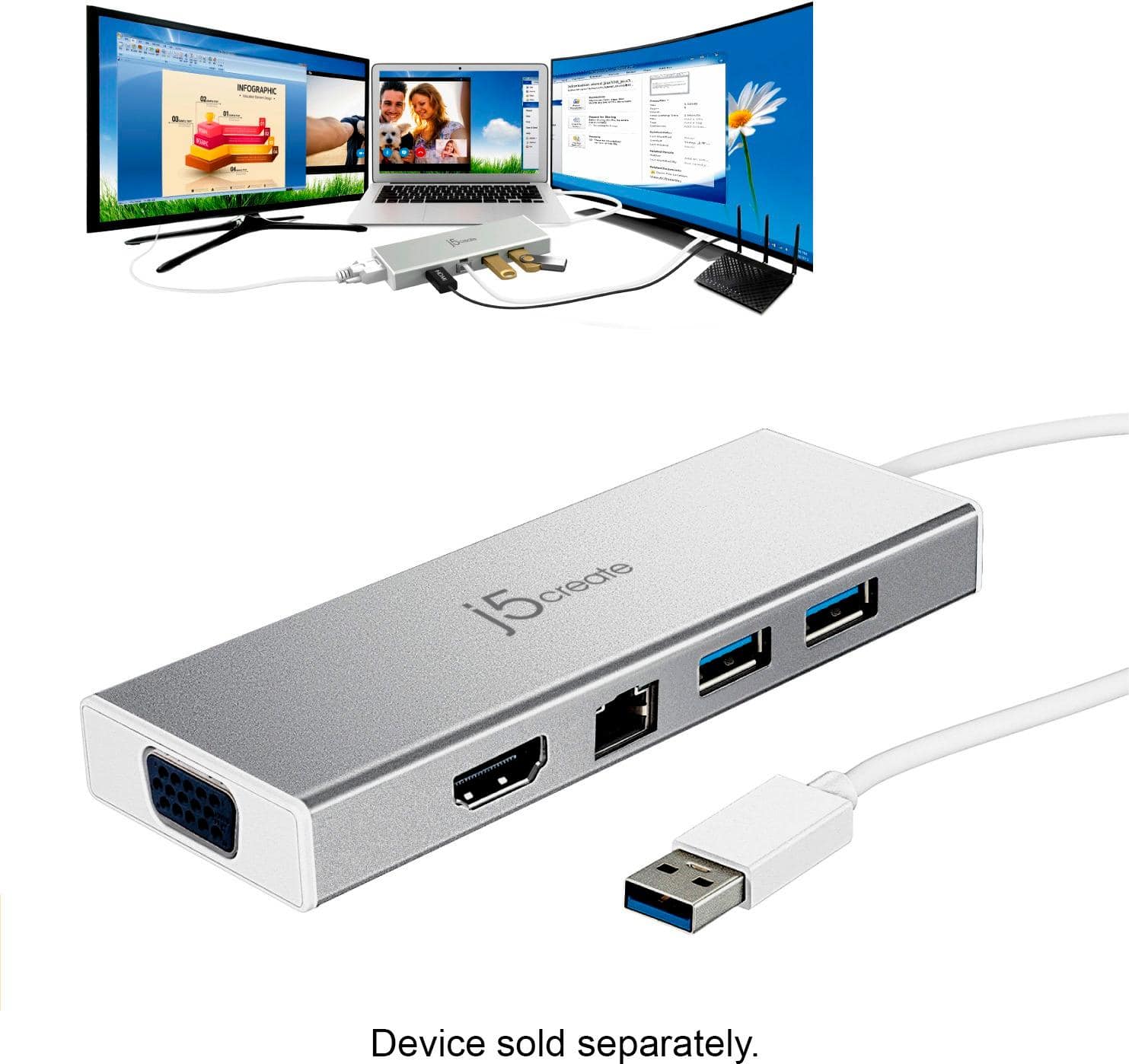
Customers are delighted by the USB 3.0 Mini Dock's ease of use, USB connectivity, overall performance, and compact size. Many appreciate its compatibility and the availability of multiple ports, while some find the price appealing. However, a few customers have noted that the device tends to heat up during use.
This summary was generated by AI based on customer reviews.
Is this product a plug n play?
Posted .This reviewer received promo considerations or sweepstakes entry for writing a review.I noticed it comes with a CD driver. New laptops don't come with CD roms. I do not want to purchase this if I need to figure a way to download a driver for it? Please advice anyone that has it. Thanks
I would recommend this to a friendBrand response from J5create Team
Posted .Properly setting up the JUD380 can be tricky, we understand and are ready to provide top notch technical assistance in getting this device working properly for you in minutes. If interested, technical assistance can be provided by contacting support on the casing and a specialist will be glad to help, thank you.
Respectfully,
j5create
Does not work with Mac OS 10.13.5
Posted .This reviewer received promo considerations or sweepstakes entry for writing a review.Buyer be ware this product does not work with Mac OS 10.13.5 j5 customer service has been poor in that for months they have promised a fix that would restore the compatibility. Multiple emails each time saying that the fix is two weeks away and they never have resolved the issue. Strongly recommend staying away from their products. If they would have just been direct and said that they could not or would not fix it I would appreciated it rather than being led on for weeks.
No, I would not recommend this to a friendBrand response from J5create Team
Posted .Hi!
I'm so sorry this happened to you! We did have a compatibility issue with this particular OS but it was resolved and since then all of our drivers have continued to be updated and maintained with all OS since. I hope that you would consider giving us a second chance so that we can show you the improvement!
Thanks,
j5create
Has a shortage
Posted .This reviewer received promo considerations or sweepstakes entry for writing a review.Has a shortage. Worked great at first not so much anymore. Cord seems to have a shortage. Frustrating!
No, I would not recommend this to a friendBrand response from J5create Team
Posted .Please contact our Technical Support Team for further information about this issue. Their information can be found on our website under the "Support" tab and a specialist will be ready to assist you. Thank you.
Don’t waste your time with J5
Posted .This reviewer received promo considerations or sweepstakes entry for writing a review.All these J5 products don’t work out of the box like normal hubs/connectors. They all ask you to install drivers, and then ask permission to record your desktop when it shouldn’t need to do that. Can’t recommend this brand at all.
No, I would not recommend this to a friendBrand response from J5create Team
Posted .MikeHawkstrong, we understand your concern in regards to the screen recording prompt you receive when attempting to use the JUD380 with your Mac. We can assure you it is not actually recording your screen, it is the way the macOS interprets the software being installed. If you would like further information in regards to this prompt, please feel free to contact the support team mentioned on the packaging, a specialist will be glad to further explain this to you and get you working shortly.
Thank you,
j5create
Way too slow
Posted .This reviewer received promo considerations or sweepstakes entry for writing a review.It takes 20 minutes for anything to show up on the monitor making it impractical and inefficient. I took it back to Best Buy and they had the same result.
No, I would not recommend this to a friendBrand response from J5create Team
Posted .In order to narrow down the exact issue you are experiencing, we recommend contacting the Technical Support Team and a specialist will be ready to assist in resolving this. Their information can be found on our website under the "Support" tab. Thank you.
It didn’t work
Posted .This reviewer received promo considerations or sweepstakes entry for writing a review.It didn’t work. Instructions for this particular item is ambiguous.
No, I would not recommend this to a friendBrand response from J5create Team
Posted .The USB 3.0 Mini Dock requires an available USB 3.0 port and an installation of a driver for proper functionality. Depending on the OS you have, different instructions apply. Drivers are available on j5create website under the "Support" tab. ** If you require further assistance; please contact the j5create Technical Support team. Thank you.
HDMI Port did not work
Posted .This reviewer received promo considerations or sweepstakes entry for writing a review.HDMI port did not work and that was the one I bought this item for.
No, I would not recommend this to a friendBrand response from J5create Team
Posted .The HDMI port requires an installation of a driver. Drivers are located on j5create website under the "Support" tab > "Downloads/Drivers". Please make sure to use HDMI cables, no conversions and select the correct input source on the display. ** Feel free to contact j5create Technical Support by Live Chat or Email if you require further assistance. Thank you.
Not compatible with Windows 10
Posted .This reviewer received promo considerations or sweepstakes entry for writing a review.No driver available for Windows 10. Returning this product
No, I would not recommend this to a friendBrand response from J5create Team
Posted .Hi, we apologize for the misinformation on the mini dock. The JUD380 is compatible with Windows 10 and we would value the opportunity to troubleshoot this or offer a solution if we are not able to get it working. Our support information can be located on the casing and an agent will be happy to assist.
Respectfully,
j5create
Bad Product don't waste your money
Posted .This reviewer received promo considerations or sweepstakes entry for writing a review.When using the HDMI to connect to a monitor it results in extensive lag and sluggish performance. Their tech support is terrible. I waited 45 minutes on the phone to talk with someone and they could not resolve the issue. Don't use this product if you plan to use the HDMI ports and have Windows 10.
No, I would not recommend this to a friendBrand response from J5create Team
Posted .Sluggish performance is inconvenient, we understand and apologize for the negative experience you had with us. We have other adapters available that may work better; depending on the make and model of your computer, we could recommend a plug-and-play device that will work smoother. If possible, we would value the chance to discuss possibilities with you, our support information can be found on the packaging and an agent will be ready to help.
Respectfully,
j5create