Customer Ratings & Reviews
- Model:
- JCD383
- SKU:
- 10757515
Rating by feature
- Value
Rating 4.2 out of 5 stars
- Quality
Rating 4.4 out of 5 stars
- Ease of Use
Rating 4.6 out of 5 stars
Didn't work
||Posted .This reviewer received promo considerations or sweepstakes entry for writing a review.The usb ports are poor quality. Didn't work for me.
No, I would not recommend this to a friendBrand response from J5create Team
Posted .Hi James,
I'm so sorry to hear that this happened for you! In the year since your review, our team has vastly improved all of our devices and I hope that you'd consider giving us a second chance!
Thanks,
j5create
Unreliable
||Posted . Owned for 4 months when reviewed.This reviewer received promo considerations or sweepstakes entry for writing a review.The connection is not stable these drop all the time and it’s not powered so it doesn’t hold well
No, I would not recommend this to a friendBrand response from J5create Team
Posted .Hi Randy!
I'm so sorry to hear about the trouble you've been having with this product. If you would reach out to us on our customer service page we can assist you in getting your product up and running without the connection issues.
Thank you!
j5create
There is better out there.
||Posted . Owned for 2 months when reviewed.This reviewer received promo considerations or sweepstakes entry for writing a review.It works. Just doesn’t fit into usb well so it disconnects constantly.
No, I would not recommend this to a friendBrand response from J5create Team
Posted .We're sorry to hear the device disconnects constantly. For troubleshooting, please contact our agents and they will help to resolve this issue you are experiencing. We apologize for the inconvenience. Cordially, j5.
Horrible product
||Posted . Owned for 3 weeks when reviewed.This reviewer received promo considerations or sweepstakes entry for writing a review.My Ethernet falls all the time. I get an error message. "My time expired"
No, I would not recommend this to a friendBrand response from J5create Team
Posted .Hi Walbert, to understand the "My time expired", please feel free to reach out to us so our agents can assist you in troubleshooting what you are experiencing. Respectfully, j5create.
MacBook Air did not recognize it
||Posted . Owned for 2 months when reviewed.This reviewer received promo considerations or sweepstakes entry for writing a review.My MacBook Air did not recognize the device once plugged in.
No, I would not recommend this to a friendBrand response from J5create Team
Posted .Hi! (I love your user name!!! Thanks for making me smile)
I'm so sorry to hear about this! My Customer service team is always available to assist you with problems like this! Our information can always be found on the back of all of our product boxes as well as on our website under the contact page.
Thanks,
j5create
It even works well with MacOS 11 Big Sur
Posted .This reviewer received promo considerations or sweepstakes entry for writing a review.This adapter works great with the MacBook Pro. It is the only adapter I have that works with the latest MacOS 11 Big Sur. It works well with Windows as well. The best part is has just been plug and play on both OSes (i.e. no driver software to install). It does get very warm as others have noted. (But not hot enough to burn you - at least so far -lol.) I have other j5create adapters that don't work with Big Sur. I only mention that because j5create doesn't clearly indicate that this one DOES work on their web site and discourages upgrading at this time. But with this one the upgrade is not a problem.
I would recommend this to a friendBrand response from J5create Team
Posted .Hello,
The JCD383 will work with MacOS Big Sur because the adapter does not require drivers to operate. Our devices that do not require drivers will work with Big Sur. Here are some examples:
https://www.bestbuy.com/site/j5create-ultra-drive-mini-dock-for-select-apple-macbook-laptops-silver/6115810.p?skuId=6115810
https://www.bestbuy.com/site/j5create-ultradrive-usb-c-dual-display-modular-docking-station-for-apple-macbook-pro-and-air-space-gray-white/6402116.p?skuId=6402116
We are currently working on drivers that will function with Big Sur and will have an announcement posted on the j5create website when they are released.
Thank you,
j5create
Never
||Posted . Owned for 1 month when reviewed.This reviewer received promo considerations or sweepstakes entry for writing a review.Amazon has products cheaper than the price in stores,
No, I would not recommend this to a friendBrand response from J5create Team
Posted .Thank you for looking into our product. Take care.
Broke within 30 days
||Posted . Owned for 1 month when reviewed.This reviewer received promo considerations or sweepstakes entry for writing a review.Bestbuy won’t let me return because stores are closed. Don’t buy.
No, I would not recommend this to a friendBrand response from J5create Team
Posted .Hi!
I'm really sorry to hear that this happened to you! My Customer Service Team is ready and waiting to help you get this sorted out and get you back up and running. We do exchanges in house as well so we can get a functioning product back out to you if needed.
Thanks,
j5create
Never worked - threw it away
||Posted . Owned for 9 months when reviewed.This reviewer received promo considerations or sweepstakes entry for writing a review.Came with a short or something. Didn't have time to return it.
No, I would not recommend this to a friendBrand response from J5create Team
Posted .Hi Aaron!
I'm so sorry to hear about this! We are always available on our website to assist you in matters like this! In the future all you need to do is reach out to us and we are more than happy to help!
Thanks, j5create
First one broke after just two months
||Posted .This reviewer received promo considerations or sweepstakes entry for writing a review.Although the first one of these I bought broke and stop working after just three months, I bought this one again because I didn’t have time to research other alternatives.
No, I would not recommend this to a friendBrand response from J5create Team
Posted .Hi!
I'm so sorry to hear that this happened to you! In the time since your review we have improved our devices and made sure that things like this won't happen. I hope that you'd consider giving us another chance to we can show you. :)
Thanks,
j5create
Hard to connect, runs hot but works
Posted .This reviewer received promo considerations or sweepstakes entry for writing a review.Based on the positive reviews, I thought this was a guaranteed success. However, it failed to connect to three of my four MBP USB C ports. Finally connected on one and has been running good so far. Runs very hot. When I get home, I will check with an infrared thermometer. Considering the issues I've had so far, I can't recommend this for the price I paid.
No, I would not recommend this to a friendBrand response from J5create Team
Posted .Adapters can run warm to hot as a normal part of its operation, especially if the USB-C pass-through charging and/or all ports on the hub are utilized.
Does what it says
Posted .This reviewer received promo considerations or sweepstakes entry for writing a review.This USB C multi adapter does what it says, functionally there are no concerns. The device does get warm with general use. When using the charging port, it becomes exceptionally hot, according to my temperature gun, the when using it to charge an iPad (9.7 inch) via USB A to lightening cable, and run a USB mouse via Logitech unifying adapter the device was 118 degrees Fahrenheit. while it didn't burn, my immediate. inclination was to let it go. Removing the iPad cable from the device resulted in a decrease in temperature. This could be a deal breaker for some, and I wonder what impact such use has on the overall lifetime of the product. It also seems like such high temperatures could potentially impact the devices connected to the adapter. TLDR: if portability isn't essential, and you're going to need multiple connections at once, I would recommend that you look elsewhere.
I would recommend this to a friendBrand response from J5create Team
Posted .Good Afternoon djsmith, thanks for the input on the JCD383 plug and play device as it provides the user with many additional capabilities. The JCD383 does become warm in the process of charging and using overall, this is due to electricity that is passing through the device. This is normal operating procedure for the JCD383 and therefore should not be a concern. However, if it becomes too hot, we would recommend exchanging it.
We sincerely apologize for the inconvenience this may have caused you. Please feel free to contact support at your earliest convenience with the information on the packaging for
Technical Support with questions, comments, concerns
regarding your device and someone will be more than happy to further assist you and potentially provide a solution to your situation.
Support is also provided in both Spanish and English. Thank you.
THE BEST ONE SO FAR
Posted .This reviewer received promo considerations or sweepstakes entry for writing a review.I AM VERY HAPPY AND SATISFIED WITH THIS PRODUCT, I USE IT ON MY NEW Apple MAC BOOK PRO 16 INCHES 8CORE i9 1TB memory. AND IT WORKS GREAT. it is also stylish, it matches my Mac and it's pretty light. :)
I would recommend this to a friendBrand response from J5create Team
Posted .Stylish, light and guaranteed to satisfy customers due to it's diverse capacities. The JCD382 makes the perfect add on.
Thanks Edwin,
j5create
Exactly what I needed!
Posted .This reviewer received promo considerations or sweepstakes entry for writing a review.I thought about buying a cheaper version of a similar product, but this product had everything I needed. Laptops seems to be getting less and less ports on them each day, I am glad a company like J5CREATE is producing such quality pieces. Plugged it right in and worked great! 4th J5CREATE product, would buy more in the future without hesitation! Great company to deal with.
I would recommend this to a friendBrand response from J5create Team
Posted .MaLover, Newer computers not having enough capabilities is a common thing and we're glad to hear the JCD383 has helped you get setup better.
Sincerely,
j5create
j5create delivers again
Posted .This reviewer received promo considerations or sweepstakes entry for writing a review.Works perfect! Great build and easy plug and play.
I would recommend this to a friendThe all in one device
Posted .This reviewer received promo considerations or sweepstakes entry for writing a review.I am very satisfied with it. Very useful and practical. I recommend it.
I would recommend this to a friendAwesome product
Posted .This reviewer received promo considerations or sweepstakes entry for writing a review.I purchased this item about a month ago. It works perfectly fine!
I would recommend this to a friendSatisfied
Posted .This reviewer received promo considerations or sweepstakes entry for writing a review.The product works fine, I don't use it much but when I do it gets the job done.
I would recommend this to a friendBrand response from J5create Team
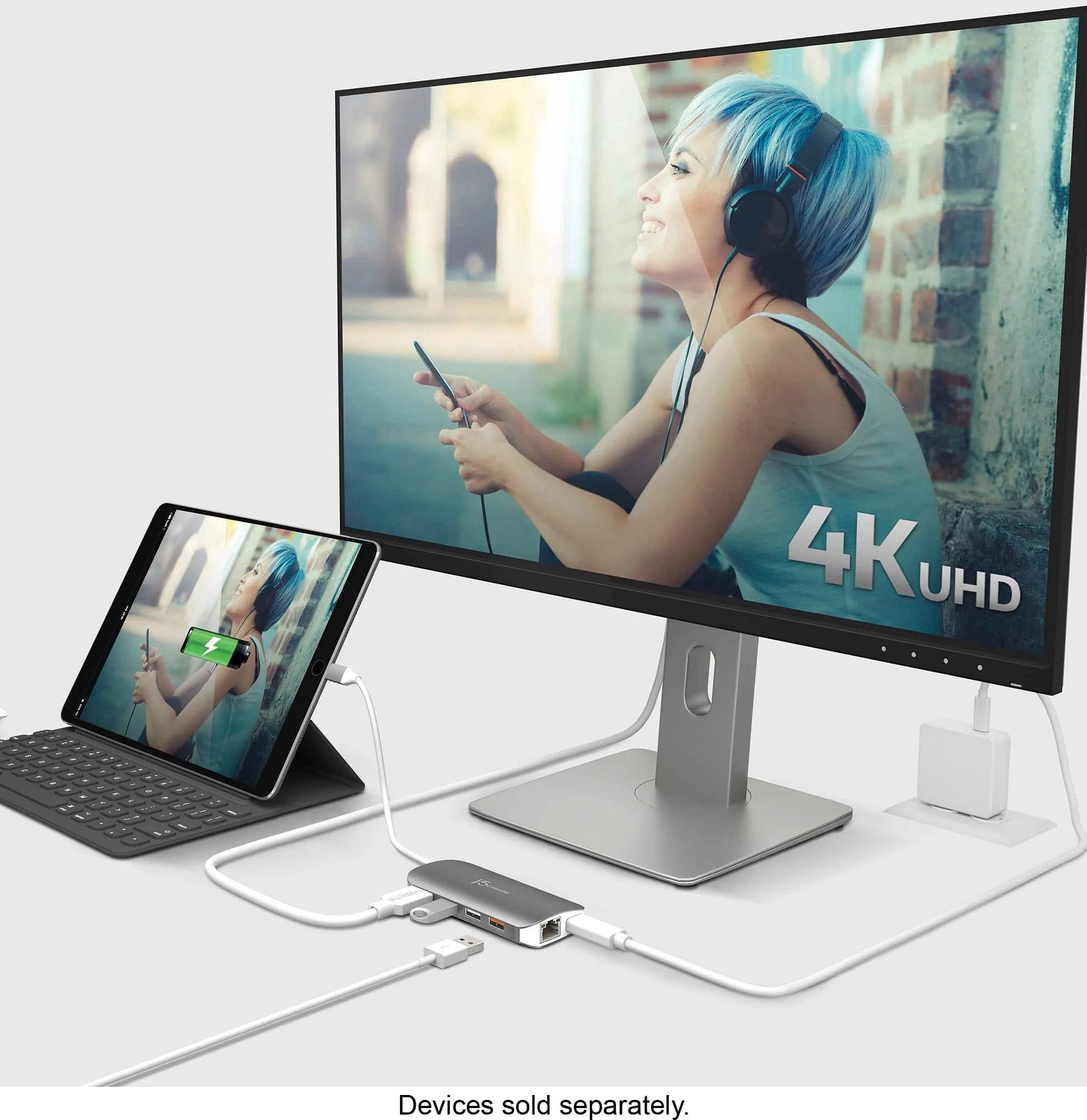
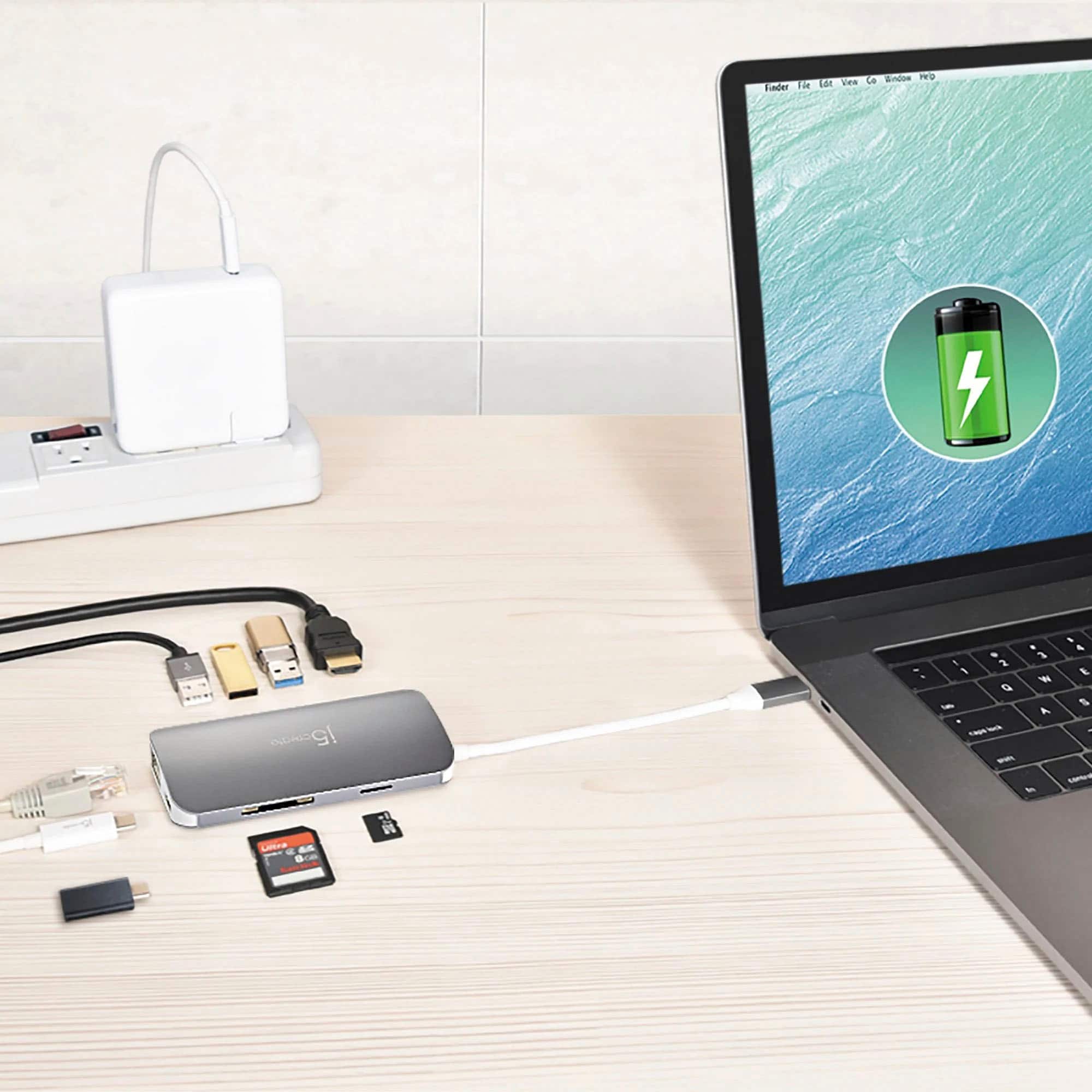
Posted .Connect video, data, and power. Connect to a computer or tablet with a single USB-C port.
Blyfon
Posted .This reviewer received promo considerations or sweepstakes entry for writing a review.Works well and does the job. Have no complaints about this items.
I would recommend this to a friendUseful
Posted .This reviewer received promo considerations or sweepstakes entry for writing a review.Just what we were looking for with hurricane season approaching.
I would recommend this to a friend