Customer Ratings & Reviews
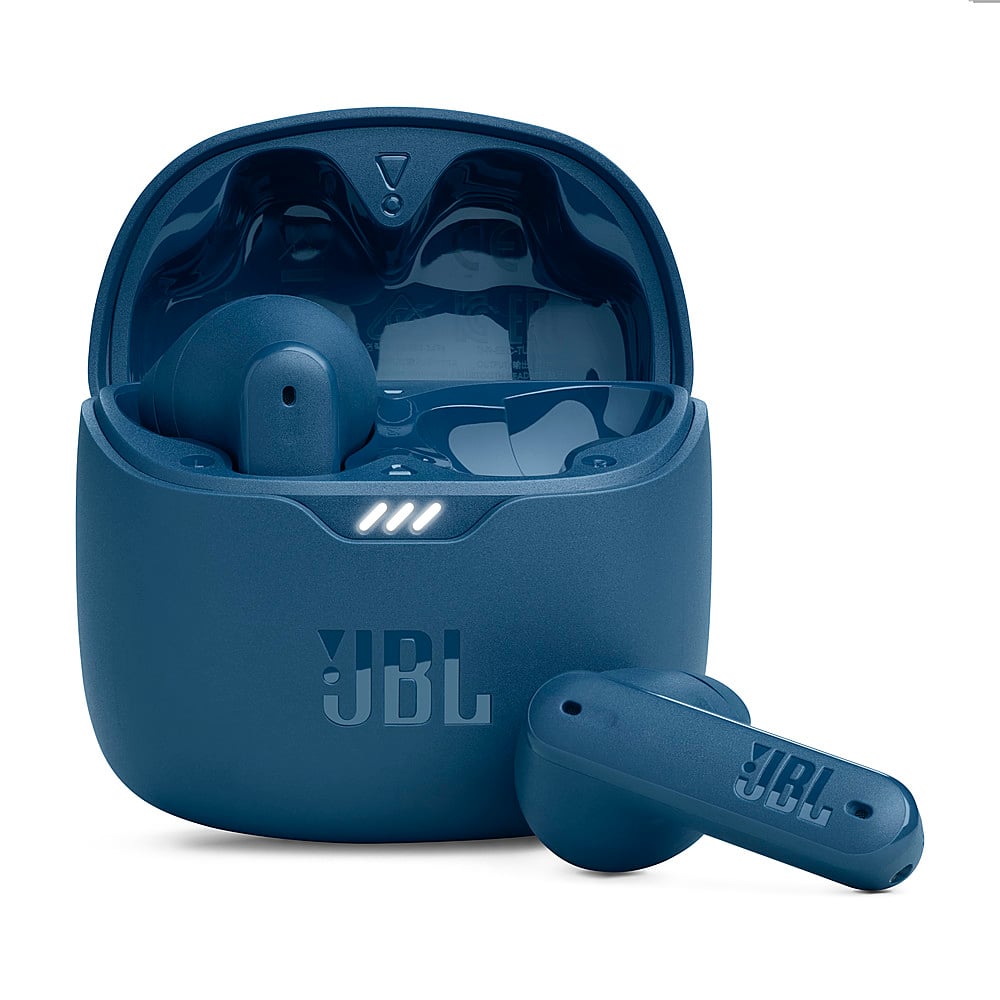
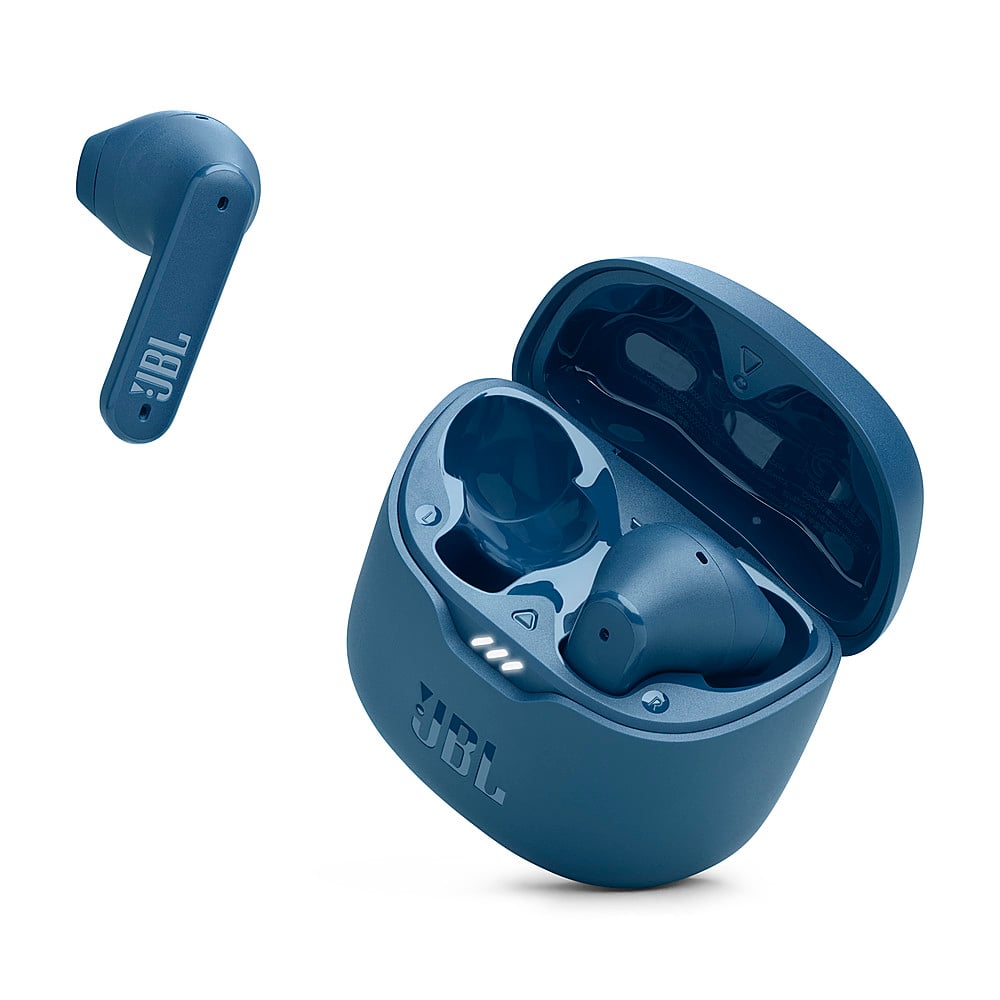




- Model:
- JBLTFLEXBLUAM
- SKU:
- 10736308
Rating by feature
- Sound Quality
Rating 4.5 out of 5 stars
- Battery Life
Rating 4.6 out of 5 stars
- Connectivity
Rating 4.5 out of 5 stars
JBL really?
||Posted . Owned for 3 weeks when reviewed.This reviewer received promo considerations or sweepstakes entry for writing a review.Really disappointed in the noise cancellation really could not tell any difference. And for JBL I was disappointed
No, I would not recommend this to a friendBrand response from JBL Support
Posted .We appreciate your feedback. We always look for ways to improve, we'll make sure that this will be forwarded to the right team. A single tap on the left earbud enables Active Noise Cancelling (ANC), switches to Ambient Aware, or disables these features. If you need more help please contact us at (800) 336-4525 Mon - Fri: 9:00 am - 11:00 pm (EST) Sat-Sun: 9:00 am - 5:00 pm (EST)

what a dud ..
||Posted . Owned for 6 months when reviewed.This reviewer received promo considerations or sweepstakes entry for writing a review.High expectations but it was non-working out of the brand new box. Further inspection showed that the box was repackaged from previous return I assume. Wow, it was something..
No, I would not recommend this to a friendVery Disappointing - Who Designed This Crap????
||Posted .This reviewer received promo considerations or sweepstakes entry for writing a review.Whoever designed the covers for these earphones has some fancy degree in a corner office and absolutely ZERO common sense. I had the previous version and they were good. This is absolute trash. The sound is awful and there is very little noise cancelling. Calls sound like you are listening to analog.
No, I would not recommend this to a friendHeadphones
||Posted . Owned for 2 months when reviewed.This reviewer received promo considerations or sweepstakes entry for writing a review.Case stopped working and headphones have battery problems
No, I would not recommend this to a friendBrand response from JBL Support
Posted .Thanks for your feedback. We're always looking for ways to improve. For our JBL Tune Flex, please try using a different USB cable and USB charger (preferably one with a minimum 2 amp rating), as well as unplugging and re-plugging the cable from your device. The product's charging port may also become clogged with sand or grit. Examine the port. If necessary, use compressed air to clean. We recommend cleaning the contact pins on the case and earbuds using a cotton swab with alcohol. These pins are sensitive to dust. Please ensure the pins are dried before placing them back on the case. If the issue still persists, please contact our customer support.
Dont be fooled by the name
||Posted . Owned for 1 month when reviewed.This reviewer received promo considerations or sweepstakes entry for writing a review.First pair returned, got the swcond pair. 30 days later more problems, they wont shut off. Now cant return. JBL is juat lke all thw other company's now adays They use their name to sell their product. Put a high sticker price on it. What the quality is just as bad as something you can get for $20. It's up to you personally. I wouldn't suggest these lower end models are crap
I would recommend this to a friendBrand response from JBL Support
Posted .We appreciate your feedback. We would like to let you know that this is not the experience that we want you to have with our products and services. To turn off your JBL Tune Flex, place the earbuds back to its charging case the close the lid. If this does not resolve the issue, we recommend resetting your earbuds. To reset, with both earbuds on, and not charging, tap two times and hold the button on the third tap for more than 5 seconds. If you need more help, please contact customer support at (877) 871-6755 / Mon - Fri: 9:00 am - 11:00 pm (ET) Sat-Sun: 9:00 am - 5:00 pm (ET)
Poor fit, noise cancelling is poor
||Posted . Owned for less than 1 week when reviewed.This reviewer received promo considerations or sweepstakes entry for writing a review.Worst fit of any earbud I have used. They fall out instantly, Im not sure if these are even designed for the human ear. Also doesn't seem to have any noise cancelling although the earbuds announce noise cancellation when using them.
No, I would not recommend this to a friendBrand response from JBL Support
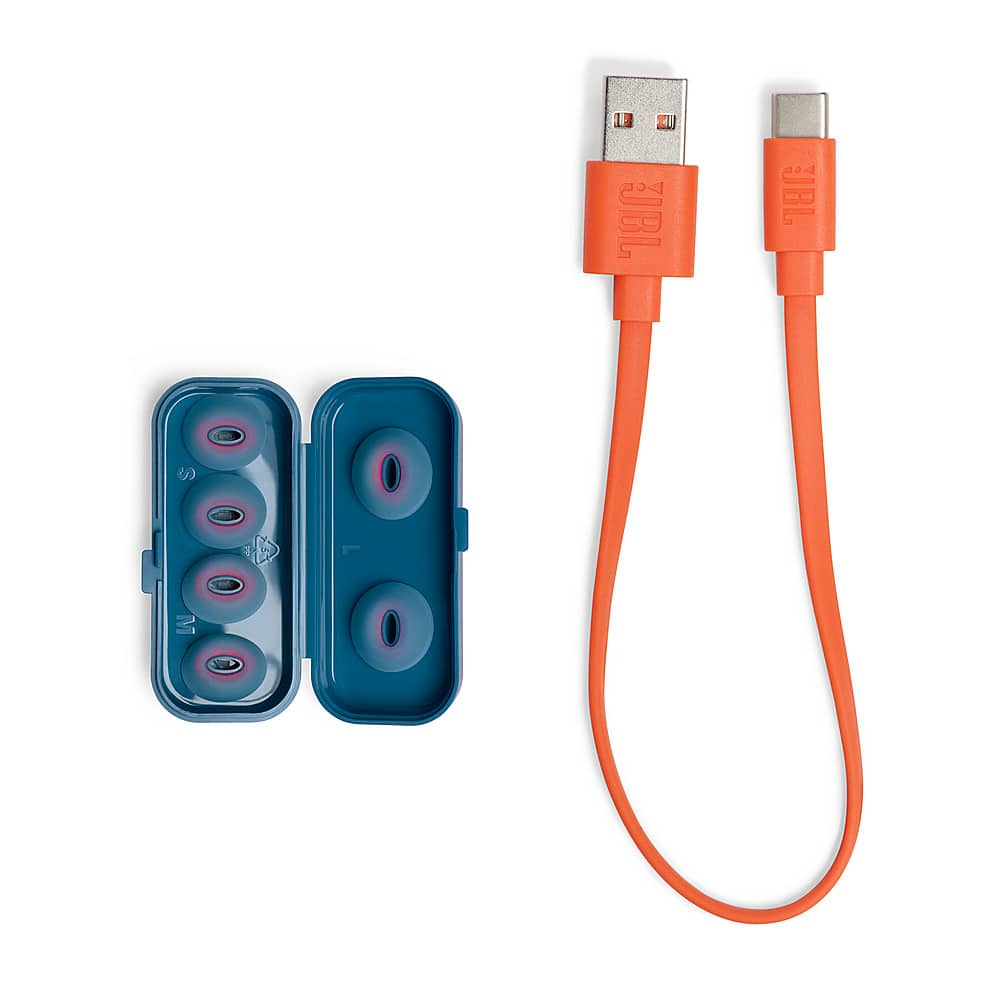
Posted .Thanks for your feedback. Our JBL Tune Flex comes with 3 sizes of sealing eartips. To achieve the best seal and secure fit, you must create a tight seal within your ear canal. To do this, angle the ear tip slightly downward to make it easier to insert into your ear canal, gently twist the earbud to fit it securely into the shape of your ear, and continue twisting the earbud into your ear canal. For further assistance, please contact us.
Uncomfortable
||Posted . Owned for 5 months when reviewed.This reviewer received promo considerations or sweepstakes entry for writing a review.These earbuds are very uncomfortable in my ears. The tips are oval shaped not circular. They keep on sliding out of my ear when I wear them. If you buy them make sure your ears can handle the oval shape comfortably. If not you might end up getting a blister in your ear from it. It's like wearing uncomfortable shoes basically.
No, I would not recommend this to a friendBrand response from JBL Support
Posted .Thank you for your feedback on our JBL Tune Flex. We understand that the earbuds do not fit comfortably in your ears. Many of our models come with different-sized tips, and we may have an alternative that could be a better fit for you. If you need more help, please contact JBL Customer Support.
- Cons mentioned:Charging
Jbl headphone
||Posted . Owned for 3 weeks when reviewed.This reviewer received promo considerations or sweepstakes entry for writing a review.Wont charge, every time i place them on the case wont charge
No, I would not recommend this to a friendBrand response from JBL Support
Posted .Thank you for reaching out. To isolate the issue with your JBL Tune Flex, please clean the contacts on the earbuds and the pins inside the case, using a cotton cloth or Q-tip with rubbing alcohol to remove any foreign objects. Make sure that the contact points are dry before trying to charge again. If you need further assistance, please contact us.
bad battery
||Posted . Owned for 1 month when reviewed.This reviewer received promo considerations or sweepstakes entry for writing a review.the battery is always out. I bought this a month ago and it's only worked a few times.
No, I would not recommend this to a friendMid
||Posted . Owned for 1 month when reviewed.This reviewer received promo considerations or sweepstakes entry for writing a review.Worked well until literally 3 weeks later the charging case stopped charging the headphones.
No, I would not recommend this to a friendBrand response from JBL Support
Posted .Thank you for reaching out. Let's try these steps to help fix the issue with your JBL Tune Flex. Please try other USB type-C charging cord, and adapter that has at least 2 amps. Clean the charging port with compressed air to remove any sand and dirt. For further assistance, please contact us.
Not great
||Posted . Owned for 1 week when reviewed.This reviewer received promo considerations or sweepstakes entry for writing a review.Mechanic and the noise canceling feature makes a weird popping noise with noises in shop. AirPods are better
No, I would not recommend this to a friendBrand response from JBL Support
Posted .We appreciate you taking the time to provide us with your feedback. We're sorry to hear that it didn't meet your expectations. We're always looking for ways to improve and we'll make sure to share your feedback with the appropriate team.
Don't buy
||Posted . Owned for 2 months when reviewed.This reviewer received promo considerations or sweepstakes entry for writing a review.The left one broken within a couple of weeks -- first it occasionally charged when I put it back, so it ran on low battery all the time. The right one is ok up to the 3rd month, then the same thing happened.
No, I would not recommend this to a friendBrand response from JBL Support
Posted .Thanks for your feedback. With our JBL Tune Flex, charging issues are frequently caused by foreign matter on the metal charging contacts. This can include sweat, grease, dust, etc. Here are some troubleshooting steps that might help to isolate the issue. First, you may try to clean the charging terminals on the earbuds using a swab dipped in rubbing alcohol. We also recommend cleaning the contacts with the tip of a pencil and the eraser at the end of the pencil, as the graphite and rubber can help to re-establish the connection between the earbuds and the case. If the issue remains, please contact us at (800) 336-4525 Mon - Fri: 9:00 am - 11:00 pm (EST) Sat-S: 9:00 am - 5:00 pm (EST).
Worst Headphones, plan on returning
||Posted . Owned for 3 weeks when reviewed.This reviewer received promo considerations or sweepstakes entry for writing a review.DO NOT BUY THESE! They advertise it as noise cancelling, but they are not! I bought $8 clearance headphones from walgreens that cancel more noise than these and weren’t even advertised as such. Literally the worst
No, I would not recommend this to a friendBrand response from JBL Support
Posted .Our JBL Tune Flex has Active Noise Cancelling that can be enabled with the JBL Headphones App or by tapping the left earbud once to enable Active Noise cancellation or ambient aware. If you need more help, please reach out to our customer support.
Could be better
||Posted . Owned for 1 month when reviewed.This reviewer received promo considerations or sweepstakes entry for writing a review.They are not what I was expecting u can't answer or end calls by tapping the side for the price they could have been better
No, I would not recommend this to a friendBrand response from JBL Support
Posted .We appreciate your feedback on our JBL Tune Flex. We're always looking for ways to improve. We'll make sure to share your feedback with the appropriate team. If you have any questions or concerns about your device, please contact our Customer Support.
I dont recommend it
||Posted . Owned for 2 weeks when reviewed.This reviewer received promo considerations or sweepstakes entry for writing a review.I bought it from Best Buy for $80 it doesn’t work good. I can’t hear the caller I tried to return it but they refused
No, I would not recommend this to a friendBrand response from JBL Support
Posted .Thanks for your feedback. Here are some troubleshooting steps that might help isolate the issue with your JBL Tune Flex. First, forget/unpair the headphones on your device, then manually pair the headphones with your device and see if this resolves your problem. Next, make sure that your "JBL Tune Flex" is selected as the audio source and not "Phone" or "Speaker". You may also try different apps ( WhatsApp, Messenger, and Phone app) or connect it to a different device (phone/tablet/music player/etc). Last is reset, with both earbuds on, and not charging, tap two times and hold the button on the third tap for more than 5 seconds. You may need to 'forget' the headphones in Bluetooth settings on your phone/tablet in order to pair them again. If the issue remains, please contact us at (800) 336-4525 Mon-Fri: 9:00 am - 11:00 pm (EST) Sat-Sun: 9:00 am - 5:00 pm (EST)
Not good
||Posted . Owned for 3 months when reviewed.This reviewer received promo considerations or sweepstakes entry for writing a review.It falls out of my ears and theres a piercing sound when the ear buds are in the case.
No, I would not recommend this to a friendDon't fit good in ears
||Posted . Owned for 1 month when reviewed.This reviewer received promo considerations or sweepstakes entry for writing a review.The earbuds is not fitting good in my sons teen ears. Falling off all the time.
No, I would not recommend this to a friendBrand response from JBL Support
Posted .We appreciate your feedback on our JBL Tune Flex. To achieve the best seal and a secure fit, you must create a tight seal within your ear canal. To do this, angle the ear tip slightly downward to make it easier to insert into your ear canal, gently twist the earbud to fit it securely into the shape of your ear, and continue twisting the earbud into your ear canal. You can also try different sizes of ear tips or replace the open eartips with the sealing eartips that came with the earbuds to see if a better fit can prevent them from falling off.
Promo codes dont work.
||Posted . Owned for 3 weeks when reviewed.This reviewer received promo considerations or sweepstakes entry for writing a review.Sorry shoppers, this star is for best buy, not the headphones. The code given for free YT Premium didnt work and that was part of the gift when i gifted this.
I would recommend this to a friendAwful Experience
||Posted . Owned for 1 month when reviewed.This reviewer received promo considerations or sweepstakes entry for writing a review.I have returned the device once because one of the buds stopped working and now happened the same with both of them, I will have to returm them as well and go with another brand
No, I would not recommend this to a friendBrand response from JBL Support
Posted .We appreciate your feedback. We understand that the JBL Tune Flex hasn't met your expectations. Please contact us for further assistance. We're here to help.
Laaaaaaaaaaaaaaaaame
||Posted . Owned for 1 year when reviewed.This reviewer received promo considerations or sweepstakes entry for writing a review.Where is the ZERO star rating? Worst earbuds ever. Wish my ex sucked like these
No, I would not recommend this to a friendBrand response from JBL Support
Posted .This is not what we want you to experience with our JBL Tune Flex. We would like to know more about what happened to your JBL Tune Flex and feel free to contact our customer support so we can assist you further with your concern.