Customer Ratings & Reviews

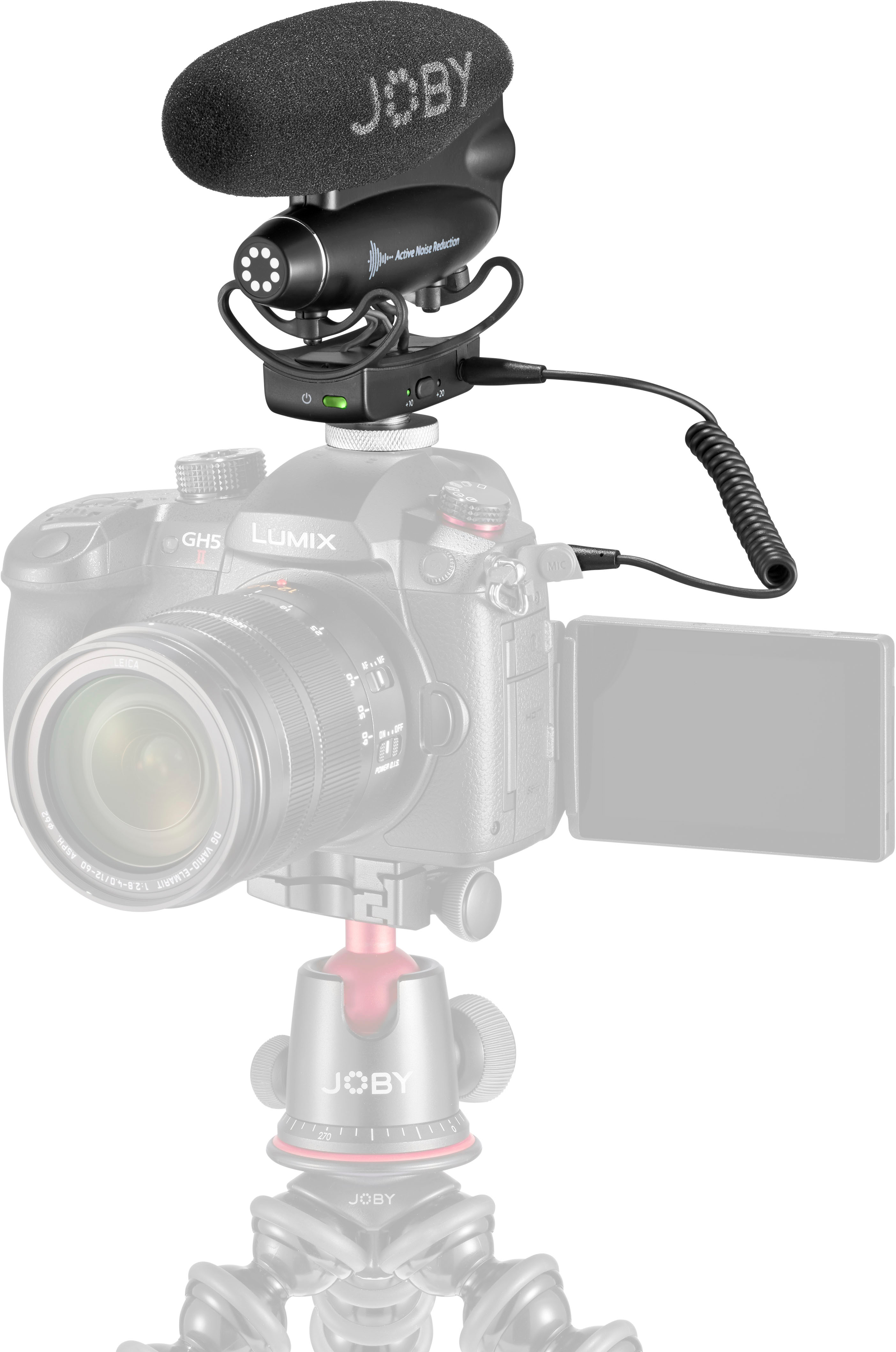
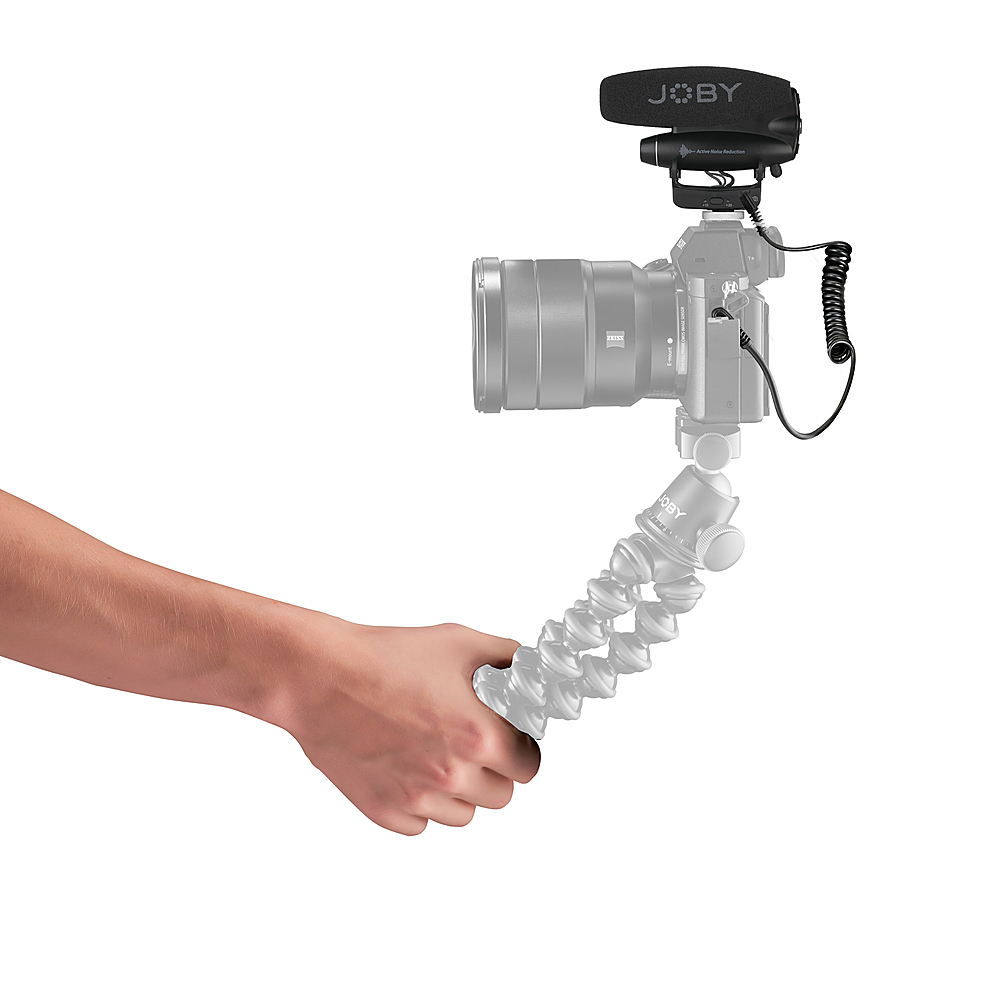
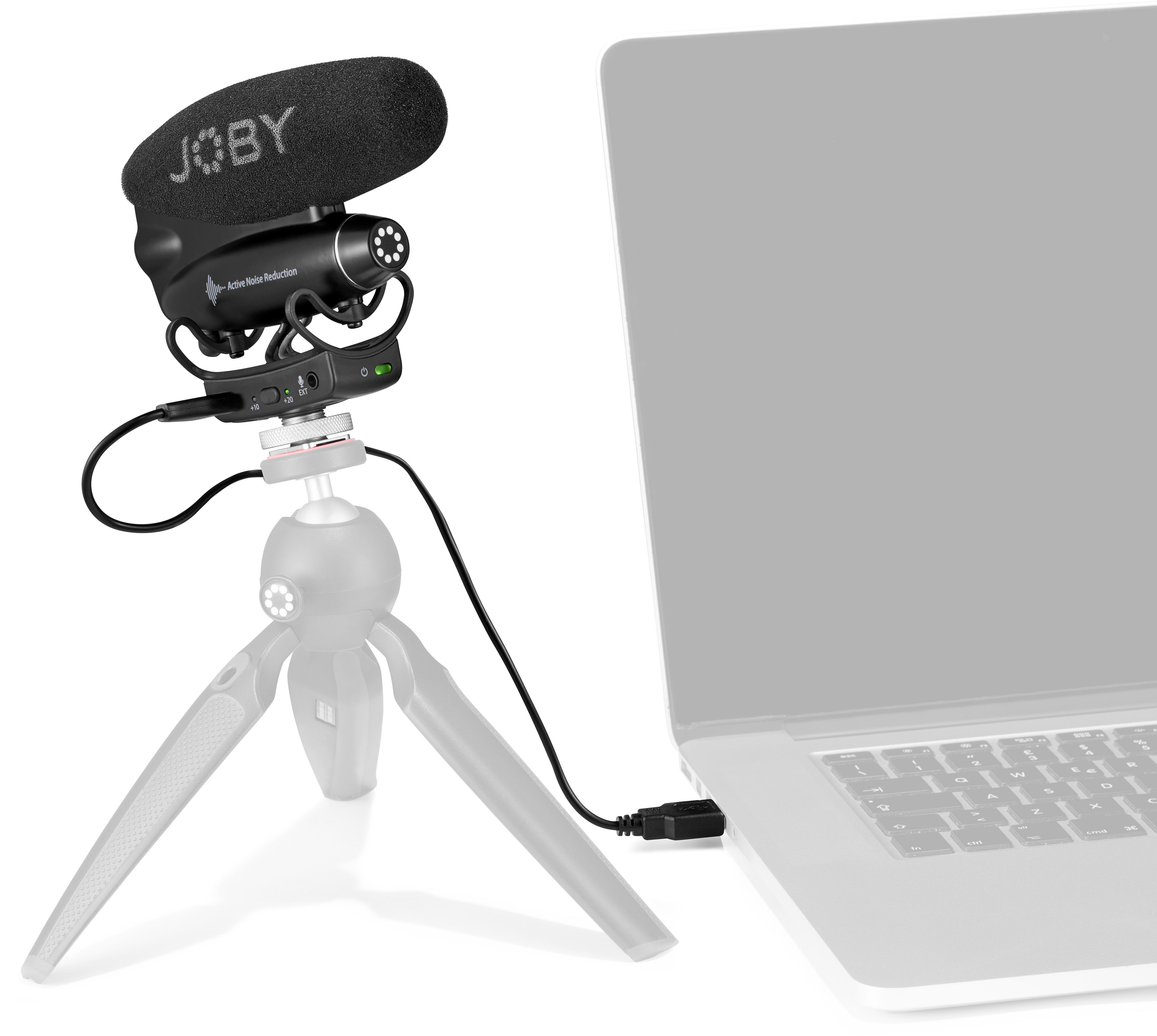
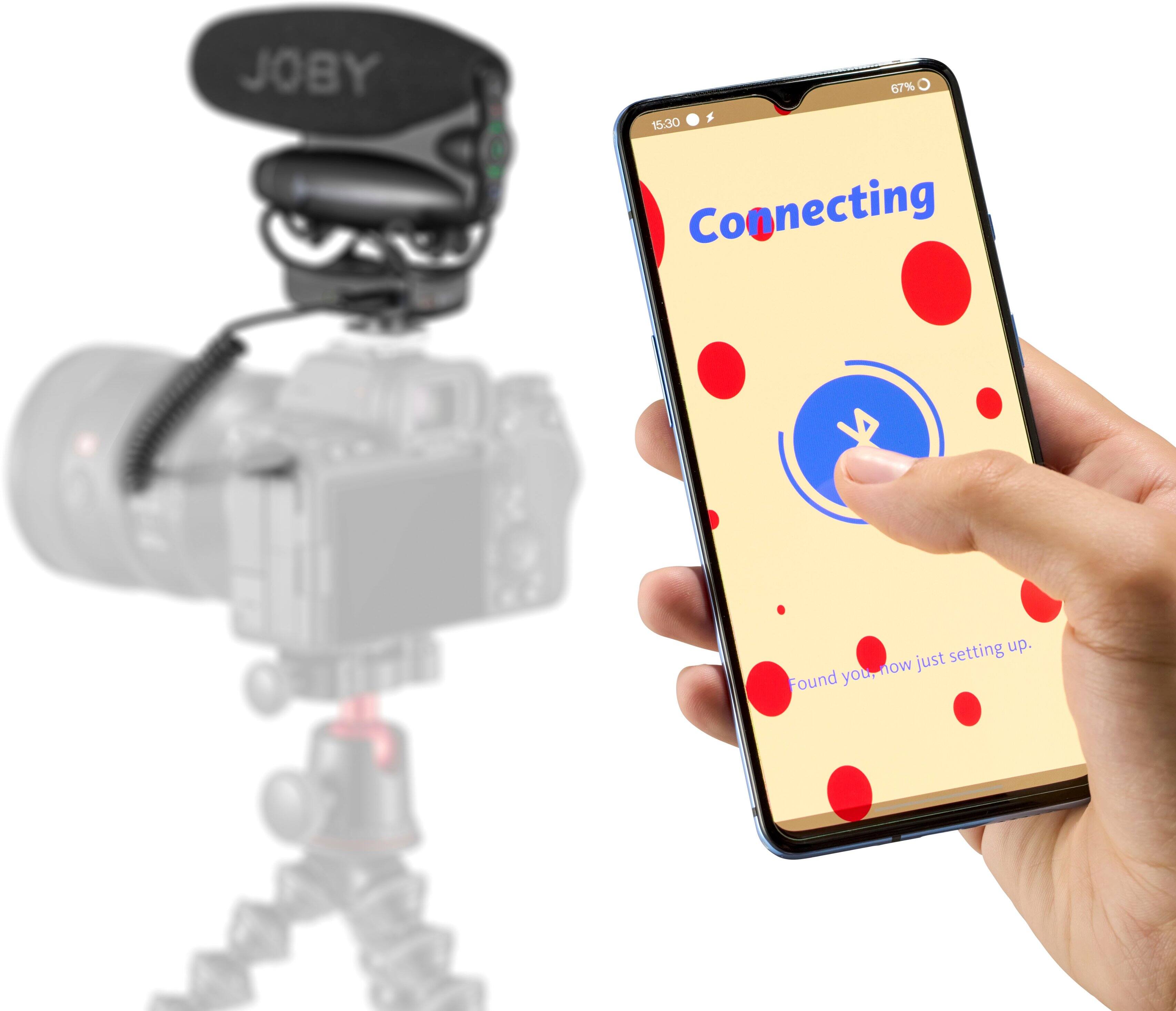


- Model:
- JB01715-BWW
- SKU:
- 6504348
to a friend
Customers are saying
Customers are positive about the Wavo PRO Shotgun Microphone's sound quality, long battery life, and ease of use, with many praising its versatility. They also appreciate the effectiveness of the shock mount in reducing unwanted noise. However, customers are negative about the Bluetooth connectivity, citing difficulties with pairing and app functionality. The app's unreliability is a significant point of concern for some users.
This summary was generated by AI based on customer reviews.
- Pros mentioned:Ease of use, Sound qualityCons mentioned:Bluetooth connectivity

JOBY - Wavo Pro Vesratilty meets modern Technology
|Posted .This reviewer received promo considerations or sweepstakes entry for writing a review.The JOBY - Wavo Pro Shotgun Microphone Vlogging Kit is a very good MIc/Kit. I could tell a big difference in the wind and the Mic with the Joby Rodent hair cover vs naked mode! I have really been impressed by the veresatilty and sound quality of this MIC. To me it it is right up there with best of shotgun Mics in this price range. The ANR works well depending on the situation. You will not want to use this Mics noise canceling or noise reduction in a quiet room but it is very useful in other situations such as outside where background noises come into play. The JOBY Wavo Pro also has a plug for an extra mic recording at -10db for a second background recording which comes in very handy for editing out unwanted sounds. Not only that lets not forget that it wirelessly connects to your phone via the app that comes along with the Wavo Pro. Additionally, it can also connect directly to your phone via a USB-C adapter. Personally, I prefer the non ANR setting for recording indoors in a room set up up for ideal sound quality. Both Mics also have a gain setting so you can actually interview someone you can run a separate MIC to your guest and adjust the gain accordingly. The LED indicators on the JOBY WAVO PRO are also very handy since they indicate levels to the user. I am personally very excited about all of the options and the versatility of the WAVO PRO. I did have some Bluetooth issues with the app and MIC connection but overall my experience has been very good. The sound quality is very good in my opinion and the versatility makes this MIC a standout among a large crowd of Shotgun MICS! I would not hesitate tom purchase this MIC since it has built in wireless capabilities as well as all the wired options you may need including that extra MIC plug. The lighting indicators for level reference, gain adjustments for individual MICS the windshield, sound quality and the app which can use some updtates all make this MIC a Stand Out that is worth the money!
I would recommend this to a friend - Pros mentioned:Battery life, Ease of use, Sound quality
A Neat New-Wave Mic for Content Creating
|Posted .This reviewer received promo considerations or sweepstakes entry for writing a review.The Wavo is like a neat little attachment you'd see on a UFO, dune buggy, or an intergalactic weapon that looks like it is going to shoot a laser or something. It's a microphone that looks neat on your camera or equipment for creating content. It captures laser focused sound that is for sure. I have a trip to Chile coming up soon and I wanted to capture the sounds as crisp as the videos and images I'll surely capture in the country side and in the city. Truly, the Wavo is a new wave and shape for a microphone where the boom mic lays horizonal as opposed to vertical. It's an easy setup, it took me about 10 minutes total from unboxing to mounting it on my camera. The active noise reduction is really nice, and is something my current camera claims to have but each time I recorded people speaking it sounded muffled. Adding the Wavo immensely improved that static around public spaces. The battery life is amazing and lasted a while. Now the lights and application take some getting used to since I am a newbie to Joby products. That is half the fun so I'm still tinkering with how to maximize the features based on the scenario or space I am in. On my trip I plan to visit a volcano, get some great views of snow on a mountain, and capture the landscapes of country sides. I'm hoping the Wavo will help capture the sounds in a distance and up close. Next, I am giving it a dry run where I live so that I can work out kinks. I'm still trying to figure out how to carry it. The only downside is that it didn't come with a carrying case so I'll have to incorporate it into my backpack some how. I am scared to mess up the mic but that will figure itself out.
I would recommend this to a friend - Pros mentioned:Shock mount, Sound quality
Great Microphone, Poor App
|Posted .This reviewer received promo considerations or sweepstakes entry for writing a review.The JOBY Wavo Pro Shotgun Microphone Vlogging Kit almost immediately became one of my most favorite additions to my audio/visual recording set up. It has all the right features and the companion app makes recording audio even easier. The first thing I noticed after receiving the kit was how light it is. The specs say it weighs less than six ounces.This makes it ideal for use at it does not contribute significantly to fatigue, especially if the shooting lasts more than a few hours. The second thing I noticed was how visually appealing the mike is. Its sleek, modern, and elegant. When this futuristic unit it is mounted to my camera, it almost looks as if it could fly away at any second. It is designed well, feels great in the hand, and is obviously made of high-quality, durable materials. Absolutely nothing about the JOBY mike comes across as cheap or inferior. The vlogging kit come with the Wavo Pro microphone, a fuzzy and a foam windscreen, a USB-C to USB-A charging cord, and a TRS to TRSs audio cable, allowing direct connect from the mike to the camera. The mike itself has an additional microphone port, allowing for for either an additional track or what have you. The addition of a second input is a great idea, and very few others have one. Out of the box, JOBY made it easy to figure out how to attach the microphone to just about any camera using a cold shoe mount (hot shoe on the camera). Now this is where the first quirk was found. After inserting the cold shoe into the camera mount, the mike is secured using a thumb screw wheel. This is a bit awkward. The wheel is barely larger than the mike base, and getting a good grip on it to tighten the mike down is quite difficult. Later, after using the mike and wanting to put it up, I attempted to remove the mike from the camera. After struggling with it for several minutes, I almost decided to just leave it on the camera, but decided instead to use a pair of needle nose pliers to loosen the mount. That worked. I later discovered there is one certain position in which I can grab the wheel enough to get a good grip and either tighten or loosen it. As I mentioned, the kit comes with an audio cable. I have a Sony ZV-E10, and the cable is perfectly suited for it. It was at this point I noticed a second quirk. When the audio cable is connected to my audio input, the swivel view screen becomes very limited in its range as both the cable and the port lid get in the way. Now I suppose the screen can be placed in the desired position before attaching the audio cable, or even during the shoot, but its still a hassle. JOBY recommends downloading the JOBY Wavo app to remotely control the microphone. After downloading the app from the apple store, the app worked great. The app offers full control and remote monitoring of the sound from a smart phone. This was a wonderful idea. But now, a third quirk. After installing and using the app, I was then prompted to install the latest update. That was all she wrote. I was no longer able to connect the microphone to my cell phone. The blue tooth connect process works great, the phone finds it, but before getting completely connected, I lose the connection every single time. I have uninstalled, reinstalled, uninstalled again, and still the app loses contact with the mike every single time. Now again, this happened after I updated, so I don't have any idea what the issue is. I have not yet received any feedback from the developer after submitting the problem to them. So, with a number of quirks, what is my final verdict? First off, the Wavo Pro is a magnificent microphone. After recording several videos and evaluating the audio, I was impressed with how wonderfully clear and crisp the audio is. Without getting into all the technical talking points, the JOBY shotgun mike uses some superior technology to adequately capture the sound you want without all the peripheral noise. The included windscreens and the stunningly amazing shock mount keep intrusive noise at a bare minimum. Seriously, the Rycote shock mount is pure genius. In the end, as is the question I always ask, "Does the product work as promised, and does it do it well?" In this case, the answer is a resounding "YES!" I understand that cameras come in many designs, and not all cameras are built the same. So I can overlook the mount issue and the screen issue I mentioned earlier. But the app issue is unforgivable. Having to constantly fiddle with the mike itself is frustrating when trying to shoot. The blue tooth connectivity issue should have been handled before the app was updated and released. They took a great app and turned it into a flop. Hopefully a future update will rectify this issue. Would I recommend the JOBY Wavo Pro to my friends and family, or to anyone looking for a great professional quality shotgun mike for vlogging? Absolutely YES. Even in spite of the app flaw.
I would recommend this to a friend - Pros mentioned:Battery life, Sound quality
Better Audio for Your Video
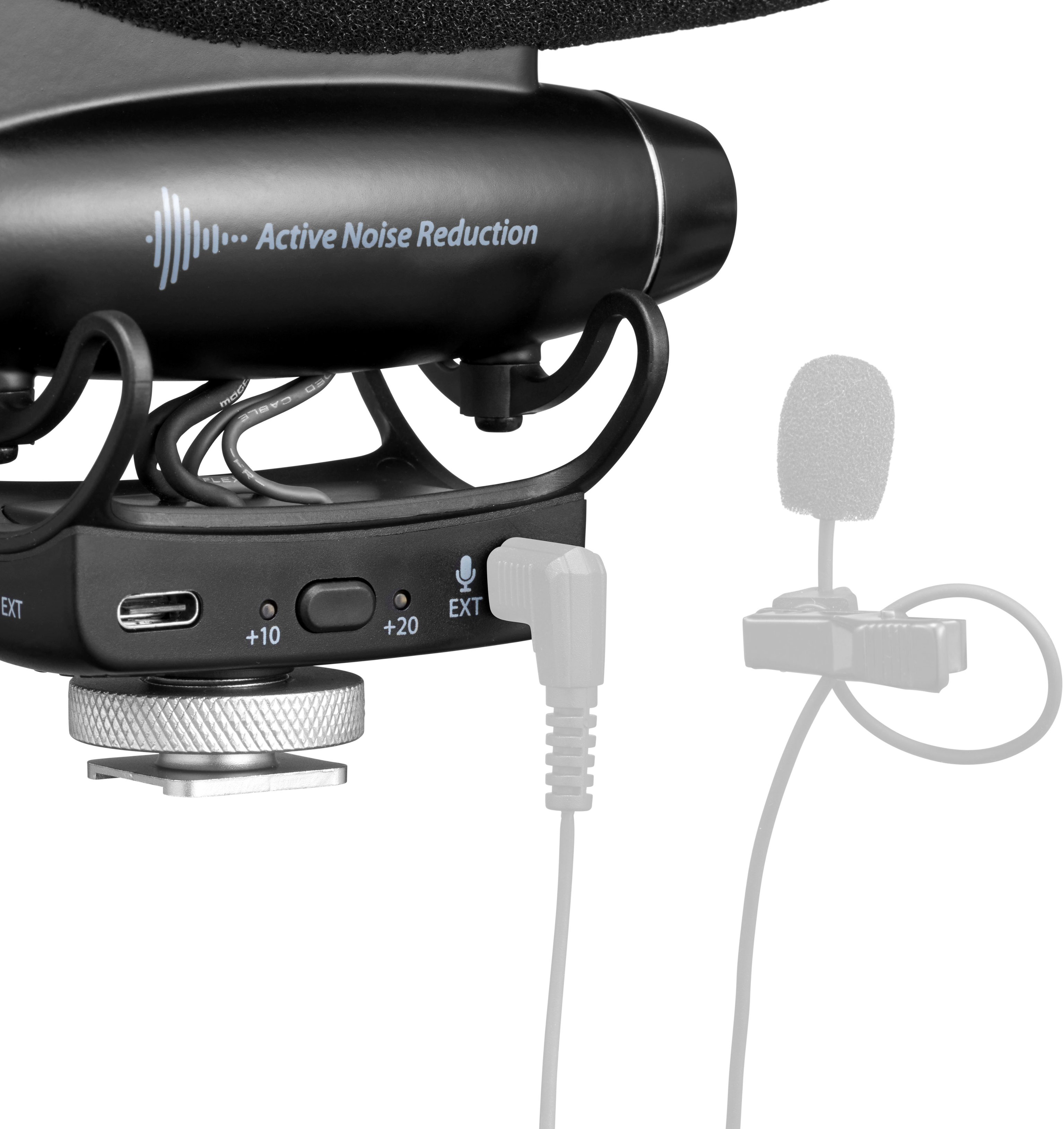
|Posted .This reviewer received promo considerations or sweepstakes entry for writing a review.Your first audio experience with a DSLR or mirrorless camera is probably using the built-in microphone. When you listen to the audio, you are often disappointed with the results. Instead of having a focused sound presentation from your subject, you hear the effect of the room reflections. If other sounds are in the vicinity of your subject, it’s hard to pick out to sound you want to focus on from the sounds around it. The Wavo Pro is a practical solution for those issues. It is a shotgun mic that mounts on the hot shoe of your device with a response pattern that is concentrated on the sound directly in front of the mic. Get your subject in that area (and within eight to ten feet) and this mic focuses on that sound source, lessening the interference from competing sources and reflections. It works well, and with ANR (Active Noise Reduction) included you get even more help in hearing what you want to hear without distracting background noises. Before I held the Wavo in my hands, I was expecting it to be larger than it is. It is very small and light and that is a good thing. When mounted to my Nikon D3300 via the hot shoe, it never got in my way. It comes with a USB-A to USB-C cable for charging the mic, and 30 minutes of charging gives approximately 8 hours of use. You also get a cable to connect the Wavo to the audio input of your camera as well as a “dead cat” wind shield for outdoor use. Video bloggers will love this mic. Just get your subject in front of you. if you are interviewing someone, use a lavalier mic on yourself and plug the lavalier directly into the Ext input on the Wavo. You can even use the convenient iPhone or Android software to further equalize and mix the inputs. In my testing, the Wavo always improved the sound, and never diminished the audio. The Wavo is an attractive, well-built device works beautifully. Once integrated into your video shooting routine, it quickly becomes a necessity that you will not want to be without. I highly recommend it.
I would recommend this to a friend - Pros mentioned:Ease of use, Sound quality
Quality sounding external mic
|Posted .This reviewer received promo considerations or sweepstakes entry for writing a review.To start have a dslr and a camcorder that I use to vidoe with. Wind has always been an issue. But i never thought about an external mic. Wow I was wrong for wait for so long before moving to the world of external mics. The good. Adjustments are more than you will need for basic vloggling. The ability to adjust a secondary mic is amazing. You can set a second lower mic recording if your primary mic tracks gain is set too high. For me this was not gonna be an issue but some may need this feature. Simple quick connections to my nikon dslr made setup and Adjustments a breeze. After fully charging and using mic 2 (more on this later) i was uo and running with much better audio even with wind blowing issues. I cannot believe how well good sound mixing from the external mic is. With everything you need to make some adjustments to make it sound the way you want. But set up and tweaking of setting was fast and clear. It even shows you how to adjust in most dslr cameras. The windjammer top I used only once but made me need to adjust my gain back up a bit to have the same audio level. Quality stayed the same. The bad. The company did work with me via email to troubleshoot 2 mics that just refused to pair with any if my phones or tablets. They understood the issue but had no fix for it. I cant blame them since they did assist me so much in troubleshooting. But the issue is that there is no way to reset to factory default. Like you would hold certian buttons down or a sequence. But for all that headache for trying to get the mic to sync with my devices to use the app functions the mic more than made up for it in the actual sound quality. In conclusion great external mic and makes and video recording much cleaner and crisper. But the app needs work. From what i can tell the app mainly allows fain adjustments to be made with doing from the camera or mic less chancr for noise disturbance from making adjustments.
I would recommend this to a friend - Pros mentioned:Battery life, Sound quality
Joby Wavo Pro for Seasoned Vloggers/Videographers
|Posted .This reviewer received promo considerations or sweepstakes entry for writing a review.The Joby Manfroto Wavo Pro Shotgun Microphone Vlogging Kit fits onto your Digital SLR camera hot shoe and locks securely in place for use. The mic assembly weighs a few ounces and comes with a USB charging cord, a coiled microphone cord that plugs into your DSLR camera's mic jack, and a windscreen. I charged the Microphone's internal battery with the provided charging cord before use. Use the internal battery if you are moving or walking while taking your video. Plug the cord into any power source with a USB A outlet (like a laptop or wall charger) for continuous power, handy if you take videos while at your desk or in a studio. I attached the Joby Wavo Pro Shotgun Microphone to my Canon 80D DSLR and shot a couple of videos. If you have never used a mic, it has a bit of a learning curve. Adjust the sound settings on the mic and on your camera, smartphone, or laptop camera. Use the Joby app for iOS or Android to adjust the mic. Pros: ▪︎ ability to use either internal battery or USB power ▪︎ ability to attach second mic ▪︎ Bluetooth connection ▪︎ Joby app for iOS and Android with sound settings and equalizer ▪︎ attachable windscreen ▪︎ sound and battery level indicators ▪︎ ability to record at low dB levels ▪︎ mono mode or left + right tracks Cons: ▪︎ easy to over-tighten when attaching to your camera ▪︎ not a plug-and-play mic for beginners
I would recommend this to a friend - Pros mentioned:Sound qualityCons mentioned:Bluetooth connectivity
Great performance but features limitd w broke app
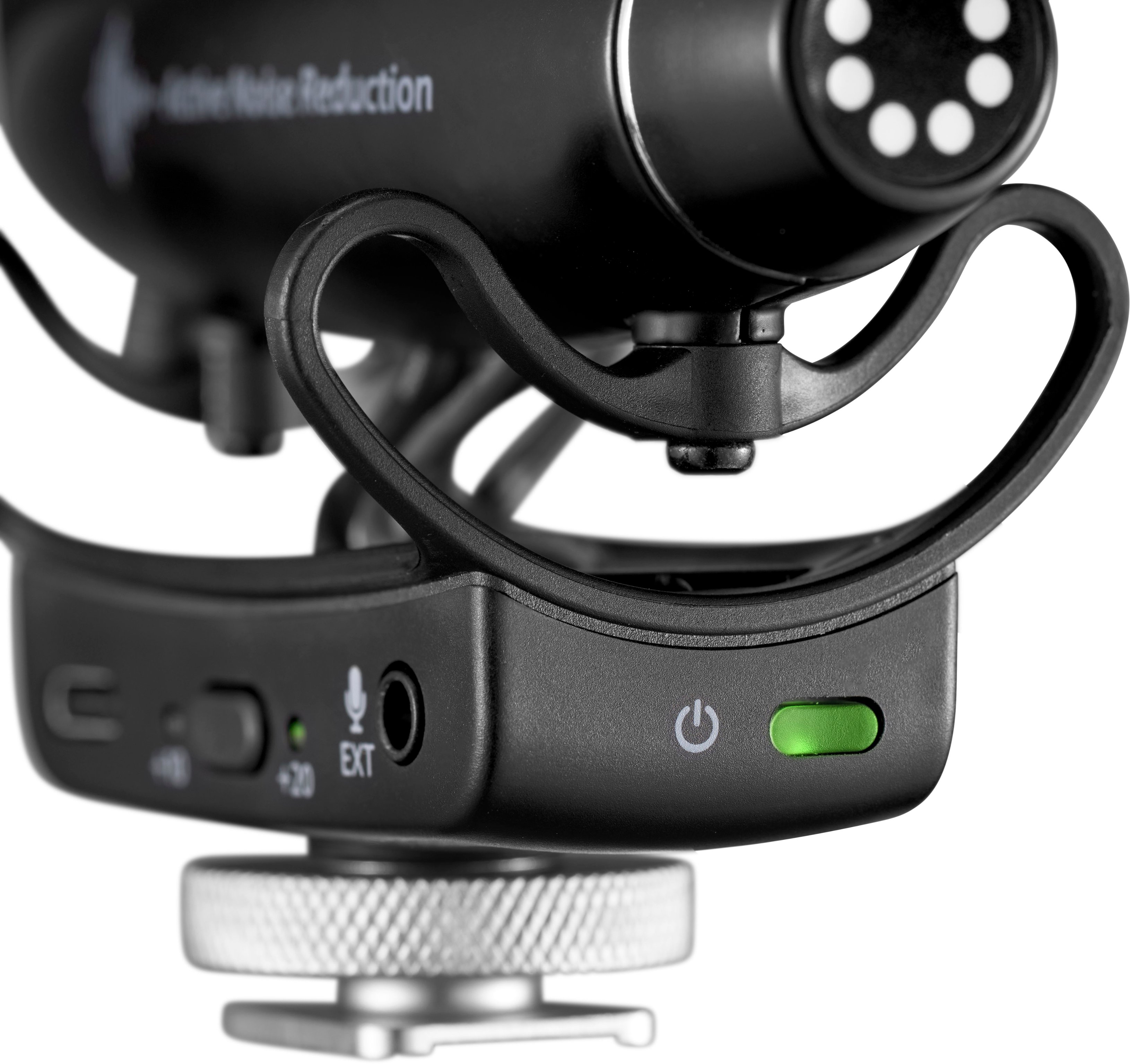
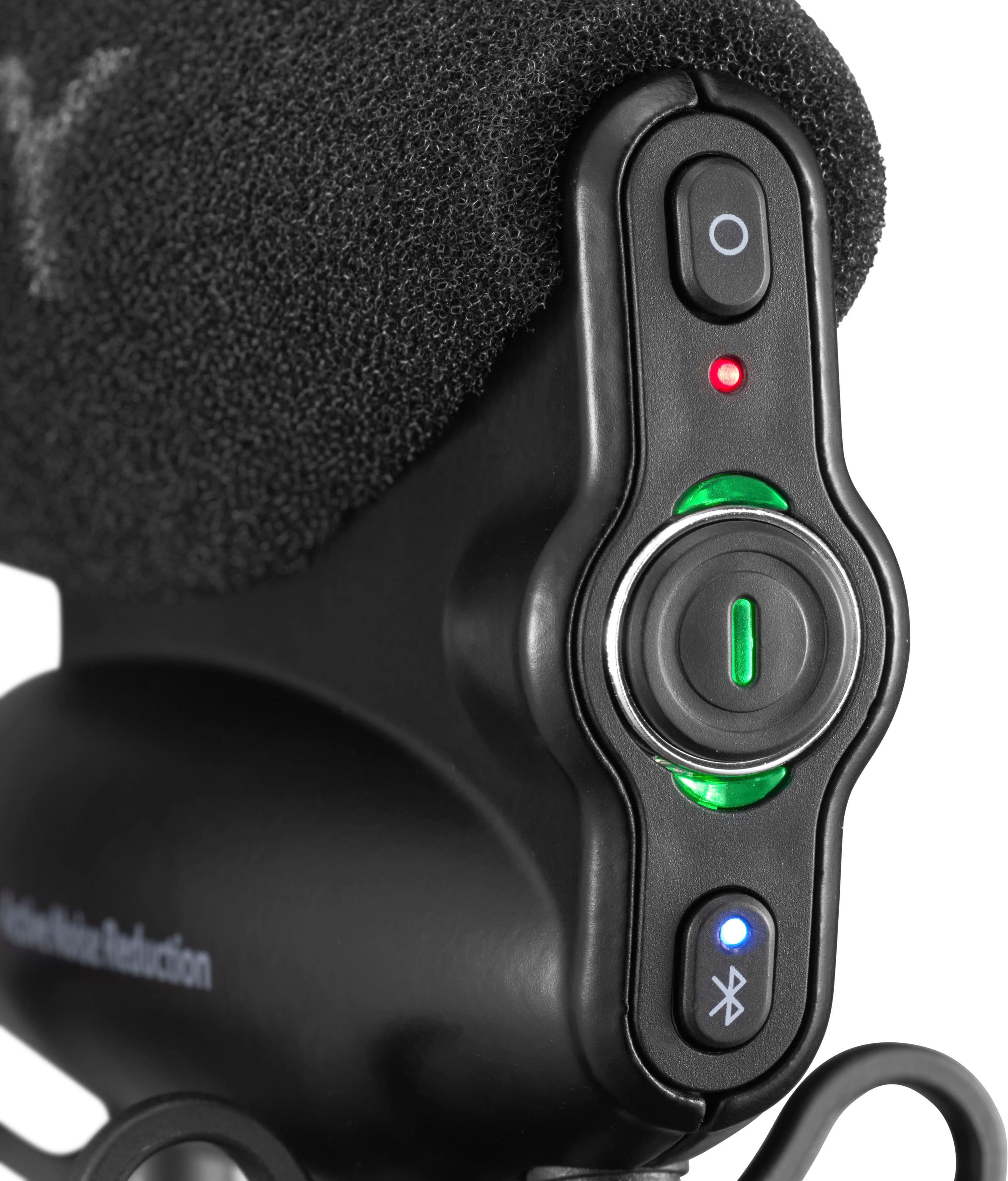
|Posted .This reviewer received promo considerations or sweepstakes entry for writing a review.I record a lot of interviews, record local sporting events and music gigs. I primarily use my Canon EOS M6 Mark ii (due to its compact size) and the built-in microphone. I usually used a handheld recorder to record audio from interviews, which required some extra editing. This JOBY Wavo Pro Microphone came to my attention and I thought it would be a great way to improve my sound quality while limiting the editing of separate audio and video tracks. I can say that in most instances the microphone performed well, but the inability to connect to the app and adjust the EQ settings was a problem. I do, however, want to note that I’m not entirely certain that I would have used the app to adjust the settings, but I’m sure a number of people buying would like to, and the inability to connect to one’s phone to do so makes this difficult to recommend. IN THE BOX The packaging is compact and includes the microphone, a USB charging cable, an audio cable to connect the microphone to your camera, and a fuzzy wind screen. There's also a simple instructional pamphlet that's helpful and easy to understand. SETTING UP I'm speaking as, and to, first time users of an external book microphone. This microphone attaches to the shoe of your camera. It's a "dumb" shoe, meaning no power goes to the microphone from your camera. So you can attach it to another device/mount that might have multiple shoes (for lights) without issue. It slides in and you turn the dial to tighten it in place. The microphone has its own battery, which is both a negative and positive. The primary downside is that it requires you to charge it, vs. the microphone getting power from the camera. But that also means it doesn't draw on camera. The audio cable then plugs into the microphone and into the microphone input on the camera. It's corded which keeps it short but it has plenty of stretch to make the connection. Once it’s attached to the camera, you then turn on the camera by holding the large power button. You simply need to hold it for just a second. The large light then turns green. From there, you’re ready to go. Now, of course, you can change the settings by increasing the gain (by switch) or switch to mono (the button above the power button is where you do this). There’s also a secondary port that allows for a lavalier microphone. (which I admittedly haven’t tested because I don’t have one). You’ll notice that there’s a Bluetooth button. That’s meant to connect the microphone to your phone to adjust the EQ levels on your phone. The pamphlet tells you to turn the microphone Bluetooth on (and after downloading the app) and through the app and connect the microphone through there. I was unable to connect the microphone, but more on that below. PERFORMANCE I tested this by recording myself talking with and without the JOBY microphone plugged in. I also recorded my friend’s band at a local restaurant. I found the microphone to perform best, or in other words, justify the purchase, when operating in a noisy environment. When I was in a quiet room, I couldn’t tell any difference in audio quality when I was talking between the built-in microphone and the JOBY microphone. In fact, I’m not so certain I preferred the JOBY microphone in that instance. When speaking directly towards the microphone, the difference in audio quality was negligible. If you were filming from behind the camera, with the JOBY microphone plugged in, you can barely hear yourself. Now granted, this microphone is meant to record you filming yourself; it’s not meant to be filming something while narrating. Now, outside or in a noisy room, that’s where the JOBY microphone shines. I recorded myself in a loud restaurant and the noise cancellation was terrific, in some respects, almost too good. It sounded like I was in an empty room. When filming my friend’s band, it sounded terrific. It didn’t sound as good as recording from the instruments themselves, but it was nonetheless great quality. And it did a great job blocking out sound that you did not intend to record. SOME QUIRKS I have a couple of complaints, the primary is the app. I have a Samsung Galaxy Fold Z3 and simply couldn’t connect the microphone to the app. I made sure I downloaded the correct Wavo app from Google Play. And the instructions tell you to pair the microphone through the app (vs. your phone’s settings). But it just wouldn’t connect, and without connecting the microphone the app doesn’t do anything other than connecting you to the store to purchase more JOBY products. Now, I admit, I’m no audio aficionado, so I typically just keep the settings on default. But still, I was disappointed I couldn’t tweak it. And I’m certain that others who are looking for this ability would be disappointed. But granted, it could be my phone, I’m not really sure of what caused the problem. The microphone itself isn’t too big, but it’s not small. I don’t think this is an issue, I’ve seen other microphones that go into hotshoes to be bigger. But for those who’ve never used one, it does add some size to your rig. But the weight is no problem. My issue was with flipping my screen around so I could see myself while filming. But this isn’t an issue with the microphone necessarily, it’s an issue with my camera. The viewing screen flips up by default (where others might flip to the side). When the JOBY microphone was in my shoe (it could be anything there honestly) it prevented me from flipping the screen up to view while filming myself. In other words, I’m filming blind. Holding my camera at hands length it’s not the end of the world for me, as it’s generally easy to keep yourself in the frame, but it’s still a bummer. My get around was to purchase a device on Amazon that has several cold shoes that go around the side of the camera. (I know that’s a bad verbal description). But it allows me to put the microphone on the side freeing up the space to flip the screen up. CONCLUSION This is a microphone meant for recording yourself or others talking. It can capture great audio of anything in front of you, but it won’t capture sound behind you. For the most part, that’s all you really want to capture. But it captures great quality audio especially in noisier environments. If you record in a quiet studio, you might find it unnecessary (depending on the quality of the built-in microphone). But the troubles with the app could be a dealbreaker and make it hard to recommend. Again, a lot of that depends on your competency level of adjusting EQs, I’m not so it’s not a real problem for me, but something to consider when purchasing an expensive microphone.
No, I would not recommend this to a friend - Pros mentioned:Battery life, Sound quality
A good product let down by a bad app
|Posted .This reviewer received promo considerations or sweepstakes entry for writing a review.I was unable to completely test this product because I couldn’t get the app to work on any of my devices. I did test and compare the audio quality to a Shure VP83F shotgun mic I reviewed last year. I tried my 9th generation iPad and several Android phones ranging from a new Samsung S22 Ultra to Notes 8, 9 and 10+. I even tried my old Note 4 and a 2 year old Moto E. All have up to date OS for their ages. They would all find the mic and even pair with it. The app would show that on the iPad and some of the Android phones but then lose connection prompting me to Search Again. Doing so produced the same results every time. I tried uninstalling and reinstalling the app on all the aforementioned devices and I never got it to work with the app. I also went online and researched the mic to see if other owners and reviewers had bluetooth issues with it too. Some did, some didn’t. Watching one person’s video review of the mic with a working app showed me that the extra features, EQ settings and active noise reduction the app allows are very beneficial. However, they are only accessible with app. You can get a JOBY - Wavo Pro DS Shotgun Microphone that appears to be the exact same mic but without bluetooth and less expensive. Build quality, size, looks and audio quality is on par with the Shure I compared it against. The option to record the right channel 10dB lower as a safety is an excellent option. Or record to the right channel from another mic is spot on too. I did this when testing in comparing it to the Shure mic in a 2 mic setup. You have the option to separately boost the gain of the mic and / or the right channel input by +10dB or +20dB. The app isn’t required for aforementioned items in this paragraph because there are physical buttons to push. But you have to push very hard. I’m not sure if this is by design or not. If it’s not then that’s bad because I have to pinch the base to push them hard enough to work. You have to hold the power down button two seconds to turn it on or off, but just pushing it quickly will turn it off. Better not bump it by accident. You charge it via USB C. Manual states 30 minutes charge for 8 hours use. Up to 60 hours when fully charged. 50 hours when using ANR. When you first turn it on, the color of the ring around the power button tells you the charge left. Green- 100%, Yellow-50%, Red-0. It has an auto power on/off feature to sync with your camera but I never got this to work. The color changing area around the power button to indicate audio lever is a clever idea and bright enough to see in daytime. The indicator for the side channel works the same way when used. The active noise reduction is mainly for suppressing camera handling noises according to the manual and Joby’s web site. Joby states the mic has a Condenser Electret element with a Super Cardioid pick up pattern and 20hz to 20 khz frequency response +- 3dB. See photo for graphs. It comes with what looks to be a Rycote windjammer and the name is mentioned on the box. too. Although it says Joby, the same parent company owns both brands as well as several others. It also comes with a coiled up TSR cable to connect it to your camera. I used a clamp-on arm to set up the Joby and the Shure side by side with the Shure sitting slightly below the Joby so the sides of the mics weren’t blocked by each other. See photos. This lets me record audio to both at once by sending the Shure into the Joby’s extra channel. I set the record levels in the camera to the Joby and then adjusted the Shure to match. The Shure has a built in recorder and I recorded with it too. I recorded ambient sounds as well as people talking with noise behind the camera and to the sides to test rejection. Both mics performed about the same with side and rear rejection. Frequency response and is a little different going by both mics graphs. WIth no built in EQ applied the Joby had a hotter low end and slightly brighter high end than the Shure.Even so, I thought the Shure sounded a little cleaner. Especially recording people talking. No night and day difference by any means. Just enough to notice when doing a side by side comparison. Also, those mics working together did produce a nice stereo field since they were recorded into the separate R and L channels. Made it very easy to test and compare too. The Joby and the Shure look and feel equal in build quality. The Shure is larger and heavier as it takes 2 AA batteries to power the built in recorder. It’s also more expensive. I really like the size of the mic, as well as build quality and it sounds great. But not being able to access several features due to an app that won’t work is a deal breaker for me. Especially when you can get the lower model from the same company for less and no app needed. That’s the one I’d buy. But if they will fix the app this one would have the edge for the price difference.
No, I would not recommend this to a friend - Pros mentioned:Battery life, Sound quality
High Quality Sound With A lot of Features
|Posted .This reviewer received promo considerations or sweepstakes entry for writing a review.The Wavo Pro is Joby’s on-camera shotgun microphone. The microphone has many features such as gain settings (0dB, +10dB, +20dB), Active Noise Reduction, Bluetooth, rechargeable battery, cold shoe mount, wind shield, and dead cat. It also has some features not typically found on on-camera mics. It has two 3.5mm female connectors. One for connecting the microphone to your camera and one to connect an external microphone such as a lav mic. Joby has an app you can download from the app store which allows you to connect the app to the mic via Bluetooth. Once connected, you can update the firmware, set the equalizer settings, turn on/off active noise reduction, turn on safe track, etc. The equalizer has both a basic and advanced mode. The app also allows you to set whether or not the mic turns on/off when your camera turns on/off. Setting that keeps you from having to remember to turn off the mic. It’s easy to forget to turn off a mic and have the batteries drain, so this is a great feature added by Joby. The rechargeable battery charges by way of a USB-C port on the side of the base of the mount. The base of the mic contains the 3.5mm female ports, the USB-C charge port, dB setting button and lights for the mic, dB setting button and lights for an external mic, power light, and light indicating the use of an external mic. It’s connected to the mice body by way of a lyre suspension. The lyre suspension is a little stiff, but worked fine while I was out vlogging. The main body is metal and is constructed well. On the rear of the metal body is the power button, Bluetooth button, and the channel mode/safe track (mixed or mono) button. For lights, it has the power light, channel mode/safe track light, Bluetooth light, and two lights representing each audio channel. The lights that represent the audio channels will change in color as the audio level changes as you would see on your camera’s audio input meter. It can change from green to yellow to red. Also, the battery light will indicate battery level status by color. Overall, I’m impressed with the Wavo Pro. The audio I’m getting out of this when connected to my S5 has been great. Whether I’m using the shotgun mic or my lav mic plugged into the Wavo Pro, the audio is clean. I only just now had the app tell me that there is a firmware update available. I was able to get the app to install the update without a problem. The process was a little slow, but it worked. If you are looking for an on-camera mic with good audio quality, active noise canceling, has an input for a lav mic, and built-in rechargeable battery, then I would recommend considering the Wavo Pro. I’m happy with what I’m getting out of it and will continue to use mine for my vlogging videos.
I would recommend this to a friend - Pros mentioned:Battery life, Sound quality
Wow what a big difference in recording the audio
|Posted .This reviewer received promo considerations or sweepstakes entry for writing a review.The Wavo pro is full of features that really makes recording so much better. Using the included mic on most camera doesn't always work well. You get wind noise and there's rarely any background noise cancelling feature being in the city there's tons of noises from cars , people, animals and etc. With the Wavo pro you get this and more. You have to use the dead cat that is included to cut out all that wind noise and turn on the active noise reduction using the app and it does a pretty good job cutting out most of the background noise . Just don't expect it to block out very loud construction work noise that's just impossible to completely eliminate. Another feature which I love especially when I cant see the mic since it's connected to my GoPro and that's mounted on my helmet i don't have to remove my helmet if i want to adjust something i simply open the app in the phone and do it from there. Or let's say i have the cam and mic on a stand that's far from me and I'm alone i don't have to move from my spot to adjust something , i just open the app and . You can adjust the gain and also setup the equalizer settings on the app as well. This has a battery that can last over 50 hours. And it's not using the cameras battery to power it. You can record a safety track too, which creates a sperate track where you lowered the decibal settings so if you liked how that one sounded versus the original track , you can use that file. .there's other features too like using a lavaliere mic they you connect to the jovy wavo pro and have 2 recording sources .
I would recommend this to a friend - Pros mentioned:Sound quality
Durable, Great Sound Range, App does not work
|Posted .This reviewer received promo considerations or sweepstakes entry for writing a review.I have been in need of a strong durable microphone while being outside making videos or streaming. I came across this mic and decided to give it a try. I was impressed with the level of quality and the stability of the device during movement. The mic is easy to mount on the camera / camcorder and really liked the additional aux plug. It was very nice that they also included wind resistance cover on those high wind days. During the recording the sound sounded sharp and clear, catching the lows and the highs of soft speakers. During action shots it was able to capture the environment very well while still maintaining the directional sound being the focus. The wind resistant sleeve works ok, although if its very high winds will obviously pick it up. I thought the ability to modify the output gain or mono-mix with an ease of a button was a great feature. Especially since the app doesn't work to allow me access to the equalizer. The app itself is appears very basic allowing connection through bluetooth to modify the frequency. Unfortunately I was unable to test this part as the app never worked on my Samsung. I submitted feedback to support awaiting to hear of an update so only docked 1 star. Overall this is a great, sturdy strong microphone that I recommend for those wanting good sound in different environments.
I would recommend this to a friend - Pros mentioned:Sound quality
Amazing Sound quality, easy to use & looks great!
|Posted .This reviewer received promo considerations or sweepstakes entry for writing a review.So I've known Joby for their amazing Gorillapods for years now having many of their different kits for my small digital point and shoot camera, for my cell phone, and for my DSLR. Little did I know until now that they are stepping into the microphone game as well. It seems that if they do something, like their amazing Gorillapods, they do it right! This microphone looks, feels, and sounds great! It's a definite upgrade from the built in mic in my camera. With having active noise reduction and also records a safety track. Pairing that with the adjustable eq settings gives you more control over the end project.It's easy to attach with an hot shoe mount. They included a fuzzy windjammer as well as the original foam windscreen and a 3.5mm microphone jack. One of my favorite physical and visual features is the led indicator actor shows mic level by turning from green to yellow to red if sound level is too high. All of the buttons are placed perfectly all around the microphone so that you have space to select things without accidentally hitting others due to their size. The app gives you more control over the microphone but the app itself is really generic as far as design and as you can see in the pictures on my android it doesn't even show you the "presence" feature selector because the other features cover it and you can't scroll the screen to uncover it and be able to use it nor can you flip it sideways and use it as widescreen. On the other screen you don't see the full words in the buttons either. But if you look at the picture I took of the pics in the manual you can see how it's supposed to appear. Overall absolutely love the Joby Wavo Pro .. The app needs some serious work for Android users though. I'd recommend this to others
I would recommend this to a friend Pristine Audio Quality Microphone for Vloggers
|Posted .This reviewer received promo considerations or sweepstakes entry for writing a review.The JOBY Wavo PRO camera-mounted shotgun microphone is designed to capture higher quality sound than what can be picked up by a DSLR or a smartphone. Weighing a meager 10.12 oz, and measuring 5.39" X 1.14" X 4.33", it is durably constructed, primarily of aluminum & ABS Plastic. The microphone's internal Li-Ion rechargeable battery is easily charged with the included USB-C to USB-A cable. Fully charged, the claimed battery life is 60 hours (50 hours with Noise Reduction on). My testing showed this to be accurate. The microphone connects to your camera using a traditional 3/8" universal mount for Cold-shoe connection. My favorite feature is the brilliantly designed, common sense Green Light, which is a Recording Indicator, as shown in my photos. This green light changes color as audio volume changes; it is super easy to confirm the audio is being properly recorded by glancing at it. The accompanying app is my least favorite feature. The App has great promise, featuring beautiful graphics & various equalization settings. The App is bluetooth connected to the microphone. In my experience, the Bluetooth connection would drop out repeatedly, even after updating the microphone's firmware & fully charging the microphone. The microphone is so easy to use & feature rich, most times I would just skip using the App. The integrated Active Noise Reduction by itself is worth the cost of the microphone. It does an amazing job of reducing annoying sounds associated with adjusting your camera & moving around. CONCLUSION: The JOBY Wave Pro really stepped up my game. If not for the App that would not stay connected, I would have rated it 5 Stars. Highly Recommended.
I would recommend this to a friendAll You Need For Your Cam
|Posted .This reviewer received promo considerations or sweepstakes entry for writing a review.The Joby Wavo Pro Shitgun Mic is a great upgrade for my camera setup. It's still roughly around the same size as my last hotgun microphone. This one also upgrades the power source. My last microphone is using a single double A battery to power itself. As it is, that doesn'thurt anything as the battery doesn't drain to much, as long as you remember to turn the power off. That can be a massive oversite at times. I've fone through a pack of AAs on accident, because of that fopaux. This one can also have that problem, but not as much, because this one is rechargeble using USB-C to A power cord. No brick, but it can be charged on my PC or on one of any of the millions of Type C bricks I already have. A 30 miinute charge gives up to 8 hours of power and basically you can tell when the power lever is depleating by looking at the back light.( Green is high charge, yellow is medium... You ssee where this is going, right?.. & red is basiclly dead. Time to chr=arge it up.) There's standard mic cover, that I normally use and then there's also a windjammer Rycote for outside use. Also there's an aux cable to connect to your device od choice(plus, There's bluetooth connectivity to allow you to control the mic from your phone. Simply download the Wavo Pro app from your app store of choice There even a spot for a secondary mic. This mic works on just about shooter you'd want to use. I can't really say anything bad about the Wavo. I love this mic. It makes my videos sound so much better. Less muffle and much more clarity. So yes. I recommend this to the film mangers out there. Go get this thing.
I would recommend this to a friendPro features for everyday creators
|Posted .This reviewer received promo considerations or sweepstakes entry for writing a review.It's nice to see Joby with a pro edition hot shoe microphone. Off the box, some of the key features that are important to me are ANR (Active Noise Reduction), Sound management app (for quick setting updates), and even a 2nd microphone input (you can see individual levels in the app). Taking the mic out of the box, it seems well made, pretty solid. The dead cat or windjammer is neat to have whenever taking the mic outside. It is nice to have the included TRS cable and usbC to usbA cable to charge. When testing input volumes on the camera (Sony a7III), it makes a huge difference from using the in-body microphone. Your results will vary by camera and what settings you adjust off your camera. Also, any post production and mixing will vary to your particular style. You can have 2 tracks with a safety track, in case your environment may be too noisy. Now for the secondary output, you can use the usbC output to your computer to use the microphone on your computer. Or, you can even use a secondary microphone to do interviews. Some features are only accessible in the app it seems. I had issues connecting the Wavo Pro to my phone (Samsung s22+). Finding the app in Google Play is a bit sketchy because it is listed under Syrp Lab with 100+ downloads but no reviews. Active noise reduction also is a bit touchy, some refinement is necessary but depending on your environment it may not make such a noticeable difference. This is my reasoning behind the 3/5 star review. There are things to consider for sure when comparing it to other brands that have been doing this for longer. Find out what is important to you and do some research to determine what device you may be better suited with. This is a good, feature rich microphone that is vlog ready.
I would recommend this to a friend- Pros mentioned:Sound quality
Love this little jewel!
||Posted . Owned for 2 weeks when reviewed.This reviewer received promo considerations or sweepstakes entry for writing a review.The Joby WAVO Pro Shotgun Mircophone is excellent microphone, works well indoors and outdoors. It also came with the Vlogging kit which included wireless microphones to put on your subject. Have only used the wireless microphones a couple times but so far I have been impressed. Highly recommend!
I would recommend this to a friend - Pros mentioned:Sound quality
Top
||Posted . Owned for 1 month when reviewed.This reviewer received promo considerations or sweepstakes entry for writing a review.Excellent work, excellent sound, excellent seller. That's all
I would recommend this to a friend - Pros mentioned:Sound quality
Best Mic
||Posted . Owned for 6 months when reviewed.This reviewer received promo considerations or sweepstakes entry for writing a review.Great Sound quality from a mic and it is pretty sturdy.
I would recommend this to a friend - Pros mentioned:Ease of use, Shock mount, Sound quality
Great microphone for your next project!
|Posted .This reviewer received promo considerations or sweepstakes entry for writing a review.We were very excited to get this microphone. I have a son who makes youtube videos and a wife who takes nature videos so this was a welcome addition. My first impression right out of the box was that this was one giant microphone! It really is impressive compared to what we have been using. The box comes with the microphone, a 3.5mm cable, a USB charging cord, and windscreen. The microphone comes with the foam screen already on the mic. The unit, while large, is extremely lightweight. It is all plastic construction and the microphone sits on a shock absorbing base. Operation is extremely easy. After charging, just slide the microphone onto the hot shoe of your camera, plug in the audio cable and you are ready to go. If you are interested in fine tuning your sound, download the Wavo Pro app! It really does a wonderful job of fine tuning your mic to get maximum performance. My son uses a Sony ZV-1 camera designed for vlogging. It comes with a very small external microphone, that is quite puny compared to the Wavo Pro. While the mic makes the camera much larger, the difference in sound quality is night and day. My son’s audio is much richer and has a much greater tonality than the stock mic that came with the camera. My wife uses the microphone on her Nikon D5200. She uses it to take video footage of nature in and around our neighborhood and she has been really unhappy with the sound she is getting from the internal mic. She really enjoys not just the sights for her videos, but also the sound of nature itself. This microphone has really added another dimension to her videos. She really likes using the furry windscreen, it really cuts down on the effects of the wind without much of a compromise in sound quality. We really could not find anything wrong with this microphone.
I would recommend this to a friend - Pros mentioned:Sound qualityCons mentioned:Bluetooth connectivity
Good alternative to built-in mic
|Posted .This reviewer received promo considerations or sweepstakes entry for writing a review.I've been using this mic with a Panasonic G7 MFT camera with good success. I've found that it works much better than the built in mic and has a lot of interesting enhancements over the stock mic. First off though, I was never able to pair this with my Z Fold 3 running Android. After several failed attempts I tried out my iPad Mini and it paired immediately with no issues at all. One complaint here is that the error messages in the software annoy me. I was greeted with "Peekaboo, I can't find you." This is the kind of item you would use for semi-professional use shooting weddings or documentaries, and the software is decidedly unprofessional. When the mic is out of range of Bluetooth I got something to the effect of "Where'd you go, I can't find you." The software itself is very useful though. You're presented with a dashboard showing a VU meter and level controls as well as the mic's battery level. I like the idea of being able to monitor levels while sitting away from the camera, as it's good to sit next to the camera during interviews rather than behind it sometimes. Also for interviews, there's an input for a second external mic so you can hear the questions being asked or mic up someone off camera. You can also tweak settings in the software to EQ the mic with vocal presence and noise reduction. My favorite feature is the choice to record the same thing in both channels (this is a mono mic) or apply a 10db pad to one channel. I've been in the situation before where someone talks louder once they're comfortable on camera and ended up with some distortion. With the pad on you're ensured that if that happens you should have some quieter, recoverable audio on the other channel. Pretty smart! The mic itself has controls on the side to add 10 or 20db for quieter situations. I noticed there was a tad more noise floor with the preamp boosted, but that's to be expected. The mount is sturdy and has good noise isolation. I didn't notice a lot of handling noise when running handheld and of course it's dead silent of mechanical noise on a tripod. Included are a foam windscreen and a fuzzy Rycote Windjammer. The Windjammer fits over the foam and leaves a ton of fuzz behind, at least at first. I took it off and it looked like my cat had been playing with it. Again, another small complaint is the huge Joby logo on the windscreen. Until a few years ago I've always regarded Joby as someone who makes inexpensive tripods, so again it looks a little amateurish. I actually really appreciate the box it came in. The inside has die-cut high density foam for each component and the box itself is very sturdy. I will be keeping it to store everything and transport the mic in the field when I need to and know it'll be safe! The mic itself is very sturdy and seems to be made of mostly metal with just the base made out of plastic. The mount is at it's center of gravity, so it doesn't make the camera seem forward or back heavy and doesn't add much weight overall When you take the cover off the mic chamber seems a little fragile, but I noticed it seems to be mounted in a way that allows it to move freely a little, so it would probably survive a drop with the cover on especially.
I would recommend this to a friend