Customer Ratings & Reviews
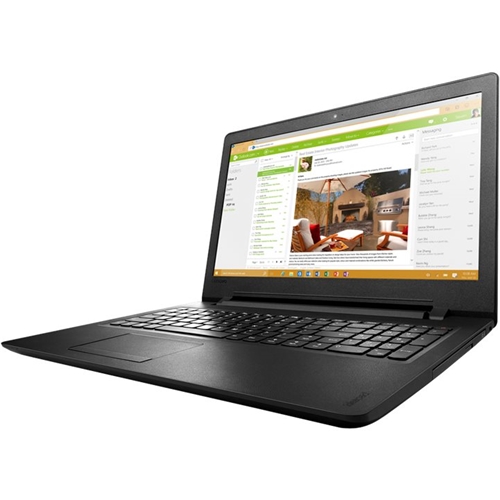
- Model:
- 80T70012US
- SKU:
- 5412748
to a friend
Customers are saying
Customers are not satisfied with the speed of the laptop, with comments indicating that it takes a long time to start up.
This summary was generated by AI based on customer reviews.
- Pros mentioned:BeginnerCons mentioned:Speed
Great laptop for a beginer
||Posted .This reviewer received promo considerations or sweepstakes entry for writing a review.I am dissappointed in this laptop, it's slow and the customer support through Lenovo is terrible. I'm regretting buying it and wishing I had spent more money on a better one. It's ok for a beginer, but not me.
No, I would not recommend this to a friendBrand response from Lenovo Product Expert
Posted .We are sorry to hear you are having issues with your Lenovo IdeaPad 110-15 laptop. You can reach out to Lenovo Support hear with specific issues and we will do our best to help. You can also call Lenovo Tech Support at 877-453-6686.

- Pros mentioned:Comfortable, Keyboard
good keyboard
||Posted .This reviewer received promo considerations or sweepstakes entry for writing a review.I find it comfortable, easy to use, and the near perfect full sized keyboard to work in conjunction with my laptop at home. No real down side.
I would recommend this to a friendBrand response from Lenovo Product Expert
Posted .Thank you for choosing the Lenovo IdeaPad 110-15 laptop. We are pleased to hear that that the IdeaPad 110-15 meets your computing needs so well.
- Cons mentioned:Keys get stuck, Speed, Usb port stuck
Don't buy
||Posted .This reviewer received promo considerations or sweepstakes entry for writing a review.keys get stuck Takes long to start up USB port gets stuck when inserting a flash drive.
No, I would not recommend this to a friend - Cons mentioned:Speed
Laptops are slow
||Posted .This reviewer received promo considerations or sweepstakes entry for writing a review.they were purchased for my kids school work. They load very slow but other than that they are nice
I would recommend this to a friend - Pros mentioned:Keyboard, Screen resolutionCons mentioned:Battery life
Decent laptop for the price
Posted .This reviewer received promo considerations or sweepstakes entry for writing a review.Good laptop so far. No problems so far with the performance. The battery life is about 3 hrs. If your looking for something basic and not breaking the bank, then I'd recommend this one. The speakers are on the top of the laptop which is becoming more and more rare. Nice looking screen resolution and the keyboard is easy to see and type. The usb ports are located on the left side only though. But in the long run, this laptop performs.
I would recommend this to a friendBrand response from Lenovo Product Expert
Posted .Thank you for choosing the Lenovo IdeaPad 110-15 laptop. We are pleased to hear that the features and performance of the IdeaPad 110-15 meets your computing needs so well.
- Pros mentioned:BrowsingCons mentioned:Speed
NOT THE BEST
Posted .This reviewer received promo considerations or sweepstakes entry for writing a review.The laptop was a good system for the first month I had it. Once I really started using it and loading a few programs it slowed WAAAAYYYYY down. Now it is slower than the 12 year old laptop I was replacing. I would recommend this for someone that only wants to browse and do email nothing more.
No, I would not recommend this to a friendBrand response from Lenovo Product Expert
Posted .It sounds like at least some of the programs you loaded on the device are either not compatible with Windows 10 or the specific configuration of this system. Be sure any software you installed is compatible with Windows 10. There is no need to install Microsoft Office software. The software is already part of the operating system, you just need to activate the software with a purchased product key. If you have installed a copy of Microsoft Office, this is conflicting with the existing copy on the system and this will slow your system down. If you have installed a 3rd party anti-virus program, be sure that Windows Defender is turned off and that the trial version of McAfee Anti-Virus software is uninstalled. There can only be one anti-virus program on the system. You may need to restore your system to original factory default settings if any of the programing errors have occurred. You can do that by typing "restore" in the Cortana search window. Just click on the magnifying glass icon at the bottom left of your Windows 10 Desktop. Click on "Reset This PC" Then click on "Get Started" and follow the on screen directions to restore to factory defaults.