Customer Ratings & Reviews







- Model:
- 82KM0002US
- SKU:
- 6479326
Rating by feature
- Battery Life
Rating 4.7 out of 5 stars
- Speed
Rating 4.4 out of 5 stars
- Display
Rating 4.5 out of 5 stars
Customers are saying
Customers commend the Flex 3 Chromebook for its ease of use, touchscreen functionality, and compact size. Positive feedback also highlights the device's battery life, value for the price, and performance for everyday cloud-based tasks. However, some users express concern regarding the limited storage capacity. The relatively small amount of memory is also mentioned as a potential drawback for multitasking or demanding applications.
This summary was generated by AI based on customer reviews.
- Pros mentioned:Battery life, Size, TouchscreenCons mentioned:Storage

Hybrid laptop/tablet for mixed use
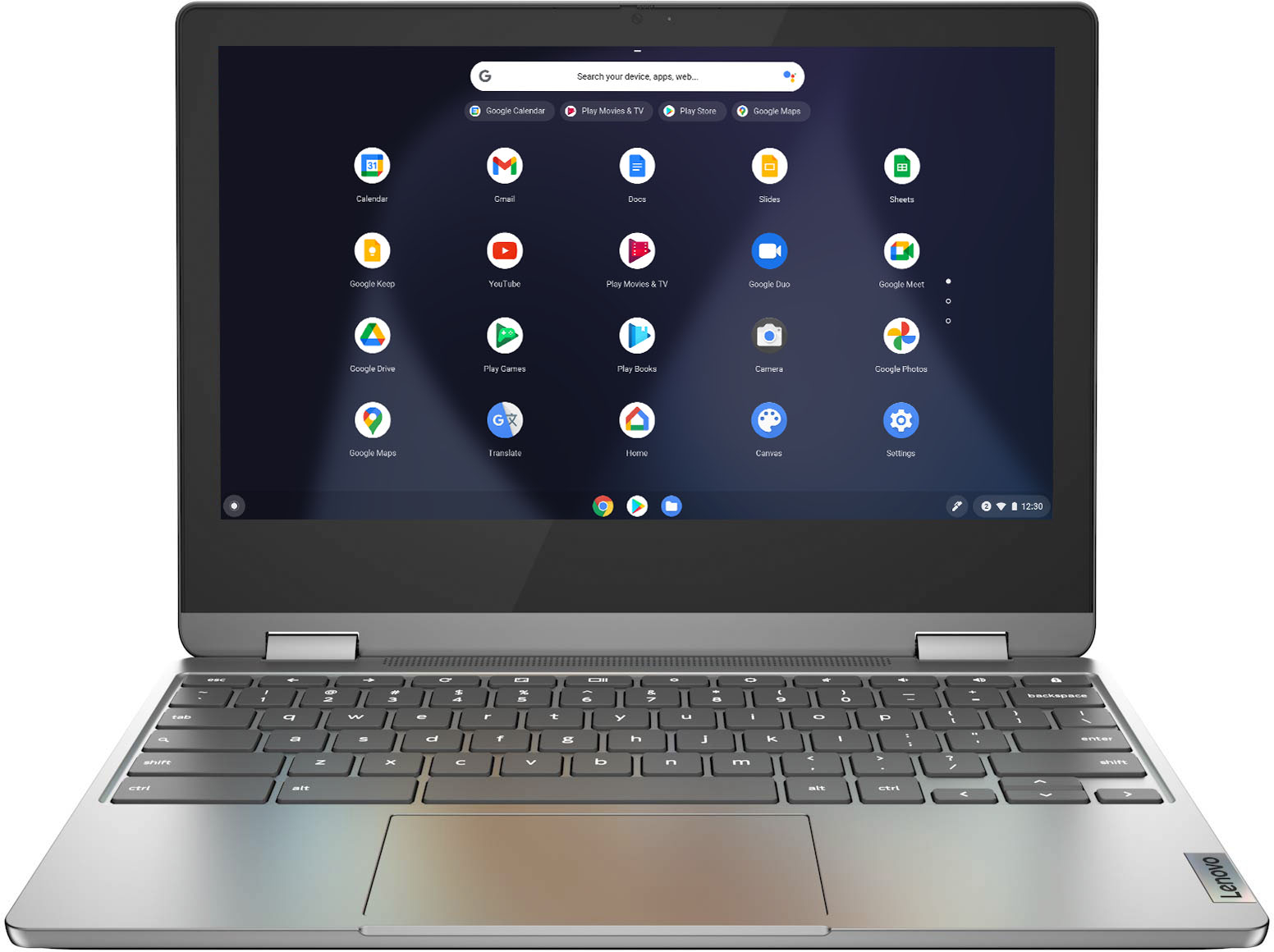
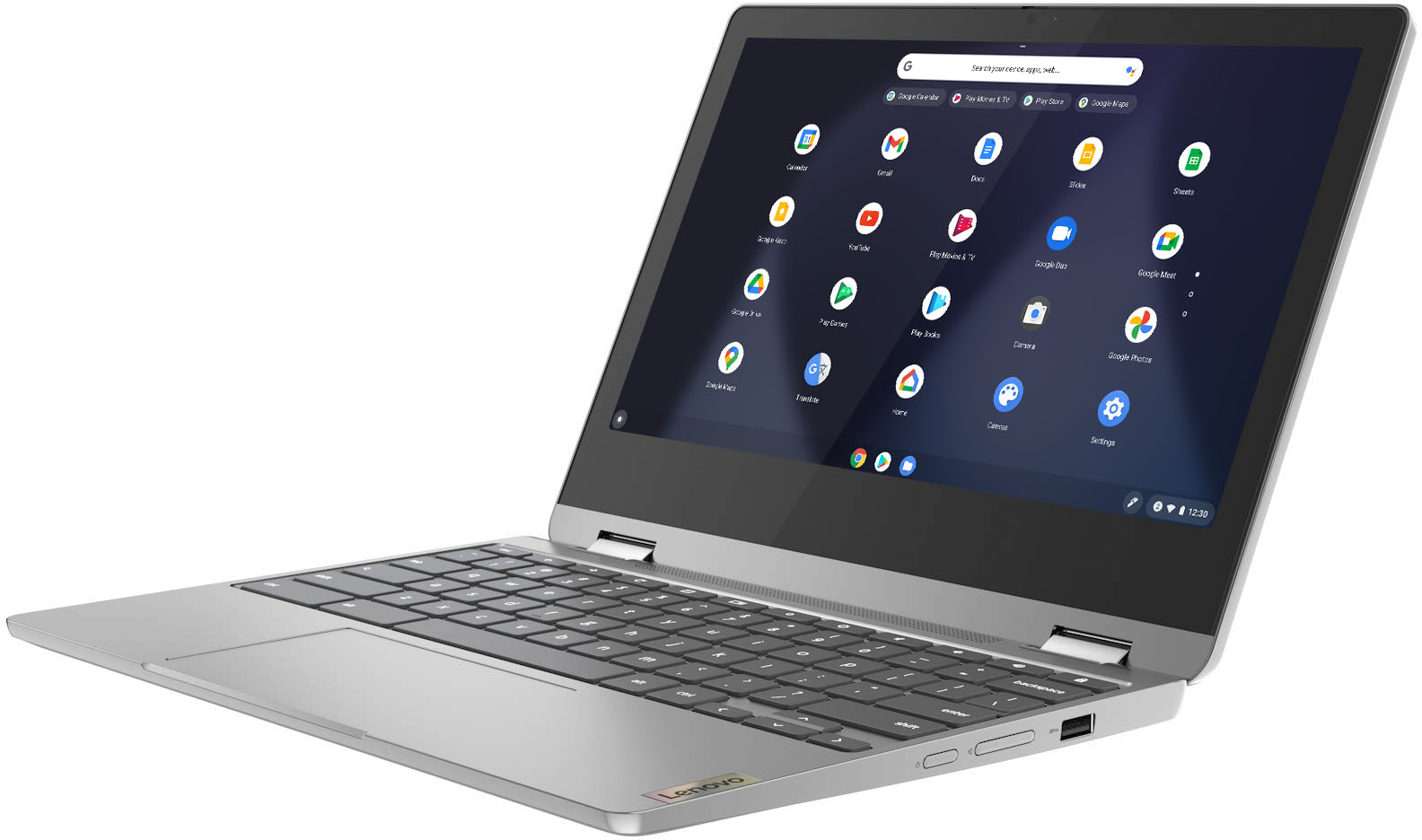
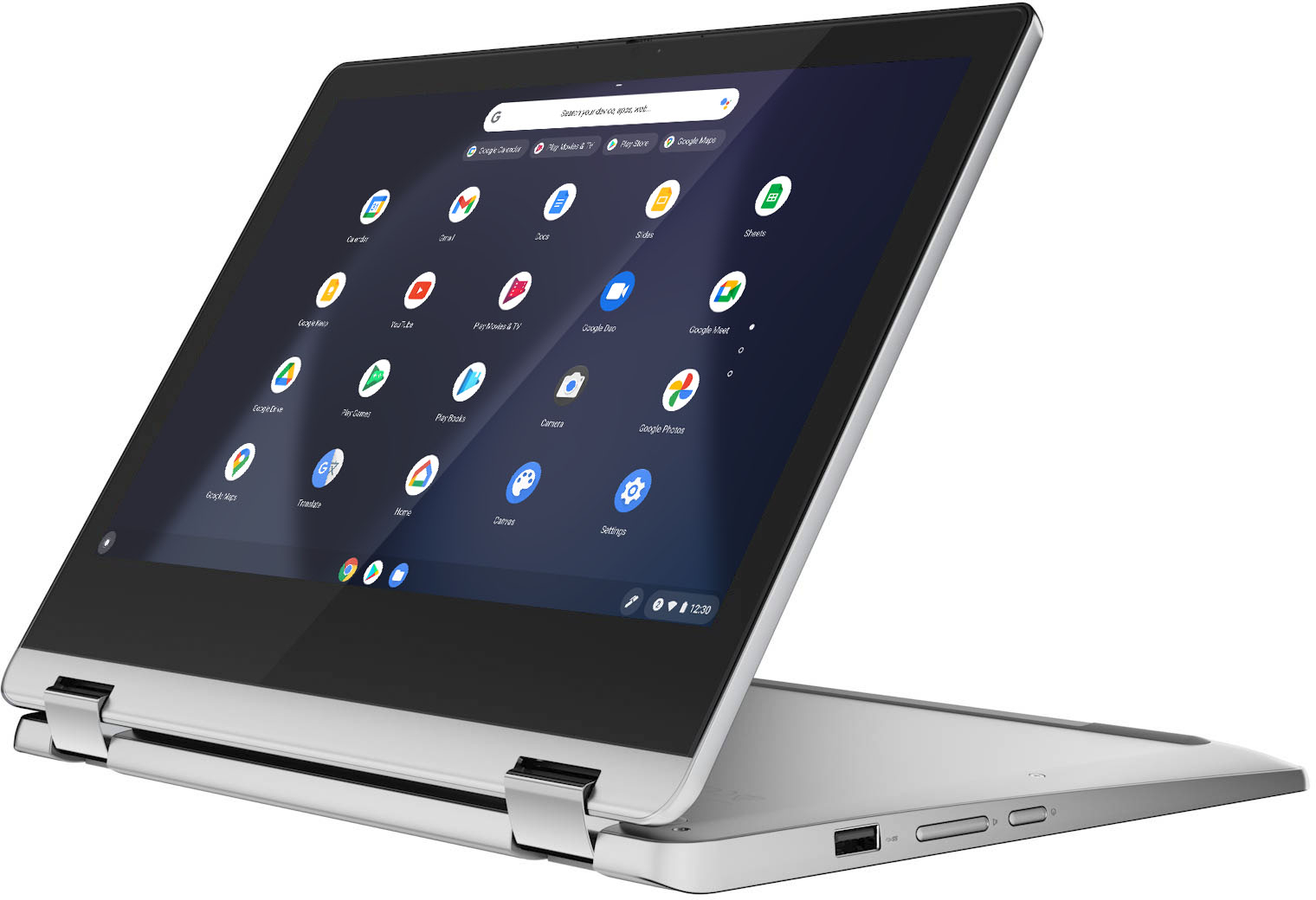
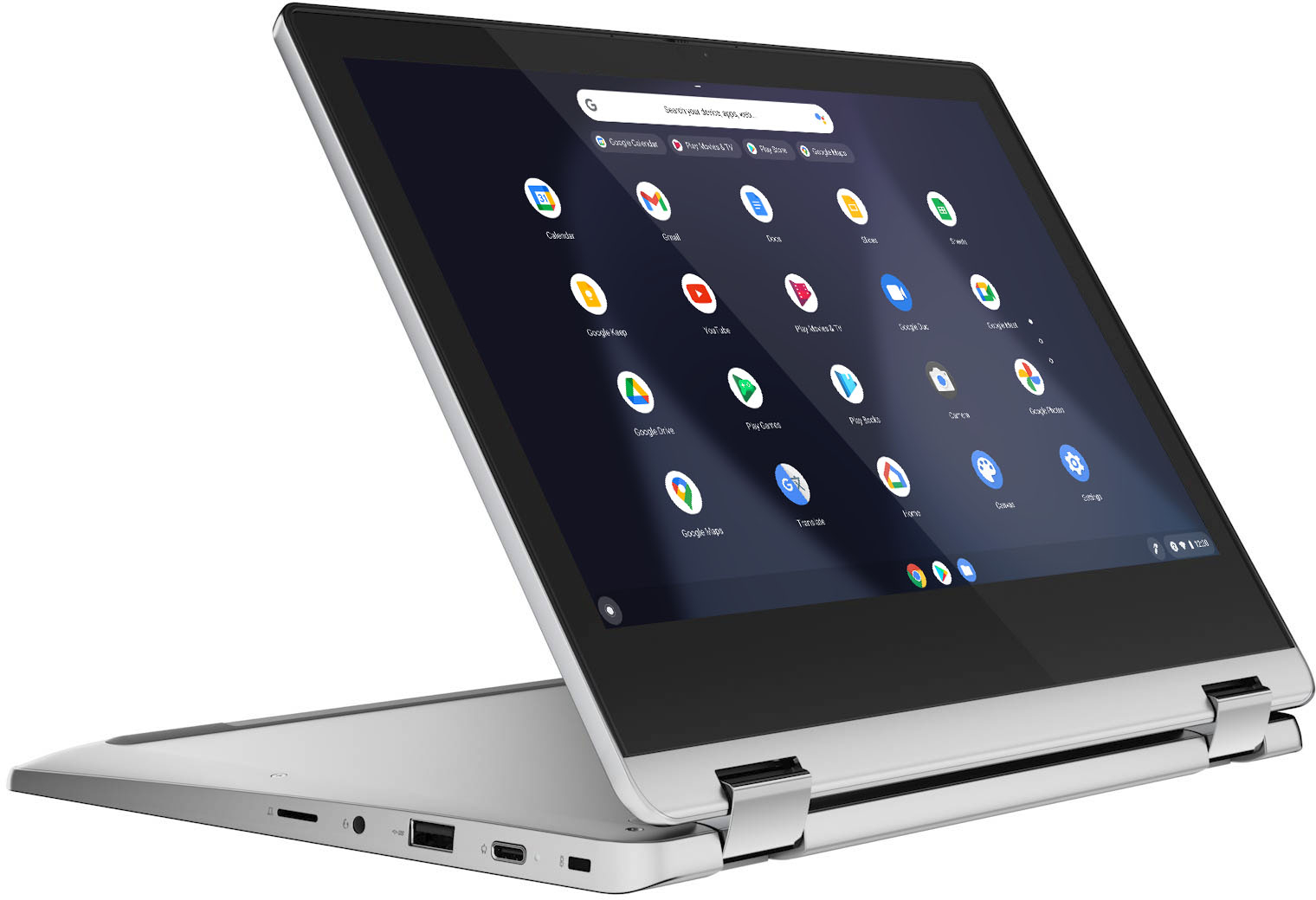
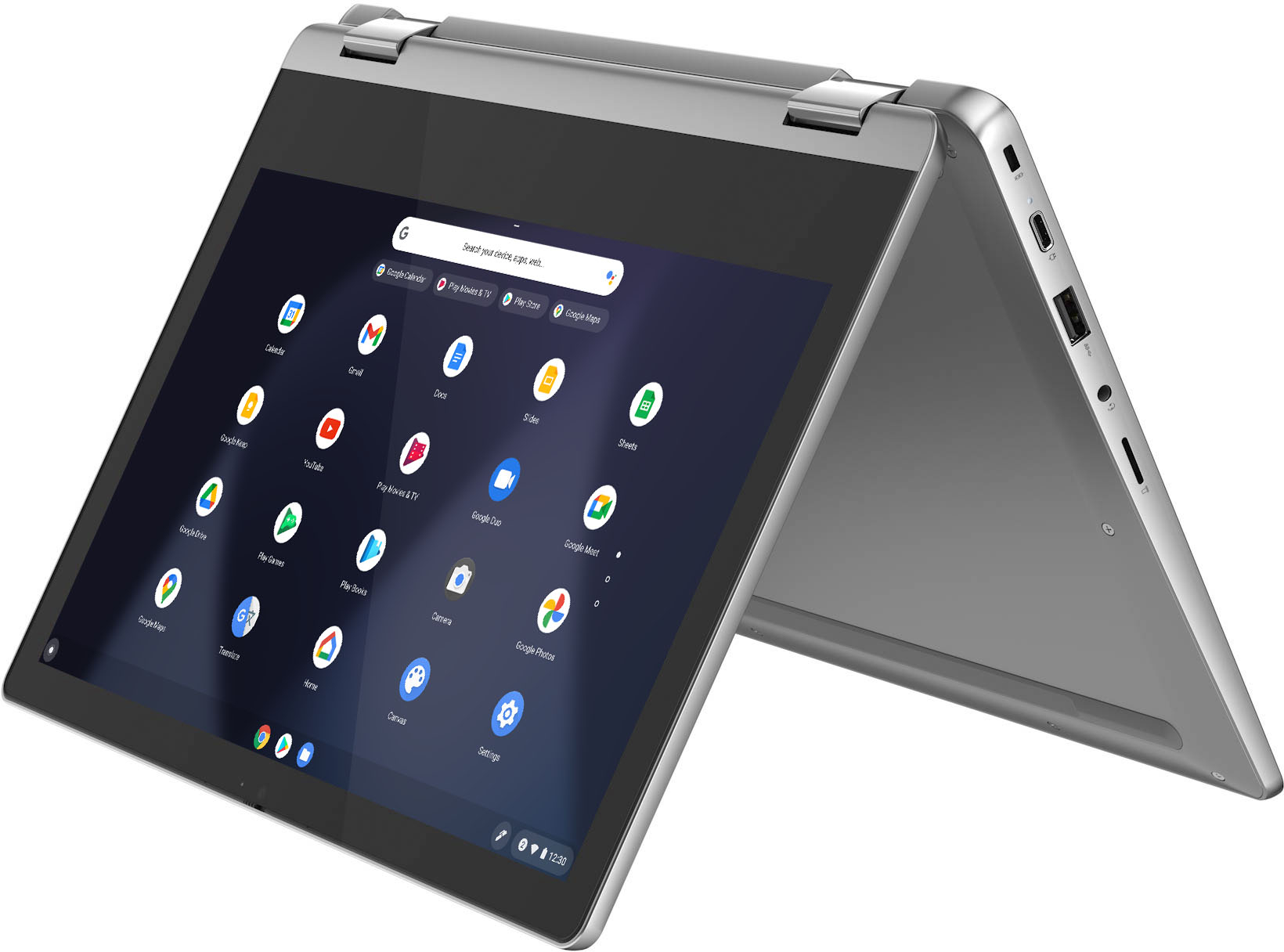
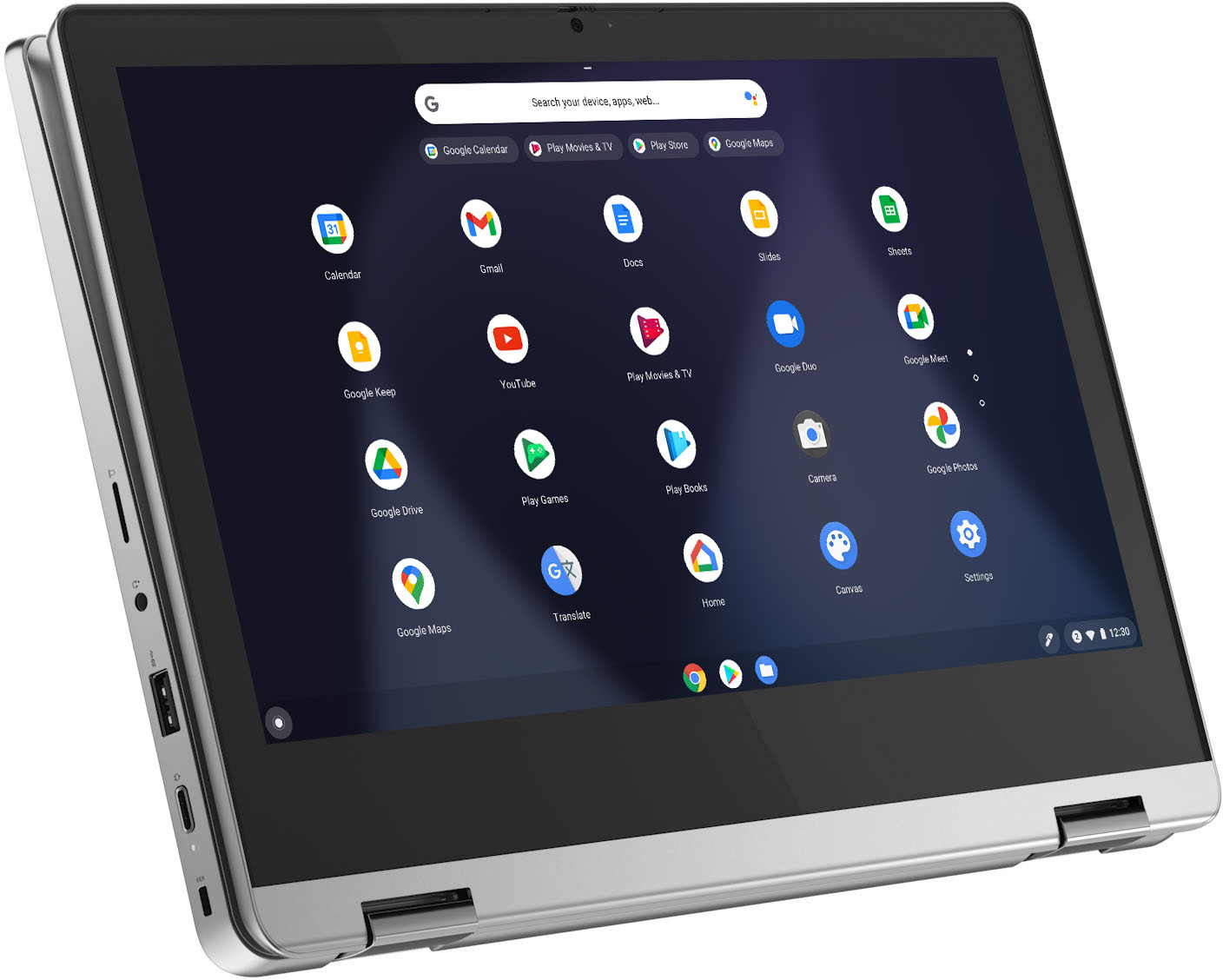
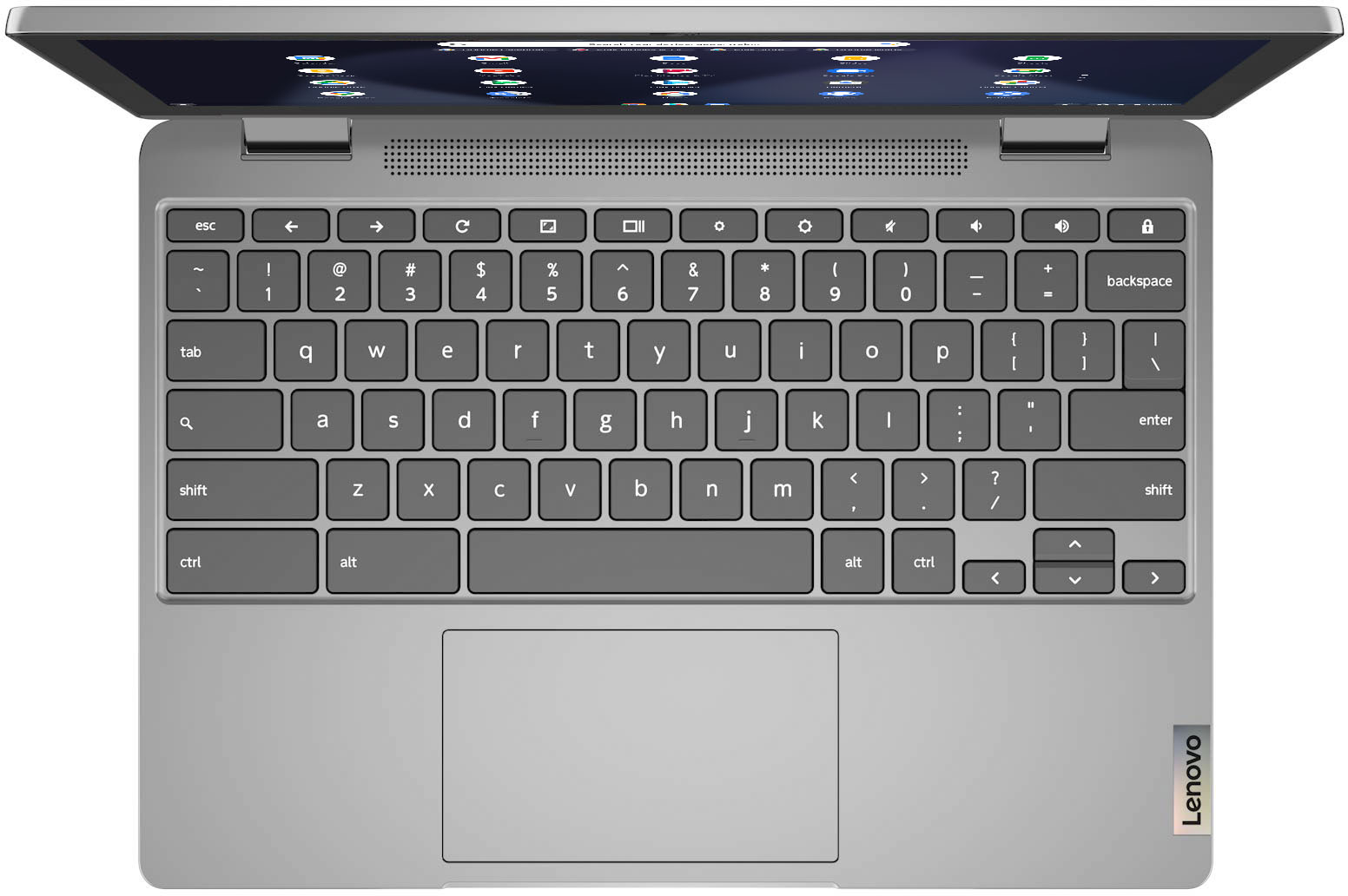
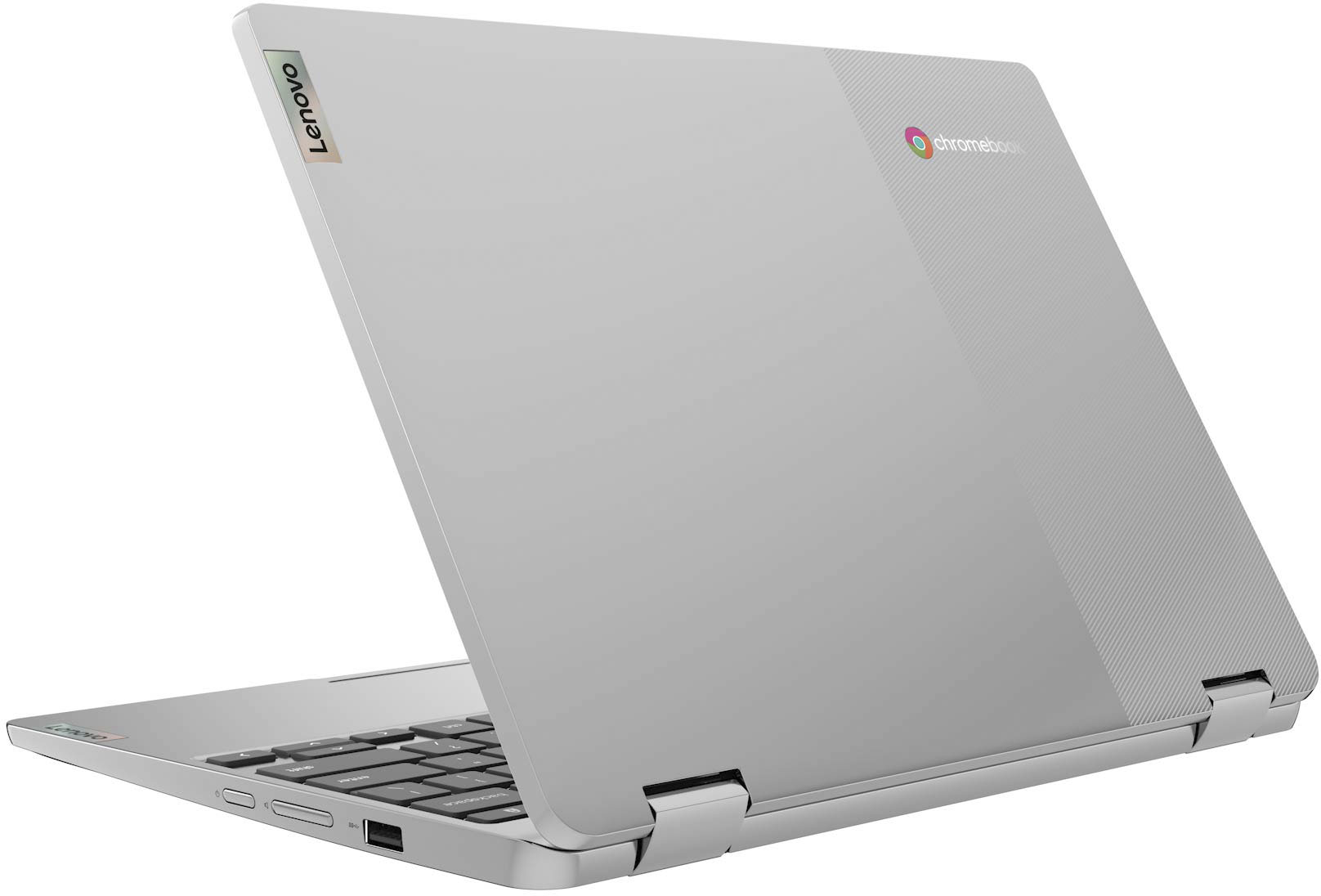
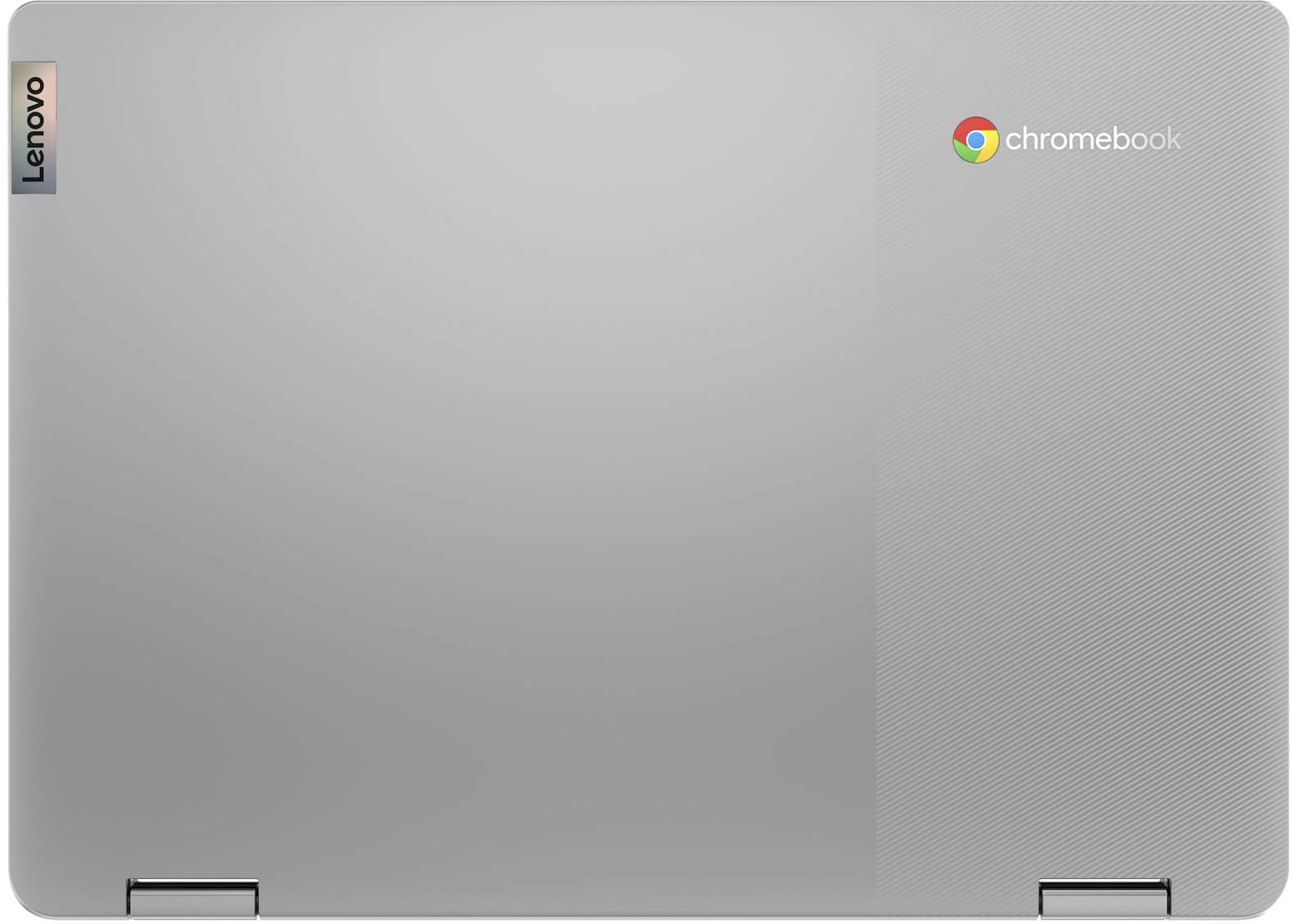
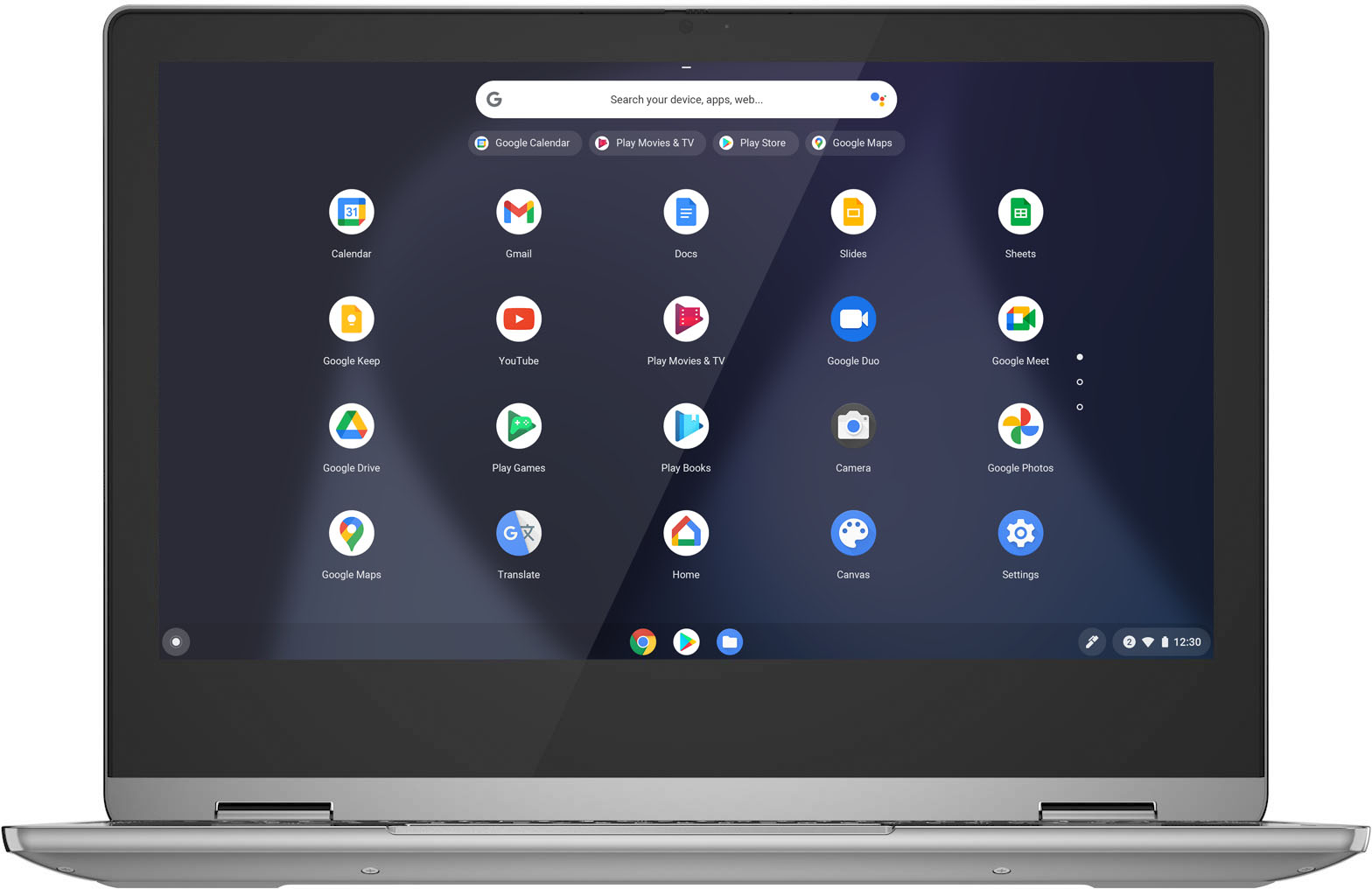
|Posted .This reviewer received promo considerations or sweepstakes entry for writing a review.The Lenovo IdeaPad Flex 3 Chromebook is my first laptop/tablet hybrid computing device and it offers a compact and versatile user experience for a variety of tasks and activities. While it may look like a small laptop, the device feels more like a tablet with a keyboard attached from a use standpoint and was surprisingly hefty at just over 2.5 lbs. The outer housing has a matte finish with a texture grip on one side of the top cover and two rubber feet that span the length of the bottom cover. When open, you can use the non-backlit keyboard and trackpad mouse for input just like a laptop, but the IPS screen is also a touch display with 10-point multi-touch support enabling you to interact with it with taps and swipes on the screen like a tablet as well. Since the hinge on the device rotates 360 degrees, you can use it in multiple form-factors, for example, opening the screen past horizontal disables the keyboard and trackpad but allows you to place the device in tent orientation so that it stands up on its own, or fold the screen completely flat for use as a tablet, viewable in both portrait and landscape orientation, though it felt a little weird to place the keyboard facedown on surfaces when folded flat. Spec-wise this model has a 64-bit 8-core processor (4x ARM Cortex A73 and A53 @ 2.0 GHz), 4 GB of RAM and 32 GB of eMMC internal storage (though about 12 GB is used by the OS and pre-installed apps). Since the eMMC is soldered to the motherboard, the internal storage space is not upgradeable, however, you can add additional storage space by popping a microSD card in the slot adjacent to the headphone/mic combo jack. As for connectivity, this device supports WiFi 5 802.11AC (2 x 2) and Bluetooth 4.2; not the latest and greatest for either standard but still decent in terms of speed and device compatibility. There is one full-sized USB 2.0 port that, along with the USB-C power port, can be used for connecting a USB hub or other peripherals and storage devices. The power and volume control keys are found on the right-hand edge of the keyboard along with a Kensington lock slot. The unit runs Chrome OS, an Android based system, but the UI is a little different than your typical smartphone or tablet, as app shortcuts don’t appear on the main desktop but rather on a recent/running apps “shelf” along the bottom of the screen and app drawer that you have to swipe up to view. The 11.6” diagonal glossy display is nice and bright but doesn’t “wow” with only a 1366 x 768 (HD) resolution at 160dpi and its large ½ inch bezels; it looks decent when viewed straight on but dims quickly at off viewing angles. Color reproduction and saturation are on the low side (45% NTSC color gamut), so if you need pinpoint color accuracy for creative work like professional photography this may not be a great fit. When used for watching streaming video content like Netflix and YouTube, since the highest resolution it can display is 720p, choosing higher video quality settings can detriment playback performance by introducing buffering and skipping without actually improving visual detail. The device natively supports the entire Google suite of apps, and it’s easy to integrate your Google account settings, email, cloud photos, etc. by logging into a Google account and syncing your settings. If you don’t want to log-in or have a guest user, you can skip signing-in and 'Browse as a Guest,' though you will be limited in terms of the apps and features you can use in this mode. Many of Google’s services can be launched within the Chrome web-browser itself versus using a standalone app, for example Gmail, YouTube, and Drive. You can opt to download the apps from the Play Store if you prefer, however, this will use up internal storage space which is in short supply. I did find the “everything button” on the keyboard in place of the Caps lock key an interesting feature, as it is basically a one-touch button to bring up a universal search bar that searches for results both on the device itself for files and apps and online for other queries. Chromebook also supports Google’s virtual assistant which you can talk to by using the wake phrase “Hey Google” allowing you to control smart home devices, ask questions, or issue voice commands. You can set this feature to be ‘always on’ or only when it is plugged in and charging, to prolong battery life. The stereo microphones are situated adjacent to the 720p front facing camera above the top of the screen, and the while image/video quality from this camera isn’t amazing at 1 megapixel, it’s suitable for video chat and virtual meetings. Note that there is no rear facing camera on the device. The Chromebook can be used for casual gaming and basic creative work like image editing and digital art via lightweight cloud based apps like Lightroom mobile, but won’t be able to handle resource heavy desktop-based applications like Photoshop or Premiere. However, I was able to run and play mobile games like PUBG on it without any issues. The battery life is decent at up to 10 hours on a full charge, depending on your usage and settings like screen brightness and WiFi. I did have one instance where I couldn’t get the screen to power up despite the LED on the power button being on and having the unit plugged in with a full charge, however, I was able to perform a hard reset by pressing and holding the power button for 6 seconds and then booting it up again and that resolved it. Overall, the Flex 3 is a nice lightweight alternative to a traditional laptop. Its small form factor and range of features make it versatile for a variety of applications from work and play to entertainment. It has built-in anti-virus protection and performs OS updates automatically, to keep the device up-to-date and secure. While it doesn’t sport the best looking screen or most powerful processor, it starts up nearly instantly and can perform daily productivity tasks and handle internet browsing with ease.
I would recommend this to a friendBrand response from Lenovo Product Expert
Posted .Thank you for choosing the Lenovo Flex 3 11 Chromebook. We are pleased to hear that the features and performance of the Flex 3 11 Chromebook meets your computing needs so well.

- Pros mentioned:Battery life
Great Black Friday Purchase!
||Posted . Owned for 1 year when reviewed.This reviewer received promo considerations or sweepstakes entry for writing a review.I bought this Chromebook during Black Friday and this is a great laptop for every day use. Pros and cons listed below: Pros: - Can use touchscreen - Portability - Battery Life Cons: - Processor is a little slow - Touchscreen has a slower response time vs. iPad - Only 1 USB port
I would recommend this to a friend - Pros mentioned:Battery life, Ease of use, TouchscreenCons mentioned:Storage
Fantastic value for everyday tasks.
|Posted .This reviewer received promo considerations or sweepstakes entry for writing a review.I have used many Chromebooks over the years, and like most of them, this one is a solid machine that can get you from point A to point B and is a tremendous value. You just need to dig deeper to match your needs and expectations with what you are getting. For starters, the build is solid. It is quite compact, has a nice weight, feels good in the hand, and has little flex. Given it is a 2 in 1, the hinges feel strong and should last over time. The look is clean and modern, and I like the gray/silver color scheme with a darker keyboard. Quite plain. Perfect for me. Given its size/weight, I have been taking this everywhere with little effort. It is very portable. Time will tell, but I think it should hold up well. As it is a Chromebook, boot times are near-instant and initial set-up is extremely simple (with your Google account), although you can dig into some settings if you like. As the specs of the machine are not “cutting edge” by any means, I had some minor concerns about performance, but performance has been great. Honestly, that is one of the main benefits of Chrome OS. It does not need a lot under the hood to perform and I could not be happier. I have not been hitting it with 35 tabs open, but I have been able to tackle all of my work without issue using all of Google’s Suite of services and the odd app tossed in when needed. Being able to access the Play Store is a great add, and while it is still limited, I hope they keep improving the platform. Alas, everything is not work. Here, I think they delivered as well. The touchscreen is HD (at 1366 X 768), IPS, delivers great viewing angles, and a nice sharp and bright picture. Yes, it is not 4K, but it should not be expected at this price point. Simply, it looks pretty good. Further, touch works well, and is quite responsive. You never realize how much you like it until you use it. Sound quality is…good. Honestly, not the best, and it is a bit tinny sounding, but it does get loud and is largely distortion free. All in all, I am pleased with the sound and video. I have been using it for a ton of YouTube TV, YouTube, and Netflix and have liked what I have been seeing and hearing. It is a good media experience. The keyboard is solid with little give. Layout, spacing, and travel are all good. It feels nice to use. There is no backlighting, which, again should not be expected. The trackpad works well, and is responsive, but the push “feels deep,” and it is very “clicky.” Overall, I am happy with the inputs, but the trackpad is taking me a bit to get used to. It comes with a 720p camera which does the job. In time I am hoping all laptops push for better tech here, as video is becoming more and more important. That said, it works, and looks about what you would expect. You get a nice selection of ports, with headphone jack, USB-A, USB-C and a card reader. More would always be better, but you should be fine. I really like the inclusion of the card reader. If I had one issue with the “specs” of the machine, it would be the 32Gb of storage. Sure, given the nature of the machine saving to the cloud is important, but 32 just seems too little to me. At least with the card reader you can supplement that a bit. Connectivity is also solid, with Wi-Fi and Bluetooth that have been nothing but rock solid for me. Battery life has been great so far. I have generally been getting through days with battery to spare. Obviously, this is going to depend on how you use your machine, so it may vary from person to person. That said, I am fairly confident it should not be an issue. Lastly, the machine can be used in tent, tablet, laptop, or stand modes. Frankly, I have really only been using the “standard” laptop mode. The others work for what they are, and I suppose many will get use of those modes, but I just don’t really see myself using them often if at all. Ultimately, this is good machine. It is well-built, lightweight, and performs well. If you are looking for a machine for everyday tasks, this machine is solid in just about every way, and I think it is a great, great value.
I would recommend this to a friendBrand response from Lenovo Product Expert
Posted .Thank you for choosing the Lenovo Flex 3 11 Chromebook. We are leased to hear that the features and performance of the Flex 3 11 Chromebook meets your computing needs so well.
- Pros mentioned:Battery life, Size, TouchscreenCons mentioned:Storage
My 8 yr old 3rd grade daughter loves it
|Posted .This reviewer received promo considerations or sweepstakes entry for writing a review.So kids are nearly fully back in school. But our daughter has to have a chrome book for certain in school learning and certain at home learning. Or if god forbid there is another shut down(hope not). So I wanted to get her something that was a bit more powerful and touchscreen than the free loaner they gave her at school. And decided to try this one out. Since the specs were better than hers at this price point. At this price you expect more and you get it. Since chromebooks are super inexpensive nowadays. Which is amazing by the way. This is a perfect middle grown. The mediatek cpu/gpu is not a powerhouse but it’s a solid contender. Super quick turn on/off. Fast UI controls.snappy switching from app to app. Great WiFi speeds wifiAC. Webcam works well at 720p. Great for my kids games(no hiccups or over heating) and YouTube kids works great as well. No issues. Nice touchscreen and this is bigger than her 5th gen iPad, which this is also replacing at home. The screen is only 720p which is a downgrade but at least it is an IPS screen. Which helps with rich colors and viewing angles. Plus she doesn’t pixel count and does not care much . Plenty good if you ask me. When flipping into tablet mode you don’t have to worry about it eventually breaking. This little 11inch is sturdy. Clean simple design and Lenovo quality you can rely on. 32gb storage is very low. But not for these type of devices. Plus good apps are generally small and if you run out of space you can always just add more storage for a low price. Battery life is amazing. Her old iPad would die pretty fast. All in all My daughter loves it and that’s what matters. So if you are a parent and looking for a very solid smaller form factor chromebook. I can recommend this model 100%. It’s way beyond what they offer at schools nowadays. Happy parent here!
I would recommend this to a friendBrand response from Lenovo Product Expert
Posted .Thank you for choosing the Lenovo Flex 3 11 2-in-1 Chromebook Laptop. We are very pleased to hear the specifications and features of the Lenovo Flex 3 11 2-in-1 Chromebook Laptop meet your computing needs so well.
Computer
||Posted . Owned for more than 2 years when reviewed.This reviewer received promo considerations or sweepstakes entry for writing a review.Had it for over 2 years now and it work perfectly.
I would recommend this to a friendExcellent for school aged children
||Posted . Owned for 1 year when reviewed.This reviewer received promo considerations or sweepstakes entry for writing a review.This was my first Chromebook. I had it for two days, and ended up returning it. Here's my views on it, and I hope it will be of help for others:
I would recommend this to a friendGreat option
||Posted . Owned for more than 2 years when reviewed.This reviewer received promo considerations or sweepstakes entry for writing a review.A bit small but it was perfect until i got juice in the keyboard. Will consider another
I would recommend this to a friend- Pros mentioned:Battery life, TouchscreenCons mentioned:Storage
Mobile and Flexible
|Posted .This reviewer received promo considerations or sweepstakes entry for writing a review.The Lenovo Flex 3 is a solidly built 2-in-1 Chromebook that can handle most of our daily computing tasks. Even though the Flex 3 comes up a little short on memory storage and doesn’t have all the latest technologies it’s still a good versatile Chromebook. Due to its smaller size, low weight and flexibility it is very mobile and serves multiple purposes in our house. We use it for everything from web browsing to controlling smart things using the Google assistant. First the good: The overall build quality is solid with the look and feel of a much more expensive laptop. The 11.6 inch IPS screen is a glossy touchscreen display that has 1366 x 768 HD resolution. The screen responds nicely to touch commands and performs well in both laptop or tablet mode. While the display is a glossy screen its not such a high gloss that it becomes a fingerprint magnet. Because the hinges fully rotate you can operate this Chromebook as a tent, stand, tablet or a laptop. Even with its small size it still has a full keyboard and a decent size trackpad. The keys are chicklet type keys and are very flat so it took some time to get used to them. The touchpad was very responsive however I found that the right and left button clicks were a tad louder and less solid than I would have preferred. There is a 720 p camera above the display and it includes a well designed camera lens cover. The lens cover is a slide mechanism that covers the camera with a red indicator dot so it’s easy to see that the camera is in fact covered. If you have kids and worry about cameras this is a great feature. The 720p camera resolution provided good video quality and this Chromebook makes a nice portable video endpoint. On the side of the Chromebook there are volume controls for when you are using the tablet mode. Like all things Google these days this supports the Google assistant so you can use voice commands to perform task. The speaker’s volume and audio quality is what you would expect out of laptop this size. The Chromebook auto powers on and has my desktop loaded by the time I have the top fully opened so it launches very quickly. I’ve been watching the battery life and it looks like I can get over 10 hour of use per charge. Not the newest but still not bad: Chromebooks generally rely heavily on the cloud for storage but in today’s low cost per gigabyte you would expect more than just 32 GB of memory storage. Most cell phones now have more memory than this. On the plus side it does have a Micro SD slot that you can load with more memory storage but it won’t be as responsive as core storage would have been. With just a handful of apps I have already locked up half of the available memory so using Google drive is important. There are two USB ports included a USB-A and USB-C but both are older 2.0 versions so they are slower than the current USB 3.x standards. The wireless included is WiFi 5 802.11ac which is good but again wifi 6 802.11ax is the latest wireless version. The built in Bluetooth support is version 4.2 which doesn’t offer the same range, security or speed of the latest 5.x version of Bluetooth. While none of the items above are critical they all can affect the overall performance if not properly managed.
I would recommend this to a friendBrand response from Lenovo Product Expert
Posted .Thank you for choosing the Lenovo Flex 3 11 Chromebook. We are pleased to hear that the Flex 3 11 Chromebook meets your computing needs so well.
- Pros mentioned:Battery lifeCons mentioned:Memory, Storage
Small and good for casual use
|Posted .This reviewer received promo considerations or sweepstakes entry for writing a review.Holy moly tiny! An 11 in. screen is an adjustment coming from a 13.3 in. Chromebook! TL;DR for my frequent readers and details below. Pros: Battery Life Compatibility with phone-centric Android Apps USB-C for power USB-C also for data microSD Card Reader Sleep button and volume button on same side Camera Cover slide Cons: Only 1 USB-C port, shared for data & power Track pad click sensitivity Fair responsiveness for - Screen touch sensitivity - Scrolling Should have a basic pen / stylus included Meh: Folding / unfolding is a bit tough but to be expected, I guess? WiFi is only 802.11AC (WiFi 5) There’s no way you can fault a 11 in. Chromebook for its size, so let’s just put that out there to start. After letting the Chromebook charge for a few hours, the initial setup was a breeze as expected for Google. With only 4GB of Memory and a 32GB eMMC, I was torn on what to expect from a performance perspective, but that’s what I’m here to comment on. After that initial charge and setup, off I went. I created myself a profile and was able to use my Titan Key C when prompted for 2FA without issue. I was partially expecting a “please choose another method” but there was no issue when using the Titan Key with a USB-C to A adapter because the labeling made it look like the USB-C port was power only - which I know now it’s not. I was able to remove most of the old apps that Google re-installed without my guidance and got on with basic usage. I use a Pixel Slate daily and that has a ton of space (128GB, I think) so I don’t need to be so picky on what’s installed - but at 32GB, I’d rather play it lean. Adding a Canon printer was effortless and so was printing out some math worksheets for the kiddo. From a ‘snappiness’ perspective, scrolling is a bit slow and the touch / responsiveness speeds aren’t all that great. When looking a bit further, it’s only WiFi 5 / AC vs what’s been in my phone for 2.5 years, WiFi 6 / AX (see pic). With those points, you can see the budget-focus of the Chromebook. Now, flipping it inside out and using it as an (roughly) iPad-sized tablet is cool and so is making it a tent, but there’s a TON of bezel at the top of the tent and it’s a narrow bottom, making it a bit awkward to hit buttons at the bottom of the screen (see pic). Having a camera cover slide is slick, as I don’t have to use a piece of a post-it note and pairing Bluetooth was just as easy as any other Android device (see pic). So, overall this is a nice budget Chromebook that can double as a tablet when flipped around. Do I recommend this? Sure. Do I recommend it as a laptop replacement? No - but it’d be fine for kids. How about recommending it as a couch computer / web browser during commercials? Heck yeah! Side note: I used this for 5 nights and my wife used it during the day and it only got to 50% battery. Second side note: I used it to write this review. Slick.
I would recommend this to a friendBrand response from Lenovo Product Expert
Posted .Thank you for choosing the Lenovo Flex 3 11 Chromebook. You can make adjustments to the touchpad sensitivity and other features within your Chromebook Settings: https://support.google.com/chromebook/answer/1047367?hl=en.
Good for the price
||Posted . Owned for 3 weeks when reviewed.This reviewer received promo considerations or sweepstakes entry for writing a review.Overall it's a good rig for the price ($140) but as always the limits of the Chrome OS hold an otherwise good casual computing 2 in 1 back.
I would recommend this to a friend- Pros mentioned:Speed
Waste of my money I would like to replace
||Posted . Owned for 1 year when reviewed.This reviewer received promo considerations or sweepstakes entry for writing a review.The product was good at the start i got 2 of these and one for me and my wife but the one for myself is so slow I don't know what happened I reset it and still super slow but my wife is extremely happy with.her it's lightning fast
No, I would not recommend this to a friend - Pros mentioned:Battery life, Size, Touchscreen
So convenient to carry around and put to work or p
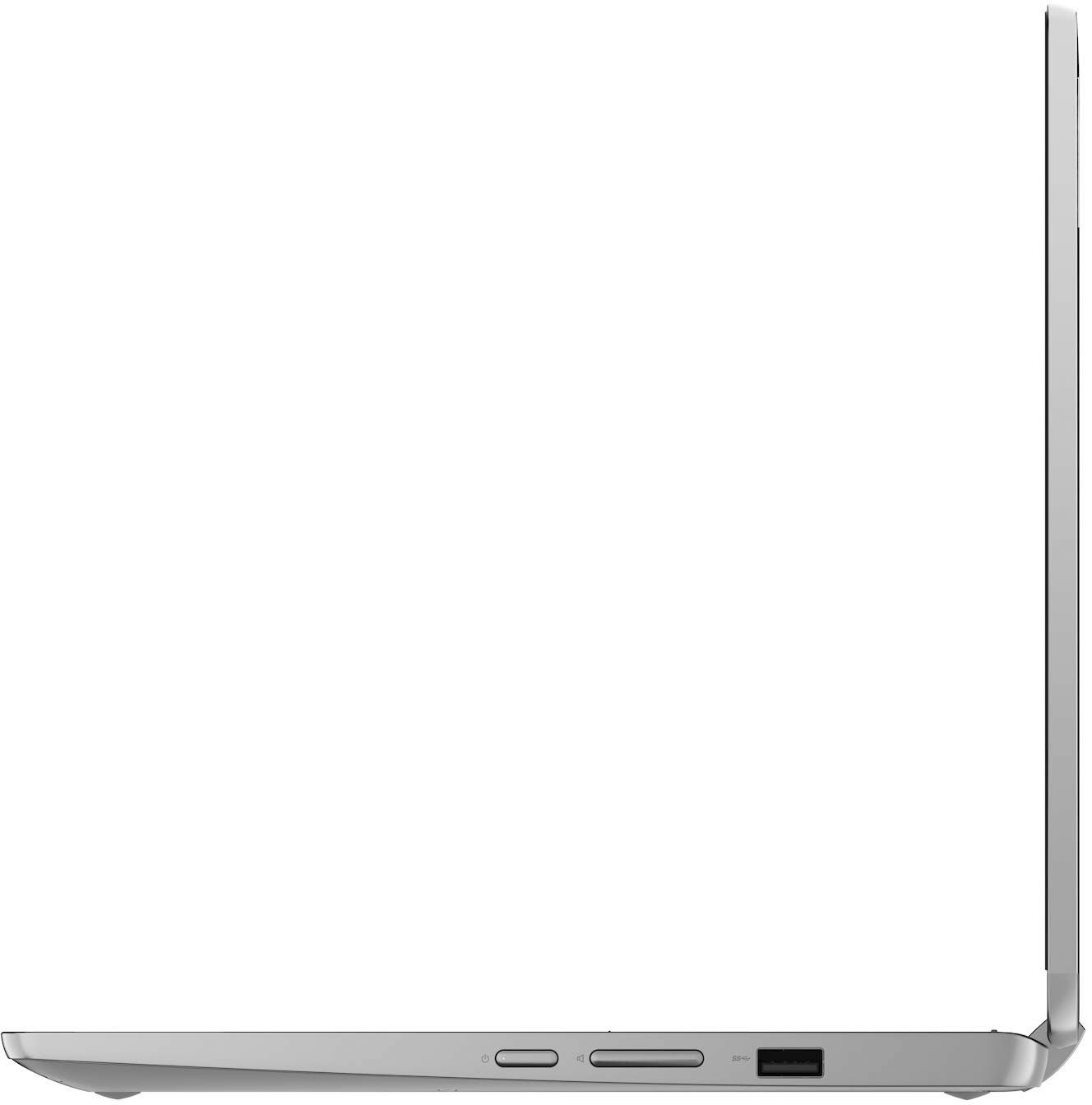
|Posted .This reviewer received promo considerations or sweepstakes entry for writing a review.Lenovo - Flex 3 Chromebook 11" Laptop Mediatek MT8183 - ARM Mali-G72 MP3 Graphics - 4GB Memory - 32GB eMMC - Arctic Grey Lenova Chromebooks are bought by people who love the simplicity of a system that requires minimal management and maintenance. After you use this Lenova Flex for awhile you realize that being lean in the memory and storage department is not a problem, because your work lives on the Internet and is readily accessible and secure. Even with no Wi-Fi, recent or archived documents such as spreadsheets, presentations and emails are readily available with offline access. Just download them prior to a presentation or work session. And this small computer is so convenient to carry around and put to work or play. A vast number of compatible android Apps available on Chromebooks match up with most Apps you’ll find on a Mac or an Intel-based PC. Sometimes work I’m sharing with my Mac or Intel-based PCs will involve a slightly different App on my Chromebook. That said, I can’t ever remember not having the ability to work in all 3 computer environments fairly easily. [This, of course, excludes unique or proprietary software designed for a special purpose on one of these platforms.] Having most software accessible via the keypad, or by directly touching the screen or even an accessory mouse (not included) makes it all more useful. I can use the keyboard for extended text entry or pretend it’s a phone or tablet and enter or select screen items using the touch screen. I love having every possible input method available to me. ERGONOMICS: The Lenova Chromebook Flex 3 lets me work the way I want, in tablet mode, in laptop mode or as a display device. Control is equally flexible. Keyboard, fingertip strokes and taps directly on the screen or a compatible pen or mouse (neither are included). The screen is very bright, contrasty, and colorful. The keyboard doesn’t have a backlight, but I didn’t find that to be much of an issue. It had minimal key travel, but it always responded reliably. I easily got sufficient battery life to watch my baseball playoff games without need for a recharge. Right side: Power Button and Volume Control Left side: USB-C 2.0 (power) or other?; Headphone/mic; USB-A 2.0; MicroSD card reader. 11.6" HD (1366 x 768) IPS, glossy, touchscreen, 250 nits 4GB LPDDR4x 1866MHz Up to 16 hours Camera is 720p HD Weight is Starting at 1.2kg / 2.6lbs Bluetooth 4.2 FLEXIBILITY: This is a great mix of portability and useful features. For work purposes I have spreadsheet, writing and photo apps which exchange files with my Mac. When I want entertainment I have access to my YouTubeTv, sports and music apps. And the screen is sufficiently colorful and the speakers or headphone access is perfectly capable of delivering a rich experience. SUMMARY: Lenova’s Flex3 is a great example of Chromebook’s simple, efficient and capable system. Lenova lets you transform its laptop into a tablet to ensure you’re working the way you prefer. And, because this is Google’s android software, the Lenova thinks it’s a Google Display when you give it verbatim commands. “Hey Google, turn on my globe light” controls that distant light via a nearby google device ….. as you sit on your back porch. Very cool.
I would recommend this to a friendBrand response from Lenovo Product Expert
Posted .Thank you for choosing the Lenovo Flex 3 Chromebook 11in. Laptop. We are very pleased to hear that the specifications and features of the Lenovo Flex 3 Chromebook 11in. Laptop meet your computing needs so well.
Love it! Great Value!
||Posted . Owned for 1 month when reviewed.This reviewer received promo considerations or sweepstakes entry for writing a review.Love it! It’s works for my purpose! Very affordable
I would recommend this to a friendBrand response from Lenovo Product Expert
Posted .Thank you for choosing the Lenovo Flex 3 11 Chromebook. We are pleased to hear that the value and performance of the Flex 3 11 Chromebook meets your computing needs so well.
- Pros mentioned:Battery life, Size, Touchscreen
Really good, but no HDMI port
||Posted . Owned for more than 2 years when reviewed.This reviewer received promo considerations or sweepstakes entry for writing a review.It works great for me. I purchased it like 2years ago and I use it all the time for school. I like the touchscreen and the screen quality, screen size, battery life, weight. I can hide the camera. I dont like that it doesnt have an HDMI port I just purchased a newer generation a few weeks ago for my mom (which does come with HDMI port). I hope it is as good as mine
I would recommend this to a friend - Pros mentioned:Size
Solid Petite Laptop for Light Usage
|Posted .This reviewer received promo considerations or sweepstakes entry for writing a review.The Lenovo - Flex 3 11" 2-in-1 Chromebook Laptop with 4GB Memory and 32GB eMMC storage wasn't made for complex, heavy usage for which you would use your desktop. This solidly built, light-weight, touch-screen laptop / tablet, in my opinion, is more for replacing the add-on functions of your phone, but with a bigger screen and keyboard. That is why I set it up for my not very computer savvy senior-aged husband; who, now retired, uses his phone to send texts to his friends, read Google stories, watch YouTube videos, read his email and shop. With a much larger screen and keyboard, the Flex 3 is perfect for him, as I could connect his phone to access his texts and download Outlook to connect his emails. It already has Google and Chrome and the operating system is so similar to what he is used to on his Android phone that he took to it like a fish to water. He is also happy that it has a slot for an SD card (even though it is a mini slot), so he can transfer his phone photos to the card. All in all, this configuration (note that there a number of configurations for the Flex 3) is a great fit for these purposes and I suggest it for this type of usage.
I would recommend this to a friendBrand response from Lenovo Product Expert
Posted .Thank you for choosing the Lenovo Flex 3 11 Chromebook for your husband. We are pleased to hear that the features and performance of the Flex 3 11 Chromebook meets the computing needs of your husband so well.
Not Correct Specs
||Posted .This reviewer received promo considerations or sweepstakes entry for writing a review.Be aware when buying this Chromebook. The images and specifications on the product are not accurate. There is no HDMI port and no Type C port. Also shows that there is an extra USB port on the right side of the Chromebook by the power button and there is not. Looking at other review photos and everyone has the same Chromebook as me and we all don't have what the website photos and description has.
No, I would not recommend this to a friendBrand response from Lenovo Product Expert
Posted .The Lenovo Flex 3 11 Chromebook Model Number 82KM0002US ships with these ports: 1x USB 2.0,
1x microSD card reader, 1x USB-C 2.0 (support data transfer, Power Delivery 2.0 and DisplayPort 1.1a) with video out capability to an external monitor, 1x Headphone / microphone combo jack (3.5mm).
- Pros mentioned:Battery life, Speed, TouchscreenCons mentioned:Memory
Great little Chromebook for kids' online school
||Posted . Owned for 1 month when reviewed.This reviewer received promo considerations or sweepstakes entry for writing a review.I bought this Chromebook for my 2nd grader who is doing school online. I specifically planned to keep it for only schoolwork and not load things like games on it, to avoid my child being distracted while supposed to be working on school. The small memory isn't a problem for us, since almost everything my child will be doing on it is online (with cloud-based storage). The Chromebook OS doesn't take as much memory as Windows either, so it doesn't need as much RAM and hard drive. I do like the option to add an SD card for storage in case we need to save documents, files or apps directly to the device. The Chromebook seems reasonably fast and loads things quickly enough that it doesn't slow my child down doing their schoolwork. It boots up and loads web pages pretty quickly. The built-in webcam lense is in the top of the screen, is adequate for Zoom classes, and even has a sliding cover built in over the lens for privacy. (Ours came with the camera lens covered, and it took us a while to figure out why there was no picture in the videochat.) We are using Time4Learning, and this device seems to be fully compatible with the Time4Learning website and apps. The touchscreen and responsive touchpad makes doing the assignments so much faster and easier than the old computer we had with no touch screen and a touchpad/mouse pad that didn't work as well. It also seems to work well for ABCMouse. It also works very well with the Qustodio and FamilyLink parental controls, which I appreciate when using it for a young child. The interface made setting up parental controls easy when initially setting up the child's user account on the device. The size and weight of this 11" Chromebook is comfortable for a 7-8-year-old to type on and carry around, but the keys are large enough that it's not too uncomfortable for an adult to use either. The keys and keyboard are actually a similar size to my 15.6" HP Pavilion laptop without the number pad. It has really good battery life and my child is able to mostly use it without being plugged in, and only has to plug it in once every few days to charge. Even though my child doesn't use the tablet mode on it much, I really like not having to worry about the hinge being bent back too far. The hinges are sturdy enough that the screen is not wobbly and stays where you put it. The Chromebook seems really sturdy and well-built, and feels like something that will be durable. At the Black Friday price of $149.00 (marked down from $379), I don't have to worry too much about a child handling the computer. It was a good enough discount from the regular price that I decided to go ahead and buy the 3-year protection plan (even though at $59.99 the insurance coverage is a ridiculous 40% of the price paid for the device in the first place). I also really like that the charger is a USB-C connector, which seems sturdy and works for/with our other USB-C devices also. The charger isn't too terribly big and heavy, which is nice for transporting it also. The brick part of the charger is lightweight for its size and says Lenovo on it so that it's easy to tell which computer it goes with. So far we have been really happy with this Chromebook for our purposes.
I would recommend this to a friendBrand response from Lenovo Product Expert
Posted .Thank you for choosing the Lenovo Flex 3 11 Chromebook for your child. We are pleased to hear that the Flex 3 11 Chromebook meets your child's computing needs so well.
Damaged upon arrival
||Posted . Owned for 2 weeks when reviewed.This reviewer received promo considerations or sweepstakes entry for writing a review.Showed up broken with chrome os missing or damaged.
No, I would not recommend this to a friendBrand response from Lenovo Product Expert
Posted .We are sorry to hear that you are having issues with your Lenovo Flex 3 11 Chromebook. If you are seeing the message, Chrome Operating System is Missing, you can recover the Chrome Operating System to your Flex 3 11 Chromebook. Here is a link to instructions for doing this: https://support.google.com/chromebook/answer/1080595?hl=en. If the issue continues, we recommend you contact Lenovo Tech Support for Chromebooks at: 800-426-7378.
- Pros mentioned:Ease of use, Speed, Touchscreen
Great little Chromebook
||Posted . Owned for 3 weeks when reviewed.This reviewer received promo considerations or sweepstakes entry for writing a review.By far the best price I'll ever find for a touchscreen model, 5 stars for that alone. It's also lightweight, user-friendly, and reasonably fast.
I would recommend this to a friendBrand response from Lenovo Product Expert
Posted .Thank you for choosing the Lenovo Flex 3 11 Chromebook. We are pleased to hear that the value, features and performance of the Flex 3 11 Chromebook meets your computing needs so well.
- Pros mentioned:Battery life, Touchscreen
Great 2-in-1 for college level classes
||Posted . Owned for 1 month when reviewed.This reviewer received promo considerations or sweepstakes entry for writing a review.Absolutely no complaints. I set my expectations just right with this device, fortunately, it exceeded those quickly. I use this device everyday for college work and casual browsing. Lighter than my previous daily laptop, I no longer feel like I'm lugging around a rucksack. This device fits perfectly in a small sleeve that I keep in my gym bag. While there are limited options for storage expansion, being able to swap this into tablet mode in class and take written notes, or digital notes in laptop mode, is a solid plus. While my original Lenovo Miix 630 had a better battery life, this device still holds charge for 2 or 3 days of heavy note taking, research and reading. I don't miss Windows 10 at all using Google's OS. Integrated perfectly with my school's email and services. To keep notes synced between my Windows devices and this one, I use OneNote online. It's not the fastest to load my notes, but it's not detrimental to my workflow.
I would recommend this to a friendBrand response from Lenovo Product Expert
Posted .Thank you for choosing the Lenovo Flex 3 11 Chromebook. We are pleased to hear that the features and performance of the Flex 3 11 Chromebook meets your computing needs so well. We appreciate your loyalty to the Lenovo Brand.