Customer Ratings & Reviews

- Model:
- F0DY000NUS
- SKU:
- 6203017
Rating by feature
- Value
Rating 4.3 out of 5 stars
- Quality
Rating 4.3 out of 5 stars
- Ease of Use
Rating 4.3 out of 5 stars
Customers are saying
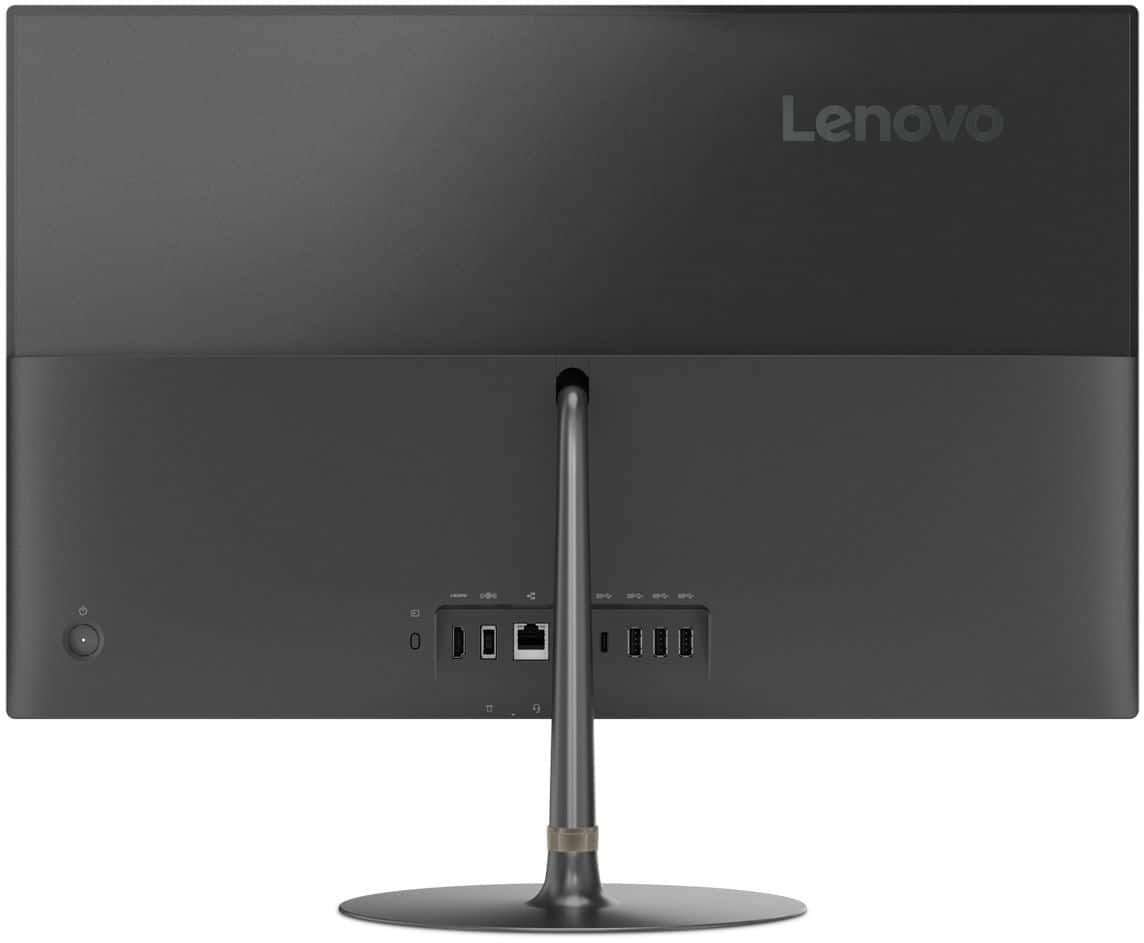
Customers have good things to say about the IdeaCentre 730S's screen size and ease of use, praising its sleek design and simple setup. Many appreciate the computer's performance and find the RAM sufficient for their needs. However, some customers express dissatisfaction with the sound quality of the built-in speakers and the limited number of USB ports.
This summary was generated by AI based on customer reviews.
- Pros mentioned:Ease of use, Performance
Great value
||Posted .This reviewer received promo considerations or sweepstakes entry for writing a review.Very happy with the performance and ease of setup!!
I would recommend this to a friendBrand response from Lenovo Product Expert
Posted .Thank you for choosing the Lenovo IdeaCentre 730s-24 All-In-One system. We are pleased to hear that the ease of setup and performance of the IdeaCentre 730s-24 AIO meets your computing needs so well.

- Pros mentioned:Processor speed
Hard to set up. Office 365 slow to open
||Posted .This reviewer received promo considerations or sweepstakes entry for writing a review.It is a nice machine. I bought it because it is supposed to be fast. But I have a problem opening window 365 products. Also it was diffick=ult to set up the cannon printer. I had to call support. otherwise it is ok.
I would recommend this to a friendBrand response from Lenovo Product Expert
Posted .There is a 30-day trial of Microsoft Office 365 included as part of the Windows 10 operating system. In order to keep the program active after the trial period, you will need to purchase a product key. You will not need to download any additional software. If you have installed another copy of Microsoft Office 365 this is causing a conflict. You will need to uninstall the second copy. Pairing any printer to a Windows 10 computer will depend on the specific pairing instructions provided by the printer manufacturer. Lenovo is the number #1 manufacturer of computers in the World: https://www.idc.com/getdoc.jsp?containerId=prUS44385418

- Pros mentioned:Performance
Fast, sleek
||Posted . Owned for 1 month when reviewed.This reviewer received promo considerations or sweepstakes entry for writing a review.My staff love the new AIO; it gets the job done! Had a little difficulty with recent updates; however, I think those impacted all users but it took my IT department to correct it as the system was unusable. Love it otherwise.
I would recommend this to a friend - Pros mentioned:Design, Processor speed

Stylish Powerhouse
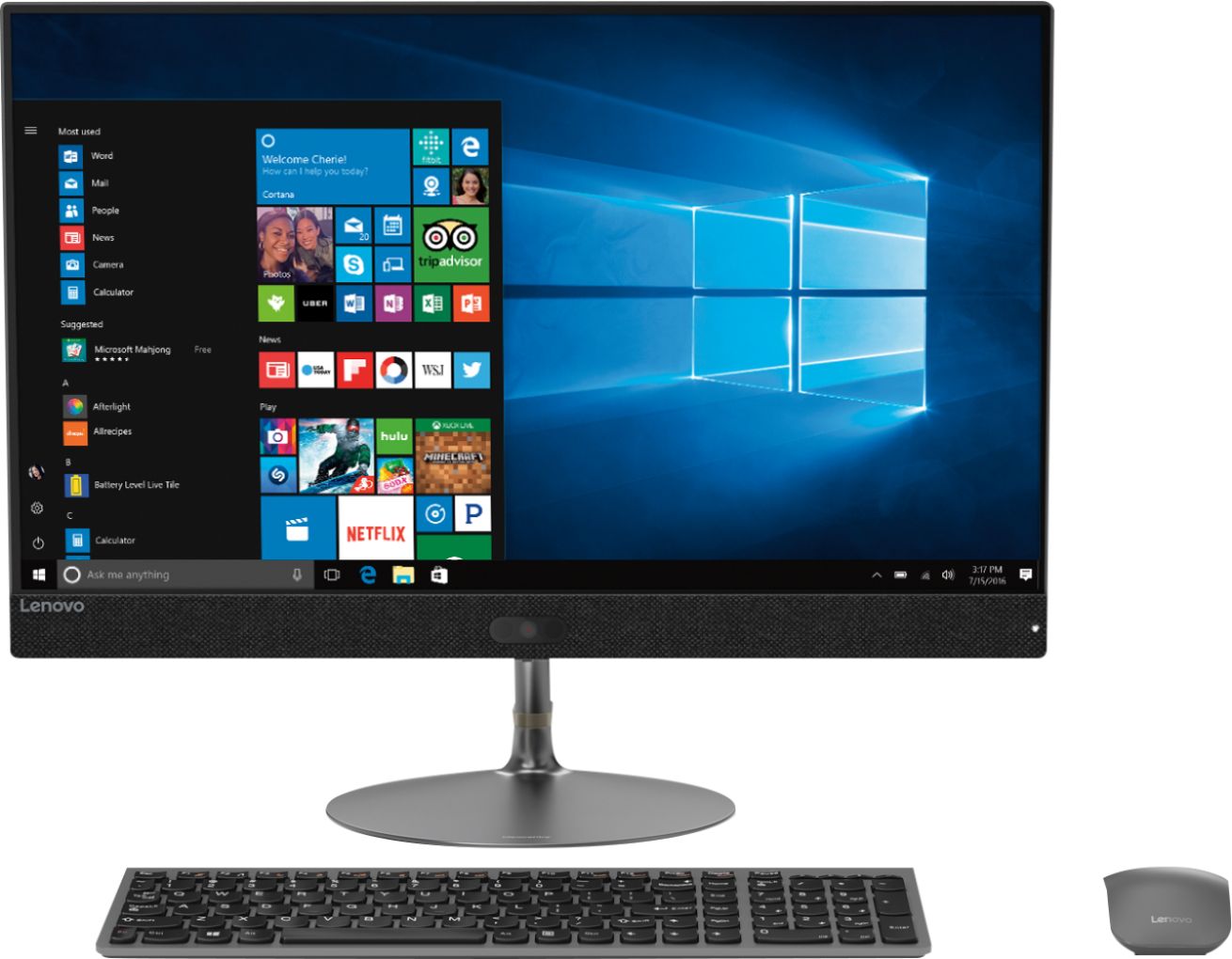
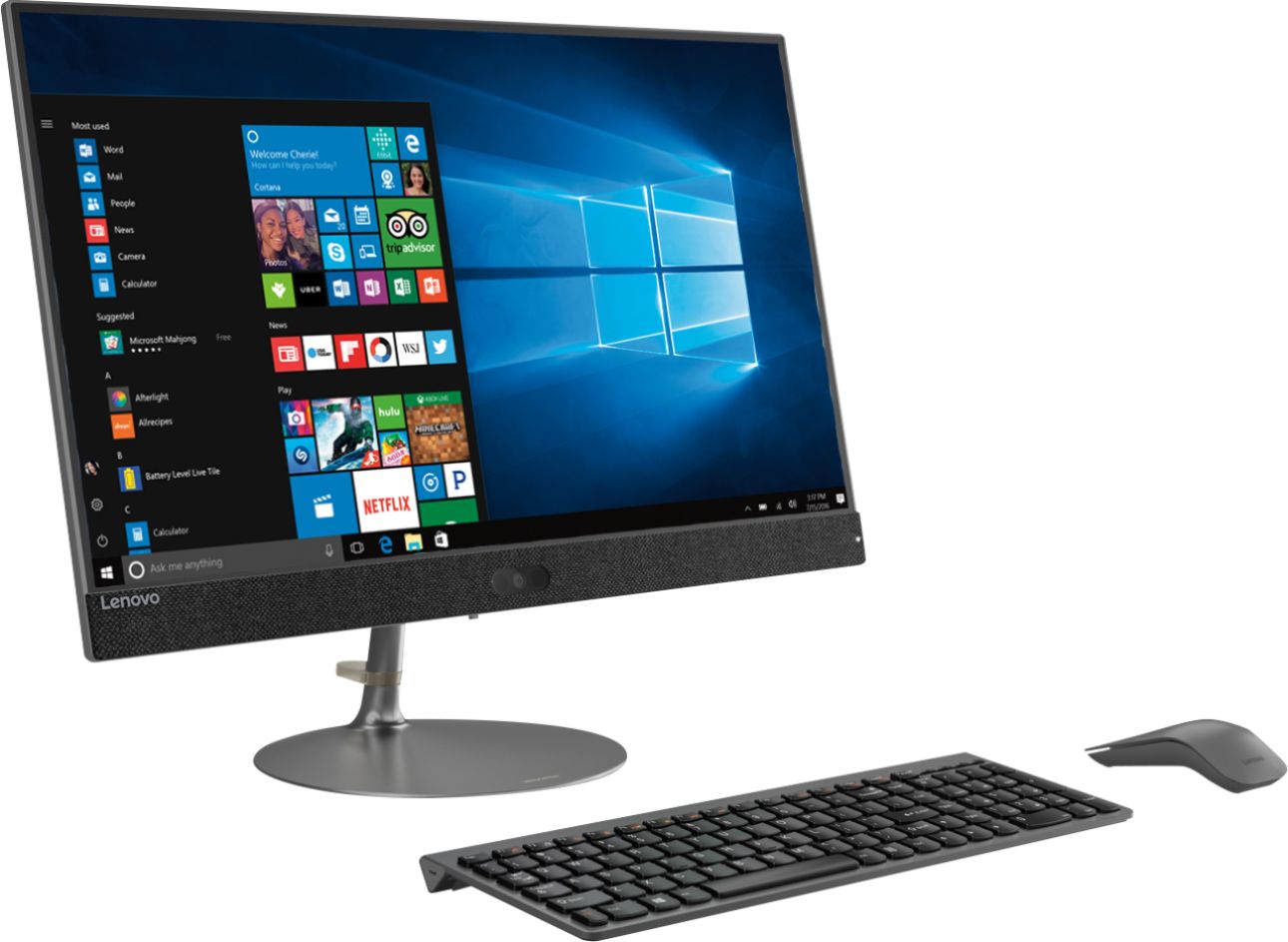
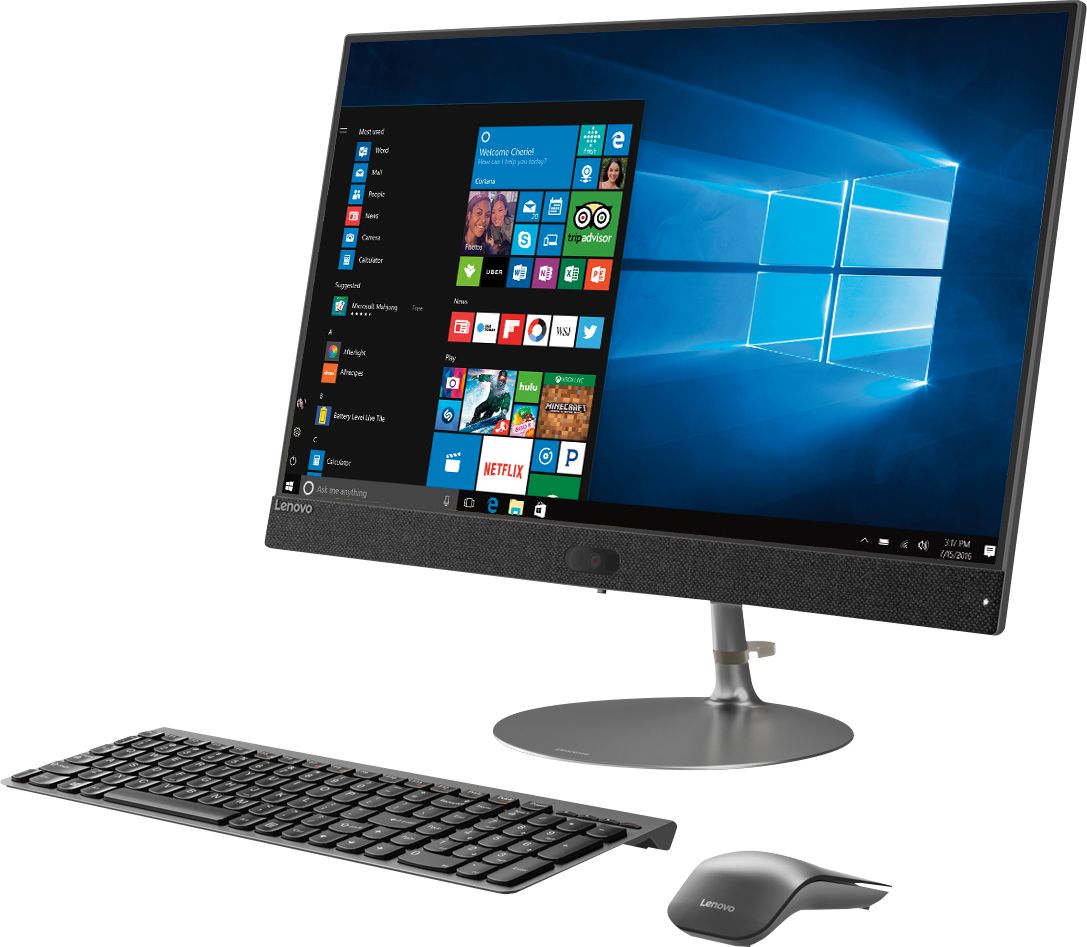
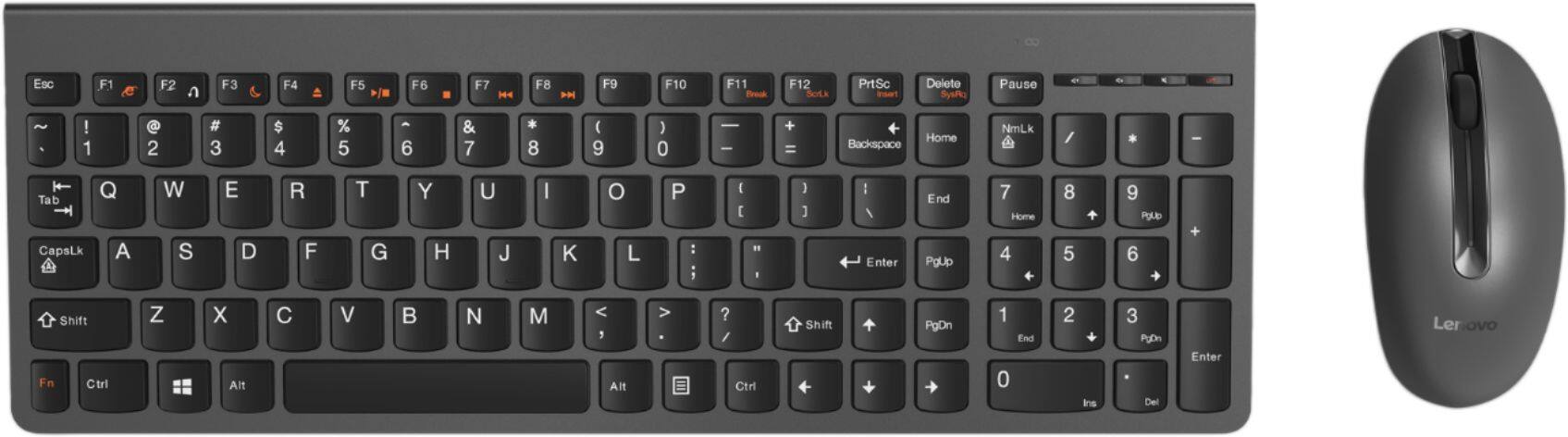
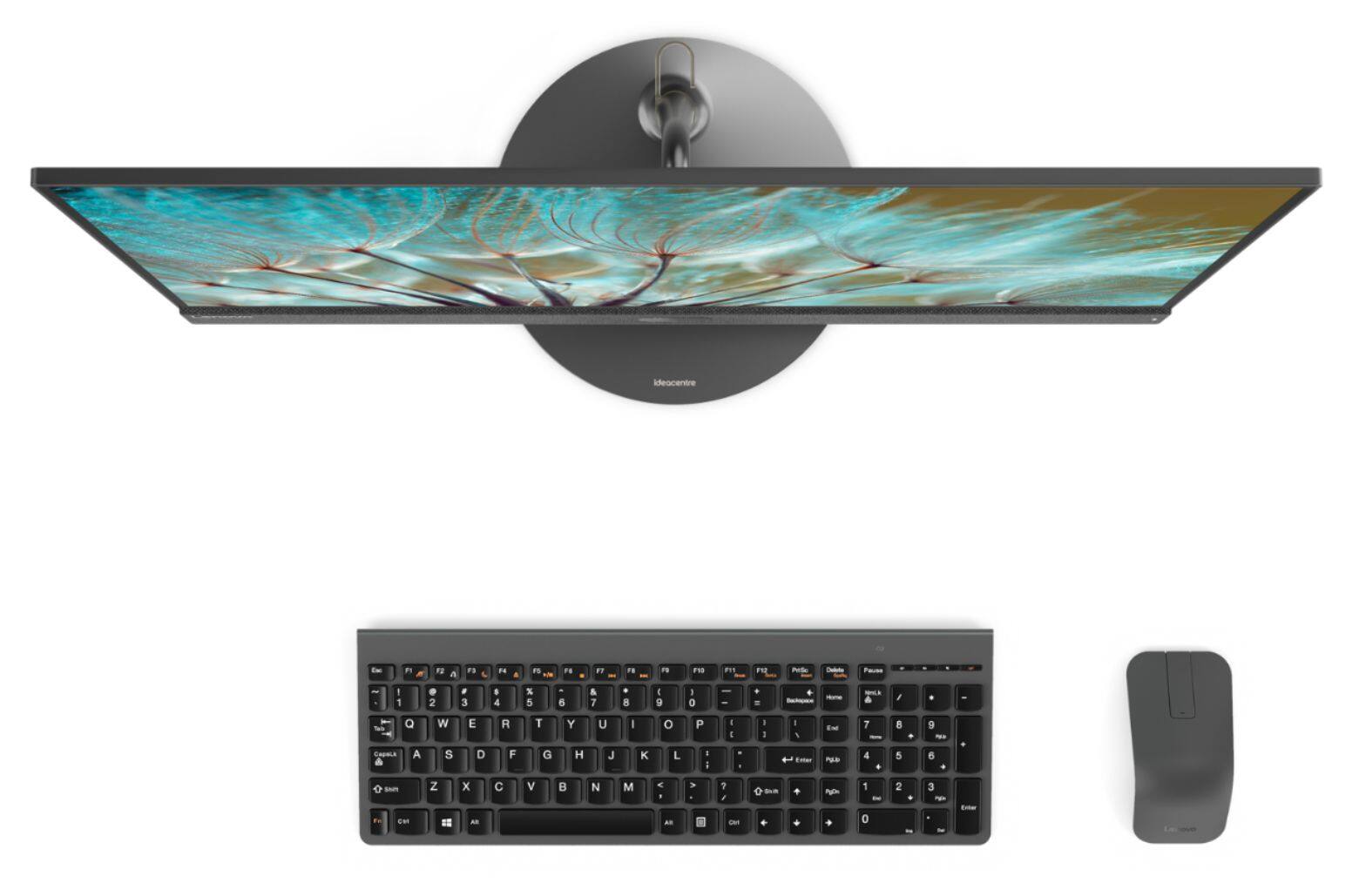
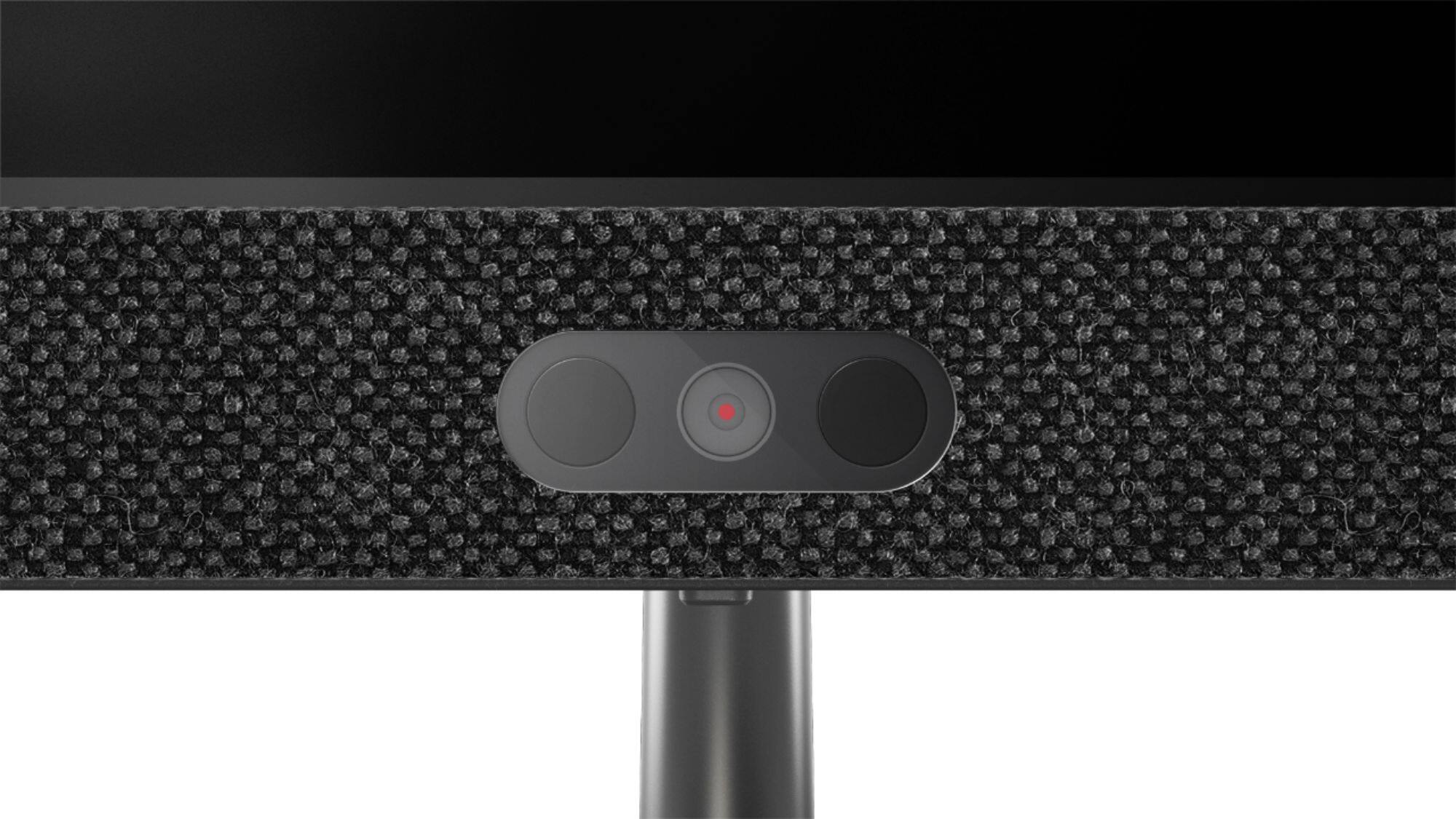
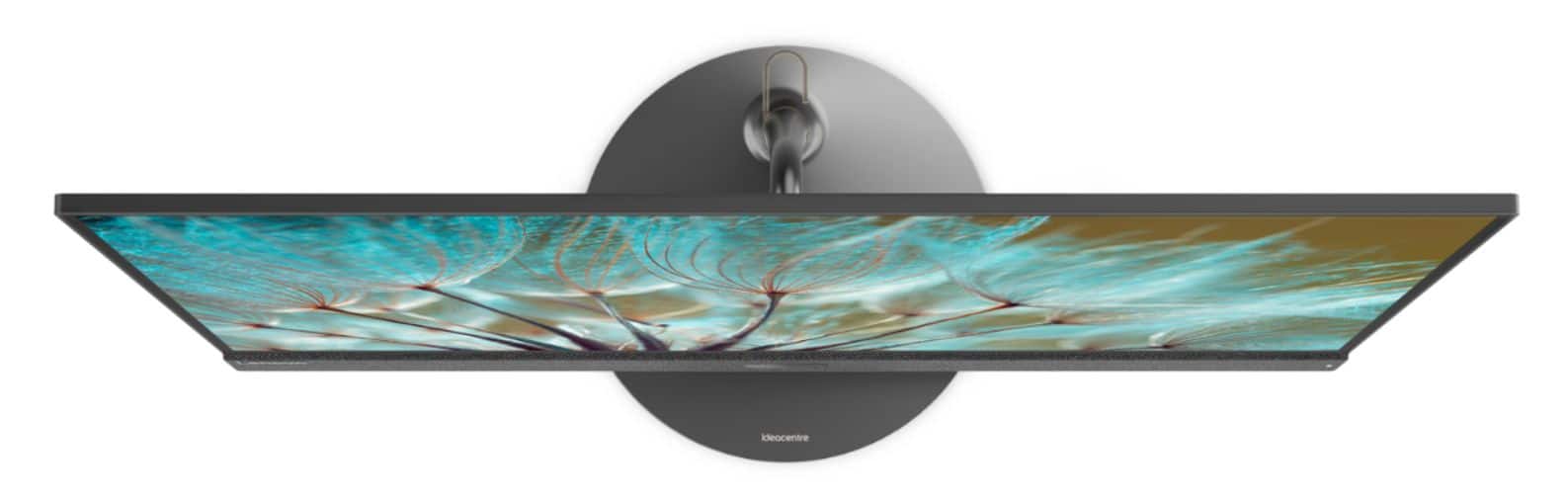
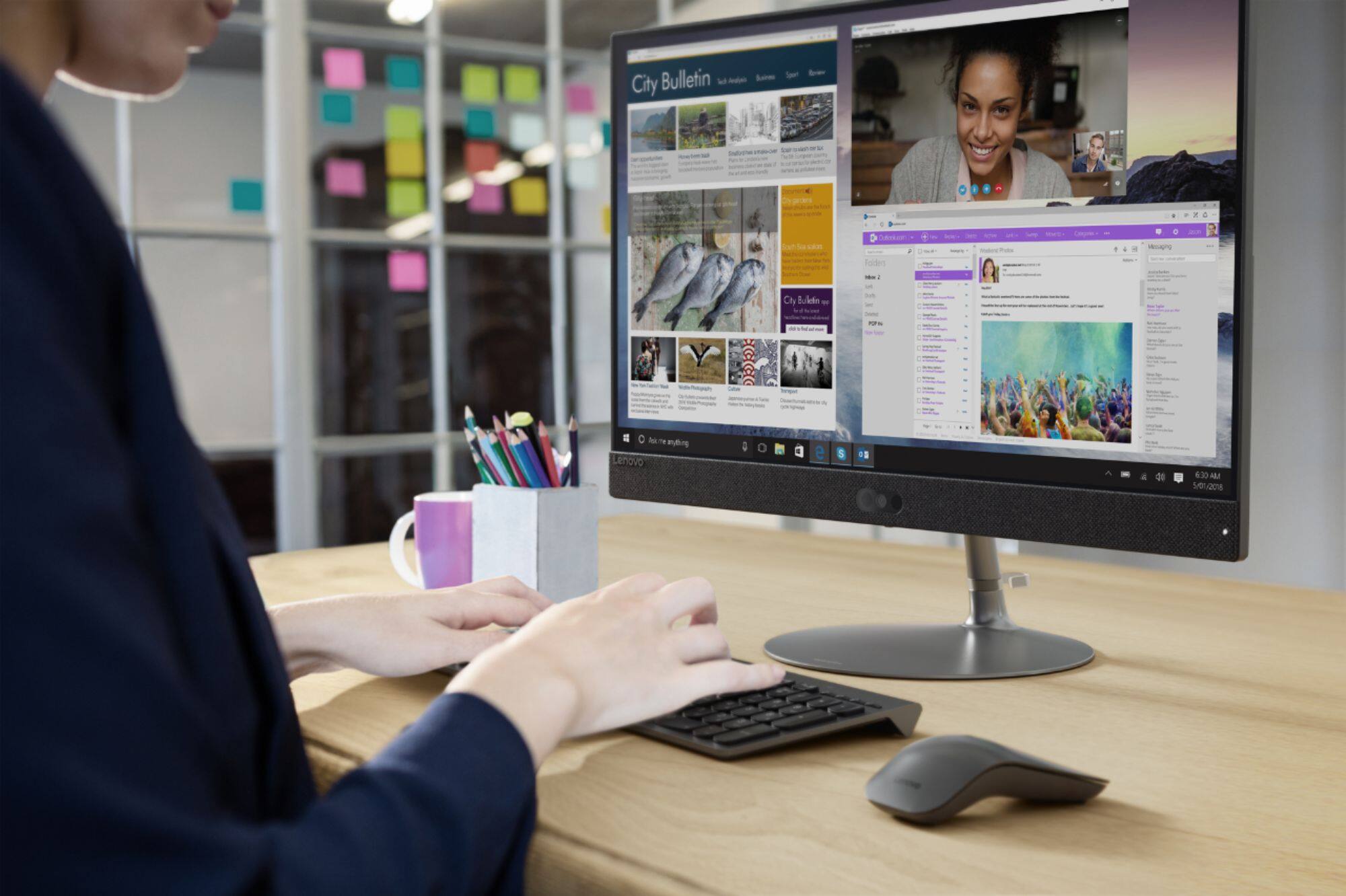
|Posted .This reviewer received promo considerations or sweepstakes entry for writing a review.Unboxing the Lenovo 730s 23.8 inch all in one computer was simple. Enclosed is the computer, a wireless keyboard, wireless mouse, batteries for each, and a very basic setup manual. The base for the computer is also separate and needs to be attached to the monitor with a simple thumb screw. A cool plastic cable organizer also fits between the base and neck of the monitor. Placing in in my office space I immediately take note of this Lenovo’s overall design. This baby is a stunner. The 730s is sleek, modern, and elegant looking. It’s hard to believe this is a computer since it looks far thinner than just a regular monitor. The main monitor section is barely over a fourth of an inch thick. Below that is a slight bump out for all its serious hardware. Its hard to imagine how it all fits. This thing packs a i7-8550U processor, a 1TB hard drive, 8GB of RAM, Intel UHD Graphics 620 graphics, 3 USB 3.0 ports, 1 USB C port, HDMI port, media reader, and a gigabit ethernet port. The build materials are truly rich looking. I really like the addition of a blue fabric to the lower front edge of the 730s. Almost denim looking. What an unusual and smart design choice. I eagerly powered the Lenovo 730s on to see how it performed. Anyone can set this computer up as you’re taken step by step by Cortana the Microsoft virtual assistant. Even better, many of the steps only require to simply verbally say yes or no. One part of setup took me by surprise when I was prompted to setup a facial recognition login option. No password, no pin, simply sit in front of the 730s and it recognizes your face via its infrared camera and logs you into windows. Love it! Along the way I connected to my wireless network and was up and running in no time. As I explored the 730s I was quickly pleased to see that there’s not a ton of bloatware installed on this system. Beyond the regular Windows features there are only a few Lenovo apps, a McAfee antivirus trial, and an Office 365 trial. As I put the Lenovo 730s through its paces the system I find I just love the near edge less touch screen display. Looks great. The system is super fast but I will say I was surprised to find it a bit more sluggish than I’m accustomed to. Certainly the I7-8550U with 6 cores is a great processor and 8GB of RAM is adequate. I suspect the issue is no SSD being present onboard. The 730s instead uses a 1TB 5400 rpm sata hard drive. I worried that there may be no upgrade options on such a sleek computer. I was quickly very relieved when I did some research and discovered that the 730s is upgradable to an SSD and also supports Intel Optane M.2 memory. You can also upgrade the RAM to 16GB. I’ll be doing these upgrades soon. This Lenovo 730s is my first all in one computer and is a stylish addition to my office. I love the minimalist look of a computer with no tower and no extra cables but one that still pack a punch with performance. You can’t go wrong here.
I would recommend this to a friendBrand response from Lenovo Product Expert
Posted .Thank you for choosing the Lenovo IdeaCentre 730s-24 All-In-One system. We are pleased to hear that the easy setup, features and performance of the IdeaCentre 730s-24 AIO meets your computing needs. This model is not user upgradable. A certified technician must do all of the work, so as to not void the warranty.
- Pros mentioned:Processor speed
great for work!
||Posted . Owned for 3 months when reviewed.This reviewer received promo considerations or sweepstakes entry for writing a review.This is my first purchase of a Lenovo product. I have been using it now for three months and it is working great. The speed is wonderful, the images crisp and clear.
I would recommend this to a friend - Pros mentioned:Screen size
Perfect for Home and Office
||Posted .This reviewer received promo considerations or sweepstakes entry for writing a review.Great computer, Great price . Very user friendly. The touch screen is an awesome feature . The only thing is that this computer has no disk drive sold with it.
I would recommend this to a friendBrand response from Lenovo Product Expert
Posted .Thank you for choosing the Lenovo IdeaCentre 730s-24 All-In-One system. You are correct, this model number F0DY000NUS, does not have a built in CD/DVD-RW drive.
- Pros mentioned:Screen size
Like touch screen
||Posted .This reviewer received promo considerations or sweepstakes entry for writing a review.The computer monitor is great for zooming in when it's hard to see what's on the screen. The external hard drive is convenient for on the go applications.
I would recommend this to a friendBrand response from Lenovo Product Expert
Posted .Thank you for choosing the Lenovo IdeaCentre 520-24 All-In-One system. We are pleased to hear that the features and performance of the IdeaCentre 730s-24 AIO meets your computing needs so well. The Lenovo IdeaCentre 730s-24 AIO does not ship with an external hard drive.
- Pros mentioned:Screen size
Loved it
||Posted .This reviewer received promo considerations or sweepstakes entry for writing a review.This computer works perfectly and it’s on for 24 hours NZ I purchase for businesses and very good also touch screen so convenient
I would recommend this to a friend - Pros mentioned:Ease of use
Great computer
||Posted . Owned for 3 weeks when reviewed.This reviewer received promo considerations or sweepstakes entry for writing a review.It’s a nice all-in-one Instant set up I have no complaints it’s for a person that has a hard time using computers and they have not a hard time
I would recommend this to a friend - Pros mentioned:Ease of use
Very satisfied
||Posted .This reviewer received promo considerations or sweepstakes entry for writing a review.Old computer was damaged by electric surge. New PC is so much better and easier to use. Geek squad was very helpful in explaining new Windows 10.
I would recommend this to a friendBrand response from Lenovo Product Expert
Posted .Thank you for choosing the lenovo IdeaCentre 730s-24 All-In-One system. With regard to learning your way around Windows 10, you may want to try YouTube.com (just type that address in your browser address window). There are hundreds for free instructional videos there about Windows 10. Just type Windows 10 Introduction in to the YouTube search window. You can watch free videos there that will show you the basics all the way up to tips and tricks videos and they're all free.
- Cons mentioned:Fan noise
Meets my need
||Posted .This reviewer received promo considerations or sweepstakes entry for writing a review.They keyboard is smaller, but once you get used to it it is okay. Also the fan does go on every so often, but I don't mind that.
I would recommend this to a friendBrand response from Lenovo Product Expert
Posted .Thank you for choosing the Lenovo IdeaCentre 730s-24 All-In-One system. The keyboard is interchangeable, so if you have another keyboard that you prefer that is Windows compatible, you should be able to use it with this system. The fan runs to maintain the proper operating temperature for the system, this is normal. We are pleased to hear that the IdeaCentre 730s-24 AIO meets your computing needs so well.
- Pros mentioned:Processor speed
Powerful
||Posted .This reviewer received promo considerations or sweepstakes entry for writing a review.I bought this for light duty Bill paying. I use it for work all the time. It's fast enough to handle programs like AutoCAD. Very impressed
I would recommend this to a friendBrand response from Lenovo Product Expert
Posted .Thank you for choosing the Lenovo IdeaCentre 730s-24 All-In-One system. We are pleased to hear that the performance of the IdeaCentre 730s-24 AIO meets your computing needs so well.
- Pros mentioned:Screen size
Awesome monitor for great price
||Posted .This reviewer received promo considerations or sweepstakes entry for writing a review.Purchased this monitor because I needed two screens. This is an Awesome monitor & great price. It moves up & down and tilts.
I would recommend this to a friendBrand response from Lenovo Product Expert
Posted .The Lenovo IdeaCentre 730s-24 is an All-In-One computing system, it is a computer and a monitor All-In-One. The screen will tilt to a -5-degrees forward to a -22-degrees backward. The screen does not adjust up and down.
great computer
||Posted .This reviewer received promo considerations or sweepstakes entry for writing a review.Used as a business desktop, extra memory is helpful, pop up webcam is a neat touch, not sure if I like it yet
I would recommend this to a friendBrand response from Lenovo Product Expert
Posted .Thank you for choosing the Lenovo IdeaCentre 730s-24 All-In-One system. The IdeaCentre 730s-24 AIO, model number F0DY000NUS, does not have a pop up web cam. The web cam is IR and Windows Hello capable. It is located in the middle, on the bottom frame of the screen.
- Pros mentioned:Ease of use
great computer for beginners
||Posted . Owned for 1 month when reviewed.This reviewer received promo considerations or sweepstakes entry for writing a review.affordable and working fine, clear picture with nice keyboard and easy to use mouse.
I would recommend this to a friend - Pros mentioned:Processor speed
Great camera features!
||Posted .This reviewer received promo considerations or sweepstakes entry for writing a review.Fast process and great, clear picture quality. Beginning load up is slow though
I would recommend this to a friendBrand response from Lenovo Product Expert
Posted .The Lenovo IdeaCentre 730s-24 All-In-One system will boot from off to the Windows 10 desktop in less than 40 seconds. If you are experiencing slower boot up, be sure any software you installed is compatible with Windows 10. There is no need to install Microsoft Office software. The software is already part of the operating system, you just need to activate the software with a purchased product key. If you have installed a copy of Microsoft Office, this is conflicting with the existing copy on the system and this will slow your system down. If you have installed a 3rd party anti-virus program, be sure that Windows Defender is turned off and that the trial version of McAfee Anti-Virus software is uninstalled. There can only be one anti-virus program on the system. You may need to restore your system to original factory default settings if any of the programing errors have occurred. You can do that by typing "restore" in the Cortana search window. Just click on the magnifying glass icon at the bottom left of your Windows 10 Desktop. Click on "Reset This PC" Then click on "Get Started" and follow the on screen directions to restore to factory defaults. If the problem persists, we recommend you contact Lenovo Tech Support at: 877-453-6686. Lenovo is the number #1 manufacturer of computers in the World:
https://venturebeat.com/2019/01/10/gartner-and-idc-hp-and-lenovo-shipped-the-most-pcs-in-2018-but-total-numbers-fell/
- Pros mentioned:Ease of use
Good product
||Posted .This reviewer received promo considerations or sweepstakes entry for writing a review.Very good product , I’ve been more confident to do my online classes with computer .
I would recommend this to a friendBrand response from Lenovo Product Expert
Posted .Thank you for choosing the Lenovo IdeaCentre 730s-24 All-In-One system. We are pleased to hear that the performance of the IdeaCentre 730s-24 AIO meets your computing needs so well.
- Pros mentioned:Screen size
solid computer all in one
||Posted . Owned for 3 weeks when reviewed.This reviewer received promo considerations or sweepstakes entry for writing a review.adequate screen size, better keyboard than most, quality build, stylish compared to others
I would recommend this to a friend - Pros mentioned:Processor speed
Fsst, clear computer.
||Posted .This reviewer received promo considerations or sweepstakes entry for writing a review.Fast, clear, great upgrade from my old computer. Also great service in transferring all my data.
I would recommend this to a friendBrand response from Lenovo Product Expert
Posted .Thank you for choosing the Lenovo IdeaCentre 730s-24 All-In-One-System. We are pleased to hear that the performance of the IdeaCentre 730s-24 AIO meets your computing needs so well.
- Pros mentioned:Ease of use
Great PC
||Posted .This reviewer received promo considerations or sweepstakes entry for writing a review.Great PC, easy to use and set up. The whole set up took less than 10 minutes
I would recommend this to a friendBrand response from Lenovo Product Expert
Posted .Thank you for choosing the Lenovo IdeaCentre 730s-24 All-In-One system. We are pleased to hear that the easy setup and performance of the IdeaCentre 730s-24 AIO meets your computing needs so well.