Customer Ratings & Reviews

- Model:
- F0DY000NUS
- SKU:
- 6203017
Rating by feature
- Value
Rating 4.3 out of 5 stars
- Quality
Rating 4.3 out of 5 stars
- Ease of Use
Rating 4.3 out of 5 stars
Customers are saying
Customers have good things to say about the IdeaCentre 730S's screen size and ease of use, praising its sleek design and simple setup. Many appreciate the computer's performance and find the RAM sufficient for their needs. However, some customers express dissatisfaction with the sound quality of the built-in speakers and the limited number of USB ports.
This summary was generated by AI based on customer reviews.
- Pros mentioned:Ease of use
Better Than It Has To Be!
||Posted .This reviewer received promo considerations or sweepstakes entry for writing a review.It's A Penny Worth Every Penny!? Real Easy To Set Up And Used!!
I would recommend this to a friendBrand response from Lenovo Product Expert
Posted .Thank you for choosing the Lenovo IdeaCentre 730s-24 All-In-One system. We are pleased to hear that the easy setup and use as well as the performance of the IdeaCentre 730s-24 AIO meets your computing needs so well.

- Pros mentioned:Processor speed
very good
||Posted .This reviewer received promo considerations or sweepstakes entry for writing a review.no problem out of this computer. It is fast and efficient!
I would recommend this to a friendBrand response from Lenovo Product Expert
Posted .Thank you for choosing the Lenovo IdeaCentre 730s-24 All-In-One system. We are pleased to hear that the IdeaCentre 730s-24 AIO meets your computing needs so well.
- Pros mentioned:Processor speed
Great Computer
||Posted .This reviewer received promo considerations or sweepstakes entry for writing a review.Very stylish computer with fast speed and programming
I would recommend this to a friendBrand response from Lenovo Product Expert
Posted .Thank you for choosing the Lenovo IdeaCentre 730s-24 All-In-One system. We are pleased to hear that the performance of the IdeaCentre 730s-24 AIO meets your computing needs so well.

good product
||Posted .This reviewer received promo considerations or sweepstakes entry for writing a review.After buying one Lenovo desktop that had to be returned as a lemon, I was leery of another. But this one has everything it is supposed to and (so far ) nothing it is not supposed to do. I still resent the mfr, for a lack of useful operating instructions, online or on paper.
I would recommend this to a friendBrand response from Lenovo Product Expert
Posted .Thank you for choosing the Lenovo IdeaCentre 730s-24 All-In-One system. All documentation is now available online for this model. Here is the link to all the documentation for this model: https://pcsupport.lenovo.com/us/en/products/desktops-and-all-in-ones/700-series/aio-730s-24ikb/documentation. We recommend you call Lenovo Tech Support if you need further assistance at: 877-453-6686.
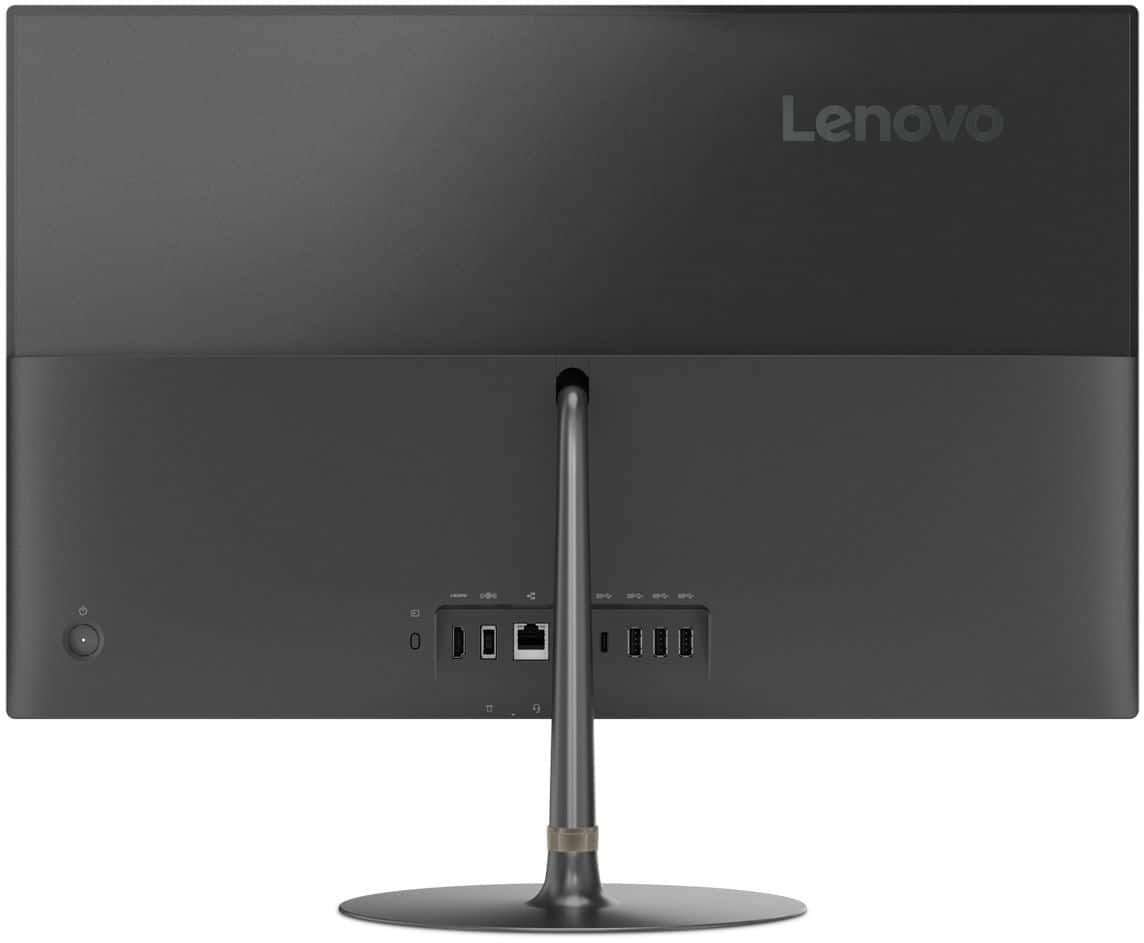
- Pros mentioned:PerformanceCons mentioned:Usb ports

Nice little all in one!
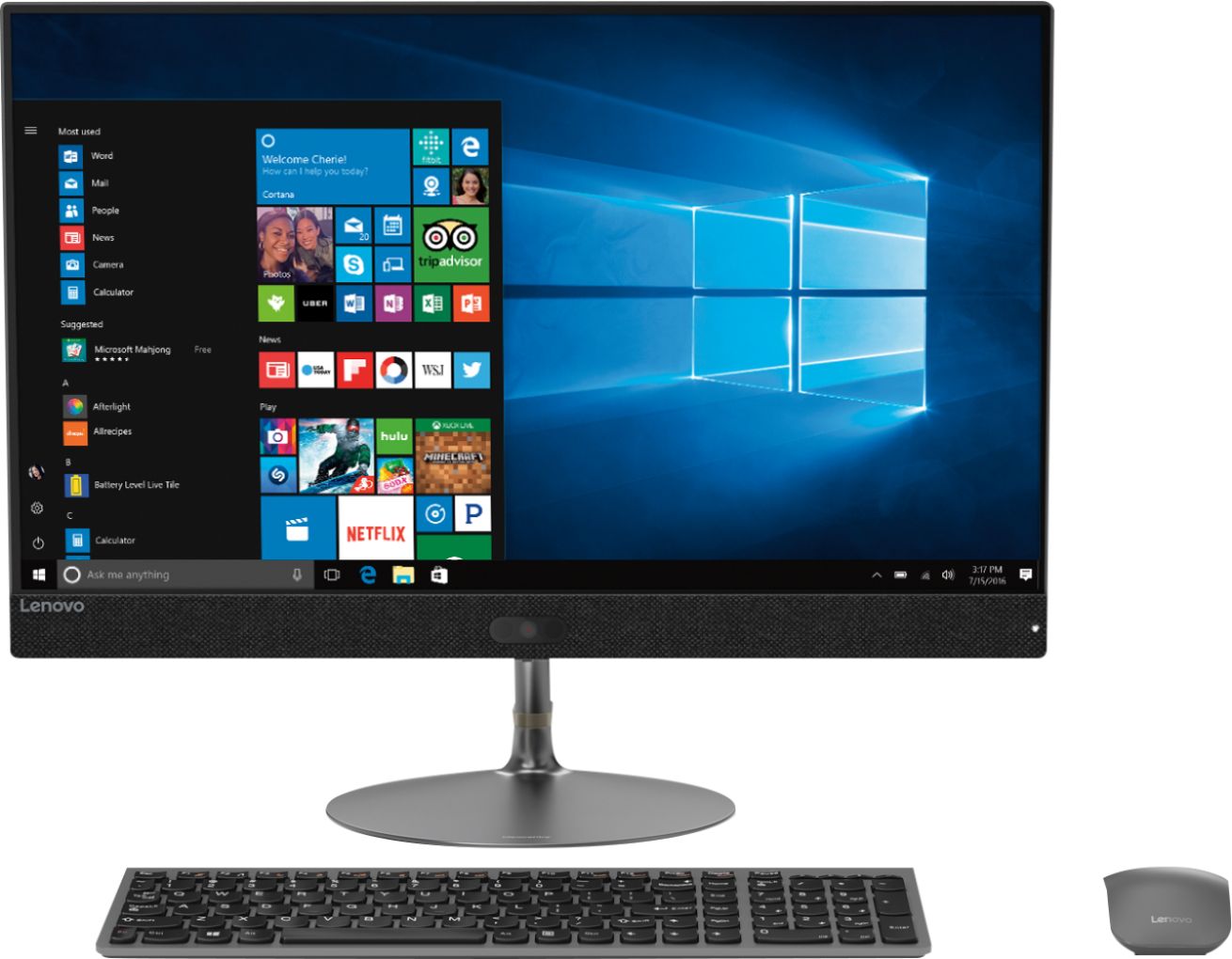
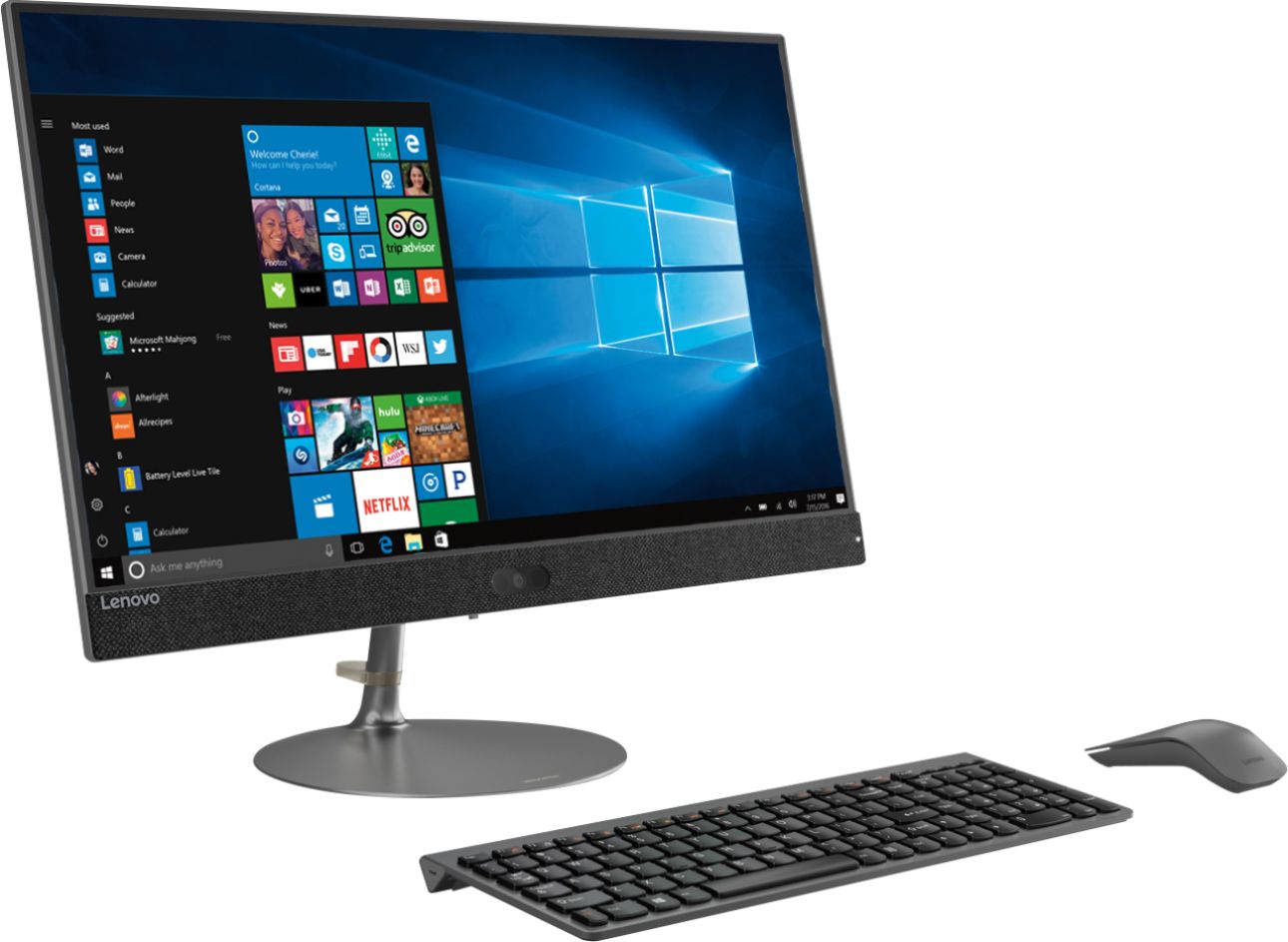
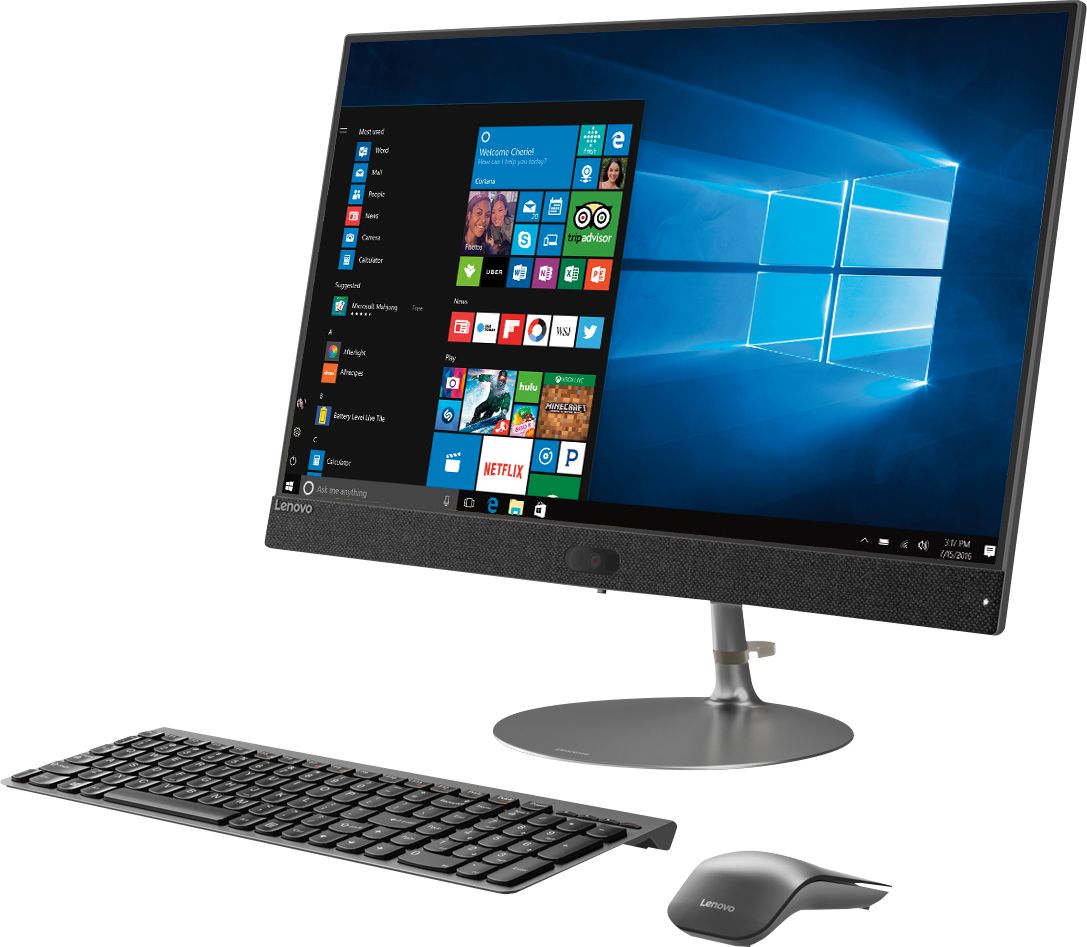
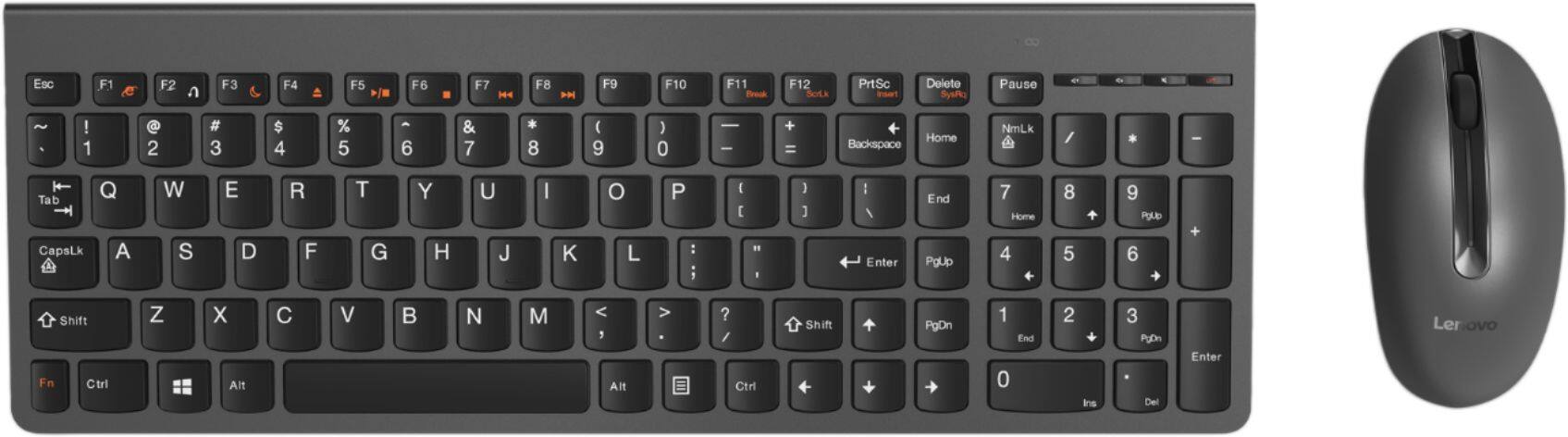
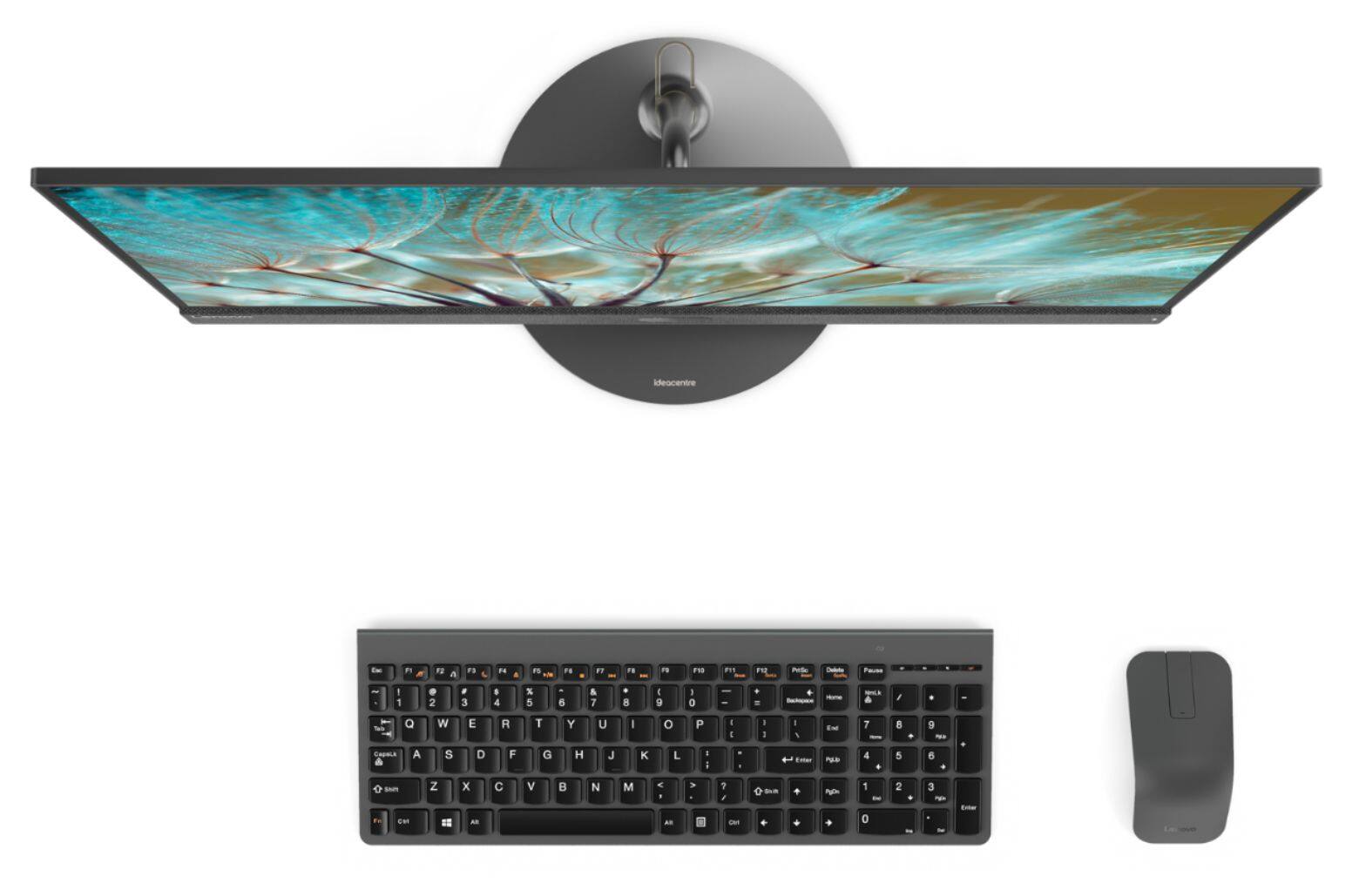
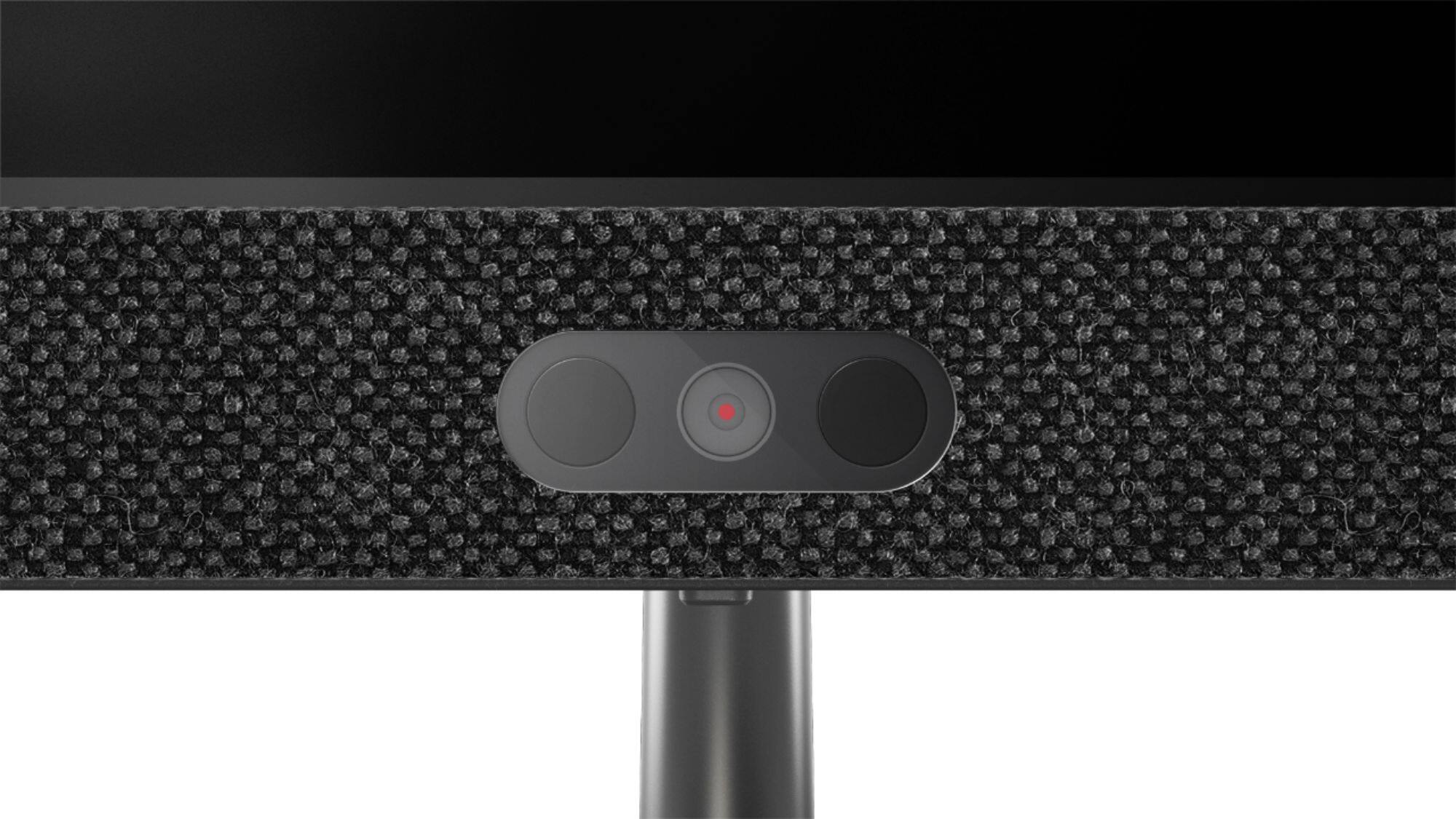
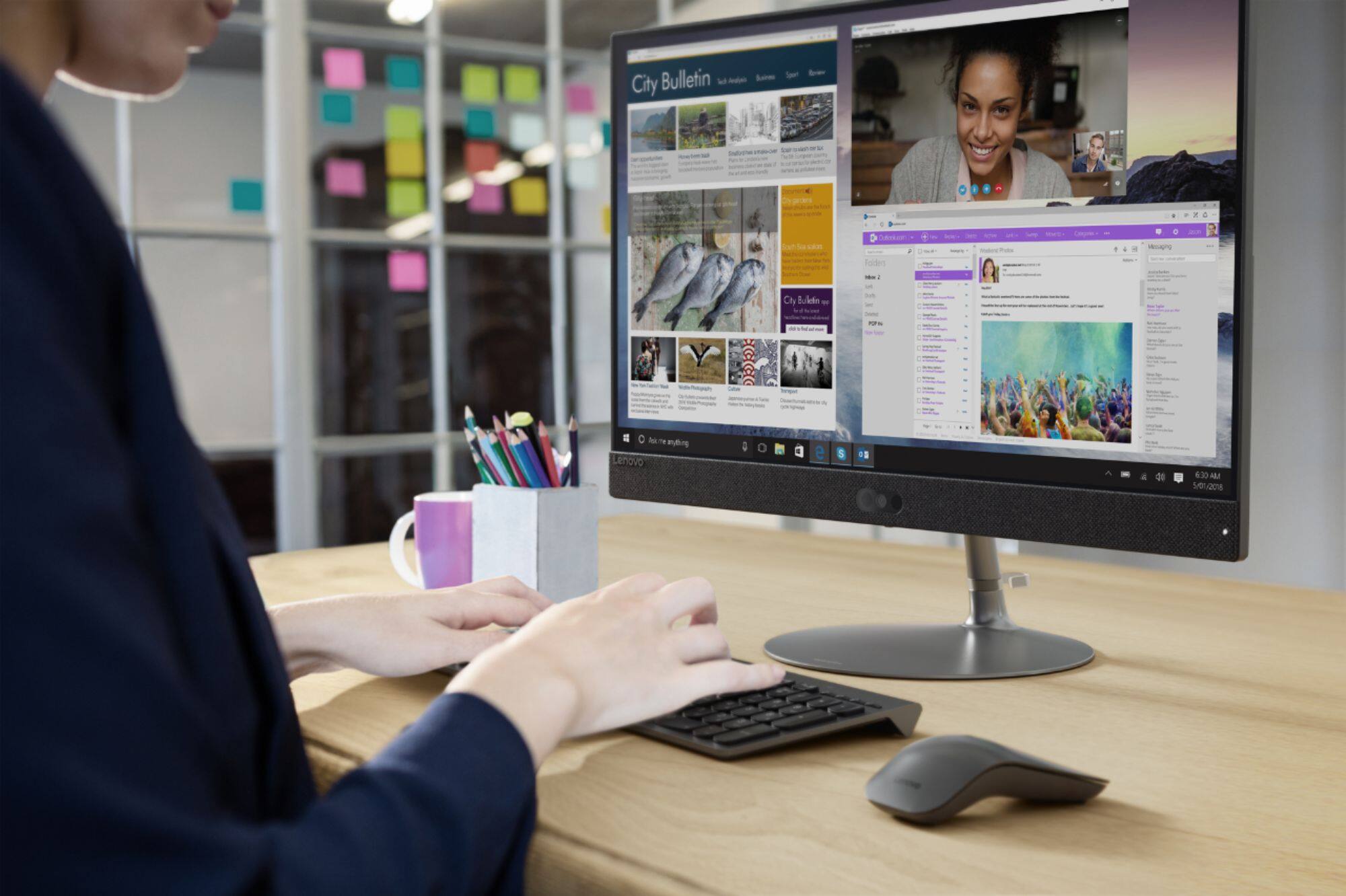
|Posted .This reviewer received promo considerations or sweepstakes entry for writing a review.This is my first time owning a all in one computer. I have always preferred having a big desktop computer that was easy to upgrade components. But now that I dont need a big powerful machine, I decided to give one of these all in one units a try. As far as the unboxing and setup...it really couldn't be any easier. You just screw in the stand to the base of the actual; computer and thats it, you are good to go! Both the keyboard and mouse are wireless. The keyboard seems pretty solid, but the mouse seems to be a bit on the cheap side. Not to mention to use the included mouse you have to give up one of your USB ports for the dongle. Considering there are only 3 standard USB ports on this computer that can be a big downside! Would have made much more sense to have the dongle either integrated into the machine, or to include a Bluetooth mouse so a dongle wouldn't be needed at all. So thats one thing in the negative column. Setting up the computer is basically the same as any other computer. Since thats part of the windows operating system and doesn't have much to do with the performance of this computer I wont mention much about that. But after you unbox it you will be up and running in about 10-15 minutes. Performance wise, it is pretty good. This wouldn't be a hardcore gaming computer or high end video editing machine or anything like that. But for the average user I think it is more than enough power. These all in one units are essentially laptops on a stand. So you can expect about the same performance as you would out of a laptop with similar specs. One cool feature of this machine is the touchscreen. I have a touchscreen computer at work that I use everyday, so this is a very nice feature for me to have on my home computer as well. I find it to be very responsive and work well. You can even do things like pinching to make a page smaller or spreading 2 fingers out to zoom in like you can on tablets. I also didn't notice fingerprints on the screen either, so thats another big plus for a touchscren computer, you wont have to constantly be cleaning it. The display is also very clear for being more of a matte type screen. 1080p videos look very crisp and clear. The audio leaves a bit to be desired though. But what can you expect from small built in laptop type speakers. It also has a built in webcam, but it is mounted at the bottom of the screen. I have never unsderstood why companies do that, because it looks weird when you are trying to video chat or take pictures and it looks like you are looking higher than the camera is. But its OK video quality and would work for basic video chatting and taking pictures. As far as upgradability goes. I may be wrong, but it doesnt look like you would easily be able to open it up to do simple things like add more ram. So you are pretty much stuck with what you get. One other thing on the negative is that it uses a 5400 rpm hard drive. So your speed and performance will always be limited by that. I would have liked to see at least a hybrid drive where the OS was on a solid state drive and the a separate drive for storage. Overall, I would say this is a very solid computer with a few minor annoyances. I think for most average computer users this would be a very solid option. Definitely check it out if you are on the lookout for a space saving desktop computer!
I would recommend this to a friendBrand response from Lenovo Product Expert
Posted .Thank you for choosing the Lenovo IdeaCentre 730s-24 All-In-One system. The reason for the Web cam being at the bottom of the screen is to keep the bezel around the screen as narrow as possible. We are pleased to hear that the IdeaCentre 730s-24 AIO is working out so well for you.
Pretty good. Still getting used to it.
||Posted .This reviewer received promo considerations or sweepstakes entry for writing a review.It only has Microsoft edge. No google chrome. I was used to a dell computer so it is going to take me awhile to get used to this. I like the idea of no big monitor, everything is in the screen. The keyboard is easy to use.
I would recommend this to a friendBrand response from Lenovo Product Expert
Posted .Thank you for choosing he Lenovo IdeaCentre 730s-24 All-In-One system. You can install Chrome Browser onto Windows 10. Here is a link to instructions for doing so: https://windowstechies.com/how-to-install-google-chrome-in-windows-10-online-and-offline-2/
Great PC!
||Posted .This reviewer received promo considerations or sweepstakes entry for writing a review.This was my first desktop purchase, but I wanted something that my entire family could use easily. My kids can do their homework on it with ease and it fits and looks great in a common space in our home. I love the privacy shutter on the webcam, too.
I would recommend this to a friendBrand response from Lenovo Product Expert
Posted .Thank you for choosing the Lenovo IdeaCentre 730s-24 All-In-One system for your family. We are pleased to hear that the features and performance of the IdeaCentre 730s-24 AIO meets your computing needs so well.
great high speed computer
||Posted .This reviewer received promo considerations or sweepstakes entry for writing a review.this computer replaced another all in one which was slow overburdened with apps intel 3 etc and failed 2 weeks afterl the warrenty period expired it was not a Lenovo this one is great so far lightening fast and simple to use
I would recommend this to a friendBrand response from Lenovo Product Expert
Posted .Thank you for choosing the lenovo IdeaCentre 730s-24 All-In-One system. We are pleased to hear that the performance of the IdeaCentre 730s-24 AIO meets your computing needs so well.
Great computer
||Posted .This reviewer received promo considerations or sweepstakes entry for writing a review.I have had this computer for about 7 months now, and I’m still very pleased with the purchase. I use it for work, music , and daily browsing. I would recommend it to anyone looking to use it the same as I do.
I would recommend this to a friendBrand response from Lenovo Product Expert
Posted .Thank you for choosing the Lenovo IdeaCentre 730s-24 All-In-One system. We are pleased to hear that the IdeaCentre 730s-24 AIO meets your computing needs so well.
Great power, Less space.
||Posted . Owned for 3 weeks when reviewed.This reviewer received promo considerations or sweepstakes entry for writing a review.I've been thrilled with my new Lenovo All In One. Does everything I need it to do. I'm kind of old school so I added a DVD Drive. The B/B salesman was super in helping make my PC selection.
I would recommend this to a friendGreat computer.
||Posted .This reviewer received promo considerations or sweepstakes entry for writing a review.I was upset that it didn't come with a "hand held" help manual but with the help of the Geek Squad and $50 we got files transferred. He answered my questions so I was confident using the new computer.
I would recommend this to a friendBrand response from Lenovo Product Expert
Posted .Thank you for choosing the Lenovo IdeaCentre 730s-24 All-In-One system. All documentation is now available online. Here is a link to all documentation for this model: https://pcsupport.lenovo.com/us/en/products/desktops-and-all-in-ones/700-series/aio-730s-24ikb/documentation
- Pros mentioned:Processor speed
Good computer
||Posted .This reviewer received promo considerations or sweepstakes entry for writing a review.Computer is great, works fast but keyboard does not connect well with computer and when it does, the number keypad does not work.
No, I would not recommend this to a friendBrand response from Lenovo Product Expert
Posted .Thank you for choosing the Lenovo IdeaCentre 730s-24 All-In-One system. Regarding the issues you describe with your wireless keyboard and mouse, be sure you have turned on "NumLock" on the 10-key numeric pad of the wireless keyboard. If the issues continue, here is a link to some trouble shooting tips: https://support.lenovo.com/us/en/solutions/ht103985. If the issues still continue, we recommend you call Lenovo Tech Support for help with your specific issue at: 877-453-6686.
No complaints.
||Posted .This reviewer received promo considerations or sweepstakes entry for writing a review.I like my computer a lot. Especially the large monitor, the keyboard is smaller but it takes daily practice. I have not tried the camera yet. Valentine Day may be the time to take pictures.
I would recommend this to a friendBrand response from Lenovo Product Expert
Posted .Thank you for choosing the lenovo IdeaCentre 730s-24 All-In-One system. We are pleased to hear that the features and performance of the IdeaCentre 730s-24 AIO meets your computing needs so well.
Great Deal
||Posted .This reviewer received promo considerations or sweepstakes entry for writing a review.Great computer for accessing the Internet In order to get homework assignments and complete them. Touch screen works great The monitor can be used for gameplay Or watching content through Xbox
I would recommend this to a friendBrand response from Lenovo Product Expert
Posted .Thank you for choosing the Lenovo IdeaCentre 730s-24 All-In-One system. We are pleased to hear that the features and performance of the IdeaCentre 730s-24 AIO meets your computing needs so well.
Lenovo - IdeaCentre 730S 23.8" Touch-Screen
||Posted . Owned for 9 months when reviewed.This reviewer received promo considerations or sweepstakes entry for writing a review.The Lenovo - IdeaCentre 730S 23.8" Touch-Screen All-In-One - Intel Core i7 - 8GB Memory - 1TB Hard Drive - Iron Gray is fast and easy to use.
I would recommend this to a friendGreat All-Around PC
||Posted .This reviewer received promo considerations or sweepstakes entry for writing a review.Works well, right out of the box. Easy set-up. Handles all the every day tasks I throw at it, even though none of which are memory intensive. Great computer for a great price.
I would recommend this to a friendBrand response from Lenovo Product Expert
Posted .Thank you for choosing the Lenovo IdeaCentre 730s-24 All-In-One system. We are pleased to hear that the ease of setup and performance of the IdeaCentre 730s-24 AIO meets your computing needs so well.
Slow
||Posted .This reviewer received promo considerations or sweepstakes entry for writing a review.You would think a brand new computer with the processing speed and memory this has would not freeze up all the time or be terribly slow downloading images, but it is. The computer we replaced, which was 8 years old, ran faster. It does have a really nice monitor though.
No, I would not recommend this to a friendBrand response from Lenovo Product Expert
Posted .This is a fast system with its Quad-Core/Eight-Thread Intel Core i7-8550U processor and 8GB of RAM. Be sure any software you installed is compatible with Windows 10. There is no need to install Microsoft Office software. The software is already part of the operating system, you just need to activate the software with a purchased product key. If you have installed a copy of Microsoft Office, this is conflicting with the existing copy on the system and this will slow your system down. If you have installed a 3rd party anti-virus program, be sure that Windows Defender is turned off and that the trial version of McAfee Anti-Virus software is uninstalled. There can only be one anti-virus program on the system. You may need to restore your system to original factory default settings if any of the programing errors have occurred. You can do that by typing "restore" in the Cortana search window. Just click on the magnifying glass icon at the bottom left of your Windows 10 Desktop. Click on "Reset This PC" Then click on "Get Started" and follow the on screen directions to restore to factory defaults. If the problem persists, we recommend you contact Lenovo Tech Support at: 877-453-6686.
Good for price
||Posted .This reviewer received promo considerations or sweepstakes entry for writing a review.This computer works really good for what I use it for. It takes a little longer to boot up than what I would like it to but in all it’s a good computer
I would recommend this to a friendBrand response from Lenovo Product Expert
Posted .The Lenovo IdeaCentre 730s-24 All-In-One system should boot from off to the Windows 10 desktop in less than 40 seconds. Be sure any software you installed is compatible with Windows 10. There is no need to install Microsoft Office software. The software is already part of the operating system, you just need to activate the software with a purchased product key. If you have installed a copy of Microsoft Office, this is conflicting with the existing copy on the system and this will slow your system down. If you have installed a 3rd party anti-virus program, be sure that Windows Defender is turned off and that the trial version of McAfee Anti-Virus software is uninstalled. There can only be one anti-virus program on the system. You may need to restore your system to original factory default settings if any of the programing errors have occurred. You can do that by typing "restore" in the Cortana search window. Just click on the magnifying glass icon at the bottom left of your Windows 10 Desktop. Click on "Reset This PC" Then click on "Get Started" and follow the on screen directions to restore to factory defaults. If the problem persists, we recommend you contact Lenovo Tech Support at: 877-453-6686.
So far so good
||Posted . Owned for 1 month when reviewed.This reviewer received promo considerations or sweepstakes entry for writing a review.Runs a little shower than I was hoping, but seems to be working just fine. The camera is not bad for built in but the mic could use some work.
I would recommend this to a friendGreat Computer For Support
||Posted .This reviewer received promo considerations or sweepstakes entry for writing a review.Although probably not the best computer for primary use, this one was terrific for my office support staff-and the price was really great!
I would recommend this to a friendBrand response from Lenovo Product Expert
Posted .The Lenovo IdeaCentre 730s-24 All-In-One system. This configuration can handle just about any computing task. This all-in-one PC that keeps it simple, yet smart With Intel Core I-7 processing, this super slim all-in-one PC can handle almost any task. Maximize your entertainment with a nearly edgeless 23.8" display. Best of all, the stylish Ideacentre AIO 730s will look great on your desk without crowding it.