Customer Ratings & Reviews

- Model:
- F0DY000NUS
- SKU:
- 6203017
Rating by feature
- Value
Rating 4.3 out of 5 stars
- Quality
Rating 4.3 out of 5 stars
- Ease of Use
Rating 4.3 out of 5 stars
Customers are saying
Customers have good things to say about the IdeaCentre 730S's screen size and ease of use, praising its sleek design and simple setup. Many appreciate the computer's performance and find the RAM sufficient for their needs. However, some customers express dissatisfaction with the sound quality of the built-in speakers and the limited number of USB ports.
This summary was generated by AI based on customer reviews.
- Pros mentioned:Ease of use, PerformanceCons mentioned:Usb ports

Good Computer With Some Minor Issues
|Posted .This reviewer received promo considerations or sweepstakes entry for writing a review.This is a good computer that was easy to set up. My first problem with it, though, is that it came with absolutely no written information about the computer. I also dislike that it does not have a DVD drive. However, I just connected an external DVD drive. On the plus side the wireless mouse and keyboard connected very easily. I also connected this to a second computer screen and that was very easy as well. It comes with 30 days of McAfee and 30 days of Microsoft Office, which is pretty standard. The computer runs pretty fast and there is plenty of space. I have experienced no lag so far. There is not a lot of USB ports, which I also consider a problem. I do not plug my phone or tablet into the computer because there is only 3 USB ports. I do appreciate the HDMI port, though. Overall, a good computer but nothing really stands out about it that would take it from a good computer to a great computer.
I would recommend this to a friendBrand response from Lenovo Product Expert
Posted .Thank you for choosing the Lenovo IdeaCentre 730s-24 All-in-One system. All documentation is now available online. Here is a link to the User's Guide for this model: https://download.lenovo.com/consumer/desktop_pub/aio_730s_hmm_20180329.pdf. If you need more USB ports, you may want to consider using a USB hub with this device.

Too early to tell......
||Posted . Owned for 1 month when reviewed.This reviewer received promo considerations or sweepstakes entry for writing a review.Haven't been able to use it much yet. Wish Lenovo would have provided an instruction book on operating their computer so I'm not spending time clicking around & trying to figure what's what.
I would recommend this to a friend- Pros mentioned:Screen size
Love this All in One Desktop.
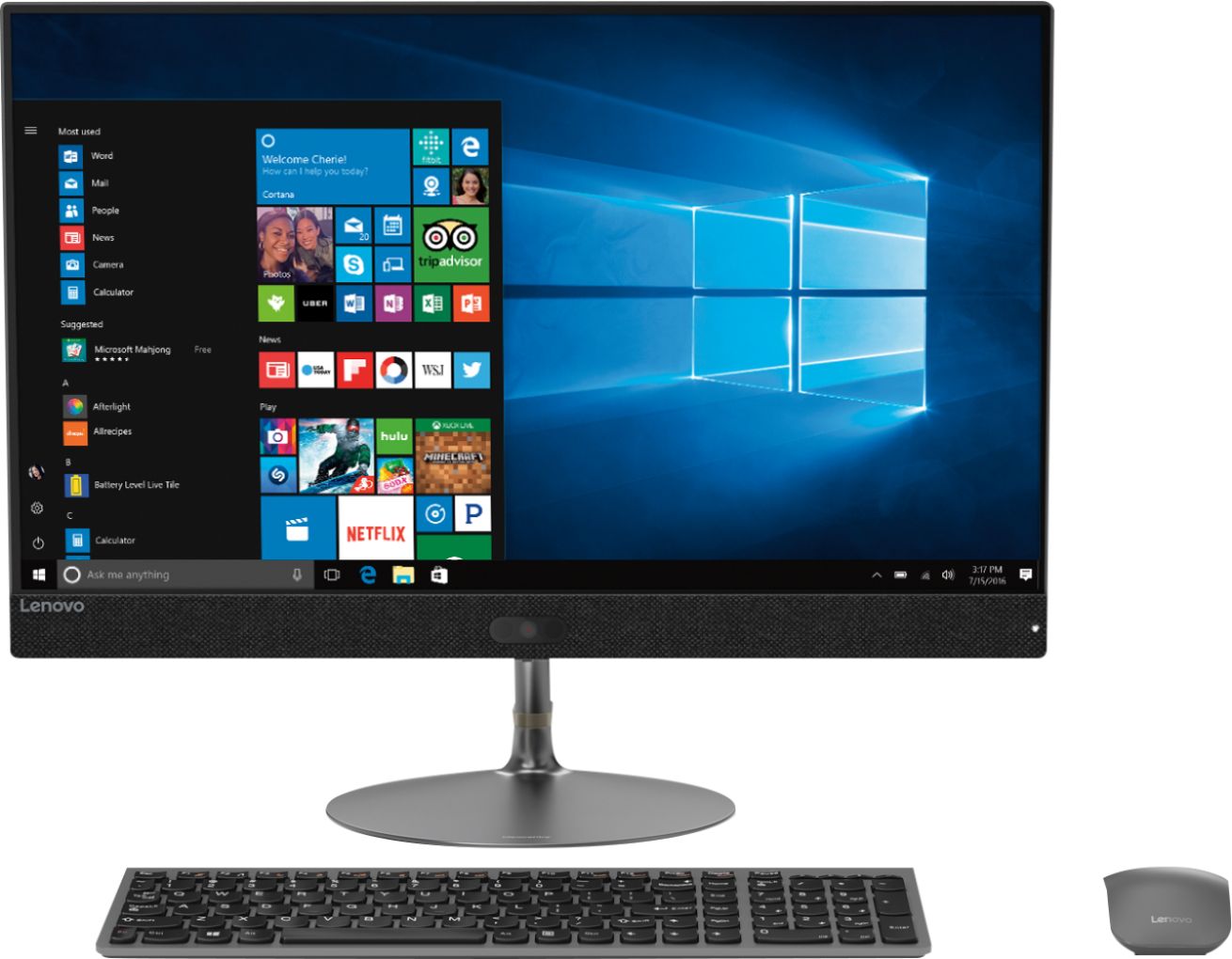
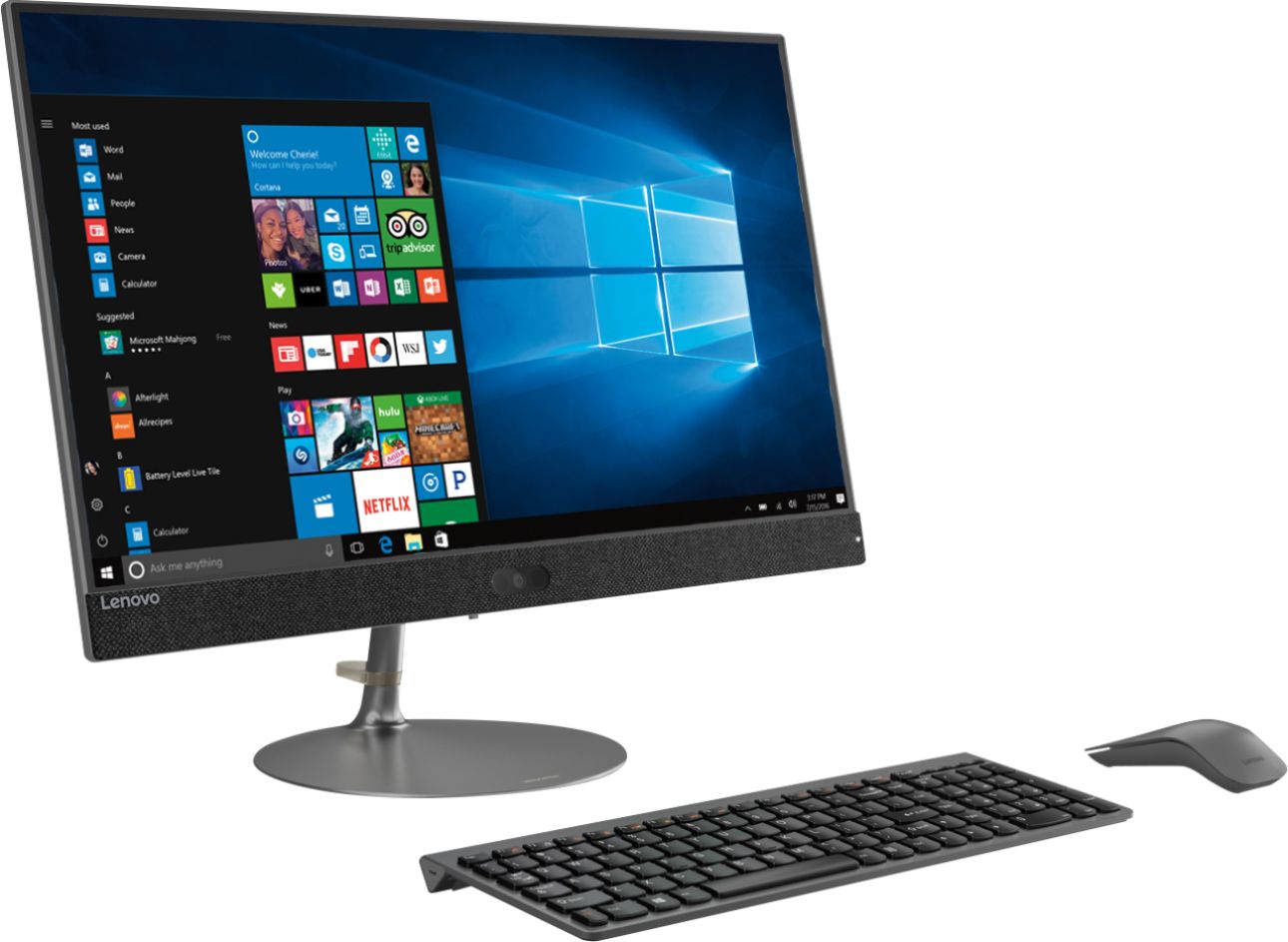
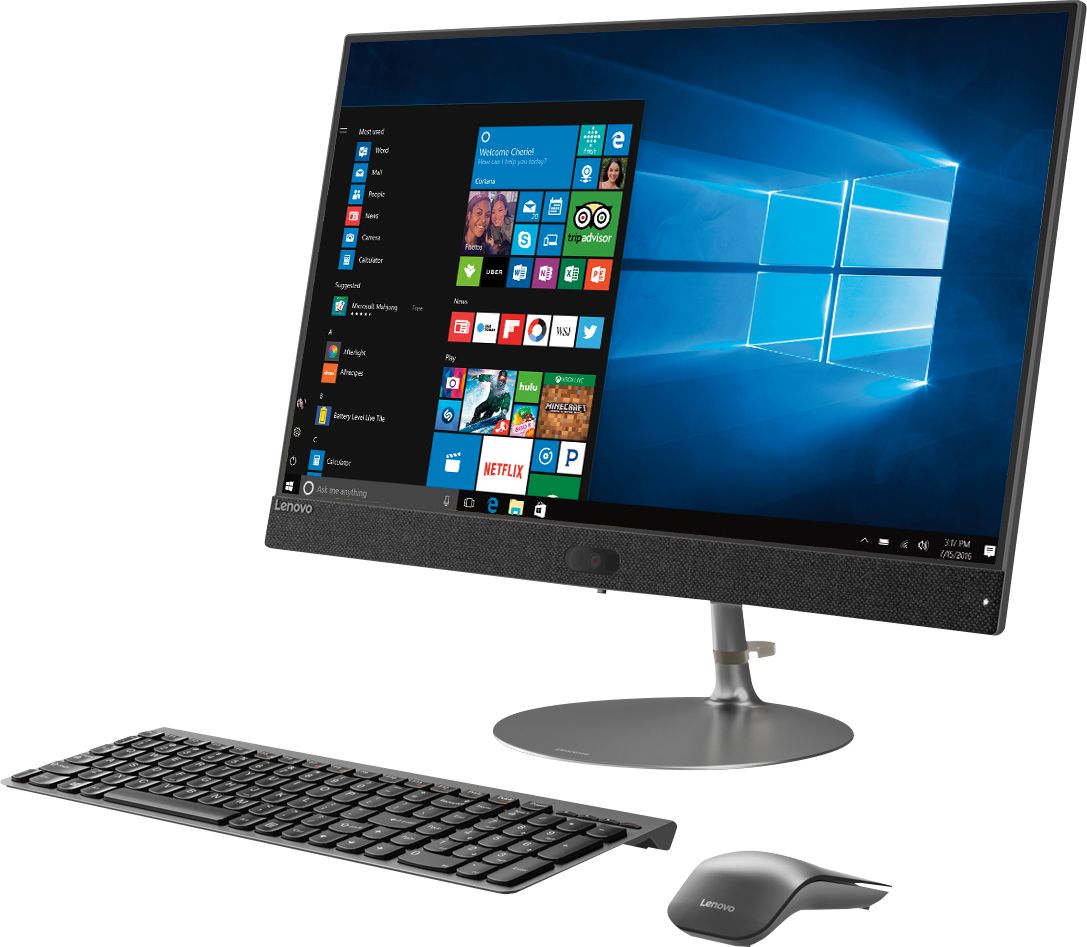
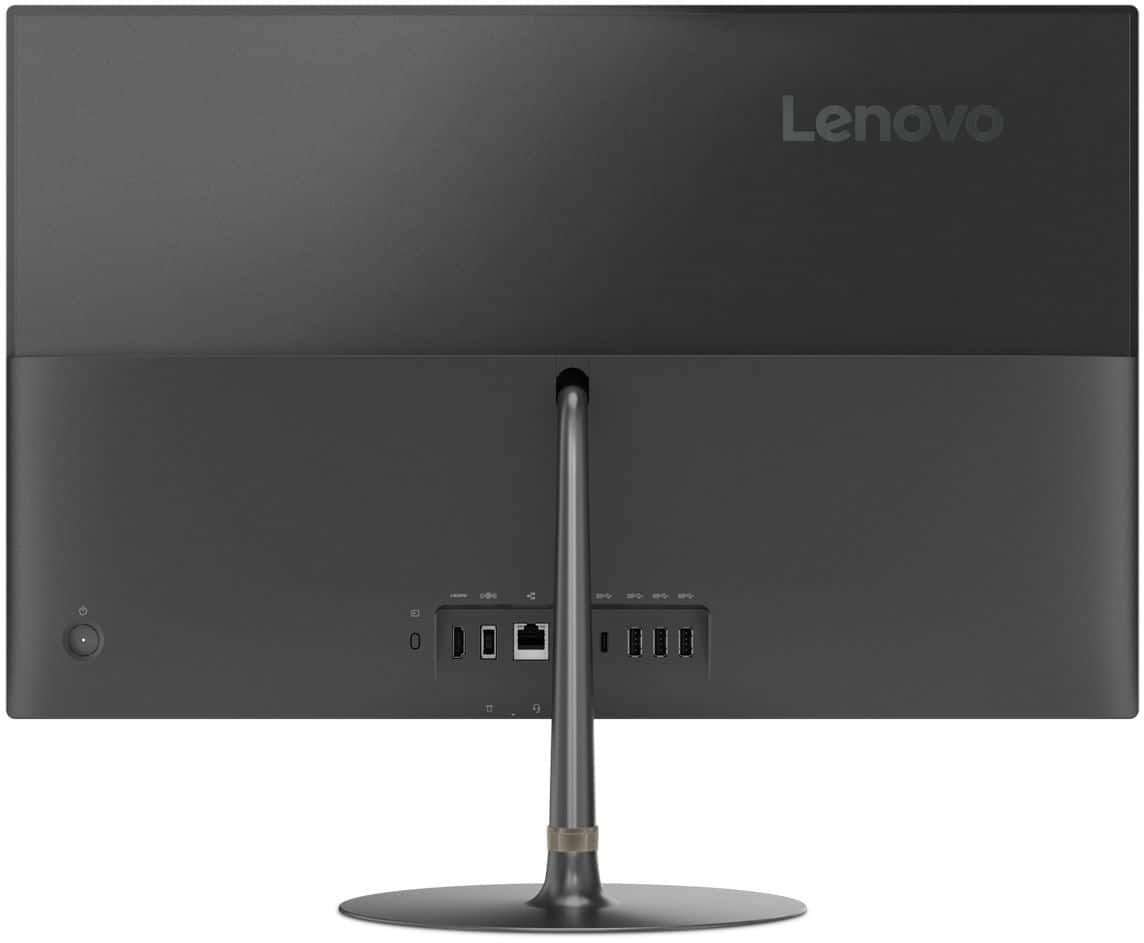
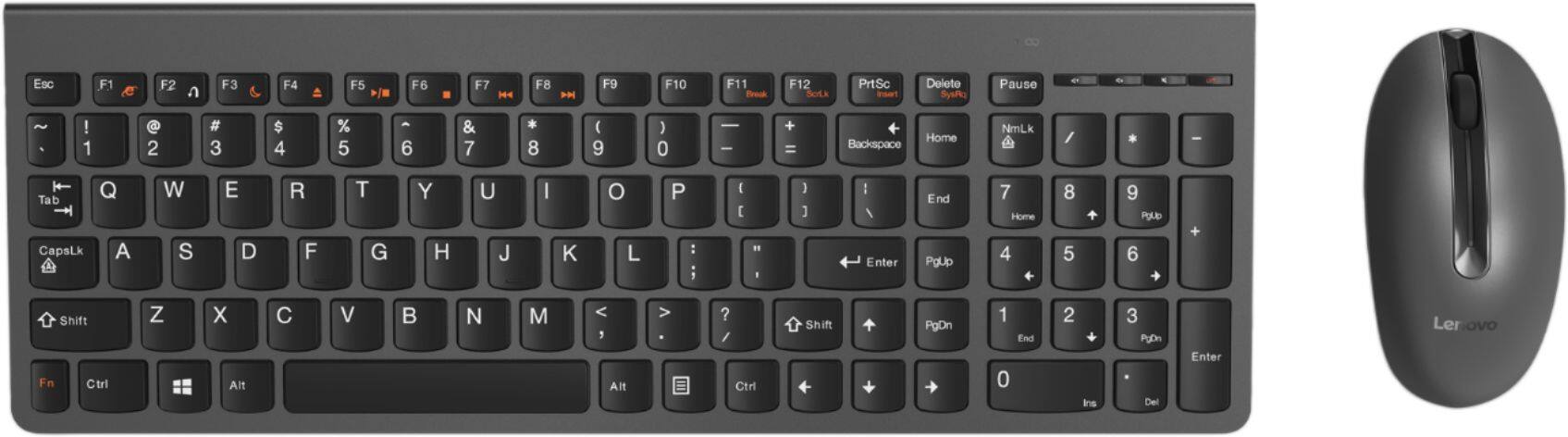
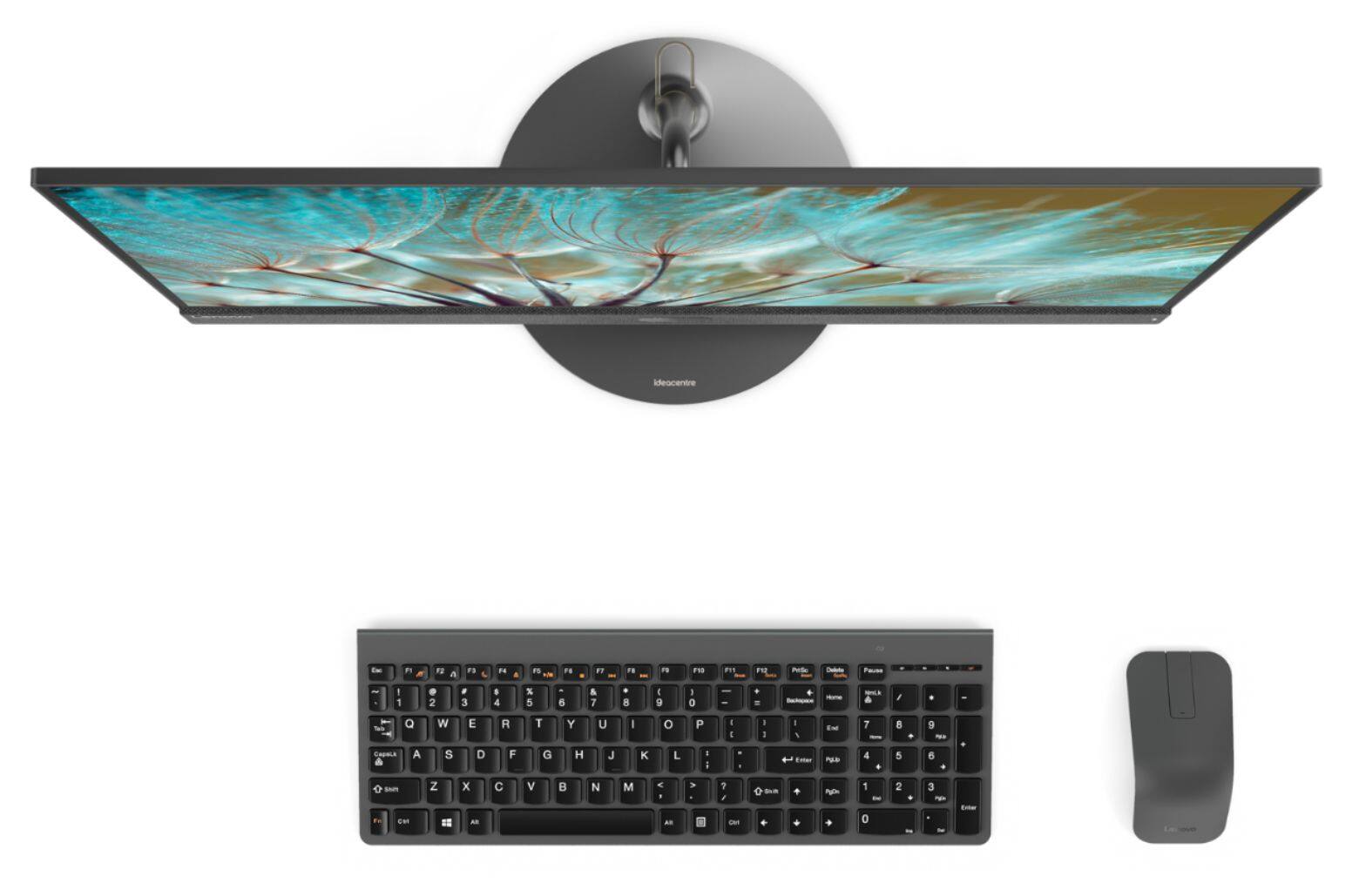
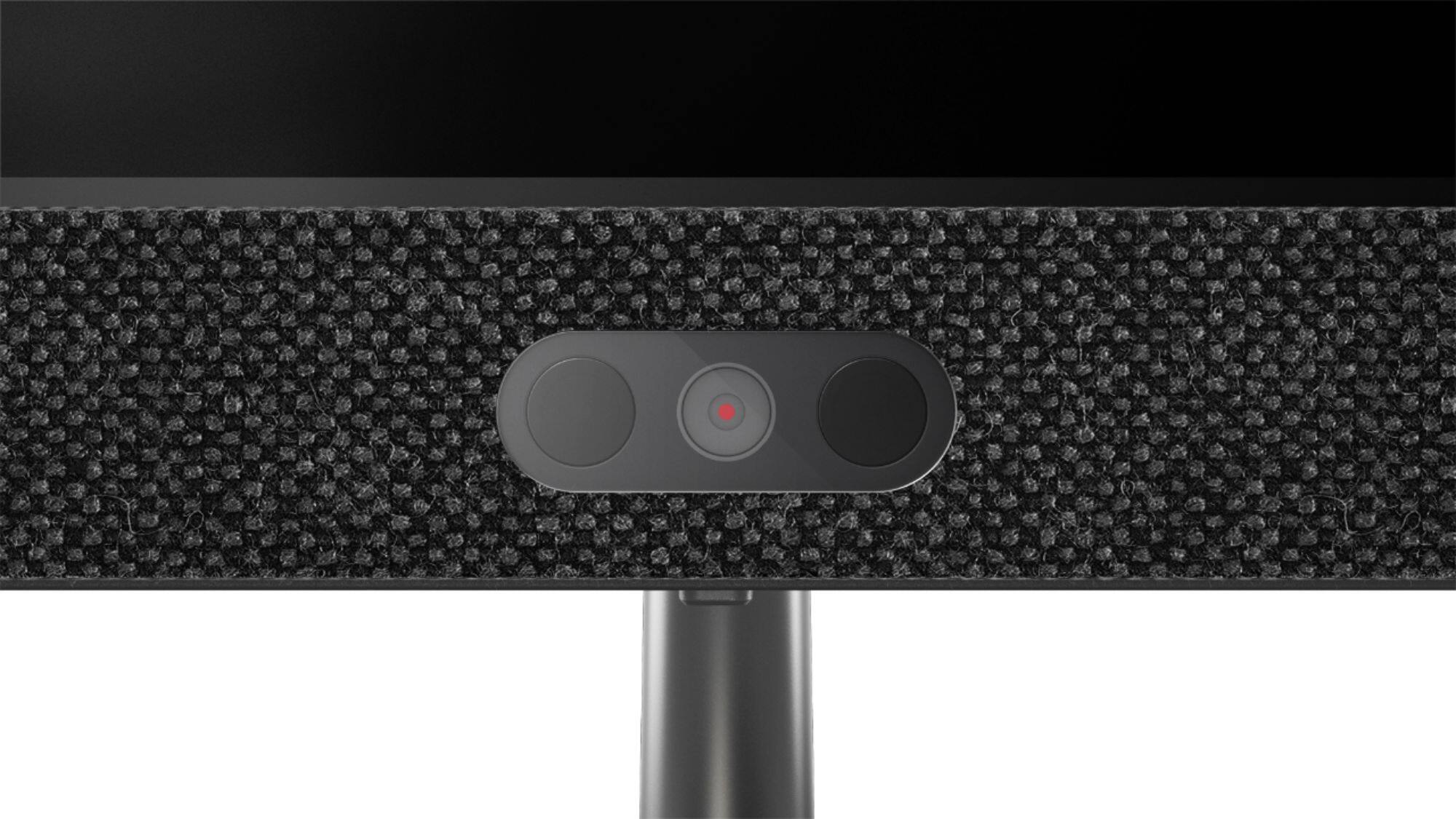
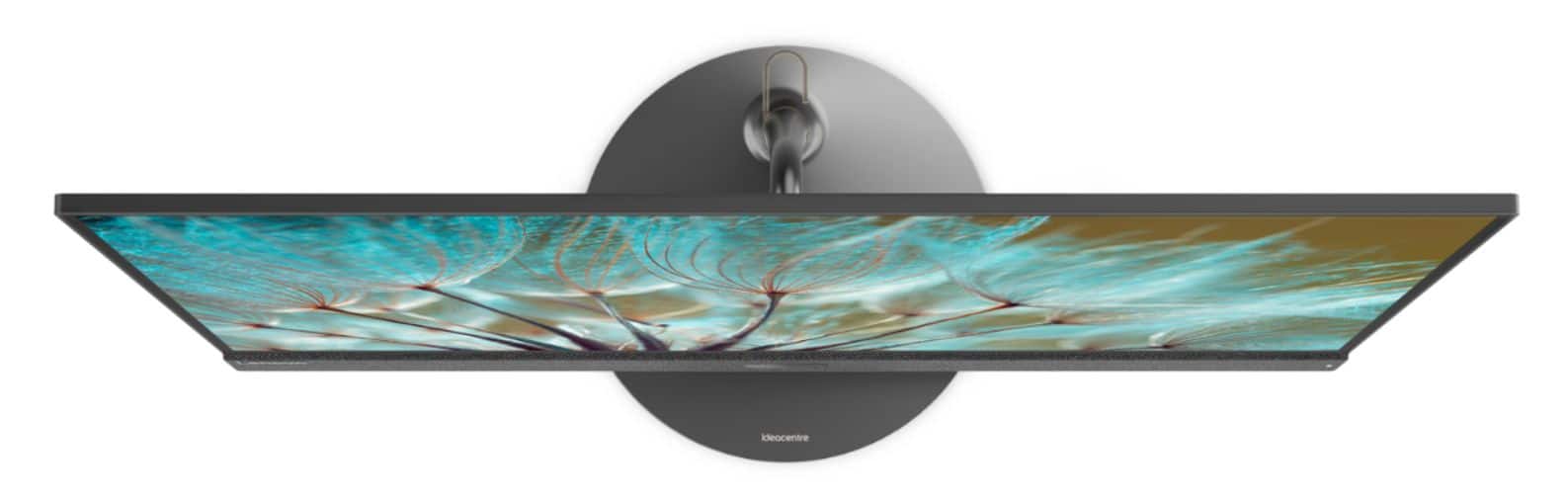
|Posted .This reviewer received promo considerations or sweepstakes entry for writing a review.I am loving this form factor of the Lenovo AIO 730s. The all in one desktop with a 24 inch touch screen sits beautifully on my desk. No tower or messy cords to deal with. It has an i7 intel core processor, 1TB hard drive, 8 GB of RAM. On the back It has 4 USB ports, HDMI, ethernet port, and a card reader. The desktop boots up fast and can handle my workload with ease. I am also loving the screen with its thin bezels. On the bottom of the screen sits the webcam that is surrounded by a fabric material that stretches across the bottom of the screen. The Lenovo AIO 730s also comes with a wireless keyboard and mouse to complete the package.
I would recommend this to a friendBrand response from Lenovo Product Expert
Posted .Thank you for choosing the Lenovo IdeaCentre 730s-24 All-In-One system. We are pleased to hear that the features and performance of the IdeaCentre 730s-24 AIO meets your computing needs so well.
- Pros mentioned:Processor speed, Screen size
Sleek Desktop, All in One, and Touch Screen
|Posted .This reviewer received promo considerations or sweepstakes entry for writing a review.I was surprised by the size of the screen, although it says 23.8 it looks much larger due to the screen stretching all the way to the corners. I don't like the 8RAM, i feel it left a lot to be desired why not 12 and up of RAM? The camera is located below the screen in the middle, its also surrounded by this cotton like cloth which is different from what im normally used to, it doesn't look bad but thought i should point it out. The keyboard is a nice touch, battery operated and blue tooth. The intel8 is a nice touch as well. I was running a couple of programs or a "stress test" to see how it will perform, and it did pretty well. Very minimal lag, fast processing speeds. This computer did not include a CD/DVD driver, it has 3 3.0 USBs, HDMI option, and LAN option. I like this computer because its simple, compact, sleek, and very modern looking and for the price you cannot beat it! It's 1 TB but if you have a 2 TB external hard drive you won't have a problem w/ storage. I haven't figured out if i can upgrade the RAM but if i can it will be added bonus! The image quality was good, i was watching some netflix and it didn't look bad at all. The screen size looks good. I recommend.
I would recommend this to a friendBrand response from Lenovo Product Expert
Posted .Thank you for choosing the Lenovo IdeaCentre 730s-24 All-In-One system. This regard to upgrading the RAM on this system, this model is not user upgradable. A certified technician must do all of the work, so as to not void the warranty. The maximum RAM this configuration can support is 16GB, so your certified technician can remove the existing 8GB RAM and replace it with a 16GB stick.
- Pros mentioned:Performance, Screen size
Great Computer With Minimal Space Needed
|Posted .This reviewer received promo considerations or sweepstakes entry for writing a review.This is the first All In One Computer I have ever had, I normally stay away from AIO just because they usually have to compromise some of the parts to get everything into the small frame, But I needed another computer as two of my kids are getting older and started to need the use of computers and having one computer just leads to many fights. My only issue was I didn't really have the space for another computer. This Lenovo AIO solves the space issue and looks great. It has a lot of great features including the touch screen which I was surprised at how responsive it is. While the computer is a tad bit slower than my tower PC the computer has been able to run anything I throw at it. I will say that if you are looking to play games I would not recommend a computer like this as with the integrated GPU you will not be able to run a lot of games. But for enterprise or school work or even browsing the internet this PC has been wonderful. If you are looking for an All In One PC I highly recommend you look into this Lenovo.
I would recommend this to a friendBrand response from Lenovo Product Expert
Posted .Thank you for choosing the Lenovo IdeaCentre 730s-24 All-In-One system for your family. We are pleased to hear that the features and performance of the IdeaCentre 730s-24 AIO meets your computing needs so well.
- Pros mentioned:Design
4th star is pushing it, read on.
|Posted .This reviewer received promo considerations or sweepstakes entry for writing a review.When I got this unit I was excited to try out an all in one unit. So I took this out of the box. It looked great unpacking and the setup was a breeze. Was very charmed that you did not have to have a lot of cords associated. Examining the unit, it has 3 USB Ports, an Ethernet port, one USB type C port , SD Card and Headphone inputs on the bottom of the monitor. Also has an HDMI port which does IN AND OUT! You can connect an XBOX or PS system or anything that has HDMI out and use it for gaming at 1080p! The bad news is that this is where the design flaw is. What manufacturer designs an HDMI in for the monitor and give no way to control the volume? So unless your XBOX or PS game has volume controls, you might as well skip this. You can only use the volume controls from within the keyboard. Speaking of which, the keyboard was the only thing I liked, I did not care for the mouse. It just felt odd in my hands. Ended up using my Logitech mouse and felt right at home. At least you can adapt to any peripheral you can use through USB or bluetooth. Which leads me to my next gripe. The inputs are all in the back. It is kind of annoying since I have to share a USB cord for a printer between 2 computers. Luckily I don't have to do this often but it seems like a pain. The same for the power button, it's in the back of the computer. OS setup wise? Be prepared for 5 to 6 full hours to update to Windows April 2018 build and install other browsers. If you have Office 365 subscriptions, be sure to remove the old version of office pre installed by Lenovo at the factory prior to installing 365. Gaming performance... Eh... It's not for that but I was able to run a lot of games nicely so your mileage may vary depending on what game you run but again, this is not designed for that. How do I feel about the whole system? It's a step up from what I am traditionally used to, has a nice aesthetic look but has some port accessibility design flaws that should be addressed in a future model.
I would recommend this to a friendBrand response from Lenovo Product Expert
Posted .Thank you for choosing the Lenovo IdeaCentre 730s-24 All-In-One system. Control of the volume from an external source, like an Xbox console is via the keyboard as you point out. Concerning the USB ports on the back of the system, because of the slim form factor of the IdeaCentre 730s-24, the back is the only space that can accommodate the internals for the ports. You might consider using a USB hub with this device that will allow you to extend the USB connectivity out from behind the screen.
Terrible Computer
||Posted . Owned for 1 year when reviewed.This reviewer received promo considerations or sweepstakes entry for writing a review.This computer has been nothing but junk! Slowww, unresponsive, keyboard came not working. the computer is constantly freezing. I’ve had my IT guy in several times to look at it, keeps doing same thing. Will never buy another Lenovo brand again!
No, I would not recommend this to a friend2 years later
||Posted . Owned for 1.5 years when reviewed.This reviewer received promo considerations or sweepstakes entry for writing a review.It’s been almost 2 years since I got this computer but now it’s horrible! It so slow ! I have a $100 hp lap top that’s older and runs faster with the same downloaded programs! Ethernet is plugged into both. Don’t spend your money on this
No, I would not recommend this to a friendNever wake up from sleep
||Posted .This reviewer received promo considerations or sweepstakes entry for writing a review.This is a very bad quality laptop. This never wake up from sleep and always needed hard power cycle to bring it back. Turns out it is a common problem for this model.
No, I would not recommend this to a friendShuts down and freezes
||Posted .This reviewer received promo considerations or sweepstakes entry for writing a review.Buying this computer has been nothing but a headache. I've had it for 2 weeks, it's been nothing but problems. It runs slow, I can't put it to sleep, if I do I can't turn it back on.
No, I would not recommend this to a friendBrand response from Lenovo Product Expert
Posted .We are sorry to hear that you are having issues with Windows 10 Operating System on your Lenovo IdeaCentre 730s-24 All-In-One system. Be sure any software you installed is compatible with Windows 10. There is no need to install Microsoft Office software. The software is already part of the operating system, you just need to activate the software with a purchased product key. If you have installed a copy of Microsoft Office, this is conflicting with the existing copy on the system and this will slow your system down. If you have installed a 3rd party anti-virus program, be sure that Windows Defender is turned off and that the trial version of McAfee Anti-Virus software is uninstalled. There can only be one anti-virus program on the system. You may need to restore your system to original factory default settings if any of the programing errors have occurred. You can do that by typing "restore" in the Cortana search window. Just click on the magnifying glass icon at the bottom left of your Windows 10 Desktop. Click on "Reset This PC" Then click on "Get Started" and follow the on screen directions to restore to factory defaults. If the problem persists, we recommend you contact Lenovo Tech Support at: 877-453-6686. Lenovo is the number #1 manufacturer of computers in the World:
https://venturebeat.com/2019/01/10/gartner-and-idc-hp-and-lenovo-shipped-the-most-pcs-in-2018-but-total-numbers-fell/
Disappointing
||Posted .This reviewer received promo considerations or sweepstakes entry for writing a review.It only worked for 1 day... got a fatal exception error so I returned it. I went against my instinct to buy something other than an Apple... won’t happen again.
No, I would not recommend this to a friendBrand response from Lenovo Product Expert
Posted .We are sorry to hear that you are having issues with your Lenovo IdeaCentre 730s-24 All-In-One system. Given the description of the error message you are receiving, be sure any software you installed is compatible with Windows 10. There is no need to install Microsoft Office software. The software is already part of the operating system, you just need to activate the software with a purchased product key. If you have installed a copy of Microsoft Office, this is conflicting with the existing copy on the system and this will slow your system down. If you have installed a 3rd party anti-virus program, be sure that Windows Defender is turned off and that the trial version of McAfee Anti-Virus software is uninstalled. There can only be one anti-virus program on the system. You may need to restore your system to original factory default settings if any of the programing errors have occurred. You can do that by typing "restore" in the Cortana search window. Just click on the magnifying glass icon at the bottom left of your Windows 10 Desktop. Click on "Reset This PC" Then click on "Get Started" and follow the on screen directions to restore to factory defaults. If the problem persists, we recommend you contact Lenovo Tech Support at: 877-453-6686.
- Pros mentioned:Processor speed, Screen size
Lenovo does it again
|Posted .This reviewer received promo considerations or sweepstakes entry for writing a review.Since Sony left the world of computers and laptops I look for a replacement. And I found one, Lenovo doesn't miss this desktop is amazing touch screen, fast, wireless keyboard, wireless mouse and it was amazing just a cut the thing on. I have an Android phone but setup was easy as it went through my Hotmail account.
I would recommend this to a friendBrand response from Lenovo Product Expert
Posted .Thank you for choosing the Lenovo IdeaCentre 730s-24 All-In-One system. We are pleased to hear that the IdeaCentre 730s-24 AIO meets your computing needs so well.
Everything needed in 1 box w/ great specs & speed.
|Posted .This reviewer received promo considerations or sweepstakes entry for writing a review.One of the main draws for all in ones is the simplicity that you get everything you need in one box. And not only that, but its even simpler since the display is also the main PC. And this is the case here as well. You get everything you need in one box. The 23.8" Full HD touch display, keyboard, mouse, and power adapter. This is great for someone that just wants everything you need all at once, rather than having to price different towers, displays, keyboards, etc. Set up is very simple as well. Just plug it in, set up your Windows account and your'e all set. Some might think that with such a small amount of space for internals that you aren't getting a fast and responsive PC, or sacrificing sufficient storage. But you get a 1TB hard drive, Intel i7-8550U processor, 8gb of ram, Intel UHD 620 graphics, 3 3.0 USB ports, BT 4.0, SD card reader, and more, all built in. Its amazing how far PC's have come. Not too long ago this much power and performance would have required multiple separate purchases in a large tower, and a lot more money! It of course also includes Windows 10. And this system flies! No lag no matter how many windows, processes, or apps running. The touchscreen is very responsive and accurate as well. And being full HD 1080p resolution the screen is crisp and clear with great colors. With other systems I have had I usually dont care for the included mouse and keyboard, and would end up not using the included one, but I really like the included ones here. Just the right size, great typing response and feeling. And the mouse feels great in the hand. If you are looking for a great PC without having to worry about buying different components, compatibility, etc. and just want everything you need in one box this is it. Its got great components and specs so I dont feel the need to upgrade or change any of it. It all just works with fast, responsive, and overall excellent perfomance. And all this for a great price as well.
I would recommend this to a friendBrand response from Lenovo Product Expert
Posted .Thank you for choosing the Lenovo IdeaCentre 730s-24 All-In-One system. We are pleased to hear that the features and performance of the IdeaCentre 730s-24 AIO meets your computing needs so well.
This is an Impressive Computer!
|Posted .This reviewer received promo considerations or sweepstakes entry for writing a review.There are so many things I like about this Lenova All-In-One (AIO) 730s desktop computer that I truly don't know where to start. It's good looking, has a small footprint, and performs very well. First, I want to say I received this computer from Lenova through Best Buy's Tech Insider Network in exchange for an unbiased review. I have no problem writing negative reviews when it's warranted. After a thorough evaluation of this AIO machine I can tell you right off this won't be a negative review by any stretch. Only 11 months ago, I bought another brand's AIO PC as a donation to a charity I support. Unfortunately, it's not half the computer this Lenova is. Not even close! I've never owned a Lenova before. But, if this AIO is a fair representation of the quality of Lenova products in general, I doubt this will be my last. The first thing I noticed while unboxing this Lenova AIO was it's weight. It's heavy and appears to be made mostly of metal. The heavy stand/base is sleek looking, yet very sturdy. The underside of the base has a wide, full-diameter, non-slip, rubber foot that holds the AIO securely in-place. It simply will not slide around on a desk. The computer to stand attachment mechanism allows for about 32 degrees of tilt. However, I was disappointed to find there was no side-to-side swivel. The only thing I needed to assemble in this whole computer was slipping the cable clip on the stand's upright and then screwing the base to the upright using the built-in screw ring nut. This Lenova AIO came with a touchscreen and I found it to be a pure pleasure to use. I've used plenty of touchscreens in recent years, but this was my first experience with Windows 10 on a touchscreen. I must admit I was a little apprehensive at first, but after just a few minutes I became quite at-home with it. The Lenova touchscreen was very sensitive, responding accurately to the slightest tap or swipe. Windows 10 and this Lenova touchscreen work in such harmony that it seems like they were made for each other. Like a natural marriage. The view screen display almost completely covers the front of the computer leaving only a thin 0.3" bezel on each side and the top. The bottom front of the computer is spanned completely by a 1.5" high decorative cloth band covering the speaker modules, camera, microphone, and the power indicator. This yields a 20.7" horizontal x 11.7" vertical viewing area. The resolution of 1920 x 1080 renders vibrant, crisp colors as good as any computer I own. The built-in speaker modules are slightly better than I had expected for an AIO PC. Not great, but then, nowadays, nobody expects built-in speakers on anything to sound great. That's why they invented external sound systems. That way you can have whatever sound quality your budget can afford. Me, I like high quality headphones. So I tried several of mine with the AIO 730s and the Bluetooth pairings all went off without a hitch. No drop-outs or skips were experienced during extended periods of listening to music. During my evaluation I switched my Ethernet connection back and forth between a hard-wired connection and the built-in 802.11ac Wi-Fi. All reconnected without incident and always worked well. It was nice to see a new computer with all USB 3.0 ports. It is even future-proofed with one USB 3.1 Type-C connector for data transmission only. This is probably just me, but I guess I'm not ready to give up my internal CD/DVD/BD drive. This AIO doesn't have one, but I could easily connect an external CD/DVD/BD to one of the USB 3.0 ports. Finally, the smallish, Lenova wireless keyboard and wireless mouse are every bit as good as the computer. I believe the keyboard has a metal body with a built-in slope without using those annoying flipout legs that never stay in place! I hate those things. I especially like the keyboard's battery compartment in the left side of the keyboard near the ESC key. See my picture below. As I stated at the beginning of this review, this Lenova All-In-One 730s is an impressive machine and I'm happy to be able to recommend it to anyone without any reservations whatsoever.
I would recommend this to a friendBrand response from Lenovo Product Expert
Posted .Thank you for choosing the Lenovo IdeaCentre 730s-24 All-In-One system. We are pleased to hear that the features and performance of the IdeaCentre 730s-24 AIO meets your computing needs so well.
Lenovo. Touch-screen All-in-one
||Posted .This reviewer received promo considerations or sweepstakes entry for writing a review.Returned it to Best Buy due to bad sound system and screen kept shaking, and others.
No, I would not recommend this to a friendBrand response from Lenovo Product Expert
Posted .The Lenovo IdeaCentre 730s-24 All-In-One system ships with front facing, stereo 3W speakers. Lenovo is the number #1 manufacturer of computers in the World:
https://venturebeat.com/2019/01/10/gartner-and-idc-hp-and-lenovo-shipped-the-most-pcs-in-2018-but-total-numbers-fell/
- Pros mentioned:Ease of use
Extremely easy setup and no cords
|Posted .This reviewer received promo considerations or sweepstakes entry for writing a review.The Lenovo 730s All-in-One is an impressive computer. The set up was probably the easiest I've ever experienced. The only thing that took me a minute to figure out was where to put the batteries (which it came with) in the keyboard (a little triangle door on the end which is a great place for it). The tilt screen is wonderful and easily adjusts front and back. Would perhaps be nice if could raise either the entire unit or the monitor up or down for optimal eye level. But I just place it on top of a book for my 6'5" husband. The built-in camera comes with a clever shutter to slide it open or closed - perfect to keep out unwanted eyes. The best part is not having to deal with a CPU or extra cords. Of course, the Windows 10 setup was easy with Cortana going through each step. Overall, an excellent everyday computer!
I would recommend this to a friendBrand response from Lenovo Product Expert
Posted .Thank you for choosing the Lenovo IdeaCentre 730s-24 All-In-One system. We are pleased to hear that the easy setup, features and performance of the IdeaCentre 730s-24 AIO meets your computing needs so well.
Horrible
||Posted . Owned for 1 month when reviewed.This reviewer received promo considerations or sweepstakes entry for writing a review.Horrible broke in one day! Best buy in spring hill was unpeofessional!!
No, I would not recommend this to a friendAll-in-one with style and speed
|Posted .This reviewer received promo considerations or sweepstakes entry for writing a review.Simplicity is what comes to mind when trying to describe this PC. Rest of sure you won't have any issues setting this PC up. Opening the box you will find the 23.8" display with a stand, power cord, keyboard and mouse. Inside the mouse you will find the wireless usb receiver you need to plug in to the back of the display along with the power cord. And just like that you are up and running. Powering on the PC I was shocked to find no new updates needed. I was up and running in no time at all. Just had to set up my wi-fi and I was off to the races. I found the computer to be very fast and responsive. Has built-in speakers and for general purpose listening worked very well. The keyboard feels very sturdy and solid and has some weight to it. It feels good. The 23.8" LED panel with AIT touchscreen is very bright. And great for watching Netflix or any of your favorite streaming services. Has a good list of inputs/outputs ports *3x USB 3.0 *1 USB-C *headphone/mic jack *HDMI in / out *3 in 1 card reader It also has a built in camera on a side. So when you aren't using it you can side it behind a cover on the display. So you don't have to worry about some one watching you and you don't have put a piece of tape over it. This is a very well put together PC. And would look good on any desktop. All-in all this is a very powerful computer. From surfing the web to watching movies to working with excel.
I would recommend this to a friendBrand response from Lenovo Product Expert
Posted .Thank you for choosing the Lenovo IdeaCentre 730s-24 All-In-One system. We are pleased to hear that the ease of set up, features and performance of the IdeaCentre 730s-24 AIO meets your computing needs so well.
DO NOT BUY!
Posted .This reviewer received promo considerations or sweepstakes entry for writing a review.I have only had this computer for 8 months and it is used very lightly. A few days ago, I noticed that my audio (internal speakers) stopped working. I went online and tried everything to fix the problem. No issues were found, all updates were current, uninstalled/reinstalled. Tried for several days. I discovered that a lot of people have experienced this after Windows updates. At any rate - I finally contacted tech via chat. She asked if my headset worked - it does. Well, in that case, we suggest you send it to our repair depot across the country. I asked if that was under warranty....the repair is but the shipping is not. There is only 1 Depot. Nearly $1000 and barely used and now I have no sound. I can't even imagine what the shipping costs would be!? There was a Sorry/oh well attitude from the rep. Stick with a better brand. I can't wait to find out what quits on this next! Thanks BestBuy for pushing a crappy product.
No, I would not recommend this to a friendBrand response from Lenovo Product Expert
Posted .We are sorry to hear that you are having issue with your Lenovo IdeaCentre 730s-24 All-In-One system. The recent Windows 10 update requires a separate update of the BIOS files and drivers supporting Windows 10 and control the onboard speaker audio. You can easily update all the BIOS files and drivers by scanning the computer with the Lenovo Utility software installed on the computer. This system has Lenovo utilities installed to help maintain the health of the device and keep the operating system software up to date. Type "Lenovo Vantage" in the Cortana Search window (if Lenovo Vantage is not installed on your device, you can download the APP and install it now). Select Lenovo Vantage from the list. In the window that opens, click on "Health and Support". In the expanded menu, select "Hardware Scan" In the window that opens, select "Run Quick Tests". This will scan your entire system for errors. Follow any directions that may pop up. If the problem continues after this scan, now click on "System Update". First select Windows update from the menu. Scan your system to be sure you have the latest version of Windows 10. Once that scan is complete, select "Additional Updates". This will scan your device to be sure there are no new BIOS/Driver updates needed. Follow any instructions that may pop up. If the issue still continues after these updates, we recommend you call Lenovo Tech Support at: 877-453-6686 for additional help. Lenovo is the #1 computer manufacturer in the World, supplying quality computers World-Wide: https://www.forbes.com/sites/jeanbaptiste/2018/10/31/lenovo-retakes-1-spot-in-global-pc-market-beating-hp-and-dell/#2cdefd7a3f00
I just bought a lenova 730S 24 i7 all-in-one compu
Posted .This reviewer received promo considerations or sweepstakes entry for writing a review.I just bought a lenova 730S 24 i7 all-in-one computer and got minor crack in the monitor for unknown reason, and I was unable to get any help from best buy and I was not even able to find where to repair it since there is no IBM parts supply in Miami or elsewhere in the US. So I strongly suggest don't buy these computers and will not be able to repair easily. These computers also not performing well. I do buy computers frequently and I strongly suggest best buy is a not a great option to buy electronics these days.
No, I would not recommend this to a friendBrand response from Lenovo Product Expert
Posted .We are sorry to hear that you are having issues with your Lenovo IdeaCentre 730s-24 All-In-One system. We recommend you call Lenovo Tech Support at: 877-453-6686.