Customer Ratings & Reviews

- Model:
- F0DY001XUS
- SKU:
- 6325576
to a friend
Customers are saying
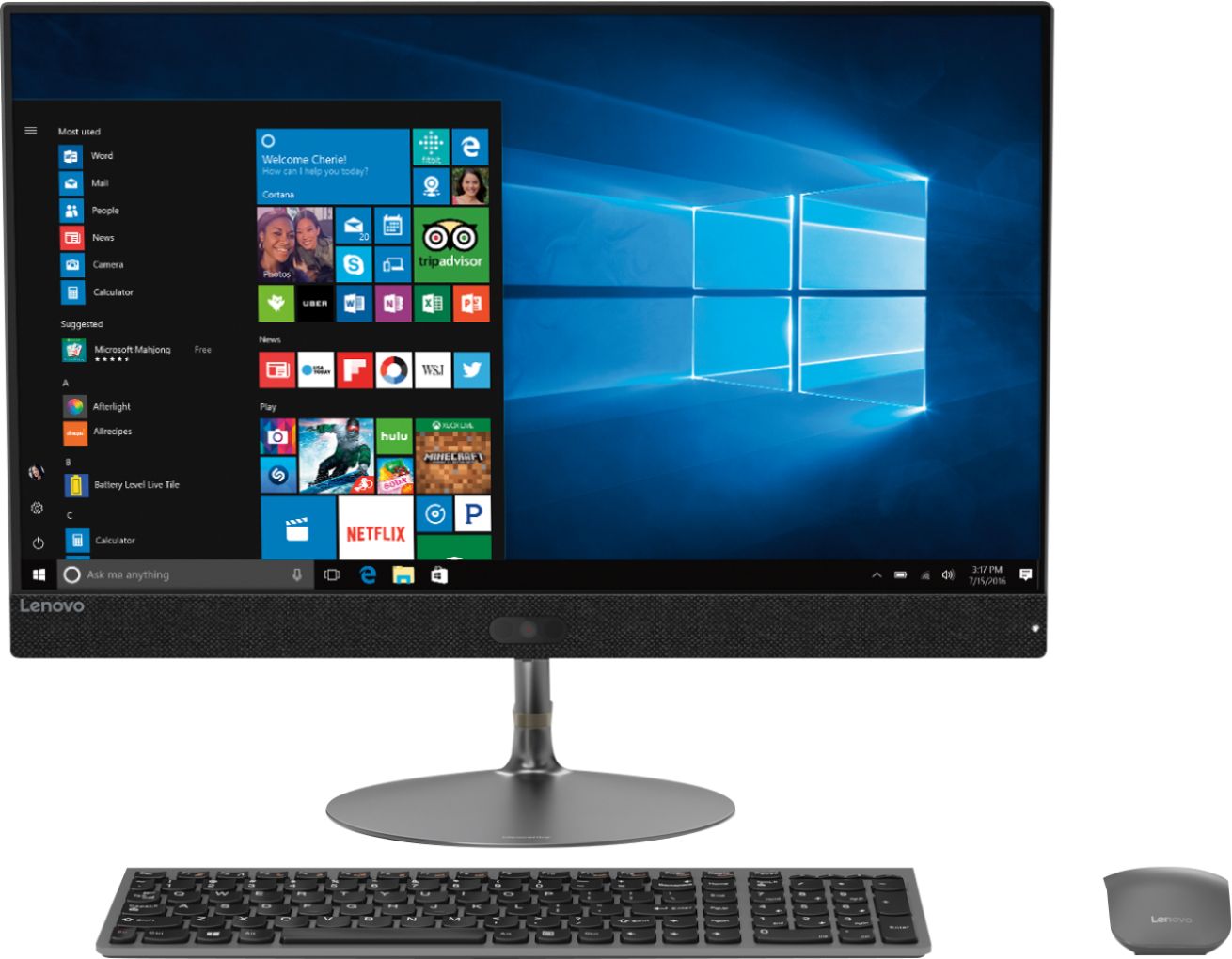
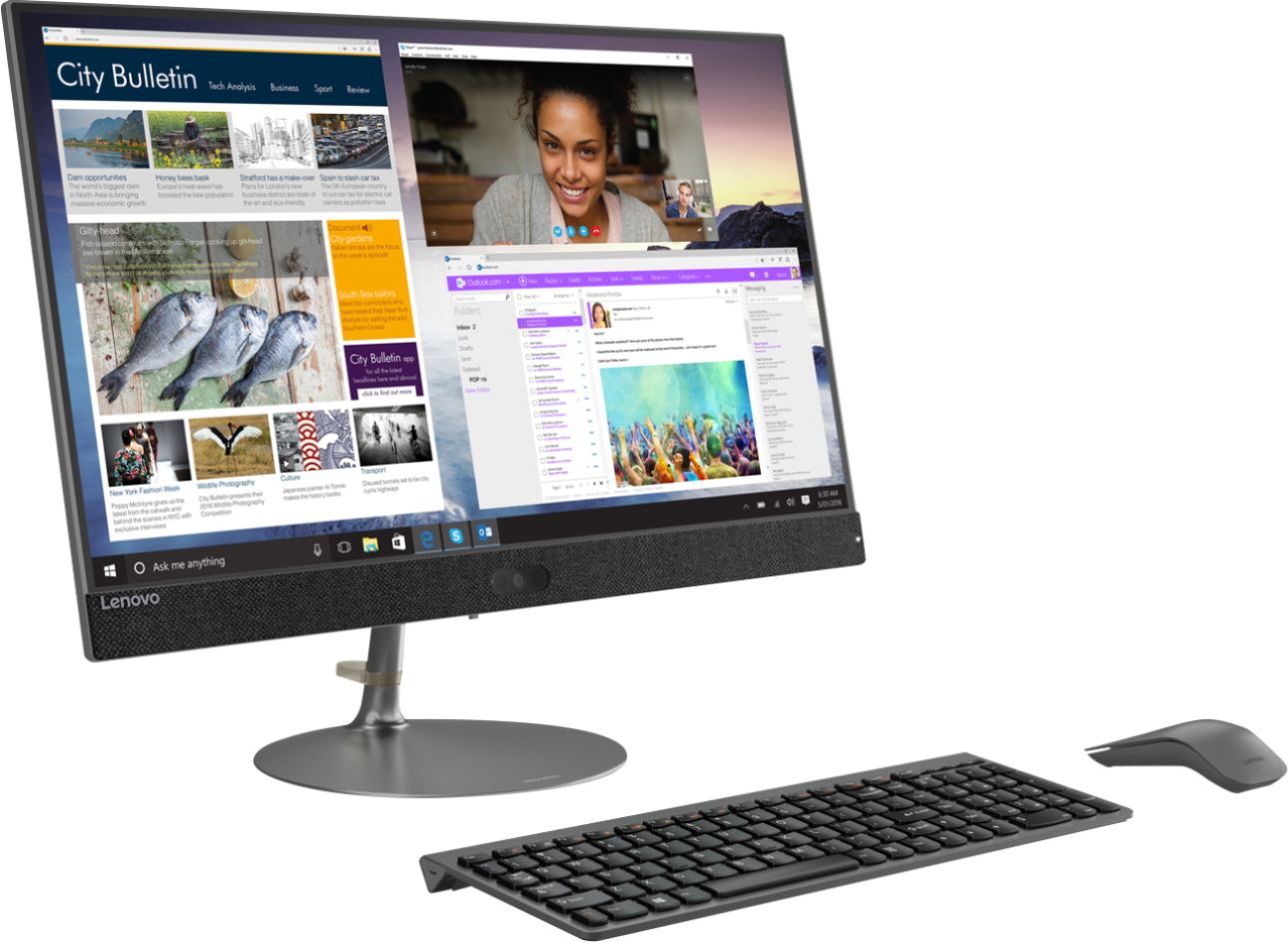
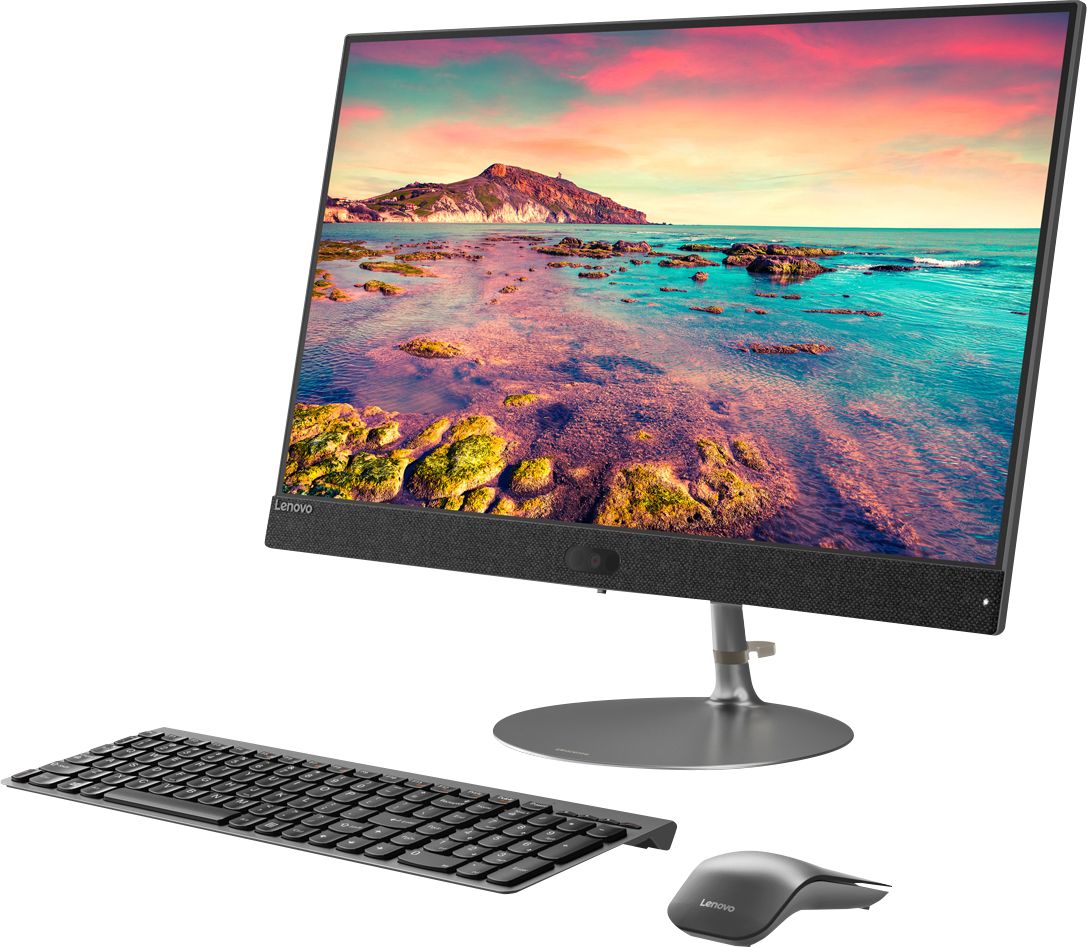
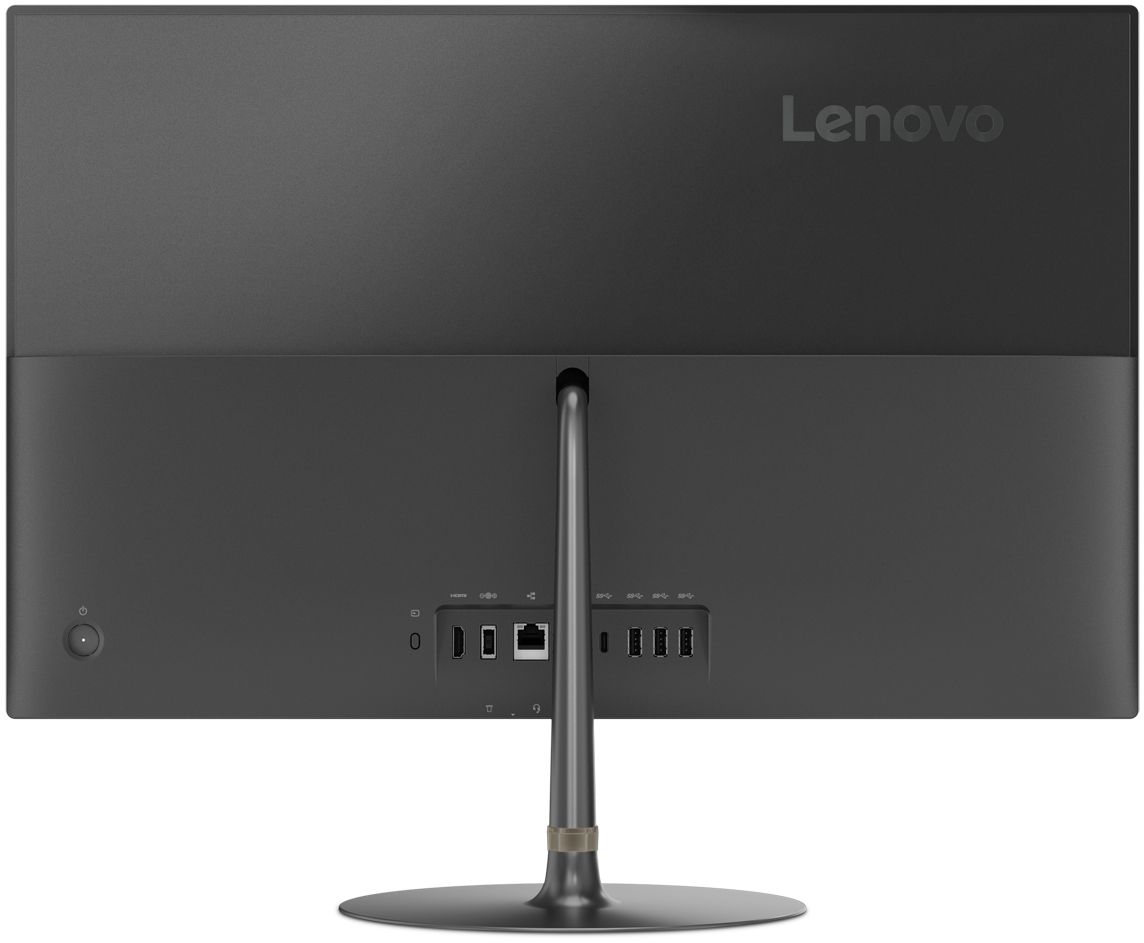
Customers praise the IdeaCentre 730S for its ease of use, large screen size, and strong performance. Many appreciate its sleek design and consider it a good value for the price. A few users mentioned a limited number of USB ports as a drawback. The lack of a CD/DVD drive was also noted by some customers.
This summary was generated by AI based on customer reviews.
Works great
||Posted . Owned for 2 months when reviewed.This reviewer received promo considerations or sweepstakes entry for writing a review.This is my first All in one desk top purchase. Still learning. It does make a fan noise that I am wondering about but other than that great purchase!
I would recommend this to a friendBrand response from Lenovo Product Expert
Posted .Thank you for choosing the Lenovo IdeaCentre 730s-24 All-In-One system. This system has an internal fan to maintain the proper operating temperature of this system. The internal fan automatically modulates its speed depending on the system workload.

- Pros mentioned:Performance
Great all in one
||Posted . Owned for 3 weeks when reviewed.This reviewer received promo considerations or sweepstakes entry for writing a review.Computer works great. For work I have to have several programs open at once and it still does really well.
I would recommend this to a friendBrand response from Lenovo Product Expert
Posted .Once again, thank you for choosing the Lenovo IdeaCentre 730s-24 All-In-One system. You can keep your computer running at its best by keeping the Windows 10 Operating System and all supporting BIOS files and drivers up to date. You can easily accomplish this by scanning the computer with the Lenovo Utility software available on this computer. This system has Lenovo utilities installed to help maintain the health of the device and keep the operating system software up to date. Type "Lenovo Vantage" in the Cortana Search window (if Lenovo Vantage is not installed on your device, you can download the APP and install it now). Select Lenovo Vantage from the list. In the window that opens, click on "Health and Support". In the expanded menu, select "Hardware Scan" In the window that opens, select "Run Quick Tests". This will scan your entire system for errors. Follow any directions that may pop up. If the problem continues after this scan, now click on "System Update". First select Windows update from the menu. Scan your system to be sure you have the latest version of Windows 10. Once that scan is complete, select "Additional Updates". This will scan your device to be sure there are no new BIOS/Driver updates needed. Follow any instructions that may pop up. If you ever need additional help with your Lenovo computer, we recommend you call Lenovo Tech Support at: 877-453-6686 for additional help.
- Pros mentioned:Speed
Solid Choice
||Posted .This reviewer received promo considerations or sweepstakes entry for writing a review.This all in one is a very nice PC. Fast processor and a solid state hard drive. No dedicated video but got all around general use, it's a great choice.
I would recommend this to a friendBrand response from Lenovo Product Expert
Posted .Thank you for choosing the Lenovo IdeaCentre 730s-24 All-In-One system. This model configuration ships with integrated Intel UHD Graphics 620 graphics processing. We are pleased to hear that the performance of the IdeaCentre 730s-24 AIO meets your computing needs so well. Lenovo is the number #1 manufacturer of computers in the World:
https://venturebeat.com/2019/01/10/gartner-and-idc-hp-and-lenovo-shipped-the-most-pcs-in-2018-but-total-numbers-fell/
- Pros mentioned:Screen size
Great all-in-one Computer
||Posted . Owned for 3 weeks when reviewed.This reviewer received promo considerations or sweepstakes entry for writing a review.I love this computer. Its fast and has a huge screen. I've always had good luck with Lenovo products.
I would recommend this to a friendBrand response from Lenovo Product Expert
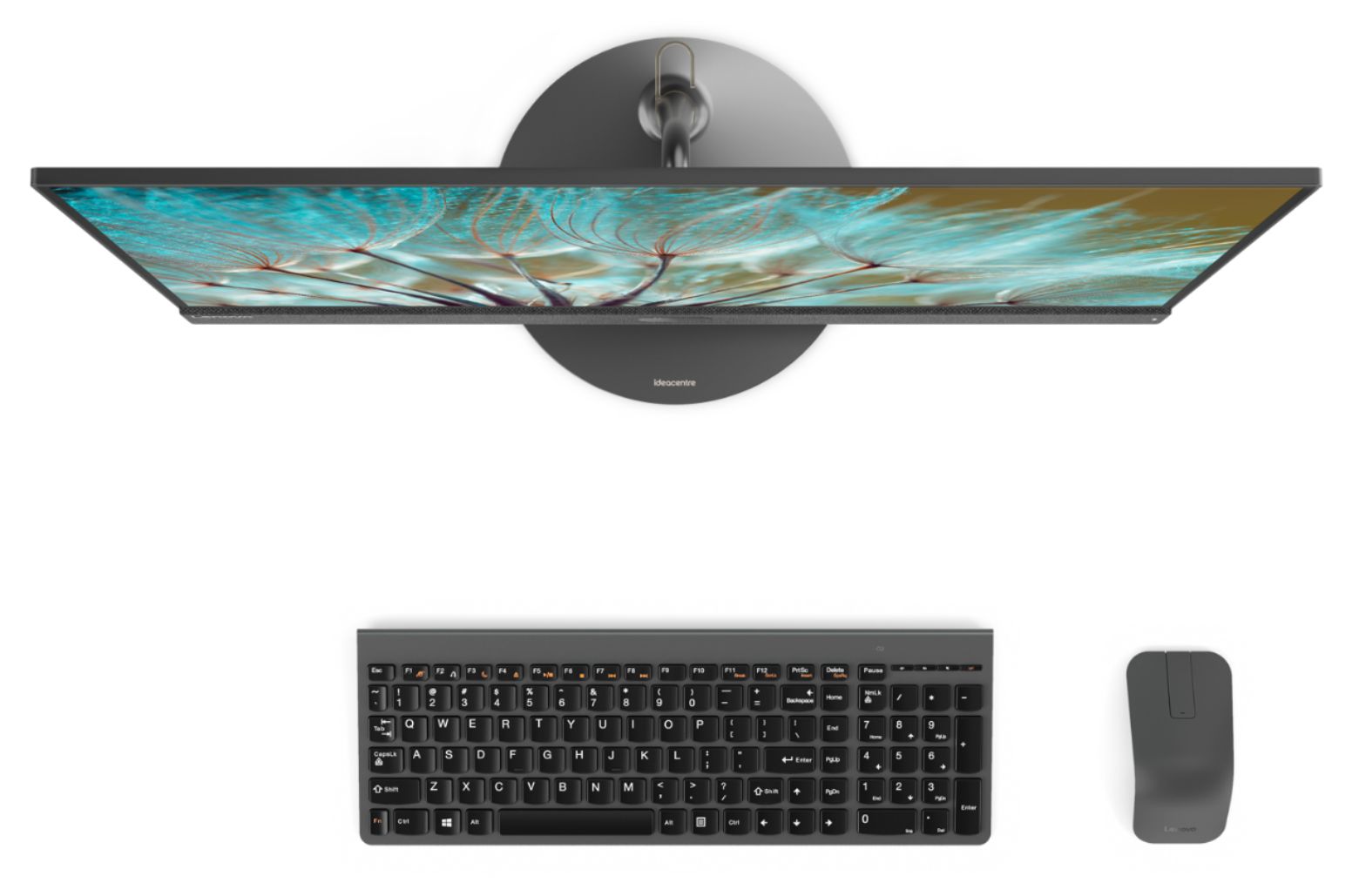
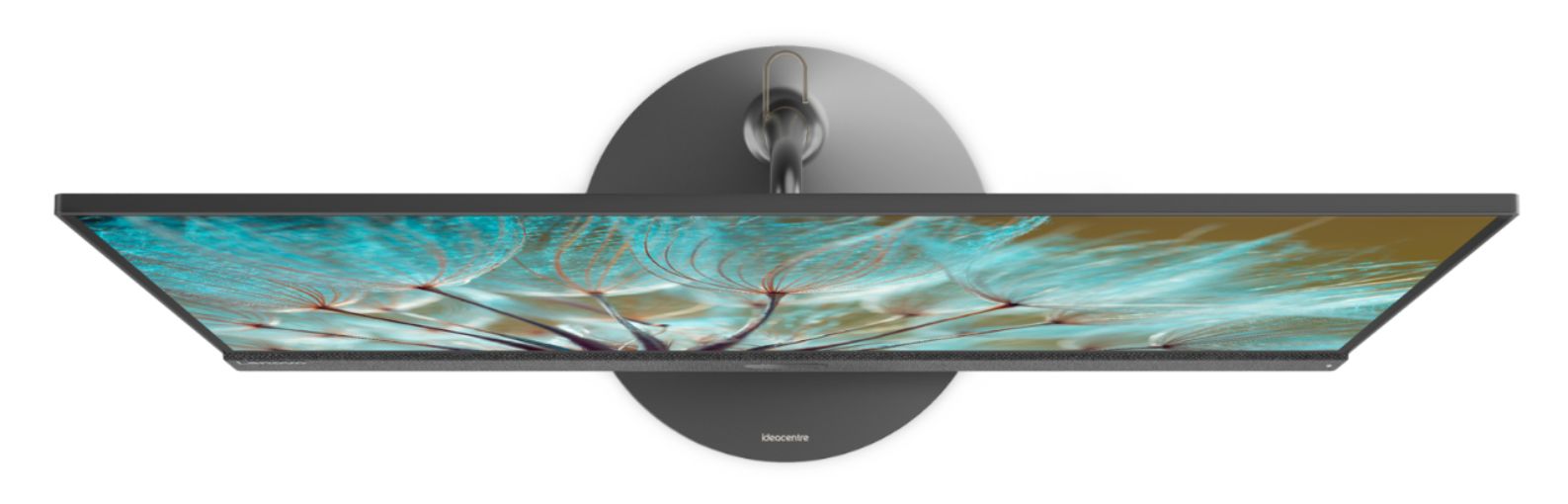
Posted .Thank you for choosing the Lenovo IdeaCentre 730s-24 All-In-One system. With Intel Core i7-8550U processing, this super slim all-in-one PC can handle almost any task. Maximize your entertainment with a nearly edgeless 23.8" display and powerful Optane memory. Best of all, the stylish Ideacentre AIO 730s will look great on your desk — without crowding it.
- Pros mentioned:Ease of use
excellent quality and price!
||Posted . Owned for 1 month when reviewed.This reviewer received promo considerations or sweepstakes entry for writing a review.great all in computer and system - easy to use for all ages and all levels of electronic expertise
I would recommend this to a friendBrand response from Lenovo Product Expert
Posted .Thank you for choosing the Lenovo IdeaCentre 730s-24 All-In-One system. We are pleased to hear that the ease of use and the features and performance of the IdeaCentre 730s-24 AIO meets your computing needs so well. With Intel Core i7-8550U processing, this super slim all-in-one PC can handle almost any task. Maximize your entertainment with a nearly edgeless 23.8" display. Best of all, the stylish Ideacentre AIO 730s will look great on your desk — without crowding it.
- Pros mentioned:Performance
Great computer, absolutley love it!
||Posted .This reviewer received promo considerations or sweepstakes entry for writing a review.I absolutley recommend this computer, it works for everything! Helps a lot with school homework or even for work. It's powerful and fast.
I would recommend this to a friendBrand response from Lenovo Product Expert
Posted .Thank you for choosing the Lenovo IdeaCentre 730s-24 All-In-One system. We are pleased to hear that the performance of the IdeaCentre 730s-24 AIO meets your computing needs so well. Lenovo is the number #1 manufacturer of computers in the World:
https://venturebeat.com/2019/01/10/gartner-and-idc-hp-and-lenovo-shipped-the-most-pcs-in-2018-but-total-numbers-fell/
- Pros mentioned:Screen size
Best ever
||Posted . Owned for 1 year when reviewed.This reviewer received promo considerations or sweepstakes entry for writing a review.Once I found my way around (previously had a mac), it was so easy Large screen is so accomodating for playing games.
I would recommend this to a friend - Pros mentioned:Speed
Great computer for anyone wanting a good computer.
||Posted . Owned for 1 month when reviewed.This reviewer received promo considerations or sweepstakes entry for writing a review.We love our new computer. The speed is top notch. Loved having The Geek Squad set it up.
I would recommend this to a friendBrand response from Lenovo Product Expert
Posted .Thank you for choosing the Lenovo IdeaCentre 730s-24 All-In-One system. With Intel Core i7 processing, this super slim all-in-one PC can handle almost any task. Maximize your entertainment with a nearly edgeless 23.8" display. Best of all, the stylish Ideacentre AIO 730s will look great on your desk — without crowding it.
- Pros mentioned:Ease of use
GREAT ALL IN ONE COMPUTER
||Posted . Owned for 3 weeks when reviewed.This reviewer received promo considerations or sweepstakes entry for writing a review.LIKE KEYBOARD AND SCREEN IS BRIGHT, EASY TO SETUP, PICKEDUP AT STORE AND THEY CHECKED THE SCREEN BEFORE I WENT HOME (1HR AWAY)
I would recommend this to a friendBrand response from Lenovo Product Expert
Posted .Thank you for choosing the lenovo IdeaCentre 730s-24 All-In-One system We are pleased to hear that the features and performance of the IdeaCentre 730s-24 AIO meets your computing needs so well. With Intel Core i7 processing, this super slim all-in-one PC can handle almost any task. Maximize your entertainment with a nearly edgeless 23.8" display Best of all, the stylish Ideacentre AIO 730s will look great on your desk — without crowding it.
- Pros mentioned:Speed
Great PC
||Posted . Owned for 3 weeks when reviewed.This reviewer received promo considerations or sweepstakes entry for writing a review.I love this computer. The size, the clarity and its speed. I would definitely recommend Lenovo. I love the laptop as well.
I would recommend this to a friendBrand response from Lenovo Product Expert
Posted .Thank you for choosing the Lenovo IdeaCentre 730s-24 All-In-One system. We are pleased to hear that the features and performance of the IdeaCentre 730s-24 AIO meets your computing needs so well. With Intel Core i7 processing, this super slim all-in-one PC can handle almost any task. Maximize your entertainment with a nearly edgeless 23.8" display. Best of all, the stylish Ideacentre AIO 730s will look great on your desk — without crowding it.
- Pros mentioned:Price
Great value, easy to set up and very fast.
||Posted . Owned for 1 month when reviewed.This reviewer received promo considerations or sweepstakes entry for writing a review.All around great value. Sales person took the time to explain how this unit fit our needs and it does. Very pleased.
I would recommend this to a friendBrand response from Lenovo Product Expert
Posted .Thank you for choosing the Lenovo IdeaCentre 730s-24 All-In-One system. We are pleased to hear that the value, features and performance of the IdeaCentre 730s-24 AIO meets your computing needs so well. With Intel® processing, this super slim all-in-one PC can handle almost any task. Maximize your entertainment with a nearly edgeless 23.8" display. Best of all, the stylish Ideacentre AIO 730s will look great on your desk — without crowding it.
- Pros mentioned:Screen size
Easy to operate, great picture, fast!
||Posted . Owned for 3 weeks when reviewed.This reviewer received promo considerations or sweepstakes entry for writing a review.A great improvement over my old computer. Perfect screen size, easy to operate, and I really like the touch screen.
I would recommend this to a friendBrand response from Lenovo Product Expert
Posted .Thank you for choosing the lenovo IdeaCentre 730s-24 All-In-One system. We are pleased to hear that the features and performance of the IdeaCentre 730s-24 AIO meets your computing needs so well. With Intel Core i7 processing, this super slim all-in-one PC can handle almost any task. Maximize your entertainment with a nearly edgeless 23.8-inch display. Best of all, the stylish Ideacentre AIO 730s will look great on your desk — without crowding it.
- Pros mentioned:Speed
Amazing overall
||Posted . Owned for 3 weeks when reviewed.This reviewer received promo considerations or sweepstakes entry for writing a review.This computer is amazing! Haven’t found one flaw in it yet. Everything is fast, clear and easy to set up as well
I would recommend this to a friendBrand response from Lenovo Product Expert
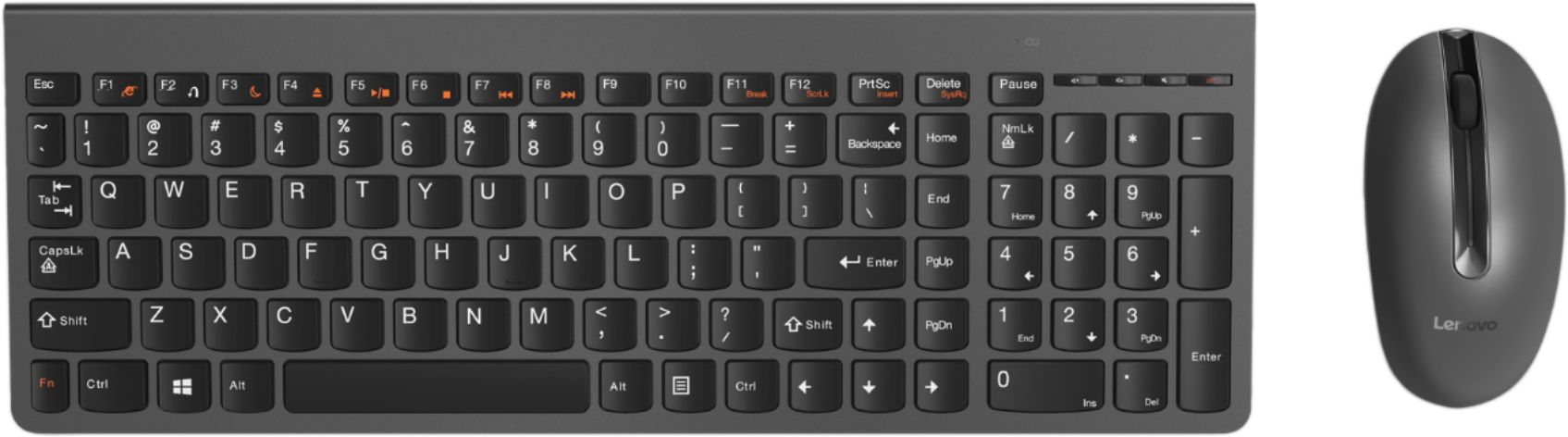
Posted .Thank you for choosing the Lenovo IdeaCentre 730s-24 All-In-One system. Open the box to everything you need! With just one cord, setup couldn't be easier—just plug it in and your PC is ready. No fuss, no muss and reduce the cable clutter. The all-in-one Ideacentre 730s even includes a wireless network card, keyboard, and mouse for all the tools you need in one simple package.
- Pros mentioned:Performance
Great computer.
||Posted . Owned for 1 month when reviewed.This reviewer received promo considerations or sweepstakes entry for writing a review.This is the best computer I have ever owned. Very powerful and extremely fast.
I would recommend this to a friendBrand response from Lenovo Product Expert
Posted .Thank you for choosing the Lenovo IdeaCentre 730s-24 All-In-One system. With Intel Core i7 processing, this super slim all-in-one PC can handle almost any task. Maximize your entertainment with a nearly edgeless 23.8" display. Best of all, the stylish Ideacentre AIO 730s will look great on your desk — without crowding it.
- Pros mentioned:Speed
Great Computer
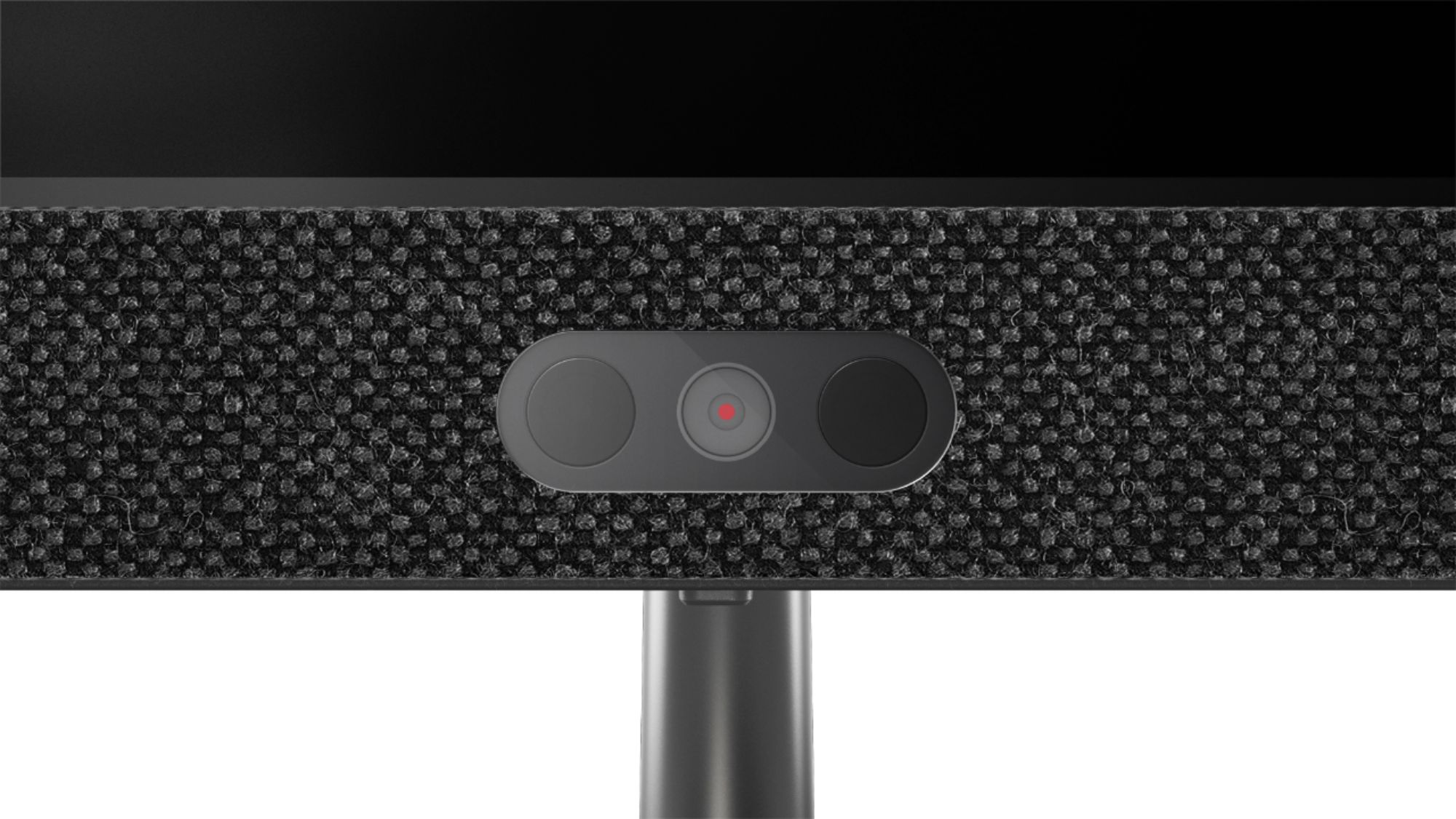
||Posted . Owned for 3 weeks when reviewed.This reviewer received promo considerations or sweepstakes entry for writing a review.This computer is great - modern aesthetics and runs super fast. The face recognition is perfect for quick login.
I would recommend this to a friendBrand response from Lenovo Product Expert
Posted .Once again, thank you for choosing the Lenovo IdeaCentre 730s-24 All-In-One system. You can keep your computer running at its best by keeping the Windows 10 Operating System and all supporting BIOS files and drivers up to date. You can easily accomplish this by scanning the computer with the Lenovo Utility software available on this computer. This system has Lenovo utilities installed to help maintain the health of the device and keep the operating system software up to date. Type "Lenovo Vantage" in the Cortana Search window (if Lenovo Vantage is not installed on your device, you can download the APP and install it now). Select Lenovo Vantage from the list. In the window that opens, click on "Health and Support". In the expanded menu, select "Hardware Scan" In the window that opens, select "Run Quick Tests". This will scan your entire system for errors. Follow any directions that may pop up. If the problem continues after this scan, now click on "System Update". First select Windows update from the menu. Scan your system to be sure you have the latest version of Windows 10. Once that scan is complete, select "Additional Updates". This will scan your device to be sure there are no new BIOS/Driver updates needed. Follow any instructions that may pop up. If you ever need additional help with your Lenovo computer, we recommend you call Lenovo Tech Support at: 877-453-6686 for additional help.
- Pros mentioned:Performance
Performs great as a conference room PC.
||Posted . Owned for 1 month when reviewed.This reviewer received promo considerations or sweepstakes entry for writing a review.Purchased this PC for a conference room and used the HDMI port to connect it to a room LCD. Performs very well.
No, I would not recommend this to a friendBrand response from Lenovo Product Expert
Posted .Thank you for choosing the Lenovo IdeaCentre 730s-24 All-In-One system for your business. We are pleased to hear that the performance of the IdeaCentre 730s-24 AIO meets your business computing needs so well.
- Pros mentioned:Speed
Great computer
||Posted . Owned for 3 weeks when reviewed.This reviewer received promo considerations or sweepstakes entry for writing a review.Very fast and easy to use. The touchscreen is also very handy when you want to access something real fast.
I would recommend this to a friendBrand response from Lenovo Product Expert
Posted .Thank you for choosing the Lenovo IdeaCentre 730s-24 All-In-One system. We are pleased to hear that the ease of use, features and performance of the IdeaCentre 730s-24 AIO. With Intel Core i7-8550U processing, this super slim all-in-one PC can handle almost any task. Maximize your entertainment with a nearly edgeless 23.8" display and powerful Optane memory. Best of all, the stylish Ideacentre AIO 730s will look great on your desk — without crowding it.
- Pros mentioned:Screen size
Great all in one computer
||Posted . Owned for 1 month when reviewed.This reviewer received promo considerations or sweepstakes entry for writing a review.Love it, still portable but much easier to work on than a laptop, big screen, highly recommend.
I would recommend this to a friendBrand response from Lenovo Product Expert
Posted .Thank you for choosing the Lenovo IdeaCentre 730s-24 All-In-One system. We are pleased to hear that the features and performance of the IdeaCentre 730s-24 AIO meets your computing needs so well. Open the box to everything you need! With just one cord, setup couldn't be easier—just plug it in and your PC is ready. No fuss, no muss and reduce the cable clutter. The all-in-one Ideacentre 730s even includes a wireless network card, keyboard, and mouse for all the tools you need in one simple package.
- Pros mentioned:Screen size
Great computer with sleek design
||Posted . Owned for 3 weeks when reviewed.This reviewer received promo considerations or sweepstakes entry for writing a review.EXCEEDS MY EXPECTATIONS. BEST BUY WAS EFFICIENT IN DELIVERING THE ITEM IN A TIMELY FASHION
I would recommend this to a friendBrand response from Lenovo Product Expert
Posted .Once again, thank you for choosing the Lenovo IdeaCentre 730s-24 All-in-One system. You can keep your computer running at its best by keeping the Windows 10 Operating System and all supporting BIOS files and drivers up to date. You can easily accomplish this by scanning the computer with the Lenovo Utility software available on this computer. This system has Lenovo utilities installed to help maintain the health of the device and keep the operating system software up to date. Type "Lenovo Vantage" in the Cortana Search window (if Lenovo Vantage is not installed on your device, you can download the APP and install it now). Select Lenovo Vantage from the list. In the window that opens, click on "Health and Support". In the expanded menu, select "Hardware Scan" In the window that opens, select "Run Quick Tests". This will scan your entire system for errors. Follow any directions that may pop up. If the problem continues after this scan, now click on "System Update". First select Windows update from the menu. Scan your system to be sure you have the latest version of Windows 10. Once that scan is complete, select "Additional Updates". This will scan your device to be sure there are no new BIOS/Driver updates needed. Follow any instructions that may pop up. If you ever need additional help with your Lenovo computer, we recommend you call Lenovo Tech Support at: 877-453-6686 for additional help.
- Pros mentioned:Speed
perfect for what i need
||Posted . Owned for 3 weeks when reviewed.This reviewer received promo considerations or sweepstakes entry for writing a review.loads very fast and is responsive. I needed an updated computer and this one fits the bill.
I would recommend this to a friendBrand response from Lenovo Product Expert
Posted .Once again, thank you for choosing the Lenovo IdeaCentre 730s-24 All-in-One system. You can keep your computer running at its best by keeping the Windows 10 Operating System and all supporting BIOS files and drivers up to date. You can easily accomplish this by scanning the computer with the Lenovo Utility software available on this computer. This system has Lenovo utilities installed to help maintain the health of the device and keep the operating system software up to date. Type "Lenovo Vantage" in the Cortana Search window (if Lenovo Vantage is not installed on your device, you can download the APP and install it now). Select Lenovo Vantage from the list. In the window that opens, click on "Health and Support". In the expanded menu, select "Hardware Scan" In the window that opens, select "Run Quick Tests". This will scan your entire system for errors. Follow any directions that may pop up. If the problem continues after this scan, now click on "System Update". First select Windows update from the menu. Scan your system to be sure you have the latest version of Windows 10. Once that scan is complete, select "Additional Updates". This will scan your device to be sure there are no new BIOS/Driver updates needed. Follow any instructions that may pop up. If you ever need additional help with your Lenovo computer, we recommend you call Lenovo Tech Support at: 877-453-6686 for additional help.