Customer Ratings & Reviews

- Model:
- F0DY001XUS
- SKU:
- 6325576
to a friend
Customers are saying
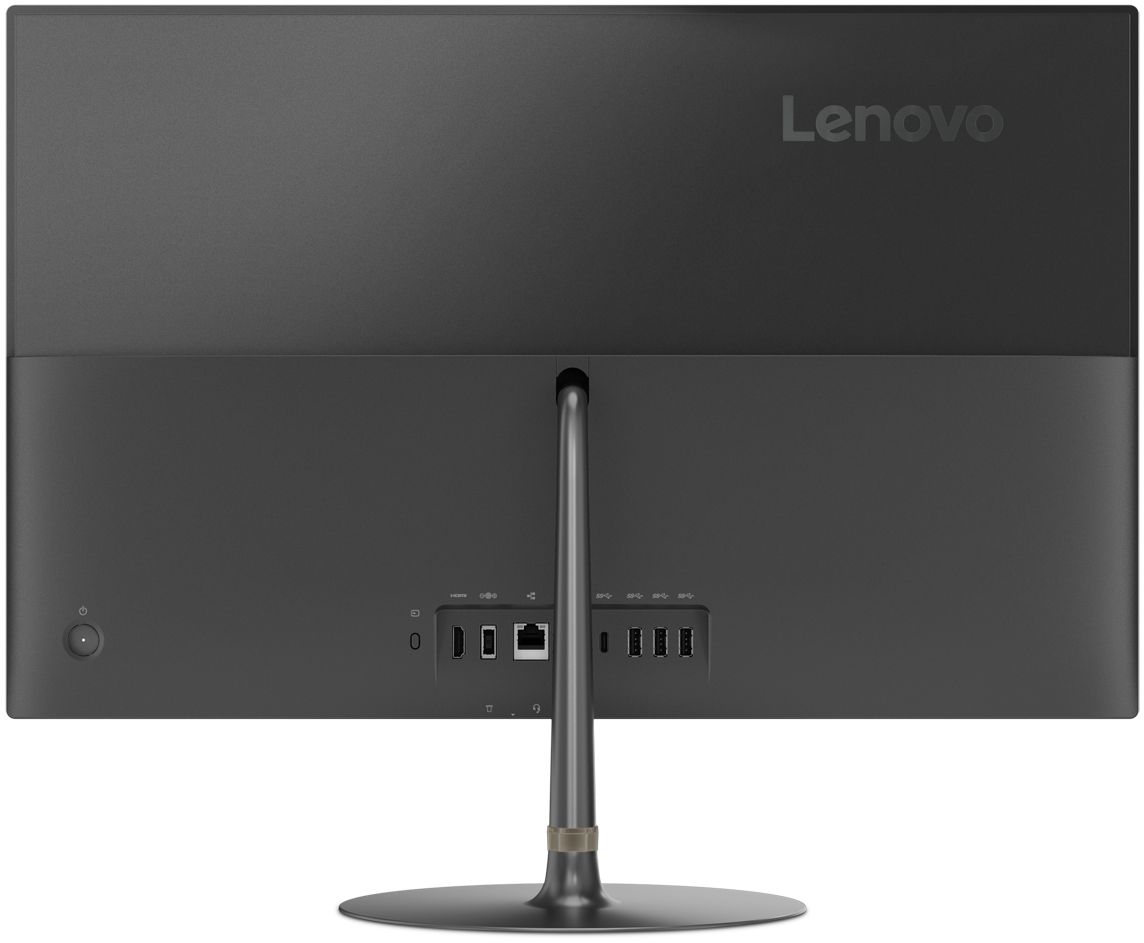
Customers praise the IdeaCentre 730S for its ease of use, large screen size, and strong performance. Many appreciate its sleek design and consider it a good value for the price. A few users mentioned a limited number of USB ports as a drawback. The lack of a CD/DVD drive was also noted by some customers.
This summary was generated by AI based on customer reviews.
- Pros mentioned:Ease of use
great computer fast and easy to follow
||Posted . Owned for 3 weeks when reviewed.This reviewer received promo considerations or sweepstakes entry for writing a review.I like the computers ease of use and beautiful style
I would recommend this to a friendBrand response from Lenovo Product Expert
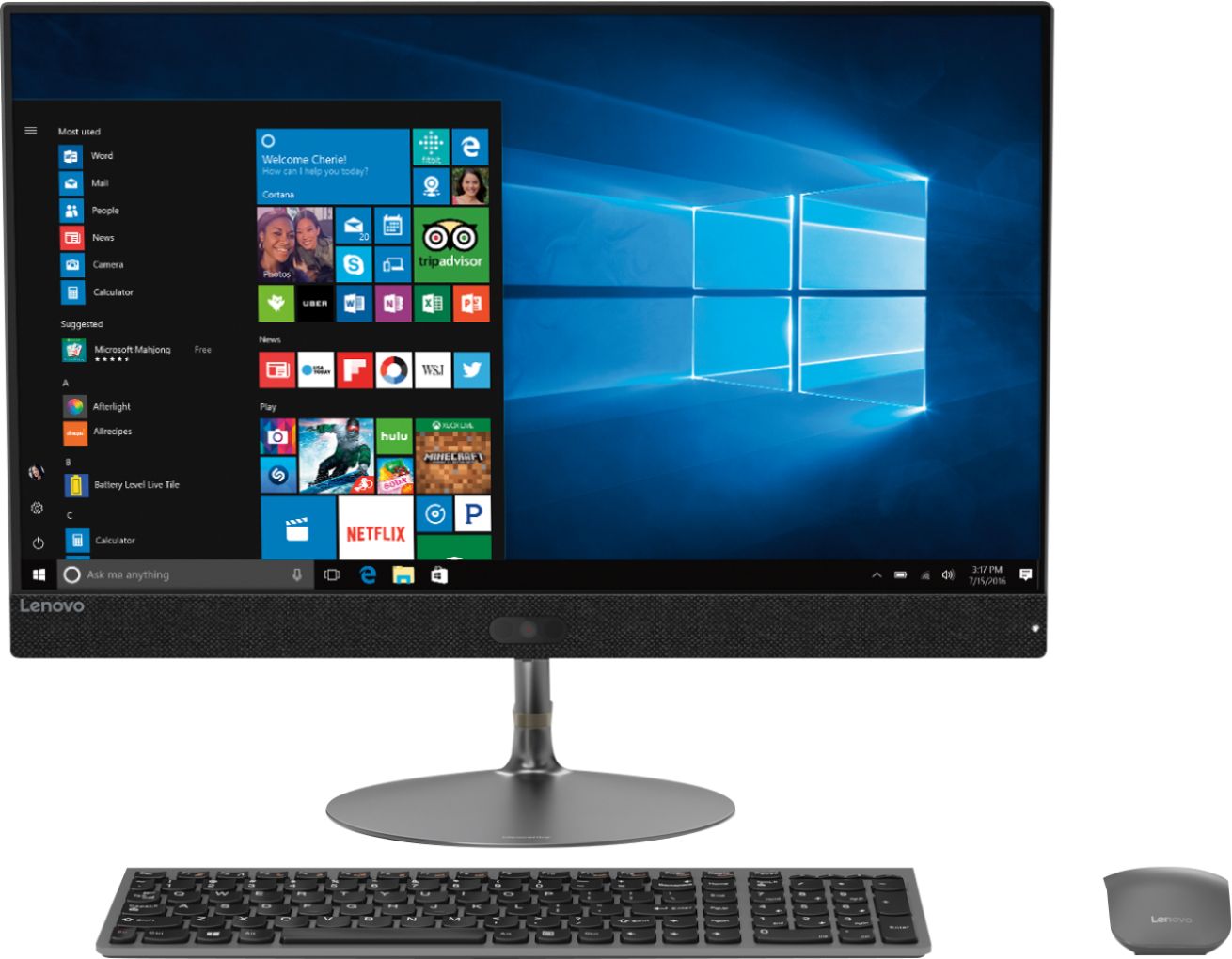
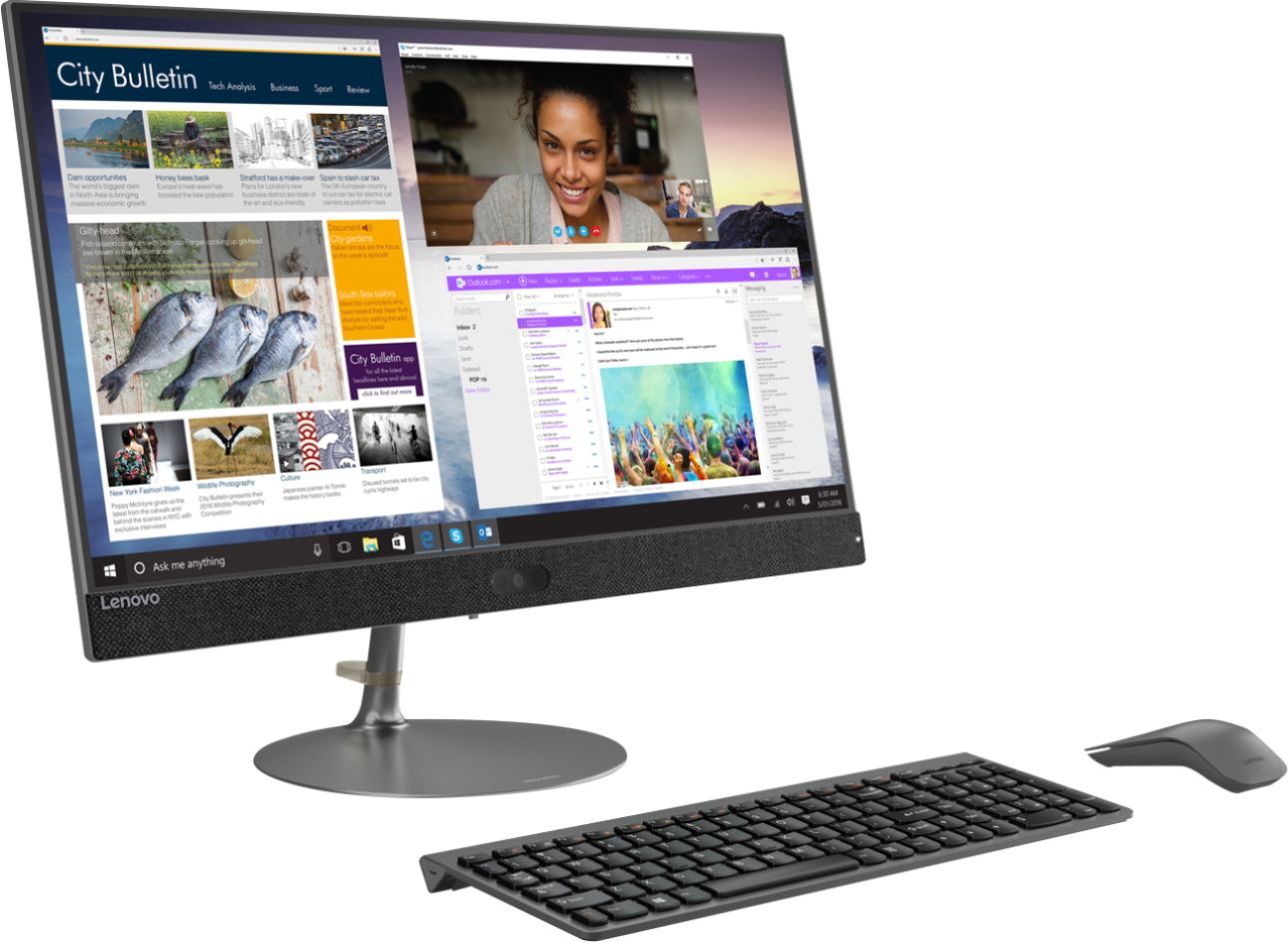
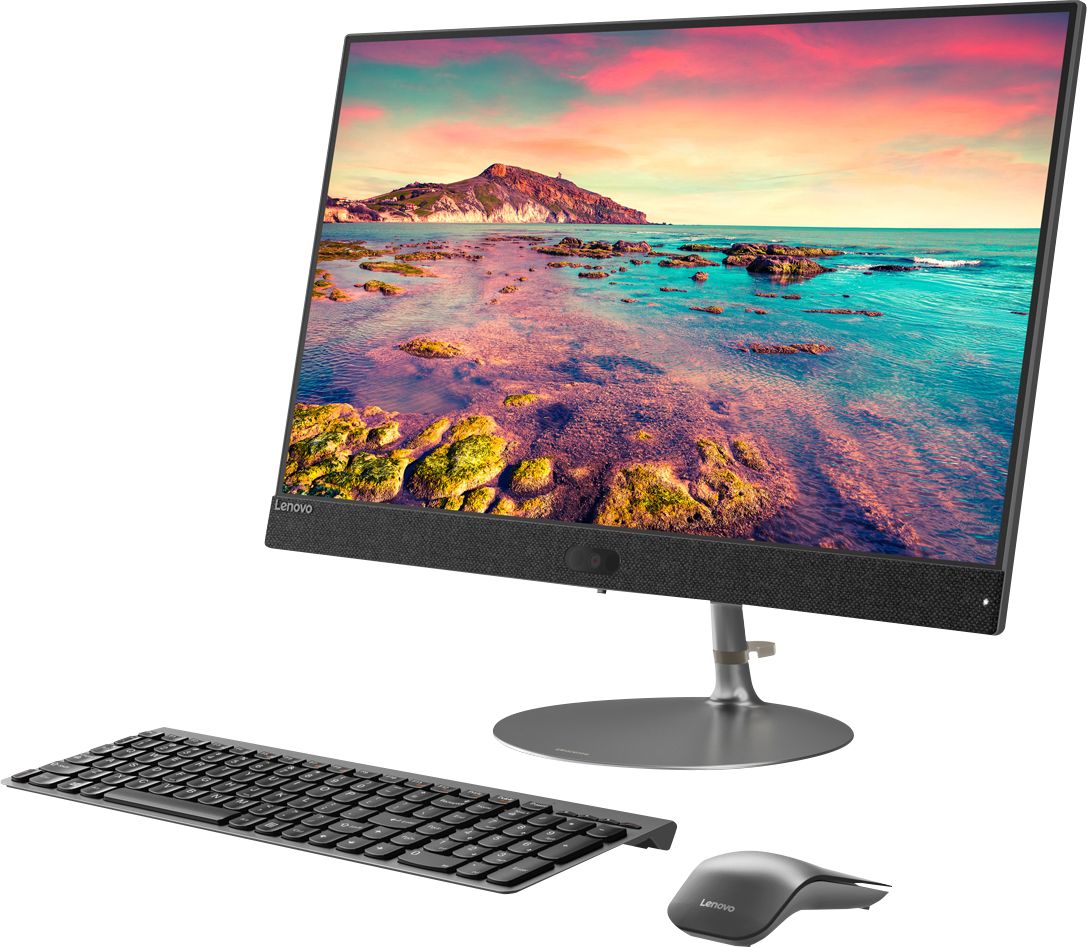
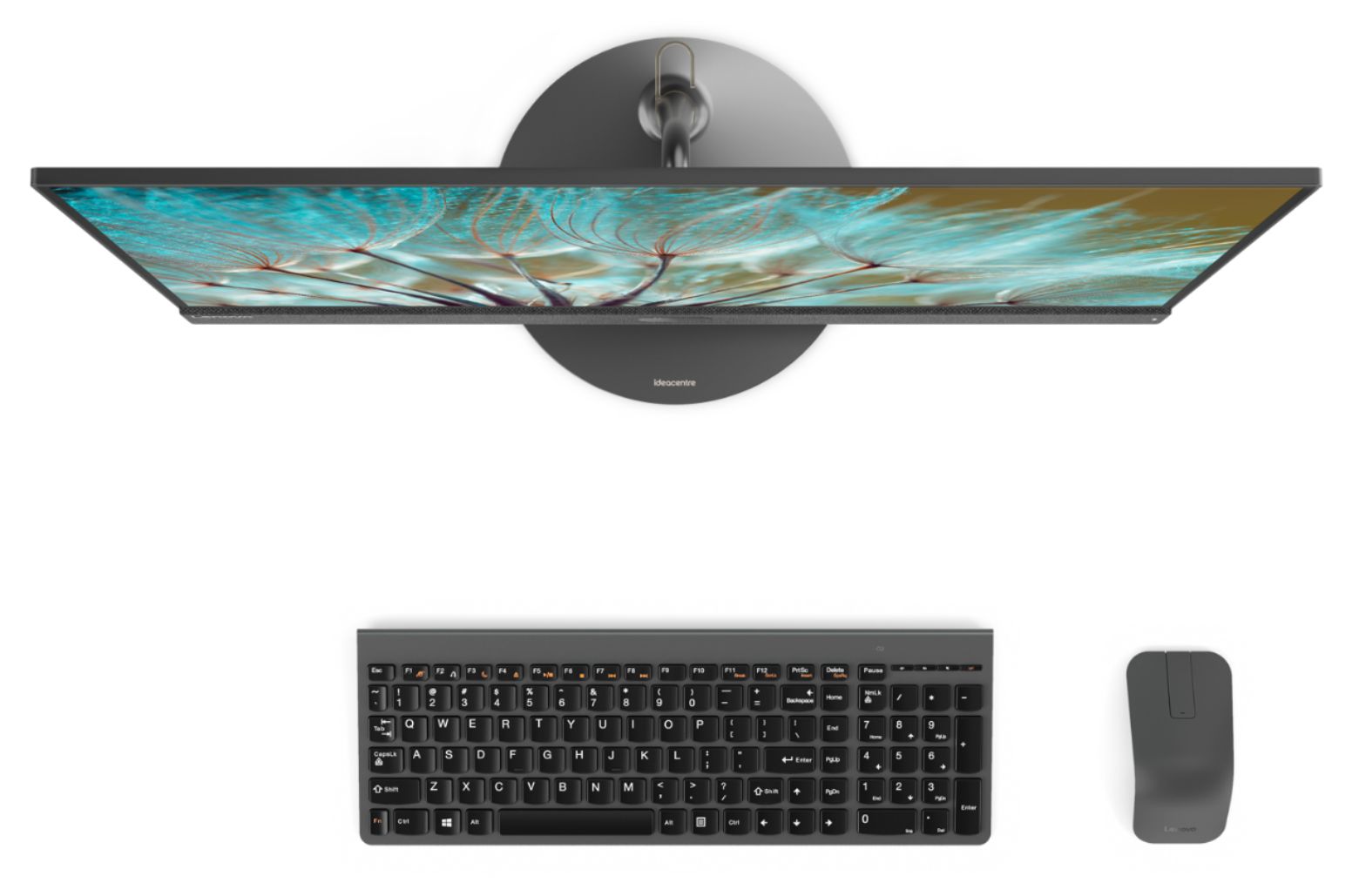
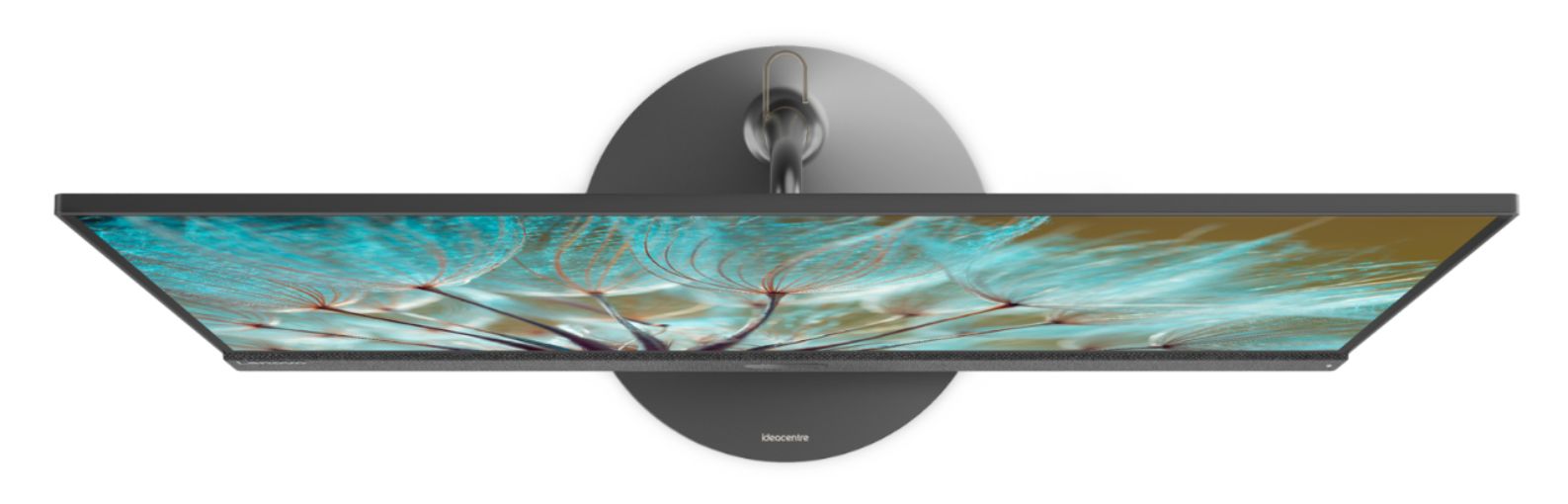
Posted .Thank you for choosing the Lenovo IdeaCentre 730s-24 All-In-One system. We are pleased to hear that the features and performance of the IdeaCentre 730s-24 AIO meets your computing needs so well. With Intel Core i7 processing, this super slim all-in-one PC can handle almost any task. Maximize your entertainment with a nearly edgeless 23.8-inch display. Best of all, the stylish Ideacentre AIO 730s will look great on your desk — without crowding it.

- Pros mentioned:Ease of use
easy to operate
||Posted . Owned for 1 month when reviewed.This reviewer received promo considerations or sweepstakes entry for writing a review.using window 10 was easier than expected.over all system is easy to use
I would recommend this to a friend Faith
||Posted . Owned for 1 year when reviewed.This reviewer received promo considerations or sweepstakes entry for writing a review.I purchased to use at home for work but my job ended up purchasing a laptop for us. So I put in my husbands room he loves it and says Lenovo is the best computer. He has a Lenovo laptop that just keeps going
I would recommend this to a friendBrand response from Lenovo Product Expert
Posted .Thank you for choosing the Lenovo IdeaCentre 730S-24 All-In-One system. We are pleased to hear that the IdeaCentre 730S-24 AIO is working out so well.
So far it’s great.
||Posted . Owned for 1 week when reviewed.This reviewer received promo considerations or sweepstakes entry for writing a review.Just had it for a few weeks, but we have liked it very much. There is one thing we don’t understand: after we’ve been on for awhile there comes on a sound, like an ocean wave sound, that stays on for awhile then goes alway. Wondering if this is normal, or a indication of a problem.
I would recommend this to a friendBrand response from Lenovo Product Expert
Posted .Thank you for choosing the Lenovo IdeaCentre 730s-24 All-In-One System. Regarding the sound you describe, be sure there are no open programs or web pages that could be the source of the sound. Second, be sure you have the latest version of Windows 10 on the computer then update all of the BIOS files and drivers up to that latest Windows 10 version. You can easily accomplish this by scanning the computer with the Lenovo Utility software installed on the computer. This system has Lenovo utilities installed to help maintain the health of the device and keep the operating system software up to date. Type "Lenovo Vantage" in the Cortana Search window (if Lenovo Vantage is not installed on your device, you can download the APP and install it now). Select Lenovo Vantage from the list. In the window that opens, click on "Health and Support". In the expanded menu, select "Hardware Scan" In the window that opens, select "Run Quick Tests". This will scan your entire system for errors. Follow any directions that may pop up. If the problem continues after this scan, now click on "System Update". First select Windows update from the menu. Scan your system to be sure you have the latest version of Windows 10. Once that scan is complete, select "Additional Updates". This will scan your device to be sure there are no new BIOS/Driver updates needed. Follow any instructions that may pop up. If the issue still continues after these updates, we recommend you call Lenovo Tech Support at: 877-453-6686 for additional help.
- Pros mentioned:Ease of use
Very easy to learn
||Posted . Owned for 3 weeks when reviewed.This reviewer received promo considerations or sweepstakes entry for writing a review.I enjoy my purchase. Still learning things. Easy to use.
I would recommend this to a friendBrand response from Lenovo Product Expert
Posted .Thank you for choosing the Lenovo IdeaCentre 730s-24 All-In-One system. The heart of the IdeaCentre 730s-24 AIO is the Windows 10 Operating System. With regard to learning your way around Windows 10, you may want to try YouTube.com (just type that address in your browser address window). There are hundreds for free instructional videos there about Windows 10. Just type Windows 10 Introduction in to the YouTube search window. You can watch free videos there that will show you the basics all the way up to tips and tricks videos and they're all free.
nice computer, keyboard is crummy
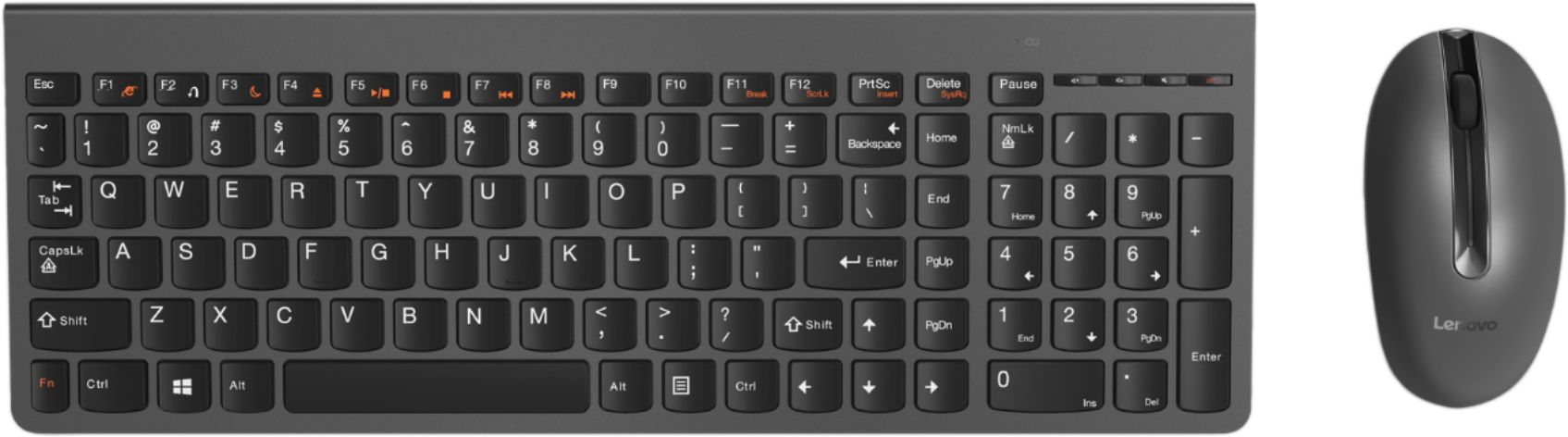
||Posted . Owned for 1 month when reviewed.This reviewer received promo considerations or sweepstakes entry for writing a review.Like the computer but the keyboard is flimsy and will not stay connected. I had to buy a different one for it to be functional with computer. Other than a super cheap and flimsy keyboard, the computer is good and fast and no issues with it yet.
I would recommend this to a friendBrand response from Lenovo Product Expert
Posted .The Lenovo IdeaCentre 730s-24 All-In-One system ships with a premium, Slimline, lite weight wireless keyboard and mouse. Plug one power cord in and you are ready to go. Open the box to everything you need! With just one cord, setup couldn't be easier—just plug it in and your PC is ready. No fuss, no muss and reduce the cable clutter. The all-in-one Ideacentre 730s even includes a wireless network card, keyboard, and mouse for all the tools you need in one simple package.
Mrs
||Posted . Owned for 1 year when reviewed.This reviewer received promo considerations or sweepstakes entry for writing a review.This is the only desk top computer I have had in many years. The screen display is wide and clear. Reduce the eye strain for me while working long hours.
I would recommend this to a friendHorrible Camera
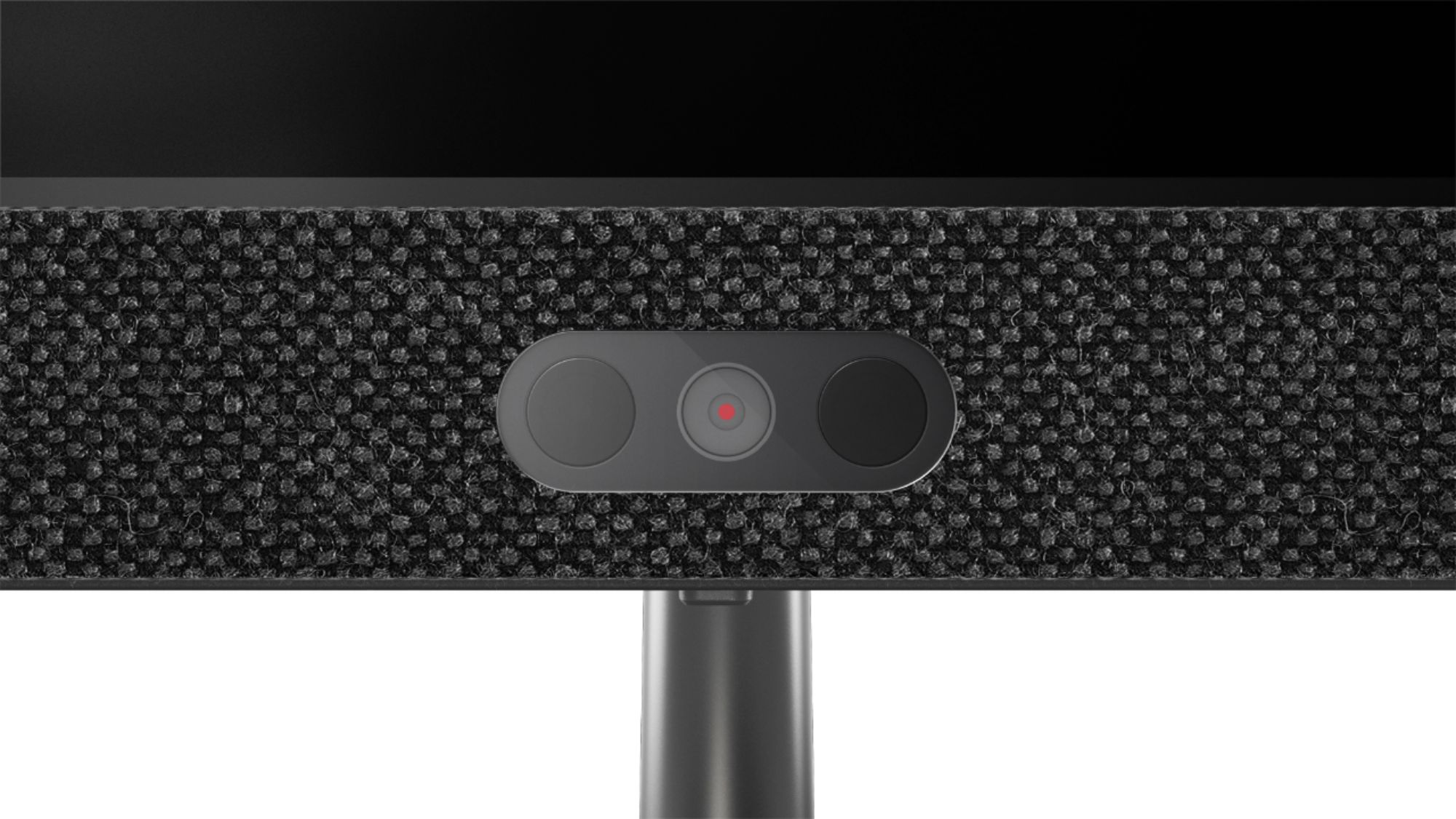
||Posted . Owned for 2 weeks when reviewed.This reviewer received promo considerations or sweepstakes entry for writing a review.Decent computer, camera is not workable blurry and dark, the bloatware is irritating me. I was mislead by Best Buy sales person.
No, I would not recommend this to a friendBrand response from Lenovo Product Expert
Posted .The Lenovo IdeaCentre 730s-24 All-In-One system ships with a 1080p IR camera (required for Windows Hello login) with dual-array far field microphones. We hope that the issue you were having with the webcam has been resolved. You can keep your computer running at its best by keeping the Windows 10 Operating System and all supporting BIOS files and drivers up to date. You can easily accomplish this by scanning the computer with the Lenovo Utility software available on this computer. This system has Lenovo utilities installed to help maintain the health of the device and keep the operating system software up to date. Type "Lenovo Vantage" in the Cortana Search window (if Lenovo Vantage is not installed on your device, you can download the APP and install it now). Select Lenovo Vantage from the list. In the window that opens, click on "Health and Support". In the expanded menu, select "Hardware Scan" In the window that opens, select "Run Quick Tests". This will scan your entire system for errors. Follow any directions that may pop up. If the problem continues after this scan, now click on "System Update". First select Windows update from the menu. Scan your system to be sure you have the latest version of Windows 10. Once that scan is complete, select "Additional Updates". This will scan your device to be sure there are no new BIOS/Driver updates needed. Follow any instructions that may pop up. If you ever need additional help with your Lenovo computer, we recommend you call Lenovo Tech Support at: 877-453-6686 for additional help.
Lenovo , my go to systems
||Posted .This reviewer received promo considerations or sweepstakes entry for writing a review.I am a tech that recommends and purchases systems for people and I have to say Lenovo is my go to for a worry free setup and user experience
I would recommend this to a friendBrand response from Lenovo Product Expert
Posted .Thank you for choosing the Lenovo IdeaCentre 730s-24 All-In-One system for your clients. We are pleased to hear that the IdeaCentre 730s-24 AIO and the Lenovo Brand are working out well for your clients. With Intel Core i7 processing, this super slim all-in-one PC can handle almost any task. Maximize your entertainment with a nearly edgeless 23.8-inch display. Best of all, the stylish Ideacentre AIO 730s will look great on your desk — without crowding it.
All In One
||Posted . Owned for 1 month when reviewed.This reviewer received promo considerations or sweepstakes entry for writing a review.I love my new computer with 23.8" monitor. Great for zoom meetings and does not take up much space!
I would recommend this to a friendBrand response from Lenovo Product Expert
Posted .Thank you for choosing the Lenovo IdeaCentre 730S-24 All-In-One system. We are pleased to hear that the features and performance of the IdeaCentre 730S-24 AIO meets your computing needs so well.
ok job
||Posted .This reviewer received promo considerations or sweepstakes entry for writing a review.they did not set the pc up so I could get to my old files from my previous mac. I was disappointed and had to pay another company to do it.
I would recommend this to a friendgreat computer also the new TV is wonderful
||Posted . Owned for 1 month when reviewed.This reviewer received promo considerations or sweepstakes entry for writing a review.computer is working very well. enjoying the wireless connection. The television I purchased is really great. I like the VIZIO products
I would recommend this to a friendBrand response from Lenovo Product Expert
Posted .Thank you for choosing the Lenovo IdeaCentre 730s-24 All-In-One system. Open the box to everything you need! With just one cord, setup couldn't be easier—just plug it in and your PC is ready. No fuss, no muss and reduce the cable clutter. The all-in-one Ideacentre 730s even includes a wireless network card, keyboard, and mouse for all the tools you need in one simple package.
User Friendly
||Posted . Owned for 1 month when reviewed.This reviewer received promo considerations or sweepstakes entry for writing a review.I had a Lenovo laptop and absolutely loved it so when shopping for a desktop, I wanted to be branded across devices and am just as satisfied with the desktop as I was the laptop.
I would recommend this to a friendBrand response from Lenovo Product Expert
Posted .Thank you for choosing the lenovo IdeaCentre 730s-24 All-In-One system. We appreciate your loyalty to the Lenovo Brand. With Intel Core i7-8550U processing, this super slim all-in-one PC can handle almost any task. Maximize your entertainment with a nearly edgeless 23.8" display. Best of all, the stylish Ideacentre AIO 730s will look great on your desk — without crowding it.
Terrific all in one
||Posted . Owned for 1 month when reviewed.This reviewer received promo considerations or sweepstakes entry for writing a review.Programs and personal data was transferred from my fried computer to this new computer and everything works well.
I would recommend this to a friendBrand response from Lenovo Product Expert
Posted .Once again, thank you for choosing the Lenovo IdeaCentre 730s-24 All-In-One system. You can keep your computer running at its best by keeping the Windows 10 Operating System and all supporting BIOS files and drivers up to date. You can easily accomplish this by scanning the computer with the Lenovo Utility software available on this computer. This system has Lenovo utilities installed to help maintain the health of the device and keep the operating system software up to date. Type "Lenovo Vantage" in the Cortana Search window (if Lenovo Vantage is not installed on your device, you can download the APP and install it now). Select Lenovo Vantage from the list. In the window that opens, click on "Health and Support". In the expanded menu, select "Hardware Scan" In the window that opens, select "Run Quick Tests". This will scan your entire system for errors. Follow any directions that may pop up. If the problem continues after this scan, now click on "System Update". First select Windows update from the menu. Scan your system to be sure you have the latest version of Windows 10. Once that scan is complete, select "Additional Updates". This will scan your device to be sure there are no new BIOS/Driver updates needed. Follow any instructions that may pop up. If you ever need additional help with your Lenovo computer, we recommend you call Lenovo Tech Support at: 877-453-6686 for additional help.
easy transition from old computer
||Posted . Owned for 1 month when reviewed.This reviewer received promo considerations or sweepstakes entry for writing a review.So far the computer seems to be functioning well. My only comment is the keyboard. I am having trouble with the space bar. It doesn't always space.
I would recommend this to a friendBrand response from Lenovo Product Expert
Posted .Thank you for choosing the Lenovo IdeaCentre 730s-24 All-In-One system. Regarding the spacebar issue you mention, first, try using a "can of air" to clean out the area under the spacebar. Second, be sure to tap the spacebar squarely to insure the key input.
Seen better from Lenovo
||Posted .This reviewer received promo considerations or sweepstakes entry for writing a review.This is the first Lenovo product I had trouble with. Everything works great except 1) power saver causes the PC to go into a strange hibernation mode that requires hard reboot, and the only dependable solution is to disable power saver (microsoft could not help); and 2) the wireless adapter keeps crashing after 2 months, and the solution is hard wire to internet port. Otherwise it is a very good machine.
No, I would not recommend this to a friendBrand response from Lenovo Product Expert
Posted .We are sorry to hear that you are having issues with your Lenovo IdeaCentre 730s-24 All-in-One system. Be sure you have the latest version of Windows 10 on the computer. Then update all of the BIOS files and drivers up to that latest version of Windows 10. You can easily accomplish this by scanning the computer with the Lenovo Utility software available on this computer. This system has Lenovo utilities installed to help maintain the health of the device and keep the operating system software up to date. Type "Lenovo Vantage" in the Cortana Search window (if Lenovo Vantage is not installed on your device, you can download the APP and install it now). Select Lenovo Vantage from the list. In the window that opens, click on "Health and Support". In the expanded menu, select "Hardware Scan" In the window that opens, select "Run Quick Tests". This will scan your entire system for errors. Follow any directions that may pop up. If the problem continues after this scan, now click on "System Update". First select Windows update from the menu. Scan your system to be sure you have the latest version of Windows 10. Once that scan is complete, select "Additional Updates". This will scan your device to be sure there are no new BIOS/Driver updates needed. Follow any instructions that may pop up. If the issues you mention still continue after these updates, we recommend you call Lenovo Tech Support at: 877-453-6686 for additional help.
Great Machine, Sleek Look
||Posted . Owned for 1 month when reviewed.This reviewer received promo considerations or sweepstakes entry for writing a review.This was purchased to be a semi-portable machine with the bang/buck of a desktop. Very satisfied!
I would recommend this to a friendBrand response from Lenovo Product Expert
Posted .Thank you for choosing the Lenovo IdeaCentre 730s-24 All-In-One system. We are pleased to hear that the value, features and performance of the IdeaCentre 730s-24 AIO meets your computing needs so well. Open the box to everything you need! With just one cord, setup couldn't be easier—just plug it in and your PC is ready. No fuss, no muss and reduce the cable clutter. The all-in-one Ideacentre 730s even includes a wireless network card, keyboard, and mouse for all the tools you need in one simple package.
Perfect for my office.
||Posted . Owned for 3 weeks when reviewed.This reviewer received promo considerations or sweepstakes entry for writing a review.Great desktop computer with a small footprint leaving room for paperwork on my desk in front of me.
I would recommend this to a friendBrand response from Lenovo Product Expert
Posted .Thank you for choosing the Lenovo IdeaCentre 730s-24 All-In-One system. We are pleased to hear that the features and performance of the IdeaCentre 730s-24 AIO meets your computing needs so well. Open the box to everything you need! With just one cord, setup couldn't be easier—just plug it in and your PC is ready. No fuss, no muss and reduce the cable clutter. The all-in-one Ideacentre 730s even includes a wireless network card, keyboard, and mouse for all the tools you need in one simple package.
Great computer
||Posted . Owned for 1 month when reviewed.This reviewer received promo considerations or sweepstakes entry for writing a review.Love this computer. It’s perfect and was really easy setup. I’m really happy with it
I would recommend this to a friendBrand response from Lenovo Product Expert
Posted .Once again, thank you for choosing the Lenovo IdeaCentre 730s-24 All-In-One system. You can keep your computer running at its best by keeping the Windows 10 Operating System and all supporting BIOS files and drivers up to date. You can easily accomplish this by scanning the computer with the Lenovo Utility software available on this computer. This system has Lenovo utilities installed to help maintain the health of the device and keep the operating system software up to date. Type "Lenovo Vantage" in the Cortana Search window (if Lenovo Vantage is not installed on your device, you can download the APP and install it now). Select Lenovo Vantage from the list. In the window that opens, click on "Health and Support". In the expanded menu, select "Hardware Scan" In the window that opens, select "Run Quick Tests". This will scan your entire system for errors. Follow any directions that may pop up. If the problem continues after this scan, now click on "System Update". First select Windows update from the menu. Scan your system to be sure you have the latest version of Windows 10. Once that scan is complete, select "Additional Updates". This will scan your device to be sure there are no new BIOS/Driver updates needed. Follow any instructions that may pop up. If you ever need additional help with your Lenovo computer, we recommend you call Lenovo Tech Support at: 877-453-6686 for additional help.
Great
||Posted . Owned for 1 month when reviewed.This reviewer received promo considerations or sweepstakes entry for writing a review.Fast start up, easy to use and gets everything a solid desktop PC can do done quickly
I would recommend this to a friendBrand response from Lenovo Product Expert
Posted .Once again, thank you for choosing the Lenovo IdeaCentre 730s-24 All-In-One system. You can keep your computer running at its best by keeping the Windows 10 Operating System and all supporting BIOS files and drivers up to date. You can easily accomplish this by scanning the computer with the Lenovo Utility software available on this computer. This system has Lenovo utilities installed to help maintain the health of the device and keep the operating system software up to date. Type "Lenovo Vantage" in the Cortana Search window (if Lenovo Vantage is not installed on your device, you can download the APP and install it now). Select Lenovo Vantage from the list. In the window that opens, click on "Health and Support". In the expanded menu, select "Hardware Scan" In the window that opens, select "Run Quick Tests". This will scan your entire system for errors. Follow any directions that may pop up. If the problem continues after this scan, now click on "System Update". First select Windows update from the menu. Scan your system to be sure you have the latest version of Windows 10. Once that scan is complete, select "Additional Updates". This will scan your device to be sure there are no new BIOS/Driver updates needed. Follow any instructions that may pop up. If you ever need additional help with your Lenovo computer, we recommend you call Lenovo Tech Support at: 877-453-6686 for additional help.