Customer Ratings & Reviews
![Unmatched efficiency and mobility. AMD Ryzen 5 7520U Processor, 8GB LPDDR5-5500 memory, Integrated AMD Radeon 610M Graphics, 256GB PCle SSD, Suite - [Proseware, Inc.] - 10% off - Slim Zip Backpack $50 - - - - - - - - - - - - - - - - - - - - - - - - - - - - - - - - - - - - - - - - - - - - - - - - - - - - - - - - - - - - - - - - - - - - - - - - - - - - - - - - - - - - - - - - - - - - - - - - - - - - - - - - - - - - - - - - - - - - - - - - - - - - - - - - - - - - - - - - - - - - - - - - - - - - - - - - - - - - - - - - - - - - - - - - - - - - - - - - - - - - - - - - - - - - - - - - - - - - - - - - - - - - - - - - - - - - - - - - - - - - - - - - - - - - - - - - - - - - - - - - - - - - - - - - - - - - - - - - - - - - - - - - - - - - - - - - - - - - - - - - - - - - - - - - - - - - - - - - - - - - - - - - - - - - - - - - - - - - - - - - - - - - - - - - - - - - - - - - - - - - - - - - - - - - - - - - - - - - - - - - - - - - - - - - - - - - - - - - - - - - - - - - - - - - - - - - - - - - - - - - - - - - - - - - - - - - - - - - - - - - - - - - -](https://pisces.bbystatic.com/image2/BestBuy_US/images/products/6376a14e-e58e-4d66-b18b-3d5463e44a58.jpg)


- Model:
- 82VG00TYUS
- SKU:
- 11112859
Rating by feature
- Battery Life
Rating 4.6 out of 5 stars
- Speed
Rating 4.6 out of 5 stars
- Display
Rating 4.7 out of 5 stars
Great laptop
||Posted . Owned for 3 weeks when reviewed.This reviewer received promo considerations or sweepstakes entry for writing a review.Love it! No issues so far. Would definitely recommend if using for basic needs.
I would recommend this to a friendBrand response from Lenovo Product Expert
Posted .Hi,
Thanks for choosing Lenovo and for sharing your feedback with us!
We are glad to read that you are satisfied with your purchase.
Please don't hesitate to reach out to us via the Q& A section of this product page or contact Lenovo Support should you have any questions or need assistance.
Regards,
Lenovo
Lenovo laptop
||Posted . Owned for 1 month when reviewed.This reviewer received promo considerations or sweepstakes entry for writing a review.Great product for the price. I use this laptop for work and the nattery life is great.
I would recommend this to a friendBrand response from Lenovo Product Expert
Posted .Hey HeikeF,
Thank you for choosing Lenovo and for sharing your feedback with us!
We are pleased to read that you are satisfied with your purchase.
Please don't hesitate to reach out to us via the Q& A section of this product page or contact Lenovo Support should you have any questions or need assistance.
Regards,
Lenovo
Great for the price
||Posted .This reviewer received promo considerations or sweepstakes entry for writing a review.Works great for the price. Good device to stream videos and play low impact games on.
I would recommend this to a friendBrand response from Lenovo Product Expert
Posted .Hi,
Thanks for choosing Lenovo and for sharing your feedback with us!
We are glad to read that you are satisfied with your purchase.
Please don't hesitate to reach out to us via the Q& A section of this product page or contact Lenovo Support should you have any questions or need assistance.
Regards,
Lenovo
Excellent Buy
||Posted .This reviewer received promo considerations or sweepstakes entry for writing a review.This laptop was purchased rather suddenly after my personal laptop went down unexpectedly. This Lenovo laptop is working very well and I couldn’t have asked for what I call a better deal.
I would recommend this to a friendBrand response from Lenovo Product Expert
Posted .Hey RogerP,
Thanks for choosing Lenovo and for sharing your feedback with us!
We are glad to read that this IdeaPad 1 is working quite well for you.
Please feel free to reach out to us via the Q& A section of this product page should you have any questions or need assistance.
Best,
Lenovo
Laptop
||Posted . Owned for 4 months when reviewed.This reviewer received promo considerations or sweepstakes entry for writing a review.Works well, I use it often when I’m out of the office, great purchase
I would recommend this to a friendBrand response from Lenovo Product Expert
Posted .Hi ShermanJ-
Thank you for choosing Lenovo and sharing your experience with us. We are happy to hear that you are enjoying the IdeaPad 1 for your work when you're on the go. We aim to offer great user experience and are overjoyed to see that we met our goal.
Please reach out to us through the Q & A section of this product webpage if you have any questions or need any assistance.
Best wishes,
Lenovo
Lenovo Laptop
||Posted . Owned for 2 weeks when reviewed.This reviewer received promo considerations or sweepstakes entry for writing a review.BEST THING FOR MY BUSINESS NEEDS Access to the program is high-speed.
I would recommend this to a friendBrand response from Lenovo Product Expert
Posted .Hi MarcelJ,
Thanks for choosing Lenovo and for sharing your feedback with us!
We are pleased to read that this IdeaPad is perfect for your business needs.
Please feel free to reach out to us via the Q& A section of this product page should you have any questions or need assistance.
Best,
Lenovo
Great bang for buck option for professionals
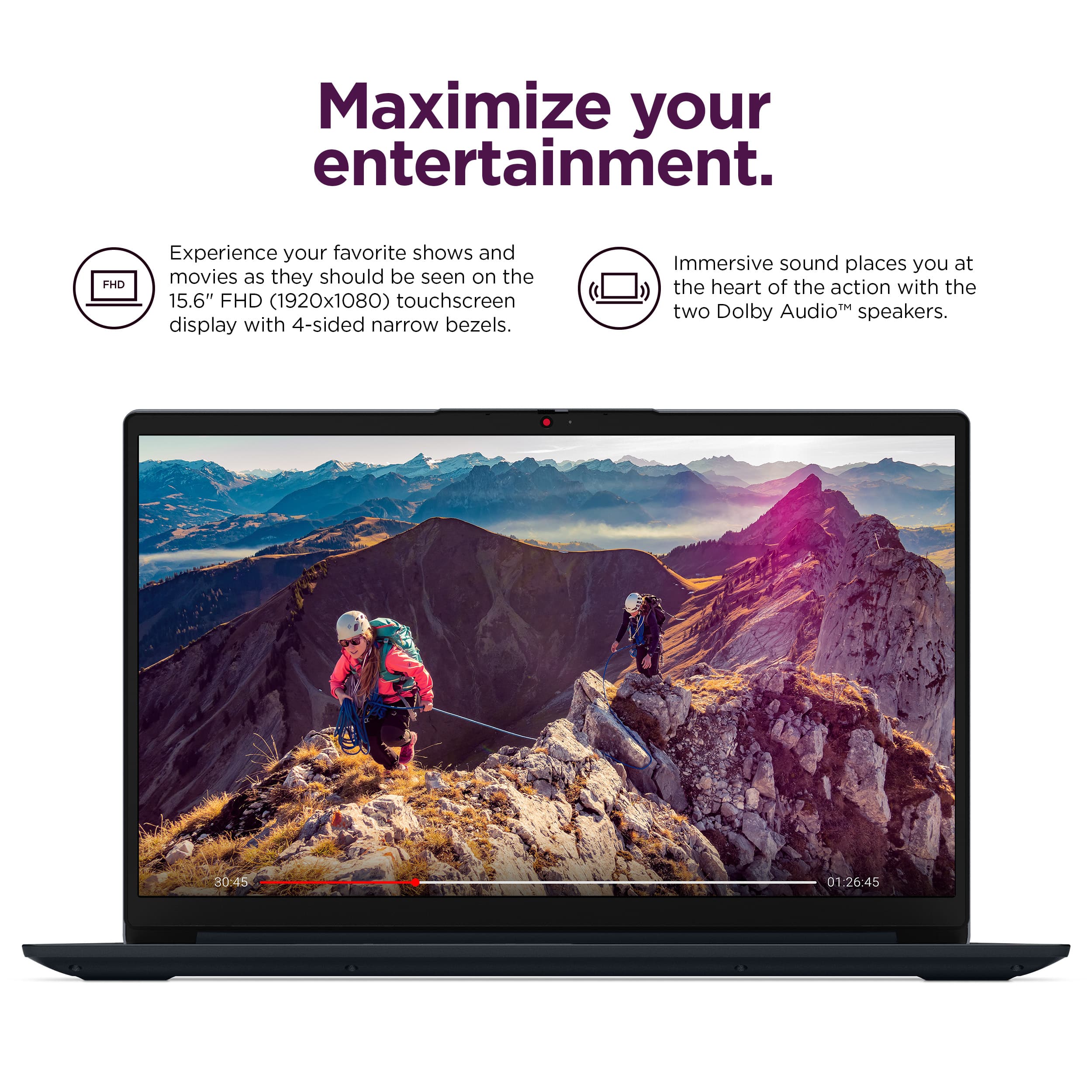
||Posted . Owned for 1 month when reviewed.This reviewer received promo considerations or sweepstakes entry for writing a review.Great computer for on-the-go professionals at an even better price! Love the touchscreen along with the mousepad /keyboard touch and feel.
I would recommend this to a friendBrand response from Lenovo Product Expert
Posted .Hi CrystalD,
Thanks for choosing Lenovo and for sharing your feedback with us!
We are pleased to read that this IdeaPad 1 is a great fit for you.
Please feel free to reach out to us via the Q& A section of this product page should you have any questions or need assistance.
Best,
Lenovo
Laptop works awesome
||Posted . Owned for 2 months when reviewed.This reviewer received promo considerations or sweepstakes entry for writing a review.Everything is super smooth and runs great. It Was a wonderful experience in store as well.
I would recommend this to a friendBrand response from Lenovo Product Expert
Posted .Hey ShawnT,
Thank you for choosing Lenovo and for sharing your feedback with us!
We are pleased to read that you are satisfied with your purchase.
Please don't hesitate to reach out to us via the Q& A section of this product page or contact Lenovo Support should you have any questions or need assistance.
Regards,
Lenovo
Great laptop!
||Posted . Owned for 3 weeks when reviewed.This reviewer received promo considerations or sweepstakes entry for writing a review.Love this laptop. Exactly what I needed and lightweight. Sales guy was knowledgeable and helpful.
I would recommend this to a friendBrand response from Lenovo Product Expert
Posted .Hi DaunT,
Thanks for choosing Lenovo and for sharing your feedback with us!
We are pleased to read that you love this IdeaPad 1 and that it meets your needs exactly.
Please feel free to reach out to us via the Q& A section of this product page should you have any questions or need assistance.
Best,
Lenovo
Top laptops under 500$
||Posted . Owned for 1 month when reviewed.This reviewer received promo considerations or sweepstakes entry for writing a review.this laptop works super well for m365 and other business applications. I am using this to learn and develop AI copilot agents so having a efficient computer is very helpful.
I would recommend this to a friendBrand response from Lenovo Product Expert
Posted .Hey Konect,
Thanks for choosing Lenovo and for sharing your feedback with us!
We are glad to read that the IdeaPad 1 has been quite helpful and that it is working great for your use.
Please feel free to reach out to us via the Q& A section of this product page should you have any questions or need assistance.
Best,
Lenovo
A good buy.
||Posted . Owned for 3 weeks when reviewed.This reviewer received promo considerations or sweepstakes entry for writing a review.Works exactly as needed to do Internet browsing, email processing and spreadsheet editing.
I would recommend this to a friendBrand response from Lenovo Product Expert
Posted .Hey,
Thank you for choosing Lenovo and for sharing your feedback with us!
We are pleased to read that you are satisfied with your purchase.
Please don't hesitate to reach out to us via the Q& A section of this product page or contact Lenovo Support should you have any questions or need assistance.
Regards,
Lenovo
Great Upgrade
||Posted .This reviewer received promo considerations or sweepstakes entry for writing a review.Great upgrade from last laptop and lightweight!! Easy set up!
I would recommend this to a friendBrand response from Lenovo Product Expert
Posted .Hi,
Thanks for choosing Lenovo and for sharing your feedback with us!
We are glad to read that you are satisfied with your purchase.
Please don't hesitate to reach out to us via the Q& A section of this product page or contact Lenovo Support should you have any questions or need assistance.
Regards,
Lenovo
Love but
||Posted .This reviewer received promo considerations or sweepstakes entry for writing a review.I love my purchase of the laptop and it’s been easy to use, but I am having trouble with my camera and don’t know how to connect with the manufacturer to troubleshoot.
I would recommend this to a friendBrand response from Lenovo Product Expert
Posted .Hi JohnnieG,
Thanks for choosing Lenovo and for sharing your feedback with us. We are sorry to hear that you ran into an issue with your IdeaPad's camera. We wish to provide the best experience possible, so if you'd like to work with us, we’d like to work with you to address these points and improve your experience with your IdeaPad.
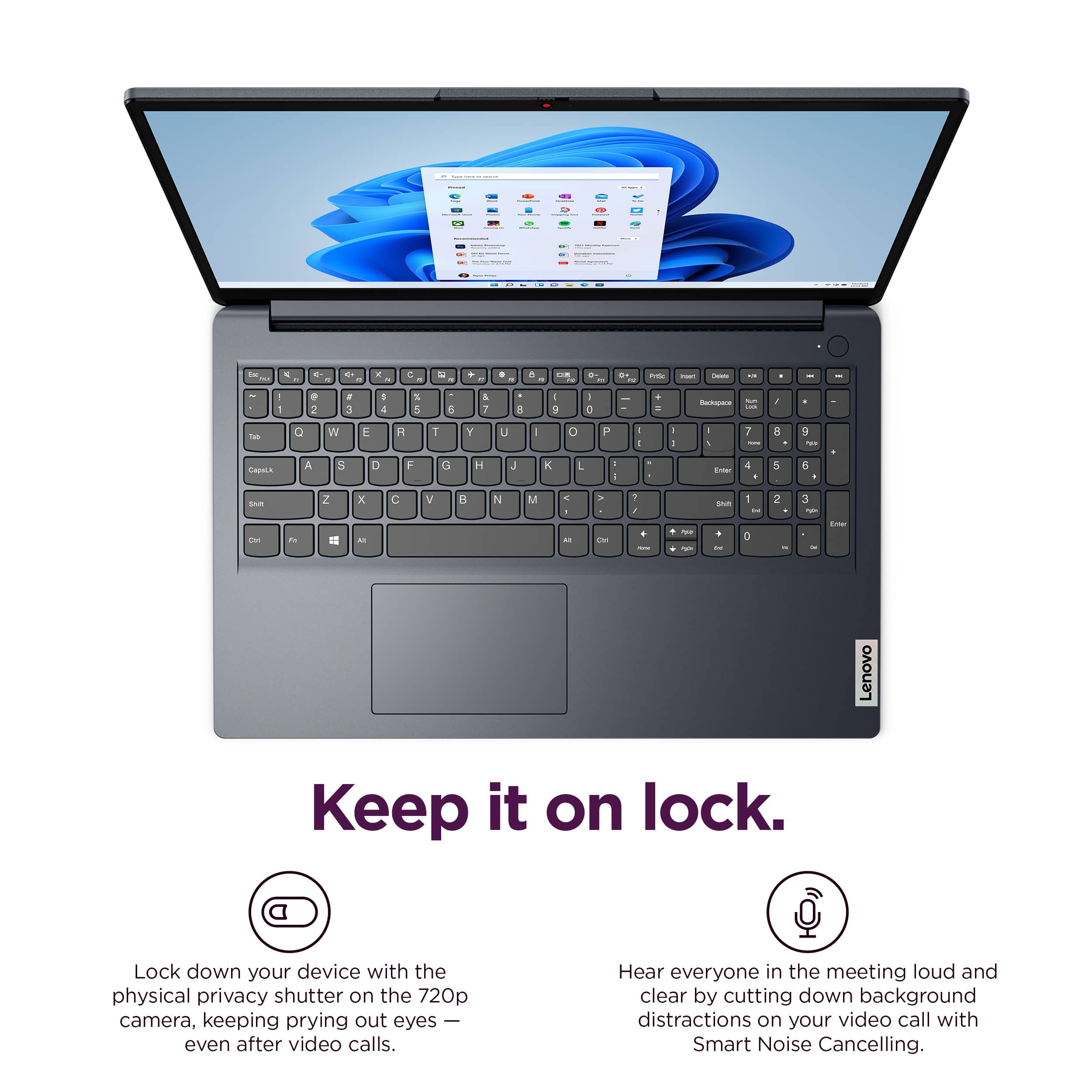
To try to resolve this, first, this model ships with a manual Privacy Shutter built in for security. Be sure the Privacy Shutter is completely open before trying to use the webcam or the webcam will not operate. There is a small slider, directly above the webcam lens. Move the tab to the right to open the Privacy Shutter. There is a red dot over the webcam lens that will disappear when the Privacy Shutter is fully open. This will indicate that the webcam is really to use. You can close the Privacy Shutter when you are done with the webcam for your security, by sliding the tab to the left to close the Privacy Shutter. The Red Dot will appear over the webcam lens when the Privacy Shutter is closed.
If your camera is still not functional after opening the shutter, we recommend checking for updates through Windows Update settings. To navigate there, select start on the taskbar (Windows logo) or press the windows key on the keyboard then search for Check for updates". Once the Setting app opens and you are in the Windows update section, select the "Check for Updates button". Install any available updates and restart your PC if required. If you didn’t have any updates that required a restart, it’s still a good idea to restart your device to make sure any pending updates are installed. Additionally, check for updates in the Lenovo Vantage application that is preinstalled. You can check by opening the app, then selecting the “check for updates” button on the homepage.
We are pleased to read that you are otherwise loving your IdeaPad 1.
Please feel free to reach out to us via the Q& A section of this product page should you have any questions or need further assistance. Also, let us know if there's anything else we can do to improve your experience, as your satisfaction is important to us.
Best regards,
Lenovo
Affordable + Easy to Use
||Posted .This reviewer received promo considerations or sweepstakes entry for writing a review.Solid choice if you’re looking for a standard laptop for work and basic functions. Affordable and easy to use.
I would recommend this to a friendBrand response from Lenovo Product Expert
Posted .Hi JaineL,
Thanks for choosing Lenovo and for sharing your feedback with us!
We are pleased to read that this IdeaPad 1 has been solid for your use, easy to use and easy on your wallet.
Please feel free to reach out to us via the Q& A section of this product page should you have any questions or need assistance.
Best,
Lenovo
Laptop
||Posted . Owned for 1 month when reviewed.This reviewer received promo considerations or sweepstakes entry for writing a review.This is an amazing Excellent computer, runs fast, turns on fast too,
I would recommend this to a friendBrand response from Lenovo Product Expert
Posted .Hi GregorioZ,
Thanks for choosing Lenovo and for sharing your feedback with us!
We are pleased to read that this IdeaPad 1 has been amazing for you.
Please feel free to reach out to us via the Q& A section of this product page should you have any questions or need assistance.
Best,
Lenovo
Computer
||Posted . Owned for 4 months when reviewed.This reviewer received promo considerations or sweepstakes entry for writing a review.It works as it should i would recommend it to my family and friends
I would recommend this to a friendBrand response from Lenovo Product Expert
Posted .Hi,
Thanks for choosing Lenovo and for sharing your feedback with us!
We are glad to read that you are satisfied with your purchase.
Please don't hesitate to reach out to us via the Q& A section of this product page or contact Lenovo Support should you have any questions or need assistance.
Regards,
Lenovo
Excellent product for office work
||Posted .This reviewer received promo considerations or sweepstakes entry for writing a review.Very responsive and battery saving device. Ready to take care of simple office tasks. Recommended 100%
I would recommend this to a friendPerfect computer
||Posted . Owned for 1 month when reviewed.This reviewer received promo considerations or sweepstakes entry for writing a review.Works amazing no problems. Other than it being slow sometimes but for the most part no problems
I would recommend this to a friendBrand response from Lenovo Product Expert
Posted .Hi JohnZ,
Thanks for choosing Lenovo and for sharing your feedback with us! Since we strive to provide the best experience possible, we wish to work with you to help ensure your system is running as optimally as possible if you're experiencing slowdowns.
To start, we recommend ensuring you have the latest software by checking for updates, as this could correct the issue by resolving any system bugs and inefficiencies. To do so, first, open the Settings app > Select the Windows update tab > Select the Check for updates button, apply all available updates. Next, open the Lenovo Vantage app > on the homepage, select the Check for updates button, following on-screen prompts to apply all available updates here as well.
We are pleased to read that this IdeaPad 1 is otherwise perfect for you.
Please feel free to reach out to us via the Q& A section of this product page should you have any questions or need further assistance, as your satisfaction is important to us.
Best regards,
Lenovo
good budget pc
||Posted .This reviewer received promo considerations or sweepstakes entry for writing a review.need 16gb ram for windows 11, but for the price it will do fine for most people. touch screen is nice.
I would recommend this to a friendBrand response from Lenovo Product Expert
Posted .Hi,
Thanks for choosing Lenovo and for sharing your feedback with us!
We are glad to read that you are satisfied with your purchase.
Please don't hesitate to reach out to us via the Q& A section of this product page or contact Lenovo Support should you have any questions or need assistance.
Regards,
Lenovo
Lenovo the best
||Posted . Owned for 1 month when reviewed.This reviewer received promo considerations or sweepstakes entry for writing a review.This is the best product I ever work with still I have another Lenovo Flex 5 I'm really happy not ever any problem
I would recommend this to a friendBrand response from Lenovo Product Expert
Posted .Hi MarioLozano,
Thanks for choosing Lenovo and for sharing your feedback with us!
We are pleased to read that you are quite happy with your IdeaPad 1.
Please feel free to reach out to us via the Q& A section of this product page should you have any questions or need assistance.
Best,
Lenovo