Customer Ratings & Reviews
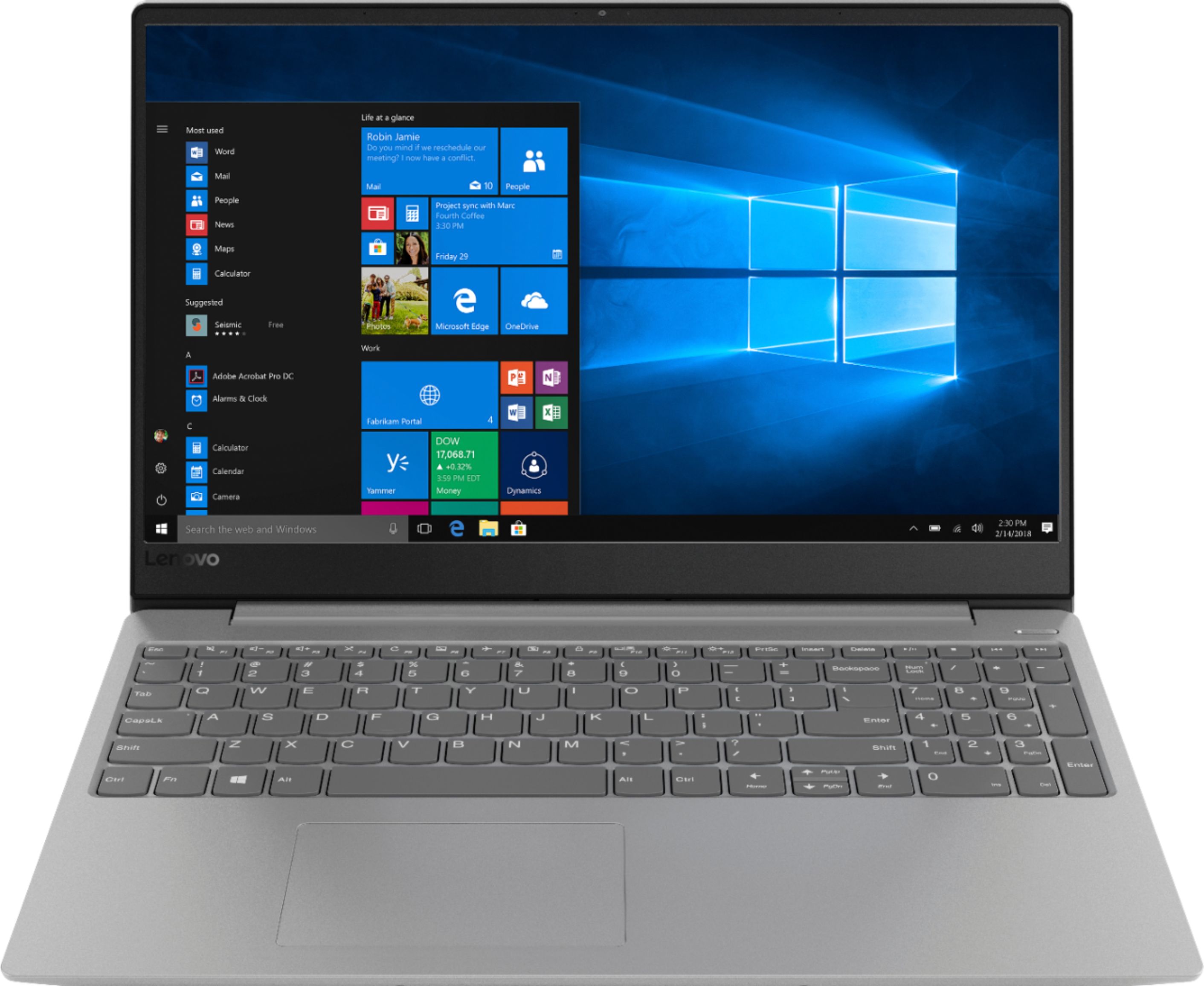
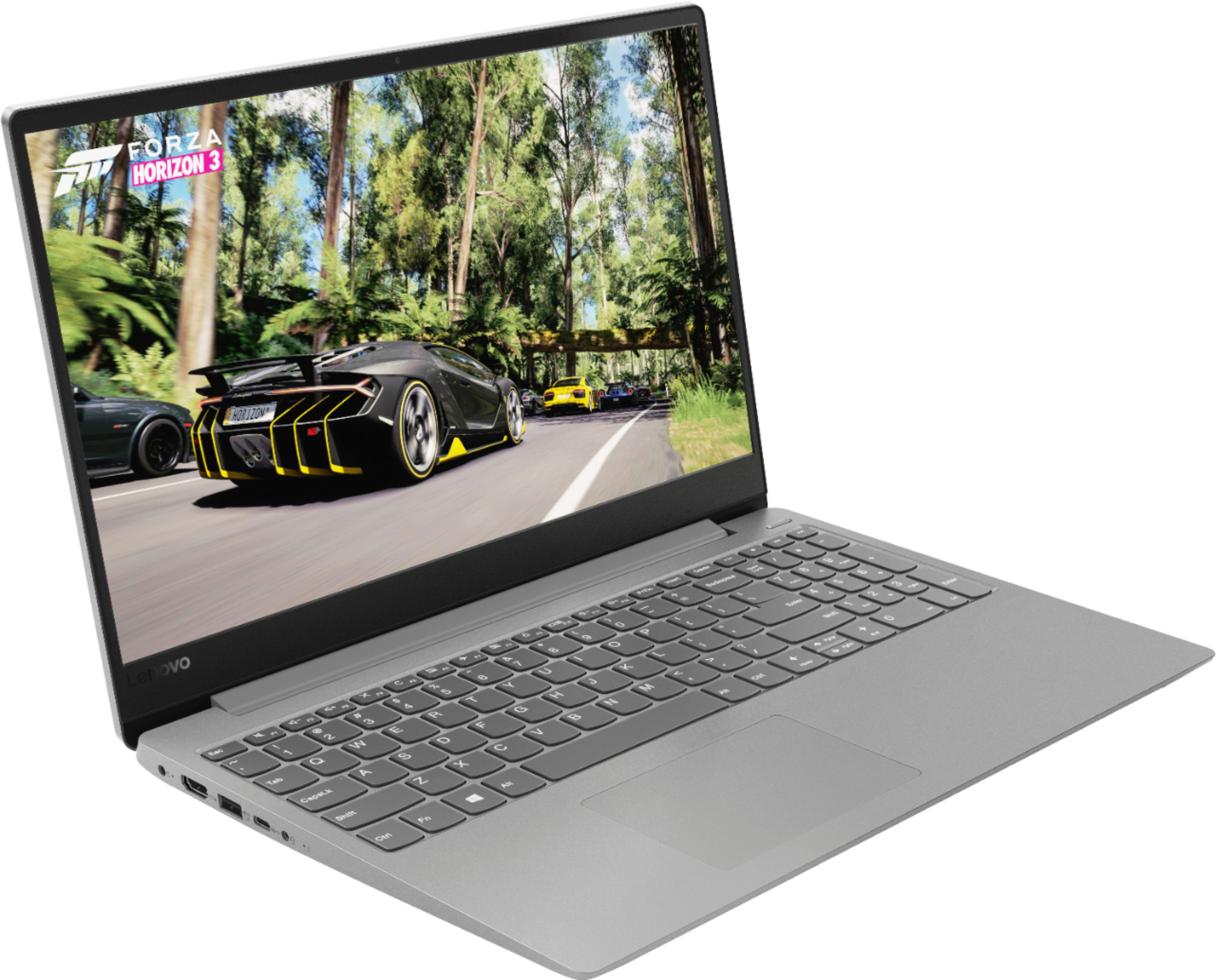
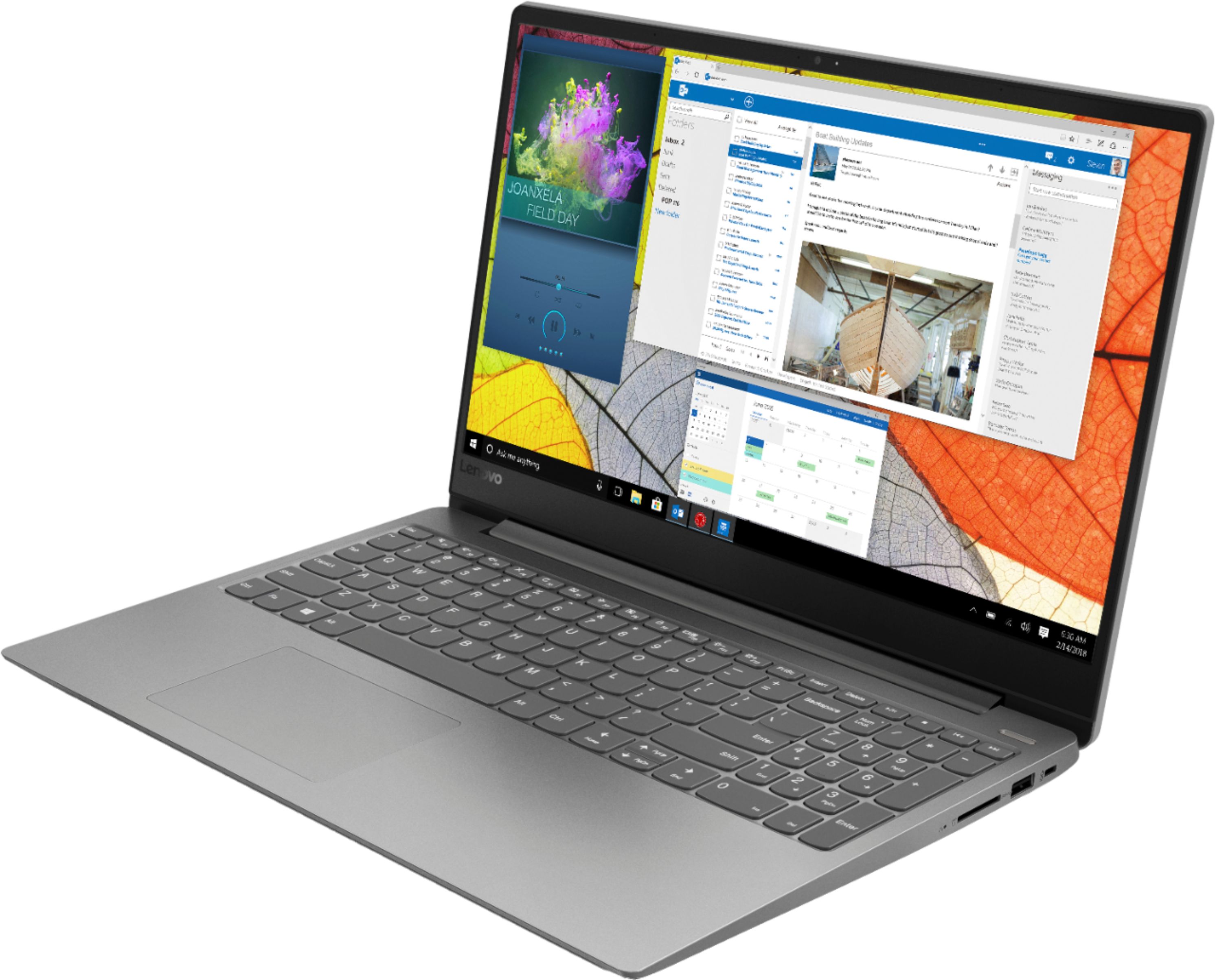
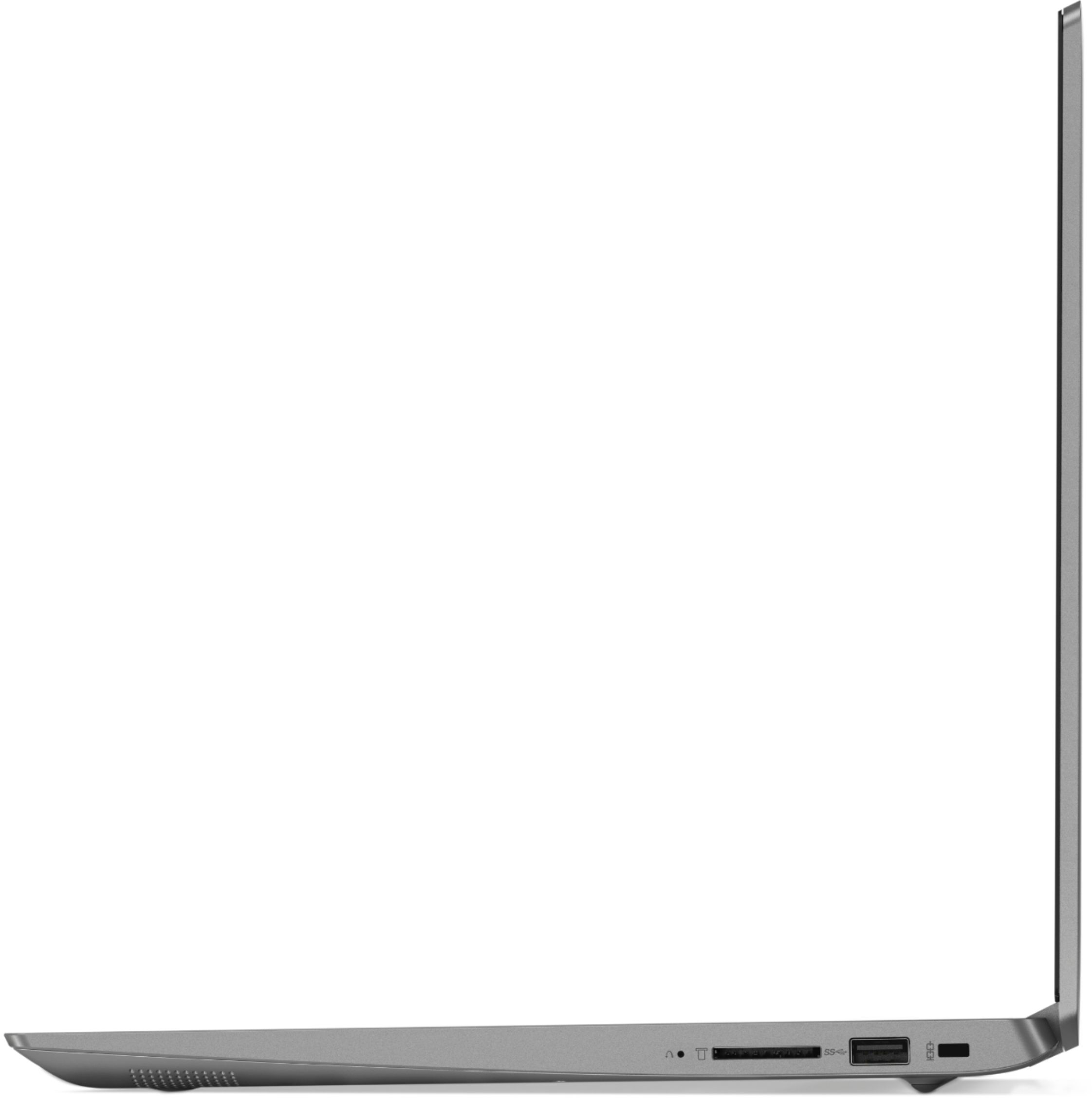

- Model:
- 81F500NSUS
- SKU:
- 6291881
Rating by feature
- Battery Life
Rating 4.5 out of 5 stars
- Speed
Rating 4.5 out of 5 stars
- Display
Rating 4.6 out of 5 stars
Customers are saying
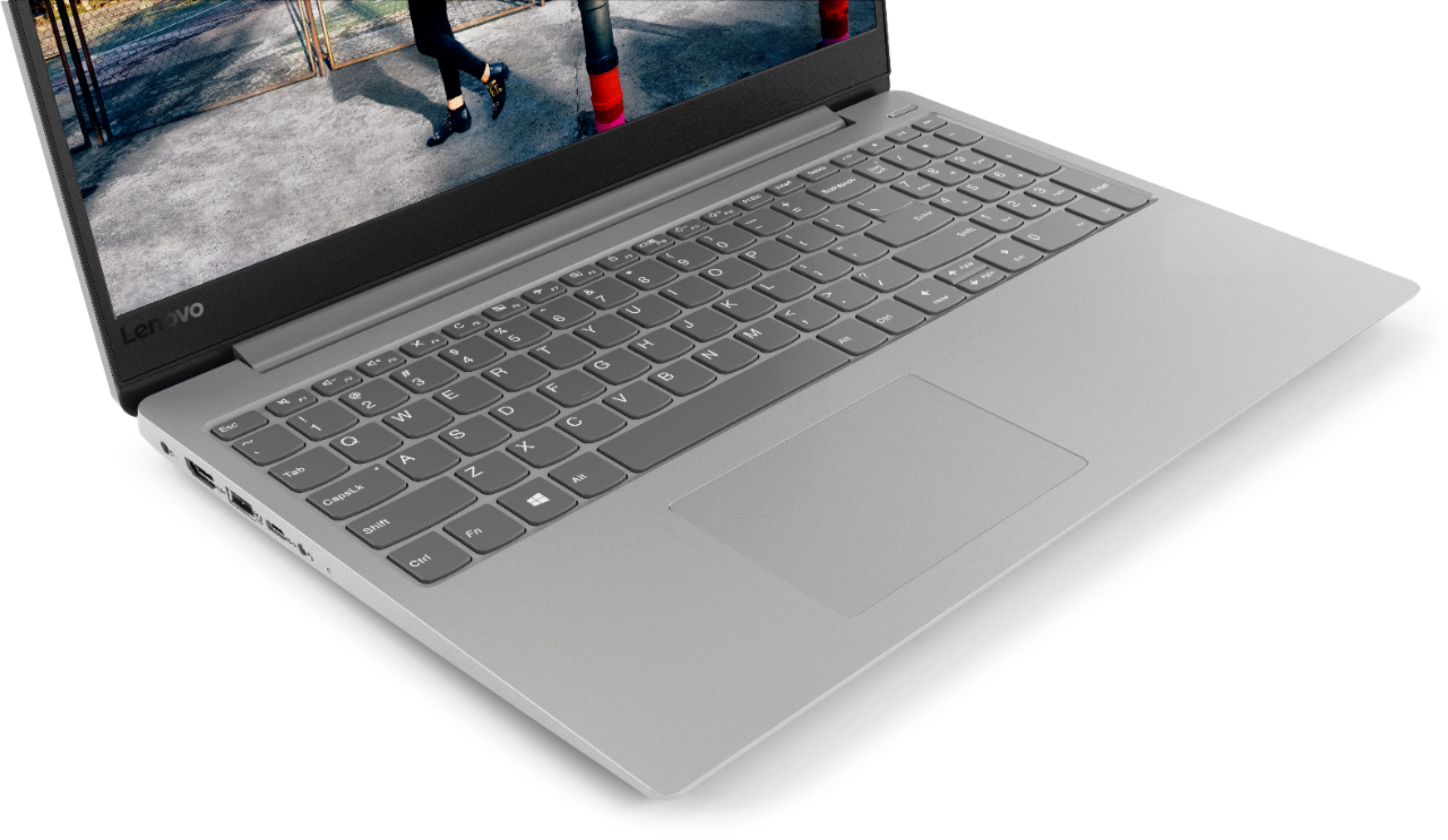
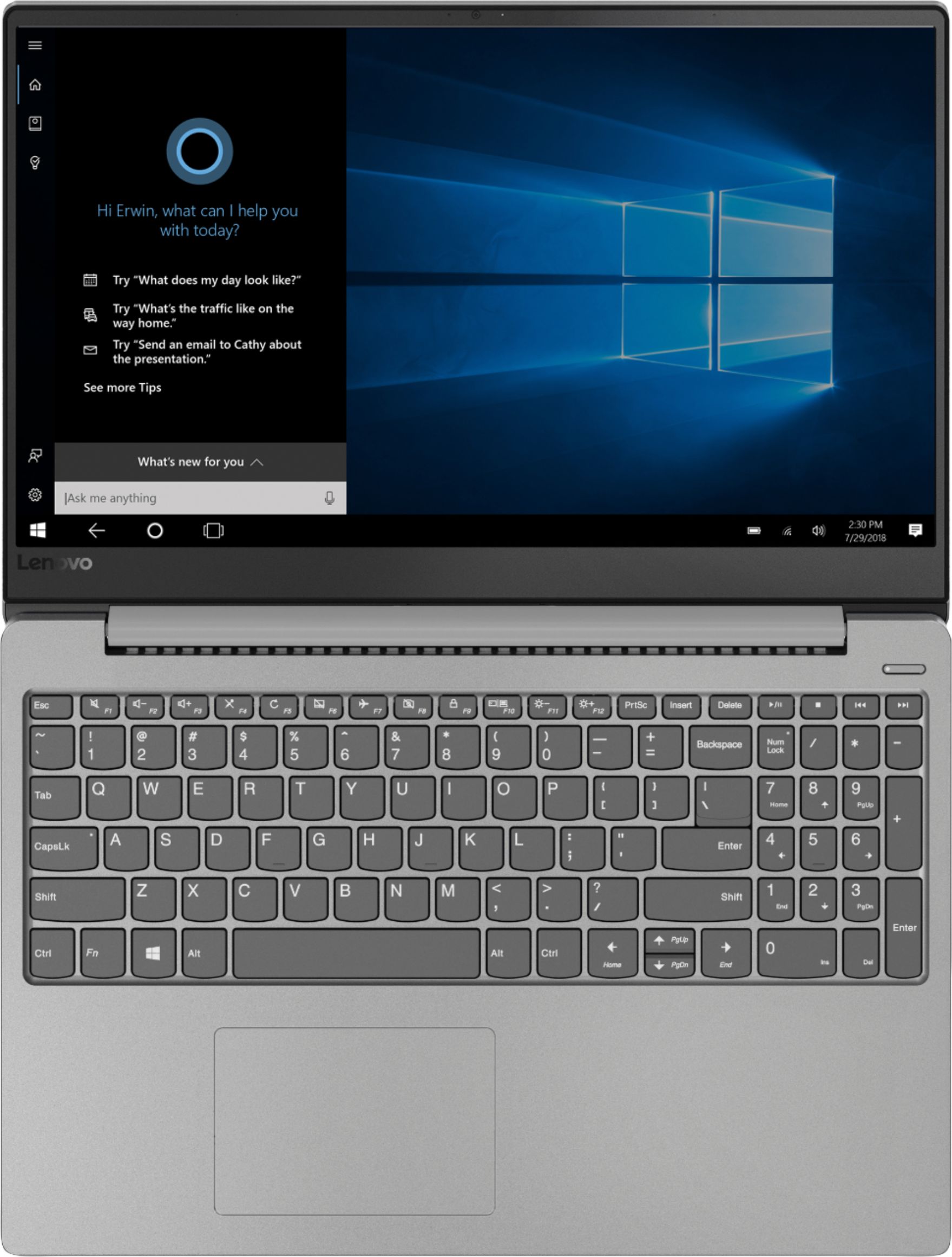
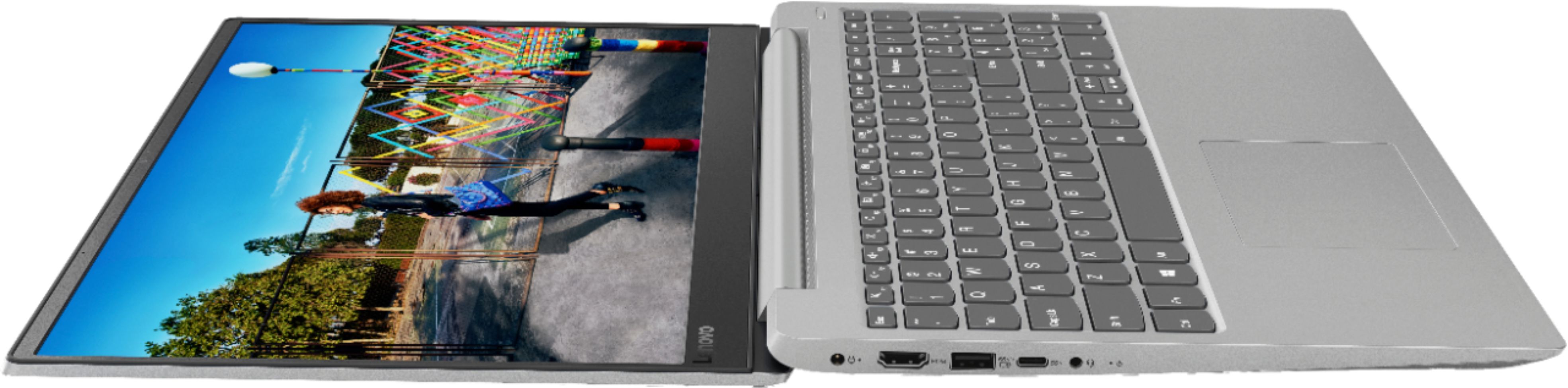
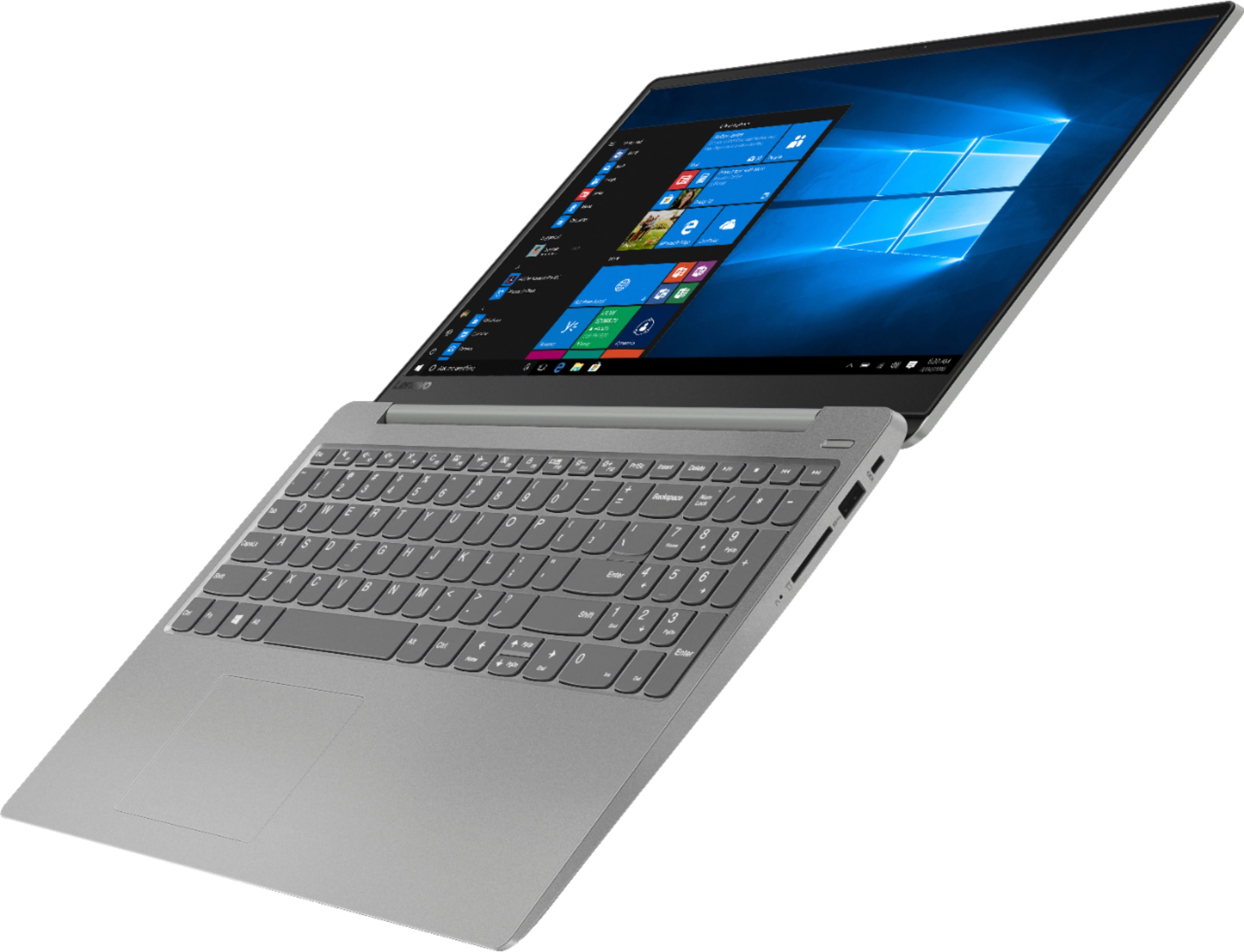
Customers find value in the IdeaPad 330S laptop's fast performance, affordable price, and lightweight design. Many users appreciate its large storage capacity and excellent performance for the price. However, some users have concerns about its short battery life and noisy fan.
This summary was generated by AI based on customer reviews.
- Pros mentioned:Price
Good product
||Posted .This reviewer received promo considerations or sweepstakes entry for writing a review.Bought this for schoolwork and some gaming, great for price
I would recommend this to a friendBrand response from Lenovo Product Expert
Posted .Thank you for choosing the Lenovo IdeaPad 330s-15 laptop. We are pleased to hear that the value and performance of the IdeaPad 330s-15 meets your computing needs so well. The Lenovo IdeaPad 330s-15 ships with a powerful Quad-Core/Eight-Thread Intel Core i5-8250U processor, 8GB of DDR4-2400MHz RAM. This configuration has a 15.6" (measured diagonally) 1920 x 1080 (FHD) resolution screen, with a brightness level of 250 nits. The Lenovo IdeaPad 330s-15 ships with a 1TB standard hard drive, supported by 16GB of Intel Optane Memory. This configuration can handle many of today's most demanding programs and is good with multi-tasking. If this describes the kind of computing you do, the Lenovo IdeaPad 330s-15 will be a great choice for you. For 2018, Lenovo retained its place for a second year as the best laptop vendor:
https://www.laptopmag.com/articles/laptop-brand-ratings
IBM Thinkpad lives on as Lenovo!
||Posted . Owned for 8 months when reviewed.This reviewer received promo considerations or sweepstakes entry for writing a review.Another tech gift for my wife. As a retired Engineer I am her tech consultant and 24/7 IT support. So I carefully research every purchase. This Lenovo Laptop is "more than I need" but it's her main PC and I've found it best to "over-spec" to ensure adaquate performance for any task. It also future proofs for tech evolution. It was a sad day when IBM announcedexiting the PC segment. The IBM Thinkpad was the Benchmark Laptop. Lenovo has proven to be a worthy successor to carry on that Thinkpad tradition of solid build quality and reliability. My only complaint is their decision to delete optical drives. I KNOW ...sign of the times but I still like having a physical disc in my hand! No worries I bought an external R/W disc drive so I'm happy and she can still play one of those old fashioned shiny disc things. Overall a very nice machine. Great specs,fast, excellent Display and so far to be bullet-proof. Highly recommended.
I would recommend this to a friend- Pros mentioned:Fast
Great laptop for the price
||Posted .This reviewer received promo considerations or sweepstakes entry for writing a review.I purchased this laptop because I needed to replace an older laptop. I needed something economical, yet still have the features I wanted. I am very happy with this laptop! The webpages load quickly and I am able to do my research quickly and efficiently. The salesperson I worked with was knowledgeable and helpful too.
I would recommend this to a friendBrand response from Lenovo Product Expert
Posted .Thank you for choosing the Lenovo IdeaPad 330s-15 laptop. We are pleased to hear that the features and performance of the IdeaPad 330s-15 laptop meets your computing needs so well. The Lenovo IdeaPad 330s-15 ships with a powerful Quad-Core/Eight-Thread Intel Core i5-8250U processor, 8GB of DDR4-2400MHz RAM. This configuration has a 15.6" (measured diagonally) 1920 x 1080 (FHD) resolution screen, with a brightness level of 250 nits. The Lenovo IdeaPad 330s-15 ships with a 1TB standard hard drive, supported by 16GB of Intel Optane Memory. This configuration can handle many of today's most demanding programs and is good with multi-tasking. If this describes the kind of computing you do, the Lenovo IdeaPad 330s-15 will be a great choice for you.
- Pros mentioned:Lightweight
Fast, lightweight laptop but unreliable touchpad
||Posted .This reviewer received promo considerations or sweepstakes entry for writing a review.This laptop is much lighter and faster than my previous one, allowing me to run more programs and environments. However, the touchpad only works occasionally, requiring me to manually disable and re-enable the driver in order to get it working again.
No, I would not recommend this to a friendBrand response from Lenovo Product Expert
Posted .Thank you for choosing the Lenovo IdeaPad 330s-15 laptop. Regarding the touchpad, try tapping the HotKey in the F6 position on your keyboard, if the touchpad turns off. It is possible you are inadvertently touching the HotKey in the F6 position while typing. This HotKey toggles the touchpad on/off. Also, it could be that the touchpad driver and the BIOS files controlling the touchpad may need to be updated. You can easily check this by scanning your computer with the Lenovo Utility software on the device. This system has Lenovo utilities installed to help maintain the health of the device and keep the operating system software up to date. Type "Lenovo Vantage" in the Cortana Search window (if Lenovo Vantage is not installed on your device, you can download the APP and install it now). Select Lenovo Vantage from the list. In the window that opens, click on "Health and Support". In the expanded menu, select "Hardware Scan" In the window that opens, select "Run Quick Tests". This will scan your entire system for errors. Follow any directions that may pop up. If the problem continues after this scan, now click on "System Update". First select Windows update from the menu. Scan your system to be sure you have the latest version of Windows 10. Once that scan is complete, select "Additional Updates". This will scan your device to be sure there are no new BIOS/Driver updates needed. Follow any instructions that may pop up. If the issue still continues after these updates, we recommend you call Lenovo Tech Support at: 877-453-6686 for additional help.
- Pros mentioned:Fast
Fast, easy setup, able to download apps&programs
||Posted .This reviewer received promo considerations or sweepstakes entry for writing a review.Computer is fast. it connected to the internet with no issues, setup was easy and downloading apps and programs was no problem. Battery life is rated as 6 hours which is about right maybe a little less. Charging the battery is fast. Touch screen would have been a plus. Very light computer easy to carry around.
I would recommend this to a friendBrand response from Lenovo Product Expert
Posted .Thank you for choosing the Lenovo IdeaPad 330s-15 laptop. This model does not ship with a touchscreen. The Lenovo IdeaPad 330s-15 ships with a powerful Quad-Core/Eight-Thread Intel Core i5-8250U processor, 8GB of DDR4-2400MHz RAM. This configuration has a 15.6" (measured diagonally) 1920 x 1080 (FHD) resolution non-touch screen, with a brightness level of 250 nits. The Lenovo IdeaPad 330s-15 ships with a 1TB standard hard drive, supported by 16GB of Intel Optane Memory. This configuration can handle many of today's most demanding programs and is good with multi-tasking. If this describes the kind of computing you do, the Lenovo IdeaPad 330s-15 will be a great choice for you. For 2018, Lenovo retained its place for a second year as the best laptop vendor:
https://www.laptopmag.com/articles/laptop-brand-ratings
Very good entry level laptop
||Posted . Owned for 5 months when reviewed.This reviewer received promo considerations or sweepstakes entry for writing a review.It’s been a while since I owned a Lenovo. The last Lenovo was a Thinkpad when they bought the rights to make them for IBM. Our last laptop was slowing down and I had done two complete system wipes and restore. So I was looking for something that had quick startup and plenty of processing power and HDD space. This Lenovo had core i5 and 1TB and it was partitioned to allow for a quick startup. Now, I don’t PC game so this didn’t come with a dedicated video card. It does everything I need and starts up fast. I use MS Office applications on the laptop and the screen is perfect for what I need. The only downside is that because it is slim and lightweight, it did not come with a CD drive, so I purchased a separate external portable Blu-Ray/CD drive. Other than that I am very happy with this laptop 6 months later.
I would recommend this to a friendBrand response from Lenovo Product Expert
Posted .Thank you for choosing the Lenovo IdeaPad 330s-15 laptop. The Lenovo IdeaPad 330s-15 ships with a powerful Quad-Core/Eight-Thread Intel Core i5-8250U processor, 8GB of DDR4-2400MHz RAM. This configuration has a 15.6" (measured diagonally) 1920 x 1080 (FHD) resolution screen, with a brightness level of 250 nits. The Lenovo IdeaPad 330s-15 ships with a 1TB standard hard drive, supported by 16GB of Intel Optane Memory, to provide fast boot up and quick program and file loading of the specific programs/files that the specific user accesses the most. This configuration can handle many of today's most demanding programs and is good with multi-tasking. If this describes the kind of computing you do, the Lenovo IdeaPad 330s-15 will be a great choice for you. For 2018, Lenovo retained its place for a second year as the best laptop vendor:
https://www.laptopmag.com/articles/laptop-brand-ratings
- Pros mentioned:Performance
Great laptop
||Posted .This reviewer received promo considerations or sweepstakes entry for writing a review.The new Aspire E Series laptops provide a comprehensive range of choices for every-day users, with many appealing features and an attractive design. Incredible performance, fast 802.11ac wireless with new MU-MIMO technology and great battery life make the Aspire E series shine in any situation.
I would recommend this to a friend - Pros mentioned:Lightweight
Great business computer!
||Posted .This reviewer received promo considerations or sweepstakes entry for writing a review.This is a great computer if you're using only web based stuff. Charges super quick! Battery life is just ok. Moves really quickly through apps and screen resolution is great. Lightweight. Love this computer for my business.
I would recommend this to a friendBrand response from Lenovo Product Expert
Posted .The Lenovo IdeaPad 330s-15 laptop ships with a 2CELL 30WH, Lithium Polymer battery, with a battery life of up to 7 hours, depending on the work that the device is performing. To maximize battery life, first adjust your battery saver settings. Here is a link to instruction for doing this in Windows 10: https://www.digitalcitizen.life/how-use-configure-battery-saver-windows-10. Next, to maximize battery life, be sure there are no unwanted programs running in the background, draining the battery. Here is a link to some tips for finding out what is draining your battery:
https://www.laptopmag.com/articles/battery-saver-windows-10. Also, to maximize battery life, try changing your power management setting to a more conservative one. You can do this in the control panel, in the power management category on your system. Select a more conservative power management setting to extend battery life. Finally, if the battery life does not improve, a battery reset may help. Here is a link to instructions for reconditioning a non-removable battery, using the Battery Management Software installed on the computer. If you need further assistance, we recommend you call Lenovo Tech Support at: 877-453-6686. Here is the link: https://windowsreport.com/laptop-battery-not-charging-windows-10/
- Pros mentioned:Fast
Easy to use and very quick
||Posted .This reviewer received promo considerations or sweepstakes entry for writing a review.The laptop was easy to set up and get going, maybe an hour total to get it where I wanted. The processing is really fast, and sometimes feels like it is waiting for the data to come across. I have had it a month and had zero issues, definitely no real problems like I saw in other places.
I would recommend this to a friendBrand response from Lenovo Product Expert
Posted .Thank you for choosing the lenovo IdeaPad 330s-15 laptop. We are pleased to hear that the performance of the IdeaPad 330s-15 meets your computing needs so well. The Lenovo IdeaPad 330s-15 ships with a powerful Quad-Core/Eight-Thread Intel Core i5-8250U processor, 8GB of DDR4-2400MHz RAM. This configuration has a 15.6" (measured diagonally) 1920 x 1080 (FHD) resolution screen, with a brightness level of 250 nits. The Lenovo IdeaPad 330s-15 ships with a 1TB standard hard drive, supported by 16GB of Intel Optane Memory. This configuration can handle many of today's most demanding programs and is good with multi-tasking. If this describes the kind of computing you do, the Lenovo IdeaPad 330s-15 will be a great choice for you.
- Cons mentioned:Battery life
Very Fast!
||Posted .This reviewer received promo considerations or sweepstakes entry for writing a review.It's a nice computer! Lightning fast with more memory than I will use. Downside is limited battery. That can be upgraded with opening up the laptop and adding more. Great graphics. I like this little machine.
I would recommend this to a friendBrand response from Lenovo Product Expert
Posted .The Lenovo IdeaPad 330s-15 laptop ships with a 2CELL 30WH, Lithium Polymer Battery, with a battery life of up to 7 hours, depending on the work that the device is performing. To maximize battery life, first adjust your battery saver settings. Here is a link to instruction for doing this in Windows 10: https://www.digitalcitizen.life/how-use-configure-battery-saver-windows-10. Next, to maximize battery life, be sure there are no unwanted programs running in the background, draining the battery. Here is a link to some tips for finding out what is draining your battery:
https://www.laptopmag.com/articles/battery-saver-windows-10. Also, to maximize battery life, try changing your power management setting to a more conservative one. You can do this in the control panel, in the power management category on your system. Select a more conservative power management setting to extend battery life. Finally, if the battery life does not improve, a battery reset may help. Here is a link to instructions for reconditioning a non-removable battery, using the Battery Management Software installed on the computer. If you need further assistance, we recommend you call Lenovo Tech Support at: 877-453-6686. Here is the link: https://windowsreport.com/laptop-battery-not-charging-windows-10/. For 2018, Lenovo retained its place for a second year as the best laptop vendor:
https://www.laptopmag.com/articles/laptop-brand-ratings
Very Surprised!
||Posted .This reviewer received promo considerations or sweepstakes entry for writing a review.After my Dell Inspiron 5575 died after only 3 years, I had my mind made up to get the ASUS Vivobook F510UA until I saw this as an open-box bargain while walking around Best Buy. I really like the Lenovo setup, this is my first Lenovo. It doesn't have SSD but it does have 16gb Intel Optane, I won't pretend to know what that is, but it does boot up fast. This laptop is fast in general. I am very impressed with the screen, I didn't expect it to be so bright and sharp. I haven't run into any issues yet. Only things I wish it had were fingerprint reader and dedicated graphics, but for what I paid I got a great deal.
I would recommend this to a friendBrand response from Lenovo Product Expert
Posted .Thank you for choosing the lenovo IdeaPad 330-15 laptop. As you point out, this configuration ships with 16GB of Intel Optane Memory. This solid state memory supports the 1TB standard hard drive. The Optane Memory keeps an image of the Windows 10 operating system on it which provides boot up from off to the Windows 10 desktop in less than 10 seconds. The Optane memory learns which files and programs the specific user uses the most and provides fast recall of those most used files and programs. There is an IPS LCD w/LED Backlight (Anti-glare) screen, with a resolution of 1920 x 1080 (FHD) and a brightness level of 250 nits. Graphics processing within this configuration is integrated within the Intel Core i5-8250U processor. It is the Intel UHD Graphics 620 version.
- Cons mentioned:Battery life
Great Computer!
||Posted . Owned for 1 year when reviewed.This reviewer received promo considerations or sweepstakes entry for writing a review.I was skeptical at first of buying this computer, but it still working fine after one and a half year. Only downside is battery sometimes, but just know that you should disable rapid charging and that has helped me have a bit more battery power.
I would recommend this to a friend - Cons mentioned:Battery life
Real good laptop
||Posted .This reviewer received promo considerations or sweepstakes entry for writing a review.Everything is really good. I did have to exchange for another as my original froze, but the new replacement works very well. Only issue is the battery life. Quick charge is great, battery life not so much.
I would recommend this to a friendBrand response from Lenovo Product Expert
Posted .The Lenovo IdeaPad 330s-15 laptop ships with a 2CELL 30WH, Lithium Polymer battery, with a battery life of up to 7 hours, depending on the work that the device is performing. To maximize battery life, first adjust your battery saver settings. Here is a link to instruction for doing this in Windows 10: https://www.digitalcitizen.life/how-use-configure-battery-saver-windows-10. Next, to maximize battery life, be sure there are no unwanted programs running in the background, draining the battery. Here is a link to some tips for finding out what is draining your battery:
https://www.laptopmag.com/articles/battery-saver-windows-10. Also, to maximize battery life, try changing your power management setting to a more conservative one. You can do this in the control panel, in the power management category on your system. Select a more conservative power management setting to extend battery life. Finally, if the battery life does not improve, a battery reset may help. Here is a link to instructions for reconditioning a non-removable battery, using the Battery Management Software installed on the computer. If you need further assistance, we recommend you call Lenovo Tech Support at: 877-453-6686. Here is the link: https://help.business.uconn.edu/index.php?pg=kb.page&id=169
For that price it's worth it.
||Posted .This reviewer received promo considerations or sweepstakes entry for writing a review.I bought my Lenovo 330s about 2 months ago. I love how fast the battery charge is. The processor on this laptop is not bad. I will recommend it for any with daily internet search, shot videos, movies etc.
I would recommend this to a friendBrand response from Lenovo Product Expert
Posted .Thank you for choosing the Lenovo IdeaPad 330s-15 laptop. The Lenovo IdeaPad 330s-15 ships with a powerful Quad-Core/Eight-Thread Intel Core i5-8250U processor, 8GB of DDR4-2400MHz RAM. This configuration has a 15.6" (measured diagonally) 1920 x 1080 (FHD) resolution screen, with a brightness level of 250 nits. The Lenovo IdeaPad 330s-15 ships with a 1TB standard hard drive, supported by 16GB of Intel Optane Memory. This configuration can handle many of today's most demanding programs and is good with multi-tasking. If this describes the kind of computing you do, the Lenovo IdeaPad 330s-15 will be a great choice for you.
- Cons mentioned:Screen
simple to use
||Posted .This reviewer received promo considerations or sweepstakes entry for writing a review.Like the size. Like that it has numeric key board. would have preferred a touch screen, but then you forfit numeric keyboard. have only had this computer for a month so durability is still in question
I would recommend this to a friendBrand response from Lenovo Product Expert
Posted .Thank you for choosing the lenovo IdeaPad 330s-15 laptop. The Lenovo IdeaPad 330s-15 ships with a powerful Quad-Core/Eight-Thread Intel Core i5-8250U processor, 8GB of DDR4-2400MHz RAM. This configuration has a 15.6" (measured diagonally) 1920 x 1080 (FHD) resolution screen, with a brightness level of 250 nits. The Lenovo IdeaPad 330s-15 ships with a 1TB standard hard drive, supported by 16GB of Intel Optane Memory. This configuration can handle many of today's most demanding programs and is good with multi-tasking. If this describes the kind of computing you do, the Lenovo IdeaPad 330s-15 will be a great choice for you.
- Cons mentioned:Battery life
Decent but not great!
||Posted .This reviewer received promo considerations or sweepstakes entry for writing a review.Starting with the battery, it’s life is horrible. Maybe a little over two hours. Pretty fast boot with the one TB hard drive. And next time, if it doesn’t have a lighted keyboard, I’m not buying it.
I would recommend this to a friendBrand response from Lenovo Product Expert
Posted .The Lenovo IdeaPad 330s-15 Laptop ships with a 2CELL 30WH, Lithium Polymer battery, with a battery life of up to 7 hours, depending on the work that the device is performing. To maximize battery life, first adjust your battery saver settings. Here is a link to instruction for doing this in Windows 10: https://www.digitalcitizen.life/how-use-configure-battery-saver-windows-10. Next, to maximize battery life, be sure there are no unwanted programs running in the background, draining the battery. Here is a link to some tips for finding out what is draining your battery:
https://www.laptopmag.com/articles/battery-saver-windows-10. Also, to maximize battery life, try changing your power management setting to a more conservative one. You can do this in the control panel, in the power management category on your system. Select a more conservative power management setting to extend battery life. Finally, if the battery life does not improve, a battery reset may help. Here is a link to instructions for reconditioning a non-removable battery, using the Battery Management Software installed on the computer. This configuration ships with a 1TB standard 5400 RPM hard drive, supported by 16GB of solid state Intel Optane Memory. The Optane Memory makes for fast boot up of Windows 10 and quick recall of the files and programs the specific user accesses the most. This model does not have a backlit keyboard.
- Pros mentioned:Fast
Love my new laptop
||Posted .This reviewer received promo considerations or sweepstakes entry for writing a review.I was truly impressed by the outstanding knowledge of my sales associate at Best Buy! He guided me to the best laptop for my everyday use. I found the set-up and learning curve on the new computer to be quite easy and efficient. I love this laptop!!!!
I would recommend this to a friendBrand response from Lenovo Product Expert
Posted .Thank you for choosing the Lenovo IdeaPad 330s-15 laptop. We are pleased to hear that the performance of the IdeaPad 330s-15 meets your computing needs so well. The Lenovo IdeaPad 330s-15 ships with a powerful Quad-Core/Eight-Thread Intel Core i5-8250U processor, 8GB of DDR4-2400MHz RAM. This configuration has a 15.6" (measured diagonally) 1920 x 1080 (FHD) resolution screen, with a brightness level of 250 nits. The Lenovo IdeaPad 330s-15 ships with a 1TB standard hard drive, supported by 16GB of Intel Optane Memory. This configuration can handle many of today's most demanding programs and is good with multi-tasking. If this describes the kind of computing you do, the Lenovo IdeaPad 330s-15 will be a great choice for you.
- Pros mentioned:Fast
It’s fast
||Posted . Owned for 3 weeks when reviewed.This reviewer received promo considerations or sweepstakes entry for writing a review.I just recently bought this item. So far, so good. I had a 17” computer b4. This one is a 15”. I didn’t think I would like a smaller computer, but I love it!!!!!! The typing has a VERY good feel, the speed of the computer is really fast, too.
I would recommend this to a friendBrand response from Lenovo Product Expert
Posted .Thank you for choosing the lenovo IdeaPad 330s-15 laptop. We are pleased to hear that the features and performance of the IdeaPad 330s-15 meets your computing needs so well. The Lenovo IdeaPad 330s-15 ships with a powerful Quad-Core/Eight-Thread Intel Core i5-8250U processor, 8GB of DDR4-2400MHz RAM. This configuration has a 15.6" (measured diagonally) 1920 x 1080 (FHD) resolution screen, with a brightness level of 250 nits. The Lenovo IdeaPad 330s-15 ships with a 1TB standard hard drive, supported by 16GB of Intel Optane Memory. This configuration can handle many of today's most demanding programs and is good with multi-tasking. If this describes the kind of computing you do, the Lenovo IdeaPad 330s-15 will be a great choice for you.
- Cons mentioned:Battery life
Great specs for a Lenovo at the prrice
||Posted . Owned for 1 month when reviewed.This reviewer received promo considerations or sweepstakes entry for writing a review.This Lenovo is sleek and light. Once of the best base specs I have seen for laptop. The only criticism is the battery life. Not much more than 3 hours before it needs to be plugged in.
I would recommend this to a friendBrand response from Lenovo Product Expert
Posted .The Lenovo IdeaPad 330s-15 laptop ships with a 2CELL 30WH, Lithium Polymer Battery, with a battery life of up to 7 hours, depending on the work that the device is performing. To maximize battery life, first adjust your battery saver settings. Here is a link to instruction for doing this in Windows 10: https://www.digitalcitizen.life/how-use-configure-battery-saver-windows-10. Next, to maximize battery life, be sure there are no unwanted programs running in the background, draining the battery. Here is a link to some tips for finding out what is draining your battery:
https://www.laptopmag.com/articles/battery-saver-windows-10. Also, to maximize battery life, try changing your power management setting to a more conservative one. You can do this in the control panel, in the power management category on your system. Select a more conservative power management setting to extend battery life. Finally, if the battery life does not improve, a battery reset may help. Here is a link to instructions for reconditioning a non-removable battery, using the Battery Management Software installed on the computer. If you need further assistance, we recommend you call Lenovo Tech Support at: 877-453-6686. Here is the link: https://windowsreport.com/laptop-battery-not-charging-windows-10/
- Pros mentioned:Performance
Very good Thinkpad at excellent price
||Posted .This reviewer received promo considerations or sweepstakes entry for writing a review.I would recommend this TP, Very good performance and professional looking laptop, fast, good HD camera, great at multitasking, screen is large (great for watching videos or playing games.
I would recommend this to a friendBrand response from Lenovo Product Expert
Posted .This model number 81F500NSUS is a IdeaPad manufactured by Lenovo. The Lenovo IdeaPad 330s-15 ships with a powerful Quad-Core/Eight-Thread Intel Core i5-8250U processor, 8GB of DDR4-2400MHz RAM. This configuration has a 15.6" (measured diagonally) 1920 x 1080 (FHD) resolution screen, with a brightness level of 250 nits. The Lenovo IdeaPad 330s-15 ships with a 1TB standard hard drive, supported by 16GB of Intel Optane Memory. This configuration can handle many of today's most demanding programs and is good with multi-tasking. If this describes the kind of computing you do, the Lenovo IdeaPad 330s-15 will be a great choice for you.